
Note: This article contains affiliate links. If you click on these links and make a purchase, we may earn a small commission at no extra cost to you. This helps support our research and content. Read our full affiliate disclosure here.
Choosing the right commercial paper shredder matters when your office handles high volumes of sensitive documents. A good commercial unit reduces shredding bottlenecks, meets required security levels, and minimizes maintenance interruptions. This guide covers seven shortlisted commercial paper shredders that suit busy workplaces, and explains the practical tradeoffs between throughput, security, and durability. Below you will find concise evaluations and the criteria we used to judge each machine so you can match a model to your specific capacity and compliance needs.
Top Picks at a Glance
| Best Overall The best all-around choice for most situations | Aurora AU200MA Auto-Feed Shredder |  |
| Best Quality Built to a higher standard if you want something more solid | Fellowes Powershred 225Ci |  |
| Best Value The sweet spot between price and what you get | Bonsaii AutoFeed Micro-Cut Shredder C233-B |  |
| Best Budget The cheapest option that still gets the job done reliably | BONSEN S3112 14-Sheet Shredder |  |
| Top Rated A top-rated pick with lots of positive feedback | bonsaii C283-A Micro Cut Shredder |  |
| Most Popular A crowd favorite that many people choose with confidence | Amazon Basics Auto Feed Cross-Cut Shredder |  |
| Best Seller A high-volume bestseller chosen again and again | Amazon Basics 24-Sheet Cross-Cut Shredder |  |
Aurora AU200MA Auto-Feed Shredder

| Cut Type | Micro Cut |
|---|---|
| Standard Sheet Capacity | 200 |
| Capacity | 8.5 gallons |
| Power Source | Corded Electric |
| Operation Mode | Automatic |
The Aurora AU200MA is built for small offices that need high-security, hands-off shredding. It accepts a 200-sheet auto-feed stack and will also shred up to 10 sheets manually, cutting documents into P-5 micro-cut particles (about 5/64 by 15/32 inches) for strong identity protection. The unit is designed for continuous use with a 60-minute runtime, LED status lights for bin-full, overload and overheat, and auto power-sleep to save energy between jobs. Practical features include anti-jam auto-reverse, a pullout 8.5-gallon bin for easy disposal, and relatively quiet operation for a commercial-capable machine. Trade-offs are its fairly large footprint and weight compared with basic office shredders, and it does not list CD/DVD shredding capability on this model, so media destruction requires a different unit. For teams that process regular batches of sensitive paperwork, it reduces manual handling and speeds workflow, while individual home users may find its capacity larger than needed.
Best for: Buyers who need a reliable, high-security shredder for regular batch processing in a small office and prefer an auto-feed workflow to reduce manual feeding.
Less Ideal for: If you only shred a few documents occasionally at home or need media (CD/DVD) destruction, a smaller unit or a model with dedicated media shredding would be a better fit.
- 200-sheet auto-feed for unattended batch shredding
- P-5 micro-cut security that produces very small particles
- 60-minute continuous run time suitable for regular office use
- Anti-jam auto-reverse and LED status indicators for easier operation
- No CD/DVD shredding capability listed for this model
- Larger and heavier than basic home office shredders
Verdict: Choose the AU200MA when you want a commercial-grade, auto-feed micro-cut shredder that handles large batches securely and with minimal supervision.
Fellowes Powershred 225Ci

| Cut Type | Cross Cut |
|---|---|
| Capacity | 16 gallons |
| Standard Sheet Capacity | 20 |
| Power Source | Corded Electric |
| Operation Mode | Automatic |
The Fellowes Powershred 225Ci is a commercial-grade cross-cut shredder built to handle sustained, high-volume shredding in shared workspaces. It shreds up to 22 sheets per pass into small 5/32" x 1-1/2" particles (P-4 security), and will also take staples, paper clips, credit cards and CDs. The unit's continuous-duty motor supports non-stop operation while the 100% Jam-Proof system with Auto Reverse helps clear and prevent blockages, which keeps sessions moving without frequent interruptions. SafeSense technology automatically stops the cutters if hands touch the feed opening, and a large 16-gallon pull-out bin with LED bin-full indicator reduces how often you empty waste. Practical touches include quiet operation for office environments and an Energy Savings System to cut power use between jobs. Important trade-offs are its substantial size and weight, which make it best suited to a dedicated office area rather than a home office, and the need for floor space to accommodate the 16-gallon bin and casters. For teams that prioritize throughput and security, the 225Ci delivers consistent, heavy-duty performance.
Best for: Buyers who need a robust, high-throughput shredder for busy offices or shared workspaces and prioritize continuous performance and document security.
Less Ideal for: Individuals or small home offices that need a compact, lightweight shredder or have limited floor space should consider smaller models instead.
- Shreds up to 22 sheets per pass for high throughput
- Cross-cut P-4 security particles for strong document security
- Continuous-duty motor allows non-stop shredding without cool-down
- 100% Jam-Proof system with Auto Reverse reduces interruptions
- Large 16-gallon pull-out bin with LED indicator lowers maintenance frequency
- Large and heavy unit that requires dedicated floor space
- Not ideal for occasional home use due to commercial size and capacity
Verdict: Choose the 225Ci when you need a heavy-duty, continuous-run commercial shredder that reliably handles large volumes with high security.
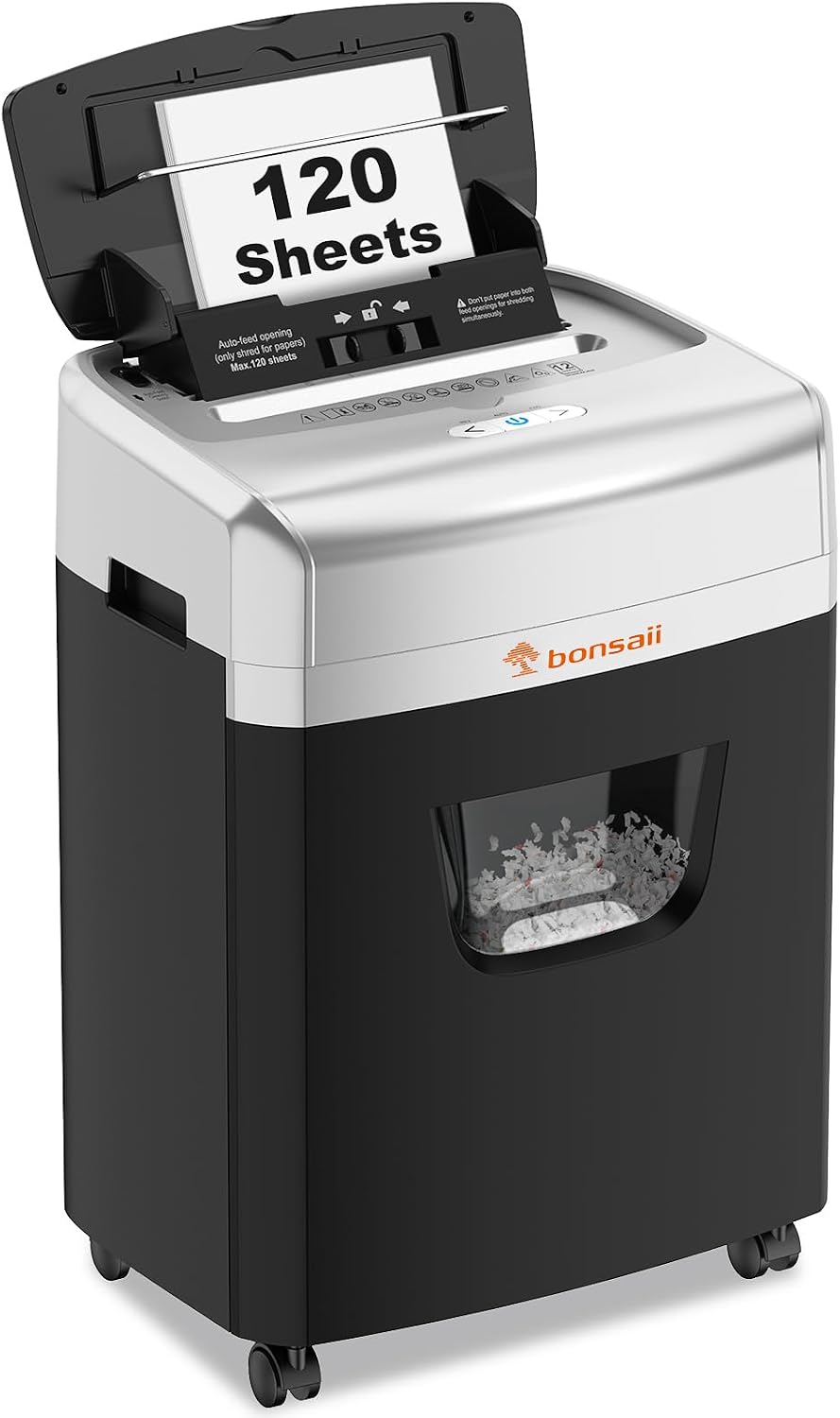
Bonsaii AutoFeed Micro-Cut Shredder C233-B
| Cut Type | Micro Cut |
|---|---|
| Capacity | 23 liters |
| Standard Sheet Capacity | 110 |
| Operation Mode | Automatic |
| Continuous Run Time | 30 Minutes |
The Bonsaii C233-B combines an autofeed tray for batch shredding with a manual slot for smaller jobs, letting offices process large stacks without continually feeding sheets. In auto mode it accepts up to 120 sheets and runs in 30-minute cycles, while manual mode handles up to 12 sheets and can take cards and stapled documents. Its micro-cut P-4 blades produce very small confetti-size pieces for higher security, and anti-jam features including auto-reverse reduce interruptions during heavy use. A 6-gallon pullout bin with a view window and basket-full sensor cuts down on emptying, and casters make it easier to reposition on the floor. Practical limitations include the 30/60 minute duty cycle in auto mode, which requires cool-down for sustained nonstop work, and the unit's recommendation to avoid metallic credit cards and aerosol exposure. Noise is advertised as low but micro-cutters can still be noticeable during long runs. For teams that need secure, batch shredding rather than continuous industrial throughput, this is a versatile office option.
Best for: Buyers who prioritize efficient, secure batch shredding for a shared office and want a practical, low-maintenance machine that reduces hands-on feeding and bin emptying.
Less Ideal for: Organizations needing continuous, high-volume industrial shredding or nonstop 24/7 operation should choose a higher-duty commercial machine designed for longer run times.
- 120-sheet auto-feed speeds through large batches without manual feeding
- Micro-cut P-4 security reduces document legibility to small pieces
- Anti-jam auto-reverse and redesigned feeding reduce frequent jams
- 6-gallon pullout bin with window and sensor lowers how often you empty it
- Casters allow easy repositioning in an office environment
- Auto mode has a 30-min run then cool-down cycle, limiting continuous throughput
- Manufacturer advises not to shred metallic credit cards which some users may expect to process
Verdict: Choose the Bonsaii C233-B when you need secure, time-saving autofeed shredding for busy offices that process large batches rather than nonstop industrial volumes.
BONSEN S3112 14-Sheet Shredder

| Cut Type | Cross Cut |
|---|---|
| Standard Sheet Capacity | 14 |
| Capacity | 5.3 gallons |
| Audible Noise | 65 db |
| Operation Mode | Automatic |
The BONSEN S3112 is a compact cross-cut shredder aimed at home and small office users who need regular document destruction without a lot of fuss. It shreds up to 14 sheets at once and will accept staples, CDs, and credit cards while producing P-4 level cross-cut particles for secure disposal. The unit is built for short heavy sessions with a 20-minute continuous run time before an automatic cool-down, and its jam-proof sensors plus forward/reverse controls simplify clearing stuck paper. A 5.3-gallon pull-out bin with a clear window makes monitoring and emptying convenient, and four casters let you move it where needed. At about 65 dB it runs noticeably but not painfully loud. Expect the usual limits of a compact shredder: the 20-minute duty cycle and modest bin size mean it is not intended for sustained commercial shredding workloads, and occasional manual jam clearing may be required for thicker stacks. For budget-focused buyers needing reliable, secure shredding in a small office footprint, it covers the essentials well.
Best for: Buyers on a budget who need a secure, no-frills shredder for a home or small office that handles regular batches of sensitive documents and occasional media like CDs and cards.
Less Ideal for: Organizations that require continuous high-volume commercial shredding or very large-capacity bins should choose a higher-duty-cycle, larger-capacity model instead.
- 14-sheet cross-cut capacity handles multiple pages, staples, CDs, and credit cards
- Jam-proof sensors with auto reverse/forward simplify jam clearing
- 20-minute continuous run time with automatic cooldown protects the motor
- Pull-out 5.3-gallon bin with clear window makes waste monitoring and emptying easy
- Smooth-rolling casters allow easy repositioning in shared workspaces
- 20-minute run time and 5.3-gallon bin are modest for heavy commercial use
- Noise level around 65 dB can be noticeable in quiet environments
Verdict: A cost-aware choice for small offices that need secure P-4 cross-cut shredding and practical features in a compact package.
bonsaii C283-A Micro Cut Shredder

| Cut Type | Micro Cut |
|---|---|
| Standard Sheet Capacity | 200 |
| Continuous Run Time | Auto: 60-Min / Manual: 30-Min |
| Capacity | 8.1 gallons |
| Audible Noise | 58 db |
The bonsaii C283-A is built for sustained office shredding: it auto-feeds up to 200 sheets for hands-free runs and also offers a manual slot for credit cards, staples, and up to 12 sheets at once. In practice the 60-minute continuous runtime and 8.1-gallon pull-out bin let a small to medium office process large batches without frequent emptying, while casters make it easy to move between workstations. Micro-cut P-4 security produces small, hard-to-reconstruct pieces for confidential documents, and the unit is relatively quiet at about 58 dB so it does not upset an open office. Energy-saving auto-sleep and anti-jam protections reduce wear and interruptions during heavy use. The main compromises are its sizable footprint and weight compared with personal shredders, which makes it better suited to a shared office area than a tight home office, and occasional maintenance like using lubricant sheets to keep the blades running smoothly during heavy throughput.
Best for: Offices or small businesses that need a reliable, high-throughput shredder for regular confidential document destruction and value continuous runtime and security.
Less Ideal for: Individuals with limited floor space or those who only need occasional, light shredding should consider a smaller personal unit instead.
- Auto-feed mode handles up to 200 sheets for hands-free high-volume shredding
- 60-minute continuous run time suitable for extended office use
- P-4 micro-cut security produces small, hard-to-reconstruct pieces
- Large 8.1-gallon pull-out bin with casters reduces emptying and improves mobility
- Quiet operation (~58 dB) with energy-saving auto-sleep to lower power use
- Relatively large and heavy compared with personal shredders, limiting placement options
- Requires periodic lubrication and maintenance under heavy workloads
Verdict: Choose the bonsaii C283-A when you need a durable, high-capacity office shredder that delivers long continuous runtime and P-4 micro-cut security.
Amazon Basics Auto Feed Cross-Cut Shredder

| Cut Type | Cross Cut |
|---|---|
| Capacity | 8.5 gallons |
| Standard Sheet Capacity | 200 |
| Power Source | AC adapter |
| Operation Mode | Automatic |
This Amazon Basics auto-feed cross-cut shredder is built for higher-volume shredding in small offices and back-room commercial settings. It converts documents into P-4 security confetti for secure disposal and accepts up to 200 sheets in the auto feed tray or 10 sheets in the manual slot, and its cross-cut blades handle staples without pre-removal. Practical controls include an Auto/On, Off, Forward and Reverse switch with anti-jam auto-reverse, plus LED indicators for feed errors, full bin, door open, overload and overheat. The unit runs up to 60 minutes from the auto tray before a 45-minute cool-down, with a shorter 10-minute run time on the manual slot, and it has an energy-saving sleep mode and automatic shutoff to protect the motor. The 8.5 gallon pull-out bin and clear status lights make monitoring simple, but the long cool-down after extended runs and the machine weight mean it is less convenient to move or use for continuous, nonstop shredding in very busy centers.
Best for: Buyers who want a proven, higher-capacity shredder for small commercial or departmental use and prioritize secure cross-cut shredding with auto-feed convenience and clear operational indicators.
Less Ideal for: Large central shredding rooms or environments requiring continuous 24/7 operation should choose industrial models designed for nonstop duty.
- P-4 cross-cut security suitable for confidential documents
- 200-sheet automatic feed reduces manual handling for batch jobs
- Accepts staples so you do not need to de-staple documents
- Anti-jam auto-reverse and multiple LED status indicators simplify operation
- 8.5 gallon pull-out bin minimizes emptying during medium workloads
- 60-minute run time requires a 45-minute cool-down which limits continuous throughput
- Relatively heavy and bulky which reduces portability for shared office moves
Verdict: A reliable P-4 auto-feed shredder that trims labor on batch document disposal while delivering commercial-grade cross-cut security.
Amazon Basics 24-Sheet Cross-Cut Shredder

| Cut Type | Cross Cut |
|---|---|
| Capacity | 7 gallons |
| Standard Sheet Capacity | 24 |
| Operation Mode | Automatic |
This Amazon Basics cross-cut shredder is built for steady home or small-office use where security and ease matter more than industrial throughput. It shreds up to 24 sheets of 20 lb paper at once into P-4 level confetti pieces and accepts CDs, DVDs and one credit card at a time via a dedicated slot. Practical controls include auto start/stop, a four-mode switch with reverse to clear jams, and LED indicators for bin full, door open, overload and overheat. The 7‑gallon pull-out bin and included casters make emptying and moving straightforward, while the thermal cutoff (40 minutes run with 50 minutes cool-down) protects the motor during heavy sessions. Important limits are the duty cycle and single-card CD slot, so it is not designed for continuous commercial shredding lines; the unit will automatically stop if overused. For everyday secure disposal of paperwork, cards and discs in offices that need P-4 security without specialty features, it is a logical, no-frills choice.
Best for: Buyers who want a reliable, security-focused shredder for a small office or home workplace that handles periodic heavy batches without complex features.
Less Ideal for: Facilities that require nonstop, high-volume shredding or an industrial continuous-duty machine should choose a higher-capacity commercial model.
- P-4 cross-cut shredding for good security
- 24-sheet capacity suited to batch office jobs
- Dedicated slot for CDs/DVDs and credit cards
- Auto start/stop with reverse and LED status indicators
- 7‑gallon pull-out bin and casters for easy emptying and mobility
- Limited duty cycle (40 minutes on, 50 minutes off) restricts continuous heavy use
- Credit card and CD slots accept one item at a time, slowing throughput
Verdict: A straightforward P-4 cross-cut shredder that delivers secure, batch-friendly performance for small offices that prioritize reliability over continuous-duty throughput.
Choosing the Right Commercial Paper Shredder: Key Factors to Consider
Throughput and Duty Cycle
Throughput defines how many sheets a shredder can destroy in a given period and the duty cycle indicates how long it can run before needing a cooldown. In commercial settings you may process hundreds or thousands of pages daily, so choose a model rated for continuous or near-continuous operation. Underrated machines will overheat, trigger thermal cutouts, and create bottlenecks that force staff to spot-shred in small batches.
Also consider the feed size and whether the machine can handle staples, paper clips, and small stacks without pre-sorting. Higher throughput machines usually pair larger feed openings with robust motors and cooling systems. If you expect variable daily volume, select a shredder with a duty cycle margin so occasional peaks do not cause frequent interruptions.
Security Level and Compliance
Security level depends on the size and shape of the shredded particles and is often tied to industry or regulatory requirements. Offices managing basic internal documents may be fine with cross-cut shredding, while legal, medical, or financial records often require finer micro-cut shredding to meet privacy standards. Verify that a shredder's output matches your organization's retention and disposal policies.
Beyond cut type, consider whether the machine supports secure destruction of digital storage media if your workflow includes hard drives or credit cards. Choosing the correct security level up front reduces the risk of data breaches and ensures compliance during audits.
Jam Resistance and Feed Mechanism
Jams are the most common source of downtime for shredders. Look for feed designs and cutter technologies that reduce common causes of jams, such as anti-jam reverse functions, wider feed throats, or stepped-feed rollers that pull paper through smoothly. Some commercial machines include sensors that detect overloads and automatically reverse problem sheets to prevent damage.
Maintenance access also matters for jam recovery. Models with easy-to-open access panels and clear manufacturer guidance will save staff time and reduce service calls. Evaluate how the shredder handles mixed media since feeding staples and small binder clips without clearing can cause repeated interruptions.
Build Quality and Serviceability
Commercial shredders endure heavy use, so robust construction is essential. Steel cutter assemblies, industrial-grade motors, and reinforced housings lengthen service life. Serviceability is equally important: modular cutter sets, replaceable belts, and available replacement parts reduce downtime and life-cycle cost.
Check whether routine maintenance tasks like oiling, emptying waste containers, and replacing cutter modules are straightforward. Machines designed for office service technicians typically have parts and documentation that make in-house repairs feasible, which keeps operating costs and downtime lower over the machine's life.
Waste Management and Capacity
Waste container size and the method of disposal affect how often staff must handle shredded material. Larger bins reduce interruption but may be heavier and harder to move. Some commercial units include removable waste carts or built-in compactors to increase effective capacity and simplify handling.
Consider how shredded output will be collected, stored, and transported for recycling or secure destruction. If the office generates a large volume of shredded material, a model with efficient bin access and clear fill-level indicators will reduce the chance of overflow and associated maintenance tasks.
Noise Level and Energy Use
In busy offices, noise from a commercial shredder can be a distraction. Manufacturers often specify decibel levels under load; choose a quieter model if it will be located in or near open-plan workspaces. Noise-reduction features can improve workplace comfort without sacrificing capacity.
Energy-efficient motors and smart standby modes lower ongoing operating costs and reduce heat output during idle periods. For machines that run frequently, lower energy draw adds up and helps with thermal management, which in turn supports longer duty cycles.
Types of Cuts and When to Use Them
Paper shredders generally offer strip-cut, cross-cut, or micro-cut results. Strip-cut gives long strips and is fastest, but it provides the least security. Cross-cut reduces particle size significantly and balances security with capacity. Micro-cut produces tiny confetti-like particles for the highest security but requires more processing time and larger waste capacity.
Choose the cut type based on the sensitivity of the documents and your compliance obligations. For confidential client information or regulatory records, finer cuts reduce reconstitution risk. For general administrative waste, cross-cut may be adequate and more efficient.
- Strip-cut: high speed, low security
- Cross-cut: moderate speed, good security
- Micro-cut: lower speed, highest security
Placing and Integrating a Shredder in the Office
Location affects both convenience and operational impact. Place a commercial shredder near the source of most confidential waste to minimize paper transport, but avoid cramped or poorly ventilated areas where heat buildup can reduce duty cycle. Ensure there is clearance for bin removal and routine maintenance.
Consider integrating shredding into existing workflows. Shared central locations work well for medium-sized teams while distributed smaller units can reduce bottlenecks for very large offices. Also plan for electrical needs and possible circuit constraints when multiple heavy machines run simultaneously.
- Position near primary document generation points
- Allow service clearance for maintenance and bin removal
- Verify electrical circuit capacity for continuous-duty units
Maintenance Best Practices
Regular maintenance extends the life of commercial shredders and keeps performance consistent. Follow the manufacturer schedule for oiling cutter assemblies, emptying waste bins before they overflow, and clearing any feed debris. Use recommended lubricants and avoid lubricants or cleaners that can damage cutter surfaces.
Train staff on correct feeding methods and on how to respond to overload or jam indications. A small routine maintenance checklist posted near the machine can prevent many common issues and reduce calls for technical service.
- Oil cutters regularly per guidelines
- Empty bins before reaching capacity
- Provide simple staff training for jam recovery
Managing Mixed Media and Extras
Commercial environments often need to shred more than plain paper. Many shredders can accept staples, small binder clips, and single credit cards or DVDs, but capacities vary. Confirm whether the machine supports mixed media and any limitations on feed thickness when planning workflows.
If your operation requires frequent destruction of thicker materials or large volumes of non-paper media, consider a unit explicitly rated for that use. Otherwise, pre-sorting or a secondary processing step can protect the shredder and maintain throughput.
- Check supported media types and thickness
- Pre-sort bulky or heavy items to avoid jams
- Use a rated unit for frequent disc or card destruction
Lifecycle Costs and Long-Term Ownership
Beyond the purchase price, ownership costs include electricity, maintenance supplies, replacement cutter parts, and service labor. Machines designed with replaceable cutter modules and accessible parts tend to lower lifetime operating expenses. Factor in the expected duty cycle and planned service intervals when estimating total cost of ownership.
Also consider resale or trade-in possibilities for end-of-life disposal and whether the manufacturer offers extended support or parts after the initial warranty period. A slightly more expensive, serviceable unit can be cheaper over several years in a heavy-use environment.
- Account for maintenance supplies and replacement parts
- Prefer modular designs for easier servicing
- Check manufacturer support and parts availability
How We Chose the Best Commercial Paper Shredder
We prioritized machines designed for frequent, heavy-duty use in commercial settings and evaluated candidates across several concrete dimensions. First, throughput and duty cycle were assessed to determine which units can handle daily paper volumes without overheating or needing frequent cool-downs. Second, security level was judged by shred size and certification alignment to help offices meet document-retention and privacy policies. Third, build quality and serviceability were considered, including motor cooling, feed mechanisms, and availability of replaceable parts for long-term reliability. Fourth, ease of maintenance and jam-resistance features were evaluated, since downtime and service calls add real operating costs. Finally, noise level and energy efficiency were reviewed where data was available to ensure the machines are practical in occupied office spaces. We excluded consumer-grade, light-duty units and compact personal shredders that lack continuous-duty designs. Units were only kept on the list if they clearly targeted commercial throughput, offered secure shredding options, and provided serviceable components for office environments.
Our full evaluation process is outlined in our review methodology.
FAQ
How do I know which security level my office needs?
Security needs depend on the type of information you destroy and any regulatory requirements. For general internal documents, cross-cut is often sufficient. For medical, legal, or financial records, aim for finer micro-cut standards that reduce reconstitution risk.
Can commercial shredders run continuously all day?
Some commercial models are rated for continuous or near-continuous duty, but others have specified duty cycles with required cool-down periods. Match the machine's duty cycle to your peak daily shredding to avoid thermal cutouts and downtime.
What maintenance keeps a shredder running reliably?
Regular oiling of the cutter assembly, clearing feed debris, and emptying the waste container before it overflows are the most important tasks. Following the manufacturer maintenance schedule and training users to avoid overfeeding will reduce jams and service calls.
Are there safety considerations for office use?
Yes. Keep loose clothing, ties, and long hair clear of the feed opening, and use safety guards where provided. Place the shredder on a stable surface and ensure circuits and electrical connections meet the machine's power requirements.
How should shredded material be disposed or recycled?
Shredded paper can often be recycled, but check local recycling guidelines because highly shredded material may be processed differently. For sensitive documents, use locked bins and a documented chain-of-custody for transport to recycling or secure destruction services.
Final Verdict
Pick a commercial paper shredder that fits the volume and security needs of your office, balancing throughput, cut type, and serviceability. Prioritize duty cycle and jam-resistance for busy workflows, and choose the security level that matches regulatory or company data-protection requirements. With the right machine and regular maintenance, you can minimize downtime and manage sensitive waste securely over the long term.