
Note: This article contains affiliate links. If you click on these links and make a purchase, we may earn a small commission at no extra cost to you. This helps support our research and content. Read our full affiliate disclosure here.
If you live in an apartment, an indoor security camera can help you monitor deliveries, check on pets, and keep an eye on shared entryways. The right camera balances video clarity, reliable motion alerts, and privacy features that respect shared living spaces and lease rules. This guide presents seven top picks shortlisted for apartment living and explains the practical tradeoffs buyers should weigh. Each selection was evaluated for image quality, ease of installation, power options, and privacy controls to help you pick the best fit for your home. Read on to find the camera that matches your layout and privacy needs.
Top Picks at a Glance
| Best Overall The best all-around choice for most situations | Arlo Essential Indoor Pan Tilt Camera |  |
| Best Quality Built to a higher standard if you want something more solid | eufy Security Indoor Cam S350 |  |
| Best Value The sweet spot between price and what you get | Tapo Pan/Tilt Camera C211 |  |
| Best Budget The cheapest option that still gets the job done reliably | GNCC GC3 Indoor Security Camera |  |
| Top Rated A top-rated pick with lots of positive feedback | Ring Indoor Cam |  |
| Most Popular A crowd favorite that many people choose with confidence | TP-Link Tapo C100 Indoor Camera |  |
| Best Seller A high-volume bestseller chosen again and again | Ring Indoor Cam Plus |  |
Arlo Essential Indoor Pan Tilt Camera

| Video Capture Resolution | 1440p |
|---|---|
| Night Vision Range | 25 feet |
| Connectivity Technology | 2.4GHz and 5GHz Dual‑Band Wi‑Fi |
| Power Source | Corded Electric |
| Zoom Ratio | 12 |
The Arlo Essential Indoor Pan Tilt Camera is a plug‑in indoor security camera that gives continuous 2K live video and 360° coverage using pan, tilt, and 12x digital zoom. It is typically mounted in a central room to monitor pets, children, or general household activity and can patrol or automatically track motion as subjects move. Key features include Dual‑Band Wi‑Fi for stable connections, night vision to about 25 feet, two‑way noise‑canceling audio, barking and advanced audio detection, and an integrated siren. The camera records MP4 clips and sends real‑time motion and audio alerts to your phone, and setup is simple: mount, plug in, and use the Arlo app. Important limitations are that some advanced cloud storage and AI detection features require the Arlo Secure subscription after the included trial, and the camera is not compatible with Arlo SmartHub or Base Stations. It is corded only so placement must be near an outlet and it is intended for indoor use only.
Best for: Buyers who want a reliable wired indoor camera that covers a whole room and prioritizes clear video, real‑time alerts, and pet or family monitoring without juggling multiple fixed cameras.
Less Ideal for: Users who need a battery‑powered or outdoor camera, or those who require integration with Arlo SmartHub/Base Station ecosystems should look elsewhere.
- 360° pan and 180° tilt with automatic motion tracking for wide coverage without multiple cameras
- 2K video resolution and 12x digital zoom for clearer live view and closer inspection
- Dual‑band 2.4/5GHz Wi‑Fi support for more reliable streaming
- Noise‑canceling 2‑way audio and an integrated siren for interaction and deterrence
- Night vision up to 25 feet for round‑the‑clock monitoring
- Advanced cloud storage and some smart detections require a paid Arlo Secure subscription after the trial
- Corded power requirement limits placement compared with battery models
Verdict: If you need a single indoor camera that delivers wide‑angle 360° coverage, clear 2K video, and reliable smart alerts for apartment use, this Arlo wired pan‑tilt camera is a solid choice.
eufy Security Indoor Cam S350

| Video Capture Resolution | 4k |
|---|---|
| Frame Rate | 30 frames per second |
| Optical Zoom | 8 |
| Night Vision Range | 32 feet |
| Power Source | Plug in |
The eufy Indoor Cam S350 pairs a 4K wide lens with a 2K telephoto lens to give simultaneous wide-room and close-up views on a single screen, which is useful for apartment owners who want both overview and detail without switching devices. It pans and tilts through true 360° coverage and uses AI tracking plus human, pet, and cry detection to send more relevant alerts. The 8× hybrid zoom makes it practical to verify small details from across a room while night color vision and two IR LEDs help maintain useful low-light footage up to about 32 feet. Local recording via microSD or a HomeBase keeps video off the cloud and avoids monthly fees, and the camera connects over dual-band Wi‑Fi with WPA3 for stable streaming. Expect a plug-in power requirement and manual focus control, and note that HomeKit is not supported; advanced features integrate best when paired with eufy HomeBase hardware. For apartment security and monitoring duties this camera emphasizes image clarity and smart detection rather than purely cloud convenience.
Best for: Buyers who prioritize image quality and responsive AI detection for apartment monitoring and want the ability to zoom into details without relying on cloud subscriptions.
Less Ideal for: Users seeking battery-powered or completely wireless cameras, or those who need native HomeKit integration for whole-home automation.
- Dual-lens design showing wide and zoomed views simultaneously for clearer situational awareness
- True 360° pan and tilt coverage with AI auto-tracking to follow movement around a room
- 8× hybrid zoom for verifying small details from a distance
- Local storage option and no required monthly subscription for recorded footage
- Dual-band Wi‑Fi support and WPA3 improve connection stability and security
- Requires plug-in power so placement must be near an outlet or use discreet cabling
- HomeKit is not supported which may limit integration for some smart home setups
- Focus is manual rather than fully motorized autofocus
Verdict: Choose the S350 when you want high-resolution dual-view video and powerful zoom plus AI tracking for apartment surveillance without recurring cloud fees.
Tapo Pan/Tilt Camera C211

| Video Capture Resolution | 2k |
|---|---|
| Connectivity Protocol | Wi-Fi |
| Power Source | Corded Electric |
| Memory Storage Capacity | 512 GB |
| Night Vision | Night Color |
The Tapo C211 two‑pack is an indoor pan/tilt security camera designed to cover whole rooms with 360° horizontal and 114° vertical movement. It streams crisp 2K video over 2.4 GHz Wi‑Fi, sends motion and person notifications, and includes baby crying detection for added home monitoring. Use the Tapo app to pan, tilt, set privacy zones, and share access with family, or view feeds on Alexa and Google Assistant displays. Video can be recorded to a microSD card up to 512 GB for continuous local storage or kept in the vendor cloud with a subscription for longer history and richer alerts. Two‑way audio and a built‑in siren let you communicate or deter intruders, while night color vision helps identify details after dark. Practical buyers should note it is an indoor, corded camera that relies on a stable 2.4 GHz network and that some advanced cloud features require a paid subscription.
Best for: Someone who wants maximum room coverage and clear indoor video for apartment monitoring, values local recording and easy app control, and prefers a practical, shareable camera system.
Less Ideal for: People who need fully wireless or battery‑powered outdoor cameras or those who cannot reliably provide a 2.4 GHz Wi‑Fi connection and nearby power outlet.
- 2K resolution for clearer detail than 1080p
- Pan and tilt controls for nearly full‑room coverage
- Supports large local storage up to 512 GB microSD
- Two‑way audio plus siren for communication and deterrence
- Works with Alexa and Google Assistant for smart display viewing
- Requires 2.4 GHz Wi‑Fi and wired power so placement is limited by outlet and network
- Some cloud features such as extended history and rich notifications need a subscription
Verdict: A practical indoor pan/tilt camera two‑pack that delivers room‑wide 2K coverage and flexible local recording for apartment monitoring.
GNCC GC3 Indoor Security Camera

| Video Capture Resolution | 1080p |
|---|---|
| Night Vision Range | 15 meters |
| Power Source | Corded Electric |
| Connectivity Protocol | Wi-Fi |
| Local Storage | microSD up to 128GB (Class 10+) |
The GNCC GC3 is a simple, budget-friendly indoor security camera intended for everyday home, baby, and pet monitoring. It streams 1080p video to the OSAIO app over 2.4GHz Wi‑Fi, sends motion and sound alerts, and supports two‑way audio so you can talk to family or pets remotely. Recordings can be saved locally to a microSD card (up to 128GB, Class 10+) without a subscription, or optionally uploaded to cloud storage for longer retention. The camera is fixed‑view with manual angle adjustment rather than pan/tilt, and its infrared night vision claims up to 15 meters of range for black‑and‑white low‑light monitoring. Setup is straightforward with plug‑in power and app pairing, and the unit works with voice assistants for basic control. Expect a no‑frills, easy to use camera that covers a single room well but does not offer advanced AI detection or 5GHz Wi‑Fi support, so placement near your router and extra cameras may be needed for full apartment coverage.
Best for: Apartment residents looking for an affordable, easy-to-install camera to monitor a single room, nursery, or pet area and who prefer local recording over mandatory cloud subscriptions.
Less Ideal for: Users who need wide area coverage with remote pan/tilt, advanced AI detection, or who require 5GHz Wi‑Fi connectivity for crowded networks.
- 1080p live video with clear two‑way audio for remote interaction
- Local microSD recording up to 128GB without requiring a subscription
- Motion and sound detection with instant mobile alerts
- Infrared night vision rated to 15 meters for nighttime monitoring
- Compact, plug‑in design is easy to mount and position indoors
- Supports only 2.4GHz Wi‑Fi, which can limit placement and network options
- Fixed‑view camera with manual adjustment only, no remote pan/tilt control
Verdict: A straightforward, wallet‑friendly indoor camera that delivers reliable 1080p monitoring, two‑way audio, and local recording for single‑room apartment surveillance.
Ring Indoor Cam

| Video resolution | 1080p HD |
|---|---|
| Night vision | Color Night Vision |
| Power | Plug-in |
| Privacy | Manual Privacy Cover |
The Ring Indoor Cam is a simple plug-in security camera designed for monitoring rooms, entryways, and common apartment areas in 1080p HD. It provides Live View, color night vision, motion alerts, and brief video previews before motion events so you get more context around activity. The camera uses a flexible swivel mount for table placement or wall installation and includes a manual privacy cover to physically block the lens and microphone when you want privacy. Notifications are delivered in real time and the device integrates with Alexa for voice announcements and Echo Show streaming. It relies on cloud features like event history and AI-powered alerts that require a Ring Protect subscription for full functionality, and being a plug-in unit means it needs a nearby outlet rather than battery operation. For everyday indoor monitoring in apartments the camera balances straightforward setup, useful alerts, and a physical privacy option, while advanced cloud features are optional extras.
Best for: Apartment residents who want a reliable, always-on indoor camera with clear video, simple mounting options, and a physical privacy cover for shared living spaces.
Less Ideal for: People who need battery-powered or truly wireless indoor cameras for placement where an outlet is not available, or those who want full functionality without any subscription.
- 1080p HD video with color night vision for clear day and night footage
- Advanced pre-roll records a few seconds before motion events for better context
- Manual privacy cover that physically disables camera and mic
- Flexible swivel mount allows tabletop placement or wall/ceiling mounting
- Works with Alexa for voice announcements and Echo Show streaming
- Key cloud features and event history require a Ring Protect subscription
- Plug-in power means it is not suitable for locations without an outlet
Verdict: A dependable plug-in indoor camera that delivers clear 1080p monitoring and a physical privacy cover, ideal for apartment security needs.
TP-Link Tapo C100 Indoor Camera

| Video Capture Resolution | 1080p |
|---|---|
| Wireless Technology | 2.4GHz Wi‑Fi |
| Field Of View | 110 degrees |
| Night Vision Range | 30 feet |
| Storage | microSD up to 512 GB / Cloud option |
The Tapo C100 is a budget-friendly indoor security camera designed for simple home monitoring. It streams 1080p video over 2.4 GHz Wi‑Fi, sends motion and sound alerts to your phone, and supports two‑way audio with a built‑in siren so you can check on family or pets remotely. Setup is straightforward through the Tapo app and you can view up to four cameras at once; footage can be stored locally on a microSD card (up to 512 GB) or via the optional Tapo Care cloud service for 30‑day history. Night vision reaches roughly 30 feet and the 110° field of view captures a typical apartment room. Expect 15 fps video, H.264 encoding, and app features like activity zones and scheduled recording that reduce false alerts. Limitations include 2.4 GHz‑only Wi‑Fi, a modest frame rate that is less smooth for fast motion, and reliance on the app for many advanced controls. For a compact, easy‑to‑install indoor camera for apartment rooms or a nursery, it covers the essentials without complexity.
Best for: Buyers who want an affordable, app‑driven indoor camera to monitor apartments, kids, or pets with easy setup and straightforward features backed by strong user feedback.
Less Ideal for: People who need outdoor weatherproof cameras, high frame‑rate footage for fast action, or 5 GHz Wi‑Fi support should consider other models.
- 1080p video and 30 ft night vision for clear day/night monitoring
- Two‑way audio plus built‑in siren for direct interaction and deterrence
- Simple setup and Tapo app with multi‑camera view and activity zones
- Local microSD storage up to 512 GB plus optional cloud service
- Compatible with Alexa and Google Assistant for voice viewing
- Only connects to 2.4 GHz Wi‑Fi and not 5 GHz networks
- Frame rate is 15 fps which can look choppy for fast movement
- Not rated for outdoor or wet environments
Verdict: A no‑fuss, apartment‑friendly indoor camera that delivers clear 1080p day/night monitoring, simple app control, and local storage at a very affordable level.
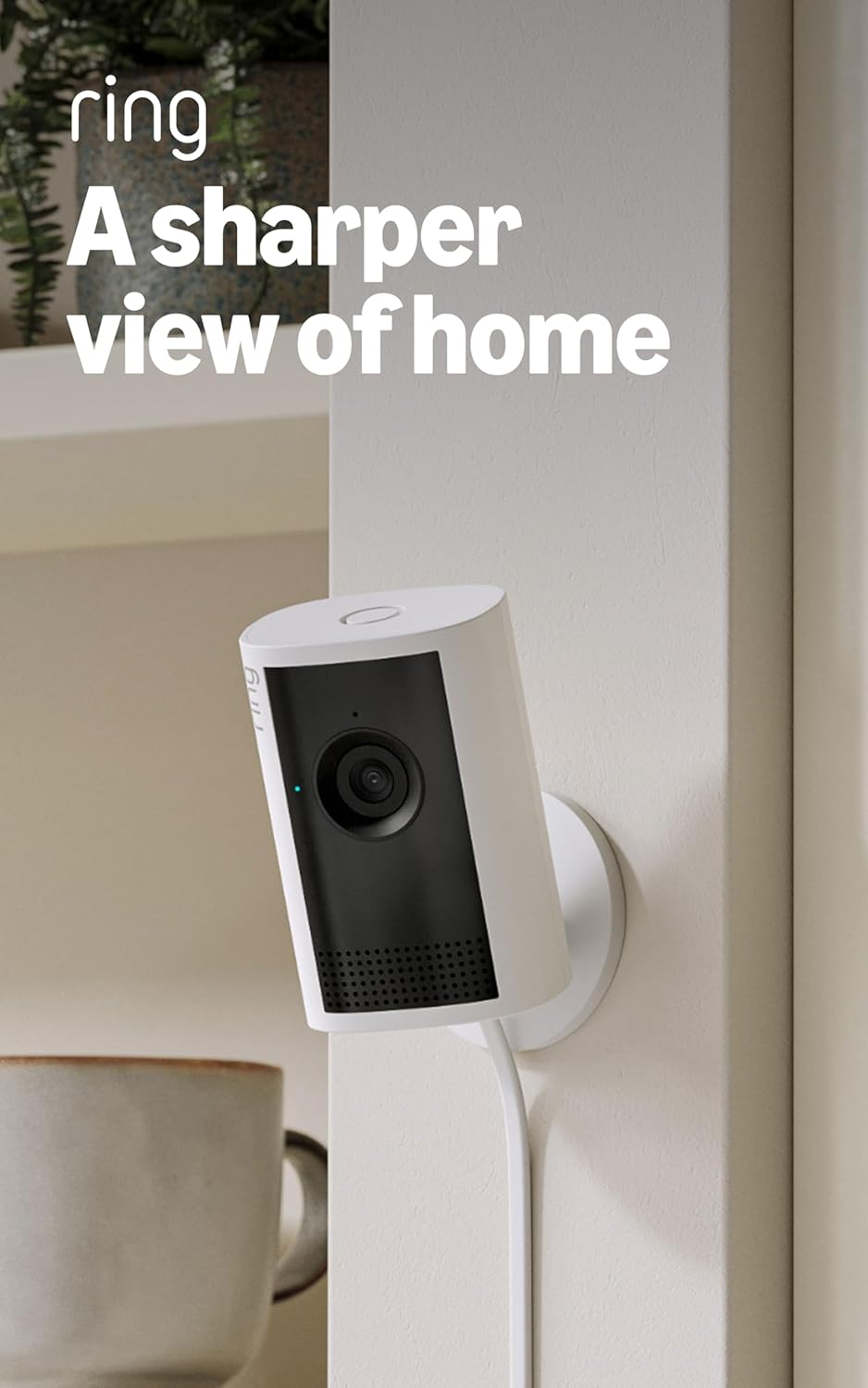
Ring Indoor Cam Plus
| Video resolution | Retinal 2K |
|---|---|
| Zoom | 4x Enhanced Zoom |
| Low-light | Low-Light Sight with B/W in darkness |
The Ring Indoor Cam Plus is a plug-in indoor camera aimed at straightforward home monitoring. It records in Retinal 2K for clearer detail than 1080p, lets you digitally zoom up to 4x to inspect distant details, and uses Low-Light Sight to retain true color with minimal ambient light while switching to black-and-white in total darkness. You get live view plus two-way talk for real-time interaction and motion alerts pushed to your phone. The camera includes a slide-to-cover privacy shutter and can mute the microphone from the app, which helps address privacy concerns in shared living spaces. Video quality and responsiveness will depend on your home Wi-Fi, and some advanced features require the Ring cloud subscription. For apartment use it is small, easy to position, and suited to keeping common areas or entryways under observation without complicated setup.
Best for: Buyers who want a simple, reliable indoor camera for apartment rooms or entryways and prioritize clear daytime and low-light video plus straightforward privacy controls.
Less Ideal for: People seeking completely local-only storage or advanced on-device analytics without any cloud reliance should consider alternative cameras with built-in local recording.
- Retinal 2K resolution provides sharper detail than standard 1080p cameras
- Low-Light Sight preserves color with little ambient light and switches to clear B/W in darkness
- 4x enhanced digital zoom for checking distant details
- Two-way talk and live view let you interact in real time
- Physical slide cover for quick privacy control
- Full feature set and cloud storage require a Ring subscription
- Performance depends on Wi-Fi bandwidth, which can affect live view and uploads
Verdict: A compact indoor camera that delivers sharper-than-1080p video and easy privacy controls, making it a reassuring choice for apartment monitoring.
Choosing the Right Indoor Security Camera for Apartments: Key Factors to Consider
Video Quality and Field of View
Sharp video is essential for identifying faces and small details in an apartment setting. Higher resolution helps when viewing footage on a phone or when zooming in on delivery boxes, but it also increases bandwidth and storage use.
Field of view determines how much of a room a single camera can cover. A wider angle reduces the number of cameras needed but can introduce fisheye distortion. Consider typical room sizes in an apartment and place cameras to cover entry points and main living areas without excessive blind spots.
Power Options and Installation
How a camera is powered affects where you can place it in an apartment. Battery-powered and plug-in models offer flexibility; battery units avoid altering walls but require periodic charging or swapping.
Mounting options matter when you cannot drill into walls. Look for cameras that include adhesive mounts, freestanding bases, or window-mounting options. Also consider whether the camera needs a hub or can work directly with your Wi-Fi, since hubs add complexity and can be impractical in small rental units.
Privacy Controls and Data Storage
Tenants should be able to control when cameras record and who can access footage. Cameras that offer physical privacy shutters, easy disable functions, and granular user permissions help protect roommates and visitors.
Storage choices—local microSD, NVR, or cloud—affect privacy and cost. Local storage keeps video on-site but can be lost if the device is stolen. Cloud storage often offers more convenience and off-site backup but requires trust in the provider's security and retention policies.
Motion Detection Accuracy
Accurate motion detection reduces false alerts from routine apartment activities like HVAC drafts or passing neighbors outside a window. Cameras with adjustable sensitivity, activity zones, and person detection help you get meaningful notifications.
Consider whether the camera supports smart detection types such as person or pet recognition. These features improve relevance but may require cloud processing and an active subscription, so weigh convenience against potential ongoing costs and privacy implications.
Connectivity and App Experience
A dependable app and low-latency live view are important when you need to check something quickly. Look for cameras with consistently fast notifications and reliable connections on typical apartment Wi-Fi networks.
Multi-user access, clear sharing controls, and straightforward event timelines make it easier to manage who can view footage. Also evaluate how firmware updates are delivered and whether the manufacturer clearly documents security practices.
Size, Aesthetics, and Placement
A compact, unobtrusive camera is often preferable in apartments where visible devices might bother roommates or violate lease aesthetics. Slim profiles and neutral colors help the camera blend into living spaces.
Placement impacts both coverage and decor. Consider whether you need a discreet tabletop camera, a corner-mounted unit, or a window-facing design. Smaller units are easier to move between apartments or store when not in use.
Setting Up Cameras Without Altering the Apartment
If drilling holes is not an option, choose cameras with adhesive mounts, magnetic bases, or freestanding designs. These allow you to position devices on shelves, window sills, or door frames without permanent changes.
Plan placement around power access and Wi-Fi signal strength. Use cable management clips or tuck cords behind furniture to keep installations tidy and reversible when you move out.
- Use removable adhesive hooks for lightweight mounts
- Place cameras at entry points 7 to 9 feet high for the best angle
- Test Wi-Fi signal before final placement to avoid dead zones
Balancing Continuous Recording and Battery Life
Continuous recording gives the most comprehensive coverage but drains battery models quickly and fills storage. For battery cameras, prefer motion-triggered recording with configurable cooldown periods to extend run time.
If you need near-continuous coverage, consider a plug-in model or a battery camera with optional wired power accessories. Also check whether the camera supports event-based clips plus periodic stills to reduce power and storage usage.
- Use motion schedules to avoid alerts during predictable home activity
- Lower recording resolution for long-term storage on local cards
- Enable smart compression or event-only uploads when available
Privacy Best Practices for Shared Living
In apartments with roommates, establish clear boundaries about camera locations and access. Avoid placing cameras where people expect privacy, such as bedrooms or bathrooms, unless everyone consents.
Use cameras with physical shutters or quick-disable buttons for moments when occupants need assured privacy. Ensure access controls are set so only authorized users can view live feeds or download clips.
- Put cameras in common areas like living rooms and entryways
- Share account access sparingly and use separate user profiles
- Document agreements about recording and retention with roommates
Optimizing Motion Zones and Sensitivity
Most apps let you draw motion zones and adjust sensitivity to focus on doors, windows, and other critical areas while ignoring busy backgrounds. Fine-tuning these settings reduces false alarms and conserves storage.
Start with conservative sensitivity and expand zones or increase sensitivity if you miss important events. Review event clips over a few days to refine settings for your apartment's normal activity pattern.
- Exclude windows or ceiling fans from motion zones
- Use person-only detection if available to cut irrelevant alerts
- Adjust sensitivity lower at night if headlights or outdoor motion trigger false events
Network Considerations for Small Homes
Indoor cameras rely on your apartment Wi-Fi. Ensure your router can handle multiple devices and consider creating a separate guest or device network for cameras to isolate traffic. If signal strength is poor, a small Wi-Fi extender can improve coverage near camera locations.
Be mindful of upload bandwidth when many cameras stream at high resolution. Lowering resolution for non-critical cameras or scheduling recordings can prevent slowdowns that affect other household devices.
- Check upload bandwidth before adding multiple high-resolution cameras
- Place cameras within range of the router or a mesh node
- Use WPA2 or WPA3 and strong passwords for the camera network
How We Chose the Best Indoor Security Camera for Apartments
We focused on features that matter for apartment living and filtered out devices that rely exclusively on professional installation or permanent wiring. Our selection criteria prioritized video quality at typical apartment distances, flexible power and mounting options, and privacy controls suited to shared or leased spaces. We also evaluated motion detection accuracy, latency of notifications, and local storage or clear cloud privacy policies because tenants often need control over recordings. Durability and firmware update frequency were considered to ensure long-term reliability and security. We excluded cameras that require complex networking setups, proprietary hubs without clear security practices, or physical alterations to property that violate typical lease agreements. The final picks balance easy setup, effective monitoring of indoor apartment environments, and features that protect occupant privacy.
Our full evaluation process is outlined in our review methodology.
FAQ
Are indoor cameras allowed in apartments?
Often yes, but rules vary by lease and local law. You should avoid recording areas where guests or roommates have a reasonable expectation of privacy and follow any lease clauses about alterations or surveillance. When in doubt, discuss camera placement with roommates and the landlord.
How do I protect my camera feed from hackers?
Use a strong, unique password, enable two-factor authentication if available, and keep firmware updated. Place cameras on a separate network or guest SSID and use WPA2 or WPA3 encryption to reduce exposure.
Is cloud storage necessary for apartment cameras?
Cloud storage is convenient for off-site backups and remote access but requires trust in the provider and may involve subscription fees. Local storage gives you more control but can be lost if the device is stolen or damaged.
Can I use a battery camera for long-term monitoring?
Battery cameras can work for long-term monitoring if configured for event-based recording and optimized sensitivity. For 24/7 coverage, a plug-in option or wired power accessory is usually more practical.
What is the best placement for an apartment entry camera?
Mount the camera 7 to 9 feet high facing the door at an angle that captures faces and package drop locations. Avoid pointing it directly at windows to reduce false triggers from outdoor motion.
Final Verdict
Prioritize video clarity, flexible installation, and strong privacy controls when choosing an indoor security camera for apartments. Tradeoffs are inevitable: high-resolution continuous recording improves evidence quality but increases storage and bandwidth needs, while battery-powered models maximize placement freedom at the cost of routine charging. Focus on cameras that let you control recording zones, manage user access, and fit your apartment without permanent alterations. With those priorities in mind, you can confidently pick a camera that secures your space while respecting privacy and lease constraints.