
Note: This article contains affiliate links. If you click on these links and make a purchase, we may earn a small commission at no extra cost to you. This helps support our research and content. Read our full affiliate disclosure here.
Choosing the right NVR security camera setup affects how reliably you capture, store, and review footage from your property. You want clear video, dependable local recording, and straightforward system management so you can respond quickly when events occur. This guide shortlists seven top NVR security camera systems that fit a range of typical home and small-business needs. We evaluated each option for core use factors like image quality, recording reliability, and ease of setup. The selections below focus on dependable operation and sensible tradeoffs between resolution, storage, and manageability. Read on to find an NVR security camera solution suited to your installation and monitoring priorities.
Top Picks at a Glance
| Best Overall The best all-around choice for most situations | REOLINK RLK8-410B6-5MP |  |
| Best Quality Built to a higher standard if you want something more solid | eufy Security S4 Max 4-Cam NVR Kit |  |
| Best Value The sweet spot between price and what you get | Swann AdvancedX 8‑Camera NVR |  |
| Best Budget The cheapest option that still gets the job done reliably | EVERSECU Mini 8CH NVR Kit |  |
| Top Rated A top-rated pick with lots of positive feedback | ANNKE 16-Channel 12MP NVR |  |
| Most Popular A crowd favorite that many people choose with confidence | REOLINK RLN8-410 NVR |  |
| Best Seller A high-volume bestseller chosen again and again | Hiseeu 4-Camera 4K NVR Kit |  |
REOLINK RLK8-410B6-5MP
| Number of Channels | 8 |
|---|---|
| Video Capture Resolution | 1920p (5MP) |
| Memory Storage Capacity | 2 TB |
| Frame Rate | 25fps |
| Night Vision Range | 100 feet |
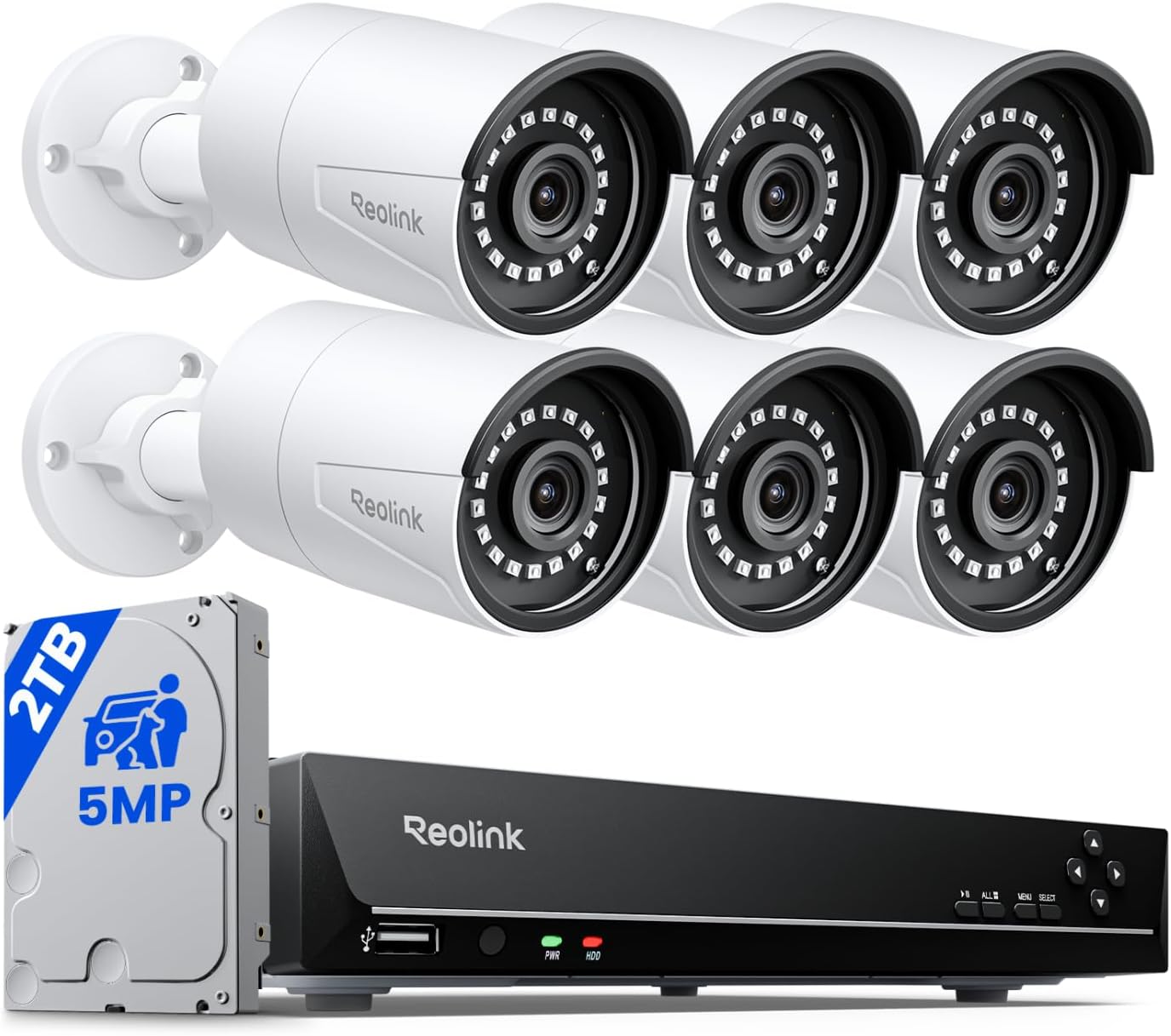
This REOLINK kit pairs an 8-channel NVR with six 5MP PoE bullet cameras to deliver a straightforward, mostly DIY-ready surveillance solution for home or small-business use. Cameras feed power and video over a single Ethernet cable, simplifying installation, and record at up to 5MP/25fps for sharper daytime detail and IR night vision rated to about 100 feet. The NVR ships with a 2TB HDD pre-installed and supports local 24/7 recording, scheduled recording, and motion-triggered clips, plus configurable motion zones and person/vehicle/pet detection to cut down false alerts. The system is designed to work with Reolink cameras for full feature support, and the NVR offers HDMI output and basic playback controls using the included mouse. Practical limits include H.264 compression rather than H.265 and an ecosystem lock to Reolink cameras if you want full functionality; remote access also requires network connectivity. For buyers wanting a packaged, expandable PoE system with solid video quality and built-in storage, this kit covers the essentials without demanding professional setup.
Best for: Security-minded homeowners or small-business owners who want a packaged, easy-to-install PoE NVR system with good image quality and on-device storage without hiring a pro.
Less Ideal for: Users who need open compatibility with other camera brands or who require the most storage-efficient compression and advanced enterprise features.
- Plug-and-play PoE: single Ethernet cable for power and data simplifies installation
- 5MP cameras at 25fps provide clear daytime detail and effective IR night vision to about 100 ft
- Pre-installed 2TB HDD with support to expand total capacity up to 16TB for longer retention
- Smart detection can differentiate people, vehicles, and pets to reduce false alerts
- Includes HDMI output and USB mouse for direct on-site monitoring and playback
- Proprietary compatibility with Reolink cameras limits mixing third-party models
- Uses H.264 compression instead of more efficient H.265, which increases storage needs
Verdict: A solid, all-in-one 8-channel PoE system that delivers clear 5MP video and easy setup for buyers who want reliable local recording without professional installation.
eufy Security S4 Max 4-Cam NVR Kit

| Connectivity Technology | Wired |
|---|---|
| Video Capture Resolution | 4K |
| Number of Channels | 8 |
| Memory Storage Capacity | 2 TB |
| Night Vision Range | 65 feet |
The eufy S4 Max is a performance-focused PoE NVR kit built for continuous, high-resolution surveillance across a property. It pairs an 8-channel NVR (preinstalled with a 2TB HDD) with four Triple-Lens Bullet-PTZ cams that combine an upper 4K fixed wide view and a lower 2K PTZ head offering 360° pan and 8x auto zoom. In practice that means broad scene coverage plus the ability to lock on and zoom for close details, and cameras can hand off subjects for uninterrupted cross-cam tracking. The system uses PoE for single-cable power and data, supports up to 16 channels and up to 16TB storage when expanded, and runs a local AI agent for on-device person/vehicle/pet detection and smart video search without subscription fees. Notable trade-offs are the wired PoE requirement, which simplifies reliability and 24/7 recording but needs cable runs or a PoE switch to expand, and the 15/20fps frame rates that are adequate for surveillance though not ultra-high-motion cinematics. For buyers who prioritize reliable, local, high-detail monitoring and advanced tracking, this kit delivers a robust, expandable solution.
Best for: Buyers who want a high-performance, locally recorded security system that emphasizes continuous uptime, detailed 4K context views plus PTZ close-ups, and advanced on-device AI for accurate alerts.
Less Ideal for: People who need a fully wireless, plug-and-play camera set or who cannot run Ethernet/P oE cabling easily should consider wireless or battery alternatives.
- Dual-view Triple-Lens cam design combines 4K wide-angle and PTZ zoom for both scene context and close-up detail.
- Local AI agent enables on-device person/vehicle/pet differentiation and smart keyword search with no subscription.
- PoE connectivity provides reliable 24/7 power and video over a single cable for simpler installation and continuous recording.
- Expandable 8-channel NVR supports up to 16 channels and up to 16TB storage for future growth.
- Wired PoE setup requires cable runs or a PoE switch to expand and is less flexible than battery or Wi‑Fi cams.
- Frame rates max at 15/20fps which may be lower than some high-motion camera systems.
Verdict: Choose the eufy S4 Max kit when you need a robust, expandable PoE NVR system that pairs 4K wide views with PTZ close-ups and local AI for high-performance, subscription-free surveillance.
Swann AdvancedX 8‑Camera NVR

| Connectivity Technology | Wired |
|---|---|
| Video Capture Resolution | 4K |
| Number of Channels | 8 |
| Memory Storage Capacity | 1 TB |
| Night Vision Range | 50 feet |
The Swann AdvancedX 8‑Camera NVR kit provides a complete wired surveillance package for whole‑home coverage, combining 4K bullet cameras with a PoE 8‑channel NVR that includes a 1TB hard drive. Installation uses PoE so each camera carries power and data over a single Ethernet cable for reliable 24/7 recording without relying on Wi‑Fi, and the system streams to the Swann app or an HDMI TV for live view and playback. Notable features include color night vision with spotlights that illuminate up to about 50 feet, AI video analytics that distinguish people and vehicles, pre‑record buffering around events, and continuous or motion‑triggered recording. The practical benefits are clear storage of weeks of footage on the included drive, mobile alerts for relevant activity, and deterrence via built‑in lights and siren. Limitations to consider are a 15 fps frame rate which is lower than some higher‑end systems and the system uses a proprietary OS and app rather than open standards, which may limit third‑party integration.
Best for: Buyers seeking a reliable, all‑in‑one wired security system who prioritize clear 4K footage, dependable PoE connections, and on‑device storage for continuous home or property monitoring.
Less Ideal for: Users who need network video recorder compatibility with third‑party or ONVIF platforms, or those who require higher frame rates for fast‑motion capture should look elsewhere.
- True wired PoE cameras for stable 24/7 power and data over one cable
- 4K Ultra HD sensors capture fine detail for faces and license plates
- Built‑in 1TB NVR stores weeks of recordings locally
- Color night vision with spotlights extends useful nighttime identification
- AI video analytics reduce false alerts by classifying people and vehicles
- 15 fps frame rate may show less fluid motion compared with higher‑frame systems
- Proprietary OS and app limit integration with third‑party surveillance platforms
Verdict: A solid, hardwired 8‑camera kit that delivers 4K clarity, dependable PoE operation, and local 1TB storage for buyers focused on practical, reliable home surveillance.
EVERSECU Mini 8CH NVR Kit

| Connectivity Technology | Wi-Fi |
|---|---|
| Video Capture Resolution | 1920p |
| Number of Channels | 4 |
| Memory Storage Capacity | 2 TB |
| Night Vision Range | 65 feet |
This EVERSECU mini NVR kit is a budget-friendly surveillance package that combines a very small 8‑channel NVR with two weatherproof Wi‑Fi cameras. The system records 1920p video at 30 fps and supports continuous or motion-triggered recording to a microSD card (max 128GB) or an external hard drive, while the NVR itself is compact enough to tuck away. Key features include face capture and grouping for easier playback, line crossing and intrusion detection for tailored alerts, and remote viewing through the XMEYE mobile app or PC/Mac software. The cameras offer fixed lenses (3.6mm or 4mm) with night color capability out to about 65 feet, and the unit works over 802.11ac/b/g/n Wi‑Fi or wired RJ45/BNC inputs if needed. Trade-offs reflect its price: it ships with only two cameras, requires separate storage purchase, and the wireless cameras still need nearby power outlets rather than being battery operated. For basic home or small-shop monitoring where affordability and face/zone alerts matter, this kit delivers solid value without advanced enterprise features.
Best for: Buyers looking for an inexpensive, compact NVR camera starter kit that adds face detection and zone alerts for home or small business monitoring without enterprise complexity.
Less Ideal for: Users who need a fully wireless battery camera setup, built-in large-capacity storage, or advanced professional features like cloud recording and high-end analytics.
- Compact, portable 8‑channel NVR design that is easy to install and conceal
- Includes two 2K outdoor Wi‑Fi cameras with night color vision up to 65 feet
- Face capture and grouping plus line crossing/intrusion detection for targeted alerts
- Remote live view and playback on Android/iOS and PC/Mac via provided apps/software
- Ships with only two cameras, requiring additional purchases to fill all channels
- Does not include storage; supports max 128GB SD or external hard drive which must be bought separately
- Cameras require wired power despite being wireless for data, so placement depends on outlets
Verdict: A compact, budget-minded NVR kit that brings face capture and intrusion alerts to small homes or shops with a low-cost starter package.
ANNKE 16-Channel 12MP NVR
| Number of Channels | 16 |
|---|---|
| Memory Storage Capacity | 4 TB |
| Connectivity Technology | Wired (PoE) |
| Media Format Digital Video | HDD |
| Video Input | BNC, HDMI, USB, VGA |
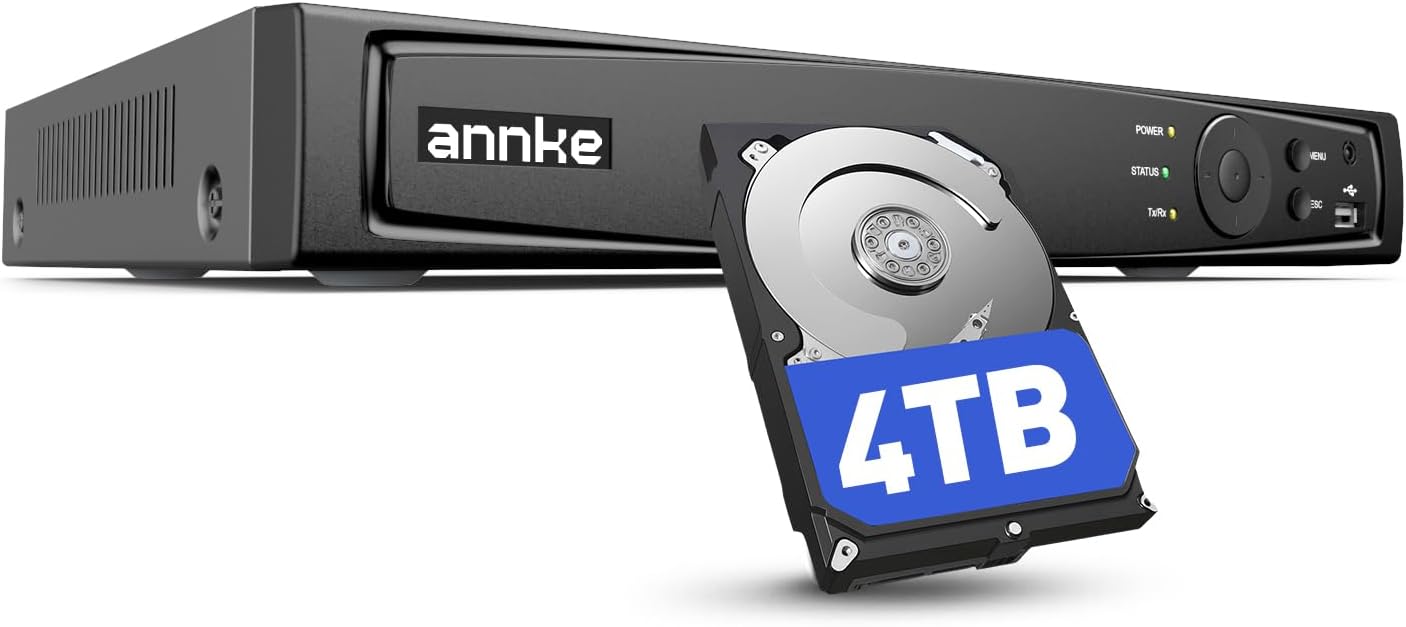
This ANNKE 16-channel NVR is built for continuous home or small-business surveillance and arrives ready to record with a 4TB hard drive installed. It provides PoE plug-and-play for compatible IP cameras so a single cable carries power and video, simplifying installation for DIY setups. The unit supports up to 12MP streams and uses H.265+ compression to stretch storage and reduce bandwidth while keeping image quality reasonable, and AI motion detection with configurable detection areas helps cut down false alerts. Remote viewing through the ANNKE Vision app requires no subscription, letting you monitor live and recorded footage from phone or computer. Practical limits include a manufacturer recommendation to use ANNKE cameras for full feature compatibility, and advanced AI features are limited to fewer channels. For buyers prioritizing reliable, always-on recording with straightforward setup and solid onboard storage, this NVR covers the essentials without extra recurring costs.
Best for: Buyers who want a dependable, always-on recorder with easy PoE installation and built-in storage for home or small-business surveillance without ongoing subscription costs.
Less Ideal for: Anyone who needs guaranteed full-feature compatibility with third-party camera brands or who requires AI analytics across all 16 channels.
- Preinstalled 4TB HDD for immediate 24/7 recording and automatic overwrite
- Plug-and-play PoE simplifies cabling by delivering power and data over one cable
- H.265+ compression reduces bandwidth and extends storage capacity
- ANNKE Vision app allows remote live view and playback without monthly fees
- Recommended for best results with ANNKE cameras, which may limit third-party compatibility
- Advanced AI features are available on a limited number of channels
Verdict: A reliable, ready-to-run 16-channel PoE NVR with onboard 4TB storage and efficient H.265+ recording for buyers who prioritize steady, subscription-free surveillance.
REOLINK RLN8-410 NVR

| Number of Channels | 8 |
|---|---|
| Memory Storage Capacity | 2 TB |
| Connectivity Technology | Ethernet, HDMI, VGA |
| Wattage | 25 watts |
| Video Input | IP Input |
The REOLINK RLN8-410 is an 8-channel PoE NVR built to run a local Reolink camera system with 24/7 recording to the included 2TB HDD. It accepts power-over-Ethernet cameras so each PoE camera needs only one Ethernet run for power and data, which makes installation simpler for small to medium properties. The unit supports continuous recording, H.265 encoding to save storage, HDMI/VGA output for local monitoring, and basic audio input via RCA. Reolink emphasizes plug-and-play setup and offline operation so the recorder can store and play back footage without an internet connection while still offering remote access through Reolink apps when online. Key practical limits are that it only supports Reolink cameras, and adding more than eight streams or very high-resolution multi-channel playback may expose the limits of the unit and storage—though you can expand storage via eSATA or larger internal drives. For buyers wanting a turnkey, locally recorded system tied to one ecosystem, this NVR delivers reliable continuous recording and easy app-based access.
Best for: Buyers who want a plug-and-play, locally recorded surveillance system with proven user reviews and straightforward mobile access, and who prefer the reassurance of a single-vendor ecosystem.
Less Ideal for: Users who need third-party camera support, very large multi-site deployments, or who prefer cloud-first camera ecosystems with cross-brand flexibility.
- Built-in 2TB HDD for immediate 24/7 local recording
- PoE support simplifies installation with single-cable power and data for cameras
- Works offline for local recording and playback without mandatory cloud subscription
- HDMI and VGA outputs plus USB ports for local monitoring and export
- App and client software provide remote viewing and smart detection features
- Compatible only with Reolink cameras, no third-party support
- Limited to eight channels and dependent on HDD capacity for long retention
Verdict: Choose the RLN8-410 if you want an easy to set up, locally recording 8-channel NVR that works seamlessly with Reolink cameras and includes a ready-to-use 2TB drive.
Hiseeu 4-Camera 4K NVR Kit

| Video Capture Resolution | 3MP |
|---|---|
| NVR Resolution | 4K |
| Number of Channels | 16 |
| Memory Storage Capacity | 1 TB |
| Night Vision Range | 65 feet |
This Hiseeu kit pairs four 3MP outdoor cameras with a 4K-capable NVR and a preinstalled 1TB hard drive to deliver continuous local recording without mandatory cloud fees. Cameras are wired for power and use dual-band Wi-Fi connectivity to the NVR, offering 24/7, event, or scheduled recording and up to about 45 days of local storage on the included drive. The system supports AI human detection to reduce false alarms, PIR motion sensing, 65-foot night vision, one-way audio monitoring, and IP66 weatherproofing for outdoor mounting. It is expandable up to 16 channels if you want more coverage, and H.265+ compression helps reduce bandwidth and storage needs. Expect straightforward live view, playback, and push notifications via the app, but cameras require a constant 12V DC power connection so there are no battery benefits and installation involves routing power cables. Frame rate is modest at 15fps, which is adequate for general surveillance but not ideal for detailed slow-motion evidence needs.
Best for: Buyers who prioritize reliable, local-recording surveillance with few ongoing costs and want weatherproof outdoor coverage with intelligent motion filtering.
Less Ideal for: Users who need battery-powered, fully wireless cameras or very high frame‑rate systems for forensic slow-motion review should look elsewhere.
- Preinstalled 1TB HDD for local 24/7 recording without monthly fees
- AI human detection and PIR sensor to reduce false alerts
- IP66-rated cameras built for outdoor weather and temperature extremes
- Expandable to 16 channels and H.265+ compression to save bandwidth and storage
- Cameras require wired 12V DC power at each location which adds installation complexity
- Frame rate is limited to 15fps, which reduces smoothness in fast motion playback
Verdict: A dependable, expandable NVR kit that emphasizes continuous local storage and reduced false alerts for buyers who want low-risk, maintenance-light surveillance.
Choosing the Right NVR Security Camera: Key Factors to Consider
Video Resolution and Low-Light Performance
Higher resolution cameras capture more detail, which helps when identifying faces, license plates, or other small objects in footage. However, resolution must be balanced with storage needs and network bandwidth since 4K feeds consume significantly more space and upstream capacity than 1080p. Consider typical viewing distances and the level of detail you actually need for each camera's location.
Low-light performance and infrared illumination determine how usable nighttime footage will be. Cameras with larger sensors, better low-light processing, or adjustable IR will produce clearer images in dim conditions. If many events occur at night, prioritize sensors and lenses that maintain contrast and avoid excessive bloom from streetlights.
Recording Reliability and Retention
Reliable continuous and event-triggered recording is central to an NVR system. A robust NVR writes streams to disk with minimal dropped frames and supports different retention policies such as loop overwrite, motion-based retention, and scheduled archival. Look for systems that log recording health and provide clear error alerts if disks fail or storage fills.
Retention time affects how long footage is available for review. Calculate storage needs based on retention goals, resolution, frame rate, and number of cameras. Systems with flexible recording schedules and per-channel settings let you extend retention for critical views while saving space on less important cameras.
Storage Options and Expandability
Local storage on hard drives is common for NVRs, and drive capacity, redundancy options, and expandability directly affect long-term usability. Many NVRs accept multiple SATA drives and support RAID configurations to protect against single-drive failure. If you need long retention windows or high-resolution footage, prioritize larger drive bays or the ability to connect NAS or external storage appliances.
Consider ease of replacing drives and whether the NVR supports hot-swap or requires downtime. Also review the supported file formats and export tools so footage can be archived off the system without vendor lock-in.
Network Integration and Power Over Ethernet
PoE support simplifies installation by delivering power and network connectivity over a single cable, reducing conduit and outlet requirements. Check that the NVR or switch supplies enough PoE budget to run all planned cameras, especially if cameras include heaters or PTZ mechanisms that increase power draw. Compatibility with standard PoE and PoE+ avoids vendor-specific adapters.
Network robustness matters when multiple 4K streams are in use. Ensure your LAN and switches can handle sustained upstream traffic to the NVR and that the device supports VLANs, QoS, or link aggregation if needed for heavy workloads. Reliable DHCP, static IP assignment, and clear port settings simplify troubleshooting.
User Interface and Remote Access
A clear, responsive user interface for live view, playback, and export reduces the friction of daily use. Desktop clients, browser access, and mobile apps each offer different strengths. Desktop interfaces often provide more powerful export and multi-camera playback tools while mobile apps are convenient for quick alerts and remote checks.
Remote access should be secure and reliable. Look for built-in encrypted connections, options for local-only operation, and straightforward network configuration. Consider whether the vendor requires an account or cloud service for remote viewing and whether local direct-access methods are available.
Physical Durability and Mounting
Camera housing ratings and mounting options determine how well a camera will survive outdoor conditions and vandalism. Weatherproof ratings and recommended operating temperature ranges inform placement decisions for exposed locations. Cameras intended for outdoor mounting should include options for adjustable mounts, gaskets, and secure cable management to prevent moisture ingress.
Also consider the physical footprint and concealability of cameras where aesthetics or stealth matter. Durable mounting hardware and tamper-resistant screws can improve longevity in high-traffic or high-risk locations.
Choosing Resolution and Frame Rate for Your Use Case
Decide the balance between resolution and frame rate based on what you need to capture. Higher resolution improves detail but may be unnecessary if the camera watches a small, fixed area where identification is unlikely. For most entryways and driveways, 1080p at 15 to 30 fps is often sufficient. Busy scenes with fast motion, like parking lots or transit areas, benefit from higher frame rates to avoid motion blur.
When planning across multiple cameras, mix resolutions to manage storage and bandwidth. Use higher resolution on primary views where identification matters and lower-resolution streams for general monitoring.
- Use 4K for long-distance identification or wide fields of view
- Choose 15–30 fps for typical security needs; increase for fast action
- Apply per-channel settings to balance performance and storage
Setting Up Motion Detection and Notifications
Motion detection reduces review time and storage by recording primarily when events occur. Configure detection zones to ignore frequent, irrelevant motion such as trees or street traffic. Many systems allow sensitivity adjustments and object classification to reduce false positives.
Tune notification settings so you get timely alerts without constant interruptions. Consider separate notification rules for daytime and nighttime and set quiet windows for predictable, noncritical activity.
- Define precise motion zones to reduce false alarms
- Adjust sensitivity and minimum event duration
- Use schedule-based notifications to limit disturbances
Network Layout and PoE Best Practices
Plan cable runs, switch placement, and PoE budgeting before mounting cameras. Measure run lengths to ensure you stay within Ethernet limits and that voltage drop does not affect camera performance. Centralizing PoE switches near the NVR simplifies wiring and reduces potential failure points.
Label cables and map camera channels in the NVR to make future troubleshooting and expansions straightforward. If you plan to add more cameras later, leave extra switch ports and consider higher-capacity PoE switches up front.
- Keep cable runs under 100 meters for standard Ethernet
- Use shielded cable outdoors and in electrical conduit
- Reserve spare switch ports and document channel-to-location mapping
Maintaining Records and Exporting Evidence
Exporting and preserving footage for incidents requires predictable tools. Ensure your NVR provides simple export of native files or common formats with integrity checks. Regularly test export procedures so you are confident you can retrieve footage when needed.
Plan archival workflows if long-term storage is required. Use redundant local storage or a separate archival device and verify playback of archived clips periodically.
- Test clip exports and verify playable formats
- Keep periodic full-disk backups for critical areas
- Timestamp and document exported evidence for chain-of-custody
Privacy, Permissions, and Legal Considerations
Be aware of local regulations about where you may record and how long you can retain footage. Avoid pointing cameras at private areas such as neighbors windows or restrooms, and post notices where required by law.
Control access to recorded footage through strong user accounts and role-based permissions. Regularly rotate admin passwords and keep firmware updated to reduce the risk of unauthorized access.
- Follow local laws on surveillance and signage
- Limit user permissions to necessary roles
- Keep firmware and account credentials current
How We Chose the Best NVR Security Camera
We filtered candidate NVR security camera systems by practical, verifiable criteria that matter to everyday users and installers. Primary filters included native NVR recording capability, consistent network video stream handling, and local storage options. We excluded standalone cloud-only cameras, hybrid systems without true NVR functionality, and products lacking clear documentation of recording or networking behavior. Evaluation criteria focused on real-world performance: video resolution and low-light sensitivity to ensure usable footage; recording reliability and storage flexibility to avoid dropped footage; PoE and network integration for straightforward installation and uptime; mobile and desktop remote access for timely review; and build quality plus mounting options for long-term outdoor or indoor use. We prioritized solutions that balanced advanced features with predictable, maintainable operation rather than experimental or niche feature sets. We also considered firmware update frequency and security practices, quality of user interface for playback and export, and compatibility with common surveillance workflows. Systems that required proprietary cloud subscriptions for basic recording were not included. The result is a curated set of NVR security camera systems selected for dependable, practical use in homes and small businesses.
Our full evaluation process is outlined in our review methodology.
FAQ
Do I need PoE for NVR security cameras?
PoE simplifies installation by supplying power and data over one cable and is recommended for most wired NVR setups. It reduces the need for separate power runs and makes adding or relocating cameras easier, but you must confirm the PoE budget covers all camera types and features.
How much storage do I need for multiple cameras?
Storage needs depend on resolution, frame rate, compression, retention period, and event frequency. Calculate using sample bitrates per camera and multiply by retention days. Using mixed resolutions and event-based recording can significantly reduce total storage requirements.
Can I access the NVR remotely without a cloud subscription?
Many NVRs support direct remote access via port forwarding, VPN, or vendor-managed relay services. Direct access without a subscription is possible but requires more careful network configuration and attention to security settings.
What is the best way to reduce false motion alerts?
Define precise detection zones and lower sensitivity for high-traffic background areas. Enable object filters where available and use scheduled sensitivity changes for times when irrelevant motion is expected.
How often should I update NVR firmware?
Check for firmware updates regularly and apply them after reviewing release notes. Updates often include security fixes and stability improvements, but apply them during planned maintenance windows and ensure you have backups in case rollback is needed.
Final Verdict
Prioritize reliable recording behavior, appropriate resolution, and a storage plan that matches your retention goals when choosing an NVR security camera system. Balance high-resolution needs against network and storage constraints, and prefer systems with clear export and remote-access options. Focus on practical installation factors such as PoE capacity, cable runs, and mounting durability. With careful planning around recording policies and network design, you can select an NVR security camera setup that delivers dependable footage and straightforward maintenance for years of use.