
Note: This article contains affiliate links. If you click on these links and make a purchase, we may earn a small commission at no extra cost to you. This helps support our research and content. Read our full affiliate disclosure here.
Picking the right Security Camera affects how well you can deter intruders, gather usable evidence, and keep an eye on family and property. You want dependable video quality, sensible notifications, and systems that are straightforward to install and maintain. This guide lists seven shortlisted options that represent reliable approaches for typical home monitoring needs. We evaluated each entry on core usability and technical criteria so you can focus on the features that matter most.
Top Picks at a Glance
| Best Overall The best all-around choice for most situations | eufy SoloCam S340 |  |
| Best Quality Built to a higher standard if you want something more solid | eufyCam S4 4-Cam Kit | 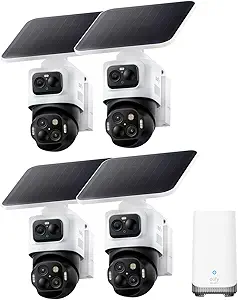 |
| Best Value The sweet spot between price and what you get | WYZE Cam v4 |  |
| Best Budget The cheapest option that still gets the job done reliably | Tapo C101 Indoor Camera |  |
| Top Rated A top-rated pick with lots of positive feedback | Ring Indoor Cam |  |
| Most Popular A crowd favorite that many people choose with confidence | Blink Outdoor 4 5-Camera System |  |
| Best Seller A high-volume bestseller chosen again and again | TP-Link Tapo C100 |  |
eufy SoloCam S340

| Video Capture Resolution | 3K |
|---|---|
| Effective Video Resolution | 2160 |
| Field Of View | 135 degrees |
| Power Source | Solar Powered, battery powered |
| Memory Storage Capacity | 128 GB |
The eufy SoloCam S340 is a solar-capable, battery-powered dome camera aimed at whole‑area coverage without recurring fees. It uses dual lenses to capture up to 3K video with an 8x hybrid zoom and a 135° field of view, and the pan-and-tilt mechanism provides true 360° coverage when mounted appropriately. The camera stores footage locally on built-in storage and can run on its 10,000 mAh battery for extended periods, with the removable solar panel topping the battery to prolong run time. Key real-world benefits include sharp daytime video, color night vision via spotlights, AI motion tracking so the camera follows moving subjects, and Alexa compatibility for basic voice control. Limitations: because it is battery-based it does not support continuous 24/7 recording, and actual battery life depends heavily on activity and sunlight; the camera also relies on Wi‑Fi and local storage rather than cloud plans, which is great for privacy but means you must manage storage and backups yourself.
Best for: Buyers who want a capable, low-maintenance outdoor camera that minimizes subscription costs and can cover large areas with pan-and-tilt monitoring while using solar charging to reduce upkeep.
Less Ideal for: People who need continuous 24/7 recording or who prefer cloud-first systems with unlimited remote backup should consider wired or base-station systems instead.
- High-resolution 3K video with 8x hybrid zoom for clear identification at distance
- 360° pan-and-tilt coverage eliminates blind spots when mounted correctly
- Built-in 8GB local storage and no monthly fee keeps ongoing costs low
- Removable solar panel extends battery life for long unattended operation
- AI motion detection and tracking reduce false alerts and follow subjects automatically
- Cannot record 24/7 on battery power so continuous surveillance requires different hardware or HomeBase connection
- Night vision range is limited compared with some wired spotlight cameras
Verdict: Choose the SoloCam S340 if you want high-resolution, subscription-free outdoor coverage with pan-and-tilt tracking and solar-extended battery life.
eufyCam S4 4-Cam Kit
| Video Capture Resolution | 4K + Dual 2K |
|---|---|
| Frame Rate | 15 frames per second |
| Power Source | Battery Powered |
| Night Vision Range | 32.8 feet |
| Built-In Media | 16GB eMMC, up to 16TB |
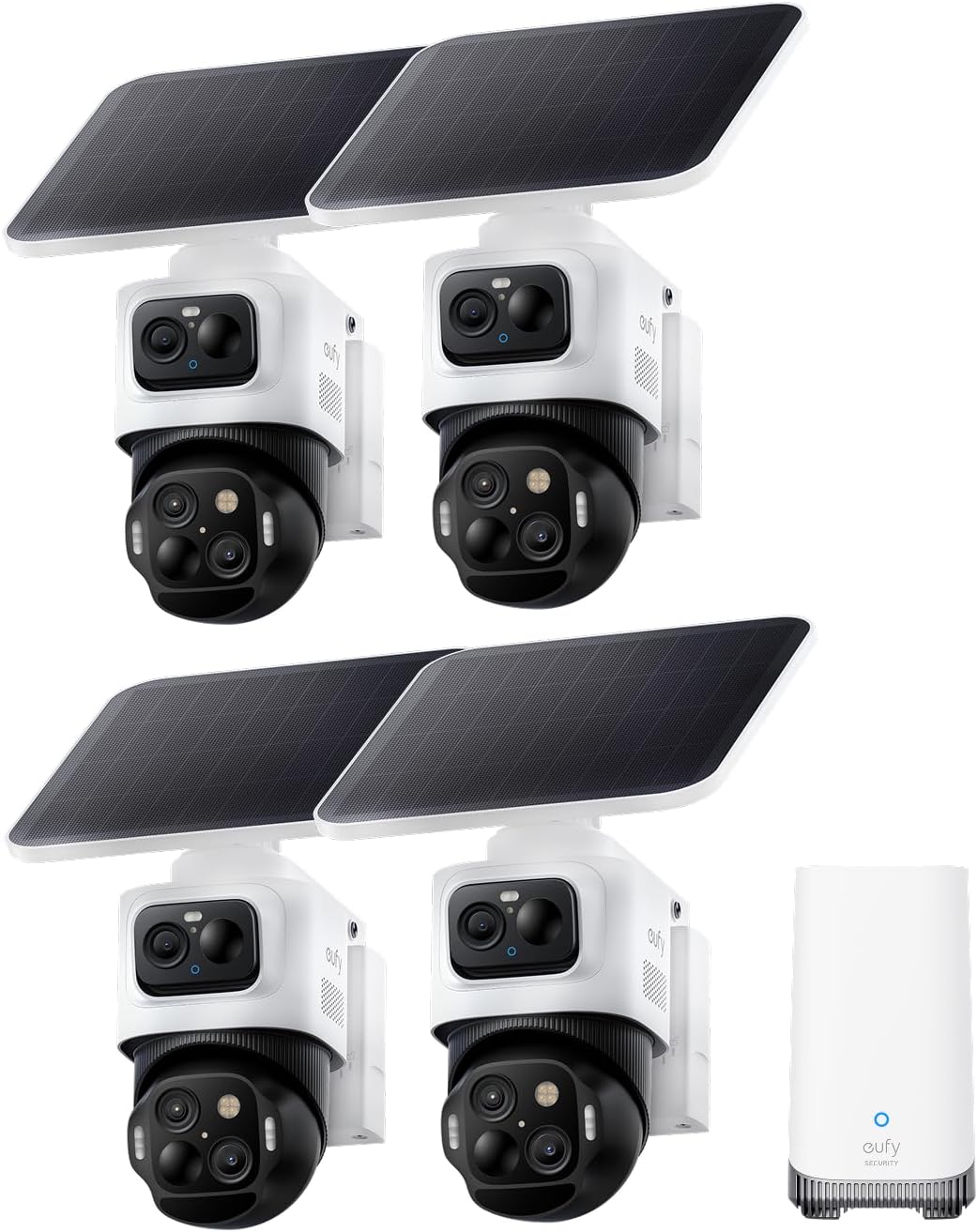
The eufyCam S4 4‑Cam Kit is a wire‑free outdoor security system that pairs dual‑lens bullet‑PTZ cameras with a HomeBase S380 hub to deliver wide‑angle 4K coverage plus close‑up PTZ tracking. In daily use the fixed 4K lens provides a constant 130° view while the lower 2K PTZ lens auto‑frames and zooms up to detailed closeups, and cross‑camera tracking stitches events together when the HomeBase is used. The kit includes detachable SolarPlus 2.0 panels and rechargeable batteries to minimize hardwiring, and built‑in 16GB eMMC on the hub with expansion options avoids subscription fees. Detection blends radar and PIR sensors to cut false alerts, and the system supports app control, Alexa, and local storage for privacy. Practical limits include a 15 fps recording rate which can reduce smoothness on fast action, and some advanced features require HomeBase S380 and specific firmware versions to enable 24/7 recording. The system is powerful for wide properties that need both overview and detailed tracking but expect to manage firmware, storage choices, and solar placement for best results.
Best for: Buyers who prioritize high‑performance, whole‑property surveillance that needs both wide‑angle 4K coverage and actionable close‑up tracking without relying on cloud subscriptions.
Less Ideal for: People who want the simplest plug‑and‑play camera with minimal setup or who need higher frame‑rate video for sports or high‑speed monitoring.
- Combined 4K wide lens and PTZ close‑up in one unit for simultaneous overview and detail
- Cross‑camera tracking with HomeBase S380 stitches events across cameras into single clips
- Detachable 5.5W SolarPlus 2.0 panels and rechargeable batteries enable mostly wire‑free, continuous operation
- Local storage on HomeBase (built‑in 16GB, expandable) removes mandatory cloud subscription
- Radar plus PIR motion detection reduces false alarms and enables configurable deterrence lights and siren
- Video frame rate is 15 fps which can appear less smooth during fast motion
- Full feature set such as 24/7 recording and cross‑camera features require HomeBase S380 and specific firmware versions
Verdict: Choose this kit if you need a powerful, subscription‑free outdoor system that combines wide 4K coverage with PTZ close‑ups and cross‑camera AI tracking for whole‑property security.
WYZE Cam v4

| Video Capture Resolution | 2k (2.5K QHD) |
|---|---|
| Viewing Angle | 120 degrees |
| Frame Rate | 20 frames_per_second |
| Night Vision Range | 100 feet |
| Flash Memory Supported Size Maximum | 512 GB |
The WYZE Cam v4 is a budget-focused indoor/outdoor security camera that delivers higher-resolution 2.5K video, color night vision, and a motion-activated 72-lumen spotlight with a built-in siren. It is typically mounted on a porch, garage, or inside to monitor entrances, pets, and nurseries and connects to 2.4 GHz Wi-Fi with Bluetooth setup through the Wyze app. Notable features include on-device AI for people/pet/package detection, two-way audio for real-time communication, and support for up to 512 GB microSD local recording so you can record continuously without a subscription. Practical benefits are clear footage for identifying faces or package labels near the camera, actionable alerts that reduce false alarms, and weatherproofing for year-round outdoor use. Important limitations: frame rate is modest at 20 fps which can make fast motion less fluid, recording quality and distant license-plate readability depend on placement and lighting, and advanced AI detections require an optional paid plan for cloud features. For buyers who prioritize clear local recordings and solid features at a low price, this is a strong value pick.
Best for: Buyers who want high-detail local recordings and practical smart alerts on a budget and who prefer a camera they can set up and manage themselves without mandatory subscriptions.
Less Ideal for: Users who need perfectly smooth high-frame-rate footage for fast action or those who require built-in cloud storage and advanced AI features without any additional subscription.
- 2.5K QHD resolution for clearer facial and package detail near the camera
- Enhanced color night vision plus a 72-lumen motion-activated spotlight for usable nighttime footage
- On-device AI to filter alerts for people, pets, packages, and vehicles
- Supports up to 512 GB microSD local recording so continuous recording is possible without a subscription
- IP65 weather resistance and a magnetic/freestanding mount for easy indoor or outdoor installation
- Frame rate is 20 fps, which can make fast-moving subjects look less smooth
- Some advanced detections and cloud features require a paid Wyze plan
- Requires placement with good Wi-Fi signal for reliable live viewing
Verdict: A value-focused indoor/outdoor camera that delivers 2.5K color night vision and local recording for buyers who want clear, subscription-free footage.
Tapo C101 Indoor Camera

| Video Capture Resolution | 1080p |
|---|---|
| Frame Rate | 15 Frames Per Second |
| Connectivity Protocol | Wi-Fi |
| Night Vision Range | 30 feet |
| Memory Storage Capacity | 512 GB |
The Tapo C101 is a straightforward indoor security camera aimed at basic home monitoring and pet or baby checking. It streams 1080p video over 2.4 GHz Wi‑Fi and sends instant push alerts for motion, people, or baby crying, so you can know when events happen without a subscription. The camera includes two‑way audio with a built‑in siren for remote talkback or deterrence, and infrared night vision that reaches about 30 feet for low‑light monitoring. Storage is flexible: you can record to a microSD card (up to 512 GB) or use Tapo Care cloud plans for longer history and extra features. Setup and control are handled through the Tapo app, and the camera works with Alexa and Google Assistant for voice viewing. Expect a basic 15 fps stream and a constant power requirement since it is corded rather than battery powered. The C101 focuses on affordable, reliable monitoring rather than advanced analytics or ultra‑high frame rates, making it a sensible pick for budget installations where continuous power is available.
Best for: Buyers looking for an inexpensive, no-frills indoor camera to monitor a nursery, pet area, or living space who prioritize clear 1080p video and simple app alerts over premium analytics.
Less Ideal for: Users who need battery-powered placement options, professional-grade analytics, or high-frame-rate video for fast-moving subjects should consider more advanced models.
- 1080p HD video with night vision up to 30 feet for clear day and night monitoring
- Instant push alerts for motion, person detection, and baby crying without extra fees
- Two‑way audio plus built‑in siren for communication and deterrence
- Flexible storage: supports microSD cards up to 512 GB and optional cloud subscription
- Works with Alexa and Google Assistant for voice-enabled viewing
- 15 fps frame rate is modest compared with higher-end cameras
- Requires constant wired power and is not battery powered
Verdict: A budget-friendly indoor camera that delivers reliable 1080p day/night monitoring, immediate alerts, and local storage without complicating setup.
Ring Indoor Cam

| Video resolution | 1080p HD |
|---|---|
| Night vision | Color Night Vision |
| Mounting | Table or swivel mount |
| Power | Plug‑in only |
The Ring Indoor Cam is a plug‑in indoor security camera that captures 1080p HD video and gives you live view, motion alerts, and color night vision for round‑the‑clock monitoring. It records short video previews before motion events with Advanced Pre‑Roll, and works with Alexa for voice announcements and streaming to Echo Show devices. The camera mounts on a table or with the included swivel mount for angled ceiling or wall placement, and the manual privacy cover and muteable mic let you quickly disable monitoring. Set up is straightforward for typical home use and the compact design makes it easy to reposition between rooms. Important limitations are that some advanced features such as event history playback and AI‑powered alerts require a Ring Protect subscription, and the camera is indoor‑only and must remain plugged into power. For reliability‑minded buyers the physical privacy cover, continuous 1080p video, and simple mounting help deliver dependable everyday monitoring if you plan to pair it with Ring cloud services.
Best for: Buyers who prioritize dependable, easy‑to‑use indoor monitoring and want a camera that offers continuous HD video, simple mounting, and straightforward privacy controls.
Less Ideal for: People who need an outdoor or battery‑powered camera or who want full access to event history and advanced detection without a subscription.
- 1080p HD video with color night vision for clear day and night footage
- Advanced Pre‑Roll captures a few seconds before motion events for fuller context
- Manual privacy cover and mic mute for quick physical privacy control
- Flexible mounting options and compact plug‑in design for easy placement
- Some useful features and cloud storage require a paid Ring Protect subscription
- Indoor use only and requires constant power from an outlet
Verdict: A compact, reliable indoor camera that delivers clear 1080p monitoring with simple privacy controls and easy placement for home security setups.
Blink Outdoor 4 5-Camera System

| Resolution | 1080p HD |
|---|---|
| Night vision | Infrared |
| Included cameras | 5 |
| Power | AA lithium batteries |
The Blink Outdoor 4 five-camera system is a fully wireless security kit designed for homeowners who want simple, low-maintenance outdoor monitoring. Each camera delivers 1080p live view, infrared night vision, and two-way audio so you can see and speak to visitors from the Blink app, and enhanced dual-zone motion detection helps reduce false alerts. The system includes a Sync Module 2 for local backup and offers cloud storage with an optional subscription for person detection and clip retention. Setup is straightforward and the included AA lithium batteries claim up to two years of operation, which cuts down on frequent battery changes. Practical limits: person detection is part of a paid plan, local backup requires a USB drive, and wireless cameras depend on your network and battery state for consistent performance. The package is strong for buyers who prioritize easy installation, long battery life, and app-based monitoring, but expect incremental costs for advanced AI features and long-term cloud storage.
Best for: Buyers who want an easy-to-install, low-maintenance outdoor camera system with long battery life and straightforward app control, and who value social proof from a popular, widely reviewed product.
Less Ideal for: Users who need built-in advanced analytics or long-term cloud storage without a subscription, or those who prefer wired power for continuous operation.
- Wireless design with included Sync Module 2 enables quick, cable-free installation
- 1080p HD live view with infrared night vision provides clear day and night monitoring
- Two-year battery life per camera with included AA lithium batteries reduces maintenance
- Dual-zone enhanced motion detection lowers irrelevant alerts compared with basic motion sensing
- Two-way audio lets you hear and speak to people from the Blink mobile app
- Person detection and advanced CV features require a paid Blink subscription
- Local backup needs a separate USB drive connected to the Sync Module 2
Verdict: A straightforward, battery-powered five-camera kit that delivers reliable 1080p outdoor monitoring with long runtime and minimal setup.
TP-Link Tapo C100

| Video Capture Resolution | 1080p |
|---|---|
| Wireless Technology | 2.4GHz Wi-Fi |
| Field Of View | 110 degrees |
| Night Vision Range | 30 feet |
| Storage | microSD up to 512 GB / Cloud |
The Tapo C100 is a straightforward indoor security camera that captures 1080p video over 2.4 GHz Wi‑Fi and sends motion and person alerts to your phone. It is typically wall- or shelf-mounted to monitor rooms, nurseries, or entryways and offers 110 degree field of view plus up to 30 feet of night vision for overnight visibility. The camera includes two-way audio with a built-in siren so you can talk to family or pets and deter intruders from the app, and it supports local microSD storage (up to 512 GB) or optional cloud recording via Tapo Care. Setup is simple with the Tapo app, and the camera works with Alexa and Google Assistant for voice viewing on compatible displays. Limitations to consider: the unit uses 2.4 GHz Wi‑Fi only and records at a modest 15 fps, so very fast motion may appear less smooth than higher‑end models, and it is intended for indoor use rather than weatherproof outdoor placement. For buyers who want an affordable, easy-to-use indoor camera with dependable basics, the C100 covers the essentials without complex configuration.
Best for: Buyers who prioritize a dependable, easy-to-install indoor camera for basic home monitoring, baby or pet watching, and want clear day/night video without a complex setup.
Less Ideal for: People who need weatherproof outdoor cameras, professional-grade high-frame-rate surveillance, or 5 GHz Wi‑Fi support should consider other models.
- 1080p HD video with 110° field of view captures clear room-level detail
- Two-way audio plus built-in siren for remote communication and deterrence
- Night vision up to 30 feet for reliable low-light monitoring
- Stores footage locally on microSD (up to 512 GB) or via optional cloud service
- Simple setup and compatibility with Alexa and Google Assistant
- Works only on 2.4 GHz Wi‑Fi and does not support 5 GHz networks
- Frame rate is limited (about 15 fps), so very fast motion can look choppy
Verdict: If you want a low-cost, no-fuss indoor camera that delivers clear 1080p day/night video and simple app controls, the Tapo C100 is a solid choice.
Choosing the Right Security Camera: Key Factors to Consider
Video Resolution and Night Performance
Video resolution determines how much detail you capture. Higher resolution makes it easier to read license plates, identify faces at a distance, and verify incidents. However, higher resolution also demands more bandwidth and larger storage allocations, so check whether your network and storage plan can accommodate sustained recordings.
Night performance matters for after-dark monitoring. Cameras with larger sensors, infrared illumination, or improved low-light processing produce more usable footage in dim conditions. If exterior coverage includes unlit areas, prioritize models with proven night sensitivity or color night modes to avoid grainy, unusable clips.
Motion Detection and False-Alert Management
Smart motion detection determines whether alerts are helpful or just noise. Cameras that offer configurable motion zones, sensitivity adjustments, and person/vehicle detection can dramatically reduce needless notifications. Look for models that allow scheduling and activity zones so you only get alerts from relevant areas.
False-alert mitigation saves time and reduces alert fatigue. Features such as AI-based classification, adjustable sensitivity, and integration with other sensors can cut down on triggers from wind-blown foliage, small animals, or passing shadows.
Connectivity and Smart-Home Integration
How a Security Camera connects affects reliability and how it fits with other devices. Common options include 2.4 GHz Wi-Fi, dual-band Wi-Fi, and wired ethernet. Wi-Fi simplifies installation but may be less stable at longer ranges; wired connections are more reliable but require cabling.
Integration with smart-home platforms matters if you want cameras to trigger automations, share feeds with displays, or work with voice assistants. Confirm supported protocols and whether local access or ONVIF compatibility is available for advanced setups.
Storage Options and Privacy Controls
Storage choices affect ongoing cost and data control. Some cameras offer cloud subscriptions for clip retention, while others support local storage via microSD or network video recorder (NVR) compatibility. Local storage gives you direct control and can avoid recurring fees, but may require management of backups and physical security for the storage device.
Privacy and encryption features are also important. Ensure the camera supports secure connections, account protections like two-factor authentication, and clear privacy settings to control who can view footage and for how long.
Installation, Mounting, and Power
Installation complexity ranges from simple plug-and-play indoor units to hardwired outdoor installations. Think about power options: battery-powered cameras are easy to place but require recharge or replacement, while wired power offers continuous operation but may need professional routing. Mounting hardware and adjustability determine the coverage area and ease of aiming the lens.
Consider the mounting surface and whether the camera includes weather-rated connectors, extension cables, or pole mounts for common outdoor placements.
Durability and Environmental Rating
For outdoor use, durability is essential. Look for ingress protection ratings and operating temperature ranges that match your climate. Durable housings resist corrosion, UV degradation, and physical tampering. Even indoor cameras benefit from solid build quality if they will be operating continuously.
Long-term firmware support and a track record of security updates are part of durability in a digital sense. Cameras that receive regular updates are less likely to suffer from unresolved vulnerabilities.
Choosing Between Wired, Battery, and Solar Power
Power source influences placement freedom and maintenance frequency. Wired power offers continuous operation and is ideal for high-traffic zones where uninterrupted recording is critical. Battery cameras simplify installation and allow placement away from outlets, but you will need to monitor battery health and charge cycles.
Solar-assisted models reduce maintenance by replenishing battery charge in sunny locations. They can be a good middle ground for outdoor spots where running power is difficult but keep in mind solar panels need adequate sun exposure and may still require occasional charging or replacement over years.
- Wired: Best for continuous recording and reliability.
- Battery: Easiest to install but requires ongoing battery management.
- Solar: Low-maintenance in sunny locations but dependent on weather and panel placement.
Placement Tips to Maximize Coverage and Identification
Aim cameras to cover approach paths and entry points rather than trying to monitor large open spaces where details will be small. Mounting height and angle matter; eye-level for facial detail or slightly elevated for a wide field of view depending on the goal.
Avoid pointing cameras directly at bright light sources or reflective surfaces to reduce glare and false exposure. When monitoring a driveway or walkway, position the camera to capture faces or license plates at a recognizable size rather than trying to monitor from too far away.
- Cover entrances and approach routes for best evidence capture.
- Use multiple cameras with overlapping fields for blind-spot reduction.
- Test angles during different times of day to check sun and shadow effects.
Managing Bandwidth and Storage Effectively
High-resolution continuous streams can saturate home networks and fill storage quickly. Use motion-triggered recording, adjustable bitrate settings, and scheduled recording windows to reduce data load without sacrificing important footage. Some cameras offer local recording combined with selective cloud backups for critical clips.
If multiple cameras will run on the same network, consider network segmentation or quality-of-service settings on your router to keep video traffic from interfering with other home devices. Check whether cameras support adaptive bitrate or H.265 compression to get better quality at lower bandwidth.
- Enable motion-only recording to conserve storage.
- Use efficient codecs to reduce bandwidth without losing detail.
- Monitor monthly data consumption for cameras that upload to cloud services.
Legal and Privacy Considerations
Understand local laws and regulations regarding video surveillance, especially concerning recording audio or capturing footage of public spaces and neighbors. In many areas, recording audio without consent is restricted and should be disabled unless legally permitted.
Respect privacy by avoiding direct coverage of private areas like neighboring windows. Communicate with household members about camera placement and who has access to recorded footage. Use account safeguards and strong passwords to prevent unauthorized access.
- Check local rules for audio capture and public-facing cameras.
- Limit camera angles to your property when possible.
- Use account security features to control who can view live and recorded footage.
Maintaining and Troubleshooting Cameras
Regular maintenance prevents avoidable downtime. Clean lenses periodically, check mounts and seals, and review firmware updates to address stability and security issues. For battery models, schedule checks to ensure timely recharging or replacement.
When troubleshooting connectivity or video problems, confirm the camera is within effective signal range, test with a wired connection if available, and reboot the device and router. Keep a simple log of recurring issues to help determine if a device is failing or environmental factors are causing trouble.
- Clean lenses and check seals at least twice a year.
- Keep firmware current and note changes after updates.
- Test different mounting positions if signal or coverage is weak.
How We Chose the Best Security Camera
We selected the seven Security Cameras on this list by applying strict, category-specific filters that matter for everyday home monitoring. First, we required clear video capture across day and night conditions, focusing on resolution and low-light sensitivity as primary selection gates. Second, we prioritized dependable motion detection and false-alert mitigation features so notifications are useful rather than noisy. Third, connectivity and integration were evaluated to ensure cameras work with common home networks and widely used smart-home platforms. Fourth, we examined installation flexibility and mounting options so units can be deployed indoors or at typical exterior locations. Finally, we considered durability and weather resistance for outdoor-capable models. We excluded products that lacked basic encryption or offered only ephemeral cloud access without local backup options. We also filtered out cameras with persistently poor user feedback on firmware or app reliability. The criteria that actually determined inclusion were video quality, motion detection accuracy, network and smart-home compatibility, installation flexibility, and environmental durability. These same dimensions guided scoring and the short list presented here.
Our full evaluation process is outlined in our review methodology.
FAQ
Do I need a subscription for useful features?
It depends. Subscriptions commonly add cloud storage, advanced analytics, and extended clip retention. Some cameras offer useful local-storage features that avoid subscriptions, while others limit functionality without cloud services.
Can I use Security Cameras with my existing smart-home system?
Often yes. Many cameras support mainstream smart-home protocols or provide integrations through apps and hubs. Verify compatibility with your specific platform and whether local access or third-party integrations are supported.
How far can a camera reliably record clear details?
Effective detail range depends on lens, sensor size, and resolution. For identification purposes, try to position cameras within a range where faces or license plates occupy a significant portion of the frame rather than viewing from extreme distances.
Are outdoor cameras weatherproof enough for cold climates?
Some models are rated for wide temperature ranges and have weather-resistant housings. Check the operating temperature and ingress protection rating to ensure a camera is suitable for extreme cold or wet conditions.
Will motion detection work at night?
Yes, but performance varies. Cameras with infrared illumination or low-light processing maintain motion detection at night, though detection distance and classification accuracy may decrease in very low-light environments.
Final Verdict
Prioritize a Security Camera that matches how you will use it: choose high-resolution, strong night performance, and reliable motion detection for entrances and high-value areas, or favor battery and flexible mounting for hard-to-wire spots. Balance desired features against network and storage constraints, and decide whether cloud convenience or local control better suits your privacy and budget priorities. With the evaluation criteria in this guide, you can confidently narrow options to the type of camera that meets your coverage, maintenance, and integration needs.