
Note: This article contains affiliate links. If you click on these links and make a purchase, we may earn a small commission at no extra cost to you. This helps support our research and content. Read our full affiliate disclosure here.
Choosing the right wireless security camera for businesses matters because commercial environments have different coverage needs, network constraints, and privacy obligations than homes. The right camera protects assets, deters theft, and gives managers fast access to footage across devices. This guide shortlists the top wireless security cameras for businesses, focusing on solid video quality, network security, and features that matter in commercial settings. Below you will find our top picks and the evaluation criteria we used to assess reliability, image clarity, and ease of deployment.
Top Picks at a Glance
| Best Overall The best all-around choice for most situations | Arlo Ultra 3 (3-Cam) |  |
| Best Value The sweet spot between price and what you get | GMK CG6 2K Wireless Camera |  |
| Best Budget The cheapest option that still gets the job done reliably | HITELLARCAM CB54 2K Camera |  |
| Top Rated A top-rated pick with lots of positive feedback | Ring Outdoor Cam (Stick Up Cam) Battery |  |
| Most Popular A crowd favorite that many people choose with confidence | Blink Outdoor 4 3-Camera Kit |  |
| Best Seller A high-volume bestseller chosen again and again | Ring Indoor Cam Plus |  |
Arlo Ultra 3 (3-Cam)

| Video Capture Resolution | 2160 |
|---|---|
| Field Of View | 180 degrees |
| Night Vision Range | 25 feet |
| Power Source | Battery Powered |
| Waterproof Rating | IP65 |
The Arlo Ultra 3 (3-Cam) is a wireless outdoor camera system designed for high-resolution perimeter monitoring. Each camera records 4K HDR video with a very wide 180 degree field of view, letting you capture broad areas with strong detail in bright and shadowed scenes; Auto Zoom and Tracking help follow moving subjects. The kit is built around an Arlo SmartHub for reliable 2.4/5 GHz connectivity and includes rechargeable batteries so cameras can be placed without wiring. Practical security features include color night vision, an integrated spotlight, siren, premium two-way audio with noise cancellation, motion-triggered alerts, and digital zoom up to 12x. Arlo also bundles a one-month trial of cloud features like 60-day history and AI detections, though those advanced features require a paid plan after the trial. Expect straightforward app setup and flexible wall mounting, but know that some premium capabilities depend on subscription services and the SmartHub for full functionality.
Best for: Security-minded small businesses that need wide, high-resolution outdoor coverage and value flexible, wire-free installation with app-based monitoring and deterrence tools.
Less Ideal for: Businesses that must avoid recurring subscription costs or those that require continuous local recording without a SmartHub should consider alternative solutions.
- 4K HDR video with 180° field of view for wide, detailed coverage
- Battery powered wireless design enables flexible placement without wiring
- Built-in spotlight, siren, and two-way audio for active deterrence and communication
- SmartHub support for reliable 2.4/5 GHz connectivity and cloud features
- Color night vision and Auto Zoom/Tracking improve identification in low light and during motion events
- Many advanced features such as 60-day cloud history and AI detections require a paid subscription
- SmartHub is required for Ultra 3 functionality and may be sold separately for single-camera add-ons
Verdict: Choose the Arlo Ultra 3 if you want high-resolution 4K outdoor coverage and wire-free placement backed by SmartHub connectivity and active deterrence features.
GMK CG6 2K Wireless Camera

| Video Capture Resolution | 1296p (3MP) |
|---|---|
| Viewing Angle | 110 degrees |
| Night Vision Range | 33 feet |
| Connectivity Protocol | 2.4GHz Wi‑Fi |
| Waterproof Rating | IP65 |
The GMK CG6 is a battery-powered wireless bullet camera aimed at simple, flexible surveillance. It captures 1296p (3MP) video with a 110-degree field of view, offers full color night vision plus infrared modes, and connects over 2.4GHz Wi-Fi to the VicoHome app for live view, two-way talk, and motion alerts. Setup is straightforward and mounts are included so the camera can be wall-mounted outdoors or placed indoors on a flat surface for temporary coverage. Smart PIR motion detection and AI filtering limit nuisance alerts and push notifications to your phone, while an integrated siren and flashing light give immediate deterrence. Recordings can be stored locally on a microSD card or in the cloud (7-day trial available), and a custom sleep/privacy mode helps conserve battery and prevent recording during set times. Important limits are the lack of 5GHz support and no continuous 24/7 recording on battery power, so high-traffic business entrances may need hybrid plug-in power for constant monitoring. For many small business spots this offers a solid balance of portability, app features, and weather resistance.
Best for: Small business operators who need flexible, weatherproof cameras they can mount or move easily and who prioritize clear daytime and color night footage with app-based alerts and remote two-way talk.
Less Ideal for: Locations that require nonstop, always-on recording or enterprise deployments that rely on 5GHz networks and centralized NVRs should consider other solutions.
- 2K (1296p) 3MP video with 110-degree wide angle for clear coverage
- Full color night vision plus infrared modes for improved nighttime detail
- Wire-free battery operation with hybrid plug-in option for flexible placement
- AI PIR motion detection with mobile alerts and customizable zones to reduce false alarms
- IP65 weatherproofing and included mounts for outdoor installation
- Only supports 2.4GHz Wi-Fi, so it will not connect to 5GHz networks
- Not designed for continuous 24/7 recording on battery power without external power
Verdict: A versatile, weatherproof 2K wireless camera that balances battery-powered portability and smart motion features, ideal for small business spots needing easy app-based monitoring.
HITELLARCAM CB54 2K Camera

| Video Capture Resolution | 2k |
|---|---|
| Effective Video Resolution | 2304 |
| Frame Rate | 30 frames per second |
| Power Source | Battery Powered |
| Night Vision Range | 8 meters |
The HITELLARCAM CB54 is a wireless outdoor bullet camera designed for straightforward, battery-powered monitoring. It records 2K UHD video at 30 fps, uses an app for setup and live view, and includes AI motion detection with instant push alerts so businesses can monitor activity remotely. The built-in spotlight and color night-vision deliver clearer nighttime images than basic infrared-only models, while two-way audio and a siren provide simple interaction and deterrence options. Dual-band Wi‑Fi support (2.4/5 GHz) helps when cameras are placed where network congestion can be an issue, and free cloud storage plus local SD card support offers flexible footage retention. Expect easy installation with the included mount and a waterproof ABS enclosure for outdoor use. The camera runs on a rechargeable 5200 mAh battery with manufacturer claims of up to several months between charges depending on trigger frequency, so it avoids running power to each camera but requires periodic recharging for high-traffic locations. Setup and advanced features are app-dependent, and some cloud features may be limited to lower quality without paid plans.
Best for: Small businesses seeking a low-cost, easy-to-install outdoor camera to monitor entrances, sidewalks, or parking areas where running power is impractical and simple remote alerts and deterrence matter more than continuous wired recording.
Less Ideal for: Operations that need continuous 24/7 wired recording, hardwired power, or enterprise-grade camera management and integrations should consider wired or professional surveillance systems instead.
- 2K UHD video and color night vision for clearer daytime and nighttime images
- Built-in spotlight and siren for active deterrence
- Dual-band Wi‑Fi (2.4GHz and 5GHz) for more stable connections
- Rechargeable high-capacity battery enabling wire-free placement
- Free cloud storage plus local SD card support for flexible recording options
- Battery-powered design requires periodic recharging in high-activity areas
- Free cloud plan limits HD quality without paid upgrades
Verdict: A budget-friendly, battery-powered outdoor camera that delivers 2K color night vision and simple app control for easy wireless perimeter monitoring.
Ring Outdoor Cam (Stick Up Cam) Battery

| Power source | Battery-powered |
|---|---|
| Night vision | Color Night Vision |
| Connectivity | Wi-Fi |
| Two-way talk | Yes |
| Weather resistance | Built for outside |
The Ring Outdoor Cam (Stick Up Cam) Battery is a battery-powered HD security camera intended for outdoor business or home perimeter monitoring where wired power is impractical. It provides live view and two-way talk through the Ring app, motion alerts, and color night vision so you can both see and communicate with visitors or deter intruders. The unit is weather-resistant and can be mounted on a wall, placed on a flat surface, or paired with optional mounts for ceiling placement, which makes installation flexible for storefronts or lot coverage. The rechargeable battery simplifies placement but does require periodic recharging or swap-out depending on activity and settings, and advanced features like event history and intelligent alerts use an optional Ring Protect subscription. The camera integrates with Alexa for quick voice access to live feeds. For businesses that need easy, wireless coverage with straightforward app control, this camera delivers dependable core surveillance features though heavier-use sites should plan for battery management and subscription costs for cloud storage.
Best for: Managers or small business operators who need flexible, wireless outdoor coverage and value a simple app-driven camera system with two-way talk and night color imaging.
Less Ideal for: Large sites that need continuous 24/7 recording without interruptions or locations where frequent battery maintenance is impractical.
- Battery power enables wireless placement without running power cables
- Weather-resistant design suitable for outdoor business environments
- Live View and two-way talk allow real-time monitoring and remote communication
- Color night vision improves nighttime identification compared with standard IR-only cameras
- Easy integration with the Ring app and Alexa for remote access and voice control
- Rechargeable battery requires periodic charging or replacement under heavy use
- Some cloud features such as event history and intelligent alerts require a paid Ring Protect subscription
Verdict: A versatile, battery-powered outdoor camera that delivers easy wireless installation and reliable live monitoring for businesses that prioritize flexible coverage.
Blink Outdoor 4 3-Camera Kit

| Video resolution | 1080p HD |
|---|---|
| Night vision | Infrared |
| Included items | 3 cameras and Sync Module Core |
| Battery | AA Energizer lithium (included) |
| Connectivity | Wireless |
The Blink Outdoor 4 three-camera kit delivers straightforward wireless outdoor monitoring aimed at easy deployment and long runtime. Each camera streams 1080p HD live view, supports infrared night vision, and lets you speak through two-way audio from the Blink app, which makes routine checks and remote interactions simple. Setup is plug-and-play: the cameras run on included AA Energizer lithium batteries and pair with the bundled Sync Module Core so you can be up and running in minutes. Enhanced dual-zone motion detection reduces nuisance alerts and person-detection is available with an optional subscription for more targeted notifications. Footage storage is primarily cloud-based via Blink subscription, though you can add local backup only with different Sync Modules sold separately. Integration with Alexa allows voice-activated multi-camera viewing. For businesses that need low-maintenance perimeter coverage and easy scaling, the kit's long battery life and wireless design are practical, but reliance on cloud storage and limited local storage options are important operational considerations.
Best for: Facilities managers and small businesses that prioritize easy installation, long battery runtime, and simple cloud-based monitoring for outdoor perimeter coverage.
Less Ideal for: Operations that require on-site, local-only video storage or advanced analytics without recurring subscription costs should consider alternatives with native local storage and built-in CV features.
- Up to two-year battery life per camera with included AA Energizer lithium batteries
- 1080p HD live view with infrared night vision for day/night monitoring
- Two-way audio for remote communication through the app
- Enhanced dual-zone motion detection to reduce false alerts
- Includes Sync Module Core for simple wireless system setup
- Local storage is not available with the included Sync Module Core and requires different Sync Modules sold separately
- Advanced person-detection requires an optional subscription plan
Verdict: Choose this kit if you need an easy-to-install, wireless outdoor camera system with very long battery life and basic cloud monitoring for business perimeter coverage.
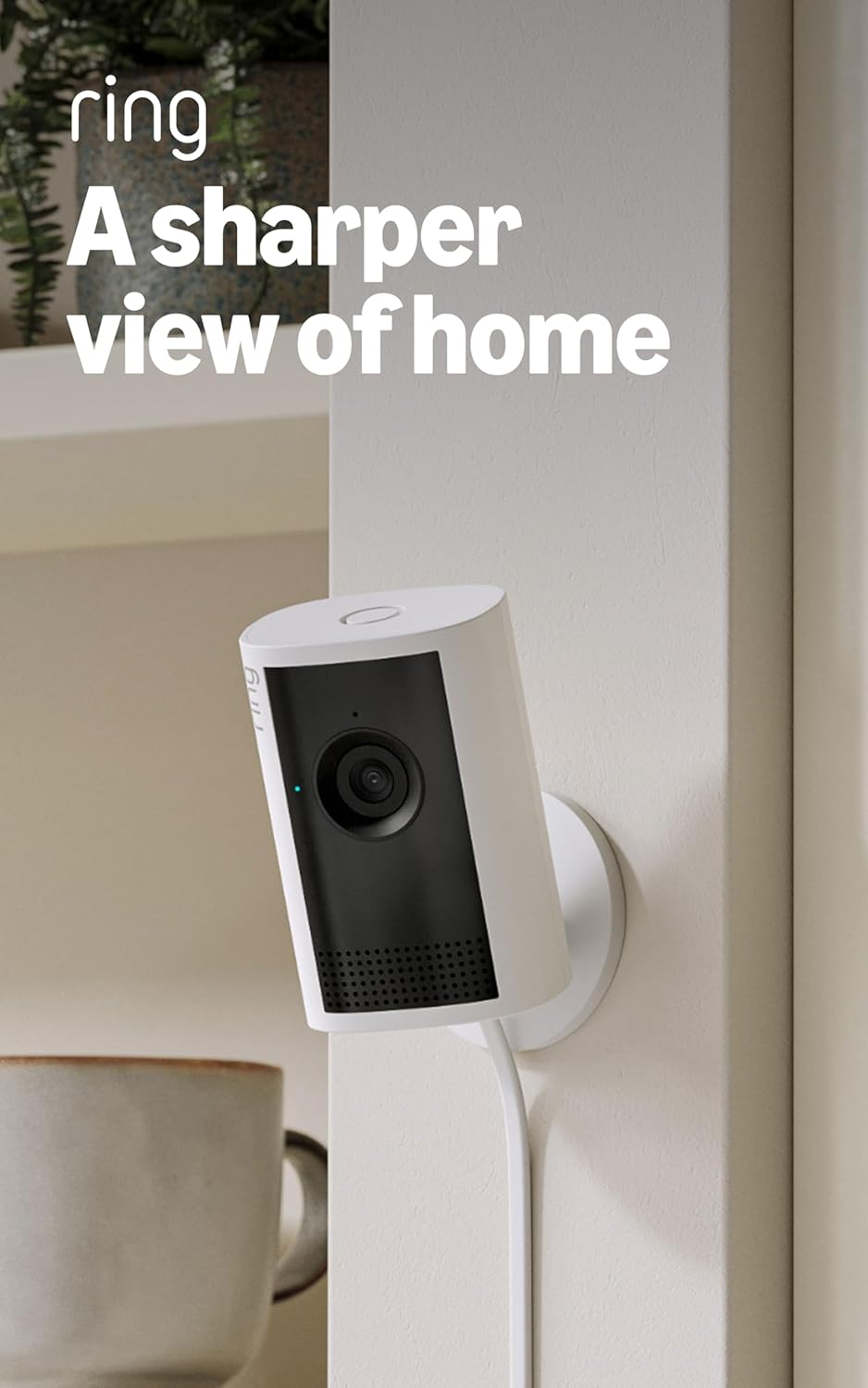
Ring Indoor Cam Plus
| Video resolution | Retinal 2K |
|---|---|
| Zoom | 4x Enhanced Zoom |
| Night mode | Low-Light Sight (color w/ ambient light, B/W in darkness) |
The Ring Indoor Cam Plus is a small, wired indoor camera designed for continuous monitoring of rooms, lobbies, or small business spaces. It records in Retinal 2K for clearer detail than typical 1080p cameras and includes up to 4x enhanced zoom so you can inspect distant activity. Low-Light Sight preserves color when there is some ambient light and switches to crisp black-and-white in total darkness, which helps maintain useful footage around the clock. The camera sends real-time motion alerts to your phone and supports Live View with two-way talk so you can check in and communicate remotely. A manual sliding lens cover provides a simple physical privacy control and the microphone can be disabled in the app. Limitations include reliance on your network and device bandwidth for top video quality and that full functionality ties into Ring software and alerts rather than a local-only workflow.
Best for: Security-minded business owners or managers who want an easy-to-install indoor camera that delivers sharper-than-1080p video and simple remote monitoring without complex setup.
Less Ideal for: Businesses that require fully local-only recording or complete independence from cloud services should consider cameras with local NVR support instead.
- Retinal 2K video for higher-resolution footage than standard 1080p
- Up to 4x enhanced zoom to inspect distant details in the frame
- Low-Light Sight preserves color in dim lighting and provides clear B/W in darkness
- Real-time motion alerts plus Live View and two-way talk for remote interaction
- Physical sliding lens cover for quick, visible privacy control
- Video quality depends on network bandwidth and device temperature
- Tied to Ring cloud/software ecosystem for alerts and many features
Verdict: A compact indoor camera that gives businesses sharper 2K video, useful zoom, and simple remote monitoring for reliable day and night coverage.
Choosing the Right Wireless Security Camera for Businesses: Key Factors to Consider
Video Resolution and Low-Light Performance
Higher resolution cameras capture more detail, which helps identify faces, license plates, and small actions in footage. In business settings you often need readable evidence after an incident, so prioritize sensors and lenses that maintain clarity at 1080p or higher.
Low-light performance matters for after-hours monitoring and poorly lit interiors. Look for cameras with larger sensors, wide-aperture lenses, and either IR illumination or advanced night modes. Better low-light imaging reduces dependence on expensive lighting retrofits and improves the usefulness of recordings.
Network Security and Authentication
Cameras are networked devices that can expose sensitive footage if not properly secured. Confirm support for encrypted video streams, strong user authentication, and updatable firmware to protect against vulnerabilities.
Enterprise features like VLAN support, WPA3, or secure RTSP/HTTPS streaming help integrate cameras into corporate networks safely. Also check whether the camera supports role-based access so different staff can have limited viewing or management rights.
Field of View and Coverage
A wider field of view covers more area with fewer cameras, lowering deployment complexity. However, very wide lenses can introduce distortion that reduces detail at the edges, so balance coverage with usable resolution where it matters.
Consider placement constraints and typical distances to monitored targets. Pan-tilt-zoom or multiple fixed cameras may be needed for large, open spaces versus narrow corridors. Properly matching field of view to the scene reduces blind spots and saves on device count.
Motion Detection and Alerting
Accurate motion detection reduces false alarms from benign sources like trees or lighting changes and ensures you only get alerts worth investigating. Evaluate how configurable the detection zones and sensitivity settings are so you can fine-tune alerts for business hours and critical areas.
Some systems offer analytics such as person versus vehicle detection, loitering, or line-crossing alerts. These features are useful in commercial contexts where you need focused notifications rather than generic motion events.
Power Options and Installation Flexibility
Commercial sites vary in wiring availability and environmental exposure. Cameras that support Power over Ethernet simplify installation in many office and retail spaces and provide a single cable for power and data. Battery- or solar-powered options may work for remote locations but require maintenance and recharging plans.
Also consider mounting options, weather resistance ratings for outdoor use, and tamper-resistant housings. Ease of physical installation affects total labor and downtime during deployment.
Centralized Management and Scalability
Businesses often deploy multiple cameras across locations, so look for systems that offer centralized management, batch configuration, and efficient firmware updates. Cloud-managed platforms can simplify multi-site oversight, while on-premise NVR-friendly cameras support local storage and retention policies.
Scalability includes license models, storage options, and integration with existing security infrastructure. Choose solutions that let you add cameras and archive footage without complex reconfiguration.
Choosing Between Cloud and On-Premise Storage
Decide whether footage should be stored in the cloud, on local network recorders, or both. Cloud storage provides off-site redundancy and remote access but may introduce recurring storage fees and dependency on vendor services. On-premise storage keeps footage within your network and can simplify compliance with internal data policies.
Many businesses use hybrid approaches where critical footage is archived locally for quick access and uploaded to cloud storage for redundancy. Evaluate bandwidth needs, retention requirements, and legal obligations before settling on a storage strategy.
- Cloud storage: remote access, off-site redundancy, potential recurring costs
- On-premise NVR: full local control, no recurring cloud fees, needs local maintenance
- Hybrid: combines quick local access with off-site backups
Network Design and Bandwidth Planning
High-resolution cameras require significant network bandwidth, especially when multiple devices stream concurrently. Plan network segmentation, QoS, and sufficient upstream capacity to prevent camera streams from interfering with business-critical traffic.
Use wired connections like PoE for stable throughput where possible. If wireless connections are necessary, ensure a robust enterprise-grade Wi-Fi design and test throughput under peak load to avoid dropped frames or delayed alerts.
- Estimate bandwidth per camera based on resolution, frame rate, and compression
- Segment camera traffic to a separate VLAN to protect the corporate network
- Use PoE switches to simplify power and performance management
Placement Strategies for Commercial Spaces
Map high-priority areas such as entrances, cash registers, loading docks, and storage rooms first. Position cameras to capture faces or identifying features rather than long empty corridors when possible.
Account for mounting height, glare from windows, and potential obstructions. Test sightlines during different lighting conditions and adjust angles to reduce reflections and blind spots.
- Focus on entry/exit points, transaction areas, and asset storage
- Mount cameras at heights that capture faces but are out of easy reach
- Avoid pointing cameras directly into bright light sources
Analytics and Event Management
Advanced analytics can reduce investigation time by flagging events such as people counting, loitering, or perimeter breaches. Decide which analytics are mission-critical for your site, since enabling many features can increase processing requirements.
Event management should integrate with your existing security workflows. Look for solutions that support customizable alerts, scheduled arming, and easy export of clips for incident review or law enforcement.
- Enable only the analytics you need to conserve processing resources
- Ensure alerts can be routed to supervisors or security dashboards
- Confirm clip export formats are compatible with your review tools
Maintenance, Firmware Updates, and Lifecycle
Plan for routine maintenance including lens cleaning, firmware updates, and periodic health checks. Firmware updates are essential for patching security vulnerabilities and improving stability.
Create an asset inventory and update schedule to track camera warranty periods, component replacements, and end-of-life planning. Regular maintenance reduces the risk of unexpected outages and extends the useful life of your deployment.
- Schedule quarterly health checks and firmware reviews
- Keep a log of device locations, serial numbers, and update history
- Replace aging cameras before failure to maintain continuous coverage
How We Chose the Best Wireless Security Camera for Businesses
We focused on features that matter to business users rather than casual home consumers. Our selection process prioritized image resolution and low-light performance because clear footage is essential for identification and incident review. We evaluated network and data security features, including support for encrypted streams, secure authentication, and enterprise-friendly connectivity options. Coverage and field of view were considered to ensure fewer cameras can monitor larger areas, while motion detection accuracy and configurability were evaluated for reducing false alarms in busy environments. Integration and management options were weighed to support multi-camera deployments, remote viewing, and centralized administration. We excluded consumer-only models lacking professional security features, cameras that require proprietary cloud-only accounts without export options, and devices without reasonable uptime and firmware update policies. The final shortlist reflects a balance of image clarity, secure connectivity, installation flexibility, and management capabilities relevant to business surveillance deployments.
Our full evaluation process is outlined in our review methodology.
FAQ
How much bandwidth does a business camera typically use?
Bandwidth depends on resolution, frame rate, and compression. A 1080p camera using efficient H.265 compression can use 1 to 4 Mbps per stream, while higher-resolution cameras or higher frame rates increase that. Multiply per-camera estimates by the number of concurrent streams to plan upstream capacity.
Are wireless business cameras secure enough for sensitive sites?
Wireless cameras can be secure when configured properly. Use encrypted streams, strong authentication, network segmentation, and keep firmware current. For the most sensitive sites consider wired PoE or hybrid setups to reduce wireless attack surfaces.
Can I use battery-powered wireless cameras for commercial surveillance?
Battery-powered cameras can be useful for temporary or remote locations but require a maintenance plan for battery replacement and recharge. For continuous, critical coverage most businesses prefer mains-powered or PoE units to avoid downtime.
How long should I retain surveillance footage?
Retention depends on your business policies, legal requirements, and storage capacity. Many businesses keep 30 to 90 days of footage for general operations, while incident footage may be archived longer. Determine retention based on risk, compliance, and available storage.
What is the benefit of PoE over Wi-Fi for business cameras?
PoE provides power and a stable wired data connection over a single cable, which improves reliability and simplifies installation for many commercial deployments. It also avoids Wi-Fi interference and often supports higher sustained bandwidth for multiple high-resolution streams.
Final Verdict
Prioritize image clarity, secure network integration, and manageable deployment when choosing wireless security cameras for your business. Balance coverage needs with bandwidth and storage plans, and favor devices that support encrypted streams, centralized management, and reliable firmware updates. Consider installation and maintenance overhead as part of total cost and choose a solution that scales with your locations. With those tradeoffs in mind you can pick a system that delivers reliable surveillance and streamlined operations for your business.