
Note: This article contains affiliate links. If you click on these links and make a purchase, we may earn a small commission at no extra cost to you. This helps support our research and content. Read our full affiliate disclosure here.
When you want to control two circuits from a single wall box, choosing the right 2-gang smart switch matters for daily convenience and long-term reliability. The right switch delivers smooth app and voice control, fits your existing wiring, and stays responsive under real-world loads. This guide shortlists the top 2-gang smart switches available and explains the criteria we used to evaluate them, including installation complexity, compatibility with smart home ecosystems, and connection stability. Read on for focused guidance to help you pick the switch that suits your setup and skill level.
Top Picks at a Glance
| Best Overall The best all-around choice for most situations | Kasa Smart Dimmer 2-Gang HS220-2 | 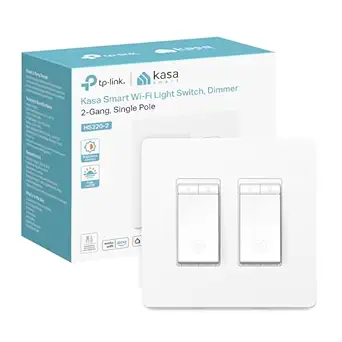 |
| Best Quality Built to a higher standard if you want something more solid | MOES Matter 2-Gang Smart Switch |  |
| Best Value The sweet spot between price and what you get | Youngzuth Wi‑Fi Double Smart Switch |  |
| Best Budget The cheapest option that still gets the job done reliably | Milfra Smart Light Switch 2-Gang |  |
| Top Rated A top-rated pick with lots of positive feedback | Kasa Smart 2-Gang HS200-2 | 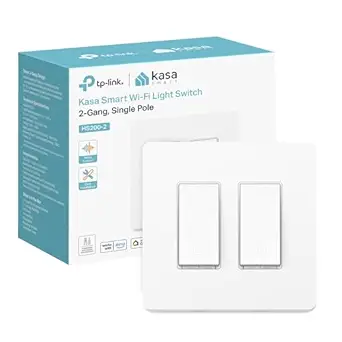 |
| Most Popular A crowd favorite that many people choose with confidence | Lesim 2-Gang Wi‑Fi Smart Switch |  |
Kasa Smart Dimmer 2-Gang HS220-2

| Connectivity Protocol | Wi-Fi (2.4 GHz) |
|---|---|
| Control Type | Full Control |
| Wattage | 275 watts |
| Current Rating | 2.5 A |
| Compatible Devices | Amazon Alexa, Google Assistant |
The Kasa HS220-2 is a two-gang smart dimmer that replaces a standard double wall switch to control and dim two separate light circuits from 1% to 100%. It connects directly to 2.4 GHz Wi‑Fi and integrates with Alexa, Google Assistant, and Samsung SmartThings for voice control, remote app control, and grouped scenes. Installation is typical for smart switches and requires a neutral wire; TP-Link includes a 2-gang wall plate, wire nuts, screws, and clear labels to simplify wiring, though users unfamiliar with household wiring may prefer an electrician. The dimmer supports fade on/off for smoother transitions, custom schedules, away mode to simulate occupancy, and app-guided setup. Practical benefits include centralized control of two fixtures in one device, fine-grain dimming, and UL certification with flame-retardant materials. Limitations are the 2.5 A/current and 275 W rating per load, so it is better suited to LED and lower-wattage fixtures rather than large multi-lamp circuits, and it requires a 2.4 GHz network so it will not work on 5 GHz-only setups.
Best for: Buyers who want a compact, reliable two-circuit smart dimmer to consolidate control and scheduling of multiple lights in one wall box while keeping voice and app integration simple.
Less Ideal for: People needing high-current or high-wattage control for large banks of lights or for installations lacking a neutral wire or only using 5 GHz Wi‑Fi.
- Two-gang design controls two separate circuits from a single device
- Smooth dimming from 1% to 100% with fade on/off for pleasant transitions
- Works with Alexa, Google Assistant, and the Kasa app for voice and remote control without a hub
- Includes mounting plate and installation accessories plus app-guided setup
- UL certified and built with flame-retardant materials for safety
- Rated for lower current and wattage (2.5 A / 275 W) which limits heavy-load lighting circuits
Verdict: Choose the HS220-2 if you want a safe, app-and-voice compatible two-gang dimmer that consolidates control of two separate light circuits in a single, easy-to-install unit.
MOES Matter 2-Gang Smart Switch

| Controller Type | Amazon Alexa, Apple HomeKit, Google Assistant |
|---|---|
| Connectivity Protocol | Matter, Wi-Fi |
| Current Rating | 10 A |
| Control Method | Remote, Touch, Voice |
The MOES Matter 2-gang smart switch brings Matter-over-Wi-Fi compatibility to a dual-switch wall plate, letting you control two independent circuits with touch, voice, or app automation. Installation requires a neutral wire and standard single-pole wiring, and the switch exposes a glossy 2.5D glass touch surface that works like a modern capacitive panel while matching typical American wall plates. It connects directly to 2.4 GHz Wi-Fi and integrates with Apple Home, Alexa, Google Home, and SmartThings without a hub, so you can run timers, countdowns, random on/off schedules and link the switches into broader automations. The internal relay is rated to 10 A (up to about 2200 W), which is suitable for most room lighting circuits but it does not support dimming or smart bulbs. For buyers focused on reliable platform compatibility and programmable control of two circuits in one footprint, this switch delivers a clean interface and solid automation capability, though it requires correct wiring and is limited to on/off loads.
Best for: Buyers who want a modern, platform-compatible dual switch for dependable on/off control and advanced scheduling across Apple, Google, and Alexa ecosystems.
Less Ideal for: People needing dimming capability, support for smart bulbs, or installs where a neutral wire is unavailable should look elsewhere.
- Matter over Wi-Fi compatibility for seamless multi-platform integration
- Direct 2.4 GHz Wi-Fi connection with no hub required
- Dual independent gang control with touch, voice, and app methods
- Programmable schedules including timer, countdown, random and loop modes
- Premium 2.5D glass touch panel with responsive, scratch-resistant surface
- Requires a neutral wire and single-pole wiring which may complicate installation
- Does not support dimming or control of smart bulbs
Verdict: Choose this switch if you want a clean, two-gang Matter-compatible on/off solution with touch, voice, and robust scheduling across major smart home platforms.
Youngzuth Wi‑Fi Double Smart Switch

| Operating Voltage | 120 volts |
|---|---|
| Current Rating | 10 A |
| Wattage | 1100 watts |
| Connectivity Protocol | Wi‑Fi (2.4 GHz) |
| Compatible Devices | Alexa, Google Home |
This two-gang Youngzuth smart light switch replaces a standard wall switch to give remote on/off control, scheduling, and voice operation via Alexa or Google Home. It connects directly to a 2.4 GHz Wi‑Fi network and is controlled with the Smart Life app on iOS or Android, letting you turn lights on or off from anywhere and create 7‑day schedules or countdown timers. The unit supports multi-control association for 3‑way circuits so two switches can control the same load, and it is rated for up to 10 A and 1100 W per gang for resistive loads. Installation follows a standard wall‑mount wiring approach and the switch uses screw terminals and copper contacts. Practical benefits include hands‑free voice routines, low standby draw, and IP54 protection for added durability. Limitations are no dimming or fan speed control, a required 2.4 GHz network (no 5 GHz), and the stated capacitive load limit means some LED or electronic driver loads may not behave as expected without testing.
Best for: Buyers who want a practical, budget smart switch to add remote and voice on/off control to two standard circuits and who value simple scheduling and reliable basic operation.
Less Ideal for: If you need dimming, fan speed control, or guaranteed compatibility with specialized low‑wattage LED drivers, choose a switch designed specifically for those loads instead.
- Direct Wi‑Fi control with no hub required for remote access and app scheduling
- Works with Alexa and Google Home for voice control
- Supports multi-control association for common 3‑way wiring setups
- Rated for up to 10 A and 1100 W per gang for standard resistive loads
- IP54 rating and FCC/ETL listings for basic safety and durability
- No dimming or speed regulation so it only performs on/off control
- Requires a 2.4 GHz Wi‑Fi network and Smart Life app for most smart features
- Capacitive load limits may restrict compatibility with some LED drivers or low‑power fixtures
Verdict: A straightforward, no‑hub two‑gang Wi‑Fi switch that adds reliable remote and voice on/off control to standard lighting circuits.
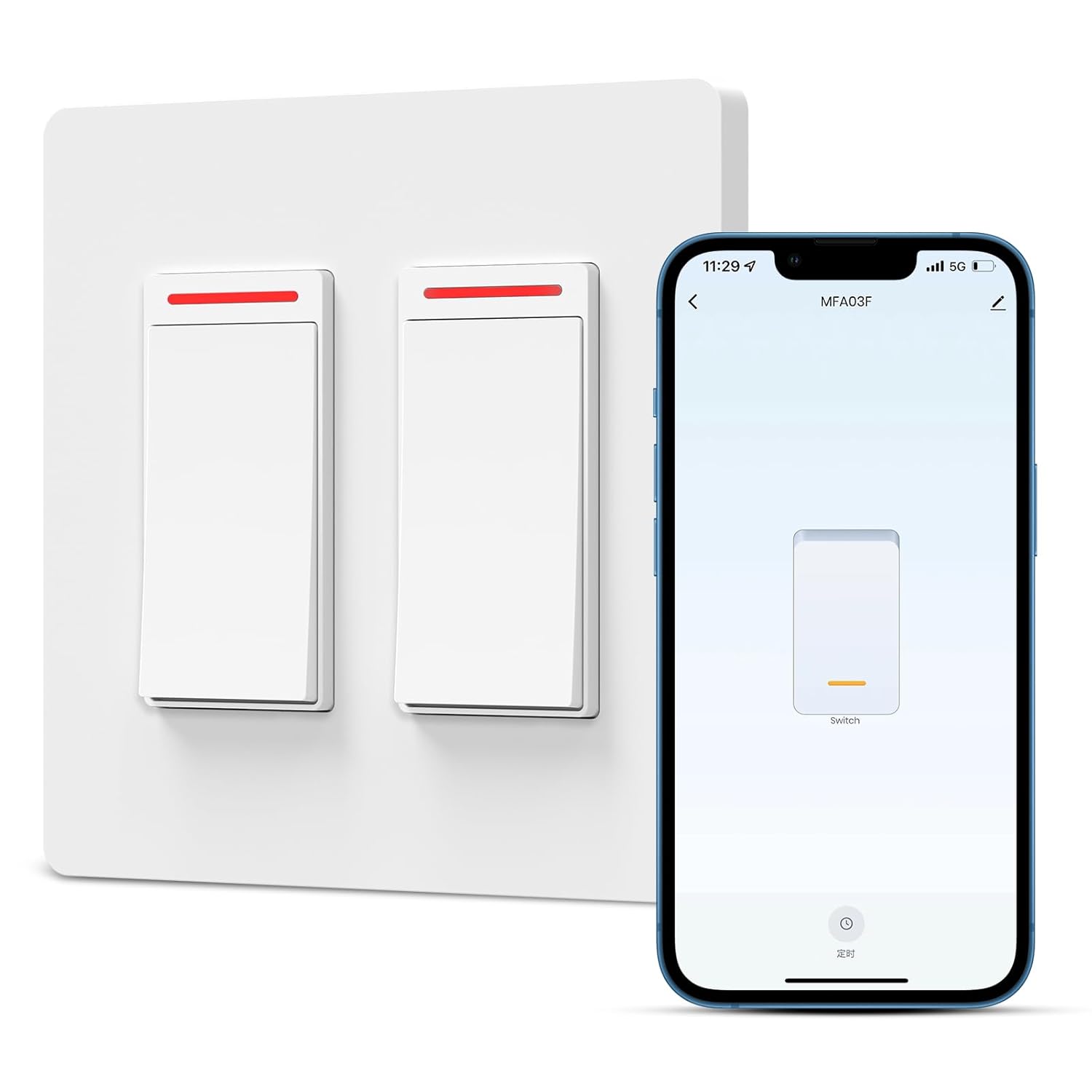
Milfra Smart Light Switch 2-Gang
| Current Rating | 10 A |
|---|---|
| Operating Voltage | 120 volts |
| Circuit Type | 1-way |
| Control Method | App, Remote, Voice |
| International Protection Rating | IP44 |
The Milfra 2-gang smart switch turns two standard single-pole circuits into Wi‑Fi controllable loads you can operate from the Smart Life app or with Siri, Alexa, and Google Home. It is designed for wall-mount installation where a neutral is available and uses push-button style contacts with a 10 A rating and 120 V operation, so it works for most household lighting circuits. Setup is typical for budget smart switches: identify line, load, neutral and ground, attach the clamp or screw terminals, and pair the device to your 2.4 GHz Wi‑Fi network. Practical benefits include scheduling, remote on/off, and voice commands without needing a separate hub, plus an IP44 rating and ETL listing for basic safety. Limitations to consider are the 10 A per switch current rating, the neutral-wire requirement that rules out some older homes, and the lack of advanced dimming or multi-protocol support. For buyers who want a simple, low-cost way to add voice and app control to two circuits, this is a straightforward option.
Best for: Buyers who want an inexpensive, no-hub smart switch to add app and voice control to two lighting circuits and are comfortable doing a basic wiring install.
Less Ideal for: Homes without a neutral in the switch box or users who need integrated dimming or higher-current support for heavy loads.
- 2-gang in-wall design adds Wi‑Fi control to two circuits without a hub
- Works with Siri, Alexa, and Google Home for voice control
- Supports app scheduling and remote on/off via Smart Life
- ETL listed and IP44 rated for basic safety and durability
- Requires a neutral wire, so not compatible with some older switch boxes
- 10 A current rating limits use with heavy loads or multiple fixtures
Verdict: A budget-friendly 2-gang in-wall switch that adds reliable Wi‑Fi and voice control for two lighting circuits without a hub.
Kasa Smart 2-Gang HS200-2

| Current Rating | 15 A |
|---|---|
| Operating Voltage | 120 volts |
| Connectivity Protocol | Wi-Fi |
| Wattage | 1800 watts |
| Compatible Devices | Amazon Alexa, Google Assistant, Samsung SmartThings |
The Kasa HS200-2 is a two-switch smart wall plate that replaces a standard 2-gang setup and connects directly to 2.4 GHz Wi‑Fi for app and voice control. It lets you independently control two circuits from the Kasa Smart app, create schedules, timers, and Away Mode to simulate occupancy, and group switches into scenes alongside other smart devices. Installation requires a neutral wire and uses screw terminals; the package includes a 2-gang wall plate, screws, wire nuts, and labels to simplify wiring. The switch is UL certified and built with flame-retardant materials, which supports long-term safety and reliability in everyday use. Limitations to plan for are the need for 2.4 GHz Wi‑Fi and neutral wiring at the box, and no hub means cloud-dependent features if your internet goes out. For homeowners who want a straightforward, solid-feeling replacement for two standard switches with full voice and app control, the HS200-2 delivers dependable performance.
Best for: Buyers who prioritize a reliable, well-built replacement for two standard switches and want dependable app and voice control with safety certifications.
Less Ideal for: Homes without a neutral conductor in the switch box or users who need entirely local-only smart switch operation should consider other options.
- Controls two separate circuits from one 2-gang unit for tidy installation
- UL certified and built with flame-retardant materials for safety
- App and voice control with Alexa, Google Assistant, and SmartThings
- Includes 2-gang wall plate, wire nuts, screws, and labels for easier installation
- Supports schedules, timers, scenes, and Away Mode for automation and security
- Requires a neutral wire and 2.4 GHz Wi‑Fi which may complicate installation in older homes
- Cloud-reliant features may be limited during internet or cloud service outages
Verdict: Choose the Kasa HS200-2 when you want a safety-focused, reliable 2-gang smart switch that delivers straightforward app and voice control for two circuits.
Lesim 2-Gang Wi‑Fi Smart Switch

| Current Rating | 15 A |
|---|---|
| Operating Voltage | 125 volts |
| Connectivity Protocol | Wi-Fi (2.4 GHz) |
| Controller Type | Alexa, Google Assistant, SmartThings, IFTTT |
| Wattage | 1650 watts |
The Lesim 2-gang Wi‑Fi smart switch replaces two single‑pole wall switches with capacitive touch glass panels and lets you control lights locally, from the Smart Life app, or by voice through Alexa or Google Assistant. It is typically used to modernize standard lighting circuits so you can set schedules, group multiple switches, and turn lights on or off remotely. Notable features include full Wi‑Fi connectivity (2.4 GHz only), compatibility with SmartThings and IFTTT, a required neutral connection, and a 15 A current rating for loads up to about 1650 watts. Installation is straightforward for homeowners comfortable working in a wall box, but the switch is not compatible with 3‑way circuits and will not work without a neutral wire. The glass touch surface looks clean and resists scratches, and the app scheduling and device sharing are useful for automating rooms and giving family members access. Expect to spend a little time on pairing since the unit requires 2.4 GHz network setup and must join the network during the pairing window.
Best for: Buyers who want an affordable, app- and voice-controlled upgrade for standard single‑pole lighting circuits and who prefer proven compatibility with mainstream smart home platforms.
Less Ideal for: Households without a neutral wire in the switch box or rooms that use 3‑way (multi‑switch) wiring should look for a different solution.
- Two gang design replaces two single‑pole switches with one plate for a neat single installation
- Capacitive glass touch panel offers a modern look and scratch resistance
- Works with Alexa, Google Assistant, Smart Life app, SmartThings, and IFTTT for voice and automation
- Remote control and scheduling via app for away/home automation and device sharing
- Requires a neutral wire and is not compatible with 3‑way/multi‑switch circuits
- Only supports 2.4 GHz Wi‑Fi, so it will not connect to 5 GHz networks
Verdict: A practical two‑gang smart switch that gives reliable app and voice control for single‑pole lighting circuits when a neutral wire and 2.4 GHz Wi‑Fi are available.
Choosing the Right 2-Gang Smart Switch: Key Factors to Consider
Wiring Requirements
Confirm whether the switch needs a neutral, ground, or traveler wires before you buy. Many 2-gang smart switches require a neutral to power the internal electronics; older homes sometimes lack a neutral in switch boxes, which affects compatibility.
Understanding the wiring expectations determines installation complexity and whether you can DIY or should hire an electrician. If your box is crowded, check the switch depth and terminal layout so both modules fit without straining wires.
Smart Home Integration
Decide which ecosystems you want the switch to work with, such as voice assistants or a hub-based automation platform. Native support for your ecosystem simplifies setup and enables features like grouped scenes and routines.
Also consider whether the switch supports local control versus cloud-only functionality. Local control reduces latency and keeps basic functions working during internet outages, while cloud features often add advanced remote access and automations.
Wireless Protocol and Range
Check which wireless protocol the switch uses: Wi-Fi, Zigbee, Z-Wave, or proprietary mesh. Protocol choice affects range, latency, and how many devices you can reliably manage from one controller.
If the switch uses Wi-Fi, ensure your household network can handle additional devices and that the switch will be within good signal range. For mesh protocols, consider whether you already have a compatible hub or other devices to extend the network.
Load Ratings and Supported Loads
Verify the maximum current rating per gang and whether the switch supports different load types such as incandescent, LED, CFL, and motors for fans. Some smart switches use minimum load or require add-on devices to stabilize LEDs.
Choosing a switch with appropriate load ratings prevents nuisance tripping, flicker, or premature wear. When controlling mixed loads on the two gangs, check whether each channel is rated independently or if there are combined limits.
Physical Fit and User Interface
Consider the physical button layout, indicator lights, and whether the switch supports accessory or remote paddles. Ergonomics matter when the device will be used frequently and by multiple household members.
Also assess the switch depth and mounting plate compatibility with your wall plate style. A unit that is too deep can interfere with wiring, while poorly placed LEDs or tiny buttons can hamper everyday use.
Firmware, Support, and Longevity
Look for products with clear firmware update policies and accessible customer support channels. Regular firmware updates fix bugs and add features, which matters for long-term security and compatibility.
Good documentation and active support reduce the risk of being stuck with unsupported hardware or unresolved connectivity issues down the road.
Installation Checklist for a Smooth Swap
Before removing your old switch, turn off power at the breaker and test the box with a voltage meter. Photograph the existing wiring so you can reference terminal connections during reassembly.
Measure the box depth and wire length to confirm the new 2-gang smart switch will physically fit. Label the line, load, neutral, and ground conductors if they are not already color-coded.
- Turn off circuit power and lock out the breaker if possible
- Confirm neutrals are present if required by the switch
- Keep screws and small parts organized in a container
- Test the switch mechanically before reinstalling the wall plate
Dealing with No-Neutral Switch Boxes
If your switch box lacks a neutral, you still have options. Some smart switches are designed to work without a neutral by using a small current through the load, though these can cause LED flicker or require a bypass device.
Alternative approaches include running a new neutral wire, using an add-on module installed at the fixture, or choosing a battery-powered or hub-connected switch that does not need a neutral at the wall. Each option has tradeoffs in cost and installation complexity.
- Neutralless switches may need a bypass or minimum load device
- Running a neutral gives the most robust long-term compatibility
- Fixture-mounted modules keep wall wiring unchanged but require attic or fixture access
How to Plan Automations with a 2-Gang Switch
Treat each gang as an independent control point when planning schedules and scenes. You can group both circuits for simultaneous control or create separate automations to run independently based on time, motion, or other triggers.
Consider safety use cases too, such as using one gang for a porch light on a schedule and the other for a security light tied to motion. Keep automations simple at first and expand them after confirming reliable connectivity.
- Use scenes to operate both gangs together for convenience
- Assign one gang to be motion-triggered and the other to remain manual
- Test automations during different network conditions
Troubleshooting Common Issues
Connectivity drops are often caused by weak Wi-Fi or mesh coverage. Move the router or add range extenders, or migrate the switch to a mesh protocol if possible. Rebooting the switch and router can also clear transient issues.
If an LED load flickers after installation, verify the switch model supports low-wattage LEDs or add the recommended resistor or bypass device. Tighten all terminal screws and check for loose neutrals, which are common culprits for intermittent behavior.
- Check signal strength at the switch location
- Verify terminal connections and torque on all screws
- Consult firmware updates for known bug fixes
Safety Considerations and Code Compliance
Ensure the installed switch is rated for the local electrical code and for the specific circuit type. For fan or motor loads, confirm the switch is rated for inductive loads and that any required retarders or fuses are present.
If you are unsure about wiring or code requirements, consult a licensed electrician. Proper grounding and secure connections prevent shock and fire hazards, and correct labeling in the panel helps future work.
- Match switch ratings to circuit amperage
- Use insulated tools and follow lockout procedures
- Label the circuit in the breaker panel after installation
How We Chose the Best 2-Gang Smart Switch
We focused on criteria that matter most to homeowners installing a 2-gang smart switch in a typical residence. First, compatibility and integration were prioritized to ensure each option works with common smart home systems and voice assistants. Second, wiring flexibility and installation design were evaluated so switches fit varied wall boxes and existing line-load configurations. Third, connection stability and wireless performance were judged based on supported protocols and features that maintain reliable control. Fourth, load capacity and safety features were considered to ensure switches handle common lighting and fan circuits without overheating. Finally, user experience factors such as app quality, local control options, and physical switch ergonomics were weighed. We excluded devices that require major electrical rewiring or external hubs unless the hub materially improved reliability and functionality. Products with inconsistent firmware update paths or unclear safety documentation were also filtered out. The result is a curated list focused on practical installability, dependable operation, and clear documentation.
Our full evaluation process is outlined in our review methodology.
FAQ
Can I install a 2-gang smart switch myself?
Often you can if you are comfortable with basic electrical work and power is turned off at the breaker. Confirm the switch fits your box, check for a required neutral, and follow the manufacturer wiring diagram. Hire a licensed electrician for complex or uncertain wiring situations.
Will a 2-gang smart switch work with LED bulbs?
Most modern 2-gang smart switches support LED loads, but some require a minimum load or a bypass device to prevent flicker. Verify the switch documentation for LED compatibility and recommended bulb types.
What happens if my home uses a different smart home protocol?
If the switch uses a different protocol than your existing system, you may need a compatible hub or bridge to integrate it. Choosing a switch that matches your primary ecosystem reduces setup steps and improves feature parity.
Can each gang be controlled independently?
Yes. Each gang on a 2-gang smart switch functions as an independent channel, allowing separate schedules, automations, and physical control. You can also group them if you want both circuits to operate together.
Do smart switches still work during an internet outage?
That depends on the switch architecture. Devices that support local control through a hub or local network will continue to operate, while cloud-dependent models may lose remote features until internet service is restored.
Final Verdict
Choosing the right 2-gang smart switch comes down to matching wiring needs, wireless protocol, and load ratings to your home. Prioritize models that fit your switch box and wiring and that integrate cleanly with your smart home system. Expect tradeoffs between installation simplicity and feature depth, and favor switches with clear documentation and firmware support for long-term reliability. With those priorities in mind, you can select a switch that delivers dependable control and straightforward operation.