
Note: This article contains affiliate links. If you click on these links and make a purchase, we may earn a small commission at no extra cost to you. This helps support our research and content. Read our full affiliate disclosure here.
Installing the right 4-Way Smart Switch makes multi-location lighting simple, responsive, and safe. With the correct switch, you can control a single circuit from three or more locations, add voice and app control, and maintain traditional wall-mounted operation for guests and family. This guide covers the top shortlisted 4-way smart switches designed for whole-home lighting setups. We evaluate wiring compatibility, installation complexity, and smart-system interoperability so you can pick a switch that fits your existing wiring and desired level of automation. Read on to see the key tradeoffs and what to expect during installation.
Top Picks at a Glance
| Best Overall The best all-around choice for most situations | Deako Smart Light Switch Gen 2 |  |
| Best Value The sweet spot between price and what you get | Leviton Decora Smart Switch D315S |  |
| Best Budget The cheapest option that still gets the job done reliably | MOES 4-Gang WiFi Smart Switch |  |
| Top Rated A top-rated pick with lots of positive feedback | Leviton Decora Smart Anywhere Switch DAWSC-1RW |  |
| Most Popular A crowd favorite that many people choose with confidence | Tapo S515 Smart Switch |  |
Deako Smart Light Switch Gen 2

| Operation Mode | ON-OFF |
|---|---|
| Current Rating | 15 A |
| Connectivity Protocol | Bluetooth, Wi-Fi |
| Circuit Type | 1-way, 3-way, 4-way |
| International Protection Rating | IP54 |
The Deako Smart Light Switch (Gen 2) replaces a standard wall switch to give app, touch, and voice control for single-pole, 3-way, and 4-way lighting circuits. Installation is designed to be easier than typical smart switches thanks to Deako's Magic Linking that auto-configures multi-way setups and a plug‑in connector for the backplate, though it does require a neutral connection at the Deako backplate to function. Once installed, the switch integrates with Alexa, Google Home, Samsung SmartThings, Home Assistant and other platforms, and the Deako app provides scheduling, groups, scenes, and remote control. The matte white face includes a low-profile Beacon LED that can act as a locator or indicate load status. The switch is rated for typical residential loads (15 A, up to 1000W incandescent or 600W LED) and carries an IP54 rating for extra durability. Limitations to consider are the neutral-wire requirement and the need to use the Deako backplate system for full compatibility, which adds installation constraints compared with universal smart switches.
Best for: Buyers who want a cleaner, easier-to-configure smart switch for multi-way lighting that integrates with popular smart home ecosystems and prefer a system designed to simplify installation and management.
Less Ideal for: Homes without an accessible neutral in the switch box or people who need a true universal, drop-in replacement that works without a vendor-specific backplate.
- Magic Linking simplifies multi-way wiring and reduces setup time.
- Works with major smart platforms including Alexa, Google Home, SmartThings, and Home Assistant.
- Beacon LED provides a useful locator or load-status indicator on the switch face.
- Supports typical household loads and 15 A circuits suitable for most lighting.
- IP54 rating and cULus specification add durability and safety assurance.
- Requires a Deako backplate with a neutral connection, so it is not a direct drop-in for all installations.
- Higher wattage and current limits for some LED or specialty loads are lower than for some heavy-duty switches.
Verdict: Choose this switch if you want an easy-to-configure, smart 4-way capable switch that integrates with major ecosystems and simplifies multi-way wiring.
Leviton Decora Smart Switch D315S

| Connectivity | 2.4 GHz Wi‑Fi |
|---|---|
| Compatibility | Matter, Alexa, Google Assistant, Apple Home/Siri |
| Load rating | 15A, 1/3 HP |
| Neutral required | Yes |
The Leviton Decora Smart Switch D315S converts a standard wall switch into a hub-free smart switch that connects to 2.4 GHz Wi‑Fi and the My Leviton app for remote control, schedules, and voice control through Google Assistant, Alexa, or Siri. It supports Matter for local integration and works with wire-free or wired companion switches for multi-location 3‑way and 4‑way setups, making it suitable for larger circuits. The switch is rated to handle common lighting and motor loads up to 15A and 1/3 HP, so you can use it with LEDs, CFLs, incandescent bulbs, ceiling fans, and small pumps. Practical installation features include a reduced depth for tighter boxes, a screwless wallplate, an LED locator light, and optional color-change faceplates. Limitations to note are the required neutral wire and that advanced automation depends on the app and platform integration; installers should verify box space and companion switch compatibility for complex 4‑way arrangements.
Best for: Buyers who want a reliable, hub‑free smart switch that scales to multi‑location 3‑way and 4‑way circuits and prioritizes broad voice and Matter compatibility for a practical whole‑home setup.
Less Ideal for: Homes without a neutral in the switch box or owners who need a simpler plug‑and‑play solution without any wiring changes should consider alternatives.
- Works directly over 2.4 GHz Wi‑Fi with no hub required for remote control and scheduling
- Matter support and broad voice assistant compatibility for flexible smart home integration
- Rated for 15A and 1/3 HP so it can control lights, fans, and small motors
- Supports wire‑free and wired companion switches for multi‑location 3‑way and 4‑way control
- Reduced depth and included screwless wallplate simplify installation in tight boxes
- Requires a neutral wire so older two‑wire switch boxes may need rewiring or an electrician
- Full local automation depends on Matter platform support and companion devices being configured
Verdict: Choose this Decora smart switch when you need a factory‑quality, hub‑free controller that supports Matter and multi‑location 3‑way/4‑way setups for a practical, connected lighting system.
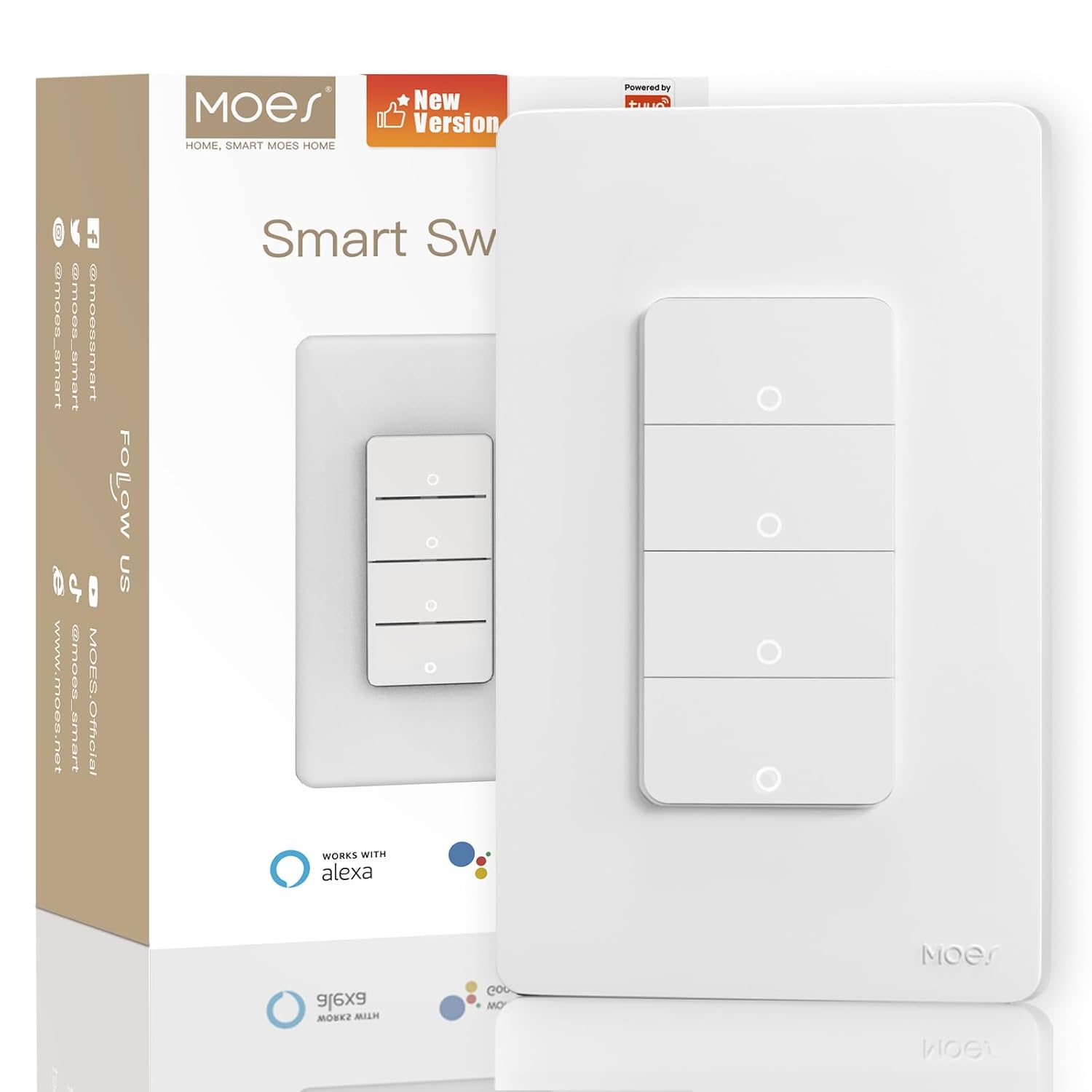
MOES 4-Gang WiFi Smart Switch
| Connectivity Protocol | Wi-Fi (2.4 GHz) |
|---|---|
| Control Method | App, Remote, Touch, Voice |
| Number of Positions | 4 |
| Compatible Devices | Alexa, Google Assistant, MOES/Tuya App |
This MOES 4-gang Wi‑Fi smart switch replaces a standard multi-gang wall switch to give four circuits app control, voice control through Alexa and Google Assistant, and basic automation via the MOES/Tuya app. Installation uses screw terminals and requires a neutral connection, and the shallow body is meant to fit standard wall boxes while conserving space. Once wired, each toggle supports touch, remote app control, voice commands, timers, and sharing with other household accounts, which makes it useful for scheduled lights, remote shutoff, and hands-free control. The switch uses 2.4 GHz Wi‑Fi so no hub is needed, and the updated buttons and added ground/neutral outgoing wiring improve responsiveness and wiring clarity versus older versions. Limitations: it does not control smart bulbs or offer dimming, so it works best with standard on/off fixtures, and it requires a compatible neutral wiring setup and basic electrical familiarity for safe installation. For budget-focused buyers seeking four smart circuits in one plate, it is a practical, space-saving option.
Best for: Buyers wanting an affordable way to add smart on/off control to multiple hardwired lights in one location, and who are comfortable doing or hiring basic electrical wiring work.
Less Ideal for: People who need dimming functionality, want to control smart bulbs directly, or who lack a neutral wire in their switch box should look at different solutions.
- Controls four separate circuits from a single wall plate, saving space in multi-gang locations
- Works with Alexa, Google Assistant, and the MOES/Tuya app for voice and remote control
- Uses 2.4 GHz Wi‑Fi with no hub required, enabling timers, schedules, and remote access
- Shallow-body design fits standard wall boxes and simplifies installation in tight spaces
- Requires a neutral wire and basic electrical wiring skills for installation
- Does not support dimming or control of smart bulbs, only on/off switching
Verdict: A cost-conscious, space-saving way to add four on/off smart switches to a home using 2.4 GHz Wi‑Fi and voice/app control without a hub.
Leviton Decora Smart Anywhere Switch DAWSC-1RW

| Current Rating | 10 A |
|---|---|
| Operating Voltage | 120 volts |
| Connectivity Protocol | Wi-Fi |
| International Protection Rating | IP65 |
The Leviton Decora Smart Anywhere Companion is a battery-powered, wire-free add-on switch designed to pair with Leviton Decora Smart Wi‑Fi 2nd Gen devices and provide additional on/off control locations without running traveler wires. It mounts to a wall box or surface with included adhesive or screws and communicates over a wireless link to a primary D215S switch or D215P plug-in, giving you multi-location switching at stair landings, hallways, or lamp circuits. Setup is simple: pair the companion with the main Decora Smart device and use the My Leviton app for management. Notable features include a push-button Decora-style actuator, IP65 rating for extra durability, and replaceable long-life batteries rated for about five years. Because the companion does not directly switch line voltage, it relies on a compatible primary device and supports up to three companions per primary unit, which keeps wiring tidy but requires you to own the Leviton ecosystem. The unit is compact and flexible for surface or box mounting, but it is not a drop-in hardwired 4-way replacement and has a practical 50-foot recommended range to consider during placement.
Best for: Buyers who prioritize a dependable, low-maintenance way to add multi-location light control without new wiring and who already use or plan to use Leviton Decora Smart Wi‑Fi 2nd Gen devices.
Less Ideal for: People who need a fully hardwired 4-way switch replacement or who do not want to depend on a specific smart-switch ecosystem should consider other options.
- Wire-free multi-location control adds on/off switching without running traveler wires
- Flexible mounting with adhesive or wall-box installation for easy placement
- Long-life replaceable batteries included with approximately 5-year life
- IP65 rating increases durability for challenging locations
- Does not directly control load and requires a compatible Decora Smart Wi‑Fi 2nd Gen primary device
- Effective wireless range is recommended up to 50 feet, which can limit placement in larger homes
Verdict: If you want a reliable, wire-free way to add multi-location on/off control within the Leviton Decora Smart 2nd Gen system, this companion switch delivers straightforward installation and long battery life.
Tapo S515 Smart Switch

| Current Rating | 15 A |
|---|---|
| Operating Voltage | 120 volts |
| Circuit Type | 1-way, 3-way, 4-way |
| Connectivity Protocol | Matter, Wi-Fi |
| Compatible Devices | Amazon Alexa, Apple HomeKit, Google Home, Samsung SmartThings |
The Tapo S515 is a wall-mounted smart toggle switch designed to replace traditional single-pole, 3-way, or 4-way switches and add remote, scheduled, and voice control to home lighting. Installation requires a neutral and 2.4 GHz Wi-Fi, and the companion Tapo app walks you through wiring and setup; the product ships with wall plates, wire nuts, screws, and labels to simplify the job. Once installed it integrates with Matter, Alexa, Siri/HomeKit, Google Home, and SmartThings, and offers energy monitoring and away-mode scheduling so you can track usage and simulate occupancy. The switch is UL and RoHS certified and includes two-factor authentication for account security. Practical limits include a 15 A current rating and a 600 W incandescent load guideline, so it is intended for typical lighting circuits rather than heavy loads, and correct placement in multiway circuits is required (follow the live/hot wiring instructions). For buyers who prioritize broad smart-home compatibility and clear app-guided setup, the S515 delivers useful monitoring and multi-location control without requiring a separate hub.
Best for: Buyers who want a secure, widely compatible smart switch that adds multi-location control and energy tracking while preferring clear app guidance and proven user feedback.
Less Ideal for: Homes without a neutral wire or users needing to control high-power lighting or nonlighting loads should look for different hardware or consult an electrician.
- Works as single-pole, 3-way, or 4-way for flexible multi-location control
- Matter and major platform compatibility for wide voice and app integration
- Built-in energy monitoring to track and estimate lighting costs
- App-guided installation with included wiring supplies simplifies setup
- UL and RoHS certified with two-factor authentication for added security
- Requires neutral wiring and 2.4 GHz Wi-Fi, which may not be available in older homes
- 15 A / 600 W load limits make it unsuitable for high-power circuits
Verdict: Choose the Tapo S515 when you want a Matter-certified, multiway smart switch that combines broad platform compatibility with built-in energy monitoring and clear app-guided setup.
Choosing the Right 4-Way Smart Switch: Key Factors to Consider
Wiring Compatibility and Neutral Requirements
Whether a 4-way smart switch will work in your home depends largely on the existing wiring at the switch locations. Many modern smart switches require a neutral conductor at the master or both locations, while some auxiliary or companion devices are designed to work without a neutral. Knowing if your boxes have neutral wires and whether you have separate traveler wires affects which products are feasible.
Incorrect assumptions about travelers and neutrals can lead to nonfunctional installations or unsafe shortcuts. Before buying, open the switch box or consult a wiring diagram to confirm the presence of neutrals, travelers, and whether the line and load are accessible at the same location. If you are unsure, consult a qualified electrician to avoid installation errors.
Installation Complexity and Tools Needed
Installation difficulty ranges from simple plug-and-play replacements to multi-wire reconfiguration that may require wire nuts, pigtails, and minor drywall access. Some smart switches require the master to be installed where the line and load meet, with auxiliary devices at remote locations wired as companions, which can add steps if your current setup differs.
Assess your comfort with basic electrical work, turning off circuit breakers, and identifying wires. Factor in the need for a screwdriver set, voltage tester, wire stripper, and possibly fish tape if you must run new conductors. Products with clear wiring diagrams, labeled terminals, and helpful online guides reduce the chance of errors and speed up the process.
Smart Home Ecosystem and Connectivity
Decide which ecosystem and connectivity type you want. Many 4-way smart switches use Wi-Fi, Zigbee, Z-Wave, or proprietary RF to communicate. Wi-Fi models often connect directly to your router and phone app but may crowd a home network. Zigbee and Z-Wave typically require a hub but can be more stable and use less bandwidth.
Also consider voice assistant support and whether you need local control without cloud dependency. If you already use a specific hub or voice assistant, pick a switch that explicitly states compatibility to avoid additional bridges or workarounds. Some systems allow mixed master and auxiliary combinations, while others require all devices to be from the same family for correct multi-location switching.
Load Type and Electrical Ratings
Check the maximum load rating and the types of loads supported. Some switches are designed primarily for incandescent and LED loads, while others handle motors or high-wattage fixtures. Overloading a switch can cause premature failure or create a fire risk.
Look for ratings for incandescent, LED, CFL, and whether the switch supports dimming with the load type you have. If you control multiple fixtures or remote fans, confirm the aggregate current draw does not exceed the switch rating. Thermal management and build quality are indirect indicators of how well the switch will handle continual loads.
Companion/Auxiliary Switch Support
A true 4-way smart switch solution often uses a master device plus one or more auxiliary or companion switches at secondary locations. These companions may be electronic devices that communicate via travelers or wirelessly with the master. Their behavior affects user experience, including whether the aux maintains a neutral, provides LED indicators, or supports scene control.
Confirm whether the product supports dedicated companion switches for 3- and 4-way setups and whether those companions require power. Some companions are simple momentary remotes, while others act as full replacements for traditional toggles. The presence or absence of companions influences wiring choices and whether all wallplates can keep a traditional look and feel.
Understanding 3-Way Vs 4-Way Wiring
A 3-way circuit uses two switches to control a light, while a 4-way circuit inserts one or more intermediate switches between the two 3-way endpoints. In smart installations the master usually replaces one endpoint where line and load are present, and the intermediate positions use special 4-way or auxiliary devices. Understanding which box contains line and load is the most important step for planning.
- Identify which switch box has the hot feed and the fixture load before purchasing.
- Look for multiple traveler wires between boxes; that indicates a multi-location circuit.
- Label wires as you remove old switches to preserve correct connections.
Common Installation Mistakes to Avoid
Rushing an installation or assuming the same wiring scheme across homes leads to mistakes. Typical errors include failing to turn off the correct breaker, misidentifying travelers versus neutrals, and attempting to power a smart master without a required neutral. These mistakes create dead devices and unsafe conditions rather than just simple malfunctions.
- Always verify power is off with a non-contact voltage tester.
- Do not assume a bundled white conductor is a neutral; confirm using wiring diagrams or continuity tests.
- Follow the manufacturer diagrams for master/aux pairings instead of trying to force a non-supported wiring arrangement.
Dimming and Load Compatibility Best Practices
If you want dimming capabilities across multiple locations, ensure both the master and any dimming-compatible auxiliary units support dimmers and that the load type is listed. Dimming LEDs can produce flicker if the switch and bulbs are incompatible, so check bulb compatibility lists or favor switches that include LED-specific dimming modes.
Bullets are not necessary here but are optional if you need to list bulb types to check.
- Match dimming switches with compatible LED drivers and bulbs.
- For large banks of lights, verify aggregate wattage against the switch rating.
Maintaining Wallplate Aesthetics and Usability
Many buyers want the look and tactile feel of traditional toggles while adding smart functionality. Companion modules and certain auxiliary switches are designed to fit behind a standard toggle or rocker so you can keep existing wallplate styles. Consider whether you want illuminated indicators, programmable scenes, or minimalistic buttons when selecting a companion solution.
Bulleted details are useful when considering finishes and button types.
- Confirm the physical size of companion modules to ensure they fit the existing backbox.
- Decide upfront if illuminated indicators are desirable or distracting in bedrooms.
How We Chose the Best 4-Way Smart Switch
We prioritized products that address the specific challenges buyers face with multi-location lighting. Selection focused on proven wiring compatibility with common 3- and 4-way setups, clear installation documentation, and support for standard smart-home ecosystems. Electrical safety, including neutral requirements and load ratings, was a must-have filter to avoid unsafe pairings. We evaluated each switch on five concrete dimensions: wiring flexibility for 3- and 4-way circuits, installation clarity and included hardware, compatibility with common smart hubs and voice assistants, firmware update policy and security, and long-term reliability signals such as build quality and thermal ratings. We excluded devices that require proprietary wiring rewiring or that lack clear instructions for 4-way configurations. Also excluded were switches that only work as paired devices and do not support independent master/aux arrangements. The result is a list of options that balance DIY installability with smart features. Our criteria favor units that minimize changes to existing wiring while offering reliable remote control and standard safety margins.
Our full evaluation process is outlined in our review methodology.
FAQ
Can a 4-way smart switch work without a neutral wire?
It depends on the specific product. Some master switches require a neutral at the master location, while certain companion devices are designed to operate without a neutral. Always check the wiring requirements for both master and auxiliary components before buying.
Do I need a hub to use a 4-way smart switch?
Not always. Some smart switches connect directly over Wi-Fi and do not need a hub, while Zigbee or Z-Wave devices typically require a compatible hub. Your choice should reflect your existing smart-home ecosystem and whether you prefer local control or cloud-based setups.
Will smart 4-way switches dim LED lights reliably?
Dimming reliability varies by combination of switch dimmer circuitry and bulb driver electronics. Look for compatibility statements or lists from the switch maker and, when possible, test a single fixture before converting multiple locations to avoid flicker or limited dimming range.
Can I install a 4-way smart switch myself?
Many homeowners with basic electrical skills can install a 4-way smart switch, but complexity increases if your wiring does not match the product assumptions. If you are unsure about identifying line, load, travelers, or neutrals, hiring a licensed electrician is the safer choice.
What happens to manual control if the network is down?
Most smart switches retain local manual control so you can operate the lights with the wall switch even if the network or cloud service is unavailable. However, some advanced scene features or remote app control will be disabled until connectivity is restored.
Final Verdict
Focus on wiring compatibility and installation complexity first, then match connectivity and dimming features to your home setup. Prioritize switches with clear wiring diagrams, robust load ratings, and companion options that preserve wallplate aesthetics. If your wiring is nonstandard or you lack confidence with electrical work, factor in professional installation to avoid safety and functionality issues. With the right planning, a 4-way smart switch can add convenient, reliable multi-location control without major rewiring.