
Note: This article contains affiliate links. If you click on these links and make a purchase, we may earn a small commission at no extra cost to you. This helps support our research and content. Read our full affiliate disclosure here.
If you are digitizing negatives and slides, the right 35mm film scanner makes the difference between usable digital files and disappointing results. You want good resolution, faithful color, and a workflow that fits how you scan — whether that is a few prized frames or boxes of family slides. This guide presents seven shortlisted 35mm film scanners that address common photo-archiving needs and workflows. We evaluated options for image quality, color fidelity, speed, and usability to highlight versatile scanners for hobbyists and serious archivists alike. Read on to see which features matter and which models best match different scanning priorities.
Top Picks at a Glance
| Best Overall The best all-around choice for most situations | KODAK Slide N Scan Max |  |
| Best Quality Built to a higher standard if you want something more solid | Plustek OpticFilm 9000i Ai |  |
| Best Value The sweet spot between price and what you get | Magnasonic FS71 24MP Film Scanner |  |
| Best Budget The cheapest option that still gets the job done reliably | KLIM K2 Film Scanner |  |
| Top Rated A top-rated pick with lots of positive feedback | DigitPro M129A Film & Photo Scanner |  |
| Most Popular A crowd favorite that many people choose with confidence | KODAK Slide N Scan Film Scanner |  |
| Best Seller A high-volume bestseller chosen again and again | Wolverine Titan Film to Digital Converter |  |
KODAK Slide N Scan Max

| Image sensor | 13MP (22MP interpolation) |
|---|---|
| Screen size | 7" tiltable LCD |
| Supported film | 35mm/110/126 negatives and 50mm slides |
| Storage | SD/SDHC card up to 32GB |
| Interface | USB-C (USB 2.0) |
The KODAK Slide N Scan Max is a standalone film and slide scanner designed to digitize 35mm, 110, and 126 negatives plus 50mm slides without a computer. Scans are previewed on the large 7" tiltable LCD, and you can save 13MP or interpolated 22MP JPEGs directly to an SD/SDHC card or transfer images over USB-C. The unit ships with a 50mm slide holder, three film adapters, a cleaning brush and a USB cable, and its quick-feed continuous film insert speeds up batch scanning by letting you feed multiple frames without reloading a tray each time. Onboard one-touch controls let you pick film type, adjust color and brightness, and add date/time so basic edits happen without software. Limits include the reliance on an SD card (not included) and interpolation for the 22MP setting rather than a true higher-resolution sensor, so image enlargement has practical bounds. The scanner is powered via USB and lacks an included HDMI cable for direct external displays, but its intuitive interface and gallery mode make it useful as both a scanner and desktop photo frame.
Best for: Buyers who want a simple, mostly self-contained way to digitize boxes of mixed-format negatives and slides and prefer seeing and editing scans on-device rather than using desktop software.
Less Ideal for: Photographers seeking the highest native-resolution or archival-grade scans who plan extensive post-processing should consider dedicated flatbed or professional film scanners instead.
- Large 7" tiltable LCD for clear previewing and gallery mode use
- Quick-feed continuous film insert speeds up batch scanning
- Includes adapters for 135/110/126 negatives and a 50mm slide holder
- Saves scans directly to SD/SDHC card and connects via USB-C for transfers
- Onboard one-touch editing for color, brightness and date/time without a computer
- 22MP option is achieved through interpolation rather than a native higher-resolution sensor
- SD card required to operate is not included
Verdict: A user-friendly, standalone scanner that makes fast, no-fuss digitizing of mixed-format negatives and slides easy for everyday collectors and hobbyists.
Plustek OpticFilm 9000i Ai

| Scanner Type | Film |
|---|---|
| Resolution | 7200 dpi |
| Color Depth | 48 bits |
| Greyscale Depth | 16 bits |
| Connection Type | USB |
The Plustek OpticFilm 9000i Ai is a dedicated 35mm film and slide scanner built for high-quality digitization workflows. It captures up to 7200 dpi with 48-bit color and a reported 3.91 Dmax dynamic range, and a 3rd-generation five-element lens plus factory 5-axis alignment aim to deliver consistently sharp, well-aligned scans. The unit includes an infrared channel and SilverFast iSRD support for automated dust and scratch removal, which noticeably cuts down manual retouching on older negatives. Plustek bundles SilverFast Ai Studio, QuickScan Plus, and an advanced IT8 target for tighter color profiling and more reliable color accuracy. The scanner is USB-connected and supports both Windows and macOS. Trade-offs are typical of high-resolution film scanners: scan throughput is slower than flatbed photo workflows for large batches despite the faster processor generation, and mastery of SilverFast expert controls is necessary to get the best results. For photographers who prioritize image quality and archival-grade scans, the OpticFilm 9000i Ai offers the optics, software, and calibration to justify its emphasis on performance.
Best for: Photographers, studios, and serious enthusiasts who prioritize archival-quality scans and color accuracy and are willing to invest time learning pro scanning software.
Less Ideal for: Casual users who need quick, low-effort digitization of large film stacks or who prefer a simpler point-and-shoot scanning workflow.
- True optical resolution up to 7200 dpi for capturing fine film grain and detail
- Factory 5-axis precision alignment and 3rd-gen 5-element lens for consistent sharpness and reduced distortion
- Infrared channel with SilverFast iSRD reduces dust and scratch cleanup time
- Bundled SilverFast Ai Studio plus an advanced IT8 target for accurate color profiling
- Faster processor generation claims speed improvements over previous models to improve throughput
- High-resolution scans can still be time-consuming for large batches compared with consumer flatbed scanners
- SilverFast expert controls have a learning curve to unlock full quality potential
Verdict: Choose the OpticFilm 9000i Ai when you need a performance-focused 35mm scanner that delivers high-resolution, color-accurate archival scans backed by precision optics and pro software.
Magnasonic FS71 24MP Film Scanner
| Scanner Type | Film, Photo |
|---|---|
| Connection Type | HDMI, USB |
| Resolution | 24MP |
| Media Type | SD Card, USB |
| Scan Speed | 3-5 Seconds |
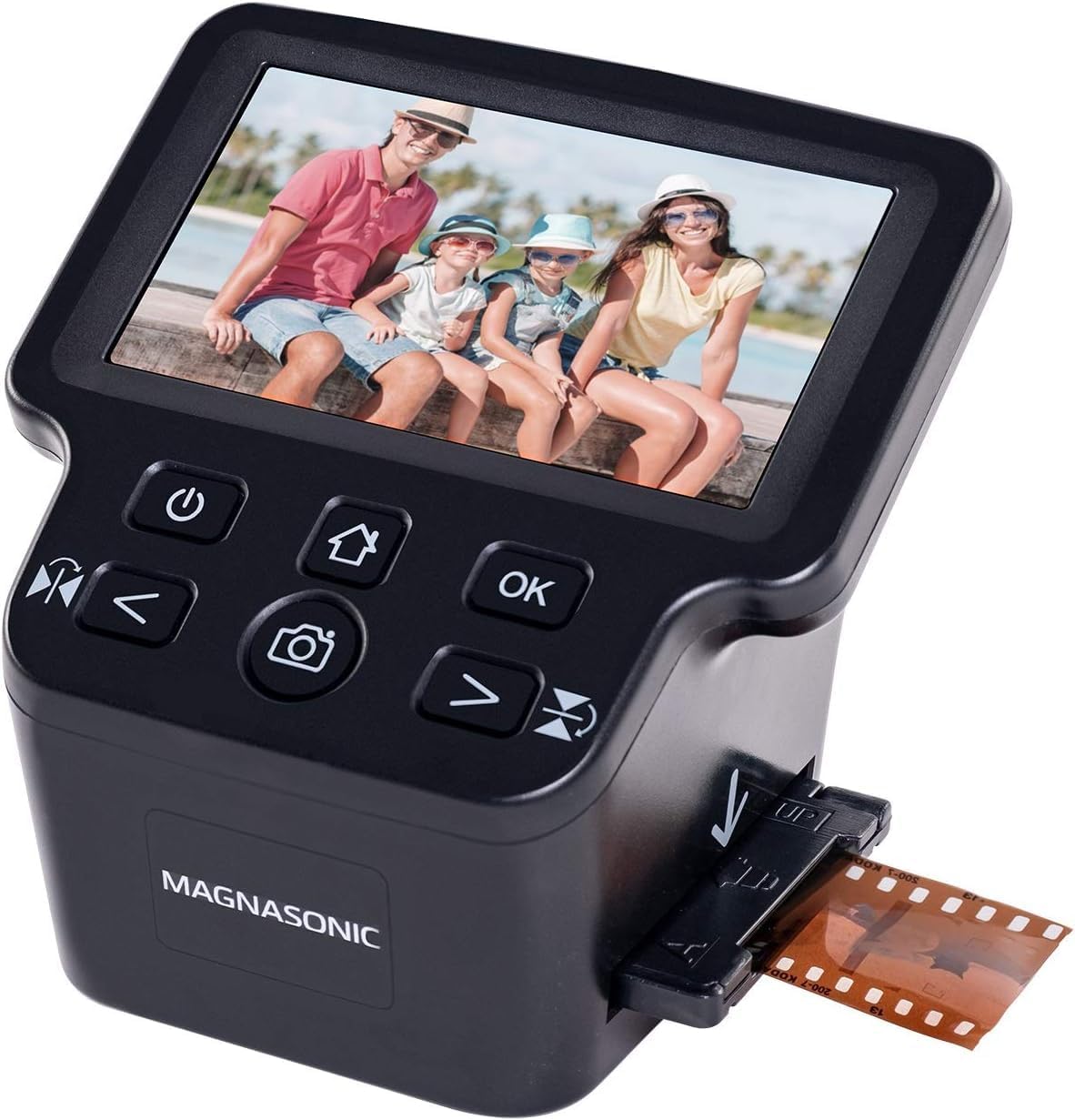
The Magnasonic FS71 is an all-in-one film and slide scanner designed to quickly digitize a variety of small-format film and slides without a computer. It accepts 35mm, 126, 110 and Super 8 film and 135/126/110 slides, captures images at up to 24MP (interpolated) from a 16MP sensor, and saves JPEG files to an SD card or to a PC over USB. The built-in 5" color LCD and HDMI output let you preview scans and run slideshows on a TV, and on-device controls provide basic exposure and RGB adjustments so you can tweak images as you scan. Scans are fast, about 3 to 5 seconds each, and the unit includes multiple film adapters for faster batch feeding. Practical buyers will appreciate the simple setup, no software requirement for basic use, and support for up to 128GB SD cards for thousands of images. The FS71 is not a professional drum scanner replacement—its resolution uses interpolation and the fixed-focus optic limits fine-grain detail—so expect good-looking consumer-grade digital copies rather than archival-quality scans.
Best for: Buyers who want a straightforward, time-efficient way to convert shoeboxes of slides and small-format film into shareable digital photos without learning editing software or using a computer.
Less Ideal for: Photographers seeking archival-grade, lossless scans or the highest optical resolution for large prints should choose a dedicated flatbed or professional film scanner instead.
- Fast single-pass scans in about 3–5 seconds per frame
- Built-in 5" LCD and HDMI output for previewing and slideshow viewing
- No computer required for basic scanning and image adjustments
- Includes adapters for 35mm, 126, 110 and Super 8 formats and saves to SD card up to 128GB
- Uses interpolation to reach 24MP so fine-grain detail is limited compared with high-end scanners
Verdict: A fast, easy-to-use film scanner for anyone who wants to quickly digitize and view piles of small-format negatives and slides without a computer.
KLIM K2 Film Scanner
| Scanner Type | Photo |
|---|---|
| Connection Type | Smartphone app |
| Resolution | 600-1200 dpi |
| Media Type | negative, diapositif |
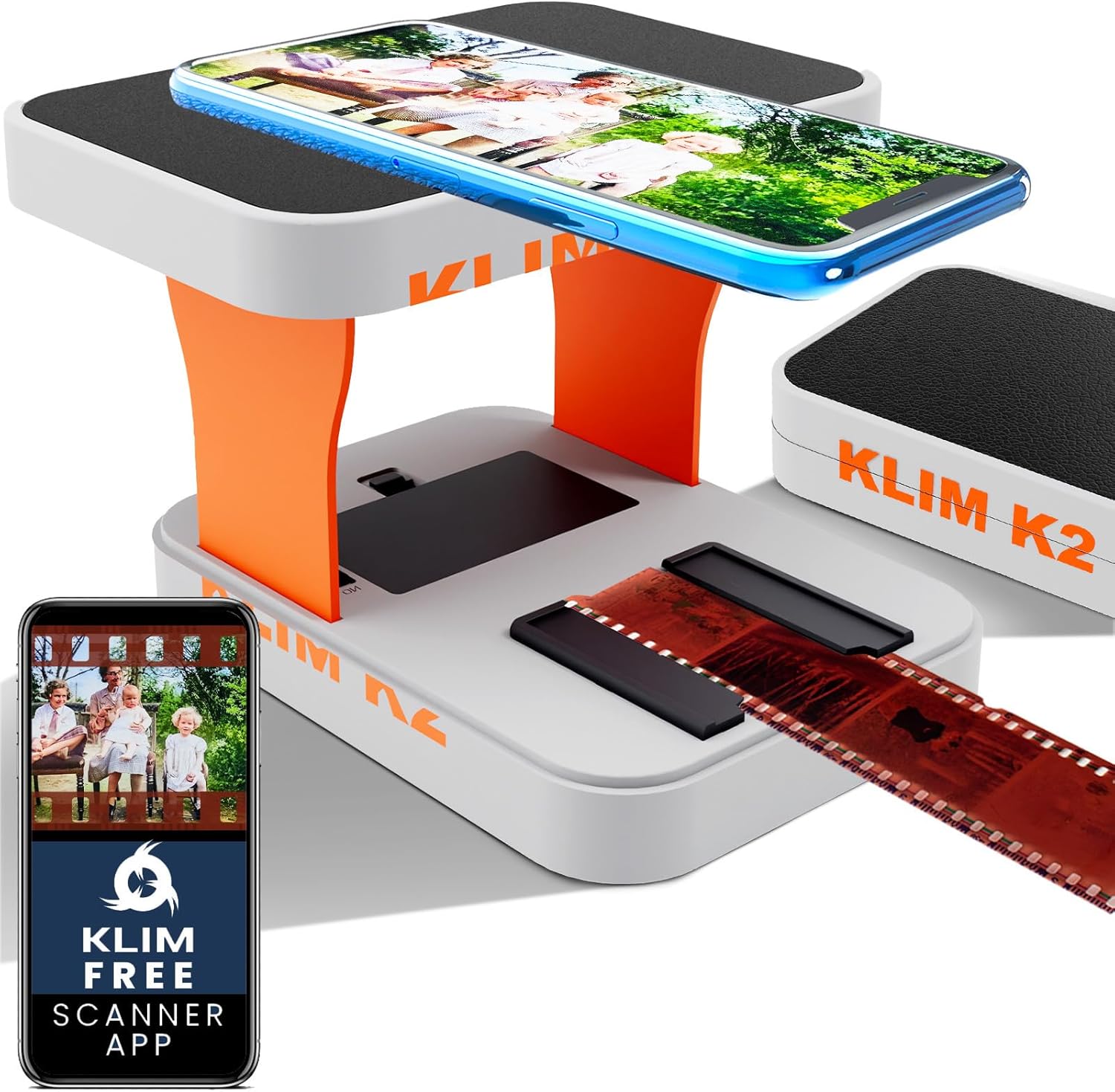
The KLIM K2 is a simple, budget-focused film scanner that digitizes 35mm negatives and slides using your smartphone as the camera. Setup is straightforward: unfold the unit, insert a strip or slide, place your phone on the magnetic bracket and run the free app to capture images at selectable resolutions up to 1200 dpi. The package includes batteries, a cleaning cloth, and a magnetic plate to stabilize larger phones, which makes it ready to use out of the box. In practice the app gives quick results and basic editing tools, and the scanner handles color positives, negatives and black-and-white film and slides. Expect good convenience for casual archiving and sharing, though image quality depends heavily on your phone camera and the steadiness of the setup; it will not match a dedicated desktop scanner for fine grain detail or color accuracy. The unit is a practical, low-cost way to preserve old film when you want ease and portability more than professional-level scans.
Best for: People who want an inexpensive, easy way to digitize family 35mm negatives and slides at home without buying a desktop scanner or learning complex software.
Less Ideal for: Collectors, restoration specialists, or photographers who need high-resolution, color-accurate archival scans should choose a dedicated film or flatbed scanner instead.
- Works with standard 35mm negatives and slides including color and black-and-white
- Uses a free smartphone app for setup, capture, and basic edits
- Comes with batteries, cleaning cloth, and magnetic plate for larger phones
- Compact and portable design that is quick to set up and use
- Scan quality depends on phone camera and steadiness, not equivalent to dedicated flatbed scanners
- Limited to 35mm film format and smartphone-based capture workflow
Verdict: A budget-friendly, portable solution for quickly digitizing 35mm negatives and slides using your smartphone when convenience and low cost matter most.
DigitPro M129A Film & Photo Scanner

| Scanner Type | Film, Photo |
|---|---|
| Connection Type | HDMI, USB |
| Resolution | 1080P |
| Optical Sensor Technology | CMOS |
The DigitPro M129A is an all-in-one film and photo scanner designed to digitize slides, 135 and 110 negatives, and printed photos without a computer. It uses a CMOS sensor with 1080P capture and shows previews on a large 5-inch LCD, letting you frame and check scans before saving. The unit includes multiple film holders, a photo tray, an 8GB SD card and a cleaning brush so you can start scanning right away, and files are saved directly to the card for quick archiving. Operation is simple: flip the photo/film toggle, choose the film type in the menu, insert the holder and press the one-touch scan button, which helps keep the workflow fast for batches. The scanner supports HDMI and USB output for viewing or transferring files, and the built-in memory plus SD slot gives straightforward portable storage. Be aware that resolution is listed as 1080P rather than a multi-megapixel optical scan, so extremely fine grain or archival enlargements may not match drum or high-end dedicated film scanners; careful cleaning and proper handling of negatives is important because dust and scratches are visible in results. For home users wanting reliable, easy conversion of family slides and photos, the M129A is a practical, ready-to-use option.
Best for: Buyers who prioritize a dependable, no-fuss scanner to digitize family slides and printed photos quickly without installing software or using a computer.
Less Ideal for: Photographers or archivists who need high-resolution, archival-grade scans for large prints or intensive retouching should consider higher-end dedicated film scanners instead.
- Standalone operation with 5-inch LCD lets you preview and scan without a computer
- Includes film holders for 110 and 135 plus photo trays and an 8GB SD card to start immediately
- Simple one-touch controls and menu film-type selection speed up batch scanning
- HDMI and USB connections allow direct viewing and easy file transfer to a PC or display
- Resolution listed as 1080P may limit detail for large prints or archival-quality enlargements
- Scans show dust and scratches easily, so careful cleaning and handling are required
Verdict: Choose the DigitPro M129A if you want a reliable, plug-and-play scanner to quickly convert family slides, negatives and photos to digital files without a computer.
KODAK Slide N Scan Film Scanner
| Resolution | 13MP / 22MP (interpolated) |
|---|---|
| Image sensor | 13-megapixel CMOS |
| Connection Type | HDMI, USB |
| Media Type | Negatives, Slide |
| Screen Size | 5" LCD |
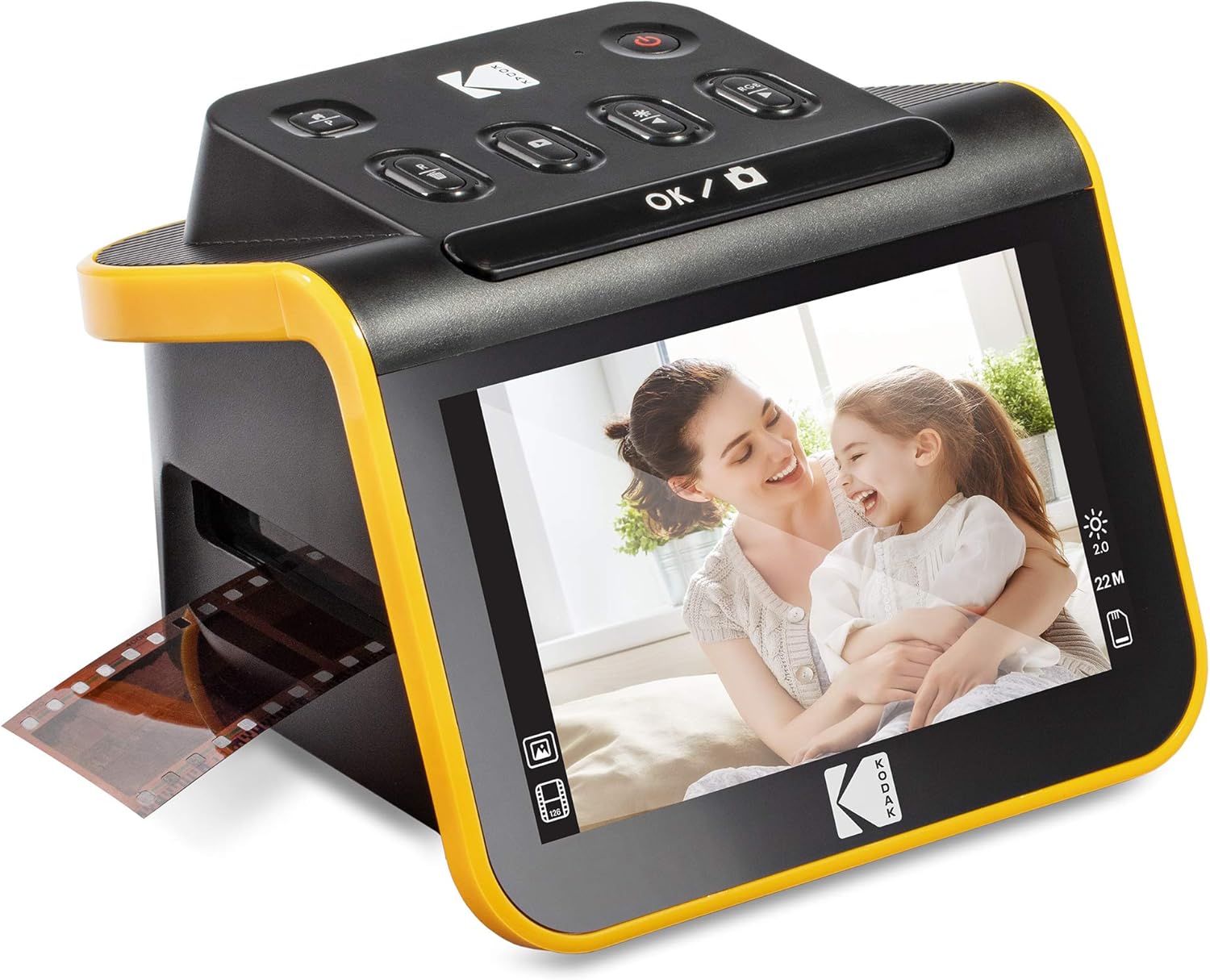
The KODAK Slide N Scan is a purpose-built film and slide scanner aimed at quickly converting batches of old negatives and slides into JPEGs. It feeds film through an easy-load tray and supports 35mm, 110, and 126 formats plus 50mm slides, and it can save images directly to an SD/SDHC card or transfer them to a PC or Mac via USB. The unit captures images at 13MP with an option to interpolate to 22MP, offers a large 5" preview screen with gallery mode for instant review, and has simple onboard controls for adjusting film type, color balance, and date/time. Practical benefits include continuous feeding for faster scanning, included adapters and cables, and HDMI output for displaying scans on a TV. Limits to expect are that the higher 22MP is achieved by interpolation rather than optical upscaling, and an SD card and any external power adapter are not included, so you must supply those to operate it; advanced users may miss higher-end color management and RAW output. For casual users and families wanting quick, screen-first digitizing it makes the process fast and accessible.
Best for: Buyers who want an easy, mostly automated way to digitize family slides and negatives with visible previews and minimal technical setup, and who value speed and simplicity over advanced color control.
Less Ideal for: Photographers seeking archival-grade scans, RAW output, or professional-level color accuracy should consider higher-end flatbed or film-specific scanners instead.
- Simple, walk-up operation with one-touch scanning and a large 5" LCD for instant previewing
- Quick-feeding tray and included adapters speed batch scanning of 35mm, 110, 126 films and 50mm slides
- Saves directly to SD/SDHC card and connects to PC/Mac via USB with HDMI output for TV playback
- Includes cleaning brush, USB and HDMI cables so you can start scanning right away
- 22MP resolution is achieved through digital interpolation rather than a higher optical sensor
- Requires an SD card (not included) and may need an external power adapter for some setups
- Not designed for professional color grading or RAW capture workflows
Verdict: A quick, user-friendly film scanner that makes converting family 35mm, 110, and 126 slides and negatives easy thanks to one-touch scanning and a large preview screen.
Wolverine Titan Film to Digital Converter

| Scanner Type | Film |
|---|---|
| Connection Type | HDMI, USB |
| Resolution | 20 Megapixels |
| Light Source Type | LED |
| Media Type | Negatives, Photo, Slide |
The Wolverine Titan is a plug-and-play film-to-digital converter aimed at quickly turning slides and negatives into JPEG images without a computer. It supports 35mm, 127, 126, 110 and APS film and uses a 20 megapixel CMOS sensor with LED illumination to capture images in about three seconds each. The unit has a dedicated fast-loading slide adapter and a negatives adapter so you can feed strips or slides for continuous scanning, and images are saved to internal memory or an optional SD/SDHC card (up to 32 GB). A 4.3" color screen lets you preview scans and an HDMI output makes it easy to view images on a TV. Because the Titan operates standalone and connects over HDMI or USB, it is simple to use for digitizing boxes of old film without installing software. Limitations include modest maximum resolution compared with high-end film scanners and reliance on the included adapters for handling film types, so very large-format restoration or professional archival work will still require dedicated desktop scanners and software.
Best for: Buyers who want a simple, low-friction way to convert family slides and negatives into shareable digital files without learning scanning software or connecting a computer.
Less Ideal for: Photographers seeking archival-grade scans, very high resolution detail, or advanced color correction should choose a dedicated film scanner and scanning workflow instead.
- Standalone operation with no computer or software required
- Built-in fast-loading adapters for slides and negatives speed up batch scanning
- 4.3" color screen plus HDMI output for immediate preview and TV viewing
- Captures 20 megapixel JPEGs with CMOS sensor and LED illumination
- Not as high-resolution or color-accurate as dedicated flatbed or drum film scanners
- Maximum SD card support limited to 32 GB which may require frequent offload
Verdict: Choose the Wolverine Titan when you want an easy, standalone way to quickly digitize boxes of slides and negatives without a computer.
Choosing the Right 35Mm Film Scanner: Key Factors to Consider
Image Resolution and Optical System
Resolution determines how large and sharp a scanned negative can be reproduced. Optical resolution, lens quality, and sensor size all influence captured detail. Look for scanners that quote optical dpi rather than interpolated values and that provide consistent focus across the frame.
Higher native resolution is important if you plan to print at large sizes or crop aggressively. For casual sharing, moderate resolutions can be fine, but check that the scanner's optical system does not rely heavily on software upscaling, which can soften fine grain and edges.
Color Fidelity and Dynamic Range
Film contains subtle tonal information in shadows and highlights; a scanner's ability to capture that range affects how much editing is required later. Dynamic range is particularly important for high-contrast negatives and slides. Evaluate whether the scanner produces neutral grays and accurate skin tones without aggressive automatic corrections.
Also consider whether the included software supports color profiling, raw scan output, or advanced color controls. These features make it easier to preserve the original film look and to correct color casts from aging or cross-processed film.
Workflow, Software, and File Formats
A fast scanner with poor software can make even short jobs tedious. Look for straightforward batch scanning, reliable film holders or feeders, preview modes that speed framing, and export options that include high-bit TIFF or raw formats. Software that supports dust and scratch removal, automatic exposure, and easy batch naming saves time when processing many frames.
Consider whether the software runs well on your operating system and whether it supports tethered or unattended scanning. If you plan to do color-critical work, the ability to produce 16-bit or high-bit-depth files and to apply ICC profiles is useful.
Dust, Scratch Management, and Cleaning
Film is delicate and prone to dust, which shows up strongly in scans. Scanners with built-in dust-removal systems or infrared dust mapping can reduce post-processing time. Also assess how easy the scanner is to clean and whether the film holders are removable for maintenance.
If you process older or brittle film, gentle handling features like soft film guides and minimal mechanical pressure are important. Regular cleaning routines and anti-static precautions can significantly improve batch scan quality over time.
Speed and Throughput
Throughput matters when you have many frames. Speed is a combination of scan exposure time, preview time, and how many frames the scanner can batch at once. A scanner that achieves consistent color and focus quickly will reduce the per-frame editing workload.
If you only scan occasional frames, raw speed is less important than single-frame quality. For archiving large collections, prioritize models with reliable batch holders and efficient software workflows that minimize user intervention between frames.
Ergonomics and Physical Size
Consider the scanner's footprint and how often you will access the film holders. A compact unit saves workspace but should not compromise on stable film alignment. Ergonomic controls and clear status indicators speed routine tasks, while heavier, well-built units often offer more stable optical platforms.
Think about storage when the scanner is not in use and how simple it is to swap film mounts or change settings without referring to a manual each time.
Types of 35Mm Film Scanners
There are three main approaches to scanning 35mm film: dedicated film scanners that use a film-specific optical path, flatbed scanners with transparent adapters, and camera-based digitization setups that use a camera and macro lens to photograph negatives. Dedicated film scanners generally offer the best combination of resolution and film handling for consistent results, while flatbeds can be more versatile if you also scan documents or prints. Camera setups can be supremely fast and high quality but require more gear and careful alignment.
When assessing scanner type, think about the balance you need between optical fidelity, ease of use, and space. Dedicated scanners are typically the most user-friendly for 35mm work because they include film holders, dust control, and software tuned for negatives and slides.
- Dedicated film scanners: optimized for negatives and slides, often with film holders and dust removal.
- Flatbed scanners with adapters: versatile but may lack true optical film resolution.
- Camera-based capture: high speed and quality if you have the optics and mounting gear.
Preparing Film for Best Results
Clean handling and proper preparation improve scan outcomes more than marginal differences in scanner specs. Use compressed air, anti-static brushes, and a gentle lint-free cloth to remove loose dust before scanning. Work in a clean, low-dust area to reduce contamination between frames.
If negatives are curled or fragile, flatten them gently in a film holder or use a dry-mounting step to ensure consistent focus. For color negatives, consider making a quick preview scan to check exposure and color balance before committing to a full batch.
- Use anti-static tools and compressed air sparingly.
- Flatten curled film in a holder before scanning.
- Preview a frame to set exposure and color controls.
Post-Scan Processing Tips
Even with a good scanner, some post-processing is usually necessary. Basic steps include dust and scratch removal, color correction, and exposure adjustments. If the scanner produces high-bit files, perform tonal corrections in a high-bit workflow to avoid posterization. Save master files as high-bit TIFFs and export smaller JPEGs for sharing.
Batch edits can speed up handling of multiple frames with similar characteristics, but inspect representative samples to ensure corrections are appropriate. For archival work, keep both the raw or high-bit scanned file and any edited versions.
- Work in high bit depth when available and save archival TIFFs.
- Use targeted dust removal rather than heavy global filters.
- Keep a master file and separate shareable exports.
Balancing Resolution and File Size
Higher optical resolution delivers more detail but produces larger files. Decide up front whether your goal is web sharing, small prints, or large archival-quality prints. For web use, moderate resolutions are often sufficient and reduce storage needs. For archiving and large prints, favor higher native optical resolution and accept larger file sizes.
Consider your storage and backup plan as part of the decision. Large archival scans require a reliable backup strategy and may benefit from lossless compression formats to save space while retaining detail.
- Match resolution to intended output size.
- Plan storage and backups for large raw files.
- Use lossless formats for archival masters.
Maintaining Color Consistency Over Time
Film stocks age and scanning equipment can drift in color response. To keep results consistent, establish a scanning profile routine using a reference target or color calibration workflow. Re-scan representative frames after hardware or software updates to check for shifts.
If you process mixed film stocks, maintain notes on settings used for different emulsions so you can reproduce a look later. Software presets and ICC profiles help apply consistent color handling across large batches.
- Use reference targets or known frames to validate color.
- Document settings for different film stocks.
- Apply profiles or presets to maintain consistent output.
How We Chose the Best 35Mm Film Scanner
We focused on criteria that matter for creating reliable digital archives from 35mm negatives and slides. Image resolution and optical sharpness were primary filters because scan detail determines print size and archival value. Color accuracy and dynamic range were next, assessed by each scanner's ability to capture shadow and highlight detail and reproduce neutral tones without heavy software correction. Workflow and software were treated as equally important since a capable scanner must also be practical to use for multiple frames and batch jobs. Build quality and handling features such as stable film holders, dust-suppression options, and consistent focus contributed to selection. Finally, practical throughput and ease of cleaning were considered for users who expect to scan dozens or hundreds of frames. We excluded devices that rely solely on smartphone capture or flatbed adapters that do not reach true optical film resolution. We also filtered out multifunction scanners that lack dedicated film paths or consistent optical performance. The shortlisted entries demonstrate a balance of resolution, color fidelity, usable software, and reliable film handling.
Our full evaluation process is outlined in our review methodology.
FAQ
Can I get archival-quality scans from 35mm film?
Yes, archival-quality scans are possible from 35mm film if you use a scanner with sufficient optical resolution and dynamic range, capture high-bit-depth files, and follow careful cleaning and handling procedures.
How much resolution do I need for prints?
For small to medium prints, moderate optical resolution is often sufficient. Larger prints require higher native optical resolution to retain fine grain and detail. Consider the final print size and cropping when choosing resolution targets.
Is dust removal automatic or manual?
Many scanners include infrared-based dust and scratch mapping that can automate removal, but results vary. Manual spot correction is often needed for stubborn defects, especially on older or damaged film.
Should I scan in JPEG or TIFF?
For archival or edit-intensive work, scan to high-bit TIFF or raw formats to preserve data. JPEG is suitable for quick sharing but discards detail and should not be used as the master file format.
Will scanner software work on my computer?
Software compatibility depends on the scanner vendor and your operating system. Many scanning suites support current Windows and macOS versions, but verify system requirements and whether drivers or updates are maintained for your platform.
Final Verdict
Choosing the right 35mm film scanner depends on whether you prioritize ultimate image detail, ease of batch scanning, or a compact desktop footprint. Prioritize native optical resolution and dynamic range if you plan to archive or print large images. If you expect to process many frames, place higher weight on reliable film handling, dust management, and efficient software workflows. Weigh the tradeoffs between file size and scan quality, and plan for cleaning and backup as part of your workflow. With the right balance of resolution, color control, and throughput, you can create consistent, long-lasting digital archives from 35mm film.