
Note: This article contains affiliate links. If you click on these links and make a purchase, we may earn a small commission at no extra cost to you. This helps support our research and content. Read our full affiliate disclosure here.
Choosing the right 4K CCTV security camera makes a big difference in what you actually see and how useful recordings are. High-resolution footage helps you identify faces, license plates, and subtle activity that lower-resolution systems often miss, and the right hardware also determines reliability in night, rain, and fluctuating light. This guide shortlists the top options in the 4K CCTV Security Camera category and explains the key evaluation points we used. You will get a sense of image quality, installation factors, and ongoing maintenance so you can pick a camera that fits your site and security goals. Read on for the criteria and practical advice to guide your decision.
Top Picks at a Glance
| Best Overall The best all-around choice for most situations | REOLINK RLK8-800B6 4K PoE System |  |
| Best Quality Built to a higher standard if you want something more solid | ONWOTE 16CH 4K NVR Kit |  |
| Best Budget The cheapest option that still gets the job done reliably | SINIS 4K Turret Security Camera |  |
| Top Rated A top-rated pick with lots of positive feedback | Fociey 4K Solar Security Kit |  |
| Most Popular A crowd favorite that many people choose with confidence | eufy SoloCam E42 |  |
REOLINK RLK8-800B6 4K PoE System

| Video Capture Resolution | 4K, 8MP (3840 x 2160) |
|---|---|
| Number of Channels | 8 |
| Memory Storage Capacity | 2 TB |
| Power Source | POE |
| Night Vision Range | 100 feet |
The REOLINK RLK8-800B6 is a wired PoE surveillance kit built for full-time home or small-business monitoring. It pairs an 8-channel NVR with six 4K (8MP) fixed-lens bullet cameras that deliver 3840 x 2160 video at up to 20fps and up to 100 feet of IR night vision. Cameras connect with single Ethernet cables for power and data, which simplifies installation and provides a stable, lossless feed compared with wireless systems. The NVR includes a preinstalled 2TB HDD for 24/7 recording and supports additional internal/external drives up to 8TB per port, while the H.265 compression helps conserve storage. Smart person and vehicle detection reduce false alerts and push notifications to mobile devices, and the system supports remote viewing from iOS, Android, Windows, and Mac. Practical limits include fixed 4.0mm lenses with an 87 degree horizontal field of view, so very wide scenes may need different placement, and the cameras are locked to Reolink PoE NVRs for full functionality. For buyers wanting high-resolution, wired reliability and easy local recording, this kit covers the essentials reliably.
Best for: Buyers who want a reliable, wired 4K surveillance kit for continuous local recording and remote monitoring and value clear image detail and stable PoE connections.
Less Ideal for: Users who need ultra-wide coverage from each camera, who want a multi-brand ONVIF setup, or who prefer a wireless, battery-powered camera solution.
- True 4K (8MP) resolution for detailed daytime and nighttime footage
- PoE connections provide power and stable, lossless video over a single Ethernet cable
- Preinstalled 2TB HDD with support for expanded internal/external storage up to 8TB per port
- Smart person and vehicle detection to cut down on false motion alerts
- Remote viewing and playback via iOS, Android, Windows, and Mac apps
- Cameras use fixed 4.0mm lenses with an 87 degree field of view, limiting wide-angle coverage
- System is designed to work only with Reolink PoE cameras for full functionality
Verdict: Choose this kit if you want a stable, wired 4K PoE system with built-in storage and smart person/vehicle detection for dependable, detailed home or small-business surveillance.
ONWOTE 16CH 4K NVR Kit

| Number of Channels | 16 |
|---|---|
| Video Capture Resolution | 4K UHD 2160p (1-CH HDMI up to 4K) |
| Memory Storage Capacity | 20 TB |
| Power Source | PoE 802.3af/at 48V; 12V DC ± 10% |
| Night Vision Range | 100 feet |
This ONWOTE kit bundles sixteen PoE dome cameras with a 16-channel NVR that supports up to 12MP/8MP recording and ships with a 4TB drive preinstalled. It is used as a wired, commercial-grade CCTV system for continuous 24/7 monitoring and event-triggered recording and offers practical features such as face recognition, AcuSearch instant video search, and smart human/vehicle detection to reduce false alerts. The cameras deliver wide-angle 4K-capable video at 20 FPS with 100-foot night vision and IP66 metal housings for outdoor use, while the NVR supports dual-stream HEVC compression and up to 20 TB of storage for longer retention. Setup is simplified by PoE power-over-Ethernet and included cables, and the system supports remote viewing on mobile and PC. Trade-offs are the large physical footprint and the complexity of tuning AI settings for fewer false positives, and 20 FPS is lower than some consumer 4K cameras which may affect very fast-motion clarity.
Best for: Buyers who prioritize high-resolution, performance-focused surveillance for business or large properties and want an all-in-one wired PoE solution with advanced search and AI detection.
Less Ideal for: Users looking for a minimal DIY single-camera solution or those who need ultra-high frame-rate 4K footage for fast-action capture.
- Complete 16-camera PoE kit with NVR and preinstalled 4TB HDD for out-of-the-box recording
- AI features including face recognition and AcuSearch for fast event locating
- 4K-capable wide-angle cameras with 100 ft night vision and weatherproof metal housings
- PoE simplifies installation by delivering power and data over a single Ethernet cable
- Supports dual-stream HEVC compression and expansion to 20 TB for long retention
- Cameras record at 20 FPS which may be lower than other 4K systems for very fast motion
- AI tuning can require time to reduce false positives in busy scenes
Verdict: Choose this kit when you need a performance-oriented, full 16-camera PoE system with 4K-capable cameras and AI search to manage large-area, long-retention surveillance.
SINIS 4K Turret Security Camera
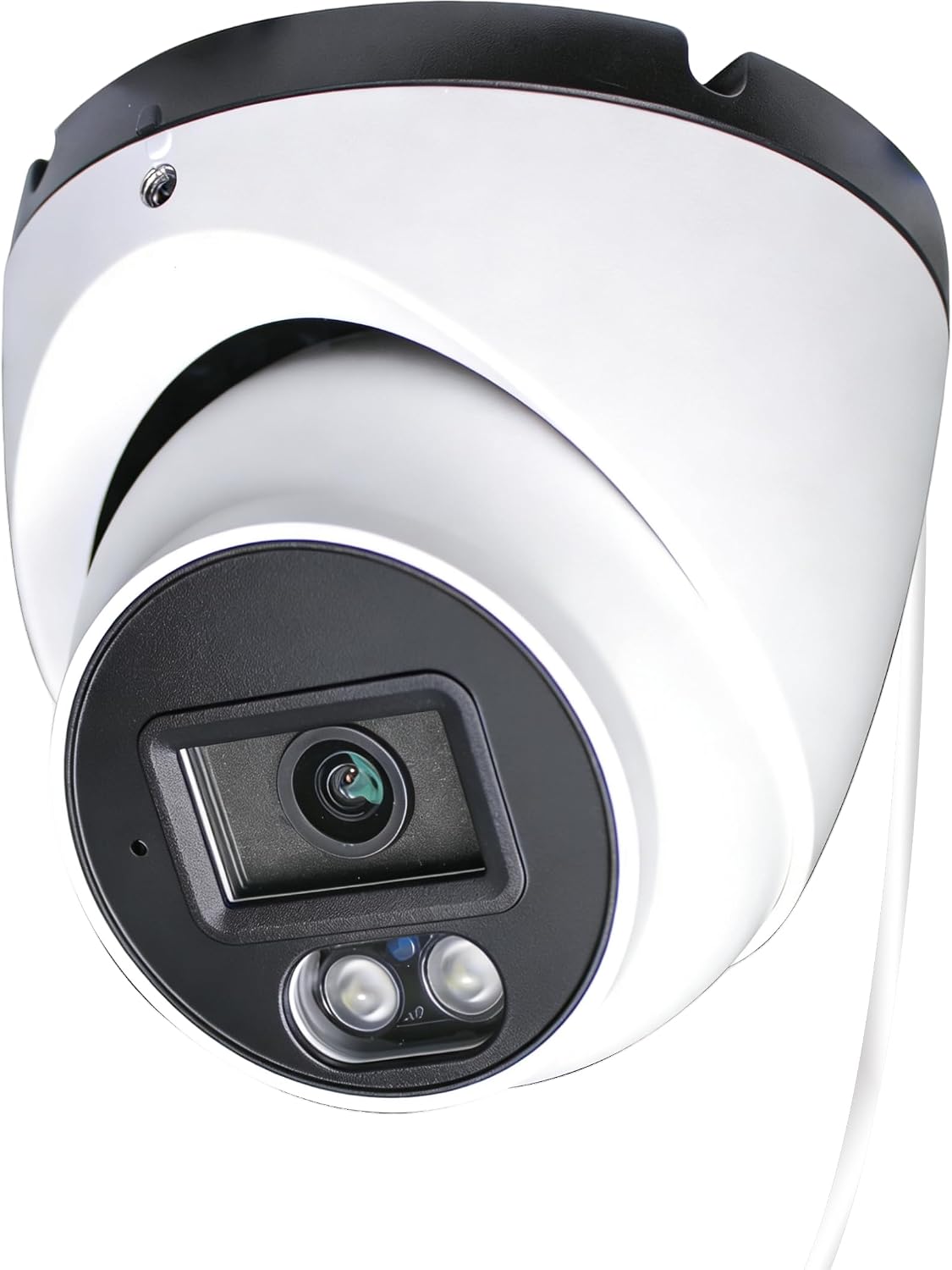
| Video Capture Resolution | 4k |
|---|---|
| Effective Video Resolution | 8MP |
| Frame Rate | 15 frames per second |
| Night Vision Range | 30 meters |
| Waterproof Rating | IP67 |
This SINIS 4K turret camera is an analog outdoor surveillance camera that delivers 3840×2160 (8MP) video at 15 fps and must be connected to a DVR that accepts 8MP analog signals. It uses a 2.8 mm fixed F1.6 lens and a 125 degree viewing angle for wide coverage, and True WDR and low-light aperture help retain detail in mixed lighting and dim scenes. Built from metal with an IP67 rating and two IR LEDs, it provides color-capable night vision out to about 30 meters for perimeter monitoring. The unit is wired for power and video via coax/BNC and includes DIP switches to change video output between TVI, CVI, AHD, and CVBS. Because it is not an IP or PoE camera it requires a separate 12 VDC power source and a compatible DVR, which keeps ongoing network complexity low but means installation needs power runs and a DVR that supports 8MP input. For buyers who want affordable high-resolution analog footage for a DVR-based system, this camera delivers solid image quality for the price; it is less suitable where network cameras or PoE simplicity are preferred.
Best for: Buyers on a tight budget who already use or plan to use a DVR-based analog system and want affordable 4K-capable outdoor coverage with weatherproof durability.
Less Ideal for: Users who prefer network/IP cameras, PoE convenience, or higher frame rates for very smooth motion should consider alternative camera types.
- True 4K (8MP) resolution for detailed footage.
- Wide 125 degree viewing angle covers larger areas with a 2.8 mm lens.
- IP67 metal housing rated for outdoor use.
- True WDR and F1.6 aperture improve low-light and high-contrast scenes.
- Selectable 4-in-1 analog outputs (TVI/CVI/AHD/CVBS) for DVR compatibility.
- Requires a DVR that supports 8MP analog input and a separate 12 VDC power supply.
- Frame rate is limited to 15 fps at 8MP, which may show less smooth motion than higher frame-rate cameras.
Verdict: Get true 4K analog footage at a budget price if you have a compatible DVR and can run separate power to the camera.
Fociey 4K Solar Security Kit

| Video Capture Resolution | 4k |
|---|---|
| Effective Video Resolution | 8 mp |
| Night Vision Range | 33 feet |
| Power Source | Solar Powered |
| Flash Memory Installed Size | 32 GB |
This Fociey kit pairs four 4K/8MP outdoor cameras with a local storage base to provide continuous, high-resolution surveillance without monthly fees. Cameras are pre-paired to the base for faster setup and connect through the base to dual-band Wi‑Fi for a more stable link; motion-triggered recording and AI-driven alerts reduce false alarms by ignoring small animals and shadows. Each camera pans and tilts 360 degrees and supports cross-camera tracking so moving subjects can be followed between units while you view up to four zones on one screen in the Koocam app. The base includes 32 GB built-in microSD storage (expandable to 128 GB) so clips are kept locally and remain accessible even if a camera is damaged. Solar panels recharge batteries for multi-day operation in low sun, though very long stretches of poor weather may need occasional USB charging. Night vision up to about 33 feet and IP65 weather protection make these usable year-round, but relying on solar power and wireless links means placement and signal strength matter for reliable round-the-clock performance.
Best for: Buyers who prioritize dependable, subscription-free local recording and clear, trackable 4K footage for long-term outdoor monitoring and want a system that minimizes ongoing costs and cloud dependence.
Less Ideal for: Users who need guaranteed offsite cloud backups or who cannot provide reliable solar exposure or strong Wi‑Fi where cameras must be mounted should consider alternative wired or cloud-first systems.
- True 4K/8MP live view and motion-triggered recording for clear detail when events occur
- Local storage base with 32 GB built in and optional expansion to 128 GB keeps footage private and off subscription services
- 360° pan/tilt with automatic tracking and cross-camera follow reduces blind spots and maintains continuous subject tracking
- Solar-powered cameras with detachable panels reduce the need for frequent recharging
- Pre-paired cameras and Koocam app integration simplify initial setup and multi-camera viewing
- Solar charging can struggle after extended cloudy or rainy periods requiring supplemental USB charging
- Wireless connection depends on base placement and home router coverage for consistent performance
Verdict: Choose this kit if you want high-resolution 4K outdoor coverage with local storage and solar power for reliable, subscription-free surveillance.
eufy SoloCam E42

| Power Source | Battery Powered |
|---|---|
| Battery Power | 44.3 watt-hours |
| Video Capture Resolution | 4k |
| Connectivity Protocol | Wi-Fi |
| Other Special Features of the Product | SolarPlus 2.0, 360° Pan & Tilt, AI Tracking, Strobe Light & Siren |
The SoloCam E42 is a weatherproof outdoor dome camera designed for continuous perimeter monitoring with 4K resolution and built-in SolarPlus 2.0 for extended battery life. It uses on-device AI to detect and automatically track people, vehicles, and other motion while minimizing false alerts, and it can zoom and capture license plates at close range. The camera includes motion-activated strobe lights and a siren for active deterrence, two-way audio for real-time communication, and supports expandable local storage via microSD or HomeBase to avoid subscription fees. Setup is wireless over 2.4 GHz Wi‑Fi and the camera can also run in wired direct-power mode for 24/7 recording. Practical limits are that Apple HomeKit requires a HomeBase and continuous recording needs direct power or a HomeBase with installed storage, so truly hands-off 24/7 operation may require additional accessories. For buyers focused on clear, deterring coverage and local storage rather than cloud plans, the E42 delivers compelling capability in a single unit.
Best for: Buyers who want a high-resolution, solar-capable outdoor camera that prioritizes clear evidence capture and proactive deterrence while avoiding recurring cloud fees.
Less Ideal for: Those who need out-of-the-box 24/7 recording without adding power or a HomeBase, or buyers who require native HomeKit support without extra accessories.
- True 4K Ultra HD capture for detailed footage and license plate readability at short range
- SolarPlus 2.0 support reduces or eliminates manual recharging with minimal daily sunlight
- On-device AI tracking that follows people and vehicles to reduce missed events and false alarms
- Integrated strobe light and siren provide immediate, visible and audible deterrence
- Expandable local storage options (microSD or HomeBase) let you avoid subscription fees
- 24/7 continuous recording requires direct power or a HomeBase with installed storage
- Only supports 2.4 GHz Wi‑Fi which may limit network placement in some setups
- Full HomeKit functionality needs a separate HomeBase accessory
Verdict: Choose the SoloCam E42 if you want a 4K outdoor camera with solar charging, on-device AI tracking, and built-in deterrence that avoids subscription storage fees.
Choosing the Right 4K CCTV Security Camera: Key Factors to Consider
Image Resolution and Sensor Size
Resolution defines the maximum detail a camera can capture, but sensor size and pixel quality determine how well that resolution performs in real scenes. A true 4K sensor gives more pixels to work with for face and plate identification. Larger sensors typically handle low light and high dynamic range better, which reduces bloom and preserves detail in shadows.
When deciding, think about the distance to the subject and whether you expect to crop footage. Higher resolution helps when monitoring large areas or when you need to zoom in on tiny details after recording. However, resolution also affects bandwidth and storage, so balance your clarity needs with network capability.
Low-Light Performance and IR
Many security events occur at night, so a camera's low-light sensitivity and infrared system matter a great deal. Effective night capability combines a sensitive sensor, wide aperture optics, and well-designed IR illumination that evenly lights the scene without overexposing nearby objects.
Consider whether you need color night vision or acceptable monochrome IR images. Color at low light improves identification, but true color night performance often requires additional illumination or larger sensors. Also evaluate how the camera transitions between day and night modes to avoid lost frames during sudden lighting changes.
Field Of View and Lens Type
Field of view determines how much area a single camera covers and whether you will need multiple units. Wide-angle lenses capture more area but reduce per-pixel detail at distance. Motorized varifocal or optical zoom lenses add flexibility, letting you tune coverage for a specific mounting location.
Think about mounting height and the typical activity zone. A narrower field of view is often preferable when you need detail across a fixed walkway or doorway, while wider views suit perimeter surveillance. Distortion at the edges and the ability to mechanically adjust the lens are practical considerations when planning camera placement.
Compression, Bandwidth, and Storage
4K footage can consume substantial bandwidth and storage if not efficiently compressed. Modern codecs reduce size with less visible loss, but they require compatible recorders and players. Decide whether you will rely on continuous recording, motion-triggered capture, or a mix of both to manage storage.
Network infrastructure matters. If you plan to stream multiple 4K feeds, ensure switches, cabling, and NVRs support the cumulative throughput. Also check whether the camera supports onboard recording as a fallback when the network or recorder is unavailable.
Mounting, Power, and Installation
Practical installation details influence total project cost and reliability. Power over Ethernet simplifies installs by combining power and data on one cable, while separate power runs increase wiring complexity. Consider the camera's mounting footprint, cable access points, and whether it includes junction box compatibility or dedicated conduit fittings.
Also factor in the skill level required for installation. Cameras that allow tool-free adjustments, integrated cable management, and clear alignment markers reduce labor time. Weather seals and paint-matched housings help for exposed mounts.
Durability and Weather Resistance
Outdoor deployments demand cameras that stand up to rain, dust, temperature swings, and UV exposure. Look for appropriate ingress protection ratings and housings designed for impact resistance. Corrosion-resistant materials and well-sealed connectors keep connections reliable over multiple seasons.
Durability also includes firmware maintenance and security. A camera that receives regular firmware updates and supports secure network protocols reduces the long-term risk of exploit-driven failures and helps maintain operational integrity.
Planning Camera Placement for 4K Coverage
Strategic placement maximizes the value of 4K resolution. Map the most critical sightlines first, such as entryways, driveways, or cash-handling areas, and prioritize detail over general coverage in those zones.
When mounting, test framing at the intended height and angle before finalizing cable runs. Even small adjustments can change whether a face is fully visible or cropped at the edge of the frame.
- Mount at a height that balances field of view and subject identification.
- Avoid backlighting; position cameras to minimize direct sun or strong light sources in frame.
- Test both day and night framing to confirm acceptable coverage under all conditions.
Network Design Tips for High-Resolution Feeds
A single 4K stream can require several megabits per second depending on compression and scene complexity. Plan your switch capacity and cabling so that simultaneous streams do not saturate uplinks or NVR ports.
Use managed PoE switches when possible to centralize power and monitor port health. Configure VLANs and QoS rules to prioritize camera traffic and protect recording from congestion.
- Calculate peak bandwidth for concurrent streams to size your network uplinks.
- Separate camera traffic from general network traffic where possible.
- Consider local NVR storage to reduce continuous outbound streaming needs.
Balancing Continuous Recording Vs Event-Based Capture
Continuous recording captures everything but requires substantial storage. Event-based capture saves space by recording only motion or alarm-triggered clips, but it can miss slow or subtle events if sensitivity settings are wrong.
A hybrid approach is common: continuous low-bitrate recording with higher-bitrate capture on motion events. This preserves searchable archives while ensuring important events have the detail needed for identification.
- Tune motion detection zones to reduce false triggers from vegetation or traffic.
- Use pre- and post-alarm buffering to capture context around events.
- Monitor storage usage trends and adjust retention policies seasonally.
Maintaining and Testing Your Cameras
Regular maintenance preserves image quality and system reliability. Inspect lenses for dirt, check housings for seal integrity, and confirm that IR LEDs and heaters operate correctly in applicable climates.
Schedule periodic test recordings and verify playback quality from the NVR or management software. Firmware updates can add features or security fixes, so maintain an update schedule while validating compatibility in a test environment first.
- Wipe lenses with a soft, lint-free cloth and mild cleaner as needed.
- Verify mounting bolts and junction boxes remain sealed after storms.
- Keep a record of firmware versions and update notes.
Legal and Privacy Considerations
Camera placement should respect local privacy laws and reasonable expectations of privacy. Avoid pointing cameras into neighbor windows or areas where people have a strong expectation of privacy.
Signage and notice can help meet local regulations and reduce disputes. Understand retention rules for recorded footage in your jurisdiction and implement access controls to limit who can view or export recordings.
- Check local rules about recording audio; many jurisdictions restrict or prohibit it without consent.
- Limit access to recorded footage using unique accounts and role-based permissions.
- Implement secure storage and deletion policies that meet legal retention requirements.
How We Chose the Best 4K CCTV Security Camera
We evaluated candidates using a set of concrete, security-focused criteria tailored to what matters for 4K CCTV deployments. Image clarity and low-light performance were prioritized because 8 megapixel resolution only helps when dynamic range, sensor size, and compression preserve usable detail. Lens field of view and optical quality were assessed to ensure the camera can cover intended areas without excessive distortion or unnecessary blind spots. Network and recording options were considered, including supported codecs, onboard storage capability, and compatibility with common NVR setups. Build quality and weather resistance were used to filter outdoor-rated units that resist moisture, dust, and temperature swings. Installation flexibility, including mounting options, cable routing, and PoE support, informed practicality scores. We excluded devices that lacked true 4K sensor output, had absent or inadequate low-light performance, or offered no reliable network recording options. Units with unproven firmware update paths or poor security practices were also removed. The final shortlist balances image performance, durability, and installation convenience, reflecting the functional priorities for most residential and light commercial CCTV deployments.
Our full evaluation process is outlined in our review methodology.
FAQ
Do 4K CCTV cameras need special cables?
Not necessarily. For PoE setups, standard Cat5e can handle a single 4K stream in many cases, but Cat6 is recommended for higher reliability and future bandwidth needs. For long runs or high-concurrency systems, upgrade cabling and switches to prevent packet loss.
How much storage do I need for a 4K camera?
Storage depends on compression, frame rate, and whether you record continuously or on events. Highly compressed motion-based recording needs far less space than continuous high-bitrate archives. Plan storage using sample bitrates and expected retention days to estimate capacity.
Can a single 4K camera replace multiple lower-resolution cameras?
A single 4K camera can cover a wider area and allow digital zooming, but per-pixel detail falls with distance. In many cases, multiple cameras positioned for specific angles provide more reliable identification than one distant 4K unit.
Is infrared night vision necessary for all locations?
Infrared is useful where visible-light illumination is limited. In areas with streetlights or installed lighting, a camera with good low-light color performance may suffice. Assess the lighting conditions at night before relying solely on IR.
How often should I update camera firmware?
Check for firmware updates every few months and apply critical security patches promptly. Test updates on a single device or a small group before rolling them out to avoid unexpected compatibility issues with your recorder or management software.
Final Verdict
Prioritize image detail, low-light performance, and installation practicality when choosing a 4K CCTV security camera. Balance resolution with bandwidth and storage constraints, and plan network infrastructure and mounting so the camera can capture usable evidence when it matters. Finally, factor in durability, firmware support, and privacy requirements to keep the system reliable over time. Choosing based on the specific sightlines you need to protect and the recording strategy you will use will lead to the most satisfactory outcome. Focus on the tradeoffs described here to pick a camera that delivers clear, consistent footage for your surveillance needs.