
Note: This article contains affiliate links. If you click on these links and make a purchase, we may earn a small commission at no extra cost to you. This helps support our research and content. Read our full affiliate disclosure here.
Picking the right dimmer smart switch changes how you use lighting at home. The right switch gives you precise control over brightness, avoids flicker with LED loads, and fits your wiring and hub setup without extra hassle. This guide narrows the field to seven shortlisted options that prioritize reliable dimming, installation practicality, and compatibility with common home systems. Below we summarize the main strengths and tradeoffs for each shortlisted choice and explain the evaluation criteria used to rank them. Use the sections that follow to match a dimmer smart switch to your wiring, bulb types, and control preferences.
Top Picks at a Glance
| Best Overall The best all-around choice for most situations | Lutron Caseta Dimmer Kit P-PKG1WB-WH |  |
| Best Quality Built to a higher standard if you want something more solid | Lutron Caseta Smart Dimmer PD-6WCL-WH |  |
| Best Value The sweet spot between price and what you get | Tapo S505D Smart Dimmer Switch |  |
| Best Budget The cheapest option that still gets the job done reliably | Amazon Basics Smart Dimmer SD29-01 | 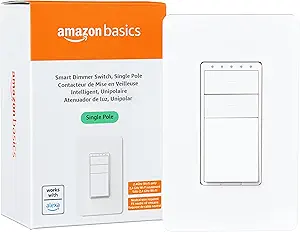 |
| Top Rated A top-rated pick with lots of positive feedback | LOUYSGEN Smart Dimmer Switch |  |
| Most Popular A crowd favorite that many people choose with confidence | Kasa Smart Dimmer HS220P3 |  |
| Best Seller A high-volume bestseller chosen again and again | Kasa Smart HS200 3-Pack |  |
Lutron Caseta Dimmer Kit P-PKG1WB-WH

| Operating Voltage | 120 volts |
|---|---|
| Wattage | 150 watts |
| Circuit Type | Single Pole & 3-Way |
| Controller Type | Amazon Alexa w/Lutron Smart Hub |
The Lutron Caseta 3-way smart dimmer kit turns standard lighting into a reliable, easy-to-use smart lighting system by pairing a wall-mounted dimmer with a Pico wireless remote and bracket. It is typically installed in place of an existing switch in about 15 minutes and requires no neutral, which simplifies DIY upgrades in older homes. The dimmer supports advanced LED dimming up to 150 watts and higher loads for incandescent bulbs, and it integrates with major smart platforms when connected to the Lutron Smart Hub for scheduling, scenes, geofencing, and voice control. The Pico remote can be mounted, handheld, or used in a tabletop pedestal for flexible multi-location control without running extra wiring. Practical benefits include smooth, flicker-free dimming for compatible LEDs, broad smart home compatibility, and reliable hub-based operation that does not depend solely on Wi-Fi. Limitations are that the kit requires the separate Lutron Smart Hub for full app and voice features and that control of very low‑load LED setups should be verified for compatibility.
Best for: Homeowners who want a reliable, easy-to-install smart dimmer that upgrades standard fixtures for smoother LED dimming and adds a wireless second switch without rewiring.
Less Ideal for: Buyers seeking built-in cloud app or voice control without buying a separate hub or those who need guaranteed compatibility with every low-wattage LED type.
- No neutral required for easier DIY installation in older homes
- Includes Pico wireless remote and bracket for adding a second control location without wiring
- Works with major smart platforms (Alexa, HomeKit, Google Home, Ring) when paired with the Lutron Smart Hub
- Supports advanced LED dimming and smooth, flicker-free control for compatible bulbs
- Full smart features such as app control and voice require the separately sold Lutron Smart Hub
- LED compatibility varies by bulb and very low-load LED circuits may need verification
Verdict: A dependable, DIY-friendly smart dimmer kit that delivers smooth LED dimming and wireless multi-location control when paired with the Lutron Smart Hub.
Lutron Caseta Smart Dimmer PD-6WCL-WH

| Operating Voltage | 120 volts |
|---|---|
| Wattage | 150 watts (LED), 600 watts (incandescent/halogen) |
| Circuit Type | 3-way |
| Connectivity Protocol | Lutron proprietary protocol |
| Compatible Devices | Alexa, Apple Home, Google Assistant, Ring, Sonos, Lutron Smart Hub |
The Lutron Caseta PD-6WCL-WH is a wall-mounted smart dimmer that replaces a conventional light switch to give smooth multi-level dimming and smart control for LED, CFL, incandescent, and halogen fixtures. It installs without a neutral, fits single-pole or 3-way circuits, and handles up to 150 watts of dimmable LED or 600 watts of incandescent, so it covers most household lighting circuits. Used with the optional Lutron Smart Hub you gain app control, scheduling, geofencing, and voice control via Alexa, Apple HomeKit, and Google Assistant; without the hub it still functions as a reliable manual dimmer. The Caseta platform also supports adding Pico remotes for wireless multi-location control, which is handy for retrofit 3-way setups. Practical benefits include flicker-free LED dimming and a compact design that replaces standard switches quickly, though advanced smart features require buying the hub separately. If you prioritize consistent dimming performance and broad smart home compatibility, this dimmer is a strong choice for upgrading room lighting to smart control.
Best for: Buyers who want reliable, high-quality dimming performance and plan to retrofit standard household lighting to smart control while prioritizing consistent LED behavior and wide platform compatibility.
Less Ideal for: People needing integrated smart features without adding a separate hub or those who require a switch rated for higher commercial loads should consider other solutions.
- No neutral required for faster retrofits and easier installation in older homes
- Smooth, flicker-free dimming for LED and incandescent bulbs
- Works as a single-pole or 3-way dimmer and supports Pico wireless remotes for multi-location control
- Broad smart home compatibility (Alexa, HomeKit, Google) when paired with the Lutron Smart Hub
- Supports up to 150W LED and 600W incandescent for versatile load handling
- Smart features like app control and scheduling require purchasing the Lutron Smart Hub separately
- Lower current rating (1.25 A) limits it to typical household lighting circuits rather than high-load commercial fixtures
Verdict: Choose the Lutron Caseta dimmer if you want dependable, flicker-free LED dimming and wide smart home integration with a proven, retrofit-friendly switch.
Tapo S505D Smart Dimmer Switch

| Operating Voltage | 120 volts |
|---|---|
| Current Rating | 2.5 A |
| Wattage | 150 watts |
| Connectivity Protocol | Wi-Fi |
| Compatible Devices | Amazon Alexa, Apple HomeKit, Google Home, Samsung SmartThings |
The Tapo S505D is a single-pole smart dimmer designed to replace a standard wall switch and give full 0–100% brightness control from the Tapo app, voice assistants, or the touch actuator. Installation follows conventional wiring but requires a neutral wire and 2.4 GHz Wi‑Fi, and the included wall plate, wire nuts, and screws simplify a basic DIY swap or an electrician install. Once set up it supports schedules, timers, fade on/off for smooth transitions, away mode to randomize lights, and multi-admin access so multiple household members can control scenes. Matter certification and broad compatibility with Alexa, HomeKit, Google Home, and SmartThings mean it integrates cleanly into most smart-home setups. Practical limits are its 2.5 A / 150 W rating, which restricts it to LED and low-wattage fixtures rather than high-load circuits, and setup still requires neutral wiring and a stable 2.4 GHz network for reliable LAN control.
Best for: Buyers who want a reliable, easy-to-integrate smart dimmer that fits into a larger smart-home ecosystem and prioritizes flexible control and scheduling.
Less Ideal for: Homes without a neutral conductor in the switch box or situations needing control of high-wattage lighting circuits should consider other solutions.
- Matter certification for cross-platform compatibility.
- Full 0–100% dimming with fade on/off for smooth transitions.
- App, touch, and voice control plus scheduling and away mode for practical automation.
- Includes wall plate and basic installation hardware for a straightforward swap.
- Low current rating (2.5 A / 150 W) limits use with high-wattage loads.
- Requires a neutral wire and 2.4 GHz Wi‑Fi, so not compatible with all older switch boxes.
Verdict: Choose the Tapo S505D if you want a Matter-certified smart dimmer that delivers seamless cross-platform control and full-range dimming for typical LED and low-wattage fixtures.
Amazon Basics Smart Dimmer SD29-01

| Operating Voltage | 120 volts |
|---|---|
| Connectivity Protocol | Wi-Fi (2.4 GHz) |
| Wattage | 160 watts |
| Lighting Loads | CFL/LED 150W Max, Incandescent 450W Max |
| Controller Type | Amazon Alexa |
This Amazon Basics smart dimmer replaces a standard single-pole switch to add voice control and remote scheduling via the Alexa app without a separate hub. It installs in place of a traditional wall dimmer but requires a neutral wire and 2.4 GHz Wi-Fi, so it fits most US homes with modern wiring. Once set up through the Alexa app you can use voice commands from Echo devices, set routines, or control brightness remotely; the switch also works as a conventional on/off dimmer at the wall. The unit is rated for typical household lighting loads (up to 150W for CFL/LED and 450W for incandescent) and includes a wall plate, mounting frame, and wire nuts for installation. Limitations worth noting are Alexa-only integration, lack of 5 GHz support, and a lower 4 amp current rating listed in one spec area that may be confusing compared with the lighting load guidance, so verify compatibility with your fixtures before buying. For straightforward Alexa-centric dimming at a value price, this is a practical option.
Best for: Buyers who want an affordable, no-hub smart upgrade that adds Alexa voice control and basic scheduling to hardwired home lighting.
Less Ideal for: People who need multi-platform smart home compatibility, homes without neutral wiring, or setups that require 5 GHz Wi-Fi or non-Alexa assistants.
- Direct Alexa integration with voice control and routines, no hub or separate app required
- Remote control and scheduling through the Alexa app for on/off and brightness
- Includes installation hardware (wall plate, mounting frame, wire nuts) for a complete swap
- Works only with Alexa and does not support other voice assistants or smart hubs
- Requires a neutral wire and 2.4 GHz Wi-Fi, so not compatible with all older homes
- Does not support 5 GHz networks which can limit connection options
Verdict: A budget-friendly way to add Alexa voice dimming and scheduling to a single-pole lighting circuit without a hub.
LOUYSGEN Smart Dimmer Switch
| Operating Voltage | 120 volts |
|---|---|
| Current Rating | 5 A |
| Wattage | 500 watts |
| Connectivity Protocol | Bluetooth, Wi-Fi |
| Compatibility | Tuya/Smart Life, Alexa (on/off) |
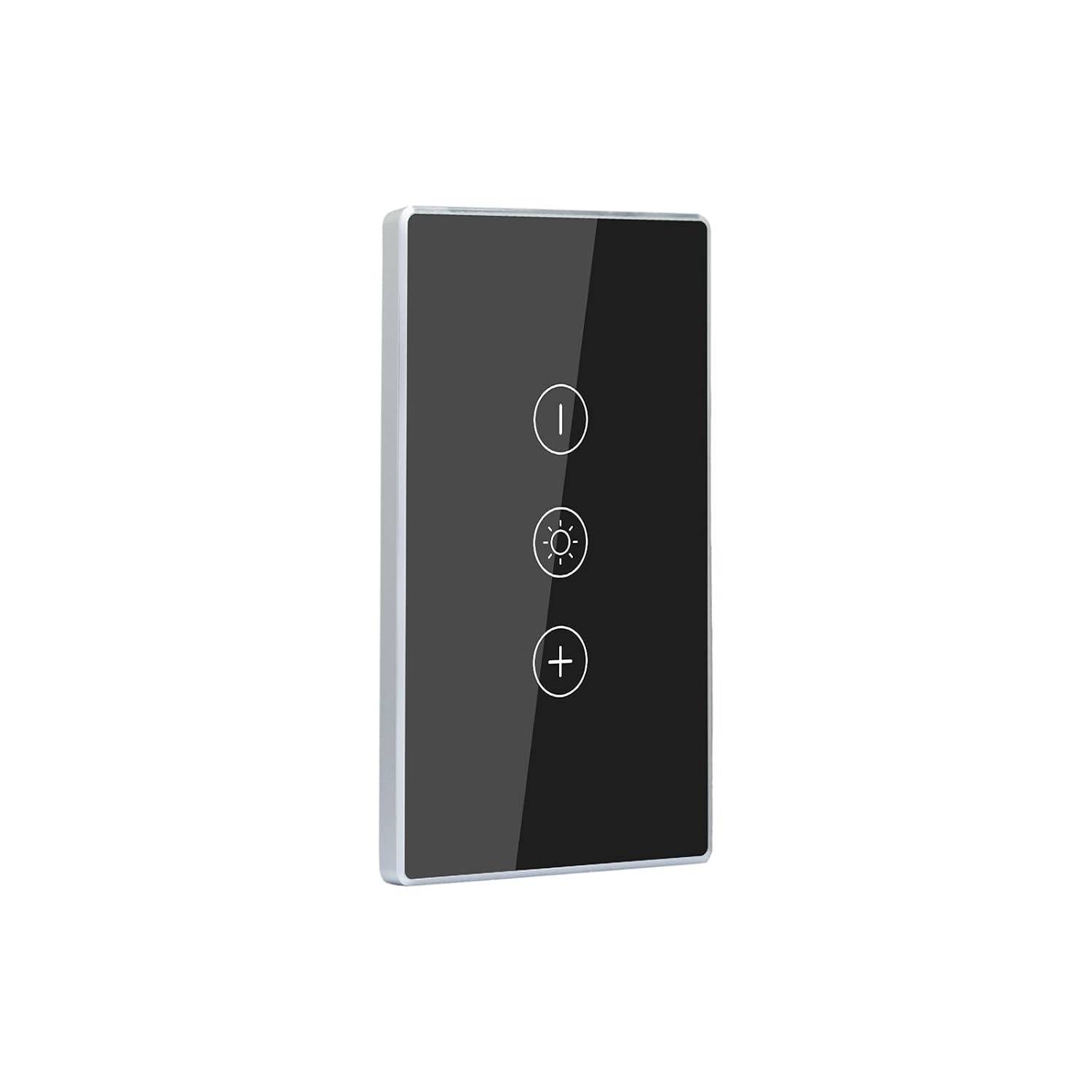
The LOUYSGEN Smart Dimmer Switch is a single-gang, 120V touch dimmer designed to replace a standard wall switch and give remote and scheduled control of compatible dimmable lights. Installation requires a neutral wire and a standard single‑pole wiring setup, and the switch communicates over 2.4GHz Wi‑Fi or Bluetooth without a hub. Its tempered glass touch panel and aluminum frame give a clean, low-profile look and an illuminated indicator that makes the switch easy to find in the dark. In practice you use the touch panel or the Tuya/Smart Life app to create schedules, timers, and automations; Alexa supports voice on/off but not voice dimming, so brightness changes must be made in the app or on the panel. The switch is rated for up to 5 A and 500 W and warns to check bulb compatibility before use; it is not intended for fan loads. The product is FCC certified and IP54 rated, which helps with durability, but it only supports 2.4GHz Wi‑Fi and needs confirmation of lamp compatibility for reliable dimming performance.
Best for: Buyers who prioritize a durable, factory-style smart dimmer that integrates into app-based automation and who have a neutral wire available in their wall box.
Less Ideal for: People without a neutral wire, homes using only 5GHz Wi‑Fi, or those who need full voice dimming control should consider other options.
- Touch-sensitive tempered glass panel and aluminum frame for a refined, easy-to-clean finish.
- Works with Tuya/Smart Life app for remote control, schedules, timers, and automations without a hub.
- Soft indicator light helps locate the switch in the dark.
- FCC certified and IP54 rated for added durability in typical home environments.
- Requires a neutral wire and supports only 2.4GHz Wi‑Fi, limiting installation and modern network compatibility.
- Alexa only supports on/off voice commands; dimming must be done via touch or app.
Verdict: A sturdy, app‑friendly single‑gang dimmer that delivers reliable touch and remote control for compatible lights when you have a neutral wire and 2.4GHz Wi‑Fi.
Kasa Smart Dimmer HS220P3

| Current Rating | 15 A |
|---|---|
| Operating Voltage | 120 volts AC |
| Connectivity Protocol | Wi-Fi |
| Wattage | 150 watts |
| Unit Count | 3 Count |
The Kasa Smart Dimmer HS220P3 is a 3-pack of single‑pole Wi‑Fi dimmer switches designed to replace standard wall dimmers and let you control lights from the Kasa app or with voice assistants. Installation requires a neutral wire and follows app-guided steps, and once installed each switch offers push-button on/off, up/down dimmer buttons, and single-click/double-click behaviors like fade-off. The switches support full 0–100% dimming, scheduling, away mode, grouping with other Kasa devices, and remote control from anywhere on a secured 2.4 GHz network without a separate hub. Practical benefits include hands-free voice control, app routines for wake/sleep lighting, and the convenience of a three-pack for multiple rooms. Limits to consider are the need for a neutral wire and 2.4 GHz Wi‑Fi, plus the product is single‑pole (not a 3‑way) which affects some multi‑switch circuits; buyers unfamiliar with wiring may want an electrician for installation. The build meets UL and TP-Link's typical ecosystem integration, making these a straightforward choice for users who want reliable smart dimming across several switches.
Best for: Buyers who prioritize proven performance and want multiple reliable smart dimmers that integrate with Alexa/Google and app routines while preferring the reassurance of a widely used, UL‑listed product.
Less Ideal for: Homes without neutral wiring or those that require 3‑way/multi‑location switching setups should look for alternatives designed for those circuits.
- Works with Alexa and Google Assistant for voice control
- App-guided setup and remote control from the Kasa app without a hub
- Full 0–100% dimming plus fade-off and scheduling for automated scenes
- Three switches in one pack covers multiple rooms or fixtures
- UL listed and includes wall plates and wire nuts for installation
- Requires a neutral wire and 2.4 GHz Wi‑Fi
- Not designed for 3‑way circuits (single-pole configuration)
Verdict: A dependable, UL‑listed three-pack of Wi‑Fi dimmer switches that delivers full dimming, scheduling, and voice control for buyers who want multiple proven smart switches in one purchase.
Kasa Smart HS200 3-Pack

| Current Rating | 15 A |
|---|---|
| Operating Voltage | 120 volts |
| Connectivity Protocol | Wi-Fi (2.4 GHz) |
| Control Type | Full |
| International Protection Rating | IP54 |
The Kasa HS200 3‑pack replaces standard single‑pole wall switches with Wi‑Fi smart rockers that let you control lights from the Kasa app or with voice via Alexa or Google Assistant. Installation follows app-guided steps but requires a neutral wire and basic wiring work, so novices may want an electrician for safety. Once installed, the switches provide scheduling, away mode, grouping, and remote on/off for fixtures and fans, and they integrate into routines with other Kasa devices without a hub. The switches are rated 15 A/120 V and handle typical household lighting loads, and the IP54 rating and UL listing add reassurance for durability and safety. Limitations include the need for 2.4 GHz Wi‑Fi only and the single‑pole design, so they cannot be used where 3‑way control is required; they also do not include dimming capability. For buyers who prioritize reliability and straightforward smart features, these switches deliver a familiar in‑wall look while giving dependable remote and voice control.
Best for: Buyers who want a reliable, no‑frills in‑wall smart switch with proven app and voice control and who prefer devices that are UL certified and easy to manage remotely.
Less Ideal for: People needing dimming or multi‑location (3‑way) control or homes without a neutral wire or only 5 GHz Wi‑Fi should look elsewhere.
- App-guided installation simplifies setup steps.
- Hands-free voice control with Alexa and Google Assistant.
- Remote control and scheduling from anywhere via Kasa app without a hub.
- UL certified and IP54 rated for added safety and durability.
- Requires a neutral wire and 2.4 GHz Wi‑Fi, which limits install locations.
- Single‑pole only design; not suitable for 3‑way circuits.
- Not a dimmer so it cannot adjust light levels.
Verdict: A dependable, UL‑certified in‑wall smart switch pack for buyers who want straightforward remote and voice control without hub complexity.
Choosing the Right Dimmer Smart Switch: Key Factors to Consider
Dimming Compatibility With LED and CFL Bulbs
LED and CFL bulbs behave differently from incandescent bulbs during dimming, so compatibility matters. Some dimmer smart switches are designed for resistive loads only and will cause flicker, buzzing, or a limited dimming range with LED or compact fluorescent lamps. Look for switches that explicitly list tested wattage ranges and mention low-end dimming stability.
Proper compatibility reduces visible flicker at low brightness and prevents premature bulb failure. If most fixtures in your home use LEDs, select a switch that offers tested low-load performance or includes adjustable minimum load settings. That ensures consistent room ambiance and avoids frequent bulb replacement.
Wiring Requirements and Installation Complexity
Wiring differences are the most common source of installation headaches. Many dimmer smart switches require a neutral wire to power the device's electronics, while others use alternative wiring tactics. Verify whether your switch needs a neutral, a ground, or is compatible with a no-neutral setup and whether it supports single-pole or 3-way/multi-location circuits.
Installation complexity affects whether you can do a DIY swap or need an electrician. Consider switch size for multi-gang boxes, the clarity of wiring diagrams, and whether included hardware simplifies mounting. Also check whether the device can run alongside a shared traveler in 3-way setups without additional modules.
Control Options and Integration
Decide how you want to operate the dimmer: local paddle and dimmer, app-based control, voice assistants, or local automation triggers. Some switches provide deep scene and scheduling features in their native apps, while others rely on third-party hubs. Look for reliable cloud and local control behavior and whether the switch supports popular smart-home protocols.
Integration matters for automations, multi-device scenes, and whether the switch will respond during network outages. If you prefer edge-based automations, prioritize devices that support local rules or a common hub API. If voice control is important, confirm the types of assistants supported and whether features such as brightness percentage and scene recall work consistently.
Multi-Location and 3-Way Support
Many rooms need multi-location control, such as hallways or living rooms with two switches controlling one load. Not all dimmer smart switches support standard 3-way wiring without an auxiliary add-on. Check whether the device supports multi-location setups directly or requires a companion remote or module.
Correct multi-location support preserves familiar wall control while enabling smart features. Evaluate whether auxiliary switches are wired travelers or communicate wirelessly, as this affects installation and troubleshooting. Proper multi-location design reduces latency and avoids ghost switching.
Thermal Performance and Build Durability
Dimmers handle continuous current and can generate heat. A well-designed thermal path and adequate heat-sinking prevent premature failure and avoid nuisance trips in hot enclosures. Look for devices that mention thermal protection, maximum continuous wattage, and derating guidance for small gang boxes.
A robust enclosure and quality internal components also reduce RFI and audible noise. Durable materials and clear labeling help during installation and give greater confidence in long-term reliability.
User Experience and Accessibility
User experience spans the physical switch feel, app layout, accessibility features, and how intuitive programming is. A tactile paddle with smooth dimming makes daily use pleasant, while a confusing app can negate advanced features. Consider whether the interface supports quick on-off, hold-to-dim, and tactile feedback for visually impaired users.
Accessibility also includes easy firmware updates, clear status indicators, and the ability to revert to local control if the network fails. Prioritizing good UX ensures the smart switch enhances rather than complicates everyday lighting control.
Matching a Dimmer to Your Bulb Types
Not all dimmers behave the same across bulb technologies. If your fixtures use mostly LED bulbs, choose switches that explicitly support low-wattage loads and list LED/CFL compatibility. For mixed loads, ensure the switch provides a wide dimming curve and minimal audible noise.
When in doubt, check the fixture's maximum and minimum wattage and compare it to the switch's specified load range. Some switches let you set a minimum brightness threshold to prevent flicker with low-power LED bulbs.
- Confirm the switch specifies LED/CFL compatibility and minimum wattage.
- Use dimmers that document tested dimming curves for modern bulbs.
- Adjust minimum load settings if available to reduce flicker.
Neutral Vs No-Neutral Switches
Neutral wiring simplifies powering a smart dimmer's electronics, but not every installation includes a neutral conductor in the switch box. No-neutral designs can work with many LED loads but sometimes require a bypass device to stabilize the load.
Before buying, open the switch box or consult a wiring diagram to confirm if a neutral is present. If you lack a neutral, prefer devices designed for no-neutral setups or plan for professional installation that adds a neutral or uses an approved bypass.
- Verify presence of neutral in the switch box.
- If no neutral, choose switches listed for no-neutral use or use an inline bypass.
- Consider an electrician for complex wiring or multi-gang tight spaces.
Setting Up Multi-Location and Master/Aux Configurations
Rooms that need more than one control point require a master/aux arrangement. Some systems use a wired auxiliary that relies on the master switch, while others use wireless remotes. Both approaches can deliver reliable multi-location control if supported correctly.
Plan the wiring approach before purchasing. If you prefer a purely wired 3-way, confirm the dimmer supports standard travelers and whether an auxiliary module is required. For wireless aux options, check battery life and pairing reliability.
- Decide between wired traveler aux or wireless remote aux.
- Confirm compatibility with common 3-way wiring schemes.
- Test pairing and responsiveness in the installation plan stage.
Integrations and Automation Workflows
Consider how the dimmer fits into your broader automation setup. Native app scenes and schedules are useful, but third-party hub or ecosystem support expands possibilities. Determine whether the device offers local control, cloud-based features, or both.
Reliable automations often depend on local control or a hub that remains functional during network outages. If you use voice assistants or smart-home hubs, verify that brightness levels, group controls, and scene activation behave consistently across platforms.
- Check whether the device supports local rules versus cloud-only automations.
- Verify voice assistant and hub compatibility for scenes and brightness control.
- Look for firmware update options and clear developer or API documentation if advanced integration is needed.
Practical Tips for Installation Day
Prepare a basic toolkit and test equipment such as a non-contact voltage tester, a continuity tester, and a small flashlight. Label wires as you remove the old switch so reconnection is straightforward. If the switch box is cramped, remove the faceplate first and gently pull out existing switches to inspect space.
Turn off the circuit at the breaker and double-check power is off before touching wires. Keep wire nuts and small terminal screws handy. If you encounter unexpected wiring or shared neutrals, stop and consult a professional electrician to avoid creating neutral loops or overloads.
- Turn off power and verify with a tester before starting work.
- Label wires and take a photo before disconnecting the old switch.
- Have wire nuts, a screwdriver set, and extra faceplate spacers on hand.
How We Chose the Best Dimmer Smart Switch
We focused on traits that actually affect day-to-day use of dimmer smart switches. Our evaluation prioritized dimming compatibility with modern light sources, installation requirements and wiring tolerance, app and voice-control reliability, build quality and long-term thermal behavior, and extras such as multi-location wiring and scene support. We examined each product's claimed LED and CFL dimming range and tested descriptions for flicker mitigation under low loads. Installation was assessed by looking at whether a neutral wire is required, the clarity of wiring labels, and accommodations for multi-gang boxes and stacking switches. We excluded entries that did not list clear dimming compatibility or lacked published wiring specifications. Cheap no-name modules without thermal protection or documentation were filtered out. The final shortlist favors devices that document tested loads and offer firmware or integration options for common smart-home ecosystems. Scores reflect how well each item balanced dimming performance, installation friendliness, control features, and hardware robustness.
Our full evaluation process is outlined in our review methodology.
FAQ
Can a dimmer smart switch work with any LED bulb?
Often it depends. Many LEDs are compatible, but some low-wattage or specialty bulbs can flicker or buzz. Choose switches that list LED compatibility and tested wattage ranges, and adjust minimum load settings if available.
Do I always need a neutral wire for a dimmer smart switch?
Not always. Some dimmers are designed for no-neutral installations, but they may require a specific minimum load or a bypass device. Check the switch wiring requirements and your switch-box wiring before buying.
How do I set up a 3-way or multi-location dimmer?
Multi-location setups typically use a master dimmer paired with an auxiliary switch or remote. Confirm whether the chosen switch supports wired travelers or requires a companion module and follow the manufacturer wiring diagram for correct connections.
Will smart dimmers still work if my Wi-Fi goes down?
It depends on the device. Some switches retain local control for manual use and basic dimming, while cloud-dependent features and remote app control will be unavailable during outages. Prioritize devices that offer local fallback if network resilience is important.
How much heat do dimmer smart switches produce inside a switch box?
Dimmers can produce measurable heat under continuous loads. Good designs include thermal protection and clear derating guidance for small gang boxes. If your switches will be under heavy load or in cramped enclosures, choose devices with documented thermal performance.
Final Verdict
Focus on matching the dimmer's electrical and control features to your home. Prioritize switches that explicitly support your bulb types and wiring configuration, and that document thermal limits and multi-location options. Balance installation complexity against desired automation and integration features. Your final pick should minimize flicker with your fixtures, fit your switch box and wiring, and provide the control methods you use most often. That approach ensures a smooth upgrade to smarter, more comfortable lighting.