
Note: This article contains affiliate links. If you click on these links and make a purchase, we may earn a small commission at no extra cost to you. This helps support our research and content. Read our full affiliate disclosure here.
You want a security setup that gives clear footage, flexible placement, and minimal ongoing hassle. DIY security camera systems put those capabilities in your hands without professional installers. They let you control where cameras go, what they record, and how alerts reach you, which matters for covering unique blind spots and adapting as your needs change. This guide shortlists the top DIY security camera systems built for home use and evaluates each by real-world factors like video quality, installation effort, network and power options, storage choices, and app reliability. Read on to see which setups fit common home scenarios and which tradeoffs to expect before the product list.
Top Picks at a Glance
| Best Overall The best all-around choice for most situations | REOLINK RLK8-410B4 5MP System |  |
| Best Quality Built to a higher standard if you want something more solid | eufy Security S4 Max 4-Cam Kit |  |
| Best Value The sweet spot between price and what you get | aosu C8E 4-Cam Solar Kit |  |
| Best Budget The cheapest option that still gets the job done reliably | Fazoxo 2K Solar Outdoor Camera |  |
| Top Rated A top-rated pick with lots of positive feedback | REOLINK RLK8-520D4 5MP PoE Kit |  |
| Most Popular A crowd favorite that many people choose with confidence | ZOSI 8CH 3K Lite Security System |  |
| Best Seller A high-volume bestseller chosen again and again | ANNKE 8CH DVR 8-Cam Kit |  |
REOLINK RLK8-410B4 5MP System
| Number of Channels | 8 |
|---|---|
| Video Capture Resolution | 5MP (2560×1920) @25fps |
| Memory Storage Capacity | 2 TB (preinstalled) |
| Night Vision Range | 100 feet |
| Compression Format | H.265, H.264 |
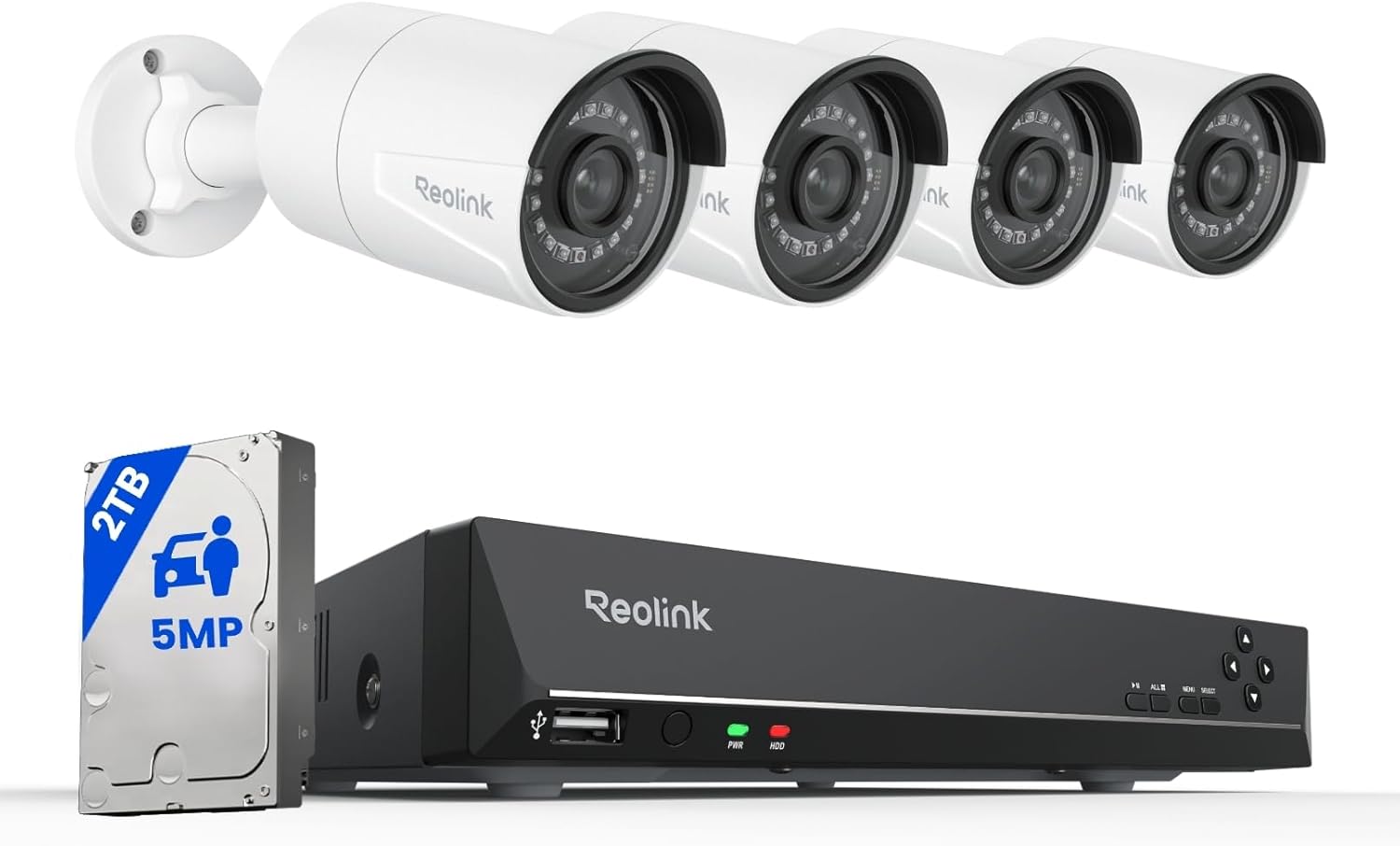
This REOLINK kit supplies a complete DIY PoE security system: an 8-channel RLN8-410 NVR with a preinstalled 2TB HDD and four B500 5MP PoE dome cameras. Setup is straightforward since each camera runs power and video over a single Ethernet cable to the NVR, which supports 24/7 recording, motion/schedule recording and H.265/H.264 compression. The 5MP sensors deliver sharper daytime detail than 1080p and the IR night vision reaches up to 100 feet for reliable low-light monitoring. Smart person/vehicle/animal detection and configurable motion zones help reduce nuisance alerts, and the NVR supports HDMI/VGA outputs and multi-user remote viewing through Reolink apps without subscription fees. Practical limitations include Reolink-only camera compatibility for full functionality and the need to manage local storage if you want longer retention than the default setting. The kit is well suited to DIY home users who want high-resolution wired cameras and robust local recording without ongoing cloud costs.
Best for: Buyers who want an easy DIY wired PoE system that prioritizes high-resolution local recording and fewer false alerts, and who prefer managing footage on-premises rather than relying on cloud subscriptions.
Less Ideal for: People who need broad third-party camera compatibility or who prefer a purely cloud-based, hands-off service for storage and alerts.
- True plug-and-play PoE: single Ethernet cable for power and data simplifies installation.
- 5MP resolution at 25fps for clearer daytime detail than 1080p.
- Night vision up to 100 ft with 18 IR LEDs for dependable low-light monitoring.
- Preinstalled 2TB HDD with option to expand up to 16TB for local continuous recording.
- Smart person/animal/vehicle detection and customizable motion zones to cut down false alerts.
- Only guaranteed to work fully with Reolink cameras, limiting third-party expansion.
- Default storage retention is limited without adding more HDD capacity.
Verdict: A turnkey PoE kit for DIYers who want high-resolution wired cameras and robust local recording without subscription fees.
eufy Security S4 Max 4-Cam Kit

| Connectivity Technology | Wired |
|---|---|
| Video Capture Resolution | 4K |
| Number of Channels | 8 |
| Memory Storage Capacity | 2 TB |
| Recording Mode | 24*7 Recording, Motion Recording, Schedule Recording |
The eufy Security S4 Max 4-Cam Kit is a wired PoE NVR system designed for continuous, high-resolution monitoring of homes and small properties. Each camera combines a 4K wide fixed lens with a lower 2K PTZ module that pans 360 degrees and offers 8x auto-zoom, letting the system provide both broad overviews and close-up detail. The included 8-port NVR (preinstalled with 2 TB HDD) supports 24/7 recording, scales to 16 channels with a PoE switch, and stores footage locally without required subscriptions. Notable features for hands-on installers include single-cable PoE setup, live cross-cam tracking where cameras hand off moving subjects, local AI for smarter alerts and smart video search, and IP65 weatherproofing for reliable outdoor use. Practical benefits are reduced cloud costs, robust continuous capture, and quick incident searches. Limitations include reliance on wired PoE so placement needs cable runs and the system may occupy two streams per Bullet-PTZ camera which reduces maximum camera count if you plan many PTZ units.
Best for: Buyers who prioritize continuous, high-resolution local recording and advanced tracking for a perimeter-style DIY install and are comfortable routing Ethernet for PoE cameras.
Less Ideal for: People who need completely wireless setups or who want a minimal-install camera solution without running cables should consider wireless alternatives instead.
- Dual-lens cameras offer a 122° 4K wide view plus a 2K PTZ with 8× auto-zoom for both scene context and detailed close-ups
- Local NVR with preinstalled 2 TB HDD enables 24/7 recording and smart video search without subscription fees
- Live cross-cam tracking and local AI reduce false alerts and maintain continuous tracking across cameras
- PoE single-cable design simplifies installation by combining power and data over Ethernet
- IP65 weatherproofing and AI noise reduction for reliable outdoor use and clearer two-way audio
- Wired PoE setup requires running Ethernet cables, which adds installation effort for DIYers
- Bullet-PTZ cameras consume two real-time streams each, limiting total PTZ count on the NVR
- Frame rates listed at 15/20fps may be lower than some high-frame alternatives for very fast motion
Verdict: This PoE NVR kit is the top choice for DIYers who want continuous, local 4K coverage with smart AI tracking and subscription-free video search.
aosu C8E 4-Cam Solar Kit

| Video Capture Resolution | 3 MP |
|---|---|
| Night Vision Range | 15 meters |
| Viewing Angle | 130 degrees |
| Power Source | Solar Powered, Battery Powered |
| Built-In Media | 32GB aosuBase |
The aosu C8E kit bundles four solar-powered bullet cameras with an aosuBase hub that provides local 32GB encrypted storage and dual-band Wi-Fi for extended range. Installation is genuinely DIY — each camera mounts with a few screws and the integrated solar panel removes the need for wiring, while a 5500 mAh backup battery keeps cameras running through low-light periods. Cameras record in 2K (3 MP) with a 130-degree fixed viewing angle, 6x zoom, auto-focus, and color night vision to capture details up to roughly 30 feet. The system supports camera-to-camera tracking and simultaneous multi-cam playback in the app, plus two-way audio and configurable siren and spotlight alerts for deterrence. Practical buyers will appreciate no subscription requirements and on-device storage for up to 60 days of playback. Expect some limitations typical of solar wireless setups: fixed-angle bullets cannot pan remotely, and heavy tree cover or prolonged bad weather may reduce solar charging performance despite the efficient panel design.
Best for: Buyers who want a practical, install-it-yourself outdoor system that avoids subscription fees and prioritizes simple wireless setup, local storage, and clear day/night video.
Less Ideal for: Users who need motorized pan/tilt coverage, indoor-only surveillance solutions, or guaranteed continuous operation in consistently sun-poor environments.
- True solar operation with built-in panels removes wiring and enables quick DIY mounting
- Local 32GB encrypted storage on the aosuBase removes subscription fees and enables 60-day playback
- 2K video and full-color night vision improve identification of faces and license plates at night
- Dual-band Wi-Fi hub extends range and supports synchronized camera-to-camera tracking and multi-cam playback
- Integrated siren, spotlight, and two-way audio provide active deterrence and real-time interaction
- Cameras are fixed-angle bullets so they cannot pan for live remote repositioning
- Solar charging can be affected by long stretches of poor sunlight or heavy shade
Verdict: Aosu C8E is the practical DIY choice for homeowners who want a subscription-free, solar-powered outdoor kit with clear 2K day/night footage and easy, wire-free installation.
Fazoxo 2K Solar Outdoor Camera
| Power Source | Solar Powered, Battery Powered |
|---|---|
| Video Capture Resolution | 1440p |
| Viewing Angle | 110 degrees |
| Night Vision Range | 33 feet |
| Flash Memory Supported Size Maximum | 128 GB |
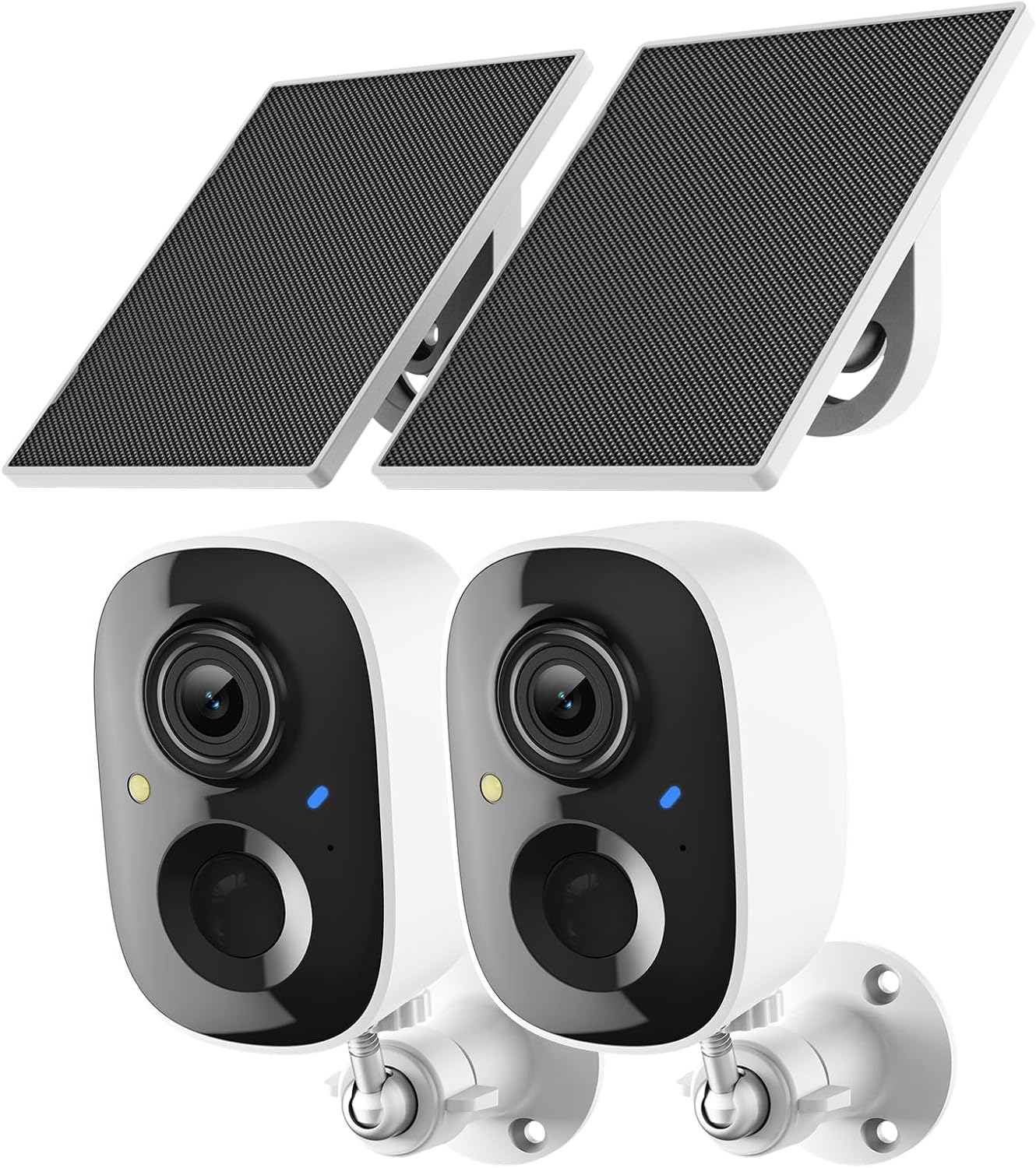
These Fazoxo cameras are a budget-friendly, mostly wire-free option for DIY outdoor surveillance. They pair to a phone app over 2.4 GHz Wi-Fi and use a built-in rechargeable battery supplemented by the included solar panel to reduce manual charging for long deployments. Video is recorded at 1440p with a 110 degree view and 3x digital zoom, and the camera can switch between infrared B&W night vision and a spotlight-driven color night mode for clearer detail. Motion detection sends instant alerts and supports basic recordings without a subscription, while optional cloud plans or a microSD card (up to 128 GB) handle event storage. Two-way audio and a built-in siren let you interact or deter visitors remotely. The cameras are IP65-rated for outdoor use, but they only work on 2.4 GHz networks and rely on digital zoom rather than optical zoom, so fine detail at distance can be limited. For DIY users who want a low-cost, flexible outdoor setup with solar backup and color night footage, these deliver good real-world value.
Best for: DIY-minded homeowners looking for an affordable, low-maintenance outdoor camera pair that can run with solar assistance and be managed from a smartphone app.
Less Ideal for: Users who need enterprise-grade analytics or who require 5 GHz Wi‑Fi or optical zoom for long-distance identification should look at higher-end alternatives.
- Solar panel plus rechargeable battery reduces need for frequent recharging
- 2K (1440p) video with color night vision spotlight for clearer nighttime detail
- Two-way audio and built-in siren for remote interaction and deterrence
- Supports local microSD recording up to 128 GB and optional cloud backup
- IP65 weatherproof rating for outdoor installation
- Only compatible with 2.4 GHz Wi‑Fi networks, not 5 GHz
- Uses digital zoom (3x) which limits detail at longer distances
Verdict: A cost-conscious, solar-assisted DIY outdoor camera pair that delivers 2K video and color night vision for straightforward home surveillance.
REOLINK RLK8-520D4 5MP PoE Kit
| Connectivity Technology | Wired PoE |
|---|---|
| Video Capture Resolution | 5MP (2560 × 1920) @25fps |
| Number of Channels | 8 |
| Memory Storage Capacity | 2 TB |
| Night Vision Range | 100 feet |
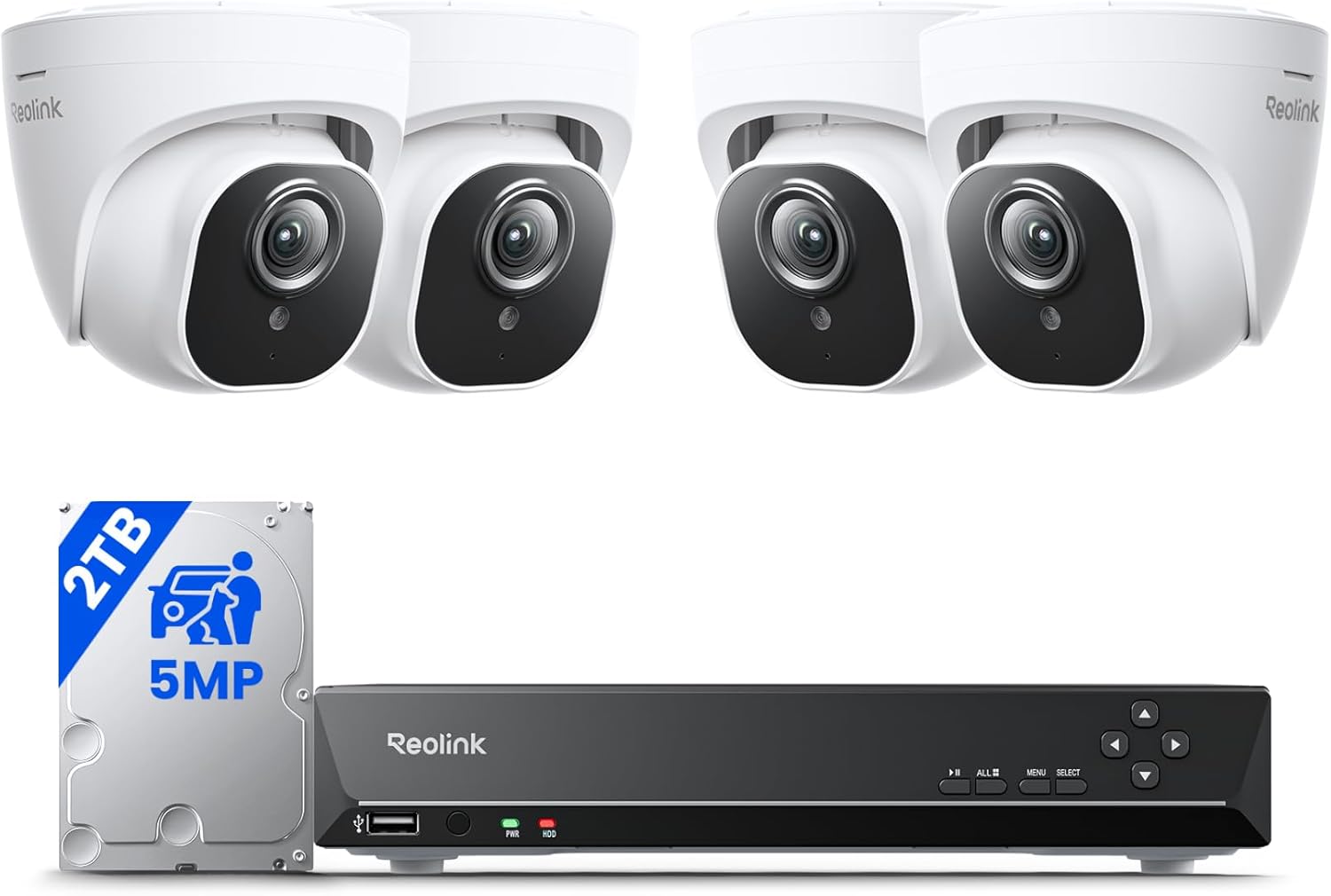
The REOLINK RLK8-520D4 is a plug-and-play 8-channel PoE kit that ships with four 5MP PoE dome cameras and an 8-channel NVR with a preinstalled 2TB hard drive. Install is straightforward: run the included Cat5 cables from each camera to the NVR, and the recorder supplies power and network over PoE so there is no separate power supply at each camera. In daily use the cameras deliver crisp 5MP video at 25fps, up to about 100 feet of night vision, and an 80 degree horizontal field of view for general coverage. The NVR supports continuous 24/7 recording, motion or scheduled recording, and remote access via Reolink apps for live view and playback. Smart person/vehicle/pet detection and configurable motion zones help cut down false alarms, and the system will alert via NVR buzzer, email, or push notifications. Limitations to note: the system is designed to work only with Reolink cameras and the fixed 4.0mm lenses mean no optical zoom, so close framing requires placement adjustments. For buyers who want a reliable, self-managed DIY kit with local storage and solid detection features, this covers the essentials well.
Best for: DIY-minded homeowners who prioritize a reliable, locally recorded security solution they can install themselves and who value fewer false alarms from smart detection.
Less Ideal for: Users who need cross-brand camera compatibility, large-area wide-angle coverage without additional cameras, or optical zoom for distant subjects should look elsewhere.
- Preinstalled 2TB HDD and NVR handle local 24/7 or motion recording right out of the box.
- Power over Ethernet simplifies wiring by delivering power and data over a single cable.
- 5MP resolution at 25fps provides clear daytime and nighttime detail with up to 100 ft IR range.
- Smart person/vehicle/pet detection and customizable motion zones reduce false alerts.
- Remote access via iOS/Android and Windows/Mac for live view and playback.
- Cameras use fixed 4.0mm lenses so no optical zoom or adjustable focal length.
- System is only compatible with Reolink cameras, limiting third-party expansion.
- NVR provides HDMI output up to camera resolution but VGA is limited to 1080p depending on camera settings.
Verdict: A dependable plug-and-play PoE kit for DIY installers who want local 5MP recording and smart detection without cloud dependency.
ZOSI 8CH 3K Lite Security System

| Video Capture Resolution | 1080p |
|---|---|
| Number of Channels | 8 |
| Memory Storage Capacity | 1 TB |
| Night Vision Range | 80 feet |
| Connectivity Technology | Wired |
The ZOSI 8CH 3K Lite is a wired DVR kit built for homeowners who want a straightforward, no-subscription surveillance setup. It pairs an H.265+ 8-channel DVR with four weatherproof 1080p bullet cameras that connect via BNC coax and require separate power. The system records continuously or by event, stores footage on the included 1TB security-grade hard drive, and supports HDMI/VGA local monitoring plus remote viewing through the ZOSI Smart app. Key practical features are AI human/vehicle detection to cut down false alerts, customizable detection zones, and up to 80 feet of night vision in total darkness. Installation is typical for wired systems: run power and coax to each camera and mount them where needed, which makes this a reliable choice for fixed exterior coverage. Limitations include no built-in microphone and the need for wired power at each camera, which adds installation work compared with wireless kits, and remote access requires network setup. For buyers who prioritize local storage and precise motion filtering, this kit delivers dependable, budget-friendly monitoring.
Best for: Buyers who want a DIY, hardwired security system with local storage and modern AI alerts and who are comfortable routing cables during installation.
Less Ideal for: People who need a quick, wireless plug-and-play solution or who require on-camera audio recording should look elsewhere.
- AI human and vehicle detection reduces false alarms
- H.265+ compression for longer local recording on the 1TB HDD
- Wired connections offer stable 24/7 recording and reliable video feed
- IP66 weatherproof cameras with up to 80 ft night vision for outdoor use
- Requires running power to each camera which increases installation complexity
- No built-in microphone so audio cannot be recorded
Verdict: A practical, budget-friendly wired kit for DIYers who want reliable local recording and AI-driven alerts without monthly fees.
ANNKE 8CH DVR 8-Cam Kit

| Number of Channels | 8 |
|---|---|
| Video Capture Resolution | 1080p |
| Memory Storage Capacity | 1 TB |
| Night Vision Range | 100 feet |
| Connectivity Technology | Wired |
This ANNKE kit bundles an 8-channel DVR with a preinstalled 1TB hard drive and eight wired 1080p bullet cameras to give DIY installers a complete, always-on surveillance solution. The DVR records to the internal HDD (supports larger drives) so recordings continue even without internet, while H.265+ compression stretches storage and reduces bandwidth. The cameras offer dual-light color night vision plus IR for B&W viewing, IP67 weatherproofing for outdoor use, fixed lenses with roughly 82 degree viewing angle, and 100-foot night range claims. AI human and vehicle detection cuts down false alerts and the mobile app supports remote live view, playback and sharing. Setup requires running power and BNC cables to each camera, so you should be comfortable with basic wiring or mounting; the system is analog-style so it works reliably with stable local connections and a range of camera standards. Time-lapse and schedule/event recording modes are useful, but this wired kit lacks the plug-and-play simplicity of wireless systems and the cameras are fixed-angle rather than varifocal. For buyers who prioritize local recording, reliable wired connections and AI alerts, this is a practical DIY option.
Best for: Homeowners who want a reliable, locally recorded wired system with fewer false alerts and who are comfortable doing basic camera and cable installation themselves.
Less Ideal for: Renters, casual users, or buyers who want a completely wireless, tool-free setup or motorized/zoom-capable cameras should consider other options.
- Complete kit with 8 cameras plus 8-channel DVR and preinstalled 1TB HDD for immediate 24/7 recording
- AI human and vehicle detection reduces false alerts and speeds locating relevant events
- Dual-light color night vision plus IR provides clearer nighttime detail and push alerts
- H.265+ compression saves storage and bandwidth for longer recording retention
- IP67 weatherproof cameras suitable for outdoor mounting
- Wired installation requires running power and BNC/adapter cabling to each camera
- Cameras have fixed lenses and limited field-of-view compared with varifocal or PTZ models
- Analog/BNC setup is less convenient than wireless systems for users wanting minimal wiring
Verdict: A dependable DIY wired 8-camera system that emphasizes local recording and AI-based false-alert reduction for homeowners who will install cables and mounts themselves.
Choosing the Right DIY Security Camera Systems: Key Factors to Consider
Video Resolution and Low-Light Performance
Resolution and night performance determine whether footage is usable for identification and evidence. Higher resolution captures more detail at greater distances, which matters for recognizing faces, license plates, and distinguishing events. Low-light sensitivity and supplemental infrared or color night modes matter for monitoring driveways, yards, and entryways after dark.
Consider the realistic tradeoffs: higher resolution needs more bandwidth for live streaming and more storage for recordings. If you plan to retain several days of multi-camera footage, balance the resolution you choose with your storage method. Also check field-of-view specs; wider lenses cover more area but reduce per-inch detail at long range.
Installation Effort and Mounting Options
DIY systems should be straightforward to mount, aim, and secure without professional tools. Look for cameras with clear mounting templates, adjustable brackets, and tamper-resistant hardware. Battery-powered cameras eliminate wiring but require periodic recharging or swapping, while wired cameras provide continuous power but need routing and possibly drilling.
Think through typical mounting locations in your home and whether the system offers weatherproof housings and extension mounts for soffits, poles, or fences. Cable length, conduit compatibility, and whether PoE (Power over Ethernet) is supported will affect how flexible your placements can be.
Power and Connectivity Choices
Power and network options shape installation flexibility and system reliability. Battery cameras are easiest to place but need seasonal battery management and may have lower continuous recording capability. Wired power or PoE gives constant operation and often supports higher bitrate video and advanced analytics.
Connectivity matters too. Wi-Fi-only cameras are simple but can be disrupted by weak signals or congested networks. Systems that support dual-band Wi-Fi, Ethernet, or an optional local hub give more stable streams. If you have an isolated outbuilding or long distances, consider whether the system supports wired backhaul or mesh extenders to maintain reliable links.
Storage Methods and Retention Policies
Where and how footage is stored affects privacy, cost, and access. Local storage on SD cards or network video recorders (NVRs) keeps video on-site and avoids subscription fees, but it requires planning for redundancy and physical security. Cloud storage offers off-site backups and easier remote access, but it often involves ongoing fees and retention limits.
Check whether a system allows hybrid setups so you can keep recent footage locally and archive critical clips to cloud storage. Also review retention controls, overwrite behavior, and export capabilities so you can preserve evidence if needed.
Detection, Alerts, and False-Positive Control
Motion detection accuracy and alert customization determine how useful notifications are day to day. Basic motion triggers often generate many false alarms from passing cars, animals, or shadows. Systems that let you draw motion zones, set activity schedules, configure sensitivity, and apply person or vehicle detection reduce nuisance alerts.
Consider whether the system supports customizable push notifications, email clips, or smart home integration for automated responses. Also evaluate how fast alerts arrive and whether the app provides context images or short video snippets to judge events quickly.
App Features and Ecosystem Integration
The mobile and web apps are the primary interface for viewing live feeds, replaying recordings, and adjusting settings. A reliable, well-designed app makes daily use practical: look for multi-camera views, easy clip exporting, reliable push notifications, and clear account and device management.
Ecosystem integration is also important if you want voice assistants, home automation rules, or third-party camera support. Check whether integrations are direct or require cloud bridging and whether they respect local privacy preferences. App update cadence and vendor responsiveness are practical considerations for long-term reliability.
Choosing Between Wired, Wireless, and PoE Setups
Deciding on power and network architecture is one of the first practical steps for any DIY security camera project. Battery wireless cameras are the least invasive and are ideal for renters or quick deployments, but plan for periodic charging and potentially shorter recording windows. Wi-Fi cameras are easy to set up for most homes, but performance falls off with distance and network congestion. PoE systems combine power and data over a single cable, offering reliable continuous operation and higher sustained video quality, though they require either a PoE switch or NVR with PoE ports.
Bullets is not allowed in this schema field, so omit bullets.
- Battery cameras for flexible placement and easier installation
- Wi-Fi cameras for simple home setups with good signal coverage
- PoE cameras for reliability, higher throughput, and continuous power
Balancing Field of View and Identification Needs
A wider field of view reduces the number of cameras needed to cover an area but can make distant objects harder to identify. If the goal is general area monitoring, choose wider lenses. For entryways or license plate capture, select cameras with narrower fields and higher resolution or optical zoom. Consider camera placement height and angle to avoid distortion and occlusion that undermine identification.
- Wide-angle lenses for broad coverage
- Narrower lenses or optical zoom for identification at range
- Mount height and angle adjustments to reduce glare and blind spots
Network Bandwidth Planning
Estimate how much upload bandwidth is available and how many cameras will stream simultaneously before picking resolution and frame rate. High-resolution, high-frame-rate streams consume more bandwidth and can degrade local network performance. If your internet connection has limited upload speed, prioritize local recording or lower bitrate settings for continuous recording while enabling higher-quality clips for motion events.
- Check ISP upload speeds against simultaneous camera streams
- Use lower frame rates for continuous recording, higher rates for motion clips
- Consider local recording to reduce cloud upload needs
Privacy and Legal Considerations for Home Camera Placement
Placing cameras to monitor your property is legal in most contexts, but privacy rules vary by jurisdiction and situation. Avoid pointing cameras into neighbors windows or shared private spaces. Treat audio recording carefully; local laws often restrict recording conversations without consent. When in doubt, position cameras to cover entry points, driveways, and public-facing areas rather than private interiors of other people.
bullets':[
- Avoid directed monitoring of neighbors or public sidewalks where laws restrict recording
- Disable audio recording where consent is required
- Post visible notice of camera presence in shared spaces when appropriate
How We Chose the Best DIY Security Camera Systems
Our selection process focused on tangible, buyer-relevant dimensions that determine real-world performance for DIY security camera systems. We prioritized video resolution and night performance because clear, identifiable footage is the main purpose of a camera system. Installation effort and hardware flexibility were included to reflect the DIY ethos: whether a homeowner can mount, angle, and power cameras without professional help. Network compatibility and bandwidth impact how reliably streams and notifications arrive, so we checked for support of common Wi-Fi bands and local-network options. Storage options were another key filter; we looked for systems that support local storage, cloud plans, or both, and the available retention controls. App stability and feature completeness mattered for daily use, including motion zones, alert tuning, and multi-camera views. Power options such as battery, PoE, and AC were evaluated for installation versatility. We excluded systems requiring mandatory professional setup or proprietary hubs that prevent basic local recording. Overall, we favored systems that balanced clear footage, straightforward DIY installation, sensible storage choices, and dependable software controls.
Our full evaluation process is outlined in our review methodology.
FAQ
Can I install a DIY security camera system without drilling holes?
Yes. Battery-powered and stick-up cameras often use adhesive mounts or clamp systems that avoid drilling. However, adhesive mounts may fail in extreme weather or over time. For permanent outdoor placements, a small number of drilled anchor points usually provides a more reliable long-term installation.
Do DIY security camera systems work with slow home internet?
They can, but you need to manage resolution, frame rate, and upload behavior. Use local recording or lower bitrate continuous settings and allow high-resolution clips to upload only on motion events. Systems with hybrid local storage reduce dependency on constant high upload speeds.
How long do battery-powered cameras typically run between charges?
Battery life varies widely based on motion activity, recording settings, and temperature. In moderate climates with conservative motion settings, many battery cameras last weeks to months between charges, while heavy activity or frequent high-resolution clips can shorten that to days. Check expected cycles and plan for seasonal changes.
Is local storage safer than cloud storage for privacy?
Local storage keeps footage on your property and avoids third-party retention, which can be better for privacy. However, local storage is vulnerable to theft or physical damage unless you build redundancy. Cloud storage provides off-site backups and simpler remote access but usually involves ongoing subscription terms and third-party data handling.
Final Verdict
Prioritize the few features that matter most for your home scenario. If you need reliable 24/7 coverage with minimal maintenance, focus on wired or PoE systems and robust local or hybrid storage. If flexible placement and minimal install work are more important, choose battery or Wi-Fi cameras with strong motion filtering and efficient app controls. Balance video resolution with storage and bandwidth to avoid surprises, and set alert rules to reduce false positives. With those tradeoffs in mind, you can pick a DIY security camera system that fits your coverage goals and your tolerance for setup and upkeep.