
Note: This article contains affiliate links. If you click on these links and make a purchase, we may earn a small commission at no extra cost to you. This helps support our research and content. Read our full affiliate disclosure here.
Shopping for an FDM 3D printer under $500 means balancing print quality, reliability, and ease of use on a tight budget. Whether you are starting a hobby, prototyping parts, or building functional prints, the right budget printer can save time and frustration while giving you a capable toolset. This guide covers seven shortlisted FDM 3D printers that represent the best mix of features, build volume, and user-friendliness in the under $500 range. We evaluated factors such as print consistency, hardware robustness, and the learning curve so you can pick a machine that fits your skill level and intended projects. Read on for the criteria we used and practical guidance to help you choose the best budget FDM 3D printer for your needs.
Top Picks at a Glance
| Best Overall The best all-around choice for most situations | Bambu Lab P1S |  |
| Best Quality Built to a higher standard if you want something more solid | QIDI Q2 3D Printer |  |
| Best Value The sweet spot between price and what you get | Creality Ender 3 V3 SE |  |
| Best Budget The cheapest option that still gets the job done reliably | ELEGOO Neptune 3 Pro |  |
| Top Rated A top-rated pick with lots of positive feedback | Bambu Lab A1 3D Printer |  |
| Most Popular A crowd favorite that many people choose with confidence | FLASHFORGE Adventurer 5M |  |
| Best Seller A high-volume bestseller chosen again and again | FLASHFORGE AD5X 3D Printer | 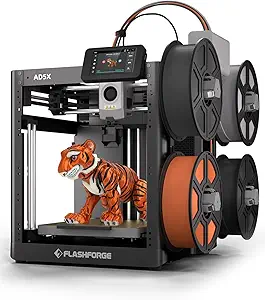 |
Bambu Lab P1S
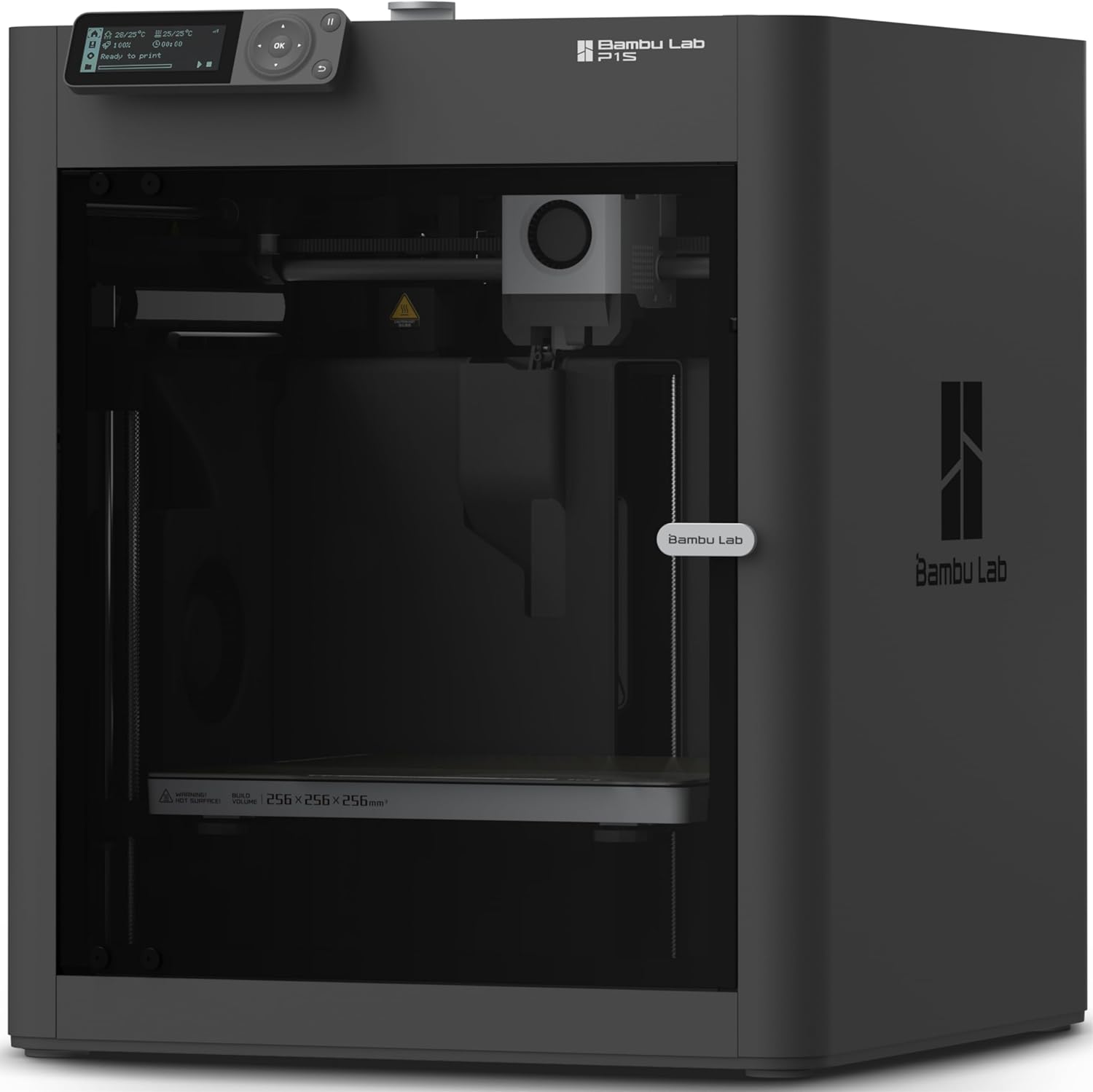
| Build Volume | 256 × 256 × 256 mm³ |
|---|---|
| Max Speed | 500 mm/s |
| Max Acceleration | 20 m/s² |
| Supported Filaments | PLA, PETG, TPU, PVA, PET, ABS, ASA; capable: PA, PC |
The Bambu Lab P1S is a ready-to-use enclosed CoreXY FDM printer designed for fast, reliable prints with minimal fuss. It ships in a mostly assembled state and claims a 15-minute setup, making it approachable for hobbyists who want to start printing quickly. The printer emphasizes speed and quality with a high max travel speed and very strong acceleration for shorter print times, and it supports common filaments such as PLA, PETG, TPU and a range of engineering plastics when needed. Practical touches include an enclosed build area that helps with temperature-stable prints, automatic bed leveling for consistent first layers, a direct-drive extruder for better flexible filament handling, and an onboard camera for time-lapses. The P1S also integrates with Bambu Lab accessories for multi-color work if you add the AMS. Trade-offs are typical for compact enclosed machines: build volume is moderate rather than huge, and highly abrasive fiber-reinforced filaments are not recommended, so users wanting large-format or heavy composite printing should look elsewhere.
Best for: Buyers who want a balanced, easy-to-use desktop FDM printer that prioritizes speed, dependable everyday print quality, and quick setup without a steep learning curve.
Less Ideal for: Users who need very large build volumes or who plan to print heavily with abrasive, fiber-filled composites should consider a different machine.
- Fast print speeds and high acceleration reduce print times on typical models
- Enclosed CoreXY design improves temperature stability for better print quality
- Auto bed leveling simplifies setup and improves first-layer consistency
- Direct-drive extruder handles flexible filaments like TPU more reliably
- Onboard camera enables time-lapse capture and print monitoring
- Build volume is moderate and may be limiting for very large parts
- Not recommended for carbon or glass fiber reinforced filaments
Verdict: The P1S is the best choice under $500 for buyers who want a fast, user-friendly enclosed FDM printer that delivers strong everyday performance and easy setup.
QIDI Q2 3D Printer

| Build volume | 270×270×256 mm |
|---|---|
| Max nozzle temp | ≤370℃ |
| Chamber temp | ≤65℃ |
| Max print speed | ≤600 mm/s |
| Filament diameter | 1.75 mm |
The QIDI Q2 is a feature-packed CoreXY FDM printer aimed at serious hobbyists and prosumers who want speed plus the ability to print advanced materials. It uses a metal CoreXY frame and linear rails to keep motion stable at high speeds up to 600 mm/s, while a 370℃ nozzle and 65℃ heated chamber reduce warping and let you run high-temp filaments like PA, PC, and carbon-fiber blends. The nozzle-integrated leveling sensor and auto-leveling simplify first-layer setup, and the machine supports multi-material output when paired with the QIDI Box. Practical touches include filament run-out and tangle detection, power-loss recovery, an AI camera for remote monitoring, and a triple filtration system to cut fumes and particles for safer indoor use. At around the $499 mark this printer packs many pro features, but buyers should note it is a more advanced machine that benefits from some tuning and familiarity with high-temp filaments to get the best results.
Best for: Buyers who prioritize print performance and material versatility and want a near-professional feature set in a sub-$500 printer will appreciate the Q2.
Less Ideal for: Casual users who want a completely plug-and-play, maintenance-free beginner printer or those unwilling to work with high-temperature filaments should consider simpler models.
- Rigid CoreXY metal frame with linear rails for stable, high-speed printing
- 370°C nozzle and 65°C heated chamber support high-temperature and composite filaments
- Integrated nozzle-leveling sensor and auto-leveling improve first-layer consistency
- Filtration system and sensors (filament run-out, power-loss recovery) for safer, more reliable prints
- AI camera and multiple connectivity options for remote monitoring and flexible workflows
- Advanced temperature and material capabilities require compatible filaments and some user experience to tune settings
- Full multi-color capability requires the optional QIDI Box accessory
Verdict: If you want professional-level speed and high-temperature material support in a sub-$500 FDM machine, the QIDI Q2 delivers the most relevant performance features for ambitious makers.
Creality Ender 3 V3 SE

| Build Volume | 220×220×250 mm |
|---|---|
| Printing Speed | Typical 180 mm/s, Max 250 mm/s |
| Printing Accuracy | ±0.01 mm |
| Supported Filaments | PLA, PETG, TPU(95A) |
| Mainboard Type | 32-bit Silent Mainboard |
The Creality Ender 3 V3 SE is a beginner-friendly FDM printer built for quick setup and practical everyday use. It arrives mostly pre-assembled and uses a CR Touch auto leveling sensor plus a strain sensor for automatic Z-offset, which reduces fiddly first-layer adjustments. The Sprite direct drive extruder handles PLA, PETG and flexible TPU reliably, and the auto filament load/unload makes filament changes straightforward. A dual Z-axis and sturdy Y-axis linear shafts cut down Z wobble for steadier prints, while a 32-bit silent mainboard keeps noise low during long jobs. The printer is rated for up to 250 mm/s peak speed and 2500 mm/s² acceleration, so prototypes and simple functional parts complete faster when tuned correctly. Practical touches like an intuitive UI and a flexible spring steel build plate make monitoring and part removal easier. Limitations include the modest 220×220×250 mm build volume and the need for occasional calibration and slicer tuning to get the best results at higher speeds, so some trial-and-error is expected for demanding prints.
Best for: Buyers who want a practical, easy-to-assemble desktop FDM printer that prioritizes reliable first layers, quiet operation, and everyday material compatibility for prototypes and hobby projects.
Less Ideal for: Users who need very large build volumes or a fully plug-and-play experience with zero tuning should look at larger or more industrial models.
- CR Touch auto leveling and strain sensor simplify first-layer setup
- Sprite direct drive extruder supports PLA, PETG and TPU smoothly
- Dual Z-axis and precision Y-axis shafts reduce Z wobble for consistent prints
- Flexible spring steel build plate and intuitive UI make part removal and monitoring easier
- 32-bit silent mainboard keeps operation quiet during long prints
- Build volume is limited to 220×220×250 mm, which restricts larger projects
- Achieving top speeds and best quality requires slicer tuning and occasional calibration
Verdict: A practical, beginner-friendly FDM printer that delivers quiet, reliable prints and easy setup for everyday prototyping under $500.
ELEGOO Neptune 3 Pro

| Build volume | 225×225×280 mm (8.85×8.85×11 in) |
|---|---|
| Extruder | Dual-gear direct drive, SUS303 stainless steel |
| Auto leveling | 36-point one-click auto bed leveling |
| Filament detection | Runout sensor and power-loss resume |
| Noise level | Approximately 47 dB |
The ELEGOO Neptune 3 Pro is a consumer-grade FDM printer that targets everyday hobby and light‑profession use with a ready-to-print, mostly preassembled setup. It prints on a PEI magnetic platform and offers a 225×225×280 mm build area suited to typical household projects and prototypes. The machine uses a dual-gear direct drive extruder with stainless steel gears and a titanium throat to improve filament feeding and reduce clogs, and a widened heat sink plus front cooling to help during longer prints. Smarter conveniences include 36-point auto bed leveling, a filament runout sensor, and power-loss resume so prints survive interruptions. Motion is handled by an STM32 board, silent steppers, and dual Z lead screws for steadier layers at low noise levels around 47 dB. For the money it delivers a lot of capability, though you should expect some assembly and occasional tuning like any open-frame FDM printer, and advanced filament types may require dialing in settings. It is a practical, feature-rich option for buyers on a budget who want reliable daily printing without stepping up to larger, enclosed pro models.
Best for: Buyers wanting a capable, budget-friendly FDM printer for daily hobbyist projects and prototypes who prioritize ease-of-use features and reliable extrusion over enclosure and industrial-grade temperature control.
Less Ideal for: Users who need fully enclosed, high-temperature printing for large ABS or engineering polymer parts or those who want a plug-and-play, maintenance‑free industrial printer.
- Direct drive dual-gear extruder for consistent filament feeding and fewer clogs
- One-click 36-point auto bed leveling for easier first-layer calibration
- Filament runout sensor and power-loss resume protect long prints
- PEI magnetic removable build plate simplifies part removal
- Silent stepper motors and dual Z lead screws improve print quality and reduce noise
- Open-frame design offers less thermal control for challenging filaments like ABS or nylon
- Requires user calibration and occasional tuning despite preassembled parts
Verdict: For under $500, the Neptune 3 Pro delivers strong everyday printing features and reliable extrusion, making it a top budget pick for hobbyists and makers.
Bambu Lab A1 3D Printer

| Build Volume | 256×256×256 mm |
|---|---|
| Max Speed | 500 mm/s |
| Max Acceleration | 10 m/s² |
| Supported Filaments | PLA, PETG, TPU, PVA |
The Bambu Lab A1 is an entry-level FDM printer designed to make reliable printing easy for new users and hobbyists. It automates key setup tasks — Z-offset, bed leveling, vibration resonance tuning, and nozzle pressure — so you can start prints with one click instead of manual calibration. The machine supports high-speed prints thanks to low-drag linear rails, onboard sensors for motion control, and active flow rate compensation that helps maintain consistent extrusion. There is also optional multi-color capability via the AMS lite accessory and built-in print monitoring and quiet operation features that suit home use. Practical benefits include a larger-than-average 256×256×256 mm build volume for single-piece prints and a touchscreen-driven workflow that simplifies everyday use. Important limitations are that multi-color printing requires purchasing the AMS lite separately for the full experience and advanced users seeking the highest acceleration or enclosed printing for specialty filaments may prefer other models. For reliability-focused buyers under $500 the A1 emphasizes dependable, mostly hands-off printing rather than deep manual tuning or industrial-level enclosure features.
Best for: Buyers who want a dependable, low-maintenance FDM printer that reliably produces good results with minimal tuning and works well in home or classroom settings.
Less Ideal for: Users who need factory-quality enclosed printing for high-temperature materials or those who want built-in multi-color capability without buying add-ons.
- Full-auto calibration for Z-offset, bed leveling, resonance and nozzle pressure reduces setup errors
- Active flow rate compensation helps keep extrusion consistent across prints
- 256×256×256 mm build volume allows larger one-piece prints than many entry-level models
- Quiet operation and onboard print monitoring make it suitable for home or classroom use
- Multi-color printing requires the AMS lite accessory sold separately
- Open-frame design limits temperature control for demanding filaments
Verdict: Choose the A1 if you want a dependable, easy-to-use FDM printer that minimizes setup and delivers consistent prints for everyday projects under $500.
FLASHFORGE Adventurer 5M
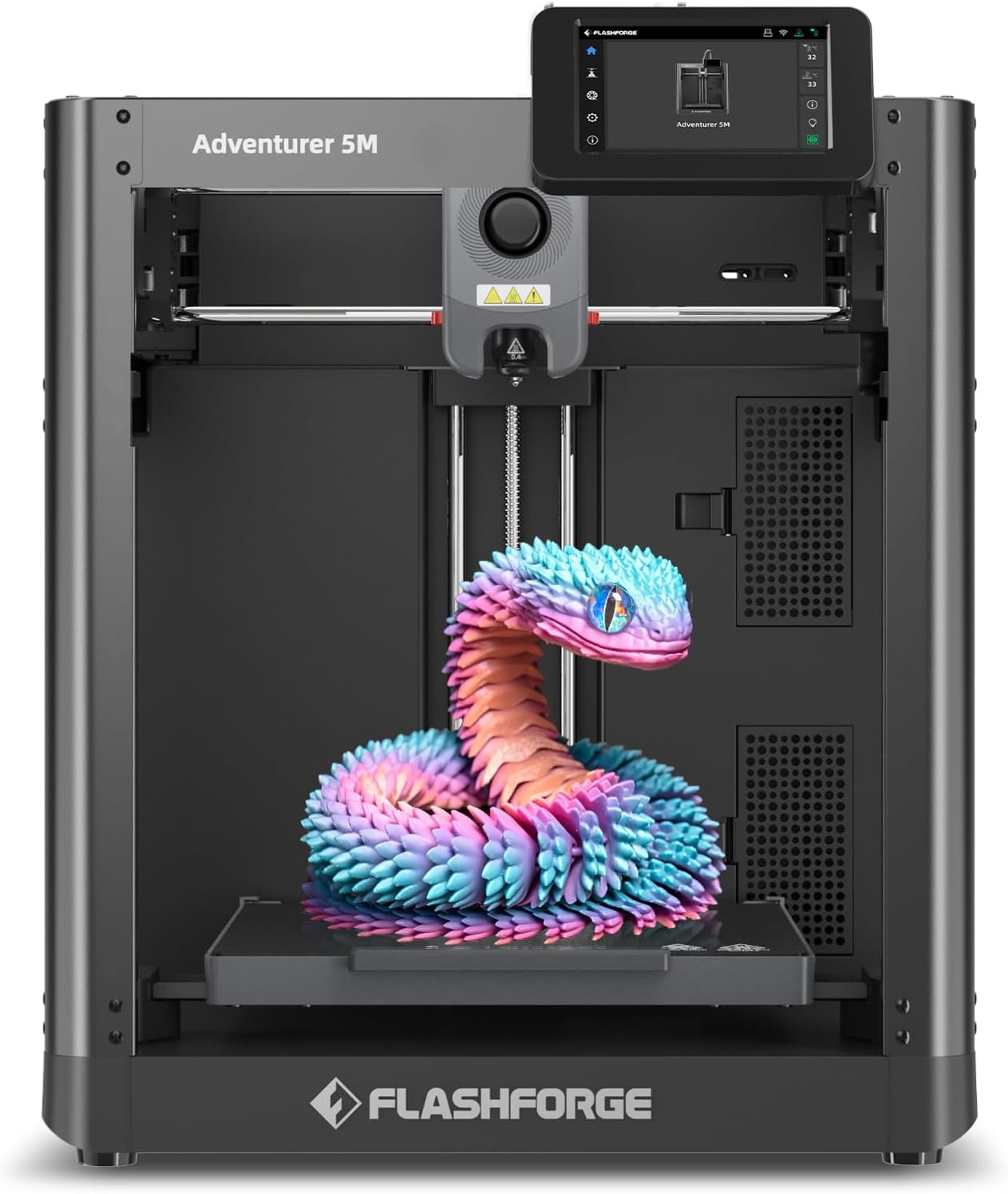
| Build Volume | 220 x 220 x 220 mm |
|---|---|
| Extruder Max Temp | 280°C |
| Travel Speed | 600 mm/s |
| Structure | All-metal Core XY Structure |
| Platform Type | Double-Sided PEI Platform |
The Adventurer 5M is a compact CoreXY FDM printer aimed at fast, reliable small-part production and rapid prototyping. It uses one-button automatic bed leveling and a detachable 3-second nozzle system to simplify setup and maintenance, while a 280°C direct extruder and multiple nozzle sizes (0.25–0.8 mm) let you run a wide range of filaments from PLA to ABS and PETG. The CoreXY all-metal frame and advertised 600 mm/s travel speed with high acceleration prioritize short print cycles, and a double-sided PEI platform makes part removal easier. FlashForge integrates app-based remote monitoring and firmware/slicer updates through FlashPrint, which helps troubleshooting and workflow management. Trade-offs are typical for a speed-focused desktop unit: achieving the fastest travel settings may require tuning and quality checks to avoid ringing or layer artifacts, and larger or very high-temp engineering prints will be constrained by the 220 mm build envelope. For buyers focused on quick turnaround of small to medium parts, the Adventurer 5M balances convenience features with accessible multi-material capability.
Best for: Buyers who value fast prototyping cycles and want an easy-to-use, feature-rich printer with remote monitoring and minimal manual leveling effort.
Less Ideal for: Users needing large-format printing or who prioritize effortless ultra-high-resolution surface finish on large parts should consider different models.
- One-button automatic bed leveling for easier first-layer setup
- CoreXY all-metal structure designed for higher-speed, stable motion
- 280°C direct extruder and multiple nozzle sizes support many filament types
- Double-sided PEI platform for straightforward part removal
- Mobile app and FlashPrint support for remote monitoring and firmware updates
- 220×220×220 mm build volume limits larger prints
- High advertised travel speeds may need tuning to preserve fine surface detail
Verdict: Choose the Adventurer 5M if you want a fast, easy-to-run CoreXY printer that speeds small-part prototyping while supporting a broad range of filaments.
FLASHFORGE AD5X 3D Printer

| Build volume | 220×220×220 mm |
|---|---|
| Extruder max temp | 300°C |
| Structure | Open, Core XY |
| Nozzle sizes | 0.25/0.4/0.6/0.8 mm |
| Supported filaments | PLA/ABS/PETG/TPU/CF/etc. |
The FLASHFORGE AD5X is a Core XY FDM printer aimed at faster desktop production and creative multi-color work. It supports up to four-color printing, uses a 300°C direct-drive extruder, and ships with a 0.4 mm nozzle while offering 0.25–0.8 mm options for fine detail or faster fills. Practical features include one-click auto bed leveling, automatic filament feeding/retraction, resume-after-power-loss, and a quick-detach nozzle for faster maintenance. With advertised travel speeds up to 600 mm/s and high acceleration, the AD5X is tuned for rapid prototyping and batch prints rather than ultra-fine single-piece sculpting. The printer also includes intelligent filament detection and app-based remote monitoring for convenient workflow. Expect good results on common filaments like PLA, PETG and ABS, but achieving top surface quality at maximum speed will require tuning and appropriate nozzle selection. The open Core XY structure and expandable camera/lighting options make it flexible for makers, but the higher speed focus means quieter operation and extreme fine-detail printing are not the primary design goals.
Best for: Buyers who want a feature-rich, faster FDM desktop printer that simplifies setup and supports multi-color creativity while prioritizing reliable everyday use.
Less Ideal for: Those who need a fully enclosed, ultra-quiet machine for temperature-sensitive engineering materials or the absolute finest single-pass surface detail.
- High maximum travel speed and acceleration for fast prototyping
- Supports up to 4-color printing for multicolor parts without post-painting
- 300°C direct-drive extruder expands material options including TPU and composite filaments
- One-click auto bed leveling and automatic filament feed simplify setup and day-to-day use
- Resume printing and intelligent filament detection reduce failed prints from power loss or filament issues
- Open-frame design may let prints cool unevenly for some high-temperature materials
- Top print quality at highest speeds requires careful tuning and nozzle choice
Verdict: Choose the AD5X if you want a fast, easy-to-use Core XY FDM printer that brings multi-color capability and solid material flexibility to hobbyist and light-prototyping workflows.
Choosing the Right FDM 3D Printer: Key Factors to Consider
Build Volume and Project Scope
Build volume determines the maximum object size you can print in one piece. Larger volumes let you print bigger prototypes or full-size functional parts, while smaller volumes often yield stiffer frames and slightly higher part accuracy.
When choosing an under-$500 FDM 3D printer, match the printer's build envelope to the types of projects you plan to tackle. If you frequently print small components, a compact but rigid bed is fine. For occasional larger parts, consider whether a model supports splitting prints or if its build volume is just large enough to avoid unnecessary seams.
Frame and Mechanical Stability
A rigid frame and robust motion system reduce vibrations and layer artifacts during printing. Stiffness in X, Y, and Z axes helps maintain dimensional accuracy and repeatable results print after print.
Inspect the printer's structural design, the materials used for rails and brackets, and how the gantry attaches. Machines with metal frames or reinforced mounts typically need fewer fixes over time compared with those relying heavily on plastic structural parts. Frame stability also affects the types of upgrades and modifications you can successfully perform later on.
Hotend, Extruder Type, and Filament Support
The hotend and extruder determine what filament types and diameters you can reliably print. A reliable extruder reduces under-extrusion and filament slippage, and an all-metal hotend enables higher-temperature materials.
For budget FDM printers, consider whether the stock extruder is a direct-drive or Bowden setup, since this impacts flexible filament performance. Also check the maximum hotend temperature and nozzle interchangeability. These details influence long-term versatility if you later want to print PETG, TPU, or composite filaments.
Bed Adhesion and Leveling System
Good first-layer adhesion is essential for successful prints. The bed surface, heating performance, and leveling mechanism all work together to ensure the first layers stick and stay flat.
Automatic mesh bed leveling or assisted manual leveling reduces setup difficulty and improves first-time print success rates for new users. Heated beds expand the range of usable filaments. Consider how easy it is to remove finished parts and whether the build plate material accepts common adhesion aids like glue stick or PEI sheets.
User Interface and Connectivity
A clear, responsive control interface and convenient connectivity options speed up workflow and reduce frustration. Look for intuitive menus, a decent display, and multiple ways to send jobs such as SD card, USB, or Wi-Fi where available.
Some printers include companion slicer profiles or firmware that simplify settings for beginners. Others rely on community profiles. If you prefer a plug-and-play experience, factor in how polished the included software and documentation are. Connectivity can also affect how you manage and monitor longer prints.
Serviceability and Community Support
Availability of replacement parts, upgrade components, and community troubleshooting resources matters a lot for budget printers. Machines with accessible parts and large user communities are easier to repair and upgrade.
Check whether common wear items like nozzles, belts, and bearings are standard sizes and easy to source. Active user forums, documented mod guides, and shared slicer profiles reduce downtime and make it simpler to extract more capability from a low-cost printer over time.
How Bed Leveling Affects Your First Prints
Accurate bed leveling is one of the most immediate factors that influences first-layer adhesion and print success. Manual leveling requires patience and a steady hand, while automatic mesh leveling adapts to minor bed irregularities without repeated tinkering.
If a printer offers assisted leveling, you will likely spend less time calibrating between prints. For budget machines without auto-leveling, learning to use simple tools like a feeler gauge and following a consistent leveling routine will pay dividends.
- Auto-leveling reduces first-layer failures on warped beds
- A removable flexible build plate simplifies part removal
- Consistent leveling routines reduce stringing and gaps
Choosing Between Bowden and Direct-drive Extruders
Bowden extruders move filament through a long PTFE tube to the hotend, reducing moving mass on the print head. That can enable faster accelerations but makes printing flexible filaments trickier. Direct-drive extruders keep the filament path short, improving control with TPU and other soft materials.
If you plan to print a lot of flexible or specialty filaments, favor direct-drive designs. For general-purpose PLA and PETG prints, a well-tuned Bowden system can still deliver excellent results with the benefit of lower hotend weight.
- Direct-drive: better for flexible filaments and retractions
- Bowden: lower carriage mass and potentially faster prints
- Consider upgrade paths if the stock extruder does not meet needs
Slicer Settings That Make Budget Printers Shine
Tuning slicer settings is where you extract the best quality from a budget FDM 3D printer. Layer height, print speed, retraction, and acceleration settings all interact with the machine's mechanical characteristics. Start with conservative speeds and increase incrementally while watching for artifacts.
Use calibration prints, such as temperature towers and retraction tests, to dial in settings for each filament type. Many community-created profiles exist for popular budget printers; they provide a reliable baseline you can refine for your specific machine.
- Start with 0.2 mm layer height for a balance of speed and detail
- Lower acceleration and jerk values if you see ringing or ghosting
- Tune retraction length and speed to reduce stringing
Upgrades That Give the Biggest Returns
On most budget FDM printers, a few well-chosen upgrades deliver substantial improvements. A better bed surface such as a textured PEI sheet improves adhesion and reduces maintenance. Swapping to an all-metal hotend expands the filament range for higher-temperature materials.
Other high-impact changes include upgrading linear rails or pulleys for smoother motion and adding a filament runout sensor if not present. Prioritize upgrades that address the printer's primary limitations rather than chasing marginal gains.
- PEI or flexible spring steel sheets for easier part removal
- All-metal hotend for higher temperature filaments
- Improved bearings or belts for quieter, smoother motion
Safety and Workshop Considerations
Even budget FDM printers can reach high temperatures and pose electrical risks if used improperly. Place the printer on a stable, nonflammable surface and ensure adequate ventilation, especially when printing materials that emit fumes. Keep the printer away from drafts that can cause adhesion issues.
Regularly inspect power connections, heated bed wiring, and filament paths for wear. Use a smoke detector in the workspace and avoid leaving long prints completely unattended in environments where a quick response to faults is unlikely.
- Allow clearance around the printer for proper airflow
- Check wiring and connectors periodically for damage
- Use a fire-safe surface and avoid flammable materials nearby
How We Chose the Best FDM 3D Printer
We focused on objective, repeatable filters that matter for budget FDM 3D printers. First, we limited eligibility to machines priced under $500 and then prioritized models with a documented minimum viable build volume suitable for small to medium projects. Print quality and consistency were judged by reported layer resolution, nozzle/bed stability, and community-shared results. Ease of setup and software compatibility were weighed heavily because these machines often reach buyers with limited 3D printing experience. Reliability and hardware durability were assessed by looking at frame construction, common failure modes, and availability of replacement parts. Usability metrics included bed leveling approach, control interface clarity, and the presence of helpful features like filament runout detection or resume-on-power. We excluded machines that required extensive undocumented modifications to print reliably or lacked basic safety features. Final selections balanced raw print capability, daily usability, and long-term maintainability for typical makers and hobbyists.
Our full evaluation process is outlined in our review methodology.
FAQ
Can an under-$500 FDM 3D printer produce parts suitable for functional prototypes?
Often yes. Many budget FDM printers can produce dimensionally accurate parts suitable for functional prototypes, especially when properly tuned and printed with appropriate materials like PETG or PLA+. However, material strength and surface finish may not match higher-end machines, so test critical parts before final use.
How important is a heated bed on a budget printer?
A heated bed is important for printing materials beyond PLA and for reducing warping on larger parts. It helps first-layer adhesion and broadens usable filament options. For PLA-only printing, a heated bed is helpful but not strictly required.
Do I need to upgrade a budget FDM printer right away?
Not usually. Many budget printers work well out of the box for basic printing after minimal calibration. Upgrades should target specific limitations you encounter, such as bed adhesion, hotend temperature, or motion stability, rather than being done preemptively.
What maintenance should I expect with low-cost FDM printers?
Expect periodic maintenance like nozzle cleaning, bed surface replacement, belt tension checks, and lubrication of motion parts. Consumables such as nozzles and PTFE tubes will wear over time. Regular checks minimize print failures and extend the machine's useful life.
Is community support important for budget 3D printers?
Yes. An active community provides troubleshooting help, slicer profiles, and upgrade guides that make owning a budget printer much easier. Community resources can shorten the learning curve and help you get reliable prints faster.
Final Verdict
When choosing an FDM 3D printer under $500, prioritize the features that match how you plan to use the machine. If you need flexible filament capability, focus on extruder design and filament path. If larger parts matter, choose a printer with a suitable build volume and a stable frame. Accept that tradeoffs exist at this price point: you can get strong value in terms of print capability and upgradeability, but you may need to invest time in tuning and occasional upgrades. Use the evaluation criteria above to pick a machine that balances print quality, reliability, and ease of use for your intended projects.