
Note: This article contains affiliate links. If you click on these links and make a purchase, we may earn a small commission at no extra cost to you. This helps support our research and content. Read our full affiliate disclosure here.
Picking the right indoor CCTV security camera affects how well you can monitor living spaces, deter intruders, and review events after the fact. You want a camera that captures usable detail in varied lighting, sends timely alerts, and fits into your home network without constant tinkering. This guide presents seven shortlisted indoor CCTV security cameras that balance dependable video, motion detection, and practical installation needs. We evaluated options across key decision areas so you can focus on what matters most for your home setup. Read on for the criteria we used and quick guidance to match a camera to your priorities.
Top Picks at a Glance
| Best Overall The best all-around choice for most situations | WYZE Cam Pan v3 |  |
| Best Quality Built to a higher standard if you want something more solid | eufy Security Indoor Cam E30 |  |
| Best Value The sweet spot between price and what you get | Kasa Spot Pan Tilt EC71 |  |
| Best Budget The cheapest option that still gets the job done reliably | Cinnado 2K Indoor Security Camera |  |
| Top Rated A top-rated pick with lots of positive feedback | Ring Indoor Cam |  |
| Most Popular A crowd favorite that many people choose with confidence | TP-Link Tapo C100 Indoor Camera |  |
| Best Seller A high-volume bestseller chosen again and again | Ring Indoor Cam Plus |  |
WYZE Cam Pan v3

| Video Capture Resolution | 1080p |
|---|---|
| Frame Rate | 15fps, 20fps |
| Field Of View | 120 degrees |
| Waterproof Rating | IP65 |
| Zoom Ratio | 8x (digital) |
The Wyze Cam Pan v3 is a flexible indoor CCTV that doubles as a porch or garage camera thanks to its IP65 weather resistance. It records 1080p video at up to 20 fps in daylight, offers 360° pan and 180° tilt for full-room coverage, and can patrol four custom waypoints or follow motion automatically. Color night vision and a built-in spotlight improve low-light visibility, while two-way audio and a speaker let you communicate through the app. For storage you can use a microSD card for local continuous recording or opt for Wyze cloud services. Setup is done through the Wyze app over 2.4 GHz Wi‑Fi with Bluetooth-assisted pairing, and the camera supports Alexa and Google Assistant. Important limits: zoom is digital only and distant details like license plates are not guaranteed, it needs continuous power and a strong Wi‑Fi signal for reliable live viewing, and some advanced AI features require a subscription. For everyday home monitoring it provides strong coverage and useful smart features at a practical level.
Best for: Buyers who want an affordable, versatile indoor camera that can also handle sheltered outdoor spots and who prioritize wide coverage, motion tracking, and easy app control for everyday home monitoring.
Less Ideal for: Users who need true long-range identification (license plates at a distance) or battery-powered placement options should look for higher-resolution or battery models instead.
- 360° horizontal and 180° vertical pan/tilt gives near-complete room coverage and programmable patrol waypoints
- 1080p video with color night vision and built-in spotlight improves low-light detail
- Motion tracking that follows the largest moving object reduces missed activity
- IP65 rating and polycarbonate enclosure make it suitable for outdoor-exposed locations
- Supports local microSD recording for continuous storage without a subscription
- Zoom is digital only, so distant details can be unclear
- Requires continuous power and reliable 2.4 GHz Wi‑Fi for live viewing
- Some AI detection and cloud features are behind a paid plan
Verdict: Pick the Wyze Cam Pan v3 if you want an affordable, app-driven pan/tilt camera that covers an entire room and provides color night vision and motion tracking for everyday home security.
eufy Security Indoor Cam E30

| Video Capture Resolution | 4k |
|---|---|
| Connectivity Technology | Wired |
| Connectivity Protocol | Wi-Fi |
| Power Source | Corded Electric |
The eufy Indoor Cam E30 is a motorized indoor security camera built for continuous monitoring and detailed captures. It provides 4K recording for high-resolution stills and video, a 360-degree pan and panoramic view for wide coverage, and app controls such as Quick Focus Tap to move the camera and lock onto areas of interest. On-device AI differentiates people, pets, and sound events, and the camera can auto-track detected subjects while sending alerts. Color night vision is enabled by a built-in spotlight that also acts as a deterrent, and two-way audio makes checking in with family or pets simple. The E30 stores footage locally (microSD sold separately) and works with HomeKit, Alexa, and Google Assistant, though HomeKit streams are limited to 1080p and the camera uses 2.4 GHz Wi-Fi only. It is corded power and intended for indoor wall or shelf mounting. The result is a performance-focused indoor camera that prioritizes image clarity and automated tracking, while relying on wired power and 2.4 GHz Wi-Fi which may limit some advanced network setups.
Best for: Buyers who prioritize image quality and intelligent, automated monitoring for indoor spaces and want a camera that captures fine detail and follows motion without subscription fees.
Less Ideal for: Users who need battery-powered or outdoor cameras or who require 5 GHz Wi‑Fi support and full 4K HomeKit streaming should look elsewhere.
- 4K recording for detailed video and still captures.
- 360-degree pan and panoramic view for broad room coverage.
- On-device AI detection and automatic tracking of people and pets.
- Color night vision with built-in spotlight for clearer nighttime footage.
- Local storage support so you can record without a subscription.
- HomeKit integration restricts streams to 1080p despite 4K capture.
- Only connects on 2.4 GHz Wi-Fi which can limit network flexibility.
Verdict: Choose the E30 if you want a performance-minded indoor camera that delivers 4K detail, 360-degree coverage, and smart on-device tracking without ongoing fees.
Kasa Spot Pan Tilt EC71

| Video Capture Resolution | 1080p |
|---|---|
| Frame Rate | 15fps |
| Night Vision Range | 30 feet |
| Memory Storage Capacity | 256 GB |
| Connectivity Technology | Wi‑Fi |
The Kasa Spot Pan Tilt EC71 is an indoor Wi‑Fi security camera designed for continuous room coverage and active monitoring. It streams 1080p video at 15fps and uses a motorized pan/tilt mechanism to provide 360 degrees horizontal and 113 degrees vertical viewing, with patrol mode to cycle preset viewpoints. Motion and person detection trigger push alerts and automatic tracking, while baby cry and sound detection add context for nursery use. Two‑way full‑duplex audio lets you speak and listen in real time, and night vision reaches up to 30 feet for low‑light monitoring. Storage is flexible: continuous local recording to a microSD card (up to 256 GB) or optional cloud plans for 30‑day history and extras. The camera runs on corded power and connects over 2.4 GHz Wi‑Fi; it integrates with Alexa and Google Assistant for voice viewing. Expect clear day footage and useful smart alerts, but note the 15fps frame rate is modest for very fast motion and the unit requires constant power and a reliable Wi‑Fi connection for remote features.
Best for: Buyers who want a practical, room‑covering indoor camera that prioritizes smart detection, flexible storage, and active monitoring rather than the highest frame rates.
Less Ideal for: People needing battery‑powered or outdoor cameras, or those who require high‑frame‑rate recording for fast action or professional forensic detail.
- True pan/tilt coverage with 360° horizontal view and patrol mode for broad room monitoring
- Motion, person, and baby cry detection with automatic tracking for relevant alerts
- 1080p HD video with night vision up to 30 ft for clear day and low‑light footage
- Two‑way full‑duplex audio for real‑time conversation and pet interaction
- Local microSD storage up to 256 GB plus optional cloud plan for 30‑day history
- Frame rate is 15fps which can produce less-smooth video for very fast movement
- Requires continuous power and uses 2.4 GHz Wi‑Fi so placement depends on outlet and network coverage
Verdict: Choose the EC71 if you want an affordable indoor pan/tilt camera that delivers full‑room coverage, smart alerts, and flexible local or cloud storage for everyday home monitoring.
Cinnado 2K Indoor Security Camera

| Resolution | 2K |
|---|---|
| Storage | SD card up to 128GB |
| Connectivity | 2.4 GHz Wi-Fi |
| Compatibility | Alexa and Google Assistant |
The Cinnado 2K indoor security camera is a budget-friendly wired dome cam designed for home monitoring of pets, children, and general indoor spaces. It streams in 2K FHD and uses pan and tilt to provide near 360 degree coverage that you control from the phone app, with 940 nm IR LEDs for usable night vision. The camera supports two-way audio for talking to family or pets and can trigger a siren plus push notifications on motion events; it automatically saves 10 second clips on the app when motion is detected. For storage you can use an SD card up to 128 GB for continuous recording or opt into the vendor cloud trial and paid plans. Setup is straightforward on 2.4 GHz Wi-Fi and the camera works with Alexa and Google Assistant for voice viewing. Expect the usual wired constraints and a reliance on the vendor app for many features, but for the price this model covers core indoor CCTV needs with clear video and handy smart alerts.
Best for: Buyers looking for an affordable indoor CCTV camera that delivers clear video, remote pan/tilt control, and local recording without premium subscription dependence.
Less Ideal for: Users who need battery-powered or fully wireless cameras for flexible placement or those who require native 5 GHz Wi-Fi support.
- 2K resolution with pan and tilt for broad room coverage
- Two-way audio lets you talk to family and pets remotely
- Supports local SD card recording up to 128 GB for continuous capture
- Motion detection with push alerts and built-in siren for immediate response
- Compatible with Alexa and Google Assistant for voice viewing
- Wired only so placement is limited by cable and power availability
- Only supports 2.4 GHz Wi-Fi and not 5 GHz networks
Verdict: A cost-conscious indoor CCTV option that delivers clear 2K video, motorized 360° coverage, and local SD recording for reliable home monitoring.
Ring Indoor Cam

| Video resolution | 1080p HD |
|---|---|
| Night vision | Color Night Vision |
| Power | Plug-in |
The Ring Indoor Cam is a small, plug-in security camera designed for continuous indoor monitoring and event recording. It captures 1080p HD video, offers Live View for on-demand viewing, and includes color night vision to keep footage usable after dark. Advanced Pre-Roll records a few seconds before motion events so you get more context around alerts, and the manual privacy cover physically blocks the lens and mic when you want the camera off. Mounting is flexible thanks to a swivel mount for table placement or wall installation, and Alexa integration allows voice control and streaming to Echo Show devices. The camera relies on a Ring Protect subscription for cloud video history and AI-powered alerts, which adds ongoing cost, and as a Wi-Fi device its performance depends on your home network quality. For buyers prioritizing straightforward indoor coverage and reliable baseline features, this camera is a practical, easy-to-install option with sensible privacy controls and solid daytime and nighttime imaging.
Best for: Buyers who want a simple, reliable indoor camera that is easy to set up and provides clear day and night footage with basic privacy controls.
Less Ideal for: Users who need completely local storage or enterprise-grade camera systems with centralized management should consider other solutions.
- 1080p HD video with Live View for clear real-time monitoring
- Color night vision preserves usable footage after dark
- Manual privacy cover to physically disable camera and microphone
- Advanced Pre-Roll records a few seconds before motion events for extra context
- Flexible swivel mount and plug-in power for easy placement
- Full video history and advanced alerts require a paid Ring Protect subscription
- Performance and reliability depend on home Wi-Fi quality
Verdict: A dependable, easy-to-install indoor camera that delivers clear 1080p day/night video and straightforward privacy controls for everyday home monitoring.
TP-Link Tapo C100 Indoor Camera

| Connectivity Protocol | Wi‑Fi (2.4GHz) |
|---|---|
| Video Capture Resolution | 1080p |
| Night Vision Range | 30 feet |
| Storage | microSD up to 512 GB / Cloud option |
| Frame Rate | 15 fps |
The Tapo C100 is a straightforward indoor security camera that records 1080p video over 2.4GHz Wi‑Fi and delivers motion alerts, two‑way audio, and up to 30 feet of night vision. It is typically used as a baby monitor, pet camera, or general room surveillance device; setup is app-driven with a quick 3‑step process and the Tapo app supports multiple cameras and scheduled recording. Notable features include motion and sound detection (including baby-cry alerts), a built-in siren, support for microSD local storage up to 512GB, and optional Tapo Care cloud backup for 30‑day history. Integration with voice assistants lets you view the stream on compatible smart displays. Practical benefits are clear day/night footage, remote two‑way communication to check on family or pets, and flexible storage choices that avoid mandatory subscriptions. Limitations to consider are the 15 fps frame rate, 2.4GHz‑only Wi‑Fi requirement, and that the camera is designed for indoor use so it lacks weatherproofing for outdoor placement.
Best for: Buyers who want an affordable, easy‑to‑use indoor camera to monitor a nursery, living room, or pet area and who value clear day/night video and simple app notifications backed by broad user reviews.
Less Ideal for: If you need outdoor or weatherproof monitoring, higher frame rates for smooth motion, or 5GHz Wi‑Fi support, choose a different model designed for those needs.
- 1080p HD video with up to 30 ft night vision for usable day/night monitoring
- Two‑way audio plus a built‑in siren for communication and deterrence
- Supports local microSD storage up to 512GB and optional cloud backup
- Simple mobile app setup with motion notifications and multi‑camera viewing
- Works with Alexa and Google Assistant for viewing on smart displays
- Limited to 2.4GHz Wi‑Fi which may affect network flexibility
- Relatively low frame rate of 15 fps versus higher‑end models
- Intended for indoor use only and not weather resistant
Verdict: A budget‑friendly indoor camera that delivers reliable 1080p day/night monitoring, easy app setup, and flexible local or cloud storage for straightforward home surveillance.
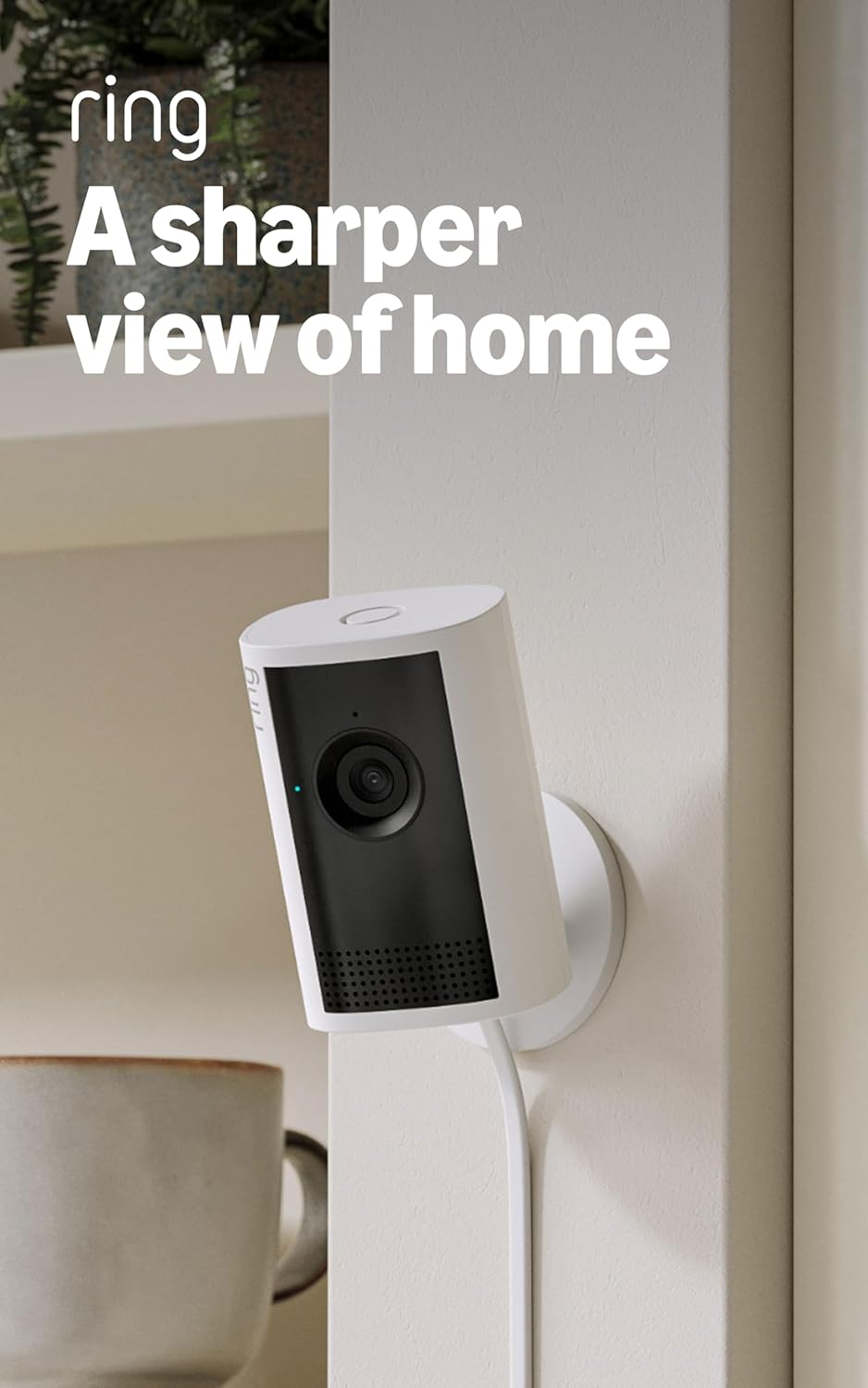
Ring Indoor Cam Plus
| Video quality | Retinal 2K |
|---|---|
| Zoom | 4x Enhanced Zoom |
| Night mode | Low-Light Sight |
The Ring Indoor Cam Plus is a small indoor CCTV camera aimed at straightforward home or small-business monitoring. It records in Retinal 2K for sharper detail than standard 1080p, offers up to 4x enhanced digital zoom for checking distant areas, and uses low-light sight to preserve true color when ambient light is present. The camera sends real-time motion alerts to your phone and supports Live View with two-way talk so you can check in and respond immediately. A practical privacy feature is the manual slide-to-cover lens that physically blocks the camera without hiding the microphone control in the app. Practical limitations include camera performance varying with network bandwidth and device temperature, and reliance on the app ecosystem for alerts and remote access. For buyers who want simple indoor coverage with clear video and familiar privacy controls, this is an easy-to-install option that focuses on usable features rather than enterprise complexity.
Best for: Buyers who prioritize reliable, easy-to-use indoor monitoring with clear video and straightforward privacy controls and who prefer a familiar consumer ecosystem over custom setups.
Less Ideal for: Users who need enterprise-grade on-premise recording, advanced local storage-only solutions, or cameras optimized for outdoor conditions.
- Retinal 2K video provides clearer detail than typical 1080p indoor cameras
- Low-Light Sight preserves true color with minimal ambient light
- 4x enhanced zoom helps inspect distant details during playback or Live View
- Real-time motion alerts plus Live View and two-way talk for immediate response
- Manual slide-to-cover lens offers a simple physical privacy control
- Video quality depends on network bandwidth and device temperature
- Relies on app-based features and ecosystem for full functionality
Verdict: A simple, consumer-friendly indoor camera that delivers sharper-than-1080p video, useful zoom, and an easy physical privacy shutter for peace of mind.
Choosing the Right Indoor CCTV Security Camera: Key Factors to Consider
Video Resolution and Low-Light Performance
Higher resolution improves the chance of identifying faces and details during playback. Resolution matters most when footage may be used to verify identity or an event. Low-light performance and true night vision determine whether the camera remains useful after sundown, which is crucial for many indoor spaces where lighting varies.
When evaluating cameras, look beyond megapixels and pay attention to actual sample footage, noise levels, and whether the device uses color night modes or only infrared. A camera that claims high resolution but produces grainy low-light video will be less useful for security purposes.
Motion Detection Accuracy and Notification Control
Detection sensitivity and the ability to distinguish between people, pets, and background motion directly affect how often you get useful alerts versus false alarms. Good detection reduces alert fatigue and ensures important events are noticed promptly.
Flexible notification settings are important so you can define active zones, schedule quiet hours, and set thresholds. A camera with poor detection or limited notification controls will either overwhelm you with alerts or miss meaningful activity.
Network Connectivity and App Experience
A stable connection and responsive companion app are essential for live view, receiving push notifications, and managing settings. Cameras that drop offline frequently or have slow apps reduce confidence in the system and complicate troubleshooting.
Consider whether the camera supports dual-band Wi-Fi, wired Ethernet, or local network discovery, and whether the app provides quick access to live streams, playback, and export tools. The ease of pairing and reliability of remote access matter for daily use.
Storage Options and Privacy Controls
Decide whether you prefer local recording, cloud storage, or a combination. Local storage gives you direct control over footage and avoids recurring subscriptions, while cloud services can offer easy off-site backup and longer retention. Each approach has tradeoffs in convenience, cost, and privacy.
Privacy controls include account access management, end-to-end encryption, and the ability to disable recording or audio when needed. Strong privacy features protect household members and reduce the risk of unauthorized access.
Power, Mounting, and Placement Flexibility
Power options affect where you can place a camera. Hardwired or PoE units offer continuous power without battery changes, while battery-powered models provide placement freedom at the cost of periodic recharging. Consider whether you can route power unobtrusively or need cordless flexibility.
Mounting options and field of view determine coverage. A camera with adjustable mounts and a wide but distortion-controlled field of view will cover rooms efficiently and reduce blind spots. Think about ceiling versus wall placement and whether the unit supports tilt/pan for broader monitoring.
Ongoing Maintenance and Firmware Support
Regular firmware updates fix security vulnerabilities and improve feature reliability. Longevity depends on whether a manufacturer provides timely updates and clear documentation for troubleshooting.
Maintenance also includes cleaning lenses, checking mounts, and managing storage quotas. A camera that is easy to update and maintain reduces long-term hassle and keeps your home monitoring dependable.
Deciding Between Local and Cloud Recording
Local recording stores footage on a microSD card or a local network video recorder, giving you direct possession of video files and avoiding ongoing subscription fees. It is a good choice if you want maximum control over data and immediate access to raw files on your network.
Cloud recording uploads footage to an offsite service for archival; it usually simplifies playback across devices and can protect footage if the camera is tampered with. Cloud plans often include longer retention and easier sharing, but they may require a subscription and involve third-party data handling.
- Local storage: lower recurring cost, direct control, potential single-point failure if local hardware is damaged
- Cloud storage: offsite redundancy, simple multi-device access, subscription costs and privacy considerations
Placement Strategies for Best Coverage
Place cameras to cover entry points and high-traffic areas without pointing them at private spaces such as bedrooms or bathrooms. Mounting near a corner can maximize coverage and reduce the number of units needed.
Keep the camera at a height that avoids obstruction and balances field of view with subject detail. For typical indoor ceilings, a high wall or ceiling mount gives a downward angle that captures faces more clearly than extreme low placements.
- Aim for clear sight lines and avoid backlighting from windows
- Use active zones to ignore noncritical motion like curtains or pet areas
Network and Router Tips for Reliable Streaming
Ensure your router can handle multiple connected devices and that the camera has a stable signal. If you have dense walls or interference, consider a dual-band camera and place it near the access point or use a wired Ethernet connection for the most reliable performance.
Assigning a static local IP or reserving the camera in the router helps reduce reconnection issues. Also review the router's firewall settings and UPnP options if remote access is inconsistent.
- Prefer 2.4 GHz for longer range, 5 GHz for less interference and higher bandwidth when available
- Use wired connections where possible for critical cameras
Balancing Field of View and Identification Needs
A wider field of view covers more area but can make subjects appear smaller and harder to identify. If your priority is identifying faces or license plates visible through windows, choose a camera with a narrower but sharper field of view and higher resolution.
Some cameras offer digital zoom or controlled pan and tilt to reconcile wide coverage with identification needs. Consider how you will use playback features and whether you need on-device or app-based zoom that preserves useful detail.
- Wide FOV: fewer cameras needed, potential loss of detail at distance
- Narrower FOV: better for face identification, may require more cameras for full coverage
Privacy and Household Considerations
Discuss camera placement and access with household members so everyone is comfortable with indoor monitoring. Use visible indicators or signage in shared spaces if appropriate, and configure guest account access carefully.
Enable privacy modes if the camera supports them, such as physical covers, scheduled disabling, or geofencing-based turn-off when occupants are home. Balancing security and privacy reduces friction and legal concerns in multi-person households.
- Use restricted accounts for guests and temporary access links when sharing clips
- Enable two-factor authentication on camera accounts where possible
How We Chose the Best Indoor CCTV Security Camera
We prioritized real-world reliability and clarity because indoor security cameras are primarily used to capture actionable footage and notify homeowners when something changes. Our selection filters focused on video resolution and night performance, the accuracy and configurability of motion and sound detection, and the responsiveness of mobile push alerts. We also considered networking options and privacy controls, including whether local recording is supported and how easily users can manage permissions. Installation ease and mounting flexibility were included to reflect typical homeowner setups in different room types. Finally, power and ongoing maintenance factors such as continuous recording capability, storage options, and firmware update frequency were weighed. Excluded from our list were products with inconsistent software support, cameras lacking essential privacy safeguards, and devices that relied exclusively on obscure or discontinued cloud services. The result is a list of seven indoor CCTV cameras that meet practical expectations for consistent video capture, sensible alerting, and manageable ownership.
Our full evaluation process is outlined in our review methodology.
FAQ
Do indoor CCTV cameras need a continuous internet connection to record?
It depends. Many cameras can record locally to a microSD card or a local NVR without constant internet, but cloud features and remote viewing require internet access. For uninterrupted offsite backup, an internet connection is necessary.
How can I reduce false alerts from pets or moving curtains?
Adjust detection sensitivity, enable person-only detection if available, and set active zones that exclude pet areas. Position cameras to minimize exposure to curtain movement and reflective surfaces.
Is wired power better than battery for indoor cameras?
Wired power provides continuous operation and is better for cameras used for 24/7 monitoring or continuous recording. Battery models are convenient for flexible placement but require regular recharging and may miss events during low battery periods.
What retention period should I plan for recorded footage?
Retention depends on your needs and storage method. Short-term retention of 24 to 72 hours may be enough for daily monitoring, while longer retention is useful for legal or insurance reasons. Choose storage capacity or cloud plans that match the retention you need.
Can indoor CCTV cameras record audio and are there privacy concerns?
Many indoor cameras record audio, but local laws and household preferences may restrict audio recording. Check local regulations and use configurable audio settings or disable audio recording when necessary to respect privacy.
Final Verdict
Choose an indoor CCTV security camera by prioritizing the capabilities that solve your main use case. If identification and evidence are key, favor higher-resolution cameras with strong low-light performance and controlled fields of view. If convenience and minimal maintenance matter more, prioritize stable cloud integration, reliable push alerts, and easy app controls. Balance storage preferences, privacy controls, and placement constraints to match how you and your household will use the system. With those tradeoffs in mind, you can confidently pick a camera that provides clear monitoring and dependable alerts for everyday home security.