
Note: This article contains affiliate links. If you click on these links and make a purchase, we may earn a small commission at no extra cost to you. This helps support our research and content. Read our full affiliate disclosure here.
Picking the right indoor wireless security camera affects how well you can monitor rooms, spot events, and respond quickly when something happens. You want dependable video, straightforward setup, and features that fit your living space without constant fiddling. This guide covers seven shortlisted indoor wireless security cameras chosen for everyday home monitoring tasks, balancing picture clarity, motion detection, and usability. Below we summarize what mattered in our selections and walk through practical buying considerations so you can match a camera to your room layout and monitoring goals.
Top Picks at a Glance
| Best Overall The best all-around choice for most situations | Ring Indoor Cam Plus |  |
| Best Quality Built to a higher standard if you want something more solid | eufy Security Indoor Cam S350 |  |
| Best Value The sweet spot between price and what you get | WYZE Cam OG |  |
| Best Budget The cheapest option that still gets the job done reliably | TP-Link Tapo C100 |  |
| Top Rated A top-rated pick with lots of positive feedback | Kasa Spot Pan Tilt EC71 |  |
| Most Popular A crowd favorite that many people choose with confidence | wansview Q5 Indoor Camera |  |
| Best Seller A high-volume bestseller chosen again and again | Blink Mini 2K+ |  |
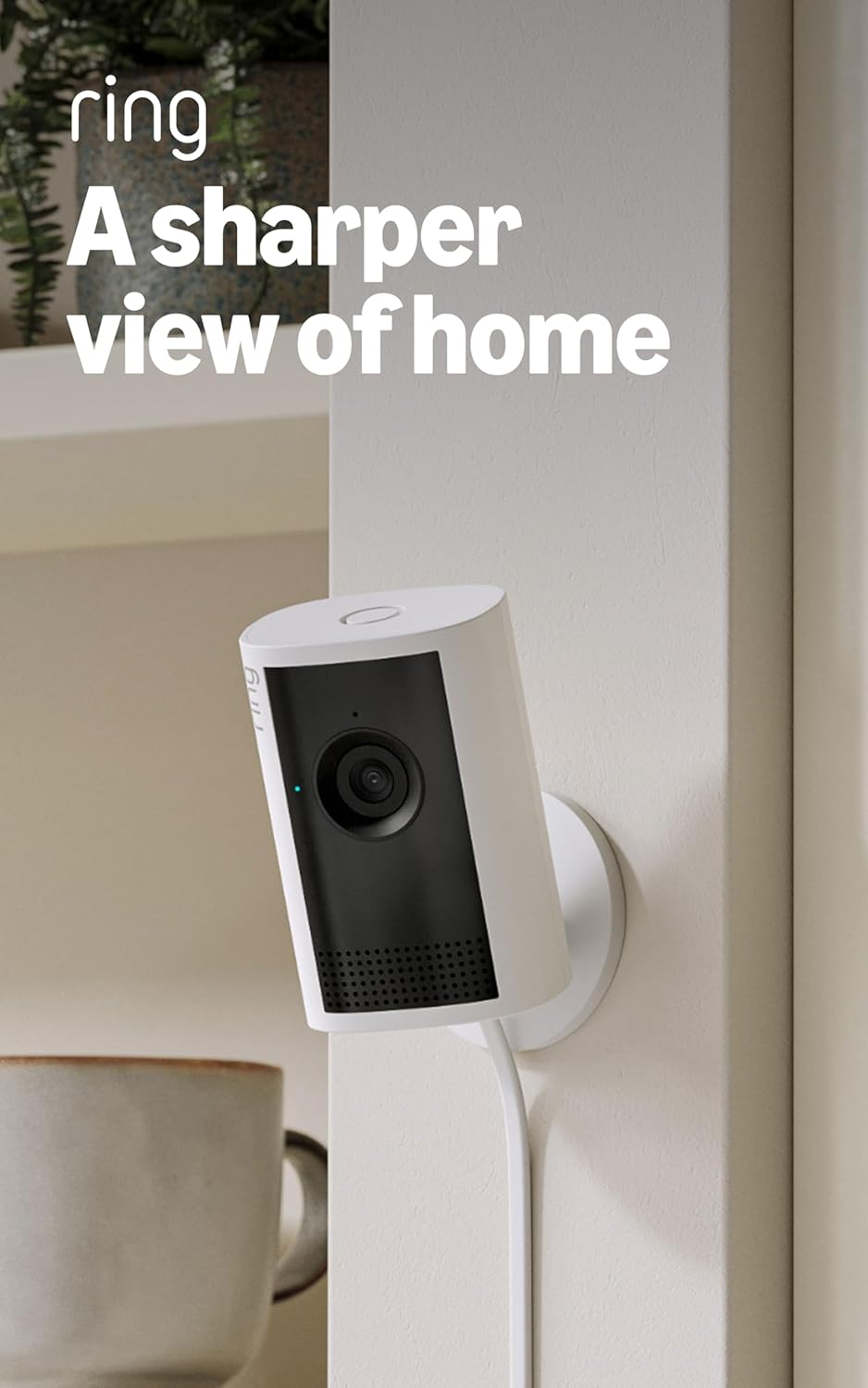
Ring Indoor Cam Plus
| Video resolution | Retinal 2K |
|---|---|
| Zoom | 4x Enhanced Zoom |
| Night vision | Low-Light Sight (color in low light, B/W in darkness) |
The Ring Indoor Cam Plus is an indoor security camera designed for everyday monitoring of rooms, entryways, and small business spaces. It captures Retinal 2K video for sharper detail than typical 1080p models and includes up to 4x Enhanced Zoom to inspect distant activity. Low-Light Sight preserves true color when there is some ambient light and switches to crisp black-and-white in total darkness, which helps keep important details visible across varied lighting. Live View and two-way talk let you check in and speak with family members or delivery personnel in real time, and motion-triggered real-time alerts push notifications to your phone. The camera also includes a sliding lens cover for visual privacy and an option to disable the microphone in the app. On the downside video quality can depend on network bandwidth and device temperature, and advanced features require using the companion app. For buyers who want clearer indoor footage and simple remote interaction, this camera delivers reliable everyday performance.
Best for: Buyers who want a straightforward indoor security camera that prioritizes clearer video and easy two-way communication for everyday home or small business monitoring.
Less Ideal for: Those who need fully offline solutions or professional-grade cameras with enterprise management features should look elsewhere.
- Retinal 2K video for higher-detail indoor footage than 1080p cameras
- 4x Enhanced Zoom to inspect distant details without repositioning the device
- Low-Light Sight maintains color with some ambient light and offers clear black-and-white night view
- Live View plus two-way talk for real-time interaction
- Sliding lens cover for quick visual privacy control
- Performance depends on network bandwidth and device temperature which can affect video quality
- Some advanced functionality requires the companion app and account setup
Verdict: Choose the Ring Indoor Cam Plus when you want sharper indoor video and simple, real-time two-way monitoring in a compact package.
eufy Security Indoor Cam S350

| Video Capture Resolution | 4k |
|---|---|
| Frame Rate | 30 frames per second |
| Optical Zoom | 8 |
| Night Vision Range | 32 feet |
| Power Source | Plug in |
The eufy Security Indoor Cam S350 pairs two sensors—a 4K wide and a 2K telephoto—to deliver simultaneous wide‑angle and zoomed views on one screen, making it useful for monitoring rooms while still verifying fine detail. It uses pan/tilt to provide 360° coverage and supports 8× hybrid zoom so you can check distant objects without switching cameras. AI features include human, pet, and cry detection plus auto‑tracking and customizable patrol points to reduce false alerts and focus on areas you care about. Night color vision and two IR LEDs extend visibility to about 32 feet, and the camera stores footage locally via microSD or a HomeBase to avoid monthly fees. Setup is flexible—shelf, wall, or ceiling—and it supports dual‑band Wi‑Fi with WPA3 for stable connections. Limitations to note: HomeKit is not supported, a microSD card is not included, and the camera relies on plug‑in power so you need a nearby outlet. For buyers who prioritize high resolution and advanced AI monitoring, the S350 delivers strong real‑world performance.
Best for: Buyers who want a high‑resolution, performance‑focused indoor camera to monitor rooms continuously while preserving detail for verification and prioritizing robust AI detection over monthly cloud plans.
Less Ideal for: Users who need battery‑powered cameras, built‑in cloud recording, or Apple HomeKit integration should consider other options.
- Dual‑lens design shows full room and a zoomed close‑up simultaneously for easy detail checks
- 8× hybrid zoom with pan/tilt gives effective 360° coverage and distant subject clarity
- AI detection and auto‑tracking minimize false alerts and keep people or pets in frame
- Local storage option with no subscription preserves privacy and avoids recurring fees
- Dual‑band Wi‑Fi with WPA3 support for more stable, secure connectivity
- Requires external power; not battery operated
- microSD card for local recording is not included
- No HomeKit support for Apple smart‑home users
Verdict: If you want industry‑class 4K detail plus 360° coverage and smart AI alerts without subscription fees, the S350 is a top performance pick.
WYZE Cam OG

| Video Capture Resolution | 1080p |
|---|---|
| Night Vision Range | 30 feet |
| Waterproof Rating | IP65 |
| Memory Storage Capacity | 128 GB |
| Connectivity Technology | 2.4GHz, Wi‑Fi, Wired |
The Wyze Cam OG is a compact 1080p Wi‑Fi security camera designed for everyday home monitoring both inside and in sheltered outdoor locations. It streams full HD video with color night vision up to about 30 feet and includes a built‑in spotlight to illuminate dark scenes, which helps identify people, packages, or pets after sunset. The camera supports motion and sound alerts through the Wyze app, adjustable detection zones, and upgraded two‑way audio for remote conversations. For storage you can use local microSD recording or subscribe to Wyze cloud plans for event clips and smarter detections. The unit is IP65 rated for water resistance and runs on corded power; Wyze notes an outdoor power adapter is needed for outdoor installations. Setup and voice control with Alexa or Google Assistant are straightforward for typical users, though it only works on 2.4 GHz Wi‑Fi and needs a constant power connection, so placement near an outlet matters. For someone optimizing reliable, budget‑minded home monitoring, the Wyze Cam OG balances useful smart features with practical limitations like single‑lens 1080p resolution and no 5 GHz support.
Best for: Buyers who prioritize practical, affordable home monitoring and want a feature‑rich camera that handles daytime and nighttime surveillance without a steep price or complex setup.
Less Ideal for: Users who need higher resolution video, battery operation, or 5 GHz Wi‑Fi support should consider other models better suited to those needs.
- 1080p live streaming with color night vision and built‑in spotlight for clearer low‑light images
- IP65 water resistance makes it suitable for sheltered outdoor mounting
- Supports both local microSD recording and cloud recording options for flexible storage
- Real‑time motion and sound alerts with adjustable motion zones in the Wyze app
- Two‑way audio lets you hear and speak through the camera remotely
- Requires constant corded power and an outdoor power adapter for outdoor use
- Only compatible with 2.4 GHz Wi‑Fi networks, not 5 GHz
Verdict: A budget‑minded, app‑driven indoor/outdoor camera that delivers reliable 1080p day/night monitoring with spotlight illumination and flexible local or cloud recording.
TP-Link Tapo C100

| Video Capture Resolution | 1080p |
|---|---|
| Wireless Technology | 2.4GHz Wi-Fi |
| Field Of View | 110 degrees |
| Night Vision Range | 30 feet |
| Storage | microSD up to 512 GB / Cloud |
The Tapo C100 is an affordable indoor security camera that records 1080p video to a microSD card or the optional Tapo Care cloud service and connects over 2.4 GHz Wi‑Fi. It is used for basic home monitoring, baby or pet checking, and simple room surveillance, with a 110 degree field of view and two-way audio that lets you listen and speak through the companion app. The camera offers motion detection notifications, a built-in siren for deterrence, and infrared night vision rated to about 30 feet so it stays useful after dark. Setup is straightforward via the Tapo app, and the camera supports voice viewing on Alexa and Google Assistant. Limits include a 15 fps frame rate which is adequate for casual monitoring but less smooth than higher-end cameras, and reliance on 2.4 GHz Wi‑Fi only which can affect placement in congested networks. Storage requires a separately purchased microSD card for local recording or a subscription for full cloud history.
Best for: Buyers who want an inexpensive, no-frills indoor camera for baby, pet, or basic home monitoring and prioritize easy setup and local storage over advanced analytics.
Less Ideal for: Users who need high-frame-rate video, advanced person/vehicle detection, or dual-band Wi‑Fi connectivity for congested networks should look at more capable models.
- 1080p HD video with 110° field of view for clear room coverage
- Two-way audio plus built-in siren for remote communication and deterrence
- Night vision up to 30 feet for useful low-light monitoring
- Supports local microSD storage (up to 512 GB) and optional cloud backup
- Simple setup and compatibility with Alexa and Google Assistant
- Frame rate capped at 15 fps, so motion looks less smooth than higher-end models
- Only works on 2.4 GHz Wi‑Fi which may limit placement in crowded networks
Verdict: A budget-friendly indoor camera that delivers solid 1080p monitoring, night vision, and two-way audio for everyday home, baby, or pet use.
Kasa Spot Pan Tilt EC71

| Video Capture Resolution | 1080p |
|---|---|
| Frame Rate | 15fps |
| Night Vision Range | 30 feet |
| Memory Storage Capacity | 256 GB |
| Connectivity Technology | Wi‑Fi (2.4 GHz) |
The Kasa Spot Pan Tilt EC71 is an indoor Wi‑Fi camera designed to keep an eye on rooms with 360 degree horizontal and 113 degree vertical pan/tilt coverage and 1080p video. It is typically mounted on a wall or placed on a shelf and used for baby monitoring, pet surveillance, or general home security. Notable features include motion and person detection with motion tracking, baby cry detection, full duplex two‑way audio, patrol mode to cycle through preset viewpoints, and night vision up to 30 feet. Video records in H.264 and can be saved locally to a microSD card up to 256 GB or to Kasa Care cloud plans for 30‑day history. The camera runs on 2.4 GHz Wi‑Fi, integrates with Alexa and Google Assistant for voice viewing, and sends push alerts with customizable activity zones. Practical benefits are broad coverage without multiple fixed cameras, reliable local storage option, and clear night visibility. Limitations to consider are a 15 fps frame rate which can make fast motion look less smooth, requirement for continuous power via cord, and dependence on a 2.4 GHz network for connectivity.
Best for: Buyers who prioritize a dependable indoor monitoring camera that covers wide areas with robust detection and local storage options for continuous recording and quick alerts.
Less Ideal for: People who need battery‑powered or outdoor cameras, or those who require very high frame‑rate footage for fast action capture.
- Pan/tilt coverage with 360° horizontal and 113° vertical view reduces blind spots with a single camera
- Motion tracking and person detection provide targeted alerts and automatic follow‑up on movement
- Stores footage locally on microSD up to 256 GB or optionally to cloud for longer retention
- Full duplex two‑way audio and baby cry detection make it useful for monitoring and interacting remotely
- Night vision up to 30 feet preserves visibility in low‑light conditions
- Frame rate is 15 fps, so fast motion can appear less smooth
- Requires continuous power via cord, limiting placement without an outlet
- Connects only to 2.4 GHz Wi‑Fi, which may require router configuration for some networks
Verdict: Choose the EC71 when you want a reliable indoor pan/tilt camera that delivers wide coverage, motion tracking, and the option of local continuous recording for dependable home monitoring.
wansview Q5 Indoor Camera

| Video Capture Resolution | 1296p |
|---|---|
| Effective Video Resolution | 1080 pixels |
| Viewing Angle | 105 degrees |
| Night Vision | Night Color |
| Connectivity Protocol | Wi-Fi |
The wansview Q5 is an indoor dome camera designed for continuous home monitoring. It connects to 2.4 GHz Wi‑Fi and requires a power cord, then streams 2K (1296p) video with a 105° lens plus motorized pan and tilt for near 360° coverage; a 4X digital zoom helps when you need extra detail. Setup and everyday use center on the Wansview app where you get real‑time motion alerts, two‑way audio to speak through the built‑in speaker and microphone, and options for local TF/microSD storage or optional cloud recording. Night vision uses four IR LEDs and provides clear black‑and‑white images in low light, and the camera supports Alexa for voice viewing. Practical advantages include affordable high‑resolution video and flexible local/cloud storage, but it only supports 2.4 GHz Wi‑Fi and must stay plugged in, so placement is limited by power access and network banding. Those who prioritize simple app alerts and wide coverage will find it useful, while users needing battery operation or 5 GHz connectivity should look elsewhere.
Best for: Buyers who want a budget-friendly indoor camera with high-resolution video, app alerts, and pan/tilt coverage for monitoring pets, kids, or common rooms and who value proven customer feedback when choosing a reliable model.
Less Ideal for: People who need wireless battery-powered cameras, those with routers that only use 5 GHz, or users who require ultra-low-light color night imaging.
- High 2K (1296p) video with digital zoom for clearer detail
- Motorized pan and tilt provide near 360° coverage from one camera
- Two‑way audio for live communication and Alexa compatibility
- Supports local TF/microSD recording plus optional cloud storage
- Real‑time motion alerts through the mobile app
- Only works on 2.4 GHz Wi‑Fi and does not support 5 GHz networks
- Requires constant power via cord so cannot operate on battery
Verdict: A cost-conscious indoor camera that delivers sharp 2K video and motorized 360° coverage with app alerts, ideal for buyers seeking dependable, well-reviewed home monitoring.
Blink Mini 2K+

| Video resolution | 2K |
|---|---|
| Zoom | Up to 4x |
| Includes | Camera, mount, USB cable, power adapter |
| Smart assistant | Works with Alexa |
The Blink Mini 2K+ is a small plug-in indoor camera designed for straightforward home monitoring. It records sharper 2K video with up to 4x zoom, provides improved two-way audio with noise cancellation, and offers person and vehicle detection when paired with an optional subscription. Setup is simple using the included mount, USB cable, and power adapter, and it integrates with Alexa for voice control and chime alerts from a Blink Video Doorbell. Footage can be stored to the cloud via Blink subscription plans and the camera can pair with other Blink devices for basic smart-home workflows. Important limitations are that it requires constant power and cloud storage for advanced detection and longer clip retention, and outdoor use needs a separate weather-resistant power adapter. For buyers who want a compact, easy-to-install indoor camera with better-than-HD video and reliable ecosystem ties, the Mini 2K+ is a sensible choice.
Best for: Buyers who prioritize a simple, low‑hassle indoor camera with clear video and easy Alexa integration and who prefer an established ecosystem for basic smart-home security.
Less Ideal for: People who need battery-powered or fully weatherproof cameras for outdoor use or those who want local-only storage without relying on a subscription.
- 2K video resolution with up to 4x zoom for clearer footage than standard 1080p
- Improved two-way audio with noise cancellation for clearer conversations
- Quick plug-in installation with included mount, USB cable, and power adapter
- Works with Alexa for voice control and doorbell chime integration
- Advanced detections and extended clip storage require a paid Blink subscription
- Must remain plugged in and is not weatherproof without an extra adapter
Verdict: A compact, easy-to-install indoor camera that delivers sharper 2K video and simple Alexa integration for buyers seeking reliable, low-effort home monitoring.
Choosing the Right Indoor Wireless Security Camera: Key Factors to Consider
Video Resolution and Field of View
Higher resolution makes it easier to identify faces and small details, which matters if you need footage that could be reviewed later. Consider a camera with at least 1080p for most living spaces; higher resolutions help for wide rooms or if you plan to crop footage.
Field of view determines how much of the room a single camera can cover. A wider angle captures more area but can introduce distortion at the edges. Think about camera placement and whether you prefer one wide view or several narrower, targeted cameras.
Low-Light and Night Vision
Many incidents happen when lighting is poor, so the camera's night performance is critical. Infrared illumination provides monochrome night images that can reveal movement and shapes even in total darkness. Some cameras offer color night mode when ambient light is sufficient, which improves recognition.
Check how far the night vision reaches and whether it can produce usable detail at typical room distances. Low-light sensors and image processing reduce grain and help with recognition under dim conditions.
Motion Detection Accuracy and Notification Speed
Accurate motion detection reduces false alerts from pets or passing shadows and ensures you receive notifications only for meaningful events. Look for adjustable sensitivity, activity zones, or person detection modes to tailor alerts to your home.
Notification speed matters if you want to respond in real time. Faster alert delivery and clearly marked event clips make it easier to assess situations quickly without digging through long recordings.
Wireless Connectivity and Network Requirements
Because these cameras rely on Wi-Fi, the strength and stability of your home network directly affect live viewing and recording. Dual-band support can help avoid congestion on busy networks, and cameras that gracefully handle brief dropouts avoid footage gaps.
Consider the placement relative to your router and whether you need a dedicated access point or Wi-Fi extender. Some cameras also offer Ethernet or wired options for initial setup or more reliable backbone connectivity.
Storage Options and Data Privacy
Decide whether you want local storage, cloud storage, or both. Local storage keeps footage on a removable card or a local hub, which can be preferable for privacy and recurring cost avoidance. Cloud storage simplifies access from anywhere but often involves subscription fees and vendor data policies.
Review encryption, access controls, and how long clips are retained. Cameras with clear privacy features let you limit recordings by schedule, create activity zones, and disable remote access when needed.
Form Factor and Mounting Versatility
Indoor environments vary from countertops to high corners. A compact, tilt-and-pan capable camera offers flexible coverage, while fixed lenses are simpler and less intrusive. Consider the mounting options and whether the camera can be placed on furniture, attached to a wall, or magnetically mounted.
A low-profile design is less likely to be obstructed or draw attention. Also factor in cable management and whether the unit needs continuous power or offers battery operation for short-term placement.
Placement Tips for Best Coverage
Place cameras at head height or slightly above for natural viewing angles that capture faces and activity without severe distortion. Corners often make efficient use of field of view, but ensure the primary activity zone is centered rather than hidden in an edge.
Avoid aiming cameras directly at bright windows or reflective surfaces, which can reduce image clarity and confuse motion detection. If monitoring doorways, position the camera so it sees approaching people rather than only a side profile.
- Use multiple cameras for long rooms or L-shaped spaces to avoid blind spots
- Keep wiring tidy and plan power sources before final mounting
- Test camera views during different times of day to confirm night performance
Optimizing Motion Zones and Sensitivity
Use activity or motion zones to focus detection on meaningful areas, such as entryways and high-traffic corridors. This reduces alerts caused by pets, curtains, or plants moving in a breeze.
Start with moderate sensitivity and adjust based on real-world alerts. If you get too many false positives, shrink the zone or lower sensitivity. If you miss events, increase sensitivity or expand the detection area.
- Enable person detection if available to reduce pet and object triggers
- Combine scheduled recording with motion-based clips for efficient storage
Balancing Local Storage and Cloud Backups
Local storage keeps footage under your control and avoids subscription costs, but it may be vulnerable to theft or physical damage. A microSD card or local network recorder keeps short-term clips available without external services.
Cloud backups provide offsite redundancy and easier remote access, especially useful if you need to share clips with others. Consider a setup that offers both local and cloud options so you retain control while benefiting from offsite retention.
- Rotate or archive local storage regularly to prevent full disks
- Check retention policies and export options for cloud plans
Power Options and Cable Management
Most indoor wireless cameras need continuous power, so plan for an outlet nearby or use a discreet cable routing plan. Some models offer battery backup or full battery operation for temporary placements or locations without easy access to power.
Conceal cables where possible to reduce tampering and create a cleaner installation. If installing on drywall or molding, use adhesive cable channels or run wires behind furniture to hide them.
- Consider battery-assisted units for short-term monitoring during travel
- Use power-over-Ethernet only if the camera and network support it for a single-cable solution
Privacy Best Practices for Indoor Cameras
Protect sensitive areas by disabling recording or using physical covers in bedrooms or spaces where privacy is a priority. Use scheduled recording and geofencing features to limit when the camera records.
Regularly update device firmware and use strong, unique passwords and two-factor authentication when available. Review account permissions and third-party access to minimize privacy exposure.
- Limit access to camera feeds to trusted household accounts
- Turn off audio recording if you do not need it to reduce privacy risks
How We Chose the Best Indoor Wireless Security Camera
We focused on features and characteristics that matter for practical indoor monitoring. First, video quality and low-light sensitivity were prioritized because clear daytime and night footage is essential for identifying people and events. Second, motion detection accuracy and motion-alert latency were evaluated to reduce false alarms while ensuring timely notifications. Third, wireless reliability and ease of setup were examined to ensure the camera stays connected on typical home Wi-Fi and is simple to install and maintain. Fourth, local and cloud storage options were considered because flexible recording and privacy controls are important for different household preferences. Fifth, form factor and mounting versatility were assessed so the camera can work on shelves, countertops, or wall mounts without obstructing views. We excluded units that lack basic encryption or have consistently poor low-light performance. We also filtered out devices without clear storage options or those requiring complex professional installation. The final list favors cameras that deliver solid footage, reliable motion handling, simple wireless setup, and useful storage or privacy features.
Our full evaluation process is outlined in our review methodology.
FAQ
Can indoor wireless cameras work on a typical home Wi-Fi?
Yes. Most indoor wireless cameras are designed to run on home Wi-Fi networks. Performance depends on signal strength and bandwidth, so place the camera within good range of the router or use a mesh system to improve coverage.
Do I need a subscription to record video?
It depends. Many cameras offer local recording to a memory card or local hub without a subscription, while cloud storage and extended clip retention typically require a paid plan. Choose based on your privacy preferences and how long you want to keep footage.
How do I reduce false motion alerts from pets?
Use adjustable sensitivity and activity zones to exclude areas where pets roam. Enable person-only detection if available, and experiment with sensitivity settings until alerts mainly correspond to human movement.
Are indoor wireless cameras secure from remote access?
Security varies by device and user practices. Devices with encryption, regular firmware updates, strong passwords, and two-factor authentication are more secure. Limit account sharing and review device access logs when possible.
Will indoor cameras work if the power goes out?
Most rely on mains power and will stop recording during an outage unless they include battery backup or are paired with an uninterruptible power source. If continuous recording during outages is essential, choose units with built-in battery support or provide external backup power.
Final Verdict
Prioritize clear video and reliable motion detection when choosing an indoor wireless security camera. Match the camera form factor and field of view to the room layout, and make sure your network can sustain continuous video streams. Decide whether local storage or cloud backup better fits your privacy needs and budget, and plan for sensible power and cable routing. Focus on cameras that balance night performance, accurate alerts, and straightforward setup. Those tradeoffs will help you deploy a practical indoor monitoring system that meets daily safety and convenience needs.