
Note: This article contains affiliate links. If you click on these links and make a purchase, we may earn a small commission at no extra cost to you. This helps support our research and content. Read our full affiliate disclosure here.
If you or someone in your household has low vision, picking the right microwave can restore independence and reduce daily frustration. Accessibility features like tactile buttons, large high-contrast displays, and reliable audible prompts make routine tasks safer and faster. This guide covers seven carefully shortlisted microwaves chosen for thoughtful accessible design and real-world usability. We evaluated each model for control clarity, ease of setup, and safety features so you can focus on the options that matter. Read on for practical guidance and what to expect from accessible microwaves.
Top Picks at a Glance
| Best Overall The best all-around choice for most situations | TOSHIBA 2.2 Cu.Ft Microwave |  |
| Best Quality Built to a higher standard if you want something more solid | Breville Compact Wave BMO650SIL | 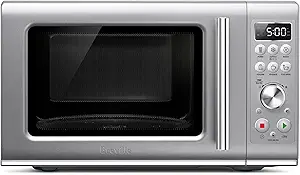 |
| Best Value The sweet spot between price and what you get | BLACK+DECKER Countertop Microwave EM720CB7 |  |
| Best Budget The cheapest option that still gets the job done reliably | Farberware Countertop Microwave 0.7 Cu Ft |  |
| Top Rated A top-rated pick with lots of positive feedback | Panasonic NN-SN686S Microwave |  |
| Most Popular A crowd favorite that many people choose with confidence | Toshiba Countertop Microwave EM131A5C-BS |  |
| Best Seller A high-volume bestseller chosen again and again | Chefman Countertop Microwave 1.1 Cu Ft |  |
TOSHIBA 2.2 Cu.Ft Microwave

| Capacity | 2.2 cubic feet |
|---|---|
| Power (Output) | 1200 watts |
| Turntable Diameter | 16.5 inches |
| Number of Programs | 6 |
| Number of Power Levels | 10 |
This Toshiba countertop microwave is built for families who need extra capacity and straightforward controls. Its 2.2 cubic foot interior and 16.5-inch memory turntable fit large dishes such as a 16-inch pizza or whole chicken, while the 1200W output and ten power levels handle everything from reheating to multi-stage cooking. The built-in humidity sensor adjusts power and time automatically for better reheating results, and six one-touch presets speed common tasks. Practical touches include a mute option to silence beeps, an ECO mode to reduce standby power, a large digital display with timer and clock, and a child safety lock. The touch controller and keypad are simple to operate, though visually impaired users may need tactile markers since the controls are flat and rely on the display. At nearly 50 pounds it is a substantial countertop unit, so plan placement accordingly. For buyers wanting roomy capacity, sensor cooking, and convenient presets in a conventional microwave package, this Toshiba is a reliable choice.
Best for: Buyers who want a roomy, capable countertop microwave for regular family meal prep and value sensor-assisted cooking and convenient one-touch presets.
Less Ideal for: People seeking a microwave with tactile or voice-first controls specifically designed for low-vision users should consider models with raised buttons or voice integration instead.
- Large 2.2 cu. ft. interior and 16.5" turntable fit full-size pizzas and whole poultry
- Smart humidity sensor that adjusts cook time and power for more even reheating
- 1200 watts and 10 power levels for flexible cooking and multi-stage programs
- Mute and ECO modes reduce noise and standby power for quieter, energy-conscious use
- Control panel is touch/keypad based with a flat display that may be hard to navigate by touch alone
- Heavy and bulky for a countertop appliance, requiring a sturdy surface and sufficient clearance
Verdict: Choose this Toshiba if you need a large-capacity countertop microwave with sensor cooking and convenient presets for everyday family use.
Breville Compact Wave BMO650SIL

| Wattage | 900 watts |
|---|---|
| Capacity | 0.9 cubic feet |
| Number of Programs | 5 |
| Number of Power Levels | 2 |
The Breville Compact Wave BMO650SIL is a small countertop microwave designed for precise reheating, gentle defrosting, and quick snacks in tight kitchens. It delivers 900 watts of microwave power and offers five program shortcuts including Reheat, Defrost, Popcorn and Beverage plus a Food Menu for items like pizza and potatoes, so you can cook common items with minimal input. The soft-close door and Breville Sound Suite keep operation noticeably quieter, which helps in shared or quiet households, and the child lock and mute options reduce accidental noise and button feedback. Controls are button-based with just two power levels, so while it is easy to use, it lacks fine-grained power control for more advanced microwave cooking. Capacity is 0.9 cubic feet, enough for plates and small casseroles but not large dishes. Practical benefits include straightforward presets, compact footprint, and a stainless steel inner cavity that cleans easily, while limitations are limited power-level granularity and a smaller interior that may not suit larger cookware.
Best for: Someone who prioritizes consistent, fast reheating and easy one-touch cooking in a small countertop footprint and wants quieter operation and simple controls.
Less Ideal for: Those who need precise power-level control for delicate low-power cooking or who regularly heat large platters and casserole dishes should consider a larger, more feature-rich model.
- 900W power and one-touch presets for common tasks speed reheating and simple cooking
- Soft-close door and mute/quiet features reduce noise during use
- Food Menu shortcuts simplify making snacks like pizza, potatoes, and vegetables
- Stainless steel cavity is durable and easier to clean than painted interiors
- Only two numbered power levels limit precise low-power cooking
- 0.9 cu ft interior is compact and may not fit larger plates or containers
Verdict: Choose this compact Breville if you want fast, reliable reheating and simple one-touch cooking with much quieter operation.
BLACK+DECKER Countertop Microwave EM720CB7
| Wattage | 700 watts |
|---|---|
| Capacity | 0.7 cubic feet |
| Number of Power Levels | 10 |
| Number of Programs | 10 |
| Turntable Diameter | 10 inches |
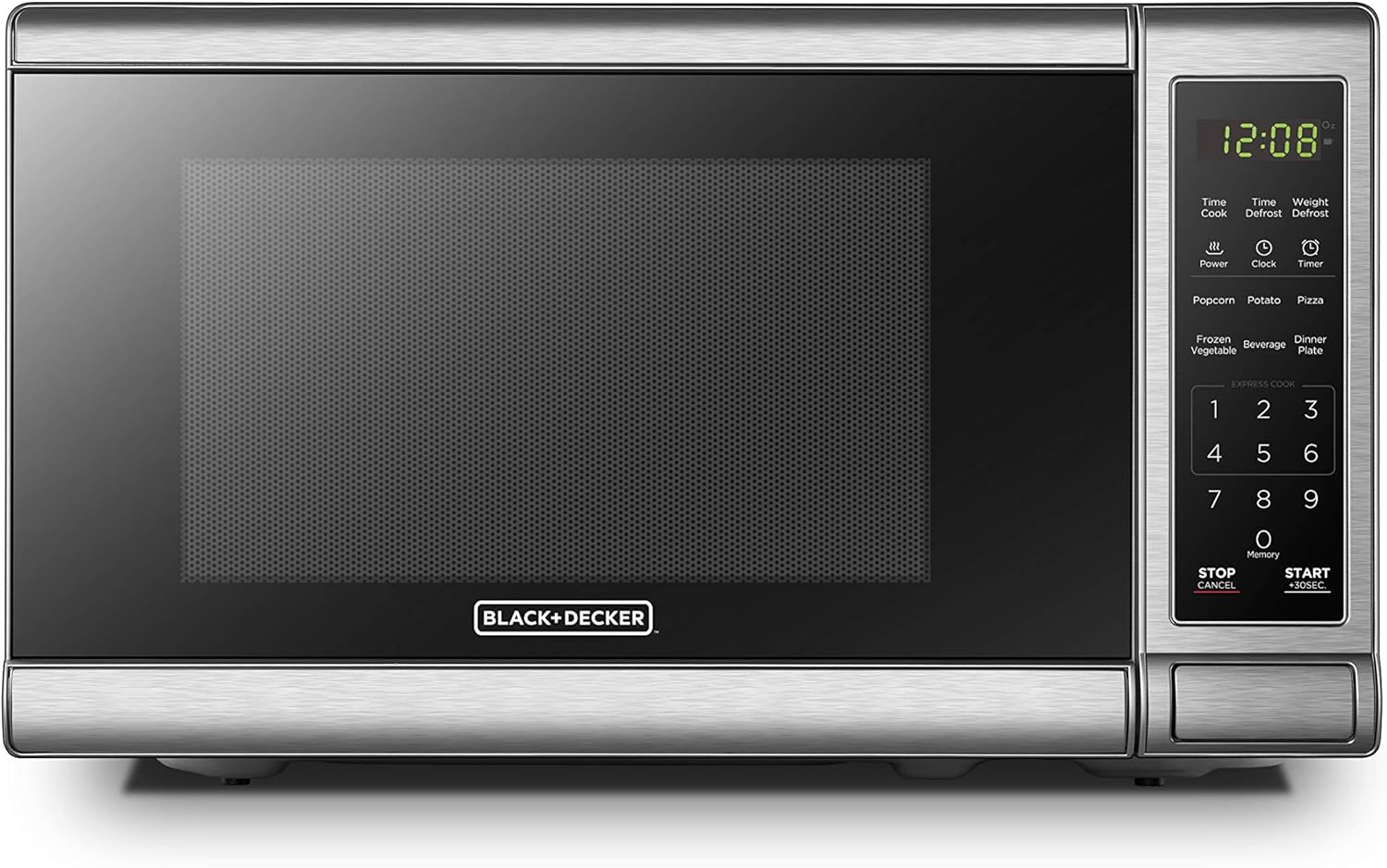
The BLACK+DECKER EM720CB7 is a small, straightforward countertop microwave designed for everyday reheating and simple cooking tasks. It delivers 700 watts across 10 power levels and includes six pre-programmed buttons for common items like popcorn, potato, pizza, and frozen vegetables, which simplifies one-touch operation. The large LED digital display and tactile push-button controls make it easy to operate, and features such as a child safety lock, removable 10-inch glass turntable, interior light, and touch controller increase usability and maintenance convenience. Defrosting options include time and weight defrost for more predictable thawing. Its compact 0.7 cubic-foot interior fits small plates and bowls but will not accommodate larger casserole dishes. The unit is basic in terms of advanced sensors and smart features, so it focuses on reliable, no-frills performance rather than high power or specialty modes. For users seeking an accessible, easy-to-use microwave for routine tasks, this model provides clear controls and dependable heating in a space-saving package.
Best for: Someone prioritizing a practical, easy-to-use countertop microwave with clear controls for routine reheating and simple cooking tasks, especially where space is limited.
Less Ideal for: Users who need high-power cooking, large-capacity interiors for big dishes, or smart connectivity and advanced sensor-driven programs.
- Large LED display and tactile push-button controls that simplify operation
- Six pre-programmed one-touch cooking buttons for common foods
- Child safety lock and interior light for safer, easier use
- Removable 10-inch glass turntable for straightforward cleaning
- 700W output and compact interior limit cooking speed and size of dishes
- No advanced smart features or sensor cooking beyond basic presets
Verdict: A compact, user-friendly countertop microwave with clear controls and one-touch presets that suits buyers who want a practical, low-complexity cooking solution.
Farberware Countertop Microwave 0.7 Cu Ft

| Wattage | 700 watts |
|---|---|
| Capacity | 0.7 cubic feet |
| Number of Programs | 6 |
| Number of Power Levels | 10 |
The Farberware 0.7 cu ft countertop microwave is a small, straightforward model aimed at simple reheating and basic cooking tasks. It delivers 700 watts across ten power levels and six one-touch programs (popcorn, potato, pizza, frozen vegetable, beverage, dinner plate), plus time- or weight-based defrost. The touch keypad and large digital display make it easy to start common cycles and see remaining time, while the memory function lets you save a favorite setting for repeat use. Its compact footprint and 10-inch turntable fit small kitchens, offices, or dorm rooms and the stainless steel interior and painted exterior are easy to wipe clean. The child safety lock and clear interior lighting add practical safety and visibility. On the downside the 700-watt output means longer cook times compared with higher-watt models, and the control layout is basic rather than voice-enabled or tactile-optimized for users with severe vision loss. For everyday reheating, simple meals, and shared spaces it is a reliable, no-frills choice.
Best for: Anyone seeking a budget-friendly, easy-to-use countertop microwave for simple reheating and basic cooking in small kitchens or shared spaces, with preference for straightforward controls and visible feedback.
Less Ideal for: Those who need fast high-power cooking, large-capacity cooking, or built-in tactile or voice controls for full accessibility should look at other models.
- Compact footprint fits small countertops and offices
- Ten power levels and six one-touch programs simplify common tasks
- Clear digital display and interior light make it easy to monitor cooking
- Child safety lock prevents unintended use
- 700-watt power is lower than many full-size microwaves, so cook times are longer
- Controls are touch/keypad only and lack tactile or voice features for blind users
Verdict: A compact, budget-friendly countertop microwave that provides simple one-touch programs and visible controls for straightforward everyday reheating and cooking.
Panasonic NN-SN686S Microwave

| Capacity | 1.2 cubic feet |
|---|---|
| Power | 1200 watts |
| Turntable Diameter | 13.4 inches |
| Number of Programs | 14 |
| Voltage | 120 volts |
The Panasonic NN-SN686S is a countertop microwave built around Panasonic's inverter system, which supplies continuous power for more even cooking and quicker defrosting than traditional pulse-style units. It is typically used for everyday reheating, frozen meals, popcorn and sensor-guided cooking where the Genius Sensor measures steam to set time and power automatically. Notable features include 14 preset programs, a Turbo Defrost mode, a Keep Warm function, a 13.4-inch turntable and a child safety lock. Practical benefits include more consistent results on delicate foods, faster and more even thawing, and simple one-touch sensor buttons that reduce guesswork. The compact exterior packs a roomy interior, so it fits on most counters while still handling family-size plates. Limitations include a single-control interface with buttons rather than voice or tactile-forward controls and a stainless-steel finish that can show fingerprints; it also lacks accessibility-specific features like raised tactile markers or spoken feedback for users who are visually impaired.
Best for: Buyers who prioritize consistent, reliable cooking performance and want a microwave that reduces guesswork with automated sensor programs.
Less Ideal for: People who need built-in audio feedback, braille labels, or tactile-first controls for independent use should consider products with accessibility-focused interfaces instead.
- Inverter technology delivers steady power for even heating and shorter cook times.
- Genius Sensor automates power and time for many common foods, reducing setup steps.
- Turbo Defrost thaws foods more evenly and faster than basic defrost cycles.
- Relatively large 1.2 cu ft interior in a compact countertop footprint.
- No built-in spoken-audio or tactile controls tailored for visually impaired users.
- Control panel uses flat buttons that may be harder to locate by touch.
- Stainless-steel exterior shows fingerprints and requires frequent wiping.
Verdict: Choose this model when dependable, even cooking and faster defrosting are your top priorities.
Toshiba Countertop Microwave EM131A5C-BS

| Capacity | 1.2 cubic feet |
|---|---|
| Wattage | 1000 watts |
| Turntable Diameter | 12.4 inches |
| Number of Programs | 10 |
| Additional Features | ECO+Mute, Humidity sensor |
This Toshiba countertop microwave is built for everyday kitchen use and emphasizes sensor cooking and straightforward controls. The humidity-based smart sensor automatically adjusts time and power for common foods, which simplifies reheating and helps avoid overcooking when you cannot rely on visual checks. The large digital display, audible countdown, mute option, and one-touch start for 1 to 6 minutes make routine tasks quick; you can also program three favorite time/power combos for repeated use. Ten power levels and weight/time defrost give flexible cooking choices while the stainless steel interior is easy to wipe clean. Practical limits include its single-cavity design and standard button/touch control scheme that lacks dedicated tactile overlays or voice guidance, so blind or low-vision users may need to learn button positions or add tactile markers. The unit is a solid, reliable countertop option for those who want sensor-assisted cooking and clear audible feedback rather than advanced accessibility features.
Best for: A practical buyer who values sensor-driven, reliable cooking and clear audible feedback and wants a straightforward countertop microwave that reduces guesswork during reheating.
Less Ideal for: Someone who needs built-in voice guidance, raised tactile controls, or specialized accessibility features without adding external tactile aids or third-party assistive devices.
- Smart humidity sensor that auto-adjusts cooking to prevent overcooking
- Large digital display with audible countdown and mute option
- One-touch start and programmable favorite time/power presets for repeatable use
- Stainless steel interior is easy to clean and durable
- 1000 watts and 10 power levels provide flexible cooking performance
- Controls are standard buttons and touch pads with no built-in tactile labeling for nonvisual navigation
- No voice guidance or audio prompts beyond basic beeps and countdown
Verdict: If you want a reliable countertop microwave that uses sensor cooking and clear audible feedback to reduce visual guesswork, this Toshiba is a strong, practical choice.
Chefman Countertop Microwave 1.1 Cu Ft
| Wattage | 1000 watts |
|---|---|
| Capacity | 1.1 cubic feet |
| Number of Power Levels | 10 |
| Included Components | Turntable |
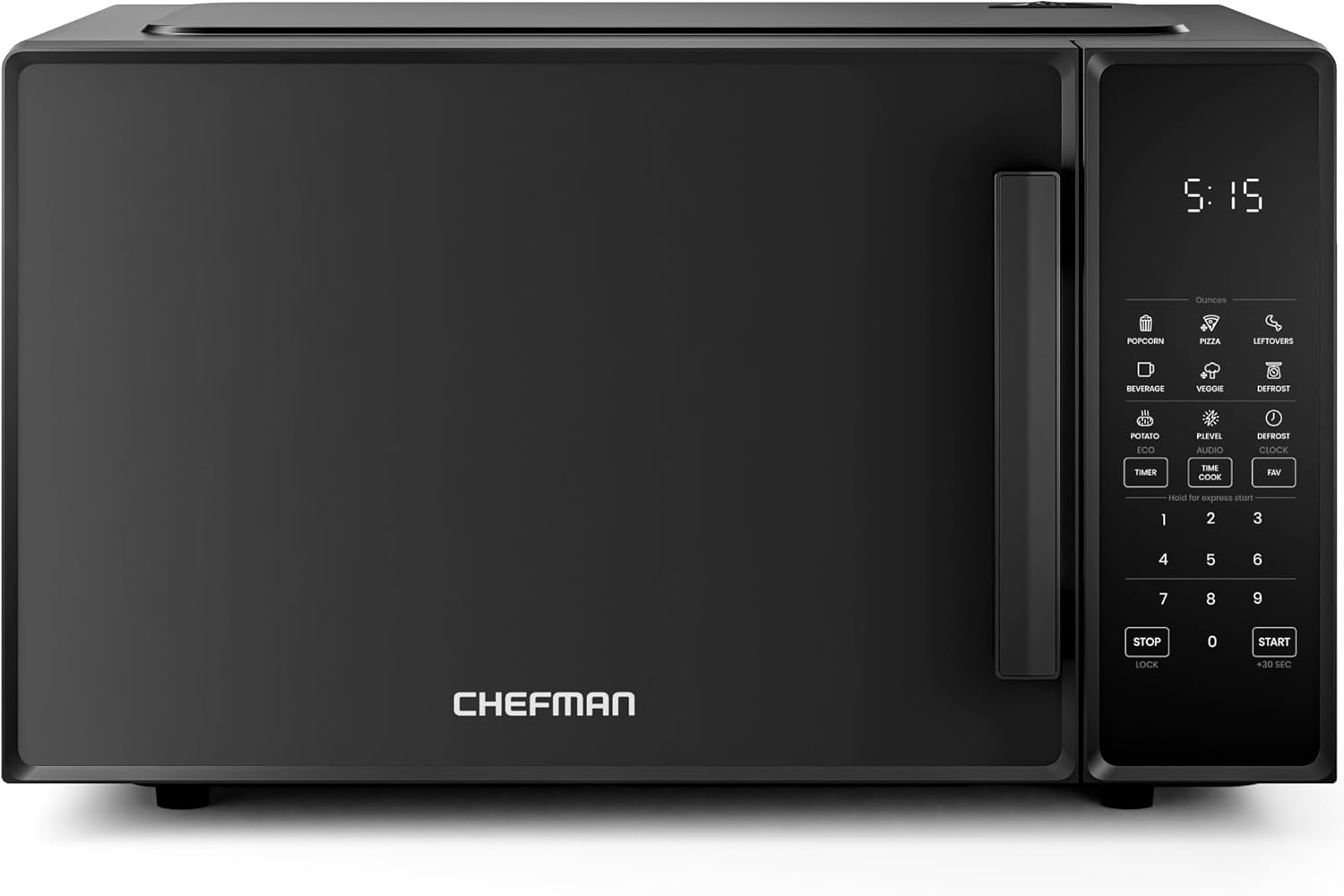
The Chefman 1.1 cubic foot countertop microwave packs 1000 watts into a compact footprint for everyday reheating, thawing, and simple cooking. It has a digital control panel with number keys, a +30s quick-add button, and six one-touch presets for common items like popcorn, pizza, and beverages, while ten power levels let you step down to low heat for gentle melting. The memory function lets you store frequently used settings for one-touch starts, and an Eco Mode plus a mute option reduce distractions and saved energy when the oven is idle. Safety features include a child lock on the handle and lock mode for the controls. The interior ceramic enamel and a removable glass turntable are easy to wipe or place in the dishwasher. Trade-offs are the compact cavity size that limits large platters and the standard button/touch interface which may require memorizing positions for nonvisual operation rather than having tactilely distinct controls.
Best for: A cautious buyer who values clear safety features and dependable, easy presets for routine reheating and simple meals, and who prefers an uncomplicated countertop appliance.
Less Ideal for: Anyone who needs to heat large platters or wants tactile dial controls for fully nonvisual operation should look for a larger unit or models with raised physical controls.
- High 1000W power for faster heating and cooking
- Ten power levels for precise temperature control
- One-touch presets and memory function for quick, repeatable cooking
- Child safety lock and control lock mode for secure use
- Eco Mode and mute option reduce noise and standby power use
- Compact 1.1 cu ft cavity may not fit large plates or cookware
- Control panel is button/touch based with no tactile knobs for nonvisual feedback
Verdict: Choose this Chefman microwave if you want a compact, safety-minded 1000W countertop oven with easy presets and memory for reliably repeatable cooking.
Choosing the Right Microwave for Visually Impaired: Key Factors to Consider
Control Tactility and Layout
Buttons and knobs should be physically distinct and logically arranged to support muscle-memory operation. Raised edges, spacing between keys, and grouped functions help a visually impaired user find common controls by touch alone.
A control panel with too many similarly sized buttons or a capacitive touchpad without tactile cues increases the risk of incorrect settings. Consider how easily you can identify start, stop, and power adjustments by feel and whether the layout supports one-handed operation.
Audible Prompts and Volume
Clear, consistent beeps or spoken prompts are essential for confirming actions and signaling cycle completion. Look for microwaves with adjustable volume or distinct tones for different events so that a user can distinguish between a button press, a completed cycle, and an error.
Some units provide multi-tone sequences or spoken cues that announce power levels or remaining time. When volume is fixed or tones are easily masked by background noise, users may miss important signals, so consider where the microwave will be used and whether louder prompts are necessary.
Display Contrast and Readability
High-contrast, large-digit displays benefit users with low vision who still rely on sight to some degree. Bright green or amber digits on a dark background are easier to read than small grey text.
Avoid cramped displays that combine icons and numbers in tiny segments. If the household includes users with varying degrees of vision, a readable display paired with tactile and audible feedback offers the most flexible solution.
Door Mechanism and Interior Access
An easy-to-grasp handle or push-button latch reduces strain and makes opening the door predictable. The door should open smoothly and allow clear access to the turntable without awkward reaches.
Consider the interior: a well-lit cavity with a single, centered turntable is easier to navigate by touch when placing or removing dishes. Also assess whether the door seals and hinges give tactile confirmation that the unit is properly closed before starting.
Preset Programs and Simplicity
Microwaves with a small set of well-labeled presets reduce the need to dial in power and time manually. For visually impaired users, presets that are easily memorized and repeatable are preferable to long custom-program sequences.
Avoid units that require navigating nested menus to access common functions. The ability to assign a favorite preset to a single button or to start a common action with a two-press sequence speeds routine tasks and lowers the cognitive load.
Safety and Feedback on Errors
Safety features such as automatic shutoff, child lock with tactile confirmation, and audible error tones help prevent accidents. A clear error tone that differs from normal operation sounds makes it easier to respond appropriately.
Consider whether the unit offers tactile or audible confirmation when a lock is engaged and how it behaves in power interruptions. Reliable feedback reduces the chance of leaving the microwave running unknowingly.
Designing a Kitchen Around Accessibility
Small changes in kitchen layout can greatly improve a visually impaired person's ability to use a microwave independently. Place the microwave at a consistent, reachable height so controls and the door are within comfortable range. A dedicated spot frees the user from having to search or reach awkwardly.
Consider pairing the microwave with simple tactile markers on nearby surfaces to signal where plates and utensils are stored. Ensure the surrounding area has minimal clutter so that the microwave's handle and control panel are easy to locate by touch.
- Install at elbow height to make door and controls reachable.
- Reserve a clear counter space next to the unit for placing hot items.
- Use tactile markers or adhesive bumps to mark common positions.
Training and Memory Tricks for Reliable Use
Establishing consistent routines reduces reliance on sight. Teach a user a small set of button sequences for daily tasks, such as reheating a plate or defrosting a portion. Repetition builds muscle memory so operations become quick and confident.
Use tactile labels or raised stickers to mark commonly used buttons. Encourage practice with cool items to learn timing and power settings before moving to hot foods.
- Create a short cheat sheet with tactile cues for common tasks.
- Practice with predictable test items to learn approximate times.
- Label one or two favorite presets for immediate access.
Maintenance Tips That Support Accessibility
Regular maintenance keeps tactile controls and audible systems working reliably. Wipe buttons gently with a soft cloth to avoid wearing down raised markings and inspect the door seal for debris that could affect tactile feedback.
Replace turntable rings or cracked trays immediately so they do not interfere with dish placement. If interior lighting is dim or flickers, have it serviced to preserve the visual cues that benefit low-vision users.
- Clean controls and interior weekly to maintain tactile cues.
- Check door latches for smooth operation and replace gaskets if stiff.
- Keep the turntable and support ring properly seated for predictable placement.
Integrating Assistive Technology
Some users benefit from pairing a microwave with external assistive tools, such as talking timers or smart plugs with verbal feedback. A talking kitchen timer can supplement microwave alerts if the built-in beeps are too quiet or indistinct.
When integrating smart devices, keep interactions simple. Use voice-enabled assistants only if the setup does not require frequent visual confirmation. Otherwise, opt for offline, tactile-first solutions that operate reliably without network dependency.
- Use an external talking timer to reinforce end-of-cycle alerts.
- Prefer tactile labeling over complex voice automation for basic tasks.
- Test any smart integration for predictable, repeatable behavior.
How We Chose the Best Microwave for Visually Impaired
We prioritized features that directly affect safe, independent use by people with visual impairment. Our selection filtered for units with tactile controls, repeatable and clear audible signaling, and simple programming that can be learned without relying on a visual display. We also considered door and handle ergonomics, interior lighting behavior, and the availability of preset cycles that are easy to memorize. Evaluation criteria included the clarity and consistency of audible prompts, the tactile distinction of controls, simplicity of common tasks like setting time and power, and safety-oriented features such as automatic shutoff and easy-to-feel door latches. We excluded models that required complex menus navigated only via small touchscreens, as well as units with excessively cluttered control panels or unreliable audio feedback. Where possible, we favored designs that support muscle-memory operation and clear, repeatable interaction patterns. Products were assessed for how those features perform in everyday use rather than theoretical specs alone. The final list reflects a balance of accessibility, dependable controls, and straightforward maintenance.
Our full evaluation process is outlined in our review methodology.
FAQ
Can a visually impaired person use any microwave safely?
Often yes, but usability varies. Microwaves with clear tactile controls, distinct audible cues, and simple presets are safer and easier to use. Avoid models that rely only on touchscreens or tiny displays without tactile alternatives.
How can I tell if a microwave's sounds are loud enough?
Listen for consistent tones during a short test cycle at normal kitchen volume. If the beeps are soft or easily confused with other kitchen sounds, consider models with adjustable volume or use an external talking timer.
Are tactile markers safe to use on microwave buttons?
Yes, small raised stickers or adhesive bumps are commonly used and are safe when applied carefully. Choose heat-resistant, removable markers and test that they do not interfere with button travel or seal integrity.
Should interior lighting be a deciding factor?
Interior lighting helps users with some vision and provides visual confirmation when placing dishes. While not essential for those who rely solely on touch and sound, a well-lit cavity can improve overall safety and confidence.
Is a child lock feature useful for visually impaired users?
Usually yes. A child lock that gives clear audible or tactile confirmation helps prevent accidental starts. Make sure the lock's activation and release are consistent and easy to remember.
Final Verdict
Prioritize tactile controls, clear audible feedback, and a simple, repeatable control layout when choosing a microwave for visually impaired users. Tradeoffs often involve feature density versus usability: fewer, well-differentiated controls are usually better than many small, similar buttons. Focus on door ergonomics and reliable safety feedback to reduce risk and build confidence. With these priorities in mind, you can narrow options to the units that support independent, predictable kitchen routines and pick the features that matter most for day-to-day use.