
Note: This article contains affiliate links. If you click on these links and make a purchase, we may earn a small commission at no extra cost to you. This helps support our research and content. Read our full affiliate disclosure here.
Installing the right NVR security camera system for home protects your property with continuous local recording and dependable remote access. You want feeds that capture useful detail, reliable storage that avoids cloud-only pitfalls, and a network setup that stays stable during daily use. This guide shortlists the top systems available for home use, focusing on proven recording reliability, image clarity, and ease of setup. Below are the best NVR security camera systems for home based on practical performance and homeowner priorities. Read on for the evaluation criteria we used and the features that matter most when choosing a system for everyday home security.
Top Picks at a Glance
| Best Overall The best all-around choice for most situations | Hiseeu 12MP 12-Camera NVR Kit |  |
| Best Quality Built to a higher standard if you want something more solid | eufy Security S4 Max 4-Cam Kit |  |
| Best Value The sweet spot between price and what you get | ANNKE 8CH DVR 8-Camera Kit |  |
| Best Budget The cheapest option that still gets the job done reliably | 5iktery 4-Channel DVR Kit |  |
| Top Rated A top-rated pick with lots of positive feedback | REOLINK RLK8-410B6-5MP |  |
| Most Popular A crowd favorite that many people choose with confidence | REOLINK RLK8-410B4 5MP System |  |
Hiseeu 12MP 12-Camera NVR Kit
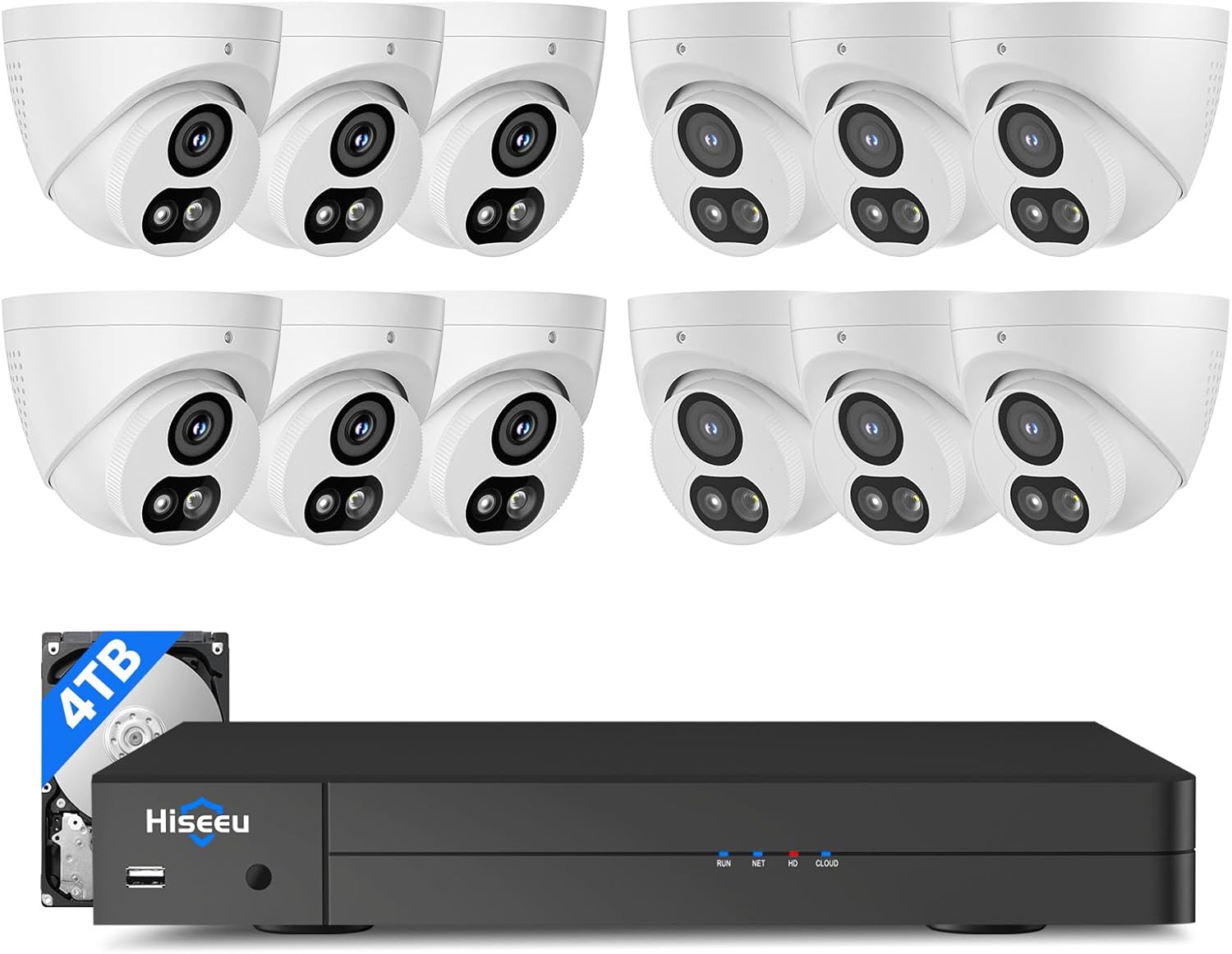
| Number of Channels | 16 |
|---|---|
| Video Capture Resolution | 4K |
| Memory Storage Capacity | 4 TB |
| Viewing Angle | 121 degrees |
| Frame Rate | 30 fps |
This Hiseeu kit bundles a 16-port PoE NVR with twelve 12MP (4K) wired PoE cameras and a 4TB hard drive for on-site storage, aimed at full-home coverage. The cameras use 2.8mm lenses for a 121° wide field of view, and the system records at up to 30 fps with color night-vision modes and optional spotlight alarm for clearer low-light footage. The NVR runs a Linux-based OS, connects over Ethernet, and supports scheduled 7/24 recording plus synchronized and motion-triggered playback on TV, PC, or the mobile app. AI human/vehicle detection reduces false alerts and can trigger push notifications, a buzzer, or a warning light. Practical benefits include straightforward PoE cabling (power and data on one cable), included long cables and accessories, and local operation without internet for privacy. Limitations are inherent to wired PoE setups: a fixed camera count and the need to route cables, and the 4TB HDD may fill faster if you keep high-resolution continuous recordings without implementing retention or backup strategies.
Best for: Buyers who want an all-in-one wired PoE system for comprehensive home coverage and value high-resolution footage with centralized local recording and app remote access.
Less Ideal for: People who need a truly plug-and-play wireless solution or who do not want to run network cabling through their property.
- Twelve 12MP/4K-capable PoE cameras for wide coverage and high-resolution detail
- 121° wide-angle lenses reduce the number of cameras needed to cover large areas
- Preinstalled 4TB HDD and 16-port PoE NVR simplify setup and centralize recording
- AI human and vehicle detection with app push alerts and configurable spotlight alarm reduce false alarms and speed response
- Supports 7/24 recording, scheduled and motion playback on TV, PC, or mobile app
- Wired PoE installation requires running cables and planning camera locations
- 4TB internal storage can fill quickly with continuous 4K recording without retention management
Verdict: A complete 12-camera PoE kit that prioritizes high-resolution wide-angle coverage and local 24/7 recording for homeowners who want a robust wired system.
eufy Security S4 Max 4-Cam Kit

| Video Capture Resolution | 4K |
|---|---|
| Number of Channels | 8 |
| Memory Storage Capacity | 2 TB |
| Night Vision Range | 65 feet |
| Connectivity Technology | Wired |
The eufy S4 Max kit pairs a 4K wide‑angle bullet camera with a 2K PTZ lens and an 8‑port PoE NVR that ships with a preinstalled 2TB HDD for 24/7 local recording. It is used as a wired perimeter system: plug cameras into the NVR over Ethernet for simultaneous power and video, view live feeds via the app, HDMI display, or web portal, and use the local AI agent for on-device person/vehicle recognition and smart alerts without ongoing subscription fees. Notable features include cross‑cam live tracking that hands off subjects between cameras, an 8x auto‑zoom PTZ that can lock and follow targets up to around 164 ft, and smart video search to find events quickly. Practical benefits are robust weatherproofing (IP65), steady PoE connections that avoid Wi‑Fi dropouts, and expandable channels up to 16 with larger storage options. Important limitations are the wired PoE requirement which needs planning for cable runs and professional mounts for full PTZ range, and the PTZ uses two streams per camera which reduces available channels when using multiple Bullet‑PTZ units.
Best for: Buyers who prioritize high-performance, always-on local recording and advanced on‑device AI for home perimeter security and want a wired, expandable PoE system they can rely on.
Less Ideal for: If you need a wireless, DIY plug‑and‑play camera solution or want minimal cable work, this wired PoE kit is not the best fit.
- True 4K wide view plus a separate 2K PTZ for combined situational awareness and close-ups.
- Preinstalled 2TB HDD with local AI agent enables 24/7 recording and on-device smart detection without subscription.
- PoE wiring provides stable power and video over a single cable for reliable continuous recording.
- Cross-cam live tracking and 8x auto-zoom let the system follow and frame moving subjects at long range.
- Smart video search and app/web/HDMI access make reviewing footage and live monitoring straightforward.
- Wired PoE setup requires running Ethernet cables and planning camera placement.
- Each Bullet‑PTZ consumes two real‑time streams which limits the number of PTZ cameras you can connect to the NVR.
Verdict: Choose the S4 Max if you want a performance‑focused, wired NVR kit with local AI, cross‑cam tracking, and 24/7 recording for dependable home perimeter surveillance.
ANNKE 8CH DVR 8-Camera Kit

| Connectivity Technology | Wired |
|---|---|
| Video Capture Resolution | 1080p |
| Number of Channels | 8 |
| Memory Storage Capacity | 1 TB |
| Other Special Features of the Product | Human Detection, Vehicle Detection |
This ANNKE kit bundles an 8-channel DVR with eight wired 1080P bullet cameras and a preinstalled 1TB HDD to deliver continuous local recording and remote viewing via the ANNKE Vision app. The system uses wired BNC connections and supports H.265+ compression to save storage and bandwidth while offering live 1080P@30fps and recorded 1080P@15fps. AI human and vehicle detection helps cut down false alerts and the DVR can search recordings by detected human or vehicle events, which speeds up investigation. The cameras include dual lights for color night vision plus IR mode and are rated IP67 for outdoor use, so they handle weather and provide useful night detail out to the stated ranges. Setup requires running power and BNC cables to each camera, so installation is more involved than wireless options but yields a stable, always-on system that records even without internet. The kit is expandable to larger HDDs and interoperates with multiple analog camera formats, but it is a wired analog solution rather than a modern PoE NVR, so buyers wanting purely IP/PoE setups should look elsewhere.
Best for: Buyers who prioritize reliable, always-on local recording and want an all-in-one wired system that reduces false alerts and keeps bandwidth/storage usage efficient.
Less Ideal for: Users seeking a purely IP/PoE plug-and-play NVR system or those who need a wireless setup for easy DIY installation.
- Includes eight 1080P wired cameras plus an 8CH DVR with 1TB HDD for immediate 24/7 local recording
- AI human and vehicle detection reduces false alerts and enables targeted searching of recorded events
- H.265+ compression saves storage and bandwidth for longer recording retention
- Dual-light cameras provide both color night vision and IR for improved low-light detail
- IP67-rated cameras suitable for outdoor installations
- Wired BNC setup requires running power and coax cables to each camera, increasing installation effort
- Analog DVR design is not a native PoE/IP NVR, so it may not suit buyers seeking full IP camera features
Verdict: A practical wired 8-camera DVR kit that delivers reliable 24/7 local recording with AI detection and efficient H.265+ storage for homeowners who want stable, no-frills surveillance.
5iktery 4-Channel DVR Kit

| Number of Channels | 4 |
|---|---|
| Video Capture Resolution | 1080p |
| Memory Storage Capacity | 512 GB |
| Night Vision Range | 65 feet |
| Frame Rate | 30 Fps |
This 4-channel DVR kit includes a DVR with a built-in 512GB hard drive and four wired 5MP cameras intended for round-the-clock home monitoring. The system records continuously at 30 fps and offers night-vision performance rated to about 65 feet, plus AI motion detection tuned for people and vehicles to reduce false alerts. Cameras are IP66 rated for indoor or outdoor mounting and connect via BNC video input and bundled power cables, making installation straightforward for homeowners comfortable running cable. The DVR provides HDMI output and a USB port for playback or export, and the Linux-based recorder claims compatibility with laptops and smartphones for remote viewing. Practical trade-offs are typical for a budget system: the cameras use fixed lenses so there is no optical zoom or PTZ, and the package emphasizes wired connections rather than true PoE standard connectors, so cable routing and power distribution require some planning. For buyers who want a complete, self-contained kit with on-board storage and reliable night recordings, this is a solid value; power and cabling expectations should be confirmed before installation.
Best for: Homeowners on a tight budget who want a complete, plug-and-record wired surveillance kit with on-board storage and basic smart motion alerts for perimeter monitoring.
Less Ideal for: Users needing remote installation simplicity with true PoE wiring, motorized camera controls, or advanced analytics should consider higher-end NVR systems instead.
- Includes 512GB internal hard drive for continuous 24/7 recording
- Four wired 5MP cameras with night vision rated to about 65 feet
- AI motion detection that differentiates people and vehicles to cut down false alerts
- IP66-rated cameras suitable for indoor or outdoor use
- Cameras have fixed lenses with no optical zoom or pan/tilt capability
- System uses BNC/video power cabling rather than native PoE connectors, requiring separate power wiring
Verdict: A budget-friendly, all-in-one wired DVR kit that delivers 24/7 local recording and practical AI motion alerts for basic home surveillance.
REOLINK RLK8-410B6-5MP
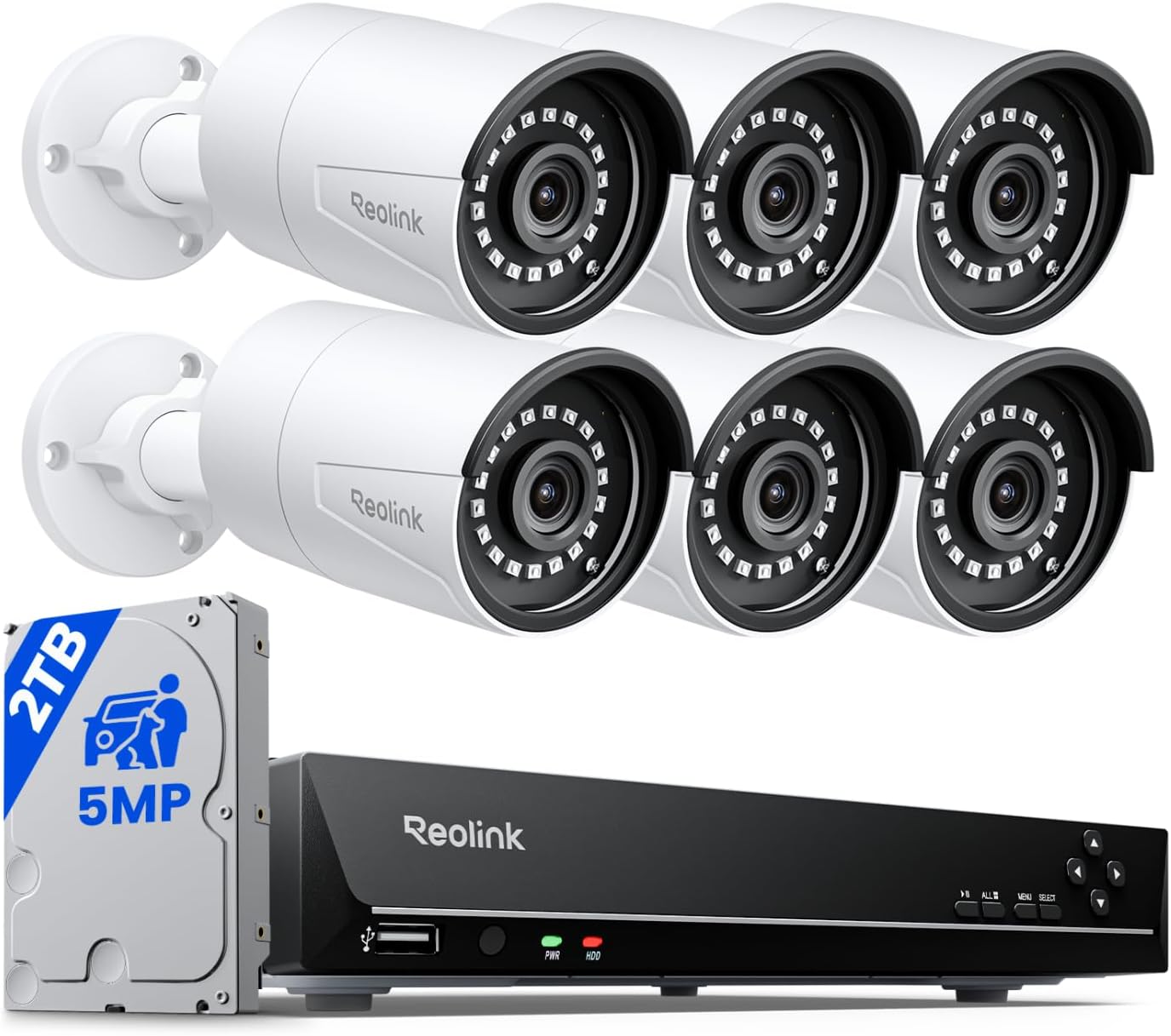
| Number of Channels | 8 |
|---|---|
| Video Capture Resolution | 1920p |
| Memory Storage Capacity | 2 TB |
| Frame Rate | 25fps |
| Power over Ethernet Sockets | IEEE 802.3 af/at |
This REOLINK kit is a plug-and-play PoE NVR system built for steady, around-the-clock home monitoring. The NVR accepts power-over-Ethernet cameras so each B500 camera needs only one cable for power and video, which simplifies installation and reduces failure points. The six 5MP cameras record at up to 25 fps and deliver clear daytime and IR night images out to roughly 100 feet, and built-in microphones add ambient audio to recordings. Smart detection (person, vehicle, pet after firmware update) and customizable motion zones help cut down false alerts while push notifications and NVR audible warnings give timely notices. The recorder comes with a 2TB HDD and supports expansion up to 16TB total via SATA and eSATA, letting you keep longer local archives without cloud dependence. Limitations include Reolink-only camera compatibility and H.264 compression rather than newer codecs, which affects storage efficiency and future-proofing, but for users who prioritize reliable local recording, the system provides a straightforward, durable solution.
Best for: Homeowners who want a professionally structured, locally recorded surveillance setup with straightforward PoE installation and reliable continuous recording.
Less Ideal for: Buyers who need broad third-party camera compatibility or the most storage-efficient, future-proof codec options should look elsewhere.
- Plug-and-play PoE design supplies power and network over a single cable for easy, reliable installation
- Six 5MP cameras with up to 25 fps deliver clear daytime and IR night footage to about 100 feet
- 2TB HDD preinstalled and expandable storage up to 16TB for long local retention
- Smart person/vehicle/pet detection and configurable motion zones reduce false alerts
- System is designed to work only with Reolink cameras, limiting third-party expansion
- Uses H.264 compression instead of newer, more storage-efficient codecs
Verdict: Choose this Reolink PoE NVR kit when you want a dependable, locally recorded home surveillance system that is simple to install and scale for longer retention.
REOLINK RLK8-410B4 5MP System
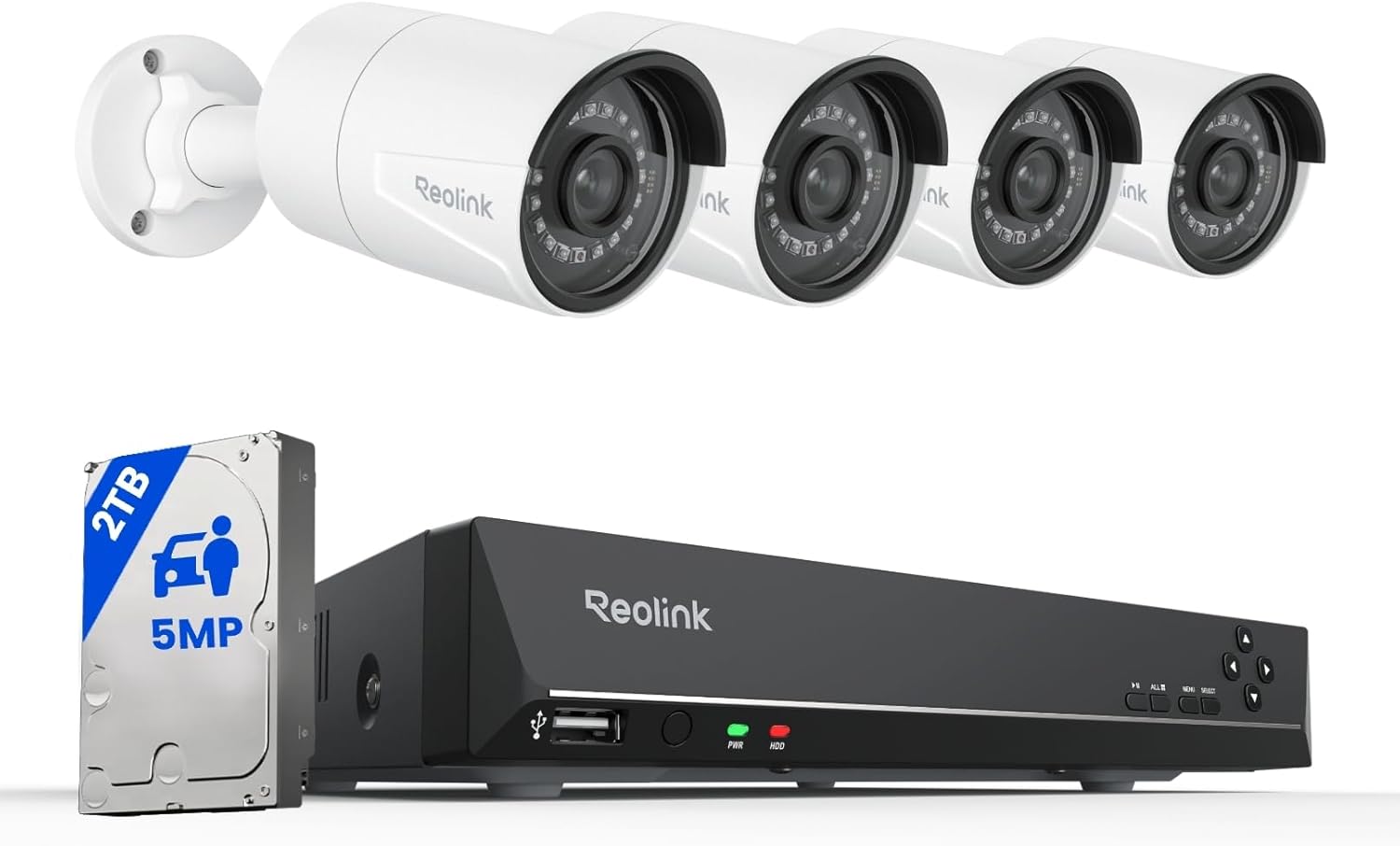
| Video Capture Resolution | 5MP (2560×1920) @25fps |
|---|---|
| Number of Channels | 8 |
| Memory Storage Capacity | 2 TB (preinstalled) |
| Night Vision Range | 100 feet |
| Connectivity Technology | Wired PoE |
The REOLINK RLK8-410B4 is an 8-channel PoE security camera system built around a 4-camera 5MP kit and a network video recorder with a 2TB hard drive preinstalled. It uses Power-over-Ethernet to deliver power and data over a single cable per camera, which keeps installation straightforward for DIY homeowners and ensures a stable wired connection. The 5MP cameras record at 25fps, offer an 80 degree horizontal field of view, built-in microphones, and infrared night vision up to 100 feet for reliable day/night coverage. The NVR supports H.264/H.265 compression, schedule or 24/7 recording, expandable storage up to 16TB, and multi-user remote viewing through Reolink apps. Smart person/vehicle/pet detection and customizable motion zones reduce false alerts and speed up playback for important events. Limitations to note: the system is designed to work only with Reolink cameras, so adding third-party cameras may cause compatibility issues, and achieving max retention requires buying larger HDDs. For buyers who want local, always-on recording and clear 5MP footage, this kit covers the essentials with easy setup and solid remote access.
Best for: Homeowners who prioritize reliable local recording, clear 5MP video, and straightforward wired installation and want a system with proven user adoption and app-based remote access.
Less Ideal for: People who need an open system that accepts third-party cameras or who prefer cloud-only services and subscription-based AI features.
- Plug-and-play PoE setup provides power and data over one cable for easier DIY installation
- Four 5MP cameras with 25fps and up to 100ft IR night vision deliver detailed day and night footage
- Preinstalled 2TB HDD with expandable storage up to 16TB supports continuous 24/7 recording
- Smart person/vehicle/animal detection and customizable motion zones reduce false alerts
- Multi-device remote access through Reolink apps with on-device recording even without internet
- NVR is designed to work only with Reolink cameras, so third-party camera compatibility is not guaranteed
- Longer retention or heavier recording bitrates require purchasing additional HDD capacity
Verdict: A reliable plug-and-play PoE kit for homeowners who want local 24/7 recording and clear 5MP footage with smart detection and easy DIY setup.
Choosing the Right NVR Security Camera Systems for Home: Key Factors to Consider
Video Resolution and Frame Rate
Higher resolution and a consistent frame rate improve the likelihood you can identify faces, license plates, and other details. For home use, 1080p is often sufficient, but 4K can provide extra clarity for wide yards or long sightlines.
Frame rate matters for smooth motion capture; low frame rates can blur moving subjects and reduce the usefulness of footage. When evaluating systems, check both the per-camera resolution and the supported aggregate throughput so multiple cameras can record at the intended settings without dropping frames.
Local Storage Options
Local storage gives you direct control over footage and avoids dependency on monthly cloud subscriptions. Consider the NVR's maximum hard drive capacity and supported RAID or overwrite settings to match how long you want to retain footage.
Also check the ease of retrieving clips from local storage. Systems that provide simple export tools and compatibility with common video codecs make evidence sharing and long-term archiving straightforward for homeowners.
Network Performance and Remote Access
A stable network connection is critical for reliable live viewing and offsite access. Look for NVRs with gigabit Ethernet, robust networking stacks, and clear instructions for secure remote access.
Features like dedicated mobile apps, secure peer-to-peer connections, or straightforward router configuration guides can make remote viewing easier. Also evaluate whether the NVR requires constant cloud relay or supports direct, local network access to reduce latency and privacy exposure.
Motion Detection and Alerting
Motion detection reduces the time you spend reviewing footage and helps trigger useful alerts. Systems that allow you to fine-tune detection zones, sensitivity, and object classification will produce fewer false alarms from trees, cars, or pets.
Check how alerts are delivered and whether the system supports attaching short video clips to notifications. Practical alert tools save time and make the system more usable for daily monitoring of a home.
Power and Installation Flexibility
Homes have varied layouts and power access. POE-enabled cameras simplify installation by combining data and power over a single cable, while wireless cameras reduce cabling needs but add dependency on Wi-Fi reliability.
Consider mounting options, weather ratings for outdoor cameras, and the physical size of cameras when planning placement. Systems that support mixed camera types or offer optional power accessories provide more flexibility during installation.
User Interface and Ongoing Maintenance
A clear, responsive user interface makes daily monitoring, playback, and configuration far easier. Evaluate whether the NVR's software organizes footage logically, offers fast timeline scrubbing, and provides bulk management for multiple cameras.
Ongoing maintenance matters: systems that simplify firmware updates, storage management, and log access reduce the likelihood of lapses in protection and help homeowners keep the system running smoothly over time.
Local Recording Vs Cloud Reliance
For home security, prioritizing local recording keeps your footage under direct control and avoids recurring subscription costs. NVR systems that store footage on-site allow you to maintain continuous recordings even if internet access drops.
That said, some systems combine local NVR storage with optional cloud features for offsite backups or simplified remote access. When evaluating systems, decide whether you prefer self-hosted control or the convenience of cloud services and check how well the two options integrate.
- Local-only recording preserves footage regardless of internet outages
- Hybrid options can offer offsite backups but may add monthly fees
- Ensure encryption and secure access methods for any remote viewing
Planning Camera Placement for Coverage
Effective coverage starts with a simple site survey. Identify primary zones you want monitored, such as entry points, driveways, and blind spots. Mount cameras at heights and angles that reduce glare and avoid obstructions.
Use overlapping fields of view to eliminate gaps, and pay attention to lighting transitions. Cameras facing direct sunlight or strong backlighting benefit from HDR-capable sensors to retain detail in bright and dark areas.
- Prioritize doors, windows, and driveways
- Mount cameras 8 to 10 feet high for balanced identification and tamper resistance
- Check night-vision range against expected identification distances
Night Vision and Low-Light Performance
Most home incidents happen at night, so low-light performance is a major consideration. Look for cameras with either strong infrared illumination or color low-light modes that preserve detail without excessive bloom.
IR range should match the areas you need covered after dark. Also evaluate whether the NVR and camera pair maintain acceptable resolution and frame rate in low-light conditions to ensure usable evidence.
- Confirm IR illumination distance aligns with your layout
- Consider cameras with adaptive gain controls to reduce noise
- Test for overexposure from nearby streetlights or porch lights
Scalability and Future-Proofing
A system that can grow with your needs reduces long-term headaches. Check the NVR's maximum camera count and whether it supports higher-resolution cameras should you decide to upgrade later.
Also review storage expandability and whether adding drives or switching to larger-capacity drives is straightforward. Systems that offer modular expansion let you start small and scale without a full replacement.
- Confirm maximum supported camera channels
- Verify supported hard drive sizes and RAID options
- Look for firmware updates and active development for longevity
Privacy and Network Security Best Practices
Protecting recorded footage starts with securing the NVR and your network. Change default passwords, keep firmware up to date, and enable network-level protections such as a segmented guest Wi-Fi for IoT devices.
Use strong encryption and two-factor authentication where available for remote access. Regularly review logs and access histories to detect unexpected connections or configuration changes.
- Use unique, strong passwords and admin account control
- Place cameras and the NVR on a VLAN or separate subnet when possible
- Disable unnecessary services like UPnP if not required
How We Chose the Best NVR Security Camera Systems for Home
We focused on real-world factors that determine how well an NVR security camera system will perform in a typical home environment. Key evaluation criteria included video resolution and frame rate for identifying subjects, local storage and retention options to ensure reliable evidence preservation, network stability and remote access methods that affect daily usability, motion detection accuracy and configurable alerts to reduce false alarms, and power and installation flexibility for common home deployment scenarios. Products were assessed for setup simplicity and documentation because many homeowners install these systems themselves. We also prioritized systems with clear upgrade paths for adding cameras or expanding storage. Exclusions included systems that rely solely on proprietary cloud storage with no local recording option and those lacking standard network interfaces. The result is a list of systems that balance solid recording performance, accessible management, and dependable network behavior for home use. The scoring metrics below reflect the concrete dimensions we tested mentally against available specifications and common homeowner needs.
Our full evaluation process is outlined in our review methodology.
FAQ
How much storage do I need for a home NVR system?
Storage needs depend on camera count, resolution, frame rate, and retention period. For a few 1080p cameras keeping two weeks of footage, a multi-terabyte drive is common. Use conservative estimates and choose an NVR that supports larger drives if you want longer retention.
Can I view my NVR cameras remotely without a cloud subscription?
Many NVRs provide secure remote access options that do not require a cloud subscription, such as direct connection through your router or a vendor-provided peer-to-peer service. Remote access depends on network configuration and may require router port forwarding or an included secure relay feature.
Are POE cameras better than wireless for home security?
POE cameras offer more reliable connections and simplified power management, making them preferable for fixed outdoor or entry-point installations. Wireless cameras are easier to place but rely on Wi-Fi strength and battery or nearby power sources, which can affect long-term reliability.
How do I reduce false motion alerts?
Configure motion zones to focus on human-scale areas and lower sensitivity in areas with moving foliage or traffic. Use object classification features if available to filter out animals and vehicles, and adjust notification rules so you receive only relevant alerts.
What maintenance does an NVR system require?
Regular tasks include checking firmware updates, verifying storage health, and testing remote access. Inspect camera mounts and lenses for obstructions or damage, and periodically review recorded footage to ensure cameras maintain proper exposure and focus.
Final Verdict
Prioritize the recording and network behaviors that matter most to your household. Decide whether local-only recording or a hybrid approach better fits your privacy and backup needs, then select an NVR that supports the camera count, storage capacity, and network features you will actually use. Balance video resolution against storage and network capacity, and focus on motion detection tuning and reliable remote access for everyday usability. With those tradeoffs in mind, you can choose an NVR security camera system for home that delivers dependable monitoring and clear, retrievable footage when it matters most.