
Note: This article contains affiliate links. If you click on these links and make a purchase, we may earn a small commission at no extra cost to you. This helps support our research and content. Read our full affiliate disclosure here.
Picking the right indoor security camera for home use matters because it affects how quickly you spot issues, verify events, and respond to emergencies. You want a camera that captures clear footage, triggers accurate alerts, and integrates cleanly with your routines without adding maintenance headaches. This guide highlights the top shortlisted indoor security camera options to suit common home setups, focusing on key performance and usability traits. Below we evaluate each pick on video quality, motion detection, connectivity, and ease of daily use so you can match features to how you actually protect and monitor living spaces.
Top Picks at a Glance
| Best Overall The best all-around choice for most situations | eufy Indoor Cam E220 |  |
| Best Quality Built to a higher standard if you want something more solid | eufy Indoor Cam E30 |  |
| Best Value The sweet spot between price and what you get | Blink Mini 2K+ |  |
| Best Budget The cheapest option that still gets the job done reliably | Cinnado 2K Indoor Security Camera |  |
| Top Rated A top-rated pick with lots of positive feedback | Ring Indoor Cam |  |
| Most Popular A crowd favorite that many people choose with confidence | TP-Link Tapo C100 Indoor Camera |  |
| Best Seller A high-volume bestseller chosen again and again | Tapo Pan/Tilt Camera C211 |  |
eufy Indoor Cam E220
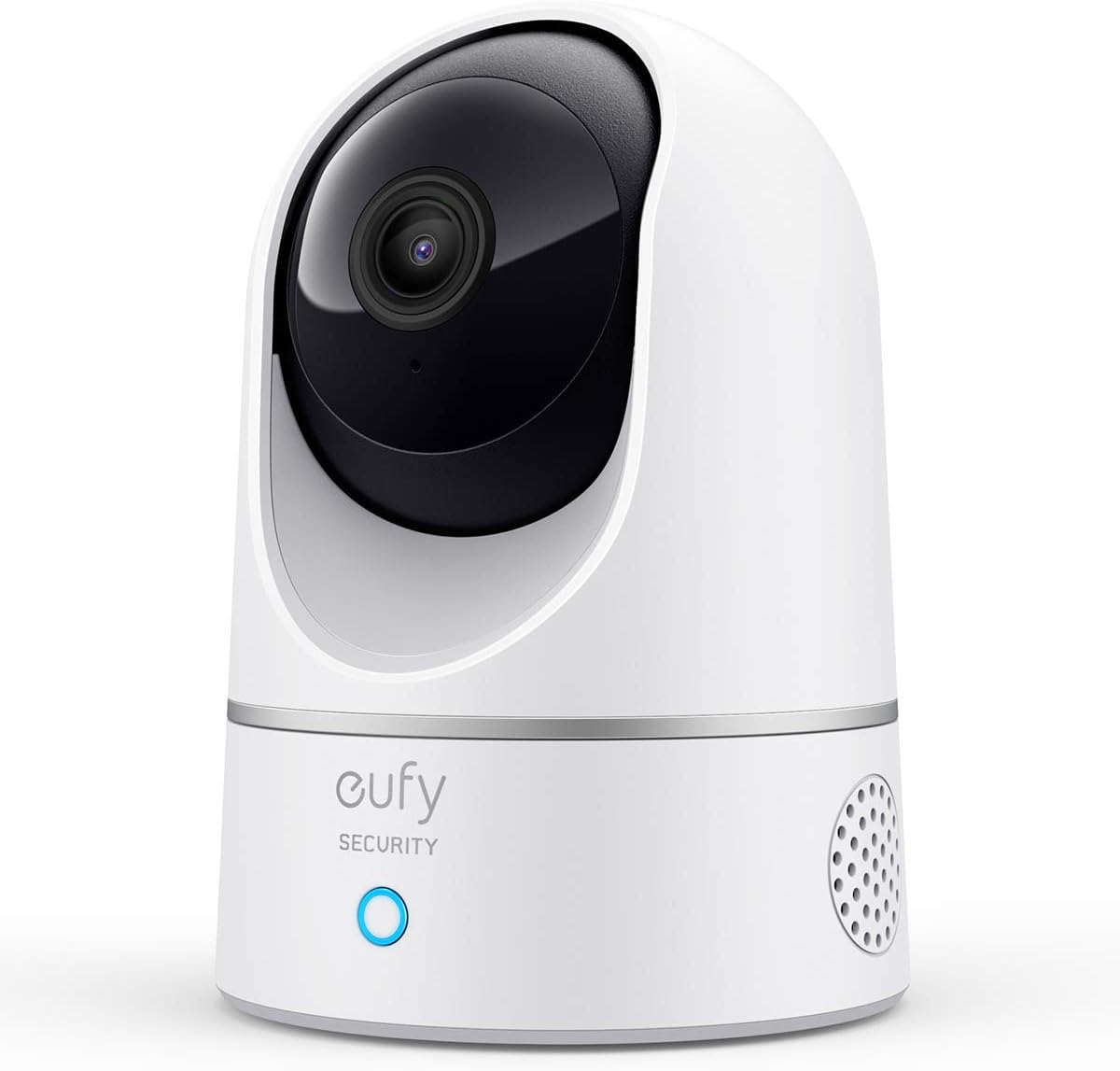
| Video Capture Resolution | 3 MP |
|---|---|
| Effective Video Resolution | 1440 pixels |
| Night Vision | Night Color |
| Connectivity Protocol | Wi-Fi |
| Power Source | Corded Electric |
The eufy Indoor Cam E220 is a plug-in pan-and-tilt dome camera that provides 360 degree room coverage with automatic tracking and on-device AI to record only when a person or pet is detected. You set it up on 2.4 GHz Wi-Fi, mount it on a wall or ceiling, and use the eufy app or voice assistants to view live 2K footage or two-way talk. Notable features include digital 8X zoom, night color vision, MP4 recording, and local dual-storage options for keeping footage off the cloud. In daily use the pan/tilt motion and AI tracking make it easy to follow activity around a living room or nursery, and the two-way audio is useful for quick interactions. Limitations to consider are the requirement for a constant power connection, lack of 5 GHz Wi-Fi support, and that higher resolution via HomeKit is limited to 1080p. For a balanced home security setup this model delivers strong coverage and smart alerts without forcing subscription storage.
Best for: Buyers who want a versatile indoor camera that balances image quality, smart motion tracking, and local storage for everyday home monitoring without relying on cloud-only systems.
Less Ideal for: People who need a battery-powered camera, require 5 GHz Wi-Fi connectivity, or who want full 2K streaming through HomeKit should look elsewhere.
- 360 degree pan-and-tilt coverage with automatic motion tracking
- On-device AI records only when humans or pets are detected
- 2K effective resolution for clearer video when not using HomeKit
- Two-way audio for live communication
- Local dual-storage options and MP4 recording format
- Requires continuous power; not battery powered
- Only supports 2.4 GHz Wi-Fi, no 5 GHz support
- HomeKit limits video to 1080p instead of 2K
Verdict: A practical indoor pan-and-tilt camera that combines 2K clarity, on-device AI tracking, and local storage for balanced, privacy-minded home monitoring.
eufy Indoor Cam E30

| Video Capture Resolution | 4k |
|---|---|
| Effective Video Resolution | 1080 pixels |
| Frame Rate | 25 frames_per_second |
| Connectivity Protocol | Wi-Fi |
| Power Source | Corded Electric |
The eufy Indoor Cam E30 is an indoor pan-and-tilt camera designed to give wide coverage and detailed footage for home monitoring. It combines a 360 degree panoramic viewing system with 4K capture capability and on-device AI to detect people, pets, crying and other audio cues, then auto-track subjects as they move across the room. The camera supports two-way audio for real-time interaction, a built-in spotlight for color night vision and deterrence, and H.265 video encoding with MP4 output for efficient local recordings. It works with HomeKit, Alexa and Google Assistant and stores footage locally on an SD card to avoid monthly fees, though HomeKit limits live/resolution to 1080p. Practical limits include 2.4 GHz Wi-Fi only and HomeKit resolution caps, and continuous 4K use may increase storage needs and network bandwidth compared with 1080p streams. For performance-focused buyers the E30 delivers strong image detail, flexible coverage and advanced on-device AI without recurring costs.
Best for: Buyers who prioritize high-resolution footage, wide room coverage and on-device AI for accurate detection and tracking without ongoing subscription costs.
Less Ideal for: Users who need 5 GHz Wi-Fi support, expect full 4K streaming through HomeKit, or want an out-of-the-box solution that includes local storage media.
- 360 degree pan and panoramic view for broad room coverage
- 4K capture capability for high-detail recordings
- On-device AI detection and auto-tracking for fewer false alerts and continuous subject follow
- Color night vision with built-in spotlight for clearer night images and deterrence
- Local storage support and no required subscription for basic recording functions
- Only supports 2.4 GHz Wi-Fi which may limit placement and throughput
- HomeKit integration is limited to 1080p resolution
- No included microSD card so local recording requires a separate purchase
Verdict: Choose the eufy Indoor Cam E30 when you want high-detail 4K capture, full-room pan coverage and smart on-device AI tracking without subscription fees.
Blink Mini 2K+

| Resolution | 2K |
|---|---|
| Zoom | Up to 4x digital zoom |
| Power | Plug-in (includes USB cable and power adapter) |
| Includes | Camera, mounting kit, USB cable, power adapter |
The Blink Mini 2K+ is a small plug-in indoor camera designed to capture sharper video and clearer audio than typical entry-level models. It records at 2K resolution with up to 4x digital zoom, which helps reveal more detail across a typical living room or entryway, and night vision keeps the feed usable in low light. Two-way talk with noise cancellation makes short conversations and check-ins practical, and motion detection can trigger clips or alerts when activity is detected. Setup is simple: mount or place the camera, plug it in, and connect through the Blink app; it can also act as a chime for a Blink doorbell. Cloud storage and advanced person or vehicle detection require a Blink subscription, and a weather-resistant power adapter is sold separately if you want occasional outdoor use. For buyers who want basic smart-home integration, it works with Alexa for voice control. Overall the Mini 2K+ delivers improved image and audio quality in a compact, easy-to-install package, while advanced detection and offsite storage are locked behind optional services.
Best for: Buyers who want a simple, higher-resolution indoor camera that is quick to install and integrates with Alexa for everyday home monitoring and short two-way conversations.
Less Ideal for: Users who need free local storage, fully-featured onboard analytics without a subscription, or a weatherproof outdoor camera should consider other options.
- 2K video resolution for clearer images and more usable digital zoom
- Improved audio with noise cancellation for clearer two-way talk
- Compact plug-in design that is easy to mount or move
- Integrates with Alexa for voice control and doorbell chime use
- Advanced person and vehicle detection require a paid subscription
- Not rated for outdoor use without purchasing a separate weather-resistant power adapter
Verdict: Choose the Blink Mini 2K+ if you want an easy-to-install, compact indoor camera that gives sharper 2K video and clearer two-way audio for everyday home monitoring.
Cinnado 2K Indoor Security Camera

| Resolution | 2K |
|---|---|
| Connectivity | 2.4 GHz Wi-Fi |
| Storage | SD up to 128GB; optional cloud |
| Night vision | 4 x 940nm IR lights |
The Cinnado 2K indoor security camera is a budget-friendly wired dome camera designed for basic home monitoring of pets, babies, and living spaces. It streams 2K video to your phone and uses pan and tilt controls to cover a full room from a single mount, while four 940nm IR lights provide usable night vision. The built-in mic and speaker enable two-way audio for quick check-ins, and motion detection triggers 10-second video clips plus push alerts so you can review events in the app. Storage options include local SD (up to 128GB) for continuous recording or optional encrypted cloud backup with a 30-day trial. Setup is straightforward on 2.4 GHz Wi-Fi and the camera works with Alexa and Google Assistant for voice viewing. Expect the practical benefits of clear daytime video, wide coverage without multiple cameras, and simple app sharing for family accounts, while accepting that it is a wired unit only and limited to 2.4 GHz networks.
Best for: Buyers seeking an affordable, feature-rich indoor camera to monitor rooms, pets, or children who prioritize clear video and wide coverage without spending for premium subscription services.
Less Ideal for: Users who need a cordless or battery-operated camera for areas without easy power access or who require 5 GHz Wi-Fi compatibility.
- 2K resolution with pan and tilt for broad single-camera room coverage
- Two-way audio for speaking to family members or pets
- Night vision using 940nm IR lights for low-light monitoring
- Supports local SD recording up to 128GB plus optional encrypted cloud storage
- Works with Alexa and Google Assistant for voice-activated viewing
- Wired design requires a nearby power outlet and is not battery-powered
- Only supports 2.4 GHz Wi-Fi, so it will not connect to 5 GHz networks
Verdict: A cost-conscious indoor camera that delivers clear 2K video, pan/tilt coverage, and basic cloud or local recording for straightforward home monitoring.
Ring Indoor Cam

| Video resolution | 1080p HD |
|---|---|
| Night vision | Color Night Vision |
| Power | Plug-in |
The Ring Indoor Cam is a compact, plug-in security camera designed for everyday home monitoring. It captures 1080p HD video with color night vision and offers Live View for on-demand checking plus Advanced Pre-Roll that records a few seconds before motion events to give more context. The camera includes a manual privacy cover and a swivel mount so you can place it on a shelf or mount it high for the best angle, and it sends real-time motion alerts to your phone. Integration with Alexa allows video streaming to Echo Show devices and voice announcements. Its main practical trade-offs are the need for constant power and that some advanced features, like video history and AI alerts, require a paid Ring Protect subscription. For reliability-focused users the camera delivers clear footage and consistent alerts, but expect recurring subscription costs for cloud-based playback and advanced processing.
Best for: Someone who prioritizes consistent, easy-to-manage indoor monitoring and wants clear day/night footage with straightforward alerts and simple physical privacy controls.
Less Ideal for: Buyers who need battery-operated or fully local-storage cameras, or who want advanced features without any subscription.
- 1080p HD video with color night vision for clear day and night monitoring
- Advanced Pre-Roll records seconds before motion events for better context
- Manual privacy cover lets you physically disable camera and microphone
- Flexible swivel mount and plug-in design make placement and repositioning simple
- Continuous power required since it is a plug-in only camera
- Cloud video history and some AI features require a paid Ring Protect subscription
Verdict: A reliable, easy-to-install indoor camera that delivers clear 1080p day and night video and simple privacy controls for dependable home monitoring.
TP-Link Tapo C100 Indoor Camera

| Video Capture Resolution | 1080p |
|---|---|
| Night Vision Range | 30 feet |
| Field Of View | 110 degrees |
| Wireless Technology | 2.4GHz Wi‑Fi |
| Storage | microSD up to 512 GB / cloud option |
The Tapo C100 is a compact indoor Wi‑Fi camera meant for basic home monitoring like nurseries, living rooms, and pet areas. It streams 1080p video at 15 fps, supports two‑way audio with a built‑in siren, and sends motion and sound notifications through the Tapo app. Night vision reaches up to about 30 feet so the camera remains usable after dark, and you can store footage locally on a microSD card up to 512 GB or subscribe to Tapo Care for cloud history and extra features. Setup is straightforward on 2.4 GHz networks and the app supports viewing multiple cameras and scheduling recordings. The camera is corded only and uses the app ecosystem for alerts and playback, so it is best for users who want a simple, budget indoor monitor rather than an advanced smart home security hub; frame rate and storage management are modest compared with higher-end models. Voice display support for Alexa and Google Assistant makes it convenient for watching live feeds on compatible screens.
Best for: Buyers who want an affordable, easy-to-install indoor camera for monitoring family members, pets, or single rooms and value reliable app alerts and local storage options.
Less Ideal for: People who need outdoor, battery‑powered, high‑frame‑rate, or professional-grade surveillance systems should look at more advanced models instead.
- Clear 1080p video for everyday monitoring
- Two‑way audio and a built‑in siren for remote interaction and deterrence
- Supports local microSD storage up to 512 GB plus optional cloud subscription
- Night vision effective to around 30 feet for low‑light rooms
- Easy setup on 2.4 GHz Wi‑Fi and app controls with multi‑camera view
- Limited frame rate at 15 fps which can make fast motion less smooth
- Requires a power cord so placement is limited to outlets
- No built‑in battery or weatherproofing for outdoor use
Verdict: A straightforward, budget-friendly indoor camera that delivers clear 1080p monitoring, two‑way audio, and flexible local or cloud storage for everyday home security needs.
Tapo Pan/Tilt Camera C211

| Video Capture Resolution | 2k |
|---|---|
| Memory Storage Capacity | 512 GB |
| Connectivity Protocol | Wi-Fi |
| Waterproof Rating | IP54 |
The Tapo C211 is a 2K pan/tilt indoor security camera designed to watch an entire room from a single mounting point. It connects to 2.4 GHz Wi‑Fi and the app gives pan/tilt control across 360 degrees horizontal and 114 degrees vertical so you can follow activity without multiple cameras. The camera records in crisp 2K resolution, offers night color vision, and includes person and motion detection plus baby crying alerts and precise motion tracking with push notifications. Two‑way audio and a built‑in siren let you communicate or deter intruders, and privacy zones let you block areas from recording. Storage is flexible: continuous local recording up to 512 GB via microSD or optional cloud history through the vendor subscription. Setup and voice integration with Alexa and Google Assistant are straightforward, but it requires a wired power connection and a 2.4 GHz network which could limit placement compared with battery cameras. For buyers who want reliable, app-driven indoor monitoring with useful detection features, the C211 is a practical choice.
Best for: Homeowners or parents who want dependable indoor monitoring with clear 2K video and active detection alerts, and who prefer a camera that covers an entire room from one mount.
Less Ideal for: People needing fully wireless or battery-powered cameras for remote spots or those who want completely free cloud storage without any subscription.
- 2K resolution with pan/tilt gives wide coverage from one camera
- Person, motion, and baby crying detection with push notifications
- Night color vision preserves more detail in low light
- Flexible storage: up to 512 GB microSD local recording or optional cloud plan
- Two‑way audio plus built‑in siren for communication and deterrent
- Requires wired power and 2.4 GHz Wi‑Fi so placement may be constrained
- Some advanced features such as 30‑day cloud history require subscription
Verdict: Choose the Tapo C211 when you want a single, app-controlled indoor camera that offers 2K clarity, full pan/tilt coverage, and reliable detection features for everyday home monitoring.
Choosing the Right Indoor Security Camera for Home: Key Factors to Consider
Video Resolution and Low-Light Performance
Higher resolution makes it easier to identify faces and small details in captured footage. For indoor use, a camera that records at least 1080p provides a useful balance between clarity and file size. Low-light performance matters because many critical events happen at night or in dim rooms. Look for cameras with true low-light sensors, wide dynamic range, or infrared illumination to preserve facial detail and reduce noise.
Pay attention to frame rates as well. Smoother frame rates help when tracking motion across a room. Consider how resolution interacts with storage and bandwidth, since higher-resolution continuous recording uses more resources.
Motion Detection and Smart Alerts
Accurate motion detection reduces false alarms and ensures you only receive meaningful alerts. Sensors that support adjustable sensitivity zones or AI-driven person detection can filter out pets, curtains, or sunlight changes. This saves time and reduces alert fatigue, making it more likely you will respond to genuinely important events.
Also evaluate how quickly alerts arrive and whether the system includes pre- or post-event buffering. Short clips that capture moments before and after a trigger improve context for decision making.
Connectivity, App Experience, and Integrations
A camera that connects reliably to your home Wi-Fi and offers a stable companion app makes daily monitoring practical. Look for clear setup instructions, consistent push notifications, and an intuitive playback timeline. Integration with smart-home platforms or voice assistants can simplify routines, but confirm compatibility with the devices you actually use.
Consider whether the camera supports both local and cloud connections, and whether remote access requires a proprietary hub. Ease of firmware updates and clear account management are also part of a smooth connectivity experience.
Storage Choices and Privacy Controls
Storage affects how long footage is retained and who can access it. Cameras that offer local storage options such as microSD cards let you keep footage under your control, while cloud plans add convenience and off-site backup. Check retention limits, export options, and whether clips are encrypted in transit and at rest.
Privacy controls are equally important. Look for features like audio mute, physical privacy covers or reorientation modes, and granular sharing permissions so you can limit who sees recorded clips. Transparent data policies reduce surprises about how footage is used.
Mounting Options and Physical Durability
Indoor cameras should be easy to place in common vantage points: shelves, corners, or mounted to walls and ceilings. Flexible mounting hardware and compact form factors make it simpler to achieve an unobstructed view. Build quality affects how stable the camera remains over time and whether it tolerates ordinary household bumps or humidity in kitchens and bathrooms.
Consider cable length and power options. Battery-powered models add placement freedom but require recharge cycles. Wired models provide continuous power but need a nearby outlet or discreet cable routing.
Choosing Between Continuous Recording and Event-Based Clips
Continuous recording captures everything but consumes more storage and bandwidth. Event-based recording saves only motion-triggered clips, which conserves space and reduces the time you spend reviewing footage. For many homes, event-based with short pre- and post-buffering strikes a practical balance.
If you need continuous evidence, such as for a nanny or business area inside the home, ensure your camera and storage plan support the retention period you require. Otherwise, configure event thresholds and sensitivity to minimize pointless clips.
- Continuous recording: more data, easier timeline playback
- Event-based clips: efficient storage, depends on reliable detection
- Hybrid setups: local continuous recording plus cloud alerts
Placement Tips for Effective Indoor Coverage
Place cameras at eye level in hallways and common rooms to capture faces naturally. Corners provide wide fields of view but can make details smaller in the image center. Avoid pointing cameras directly at windows to reduce backlight and false triggers from moving shadows.
Consider likely event locations such as entryways, staircases, and high-traffic family areas. For pet households, angle cameras to minimize floor-level motion or use detection settings that ignore small moving objects.
- Mount at 6 to 8 feet for balanced perspective
- Avoid direct sunlight and reflective surfaces
- Use multiple cameras to eliminate blind spots
Power Options: Battery Vs Wired
Battery-powered indoor cameras offer flexible placement and are quick to install. They are ideal for renters or spots without nearby outlets. However, they require periodic recharging and may enter power-saving modes that affect responsiveness.
Wired cameras provide continuous power and are better for always-on monitoring. They need permanent routing for power cables but reduce maintenance. Some wired models also support local recording to network storage for higher retention reliability.
- Battery: flexible placement, scheduled maintenance
- Wired: continuous power, low upkeep
- Assess charging intervals and cable routing before final placement
Bandwidth and Home Network Considerations
Streaming multiple indoor cameras can strain home Wi-Fi and internet upload capacity. Check your router capability and place high-traffic cameras on stable 2.4 GHz or 5 GHz bands as appropriate. Some cameras allow reducing bitrate or resolution to ease network load without losing critical detail.
If you plan to view live footage remotely, test upload speeds to ensure a smooth experience. Consider cameras with local network-only modes if you prefer to minimize cloud traffic.
- Limit simultaneous high-resolution streams on small networks
- Use wired ethernet where possible for consistent bandwidth
- Enable adaptive bitrate in camera settings to reduce buffering
Legal and Privacy Basics for Indoor Cameras
Indoor cameras must be used with respect for occupants and guests. Avoid placing cameras in private areas like bathrooms or changing rooms. Inform household members and regular visitors about fixed cameras and their general purpose.
Check local regulations about audio recording, since some jurisdictions require consent for recording conversations. Use microphone controls if you need video-only monitoring to reduce legal exposure and privacy concerns.
- Do not install cameras in private spaces
- Use visible placement or disclosure for occupants
- Disable audio recording where required or when unsure
How We Chose the Best Indoor Security Camera for Home
We prioritized attributes that matter most for everyday indoor monitoring. First, video quality and low-light performance were required to ensure footage is usable for identification and evidence. Second, motion detection reliability and false-alarm reduction were weighted heavily because frequent false alerts undermine trust and responsiveness. Third, connectivity and setup simplicity were used to judge how quickly a camera can be deployed and accessed from phones or home hubs. Fourth, storage options and privacy controls were considered to balance convenience with data ownership. Finally, build quality and mounting flexibility were evaluated to ensure the camera holds position and endures routine household conditions. We excluded cameras that lack basic encryption, require obscure or unsupported network standards, or do not offer at least one practical storage option. We also filtered out units with consistently poor low-light imaging or persistently unreliable motion events. The resulting selection reflects devices that meet real-world monitoring needs across the key dimensions above.
Our full evaluation process is outlined in our review methodology.
FAQ
Do indoor security cameras need an internet connection to work?
Many indoor cameras function on a local network without continuous internet access, especially for local recording and live view on the same LAN. Remote access, cloud storage, and push notifications typically require internet connectivity.
How long will recorded clips be stored?
Storage duration depends on whether you use local storage or a cloud plan. Local microSD or network storage keeps footage until the card or drive fills, while cloud plans have specific retention windows. You can usually export important clips before they expire.
Can indoor cameras detect pets without triggering alerts?
Some cameras offer pet or object filtering and adjustable activity zones to reduce pet-triggered alerts. Detection reliability varies, so tune sensitivity and zones for the rooms where pets roam to minimize false notifications.
Are two-way audio features useful indoors?
Two-way audio is helpful for quick interactions like instructing a sitter or shooing pets from counters. Keep in mind that audio may capture private conversations, so use microphone controls thoughtfully and disclose audio use to occupants.
What resolution is sufficient for identifying faces?
For most indoor situations, 1080p resolution is sufficient to identify faces at normal room distances. Higher resolutions provide more detail at larger distances but increase storage and bandwidth needs.
Final Verdict
Prioritize video clarity, reliable motion detection, and storage/privacy controls when choosing an indoor security camera for home use. Decide whether continuous recording or event-based clips better suits your monitoring needs, and pick a power option and mounting approach that fits your living space. Balance tradeoffs between resolution, network impact, and convenience. Focus on cameras that match the way you will monitor daily life and protect key areas, and configure sensitivity and privacy settings to reduce false alerts while preserving useful footage.