
Note: This article contains affiliate links. If you click on these links and make a purchase, we may earn a small commission at no extra cost to you. This helps support our research and content. Read our full affiliate disclosure here.
Picking the right NVR security camera system matters because your choice determines how clearly you can see events, how long footage is retained, and how quickly you can respond. Whether you need continuous recording for a small business or motion-triggered captures for a home, the right NVR system delivers the mix of video quality, storage, and reliability you need. This guide covers five shortlisted NVR security camera systems that represent the best balance of image fidelity, storage options, and ease of use. We evaluated each option against practical criteria so you can match a system to your surveillance needs. Scroll down for the product picks and detailed buying insights.
Top Picks at a Glance
| Best Overall The best all-around choice for most situations | ONWOTE 16CH NVR Security System |  |
| Best Quality Built to a higher standard if you want something more solid | eufy Security S4 Max 4-Cam Kit |  |
| Best Value The sweet spot between price and what you get | Hiseeu 4K NVR Kit |  |
| Most Popular A crowd favorite that many people choose with confidence | REOLINK RLN8-410 NVR |  |
| Best Seller A high-volume bestseller chosen again and again | REOLINK RLK8-410B4 5MP System |  |
ONWOTE 16CH NVR Security System

| Number of Channels | 16 |
|---|---|
| Built-In Media | 4TB hard drive |
| Camera Resolution | 5 Megapixels @25FPS |
| Night Vision Range | 100 feet |
| Power Source | PoE 802.3af/at 48V; 12V DC ± 10% |
This ONWOTE kit bundles a 16-channel 6K-capable NVR with sixteen 5MP PoE cameras aimed at small commercial sites or larger homes that need wide coverage. Installation is simplified by PoE so each camera receives power and data over Cat5 cable, and the kit includes eight 100 ft and eight 60 ft Ethernet runs plus mounting hardware. The NVR offers continuous 24/7 recording to the built-in 4TB drive with two HDD bays and a stated 20TB maximum, plus HDMI/VGA outputs for local monitoring. AI features like AcuSearch and human/vehicle detection help reduce false alarms and speed incident search, while privacy masking and drawn motion zones let you limit recording areas. Cameras are IP66-rated for outdoor use, have a 122 degree field of view, 100 ft night vision, and capture audio. Expect a capable, feature-rich system for multi-point surveillance, but plan for a professional or patient DIY install if you need custom cable runs, and know that higher-resolution 12MP camera support is tied to the NVR model variants. Support is offered 24/7 by the manufacturer.
Best for: Buyers who need a single, comprehensive surveillance solution to cover many locations around a property and who value AI detection and local recording over a cloud-only service.
Less Ideal for: Individuals who want a plug-and-play wireless system for a small apartment or those unwilling to run and manage multiple Ethernet cable runs should consider simpler camera kits instead.
- Complete 16-camera kit with cables and mounts included for broad coverage out of the box
- PoE design simplifies wiring by delivering power and data over a single Ethernet cable
- Built-in 4TB HDD plus dual-drive bays and up to 20TB support for long retention and continuous recording
- AI features (AcuSearch, human/vehicle detection) reduce false alarms and speed incident searches
- IP66 metal housing and 122° wide-angle lenses make cameras suitable for outdoor monitoring and wide fields of view
- Setup and cable management for 16 cameras can be time consuming and may require networking knowledge
- Some advanced features and higher-resolution camera options depend on specific NVR model support rather than the cameras alone
Verdict: A full 16-camera PoE kit with AI detection and local 24/7 recording that delivers broad, professional-grade coverage for homes or small businesses needing centralized surveillance.
eufy Security S4 Max 4-Cam Kit

| Video Capture Resolution | 4K |
|---|---|
| Number of Channels | 8 |
| Memory Storage Capacity | 2 TB |
| Recording Mode | 24*7 Recording, Motion Recording, Schedule Recording |
| Night Vision Range | 65 feet |
The eufy S4 Max is a performance-focused PoE NVR kit built for continuous, professional-style monitoring. It pairs an 8‑port NVR (expandable to 16 channels) with four triple‑lens Bullet‑PTZ cams that combine an upper 4K wide view and a lower 2K pan/tilt/zoom head with 8× auto zoom, letting you see the whole scene and pull sharp close-ups when needed. Cameras use PoE for single‑cable power and data, support IP65 weatherproofing, and work with the local AI agent for on-device person/vehicle/pet differentiation, smart alerts, and keyword video search without a subscription. Practical benefits include 24/7 recording to the included 2 TB HDD (user‑upgradeable to 16 TB), cross‑camera tracking that hands off subjects between lenses, and app/HDMI/web access for live viewing and control. Expect 15/20 fps streams, night vision modes, and two‑way audio with AI noise reduction for clearer communication. Trade-offs are the wired PoE requirement and the system occupying multiple streams for Bullet‑PTZ cams (each uses two real‑time streams), which can limit channel counts when using many PTZ units, and installers should plan cabling and switch capacity accordingly.
Best for: Buyers who prioritize continuous, high‑resolution local recording and advanced on‑device AI for reliable, subscription‑free alerts and long‑range tracking will appreciate this kit.
Less Ideal for: Those who need a purely wireless or minimal‑wiring solution, or buyers who want many PTZ units on a small NVR without adding PoE networking capacity should consider other architectures.
- Dual‑lens design gives both a wide 4K overview and a 2K PTZ close‑up for versatile coverage.
- Local AI agent provides on‑device person/pet/vehicle recognition and smart video search without subscription fees.
- Plug‑and‑play PoE simplifies installation with single‑cable power and data and supports 24/7 recording to included 2 TB HDD.
- Cross‑camera tracking and auto‑framing keep moving subjects centered and allow long‑range tracking up to 164 ft.
- IP65 weatherproofing and AI noise reduction support outdoor use and clearer two‑way audio communication.
- Wired PoE setup requires runnning Ethernet to each camera and may need a PoE switch to expand channels.
- Bullet‑PTZ cameras occupy two real‑time streams each, which reduces total camera count if many PTZ units are used.
Verdict: Choose the S4 Max if you want a wired, high‑performance NVR kit that delivers 24/7 local 4K coverage with on‑device AI and robust cross‑camera PTZ tracking.
Hiseeu 4K NVR Kit

| Number of Channels | 16 |
|---|---|
| Camera Resolution | 5MP |
| NVR Resolution | 4K |
| Memory Storage Capacity | 3 TB |
| Night Vision Range | 65 feet |
This Hiseeu kit combines a 4K NVR with eight 5MP outdoor cameras and a preinstalled 3TB drive to deliver continuous local recording without mandatory cloud fees. It is typically installed around a house or small business to provide 24/7 monitoring, with wired power to the cameras for stable delivery and no battery maintenance. Key features include dual-band 2.4/5GHz wireless connectivity to the NVR, AI human detection to reduce false alerts, night color vision up to about 65 feet, one-way audio monitoring, and IP66 weatherproofing for outdoor use. The system supports 16 channels for future expansion, H.265+ compression to save bandwidth and storage, and multiple recording modes including continuous, event, and schedule. Practical benefits include long continuous retention from the 3TB HDD, stable wired power, and smartphone alerts with remote live view. Limitations include reliance on wired power for each camera which requires cable runs, and the cameras use fixed lenses so you cannot zoom optically; advanced cloud features require optional paid services.
Best for: Buyers who want a practical, locally recorded NVR system that prioritizes reliable 24/7 capture, easy expansion, and lower ongoing costs over cloud-dependent features.
Less Ideal for: Users seeking fully battery-powered wireless cameras, optical zoom lenses, or systems that rely primarily on cloud storage and cloud-only AI features.
- Preinstalled 3TB HDD provides long local retention and avoids recurring cloud fees
- Expandable to 16 channels so you can add cameras as coverage needs grow
- AI human detection reduces false motion alerts from pets or shadows
- IP66 weatherproof cameras designed to operate in harsh outdoor conditions
- H.265+ compression lowers bandwidth and storage use while keeping high resolution
- Cameras require DC12V wired power which can need significant cable installation
- Fixed lenses mean no optical zoom or adjustable focal length
Verdict: Choose this kit if you want a robust, expandable NVR system with local 24/7 recording and AI alerts that minimizes ongoing costs.
REOLINK RLN8-410 NVR

| Number of Channels | 8 |
|---|---|
| Memory Storage Capacity | 2 TB |
| Connectivity Technology | Ethernet, HDMI, VGA |
| Wattage | 25 watts |
| Video Input | IP Input |
The RLN8-410 is an 8-channel PoE NVR built as a straightforward local-recording hub for Reolink cameras. It supplies Power over Ethernet to connected Reolink PoE cameras for plug-and-play setup and supports continuous 24/7 recording to the included 2 TB HDD with the option to expand storage. The unit integrates with Reolink software and mobile apps for live view, remote access, and playback without mandatory monthly fees, and it can surface smart detections such as human, vehicle, and animal alerts when used with compatible cameras. Physical outputs include HDMI and VGA for local monitors and two USB ports for exports or mouse control. Important limits are that it only supports Reolink cameras and cannot be used with third-party IP cameras, and advanced features depend on pairing with Reolink models that provide them. For buyers who want a self-contained, locally recorded system with app access, this NVR is a practical, easy-to-manage choice; those needing cross-brand compatibility should look elsewhere.
Best for: Buyers who prioritize a plug-and-play, locally recorded security setup with strong integration into Reolink cameras and apps and who value no ongoing subscription fees.
Less Ideal for: Users who need an NVR that works with third-party cameras or who want a vendor-agnostic multi-brand surveillance solution.
- Includes a preinstalled 2 TB HDD for immediate continuous local recording.
- PoE support simplifies installation by sending power and data over a single Ethernet cable to cameras.
- Works offline as a standalone recorder while also offering remote viewing via Reolink apps without monthly fees.
- Supports HDMI and VGA outputs plus two USB ports for convenient local monitoring and media export.
- Integrates Reolink smart detections (human/vehicle/animal) when paired with compatible cameras.
- Only compatible with Reolink cameras and does not support third-party IP cameras.
- Advanced features and intelligent detection require specific Reolink camera models rather than being NVR-native.
Verdict: Choose the RLN8-410 if you want a ready-to-run, locally recording 8-channel PoE NVR tightly integrated with Reolink cameras and app access without monthly fees.
REOLINK RLK8-410B4 5MP System
| Video Capture Resolution | 5MP (2560×1920)@25fps |
|---|---|
| Night Vision Range | 100 feet |
| HDD Capacity | Built-in 2TB (expandable up to 16TB) |
| PoE Standard | IEEE 802.3 af/at |
| Compression Format | H.265, H.264 |
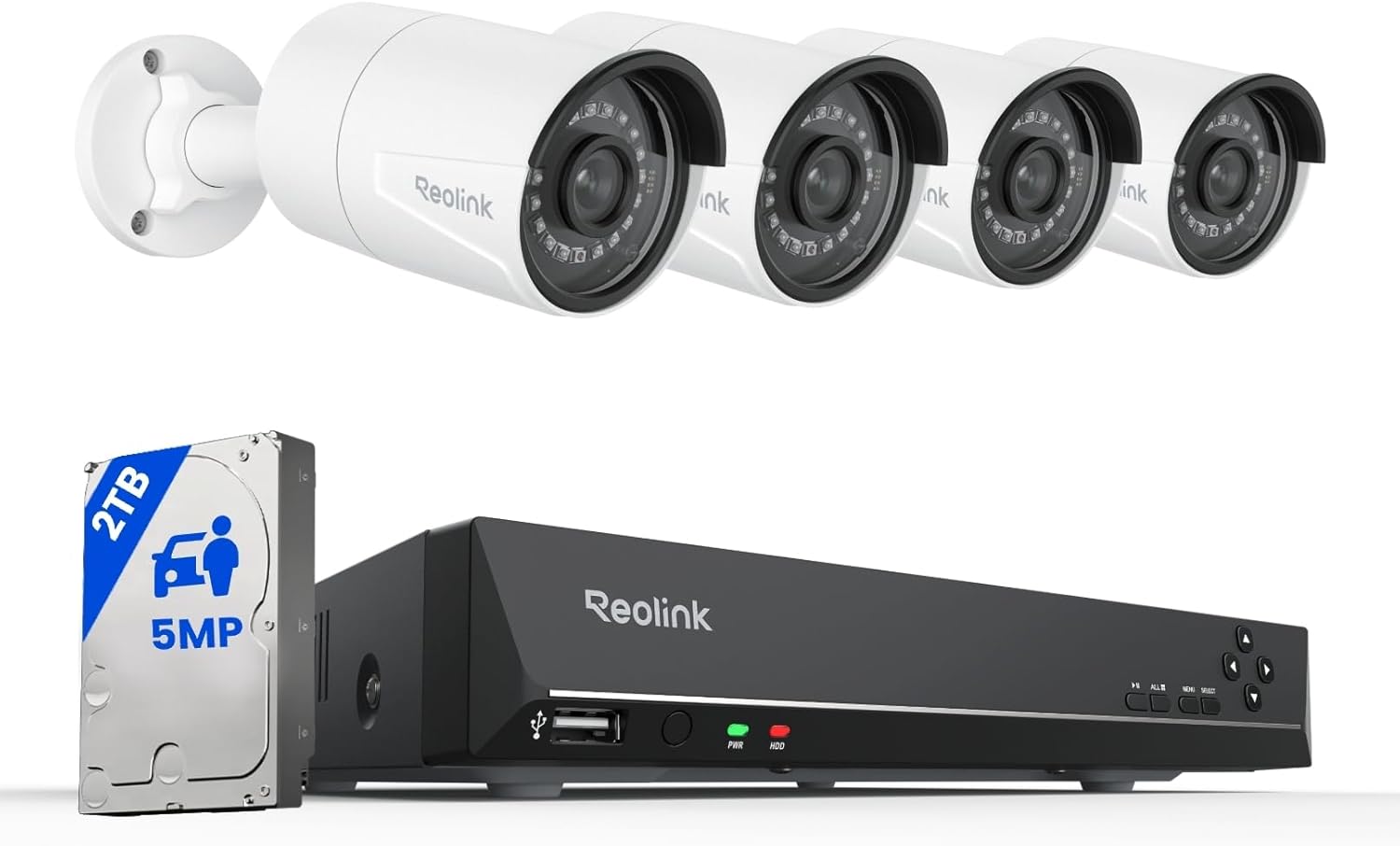
This Reolink PoE kit is a plug-and-play 8-channel system built around a RLN8-410 NVR with a preinstalled 2TB hard drive and four 5MP fixed-lens dome cameras. Installation uses Power-over-Ethernet so each camera needs only a single Ethernet run for power and video, which simplifies DIY setup and yields a stable wired connection for 24/7 recording. The cameras deliver 5MP footage at 25 fps with 80 degree horizontal view and IR night vision up to 100 feet, and the NVR supports H.265/H.264 compression, HDMI/VGA outputs, USB mouse control, and local playback via the Reolink app. Smart person/vehicle/animal detection, customizable motion zones, and multi-user remote access make it easier to filter alerts and find important events. Limitations to note are that the NVR is designed to work with Reolink cameras only and adding third-party cameras may cause compatibility issues, and the fixed 4.0 mm lens means no optical zoom or wide-angle coverage beyond the listed field of view. For buyers who want a self-contained, wired system with local storage and reliable PoE operation, this kit covers the essentials without complex networking.
Best for: Buyers who want a reliable, self-contained wired NVR kit they can install themselves and who prioritize stable local recording and fewer nuisance alerts.
Less Ideal for: Users who need broad third-party camera compatibility, PTZ or optical zoom capabilities, or ultra-wide field-of-view coverage.
- PoE simplifies installation by delivering power and video over a single Ethernet cable
- Preinstalled 2TB HDD supports continuous local recording and expandable storage up to 16TB
- 5MP resolution at 25 fps with IR night vision up to 100 ft provides clear day/night footage
- Smart person/vehicle/animal detection and customizable motion zones reduce false alerts
- NVR is intended to work only with Reolink cameras, limiting third-party compatibility
- Cameras have fixed 4.0 mm lenses so there is no optical zoom or wider field options
Verdict: A dependable plug-and-play PoE NVR kit for buyers who want stable local recording, clear 5MP day/night video, and smarter motion alerts without complicated setup.
Choosing the Right NVR Security Camera Systems: Key Factors to Consider
Video Resolution and Low-Light Performance
Higher resolution cameras capture more detail and make it easier to identify faces and license plates. Consider systems that offer at least 1080p resolution for general perimeter monitoring and 4K for areas where identification is critical.
Night-vision performance varies by sensor quality and infrared illumination. Look for systems with strong low-light sensitivity and adjustable IR modes so that images remain usable in darkness without excessive bloom or washed-out highlights.
Local Storage Capacity and Redundancy
NVR systems rely on onboard or attached drives to store continuous or event-based video. Calculate storage needs based on camera count, resolution, frame rate, and retention days. Systems that support larger drives or multiple drive bays give you flexibility to extend retention without overwriting important footage.
Redundancy options such as RAID support or dual-drive configurations protect against a single-drive failure. For critical sites, pick systems that allow straightforward drive replacement and verify that recorded files remain accessible during maintenance.
Network Bandwidth and Remote Access
Streaming multiple high-resolution cameras can consume substantial local and upstream bandwidth. Match camera bitrates to your network capability and use settings like variable bitrate and motion-triggered recording to reduce load.
Remote access depends on the NVR's networking features, including secure port forwarding alternatives, mobile apps, and encrypted connections. Prefer systems that offer reliable remote playback and clear instructions for securing remote access to reduce exposure to unauthorized viewing.
Installation and Power Options
Installation complexity affects labor and long-term reliability. Decide between PoE (Power over Ethernet) setups, which simplify cabling by carrying data and power over one cable, and separate power runs, which may be necessary in retrofit scenarios.
Consider mounting options, camera housings rated for outdoor use, and the routing of cables to minimize exposure. If you plan to use existing infrastructure, check compatibility with your switches and whether additional accessories like PoE injectors or surge protectors will be needed.
Software Features and Event Management
The NVR's management software determines how easily you can search, tag, and export footage. Look for features like motion analytics, flexible retention policies, scheduled recording, and efficient timeline scrubbing to speed incident review.
Ease of firmware updates, user permission controls, and integration with alerts and third-party systems can improve long-term usability. Confirm that the interface supports common tasks without an advanced technical background.
Durability and Environmental Ratings
Cameras and NVR enclosures need to withstand their installation environment. Outdoor cameras should have weather and dust ratings and acceptable operating temperature ranges to ensure consistent performance year-round.
For installations exposed to lightning or electrical noise, look for systems with surge protection options and surge-rated accessories. Longevity is also affected by cooling in NVR enclosures, so ensure the unit is rated for continuous operation in your installation environment.
Choosing Between PoE and Analog NVRs
Power over Ethernet systems simplify cabling by delivering power and data over a single cable, reducing installation time and points of failure. PoE NVRs are often preferred for new installs because they support higher bandwidth and centralized power management.
Analog or hybrid NVRs can be useful when reusing existing coaxial infrastructure or when budget constraints require staged upgrades. Evaluate the long-term plan for the site and choose the topology that minimizes rework and meets your reliability needs.
- PoE: simpler cabling, centralized power control, better scalability
- Analog/hybrid: reuse coax, may require baluns or adapters
- Consider future expansion when selecting NVR port counts
Sizing Storage for Retention Needs
Estimate storage by considering camera resolution, frames per second, and whether recording is continuous or event-triggered. Higher resolution and continuous recording multiply storage needs quickly.
Use conservative assumptions for bitrates and factor in overhead for metadata and periodic system tasks. If retention periods are legally mandated or required for security processes, plan for additional headroom and redundancy.
- Adjust frame rates for less critical views to save space
- Use motion or scheduled recording where full-time capture is unnecessary
- Choose systems that make drive upgrades straightforward
Securing Remote Access and Protecting Footage
Remote access is convenient but increases exposure if not properly secured. Prefer NVRs that support encrypted sessions, multi-user permissions, and up-to-date firmware to reduce vulnerability.
Limit open ports and use VPNs or manufacturer-recommended secure tunnels when available. Regularly update credentials and audit user accounts to prevent unauthorized access to live streams and archived footage.
- Enable encryption and strong passwords for remote accounts
- Regularly update device firmware and management software
- Use role-based access to restrict sensitive functions
Maintenance and Long-Term Reliability
Routine maintenance keeps systems reliable. Schedule periodic checks for firmware updates, drive health, camera focus and cleanliness, and cable integrity.
Plan for component replacement cycles and ensure spare parts like replacement drives or PoE injectors are on hand for critical installations. Document configuration settings and regularly export configuration backups to speed recovery after hardware failure.
- Monitor drive SMART data if supported
- Clean camera lenses and housings seasonally
- Keep a spare drive and updated configuration backups
Analytics and Practical Event Filtering
Basic motion detection often triggers too many events in busy areas. Look for analytics that offer region masking, object detection filters, and adjustable sensitivity to reduce false positives.
Use event filtering to focus storage and attention on meaningful incidents. Well-configured analytics reduce time spent reviewing footage and can lower storage requirements by prioritizing relevant recordings.
- Region masking prevents triggers from irrelevant areas
- Object classification can distinguish vehicles from people
- Schedule sensitivity changes for predictable activity cycles
How We Chose the Best NVR Security Camera Systems
We focused on real-world surveillance needs when selecting NVR security camera systems. Key evaluation criteria included video resolution and low-light performance to ensure footage is usable day and night, and storage options and reliability to guarantee footage is retained and retrievable when needed. We also prioritized network stability and remote access because dependable streaming and secure remote playback are essential for off-site monitoring. Installation flexibility and hardware compatibility were measured to reflect different property types and wiring constraints. Finally, software features and user interface design were assessed to ensure that setup, event search, and export tasks are straightforward for typical users. Excluded from consideration were products that depended entirely on cloud-only recording without local NVR storage, consumer Wi-Fi cameras lacking NVR compatibility, and systems with consistently reported reliability or firmware update problems. Our filters favored systems with clear specifications, documented storage options, and practical management features that matter to home and small-business users.
Our full evaluation process is outlined in our review methodology.
FAQ
How much storage do I need for a five-camera NVR system?
Storage depends on resolution, frame rate, and recording mode. As a rule of thumb, higher resolution and continuous recording multiply storage needs, so calculate using conservative bitrates and include headroom for retention and redundancy.
Can I access NVR footage remotely on a smartphone?
Most modern NVR systems support remote access through a mobile app or web client. Reliable remote viewing depends on proper network configuration, secure connection methods, and sufficient upload bandwidth at the site.
Is PoE necessary for a dependable installation?
PoE is not strictly necessary but it simplifies cabling and centralizes power management, which can improve reliability and reduce points of failure compared with separate power runs for each camera.
How do I protect recorded footage from being deleted or tampered with?
Use systems that support redundant storage or write-once archive options, restrict user permissions, and maintain regular offsite backups. Audit access logs and limit physical access to the NVR enclosure.
Will an NVR work with cameras from different manufacturers?
Compatibility varies. Many NVRs support standard protocols but capabilities can differ by vendor and firmware. Verify protocol support and feature compatibility for each camera type before mixing devices.
Final Verdict
Prioritize the combination of video clarity, dependable local storage, and secure network access when choosing an NVR security camera system. Tradeoffs are common: higher-resolution footage requires more storage and bandwidth, while advanced analytics and redundancy add complexity and maintenance needs. Match the system topology and feature set to your site, plan for realistic retention, and secure remote access from the start. With those priorities in place you can select an NVR setup that reliably captures and preserves the footage you need.