
Note: This article contains affiliate links. If you click on these links and make a purchase, we may earn a small commission at no extra cost to you. This helps support our research and content. Read our full affiliate disclosure here.
Picking the right paper shredder for an office changes how you handle confidential documents and day-to-day waste management. You want a machine that matches your security needs, handles the office volume without constant jams, and fits available space and maintenance routines. This guide collects the top shortlisted paper shredders for offices and explains why they made the list. We evaluated machines across security, throughput, and ease-of-use so you can find a reliable option that keeps office workflows moving. Read on for concise buying guidance and the main features to check before choosing a shredder for a busy workplace.
Top Picks at a Glance
| Best Overall The best all-around choice for most situations | bonsaii Auto Feed Shredder C283-A |  |
| Best Quality Built to a higher standard if you want something more solid | Aurora AU200MA AutoFeed Shredder |  |
| Best Value The sweet spot between price and what you get | Bonsaii 12-Sheet Cross Cut Shredder C275-A |  |
| Best Budget The cheapest option that still gets the job done reliably | Amazon Basics 8-Sheet Strip Cut Shredder |  |
| Top Rated A top-rated pick with lots of positive feedback | Aurora AU1210MA Micro-Cut Shredder |  |
| Most Popular A crowd favorite that many people choose with confidence | Amazon Basics 12-Sheet Cross-Cut Shredder |  |
| Best Seller A high-volume bestseller chosen again and again | Fellowes Powershred 99Ci |  |
bonsaii Auto Feed Shredder C283-A

| Cut Type | Micro Cut |
|---|---|
| Capacity | 8.1 gallons |
| Standard Sheet Capacity | 200 |
| Audible Noise | 58 db |
| Continuous Run Time | Up to 60 minutes |
The bonsaii C283-A is built for high-volume office shredding, combining a 200-sheet auto-feed tray with a manual feed slot for credit cards and stapled documents. In auto mode it can run up to 60 minutes continuously, which suits busy departments that need long, uninterrupted shredding sessions, while the manual feed handles small batches and specialty items. The micro-cut blades deliver P-4 level security by turning pages into small 4 x 12 mm pieces, and the large 8.1-gallon pull-out bin holds roughly 700 sheets so you spend less time emptying it. Practical extras include casters for mobility, an energy-saving auto-sleep after 10 minutes, anti-jam design, and a rated noise level around 58 dB to reduce office distraction. Limitations are typical of powerful autofeed units: it is a fairly heavy floor machine that needs dedicated space, and occasional maintenance like lubricant sheets or blade care will keep performance smooth under heavy use.
Best for: Teams or offices that need a reliable, high-capacity shredder for regular bulk destruction and value unattended auto-feed performance and strong document security.
Less Ideal for: Small home offices with very limited floor space or users who only need occasional light shredding and prefer compact desktop units.
- 200-sheet auto-feed for hands-free batch shredding
- Micro-cut P-4 security produces small, hard-to-reconstruct pieces
- Long continuous run time (up to 60 minutes) for heavy office workloads
- Large 8.1-gallon pull-out bin with casters reduces emptying frequency and eases mobility
- Energy-saving auto-sleep and anti-jam features improve reliability and quiet operation (~58 dB)
- Relatively heavy floor unit that requires space and is not easily relocated without wheels
- Requires periodic maintenance (lubrication and clearing jams) to sustain heavy use
Verdict: Choose this shredder if you want hands-free, high-capacity auto-feed shredding with micro-cut security for busy office workflows.
Aurora AU200MA AutoFeed Shredder

| Cut Type | Micro Cut |
|---|---|
| Standard Sheet Capacity | 200 |
| Capacity | 8.5 gallons |
| Operation Mode | Automatic |
| Continuous Run Time | 60 Minutes |
The Aurora AU200MA is built for busy offices that need high-security document destruction without constant supervision. It uses an auto-feed tray to handle up to 200 sheets at once and also accepts up to 10 sheets manually through the throat for quick jobs. The micro-cut mechanism produces very small P-5 level particles, suitable for shredding sensitive paperwork and reducing risk of data recovery. Practical features include a long 60-minute continuous run time, anti-jam auto-reverse, and LED bin and status indicators on an 8.5-gallon pullout basket for easy maintenance. It runs on corded electric power and has an auto power-sleep mode to save energy between jobs. The unit is relatively heavy and sized for a fixed office spot, so it fits best in a central shredding area rather than on a compact desktop. Noise is reported as quiet for its class, but the product is focused on throughput and security rather than portability or CD shredding capability on this model.
Best for: Buyers who prioritize throughput and high security in a shared office environment and need an auto-feed solution to cut staff time spent feeding documents.
Less Ideal for: Those who need a compact, portable desktop shredder or frequent CD/DVD/media shredding should consider other models tailored to those needs.
- 200-sheet auto-feed reduces manual feeding and saves time on large batches
- Micro-cut P-5 security produces very small particles for high confidentiality
- 60-minute continuous run time supports extended shredding sessions
- Anti-jam auto-reverse and LED status indicators simplify operation and maintenance
- Bin capacity is 8.5 gallons so very large volumes require frequent emptying
- Does not list CD/DVD shredding capability for media destruction
Verdict: Choose the AU200MA when you need a high-security, high-throughput auto-feed shredder for a busy office.
Bonsaii 12-Sheet Cross Cut Shredder C275-A

| Cut Type | Cross Cut |
|---|---|
| Standard Sheet Capacity | 12 |
| Capacity | 21 liters |
| Operation Mode | Automatic |
The Bonsaii C275-A is a practical, compact cross-cut shredder aimed at home and small office tasks. It destroys documents to P-4 security particles (about 5 x 20 mm), accepts up to 12 sheets per pass and can handle credit cards and staples, making it useful for routine confidential disposal. The unit runs continuously for about six minutes before requiring a 40-minute cool-down, and it includes an auto start/stop plus manual forward/reverse to clear jams; built-in overheat protection stops operation if the unit gets too hot. A pull-out 5.5 gallon bin with a transparent window makes it easy to check fill level, and the portable handle on the head helps move the unit when needed. The main limitations are the short continuous run time compared with larger office shredders and the need to wait for a long cool-down during heavier use, so it is best for intermittent shredding rather than long, uninterrupted sessions. For everyday confidential paperwork in a small office, it balances security and convenience well.
Best for: Buyers who want a reliable, space-saving shredder for regular household or small office paperwork and value secure cross-cut destruction without a large, noisy machine.
Less Ideal for: Not a good choice for environments that need continuous, high-volume shredding or shared office departments that run the shredder for long periods without breaks.
- P-4 cross-cut security that reduces documents to small, hard-to-reconstruct particles
- 12-sheet feed capacity for efficient single-pass shredding of standard office stacks
- Accepts credit cards and staples so you do not need to remove common items
- Pull-out 5.5 gallon bin with transparent window simplifies monitoring and emptying
- Auto start/stop and reverse anti-jam function reduce user intervention
- Only 6 minutes continuous run time followed by a 40-minute cool-down limits heavy-duty use
- Relatively small bin and compact motor mean it is not suited for sustained high-volume shredding
Verdict: A compact, secure cross-cut shredder that fits small offices and households looking for efficient, everyday confidential document disposal.
Amazon Basics 8-Sheet Strip Cut Shredder
| Cut Type | Strip Cut |
|---|---|
| Capacity | 3.4 gallons |
| Standard Sheet Capacity | 8 |
| Operation Mode | Automatic |
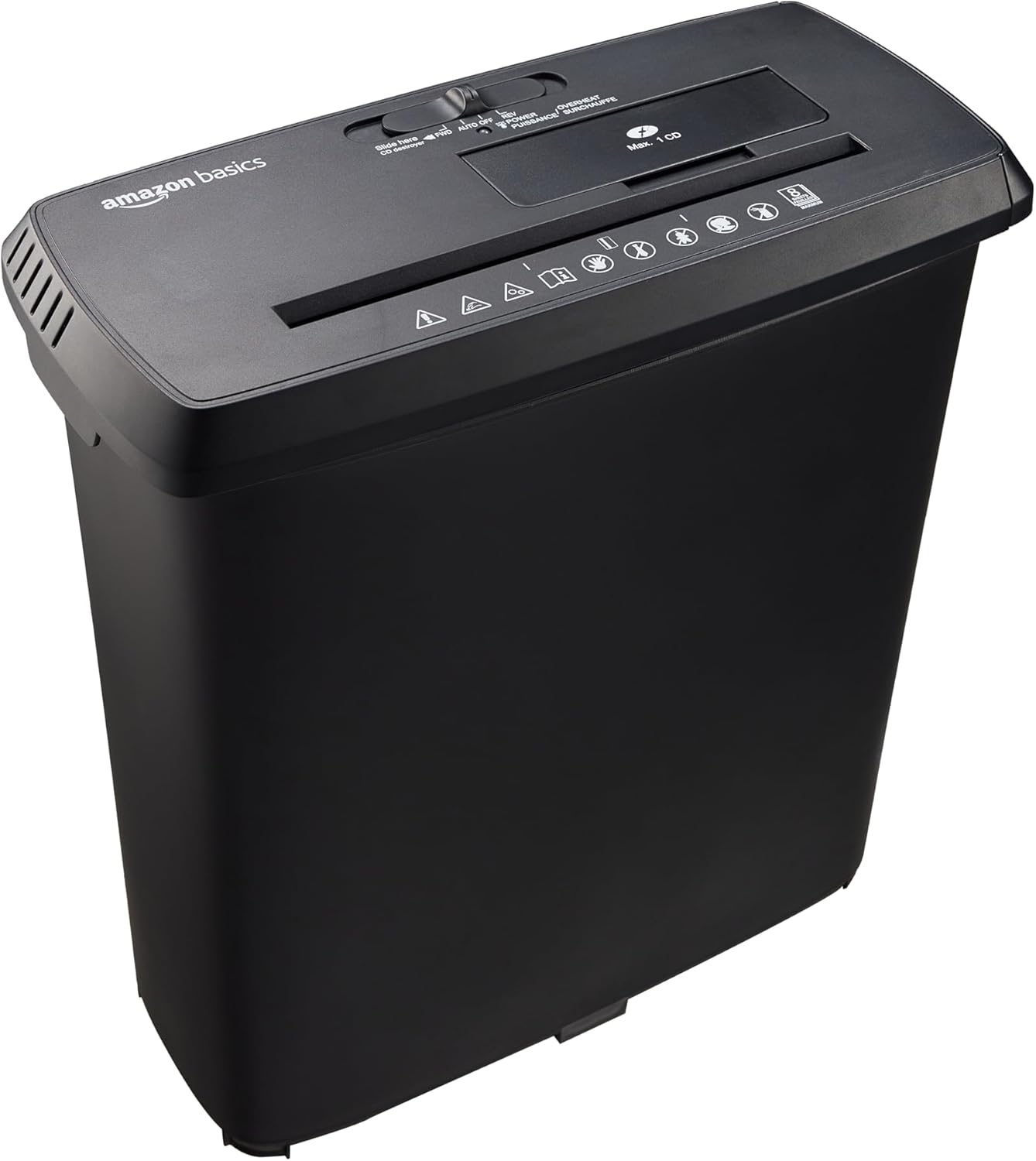
This Amazon Basics strip-cut shredder is a straightforward, budget-minded option for clearing routine paperwork and destroying one CD or credit card at a time. It shreds up to eight 20-lb sheets per pass, accepts staples and small paper clips, and uses an automatic start-stop operation that makes one-handed feeding easy. The small 3.4-gallon pull-out bin keeps the unit compact for a desktop or closet and is simple to empty. Thermal protection with a 2.5-minute runtime and 15-minute cool-down helps prevent motor damage during repeated short jobs. Because it makes 0.24-inch strips it meets basic P-2 security needs but is not suitable for sensitive documents that require cross-cut or micro-cut destruction. It also cannot shred metal credit cards and only handles one disc or card at a time, so large-volume shredding will be slow. For basic office tasks and occasional personal shredding this unit delivers reliable, no-frills performance at a low cost.
Best for: Buyers looking for an inexpensive, simple shredder for everyday invoices, mail, and light office cleanup who prioritize low cost and compact size over high security.
Less Ideal for: Anyone who needs to destroy large volumes of documents quickly or who requires high-security cross-cut or micro-cut shredding for confidential materials.
- Shreds up to 8 sheets at once including staples and small clips
- Compact footprint with a 3.4-gallon easy-empty bin for small workspaces
- Automatic start-stop operation simplifies single-person use
- Thermal protection with auto shutoff reduces risk of motor overheating
- Strip-cut format produces wide strips that are less secure than cross-cut or micro-cut
- Short 2.5-minute continuous runtime requires long cool-down for heavier jobs
Verdict: A low-cost, compact shredder that handles everyday paper and occasional CDs/cards for small offices that do not need high-security shredding.
Aurora AU1210MA Micro-Cut Shredder
| Cut Type | Micro Cut |
|---|---|
| Standard Sheet Capacity | 12 |
| Capacity | 5 gallons |
| Operation Mode | Automatic |
| Power Source | AC adapter |
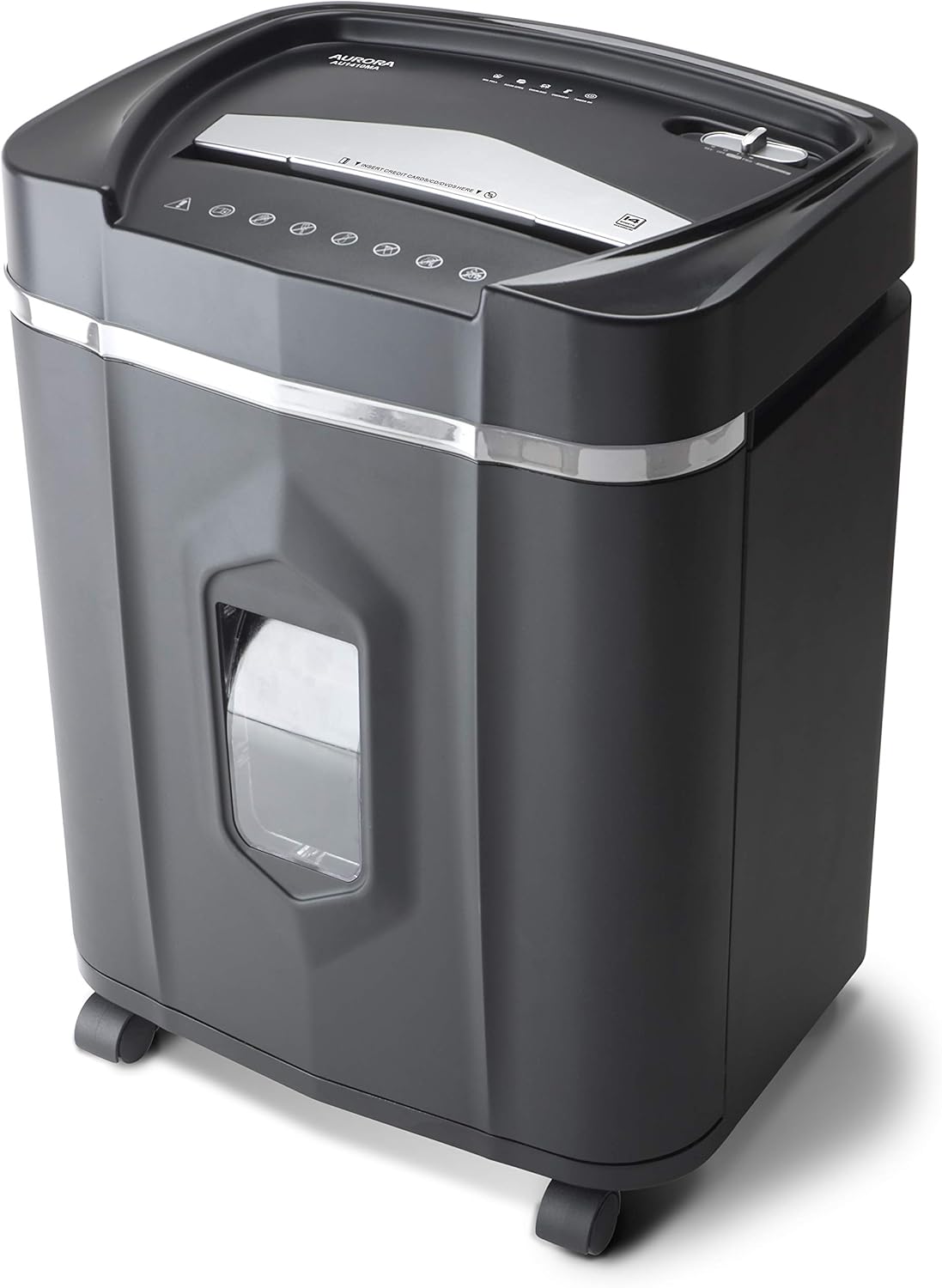
The Aurora AU1210MA is a compact office shredder built for frequent use and secure disposal of sensitive media. It accepts up to 12 sheets at once and reduces paper to micro-cut pieces (approx. 5/32 by 15/32 inches) meeting P-4 security, and it will also destroy CDs, DVDs, and credit cards. The unit is designed for longer sessions with a claimed 60-minute continuous run time and a 5.0-gallon pullout bin with LED indicators for standby, bin full, overload, overheat, and door open. Practical features include anti-jam auto-reverse and quiet operation, and casters make it easy to move around an office. For heavier departments, the 12-sheet feed and moderate bin size mean it is best as a shared desktop or small-office unit rather than a central departmental shredder. The shredder's plastic enclosure keeps weight down but buyers who need industrial durability or very large capacity should look at higher-tier commercial models.
Best for: Buyers who prioritize consistent, reliable shredding for a small team or shared office and want a machine that runs for long sessions with simple anti-jam protections.
Less Ideal for: Large departments or high-volume shredding needs that require industrial-capacity, metal-framed commercial shredders with larger bins and heavier-duty duty cycles.
- Micro-cut (P-4) security for stronger protection against identity theft
- Handles multiple media types including CDs, DVDs, and credit cards
- 60 minutes continuous run time supports longer shredding sessions
- Anti-jam auto-reverse and LED status indicators simplify use and reduce interruptions
- 5-gallon bin requires frequent emptying in higher-volume offices
- Plastic enclosure and mid-range capacity make it less suited for heavy industrial use
Verdict: A dependable mid-capacity micro-cut shredder designed for small offices that need secure, long-run shredding sessions.
Amazon Basics 12-Sheet Cross-Cut Shredder

| Cut Type | Cross Cut |
|---|---|
| Standard Sheet Capacity | 12 |
| Capacity | 19 liters |
| Audible Noise | 70 db |
| Operation Mode | Automatic |
This Amazon Basics cross-cut shredder is a straightforward office unit for routine paper and credit card shredding. It cuts documents into roughly 0.2 x 1.2 inch pieces to meet P-3 security needs and will take up to 12 sheets of 20 lb paper in a single pass, plus staples and small paper clips. The unit is automatic with a simple 4-position switch for auto, off, reverse and forward, and LED indicators to show power, overload and overheat states. A 9-minute continuous run time followed by a 30-minute cool-down and built-in overheat protection help prevent motor damage during heavier use, and the 5-gallon bin reduces trips to empty shredded material. Noise is noticeable at about 70 dB, so plan placement away from meeting areas. It can shred one non-metal credit card at a time but is not rated for metal cards. For small to medium office workloads this model offers reliable daily performance, though larger departments will want a longer runtime and higher capacity.
Best for: Buyers seeking a budget-friendly, reliably tested shredder for low to moderate daily office use who prioritize straightforward operation and visible safety indicators.
Less Ideal for: Large offices or teams with high-volume shredding needs or those who require industrial continuous-duty performance and larger waste capacity.
- Cross-cut blades produce P-3 level shred size for routine document security
- 12-sheet capacity handles typical office batches without repeated feeding
- Overheat protection with automatic shutoff and 30-minute cool-down protects the motor
- Simple 4-mode control and LED indicators make operation and troubleshooting easy
- 5-gallon bin minimizes how often you need to empty shreds
- 9-minute maximum continuous runtime limits heavy or sustained shredding sessions
- Audible noise around 70 dB can be disruptive in quiet office areas
- Not suitable for metal credit cards and only one plastic card at a time
Verdict: A practical, factory-tested cross-cut shredder that delivers secure 12-sheet shredding with built-in overheat protection for small to medium office use.
Fellowes Powershred 99Ci

| Cut Type | Cross Cut |
|---|---|
| Standard Sheet Capacity | 18 sheets |
| Operation Mode | Automatic |
| Audible Noise | 62.1 db |
| Capacity | 9 gallons |
The Fellowes Powershred 99Ci is an office-focused cross-cut shredder that handles large batches of paper and common media securely. It shreds up to 18 sheets at once into 5/32 x 1-1/2 inch particles and also destroys staples, paper clips, credit cards and CDs, making it suitable for regular secure disposal. The unit is built for repeated use with a 30-minute continuous run time and a 9-gallon pull-out bin with an LED bin-full indicator to reduce interruptions. Practical safety features include SafeSense technology that stops the blades if hands approach the throat, and the 100% jam-proof claim combined with automatic detection helps prevent and clear jams in everyday workflows. At about 62 dB it runs quietly enough for shared office spaces but is a substantial freestanding machine that weighs and occupies floor space. It comes with a 2-year product warranty and lifetime cutter warranty, which should reassure buyers who prioritize reliability and support.
Best for: Buyers who need a reliable, secure shredding solution for a shared office or busy home office and prefer proven safety features and manufacturer support to minimize risk.
Less Ideal for: People who need a compact, lightweight deskside shredder for occasional personal use or who prioritize the smallest footprint possible.
- Shreds up to 18 sheets per pass and accepts staples, paper clips, credit cards and CDs
- Cross-cut particles (P-4 level) for strong document security
- SafeSense technology stops shredding when hands touch the opening
- 30-minute continuous run time with a 9-gallon pull-out bin and LED bin-full indicator
- Backed by a 2-year product warranty and lifetime cutter warranty
- Relatively large and heavy compared with small deskside shredders
- Noise level around 62 dB may be noticeable in very quiet offices
Verdict: A dependable, office-grade cross-cut shredder that prioritizes jam prevention and user safety, making it a solid choice for risk-averse buyers managing regular confidential shredding.
Choosing the Right Paper Shredder for Offices: Key Factors to Consider
Security Level and Cut Style
Shredder security determines how easily shredded documents can be reconstructed. Office environments that handle personal data or financial records typically need cross-cut or micro-cut shredding rather than straight-cut. Higher security ratings produce smaller particles, which improves privacy but reduces throughput and increases bin fill rate.
When choosing a security level, match the cut size to your compliance needs. For routine internal memos a basic cross-cut may be sufficient, while payroll, medical, or legal documents often require finer particle sizes. Expect finer cuts to require more frequent emptying and potentially more motor work per sheet.
Daily Throughput and Sheet Capacity
Daily throughput is how many sheets a shredder can reliably process over a workday. Offices with multiple users or departments should prioritize a higher sheet-per-pass capacity and a robust duty cycle. Sheet capacity listed in specifications is a useful starting point but assume rated numbers are for short bursts; continuous performance depends on motor design and cooling.
If the office regularly shreds large batches, look for models built for prolonged operation or rated with long continuous run times. Otherwise you risk frequent cool-down periods that interrupt workflow. Consider how many people will share the machine and how often large shredding jobs occur when estimating the needed throughput.
Duty Cycle, Motor Quality, and Reliability
A shredder's motor and duty cycle indicate how long it can run before requiring a cooldown. Office machines should have higher duty cycles and motors designed for repeated use. Durable motors and metal cutters tolerate more frequent operation and resist wear better than units designed for home use.
Maintenance access and replaceable cutting heads also extend a machine's service life. Check whether the design allows for simple cleaning of cutter banks and whether the manufacturer or service network supports repairs if heavy use causes wear.
Jam Prevention and Recovery
Paper jams waste time and cause frustration in shared office settings. Features that prevent and resolve jams include wider feed openings, reverse and auto-reverse functions, sensors that detect overloads, and cutters engineered to reduce paper bridging. A reliable jam recovery routine and accessible controls minimize interruptions.
Also consider how easily the operator can clear a jammed cutting head without disassembling the machine. Models with intuitive, tool-free jam-clearing workflows reduce the need for technical service calls and keep teams productive.
Waste Bin Size and Management
Bin capacity affects how often staff must empty the shredder, which matters in busy offices. Larger bins reduce frequency but increase machine footprint. Transparent or windowed bins let users see fill level without opening the cabinet, which is helpful for shared spaces.
Also consider whether the bin design supports hygienic and efficient emptying. Removable liners, casters for cabinet units, and clear access points save time. If your office has scheduled shredding days, ensure the bin can handle batch sizes without overflowing.
Matching Shredder Size to Office Workflows
Assess how shredding fits into daily operations. A single-person workstation that occasionally disposes of sensitive pages needs a different machine than a reception area processing eight to ten visitors per hour. Map typical shredding moments during the day to estimate peak demand and average continuous use.
If multiple teams will use one machine, place it in a central, easily accessible area with enough clearance for safe operation. Consider whether a cabinet-style unit with wheels or a compact desktop model best fits the available space and traffic patterns.
- Estimate sheets shredded per day and peak batch sizes
- Decide between continuous-duty office units and light-duty shared units
- Factor in placement, noise, and access for emptying the bin
Noise, Placement, and User Comfort
Office shredders vary in noise output. High-capacity, continuous-duty models are typically louder than small personal units. If the shredder sits near workstations or a meeting room, noise can affect concentration and calls.
Position quieter models in shared open spaces and reserve louder, heavy-duty units for back offices or copy rooms. Also think about cord length, proximity to power outlets, and ventilation space to ensure safe, reliable operation.
- Choose quieter models for open-plan or customer-facing areas
- Provide sufficient ventilation space around the unit
- Place near a power source and on a stable surface
Maintenance Routines and Consumables
Regular maintenance keeps cutters working smoothly. Oiling schedules, cleaning shredded paper dust from cutter banks, and periodic inspection of feed sensors prevent performance degradation. Create simple office procedures for routine maintenance to avoid surprises.
Consider the availability and ease of using consumables such as shredder oil or lubricant sheets. Machines that indicate maintenance needs or have simple access to cutter areas reduce downtime and extend service life.
- Establish an oiling and cleaning schedule
- Train staff on basic jam-clearing and safe operation
- Keep lubricant and service tools accessible
Safety Features and Compliance
Safety is critical in busy environments. Look for automatic shutoff, safety interlocks on the feed opening, and sensors that stop cutters when hands are detected near the feed. These features reduce the risk of accidents for staff who may use the machine occasionally.
Additionally, confirm that the machine's security characteristics align with any regulatory or internal compliance requirements for document destruction. A higher security cut may be necessary if policy mandates it.
- Prefer units with automatic shutoff and safety interlocks
- Ensure cut type meets internal or legal data-destruction policies
- Provide clear signage and user instructions near the device
Energy Use and Operational Costs
Operational costs include energy consumption during standby and active shredding as well as consumables and occasional servicing. Energy-efficient models reduce long-term operating costs, especially in offices where the shredder remains plugged in all day.
Also consider how the need for frequent emptying or maintenance could add labor time. Choosing a slightly larger capacity unit can reduce staff interruptions and lower indirect costs even if the machine itself uses a bit more energy.
- Check standby power usage and auto-sleep features
- Factor in consumable costs like lubricants
- Balance upfront capacity against ongoing labor for emptying and maintenance
How We Chose the Best Paper Shredder for Offices
We focused on criteria that matter for office shredding workloads and for protecting sensitive information. Primary filters included shred security, measured by cut type and particle size, and continuous-duty throughput to ensure the machine can handle the typical daily sheet volumes in small to medium offices. We also weighed motor durability and duty cycle to predict long-term reliability under frequent use, plus jam resistance and auto-reverse features that reduce downtime. Waste management was another key dimension, emphasizing bin capacity and ease of emptying for shared environments. We excluded personal or residential-only models with low duty cycles that are not designed for repeated all-day use. Low-security cross-cut machines with tiny particle output were also deprioritized for environments handling confidential documents. Final selections balanced security level, throughput, build quality, maintenance needs, and user safety features to serve most office settings.
Our full evaluation process is outlined in our review methodology.
FAQ
What security level do most offices need?
It depends on the types of documents you handle. General office paperwork is often fine with cross-cut shredders, while payroll, health, and legal records benefit from micro-cut or higher security ratings. Match the cut size to your compliance and privacy needs.
How often should I empty the shredder bin in a busy office?
Emptying frequency depends on bin size and shredding volume. In high-use areas you may need to empty daily or multiple times per day. Larger bins or scheduling batch shredding during quieter times can reduce interruptions.
Can a home-use shredder work in an office?
Often a home machine will struggle with office workloads because of limited duty cycles and smaller motors. For repeated, high-volume use choose an office-rated model with a longer run time and more robust cutters.
How do I prevent paper jams in shared use?
To reduce jams, do not exceed the recommended sheet count per pass, remove staples and clips when possible, and use features like auto-reverse if the machine includes them. Regularly oiling cutters and training users on proper feeding habits also helps.
Are shredders noisy for open-plan offices?
Noise varies by model and capacity. High-capacity, continuous-duty machines are louder than compact personal units. If noise is a concern, locate the machine in a back room or choose a quieter model designed for open spaces.
Final Verdict
Choose an office paper shredder by prioritizing the security level you need and the daily throughput your team will use. Balance cutter type against bin capacity and maintenance demands so the machine fits both privacy requirements and operational rhythms. Consider duty cycle, jam resistance, and safety features as core tradeoffs when selecting a unit for a busy workplace. With those priorities in mind, pick the smallest machine that meets your throughput and security needs to reduce footprint and maintenance. If in doubt, err toward a higher duty-cycle model for shared office use to avoid frequent downtime and replacement.