
Note: This article contains affiliate links. If you click on these links and make a purchase, we may earn a small commission at no extra cost to you. This helps support our research and content. Read our full affiliate disclosure here.
If you want to turn negatives and slides into long-lasting digital files, choosing the right Photo Film Scanner matters. A proper scanner preserves detail, controls color accuracy, and reduces dust and scratches so your archived images remain usable for prints and edits. This guide highlights six shortlisted Photo Film Scanners chosen for their image quality, scanning speed, and ease of use. Below we explain the decisive technical features and workflow considerations that helped us pick each option, so you can match a scanner to your film formats and time budget.
Top Picks at a Glance
| Best Overall The best all-around choice for most situations | Plustek OpticFilm 8200i SE |  |
| Best Quality Built to a higher standard if you want something more solid | Epson Perfection V850 Pro |  |
| Best Value The sweet spot between price and what you get | Magnasonic FS71 24MP Film Scanner |  |
| Best Budget The cheapest option that still gets the job done reliably | DIGITNOW Film Negative Scanner |  |
| Top Rated A top-rated pick with lots of positive feedback | KODAK Slide N Scan Film Scanner |  |
| Most Popular A crowd favorite that many people choose with confidence | KODAK SCANZA Film Scanner |  |
Plustek OpticFilm 8200i SE

| Scanner Type | Photo |
|---|---|
| Connection Type | USB |
| Resolution | 7200 |
| Color Depth | 48 bits |
| Media Type | Negatives, Photo, Slide |
The Plustek OpticFilm 8200i SE is a desktop 35mm negative and slide scanner aimed at photographers who want high-resolution digital copies from film. It scans at up to 7200 dpi with 48-bit color depth and includes an infrared channel for built-in dust and scratch detection that reduces manual retouching. The scanner bundles Plustek QuickScan and SilverFast SE Plus for flexible capture and color adjustment, and supports multi-exposure to boost dynamic range on high-contrast negatives. Typical use is single-frame scanning of mounted slides or film strips for archiving, printing, or digital editing; its optical quality and bundled software make it suitable for careful hobbyists and semi-pro users. On the downside, the workflow is manual and slower than motorized batch scanners, and getting optimal scans can require learning the SilverFast controls. It also relies on a PC or Mac with supported drivers rather than offering standalone storage. For anyone focused on extracting maximum detail from 35mm originals, the 8200i SE delivers strong image quality provided you can invest time in setup and post-scan adjustments.
Best for: Buyers who want the highest-detail 35mm scans and are willing to invest time in software and workflow to get professional-looking digital files.
Less Ideal for: Users who need fast, unattended batch scanning or a plug-and-play device with minimal setup should look at motorized or turnkey models instead.
- Very high optical resolution up to 7200 dpi for detailed 35mm scans
- Integrated infrared dust and scratch detection to reduce retouching
- Bundles SilverFast SE Plus and QuickScan software for advanced color and exposure control
- Multi-exposure support to enhance dynamic range on difficult negatives
- Manual single-frame workflow is slower than motorized batch scanners
- Takes time to learn SilverFast for best results
Verdict: Choose the OpticFilm 8200i SE if you want high-resolution, software-driven 35mm scans with infrared defect removal for the best archival results.
Epson Perfection V850 Pro

| Scanner Type | Photo |
|---|---|
| Connection Type | USB |
| Optical Sensor Technology | CCD |
| Color Depth | 48 bits |
| Resolution | 9600 |
The Epson Perfection V850 Pro is a pro-grade flatbed scanner built to digitize slides, negatives, and prints at very high quality. It uses a dual-lens system and CCD optics to capture up to 6400 dpi for film and 9600 dpi interpolated resolution for detailed scans, and a 4.0 Dmax for good shadow detail and tonal range. The scanner includes film holders for 35mm, medium and large format and offers Digital ICE technologies to reduce dust and scratches while ReadyScan LED provides fast scans with no warmup. Typical use is batch scanning film or archiving prints where color accuracy and fine detail matter; TWAIN and macOS/Windows support make it suitable for studio workflows. The unit is relatively heavy and intended for a dedicated workspace, and advanced features like fluid mount require separate accessories; users should expect a learning curve to optimize settings for different film types. For photographers who need high fidelity film scans, the V850 Pro delivers rich detail and strong image restoration tools, but it is overkill for casual snapshot digitizing.
Best for: Photographers and archival-minded users who prioritize the highest possible film and print scan quality and are prepared to work in a desktop studio workflow.
Less Ideal for: Casual users who only need occasional snapshot scanning or who need a compact, portable scanner for light-duty use.
- High optical resolution for film scanning and strong shadow detail (6400 dpi, 4.0 Dmax).
- Dual-lens system and CCD sensor deliver precise scans and let the unit choose optimal optics automatically.
- Includes film holders for 35mm, medium and large-format film for batch scanning.
- Digital ICE image-restoration reduces dust and scratches on film and prints.
- ReadyScan LED provides fast scans with no warmup and broad OS support including TWAIN.
- Physically heavy and sized for a permanent workstation rather than portable use.
- Advanced accessories like fluid mount are optional and sold separately.
- Not a plug-and-play point-and-shoot solution; requires time to learn optimal scan settings.
Verdict: Choose the V850 Pro when you need pro-level film and print scans with top-tier detail and built-in image restoration.
Magnasonic FS71 24MP Film Scanner
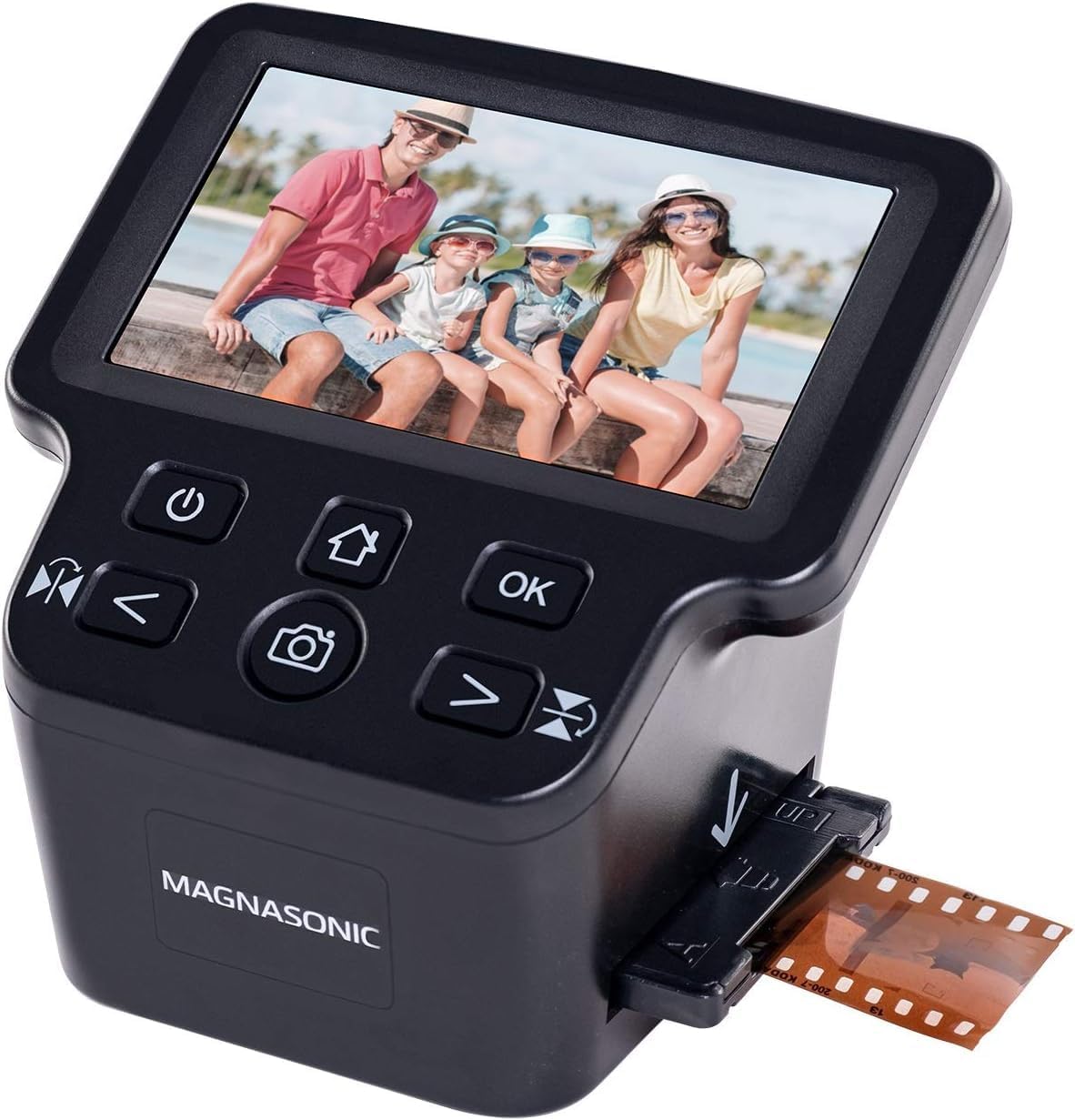
| Scanner Type | Film, Photo |
|---|---|
| Connection Type | HDMI, USB |
| Resolution | 24MP (interpolation) / 16MP sensor |
| External Memory Card | Up to 128GB SD Card |
The Magnasonic FS71 scans 35mm, 110, 126 and Super 8 film plus 135/126/110 slides into JPEG files using a 16MP sensor with 24MP interpolation and a quick single-pass scan method. It is designed as a standalone unit: load film into the included adapters, preview on the 5" TFT LCD, adjust exposure or basic RGB color on the device, then save directly to an SD card or output via HDMI to a TV. The scanner is fast, producing scans in roughly 3 to 5 seconds each, and supports SD cards up to 128GB so you can store thousands of images without a computer. Practical features include multiple film-format inserts, on-device brightness and color controls, and NTSC/PAL TV output for group viewing. Limitations are native sensor resolution and JPEG-only output, so it is more of a convenient, consumer-focused digitizer than a professional archival solution for very high-detail restorations or raw file capture.
Best for: Buyers who want a straightforward, no-PC workflow to quickly digitize family slides and negatives for easy sharing and simple on-device editing.
Less Ideal for: Photographers or archivists seeking maximum archival quality, RAW capture, or advanced restoration tools should choose a higher-end scanner or dedicated film-scanning service.
- Supports multiple common film types including 35mm, 110, 126 and Super 8 with dedicated inserts
- Fast single-pass scanning that converts images in about 3–5 seconds each
- Built-in 5" LCD plus HDMI output for previewing and showing scans without a computer
- On-device exposure and RGB adjustments let you correct images before saving
- Supports SD cards up to 128GB so large batches can be stored directly on the unit
- Saves only JPEG files and does not offer RAW output for professional-grade editing
- Actual optical resolution is limited to the sensor and interpolation, so fine-grain archival detail may be lacking
Verdict: A fast, user-friendly all-in-one scanner that digitizes common slides and negatives without a computer, ideal for efficiently preserving and sharing family film collections.
DIGITNOW Film Negative Scanner
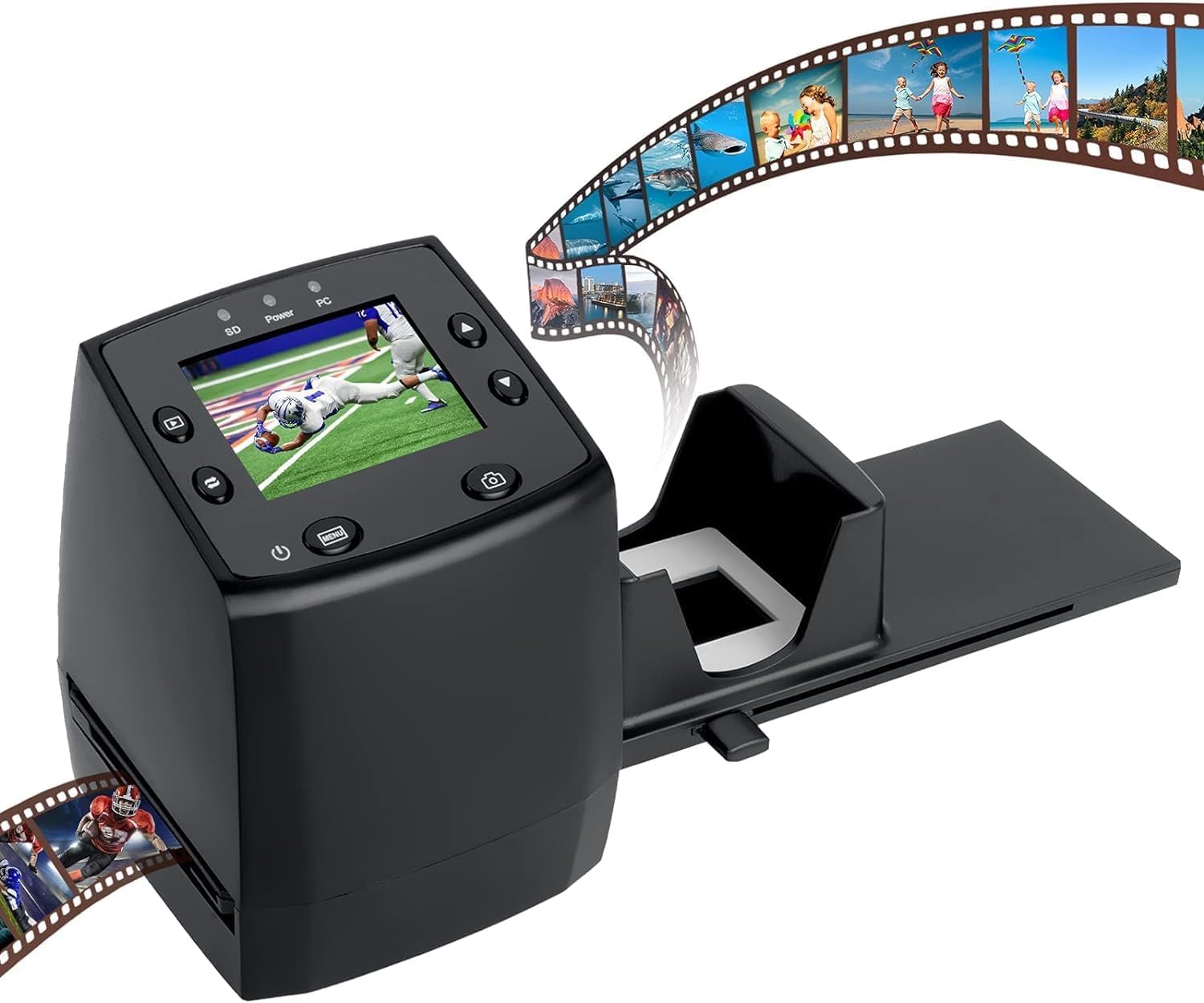
| Scanner Type | Film |
|---|---|
| Connection Type | USB |
| Resolution | 1800 |
| Light Source Type | LED |
| Media Type | Negatives, Slide |
The DIGITNOW Film Negative Scanner is a simple, no-frills device for turning 35mm negatives and slides into JPEG files without a computer. You load a slide or negative into the supplied holder, view the preview on the 2.4-inch color LCD, then press Scan to save images directly to an SD card or transfer them over USB. The unit uses an LED light source and a CIS sensor at an advertised 1800 dpi resolution, and includes a rapid slide feeder, TV-out cable, and multiple mounting holders for negatives and positives. Its stand-alone workflow and quick single-photo scanning make it convenient for occasional digitizing sessions and for users who want to avoid software setup. Expect modest image quality compared with higher-end drum or dedicated film scanners, and color depth and dynamic range are limited by the CIS sensor and basic image processing. The small size and included accessories are handy, but professionals seeking archival-quality scans or batch scanning throughput will likely want a more capable model.
Best for: Buyers on a budget who want a straightforward way to digitize a modest collection of 35mm negatives or slides without installing software or learning complex workflows.
Less Ideal for: Photographers needing high dynamic range, professional archival scans, or fast batch processing should consider higher-end dedicated film scanners instead.
- Standalone operation with 2.4-inch LCD and SD card saving—no computer required
- Includes negative and slide holders plus a rapid slide feeder for easier handling
- USB and TV-out connections let you transfer files or preview on a TV
- Compact and lightweight for easy storage and occasional use
- Image quality and color depth are modest due to CIS sensor and basic processing
- Limited to 35mm negatives and slides and not suited for archival-grade scans
Verdict: A budget-friendly, standalone 35mm film scanner that makes it easy to convert slides and negatives to JPEGs without a computer.
KODAK Slide N Scan Film Scanner
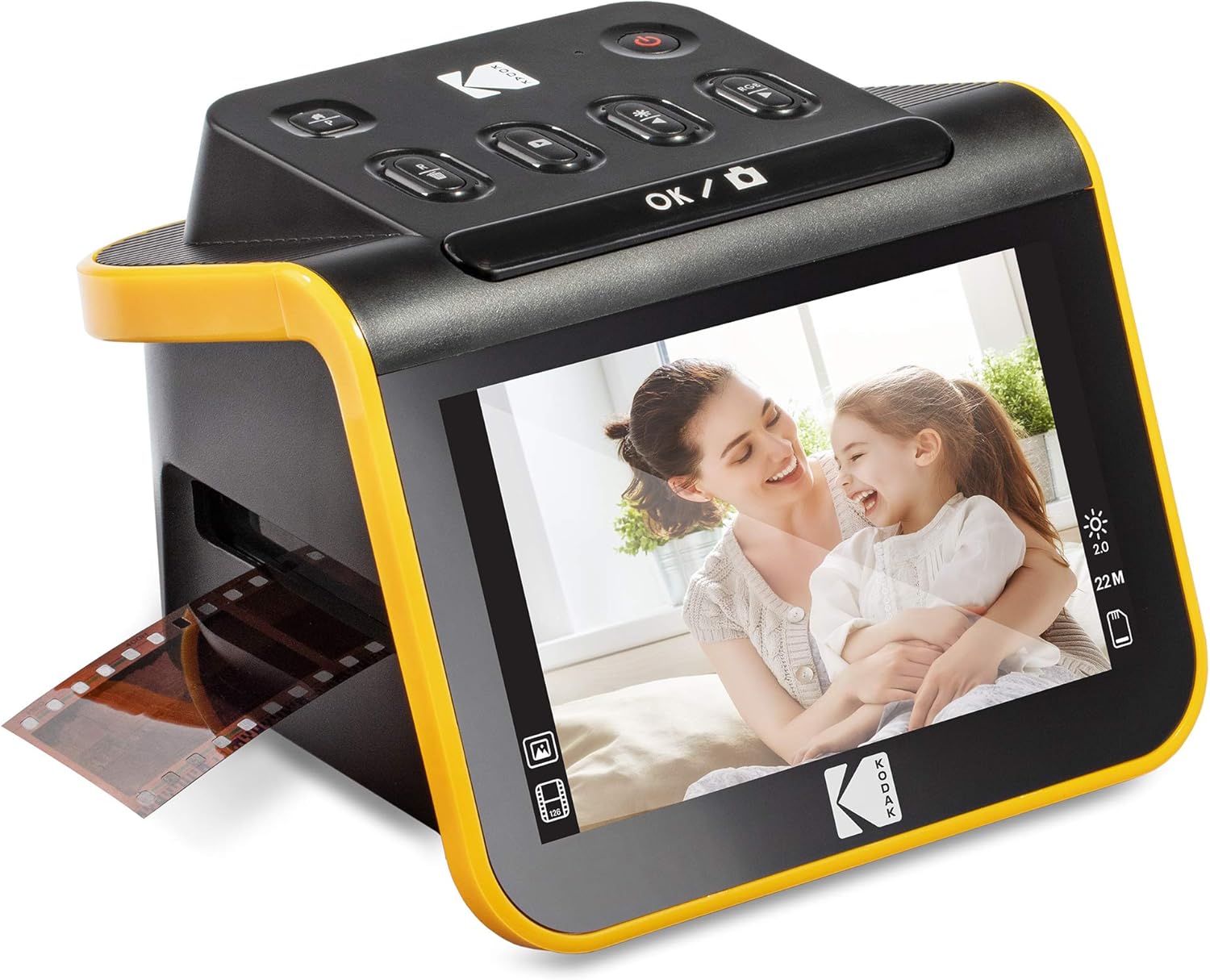
| Resolution | 13MP/22MP (interpolation) |
|---|---|
| Image sensor | 13-megapixel CMOS |
| Connection Type | HDMI, USB |
| Media Type | Negatives, Slide |
| SD support | SD/SDHC up to 32GB |
The KODAK Slide N Scan is a simple, purpose-built film scanner aimed at turning old slides and negatives into viewable digital photos without a computer. You load slides or film strips into the quick-feeding tray, preview images on the large 5" LCD, then scan to an SD/SDHC card or connect via USB or HDMI to transfer files. The unit captures images at a 13MP sensor with an option for 22MP interpolation, offers basic one-touch editing (film type, color/brightness adjustments, date/time), and includes adapters for 135, 110 and 126 formats plus a 50mm slide holder. Practical benefits include hands-off continuous feeding for faster batches, a clear built-in screen for immediate review, and easy HDMI output for TV viewing. Important limitations are its reliance on interpolation for the 22MP mode rather than true optical upscaling and the requirement to provide your own SD card and, for some power setups, a USB power source or adapter. The scanner is designed for convenience and speed more than pro-level image restoration, making it a good fit for straightforward digitization projects rather than archival-grade scanning.
Best for: Buyers who want a reliable, no-fuss way to digitize family slides and negatives quickly and preview results immediately without complex software or a computer workflow.
Less Ideal for: Photographers seeking archival-quality scans or maximum optical resolution should consider dedicated film scanners or professional scanning services instead.
- Large 5" LCD for instant previewing and gallery mode
- Quick-feeding tray and included adapters speed batch scanning of 135/110/126 and 50mm slides
- Saves JPEGs directly to SD/SDHC card and offers HDMI/USB output for easy transfer or TV display
- Simple one-touch capture with basic color and brightness adjustments
- 22MP is achieved via digital interpolation rather than optical resolution
- Requires a separate SD card and may need a USB power adapter depending on setup
Verdict: A dependable, user-friendly scanner for fast, everyday digitizing of slides and negatives with an integrated preview screen.
KODAK SCANZA Film Scanner

| Compatible film types | 35mm, 126, 110, Super 8, 8mm |
|---|---|
| Sensor resolution | 14MP (interpolates to 22MP) |
| Display | 3.5" tilt-able LCD |
| Output options | SD card, USB, HDMI |
| Max SD card | 128GB |
The KODAK SCANZA is a consumer-focused film scanner designed to quickly convert a range of developed film formats into JPEG images without a computer. It uses a built-in 14MP sensor with optional interpolation to 22MP, a 3.5-inch tilt-able LCD for previewing and basic edits, and numbered trays and adapters to load 35mm, 126, 110, Super 8 and 8mm film. Scans save directly to an SD card (up to 128GB) or can be exported via USB, and the unit also offers HDMI output to view slides on a TV. Practical benefits include fast, one-button capture, a compact footprint, and included cables and a cleaning brush to reduce dust marks. Limitations are its snapshot-style capture versus flatbed-quality scans, automatic 10-minute power-off, and the fact it only works with already developed film and produces still images from Super 8 rather than video. For casual users and families wanting a straightforward way to preserve film memories, it balances speed and convenience against the higher image fidelity of professional flatbed scanners.
Best for: Buyers who want a straightforward, largely hands-off way to convert family film and slides into JPEGs for sharing and storage and who prioritize ease of use and quick results over lab-grade scans.
Less Ideal for: Photographers or archivists seeking the highest optical fidelity or batch workflows for unprocessed film should look to higher-end flatbed or dedicated professional scanners.
- Supports multiple film formats including 35mm, 126, 110, Super 8 and 8mm
- Saves scans directly to SD card and also offers USB and HDMI output for easy transfer and viewing
- 3.5-inch tilt-able LCD lets you preview, rotate and delete images before saving
- Includes multiple adapters, cables and a cleaning brush for immediate setup and maintenance
- Image capture is snapshot-based and will not match the quality of high-end flatbed scanners
- Automatically powers off after 10 minutes of inactivity which can interrupt long scanning sessions
Verdict: An easy, all-in-one scanner for quickly turning old developed film and slides into viewable JPEGs with minimal setup.
Choosing the Right Photo Film Scanner: Key Factors to Consider
Optical Resolution Versus Effective Detail
Optical resolution is the scanner lens and sensor's native ability to resolve detail, usually specified in dpi. Effective detail on film also depends on the grain structure of the emulsion and how the scanner samples that detail. Higher optical resolution can capture more fine grain and small features, but returns diminish if the film grain is coarse or if the scanning optics introduce blur.
When choosing a Photo Film Scanner, match the claimed resolution to your film formats. For 35mm negatives, look for scanners that deliver enough effective resolution to retain detail for printing at your target sizes. For medium-format frames, the resolution requirement is often lower because the negative already holds more detail per frame. Understanding this tradeoff helps avoid overspending on resolution you will not use.
Color Depth and File Output Options
Color depth, typically reported as 8-, 16-, or higher-bit channels, determines how smoothly the scanner records tonal transitions and subtle color gradations. Higher bit depths give more headroom for color corrections and dynamic range recovery in post.
Also consider output formats. TIFF or high-bit-depth RAW-like files are preferable for archival work because they retain maximum information. If you plan heavy color correction or restoration, a scanner with native 16-bit capture and robust color-profile support will preserve more editing latitude.
Dust, Scratch Mitigation, and Image Clean-Up
Film scanning often requires dealing with dust and surface defects. Some scanners include hardware-based infrared passes that detect and mask dust and scratches during scanning. Other solutions rely on post-scan software removal tools. Hardware-based systems tend to produce cleaner results with less manual cleanup but can struggle with certain film types or dark emulsions.
Evaluate whether you want the speed advantage of an integrated dust-removal system or prefer to scan without IR for maximum detail and then do manual retouching. Also consider the availability and quality of bundled software tools for batch clean-up and spot repair.
Batch Handling and Scanning Speed
Throughput matters if you have many frames to convert. Some film scanners accept multi-frame holders for 35mm strips or offer roll-film adapters for efficient batch processing. Others require single-frame handling which slows large projects but may offer higher per-frame attention.
Pay attention to advertised scan times for typical resolutions and whether the device supports automated feeding or multi-frame trays. Faster scanners reduce project time, but speed should not come at the cost of compromised image quality or weakened dust-removal performance.
Film Format Compatibility
Different projects may include 35mm negatives, mounted slides, 120/220 medium-format, or even large-format strips. Not all scanners handle every format equally. Some are optimized for 35mm and slides with dedicated holders, while others accept larger negatives or swing-out holders for medium-format frames.
Confirm the supported formats before buying. If you work across multiple sizes, choose a scanner with adaptable holders and straightforward setup for each format to avoid frequent downtime changing equipment.
Software Workflow and Color Management
Scanner software affects daily productivity. Look for intuitive interfaces that let you preview, crop, batch-process, and apply consistent color profiles. Built-in color calibration, ICC profile support, and the ability to export high-bit-depth files are especially important for archival work.
Also consider whether the software supports tethered control, batch naming, and automated output presets. These features save time during large conversions and reduce repetitive manual steps, making it easier to maintain a consistent workflow across many frames.
Matching Scanner Type to Your Project
Photo film scanners fall into a few distinct types: dedicated film scanners with fixed optics, flatbed scanners with film holders, and hybrid units that offer both. Each type suits different project sizes and fidelity goals. Dedicated film scanners often deliver better optical performance for small formats, while flatbeds add versatility for mixed media and larger film.
Consider the balance between single-frame quality and batch throughput. Dedicated units are often faster per-frame for 35mm, whereas flatbeds can be more flexible when you need to scan prints, negatives, or odd sizes without switching gear.
- Choose dedicated film scanners for frequent 35mm and slide work where image fidelity is the priority.
- Choose flatbed-style units when you need format flexibility or occasional medium-format scanning.
- For large projects, prioritize batch feeders or multi-frame holders to reduce handling time.
Preparing Film for Best Scans
Careful film preparation reduces scanning artifacts and improves final results. Use an anti-static brush or blower to remove loose dust before placing film in holders. For stubborn particles, use a lint-free cloth and gentle anti-static treatment compatible with the film emulsion.
Handle negatives and slides by the edges and work in a clean, low-dust environment. If your scanner includes a dust-detection pass, follow manufacturer guidelines on acceptable film cleaning to avoid false positives or missed defects.
- Store film in archival sleeves until ready to scan.
- Clean holders and glass to prevent transfer of dust to scanned frames.
- Work with gloves when handling valuable or fragile originals.
Color Calibration and Profiling
Consistent color requires calibration. If you plan to make large numbers of matched scans, incorporate a color target or reference frame when establishing profiles. Some workflows use a scanner calibration target and ICC profiles to keep color consistent across sessions.
Remember that film characteristics vary by stock and processing. You may need separate profiles or presets for slide film versus color negative film to get reliable color rendering without excessive correction in post.
- Create or use ICC profiles for the scanner and the most common film stocks you scan.
- Store profile presets for quick application during batch scans.
- Check white balance and exposure previews before committing long batches.
Speeding Up Large Archival Projects
For large volumes of film, build a repeatable routine that minimizes handling and maximizes batch operations. Pre-sort frames by format and desired outcome, then process similar groups together to reduce setup changes. Use multi-frame holders or roll adapters where supported to reduce per-frame loading time.
Batch rename and export presets, plus consistent folder structures, make downstream organization and backup easier. Consider breaking very large jobs into daily quotas to maintain quality control and reduce fatigue during manual inspection.
- Pre-sort by format and condition to streamline scanning sessions.
- Use automated naming and export presets to speed post-scan organization.
- Inspect batches regularly to catch systematic issues early.
Archival Storage and File Naming
Archival scanning is only half the job. Plan a reliable file naming scheme and backup strategy before you begin. Use descriptive filenames that include date, roll number, or sequence to make retrieval straightforward. Save master files in high-bit-depth TIFF format and create smaller, compressed derivatives for sharing or daily use.
Implement a redundancy plan with at least two separate backups, ideally one local and one offsite or cloud-based. Keep raw masters untouched and make all edits on working copies to retain the maximum archival value of scanned files.
- Save master TIFFs with embedded metadata for provenance.
- Maintain consistent folder hierarchies linked to project IDs or dates.
- Verify backups periodically and refresh storage media as needed.
How We Chose the Best Photo Film Scanner
We evaluated candidates for consistent, high-resolution capture and practical workflow features that matter when converting film to archival digital files. Primary filters included optical resolution and effective resolution on 35mm and medium-format frames, color depth and software color-management capabilities, and the quality of the optical path to minimize grain amplification and lens artifacts. We also prioritized scanning throughput and batch handling, including whether the scanner supports multi-frame holders or automated rolls for repetitive work. Build quality, dust-and-scratch mitigation (hardware and software), and the availability of RAW or high-bit-depth output options rounded out the technical criteria. We excluded devices that only capture film via a camera-adapter method without true film-fed optics, as well as hobby flatbed units lacking dedicated film holders when high-fidelity archival capture was the goal. The final picks reflect tools that balance measurable image fidelity with practical day-to-day use for photographers and archivists.
Our full evaluation process is outlined in our review methodology.
FAQ
Can I get good results scanning negatives with a flatbed scanner?
Yes, many modern flatbed scanners with dedicated film holders can produce very good scans, especially for mixed-format projects. However, dedicated film scanners often yield higher detail and better color for small formats like 35mm when maximum fidelity is the priority.
How important is optical resolution compared with software sharpening?
Optical resolution is more important because it determines the true detail captured from the film. Software sharpening can enhance perceived sharpness but cannot recover detail that was never optically resolved. Aim for adequate optical resolution for your intended final print sizes.
Do all scanners remove dust and scratches automatically?
No. Some scanners include hardware IR passes or built-in dust-removal algorithms, but others rely on post-scan software. Hardware-based removal tends to be faster for batch jobs but may be less effective on certain film types. Decide based on the mix of film stocks you plan to scan.
What file formats should I save as masters?
For archival masters, use high-bit-depth TIFF files to preserve maximum tonal information. Avoid lossy compressed formats for masters. Keep smaller JPEG or compressed derivatives for sharing and quick reference.
How do I handle color negatives versus slide film in the scanner software?
Color negatives require inversion and more complex color-profiler corrections than slide film. Use film-specific profiles or presets in the scanning software and preview adjustments before batch processing to avoid systematic color shifts.
Is it worth getting a scanner with medium-format support?
If you regularly work with medium-format negatives, a scanner that accepts larger frames will save time and preserve detail better than cropping or stitching smaller scans. If medium-format is rare in your workflow, a dedicated 35mm-optimized scanner or a versatile flatbed may be more cost-effective.
Final Verdict
Choose a Photo Film Scanner by matching technical capability to your workflow. Prioritize optical resolution and color-depth options when archival image fidelity is critical, and favor robust dust-removal and batch-handling features when speed matters. Remember to plan for consistent color profiling and a clear archival file strategy. Weigh tradeoffs between single-frame quality and throughput to pick the scanner type that fits your project volume. With a clear set of priorities you can select a unit that delivers the balance of detail, speed, and usability you need for reliable film digitization.