
Note: This article contains affiliate links. If you click on these links and make a purchase, we may earn a small commission at no extra cost to you. This helps support our research and content. Read our full affiliate disclosure here.
Picking the right robot vacuum under $500 matters because real homes need practical cleaning performance without constant babysitting. You want a machine that captures pet hair, works across common floor types, and navigates reliably so you spend less time troubleshooting and more time enjoying clean floors. This guide presents seven shortlisted robot vacuums that meet those expectations and explains the tradeoffs buyers typically face. Below you will find concise product summaries followed by the criteria we used to evaluate them and the factors that should drive your choice.
Top Picks at a Glance
| Best Overall The best all-around choice for most situations | Shark AV2501AE Robot Vacuum |  |
| Best Quality Built to a higher standard if you want something more solid | dreame L40 Ultra Gen2 |  |
| Best Value The sweet spot between price and what you get | roborock Q7 L5 Robot Vacuum |  |
| Best Budget The cheapest option that still gets the job done reliably | ILIFE V2 Robot Vacuum |  |
| Top Rated A top-rated pick with lots of positive feedback | iRobot Roomba 105 Combo |  |
| Most Popular A crowd favorite that many people choose with confidence | roborock Q10 S5+ |  |
| Best Seller A high-volume bestseller chosen again and again | eufy 11S Max Robot Vacuum |  |
Shark AV2501AE Robot Vacuum

| Filter Type | HEPA |
|---|---|
| Battery Life | 120 minutes |
| Other Special Features of the Product | Bagless, LiDAR Navigation |
| Control Method | Voice |
| Capacity | 2 months |
The Shark AV2501AE is a self-emptying robot vacuum that uses LiDAR-based Precision Home Mapping and Matrix Clean Navigation to methodically cover rooms. It vacuum cleans carpets and hard floors with strong suction and a self-cleaning brushroll, while the XL bagless base holds up to 60 days of debris and uses HEPA filtration to trap fine dust and allergens. Typical use is scheduled or on-demand whole-home cleaning controlled via the app or voice assistants, with the robot returning to recharge and resume when needed for longer jobs. Notable features include 360° LiDAR object detection for night or day mapping, a 120-minute runtime for larger coverage, and a self-emptying base that reduces maintenance. Practical benefits are deeper, repeat-pass cleaning patterns for fewer missed spots and less frequent bin handling. Important limitations are a single power level (no manual suction adjustments) and a relatively tall docking footprint that may require clear floor space for placement.
Best for: Buyers who want a low-maintenance, whole-home cleaning robot that emphasizes reliable mapping and long runtime for regular scheduled cleaning without frequent bin emptying.
Less Ideal for: People who need fine-grained suction control for heavy debris, or who cannot accommodate a larger self-empty base in their floor plan should consider other solutions.
- LiDAR-based Precision Home Mapping for accurate room mapping and object avoidance
- 60-day capacity self-empty base reduces how often you handle dust
- HEPA filtration captures fine dust and allergens
- Up to 120 minutes runtime with recharge-and-resume for larger homes
- No adjustable suction levels for targeting heavy messes or conserving battery
- Taller base and robot may need a dedicated docking location with clearance
Verdict: A strong choice for buyers who want a low-maintenance, self-emptying robot with precise LiDAR mapping and long runtime for whole-home cleaning under $500.
dreame L40 Ultra Gen2

| Suction | 25,000 Pa |
|---|---|
| Battery Life | 231 minutes |
| Control | App, Remote, Voice |
| Special Features | Auto-empty, Hot Air Drying, Mop Washing, Obstacle Avoidance |
The dreame L40 Ultra Gen2 is a performance‑focused robot that combines up to 25,000Pa of suction with a DuoScrub mopping system and an all‑in‑one PowerDock that auto‑empties, washes, and dries the mop. In typical use it runs mapped cleaning cycles via the Dreame app or voice assistants, switches between five suction levels for carpets and hard floors, and uses 3D+laser sensing with RGB AI to avoid shoes and other obstacles. The dock reduces hands‑on maintenance by holding debris and supporting hot‑air drying after mop cycles, and the extendable side brush and 10.5mm mop lift help reach edges and under furniture. Battery runtime is long enough for large jobs in quiet mode, and multi‑level mapping plus no‑go zoning makes scheduling and room‑specific cleaning straightforward. Limitations to consider are that optional auto‑solution dispensing is sold separately and the product requires 2.4GHz Wi‑Fi for smart features; the dock and advanced sensors also add complexity compared with simpler models.
Best for: Buyers prioritizing strong cleaning performance and autonomous maintenance who want a robot that handles heavy debris, pet hair, and combined vacuuming and mopping with minimal intervention.
Less Ideal for: Those seeking a budget or ultra‑simple robot without an advanced dock or app integration should consider simpler models with fewer autonomous features.
- Very high suction power suitable for deep cleaning carpets and picking up pet hair
- All‑in‑one dock that auto‑empties, washes, and hot‑air dries the mop to cut down maintenance
- Advanced 3D+laser navigation and AI obstacle avoidance reduce collisions and stuck events
- Extendable side brush and mop lifting let the robot reach corners and clean under furniture
- Long battery life that supports large‑area cleaning runs in quieter modes
- Auto‑detergent dispensing module is optional and sold separately
- Smart features require 2.4GHz Wi‑Fi which may limit network setups
Verdict: If you want top vacuum and mop performance with a self‑maintaining dock for hands‑off cleaning, the L40 Ultra Gen2 delivers that capability.
roborock Q7 L5 Robot Vacuum

| Suction | 8,000 Pa |
|---|---|
| Navigation | LiDAR |
| Battery life | 150 minutes |
| Water tank capacity | 270 ml |
| Filter type | Washable |
The roborock Q7 L5 is a LiDAR-guided robot vacuum that vacuums and mops in a single run, using an integrated 270 ml water tank and up to 8,000 Pa suction to handle dust and pet hair on hard floors and low‑pile carpet. It maps rooms with multi-floor support and quick mapping so you can set scheduled cleans, no-go zones, and targeted room runs from the Roborock app or with voice assistants. Practical features include a dual anti-tangle brush system that reduces hair wrap, carpet boost that increases suction where needed, washable filters, and a child lock. For hardwood floors the precise navigation and along-floor-direction cleaning reduce repeated passes and the electronic water control offers three water levels to avoid over-wetting. Limitations to note are the combined dustbin/water-tank design which means you cannot refill water without handling the combo unit, and the robot requires a 2.4 GHz Wi‑Fi connection for full app features.
Best for: Buyers who prioritize reliable, predictable cleaning on hardwood and want a robot that follows precise maps, runs on a schedule, and minimizes hair-related maintenance.
Less Ideal for: People who need separate, large-capacity water or dust tanks for long runs without handling the unit frequently or who cannot provide a 2.4 GHz Wi‑Fi network.
- LiDAR mapping and multi-floor mapping for accurate, efficient coverage
- Strong 8,000 Pa suction with carpet boost for better pickup of dust and pet hair
- Dual anti-tangle brushes minimize hair wrap and maintenance
- Electronic water tank with three water levels lets you control mop moisture
- App control plus Alexa and Google Home compatibility for scheduled, hands-free operation
- Integrated dustbin and water tank is a single combo part, which adds steps when refilling or emptying
- Requires 2.4 GHz Wi‑Fi for app connectivity, which may need router changes for some homes
Verdict: A strong‑suction, LiDAR‑mapped vacuum‑and‑mop that reliably cleans hardwood with low hair maintenance and smart app controls.
ILIFE V2 Robot Vacuum

| Battery Life | 120 minutes |
|---|---|
| Capacity | 300 ml |
| Filter Type | Sponge |
| Control Method | Remote |
| Noise Level | 69 db |
The ILIFE V2 is an entry-level robot vacuum built to keep hardwood and other hard floors tidy without a lot of fuss. Its 2.99-inch slim body fits under low furniture while a tangle-free suction port and sponge filter make it practical for homes with pet hair. You can run scheduled cleanings, switch between auto, spot and edge modes, or start jobs with the included remote control or the single-button on the unit. A 300 ml dustbin and up to 120 minutes of runtime let it cover medium rooms on one charge, and it will automatically return to the dock when the battery is low. Noise is noticeable at 69 dB and there is only one power level, so it lacks adjustable suction or app-based controls, but for straightforward floor maintenance on hardwood and low-pile carpet the V2 delivers solid value at an affordable price.
Best for: Buyers who want an affordable, no-frills robot to maintain hardwood and low-pile carpet cleanliness with simple controls and scheduled runs.
Less Ideal for: Those who need strong adjustable suction, smart app control, or advanced mapping for large or complex homes should consider higher-end models.
- Slim 2.99-inch profile cleans under low furniture
- Tangle-free suction port suited for pet hair
- 120 minutes runtime with automatic return-to-dock
- Multiple cleaning modes (auto, spot, edge) and simple remote control
- Single power level limits suction control for heavier debris
- No smartphone app or advanced navigation features
Verdict: A low-cost, slim robot vacuum that reliably maintains hardwood floors and handles pet hair for budget-focused buyers.
iRobot Roomba 105 Combo

| Surface Recommendation | Carpet & Hard Floor |
|---|---|
| Battery Life | 100 minutes |
| Filter Type | Cartridge |
| Controller Type | App Control, Button Control, Voice Control |
| Other Special Features of the Product | Self-Emptying, LiDAR Navigation, Simultaneous Vacuuming & Mopping |
The Roomba 105 Combo pairs hands-free debris disposal with vacuuming and mopping in a compact disc-shaped unit that uses ClearView LiDAR to map and navigate a home. It offers three cleaning modes (vacuum, mop, or both), a multi-surface brush plus an edge-sweeping brush for improved corner pickup, and a washable microfiber pad with a micro-pump to control mopping solution and enable a SmartScrub mode for deeper scrubbing. The included AutoEmpty dock collects dirt into a bag rated to hold up to 75 days of debris, reducing how often you handle dust. Setup and daily control are handled through the iRobot Home app or voice assistants and the robot can create and store maps for targeted cleaning. Expect routine maintenance like brush cleaning and periodic filter changes, and note battery runtime is listed at about 100 minutes which is adequate for many homes but may require recharges on larger floors. The mopping function avoids carpets automatically, but mop capacity and solution compatibility are limited to the robot's bin-based reservoir and manufacturer guidance.
Best for: Buyers who prioritize dependable, low-maintenance daily cleaning and want a robot that reliably maps your home and keeps debris handling hands-free.
Less Ideal for: Households that need very long single-run battery life for very large floorplans or those that require heavy-duty commercial-grade mopping should consider other solutions.
- AutoEmpty dock holds debris for up to 75 days to minimize manual emptying.
- ClearView LiDAR mapping provides precise navigation and room maps for targeted cleaning.
- Combination vacuum-and-mop with micro-pump and SmartScrub mode for deeper scrubbing on hard floors.
- Multi-surface brush plus edge-sweeping brush improves pickup along edges and on carpets.
- Battery runtime is about 100 minutes which may be insufficient for very large homes without recharging.
- Mopping uses a small onboard reservoir and compatible solutions are limited to what the manufacturer specifies.
Verdict: Choose the Roomba 105 Combo if you want a reliable, self-emptying robot that maps well and handles both vacuuming and mopping with minimal day-to-day upkeep.
roborock Q10 S5+

| Maximum Suction | 10,000Pa |
|---|---|
| Capacity | 2.7 liters |
| Battery Life | 150 minutes |
| Filter Type | Washable |
The roborock Q10 S5+ combines aggressive suction, sonic mopping, and a 70-day self-emptying dock to minimize hands-on maintenance. It uses PreciseSense LiDAR and ReactiveTech obstacle avoidance to map floors, avoid clutter, and support multi-level mapping and virtual no-go zones through the app. The VibraRise 2.0 mop delivers high-frequency scrubbing and the mop module automatically lifts for carpets while ultrasonic detection and auto carpet boost adjust suction when needed. A dual anti-tangle brushset and washable filter help with pet hair, and the 2.7 L dock dust bag cuts how often you need to empty the base. Typical use is scheduled daily or on-demand whole-home cleaning controlled by the Roborock app or voice assistants, with options to change suction and emptying modes. Trade-offs are a reported noise level around 65 dB and relatively large physical footprint compared with smaller consumer models, and advanced features require app setup and 2.4 GHz Wi-Fi. For buyers looking for near-hands-free pet-capable cleaning and strong navigation, the Q10 S5+ packs a lot of capability for regular home use.
Best for: Buyers who value proven performance and social validation and want a near-hands-free robot that handles pet hair, mopping, and detailed mapping while reducing routine maintenance.
Less Ideal for: People who need an ultra-quiet or very compact robot for tiny apartments or who prefer a completely standalone device without any app or Wi-Fi configuration.
- Self-emptying dock with 2.7 L dust bag offers up to 70 days of unattended cleaning
- High 10,000 Pa suction and auto carpet boost handle embedded dirt and pet hair
- LiDAR navigation with multi-level mapping and app-set no-go zones enables precise, repeatable cleaning
- VibraRise 2.0 sonic mopping with automatic lift prevents wetting carpets during transitions
- Dual anti-tangle brush design reduces hair wrap and lowers maintenance frequency
- Operating noise around 65 dB can be noticeable during runs
- Requires 2.4 GHz Wi-Fi and app setup to access full feature set
Verdict: If you want a well-reviewed, hands-off cleaner for homes with pets that combines strong suction, LiDAR mapping, and a long-lasting self-emptying dock, the Q10 S5+ is a compelling choice under $500.
eufy 11S Max Robot Vacuum
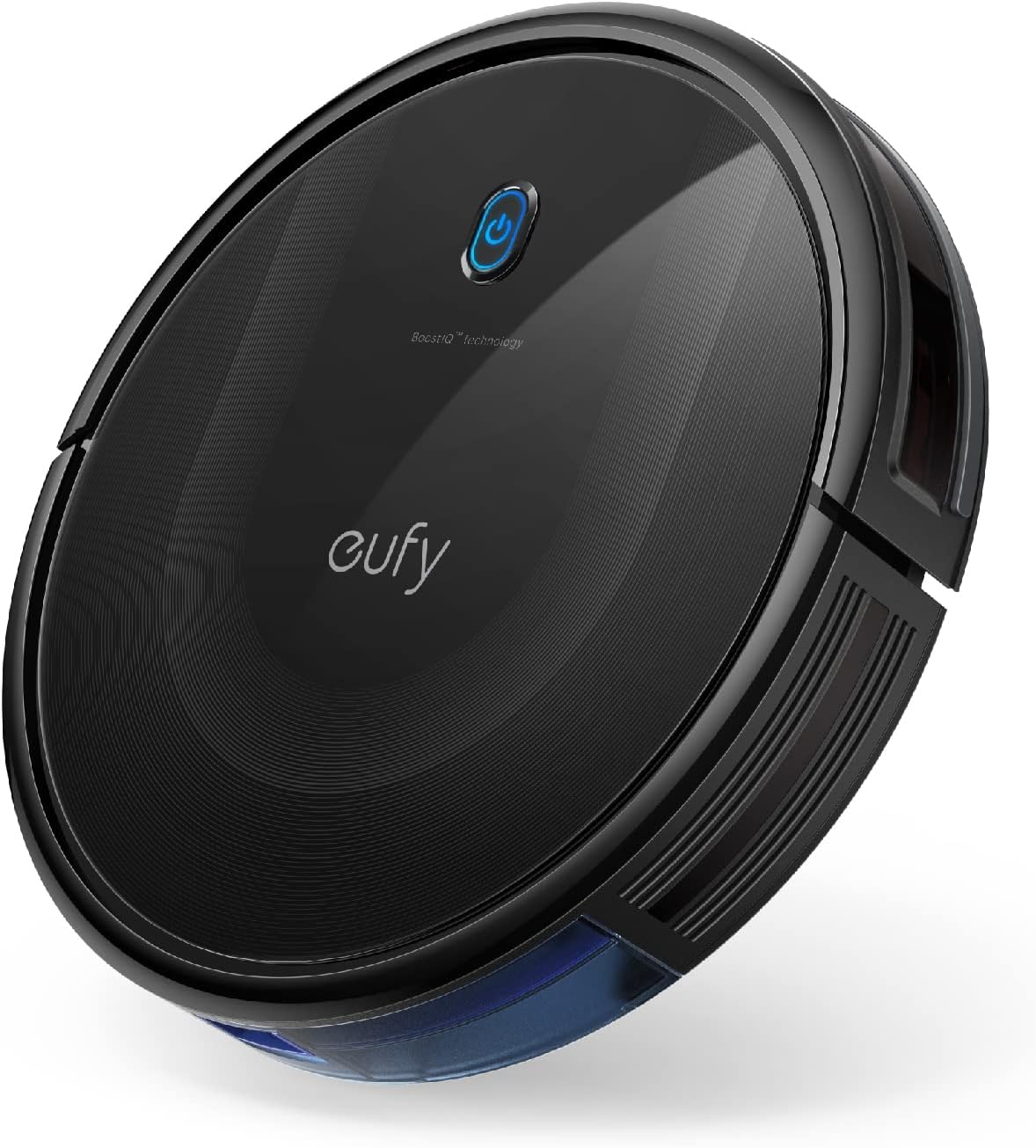
| Surface Recommendation | Hard Floor & Tile & Medium carpet |
|---|---|
| Battery Life | 100 minutes |
| Suction Power | 2000 Pa |
| Capacity | 600 ml |
| Noise Level | 55 db |
The eufy 11S Max is a low-profile robot vacuum built to clean hard floors and medium-pile carpets without drawing attention. Its 2.85-inch slim body lets it slide under low furniture while 2000Pa suction and a 12.8-inch cleaning path pick up dust, crumbs, and pet hair. It runs up to 100 minutes on hardwood at a reported low 55 dB, and automatic return-to-base means it tops off battery without user intervention. Controls are simple: the included remote and onboard buttons let you start, stop, and switch modes quickly, though there is no Wi-Fi or app control. Practical touches include washable filters, drop-sensing and anti-collision sensors, and a 600 ml dust capacity that reduces how often you empty the bin. The trade-offs are straightforward: navigation is basic rather than lidar or map-based, so room coverage is more random and may miss tight corners, and the single-side-brush design can be less thorough along edges compared with dual-brush models. For routine, quiet cleaning of hardwood, the 11S Max balances strong suction and a slim profile in a simple, reliable package.
Best for: Buyers who prioritize a quiet, no-frills robot that cleans hardwood reliably and fits under low furniture will appreciate this model for regular maintenance cleaning.
Less Ideal for: If you want mapped cleaning, smartphone scheduling, or the most thorough edge-cleaning for complex floorplans, choose a model with advanced navigation and app control instead.
- Slim 2.85" profile reaches under low furniture
- Up to 100 minutes runtime for extended cleaning sessions
- Powerful 2000Pa suction for effective pickup on hard floors
- Quiet operation at about 55 dB suitable for daytime or evening use
- Large 600 ml dust capacity and washable filter lower maintenance frequency
- Random navigation rather than mapping can lead to uneven coverage
- No Wi‑Fi or smartphone app means limited scheduling and remote control options
Verdict: A slim, quiet robot with strong suction made for routine hardwood maintenance when you want reliable, no-frills cleaning.
Choosing the Right Robot Vacuum: Key Factors to Consider
Suction Power and Brush System
Suction strength and the brush configuration determine how effectively a robot vacuum collects dust, crumbs, and pet hair. Strong suction helps lift debris from carpet fibers while a well-designed brushroll and side brush push dirt toward the intake. For homes with shedding pets or higher-pile rugs, look for models that combine a powerful motor with a tangle-resistant brush design.
Pay attention to how suction is described in real-world terms rather than only manufacturer numbers. Brush placement, the presence of a multi-surface brushroll, and a sealed intake path affect actual pickup more than raw power alone.
Navigation and Obstacle Handling
Navigation determines how thoroughly the robot covers rooms and how often it gets stuck. Models that map rooms and follow systematic cleaning paths cover spaces more consistently than those that move randomly. Reliable obstacle detection and low-profile bumpers help the vacuum handle furniture legs, thresholds, and common household clutter without stopping the job.
If your layout includes many tight areas, delicate objects, or stairs, prioritize units with robust sensors and good virtual boundary options. The ability to create no-go zones or room-by-room scheduling increases usefulness in multi-room homes.
Battery Life and Recharging Behavior
Battery capacity governs how much area a vacuum can clean on a single charge. For one-level apartments and smaller homes, shorter runtimes can be acceptable. For larger homes, look for longer run times plus reliable auto-docking and resume capabilities so the robot can finish a job after recharging. Real-world coverage is also affected by suction setting and navigation efficiency.
Consider how quickly the unit recharges and whether the docking station is stable and easy to position. A robot that regularly fails to return to base or loses charge quickly under normal settings will reduce convenience.
Maintenance Needs and Consumable Costs
Maintenance frequency affects the true cost and convenience of ownership. Check how easy it is to empty the dustbin, access and clean the brushroll, and replace filters and brushes. Models with tool-free maintenance and washable filters reduce ongoing hassles.
Consumable parts like filters, side brushes, and beltless brush components wear over time. Even under $500, pick a vacuum whose replacement parts are readily available and clearly described so upkeep stays predictable.
Smart Features and Connectivity
Smart features can make scheduling, monitoring, and customization far easier. Look for reliable app control for scheduling, status updates, and cleaning mode selection. Mapping features that allow room naming and targeted cleaning are useful for day-to-day management.
Connectivity matters only if it is stable and respects your privacy expectations. If voice assistant integration is important, confirm the level of support and what actions are available through voice control before deciding.
How Different Floor Types Affect Performance
Hard floors, low-pile carpet, and medium-pile rugs each pose different challenges. On hard floors, edge sweeping and dust pickup are the main metrics. Carpets require deeper agitation and stronger airflow to dislodge embedded particles. High-pile or shag surfaces often reduce brush contact and can limit effective suction.
If your home mixes floor types, prioritize a model with adjustable suction modes or auto-detection so it boosts power on carpeted areas and conserves battery on hard flooring.
- Hard floors: watch for low-profile side brushes and tight dustport sealing.
- Low-pile carpet: need decent brushroll design and moderate suction.
- Medium-pile rugs: benefit from higher suction and agitation.
- Thresholds: ensure the robot can climb common door transitions in your home.
Pet Hair and Allergy Considerations
Homes with pets demand attention to tangle resistance and filter quality. A high-efficiency filter and a dustbin that seals well prevent allergens from escaping during emptying. Brushrolls that resist wrapping make maintenance faster when fur buildup is frequent.
If allergies are a concern, choose models whose filtration and bin-emptying minimize dust clouds when you remove debris. Also consider how often filters need replacement.
- Prefer sealed dust paths and high-efficiency filters.
- Look for washable or easily replaceable filters.
- Tangle-resistant brush designs reduce manual hair removal.
Scheduling, Zones, and Everyday Convenience
Regular scheduling is a core convenience of robot vacuums. The best daily outcome comes from setting routines that run while you are away or asleep. Room-specific scheduling and virtual no-go zones let you keep the robot out of delicate areas or where cords and clutter are common.
Also evaluate how easy it is to perform occasional manual interventions, like directing the robot to a spot for a quick clean or starting a focused job from the app or onboard controls.
- Check whether the app supports room naming and targeted cleans.
- Verify that virtual boundaries or magnetic strip support is available if needed.
- Assess how simple it is to start or pause cleaning without the app.
Noise and Household Impact
Noise level affects when you can run the robot and how intrusive it feels in daily life. Higher suction settings typically increase noise, so a model with multiple power modes is useful. If you plan to run cleans while at home, look for lower decibel operation or the ability to set quieter schedules.
Consider whether the vacuum's movement and edge bump sounds will be a nuisance in open-plan areas and how pets react to robotic movement and sound in your household.
- Compare noise behavior across power modes, not just idle noise.
- Quieter operation may sacrifice top-end pickup on thick carpets.
- Think about running schedules during work hours if noise is a concern.
Placement and Setup Tips for Reliable Performance
Proper placement of the charging base and initial mapping runs improve long-term reliability. Give the dock a clear area so the robot can find it easily and avoid high-gloss flooring directly under the dock which can confuse some sensors. Run an initial mapping cycle with usual furniture in place to let the robot learn typical obstacles.
Keep commonly moved items like shoes and toys off the floor during the first few runs to reduce chances of entanglement and to help the robot build an accurate map.
- Allow a few feet of clearance in front of the dock for approach.
- Perform multiple mapping runs before relying on scheduled cleanings.
- Secure loose cords and small items that could tangle the brush.
How We Chose the Best Robot Vacuum
To assemble this list we focused on real-world cleaning usefulness for typical homes while keeping the price cap in mind. We evaluated candidate models across multiple measurable dimensions: suction and debris pickup across floor types, navigation and mapping reliability in furnished rooms, run time and recharge behavior for typical cleaning cycles, maintenance needs and consumable costs, and smart features such as app control and scheduling. We prioritized models that demonstrated consistently good pickup on both hard floors and medium-pile carpet, that returned to base and resumed reliably, and that required only routine maintenance without specialty tools. We excluded units that only handled spot cleaning, lacked basic obstacle avoidance, or advertised run times too short for average apartment or house coverage. Also removed were products whose connectivity or app controls were persistently unstable in typical home Wi-Fi environments. The result is a selection focused on balanced performance, predictable upkeep, and features that matter day to day.
Our full evaluation process is outlined in our review methodology.
FAQ
How long should a robot vacuum run to clean a typical one-bedroom apartment?
It often depends on suction mode and layout, but many robot vacuums can clean a one-bedroom apartment in 30 to 60 minutes on a normal power setting. Larger or more cluttered spaces will need longer or multiple runs, and using higher suction will shorten runtime.
Can a robot vacuum handle pet hair without frequent brush cleaning?
Some models reduce tangles through specific brush designs and stronger suctions, but expect to remove hair from brushes and filters periodically. Tangle-resistant rollers and easy access to the brush area reduce maintenance time.
Will a robot vacuum damage my rugs or get stuck on thresholds?
Most midrange robots handle common thresholds and low-to-medium pile rugs without damage, but very high-pile rugs or loose, frayed edges can cause snagging. Look for clearance specs and reviews that describe climbing ability for thresholds similar to yours.
How often should I replace filters and brushes?
Replacement frequency varies with use, but filters often need swapping every 3 to 6 months with regular use and brushes every 6 to 12 months. Homes with pets or allergy concerns should plan for more frequent replacement.
Is mapping necessary for good cleaning performance?
Mapping improves coverage consistency, room-specific scheduling, and reduces redundant passes. While some robots clean well without maps using thorough systematic patterns, mapping adds convenience and control in multi-room homes.
Final Verdict
When choosing a robot vacuum under $500, prioritize the features that match your home and routine. If you have pets or mixed flooring, give extra weight to suction capability and brush design. For multi-room layouts, navigation reliability and mapping features will deliver more consistent coverage and less manual intervention. Accept tradeoffs between noise, runtime, and suction: higher suction cleans better but reduces runtime and raises noise. Focus on maintenance ease and consumable availability to keep long-term ownership simple. With those priorities in mind, you can confidently pick a robot vacuum that balances performance and convenience within the budget cap.