
Note: This article contains affiliate links. If you click on these links and make a purchase, we may earn a small commission at no extra cost to you. This helps support our research and content. Read our full affiliate disclosure here.
If you create physical artwork and need faithful digital copies, choosing the right scanner matters. A scanner for artists preserves color, texture, and fine line work so your pieces reproduce accurately for portfolios, prints, or archival storage. This guide collects seven shortlisted scanners that perform well for artwork capture and explains the criteria we used to judge them. You will find clear evaluation points like color fidelity, optical resolution, and ease of use so you can pick a scanner that matches how you work. Read on for the key tradeoffs to consider before you buy.
Top Picks at a Glance
| Best Overall The best all-around choice for most situations | ScanSnap iX1300 Scanner |  |
| Best Quality Built to a higher standard if you want something more solid | Epson Perfection V850 Pro |  |
| Best Value The sweet spot between price and what you get | Plustek ePhoto Z300 |  |
| Best Budget The cheapest option that still gets the job done reliably | Canon CanoScan Lide 300 |  |
| Top Rated A top-rated pick with lots of positive feedback | Doxie Go SE Portable Scanner |  |
| Most Popular A crowd favorite that many people choose with confidence | Canon CanoScan LiDE 400 |  |
| Best Seller A high-volume bestseller chosen again and again | KODAK Slide N Scan Film Scanner |  |
ScanSnap iX1300 Scanner

| Connection Type | USB, Wi-Fi |
|---|---|
| Resolution | 600 dpi |
| Standard Sheet Capacity | 20 |
| Color Depth | 48 bits |
The ScanSnap iX1300 is a small, user friendly duplex document scanner designed for home offices and creative users who need fast, reliable digitizing without a steep learning curve. It scans both sides at once at up to 30 pages per minute (60 images per minute) using a 20‑sheet automatic feeder, and it also supports a return path for delicate items like photos and single cards. One‑touch operation and ScanSnap Home software streamline tasks such as automatic de‑skew, color optimization, blank page removal, and simple file routing to desktop, mobile, or cloud services over Wi‑Fi or USB. Image quality is supported by a 600 dpi sensor and 48‑bit color depth, which produces usable results for artwork reproduction and photo archiving at modest sizes. The unit is very compact and energy efficient, but the 20‑sheet feeder limits large batch jobs and it lacks TWAIN support for some legacy imaging workflows, so power users relying on specialized scanning software may find it restrictive.
Best for: Artists and creative hobbyists who want an easy, compact scanner to digitize sketches, receipts, and small photos with good color and minimal setup.
Less Ideal for: Users who need to scan large batches frequently or who require deep integration with legacy imaging software should consider a larger, pro‑grade scanner.
- Duplex scanning up to 30ppm for fast two‑sided capture
- Wi‑Fi and USB connectivity plus ability to scan directly to mobile or cloud
- 600 dpi resolution and 48‑bit color depth suitable for decent photo and artwork scans
- One‑touch operation with automatic image processing simplifies workflow
- Compact footprint fits small studios or crowded desks
- 20‑sheet auto feeder is small for high‑volume scanning
- No TWAIN driver limits some legacy third‑party software integration
Verdict: A compact, one‑touch duplex scanner that gives artists reliable color scans and easy cloud/mobile workflow in a small footprint.
Epson Perfection V850 Pro

| Scanner Type | Photo |
|---|---|
| Connection Type | USB |
| Resolution | 9600 |
| Color Depth | 48 bits |
| Optical Sensor Technology | CCD |
The Epson Perfection V850 Pro is built for high-resolution film and photo archiving, offering a dual-lens system, CCD sensor, and advanced image restoration tools like Digital ICE. It scans film and slides using specialized film holders included in the box and switches lenses automatically to balance speed and detail, while a ReadyScan LED light means no warmup is required. The scanner supports very high optical resolutions and deep color depth for smooth gradations and fine shadow detail, and it includes digital dust and scratch removal to reduce manual retouching. Workflow is straightforward over USB with TWAIN support for Windows and macOS, and batch scanning of multiple film formats is possible thanks to the supplied holders. Practical limits are its desktop footprint and weight, and professional users may expect a learning curve to get optimum scans and color management; also the scanner is optimized for serious film and photo work rather than fast document scanning. For artists and photographers who need top-quality scans of negatives, slides, and prints, the V850 Pro delivers the image quality and restoration features that matter most.
Best for: Photographers, artists, and serious hobbyists who prioritize maximum image quality and advanced film restoration when digitizing slides, negatives, and prints.
Less Ideal for: Users who need a compact, lightweight scanner for casual document scanning or those who prefer a plug-and-play device with minimal setup.
- Dual-lens system that automatically selects the optimum lens for film or prints
- Very high optical resolution and 48-bit color depth for detailed, color-rich scans
- Digital ICE technology removes dust and scratches from film and prints
- Includes film holders for 35mm, medium and large-format batch scanning
- ReadyScan LED light source for fast scans with no warmup time
- Large and heavy for a desktop scanner, which limits portability
- Designed for high-quality film and photo work rather than fast document scanning
Verdict: If you need top-tier film and photo scans with built-in image restoration, the V850 Pro is a performance-focused choice for artists and pro photographers.
Plustek ePhoto Z300

| Scanner Type | Document, Photo |
|---|---|
| Connection Type | USB |
| Resolution | 600 dpi x 600 dpi, 300 dpi x 300dpi |
| Optical Sensor Technology | CCD |
| Light Source Type | LED |
The Plustek ePhoto Z300 is a dedicated photo scanner that rapidly scans loose photos one at a time rather than using a flatbed glass. It uses a CCD sensor and LED light to capture up to 600 dpi images, and the roller feed design is gentler on fragile, sticky, or slightly warped vintage prints than a tightly gripping document roller. Typical use is straightforward: insert a 3×5 to 8×10 photo and the unit auto-crops, deskews, and ejects the image in a couple of seconds, with bundled software offering color restoration, batch naming, and exports to common file formats and cloud/social services. For artists the deeper focus range and CCD color accuracy preserve highlights and shadow detail better than many CIS-based feeders, and its speed makes large digitization projects practical. Limitations include a simplex feed only (no duplex), a single-sheet capacity, and a scanning path designed specifically for photos and similar thin media rather than bulky scrapbook pages or thick originals thicker than about 0.76 mm.
Best for: Artists and creators who need to quickly digitize large runs of loose prints and want better color fidelity and highlight/shadow detail than typical contact-image feeders.
Less Ideal for: Those who scan thick originals, bound materials, or need flatbed scanning versatility for oversized artwork or reflective media.
- Fast single-photo feed, about 2 seconds for a 4×6 at 300 dpi
- CCD sensor for better color accuracy and dynamic range than CIS feeders
- Auto crop, deskew and basic restoration tools streamline batch scanning
- Gentle roller design suited for old or slightly warped photos
- Not duplex capable and only accepts one sheet at a time
- Cannot handle media thicker than about 0.76 mm or bulky scrapbook pages
Verdict: Choose the ePhoto Z300 when you need fast, color-accurate digitization of loose photos with simple restoration tools to get large artist archives scanned efficiently.
Canon CanoScan Lide 300

| Scanner Type | Photo |
|---|---|
| Connection Type | Wired (USB) |
| Resolution | 2400 |
| Color Depth | 24 bpp |
The CanoScan Lide 300 is a compact flatbed scanner aimed at straightforward photo and document digitizing. It scans at up to 2400 x 2400 dpi with 24-bit color depth and uses LED lighting and a CMOS sensor to capture detail, while built-in image enhancement tools like fade correction and dust reduction help clean older prints. The unit is USB-powered for easy setup and includes four EZ buttons for quick PDF creation, cloud uploads, and auto-scan, which identifies whether you are scanning a photo or document. For artists, it handles flat artwork, photos, and pages reliably and the Z-Lid accepts slightly thicker media such as small book pages. Because it is a basic, renewed unit, expect a straightforward wired connection and driver installation for full functionality on supported OS versions; it lacks advanced color management or high-end archival features found on pro-grade scanners. That makes it a practical, space-saving choice for artists who need decent image quality on a budget rather than studio-level color fidelity.
Best for: Artists on a tight budget who need a compact scanner to digitize photos, sketches, and flat artwork for archiving or basic editing.
Less Ideal for: Photographers or artists who require studio-grade color accuracy, advanced color profiling, or large-format scanning should consider higher-end models.
- Up to 2400 x 2400 dpi resolution suitable for detailed photo and artwork digitizing
- USB-powered design simplifies setup and saves space
- Built-in image enhancements like fade correction and dust reduction
- Four EZ buttons for quick PDF creation and cloud uploads
- Renewed model with basic driver support rather than professional color management
- Wired connection only and requires driver installation for full features
Verdict: A budget-friendly, USB-powered flatbed scanner that delivers good 2400 dpi scans and simple image cleanup for artists who need reliable digitization without studio-grade color tools.
Doxie Go SE Portable Scanner

| Scanner Type | Receipt |
|---|---|
| Connection Type | USB |
| Resolution | 600 |
| Color Depth | 24 bits |
| Standard Sheet Capacity | 400 |
The Doxie Go SE is a compact portable scanner designed for quick, standalone scanning without a computer. You feed receipts, sketches, or single pages into the slot and it captures full-color scans in about 8 seconds at up to 600 dpi, saving images to internal memory or a connected USB drive. A rechargeable battery lets you scan away from a desk—Doxie claims up to 400 pages per charge and storage for thousands of pages before syncing. The included Doxie app offers convenient sync, organization, and ABBYY-powered OCR for searchable PDFs, which is useful for digitizing annotated artwork notes or reference pages. Because it is a single-sheet, sheetfed device with CCD optics it handles flat originals quickly but is not intended for thick books or large-format art. For artists who need reliable, portable capture of sketches, receipts, and loose reference images, the Go SE is straightforward and dependable; those needing high-volume flatbed scanning or large artwork scans will need a different solution.
Best for: Artists who need a reliable, portable way to digitize loose sketches, reference pages, and receipts while working on the go or in-studio without tethering to a computer.
Less Ideal for: Artists who primarily scan large-format artwork, heavily textured originals, or bound sketchbooks should consider a flatbed or large-format scanner instead.
- True standalone operation with rechargeable battery and onboard storage for scanning without a computer
- High resolution up to 600 dpi suitable for clear capture of sketches and small artwork details
- Fast single-sheet scanning speed (about 8 seconds per page) for quick digitization
- Includes Doxie software with ABBYY OCR for searchable PDFs and easy syncing to apps
- Sheetfed design cannot handle bound books, thick media, or oversized originals
- Fixed single-sheet feeder limits handling of very fragile or textured art media
Verdict: Choose the Doxie Go SE when you want a compact, battery-powered scanner that reliably captures high-resolution loose-page artwork and reference material on the go.
Canon CanoScan LiDE 400

| Scanner Type | Document, Photo |
|---|---|
| Connection Type | USB (Type-C) |
| Resolution | 4800 dpi |
| Color Depth | 48-bit |
The Canon CanoScan LiDE 400 is a compact flatbed scanner built for quick, high-resolution scans of photos, artwork, and documents. It connects via a single USB Type-C cable that supplies power and data, and Canon cites up to 4800 x 4800 dpi optical resolution with 48-bit color depth and 16-bit greyscale, which helps capture fine detail and tonal range in originals. Built-in image enhancement features such as color restore and dust removal plus five EZ buttons (auto scan, PDF creation, and others) make common tasks fast; auto scan mode simplifies scanning mixed media without manual setup. Scanning speed is marketed as about eight seconds for a typical job, so it is responsive for batch scanning small originals. The CanoScan is a slim, desktop-friendly unit best for artists digitizing photos, sketches, and flat artwork, though it lacks a transparency adapter for film scanning and is limited to flat media sizes listed as letter/photo. Expect good color and detail for prints and drawings, but if you need film/slide scanning or very large originals, a different model would be more suitable.
Best for: Artists and illustrators who need a compact, easy-to-use flatbed to digitize prints, sketches, and photos with good detail and quick setup, and who value straightforward, proven performance.
Less Ideal for: Photographers or artists who require film/slide scanning or need to scan oversized artwork should consider a dedicated film scanner or larger-format flatbed.
- High optical resolution (4800 dpi) suitable for capturing fine detail in prints and artwork
- Single USB Type-C connection for power and data reduces cable clutter
- Built-in image enhancement tools (color restore, dust removal) improve older photos without extra software
- Five EZ buttons and auto scan mode speed up repetitive scanning tasks
- No film or slide adapter included so it cannot scan negatives or transparencies
- Standard flatbed size limits scanning to letter/photo-sized originals
Verdict: A slim, dependable flatbed that gives artists high-resolution, easy-to-use scans of prints and flat artwork with minimal setup.
KODAK Slide N Scan Film Scanner
| Image sensor | 13MP CMOS (22MP interpolation) |
|---|---|
| Compatible film types | 50mm slides, 135, 110, 126 negatives |
| Interface | USB 2.0, HDMI |
| Power | USB powered (5V/1A) |
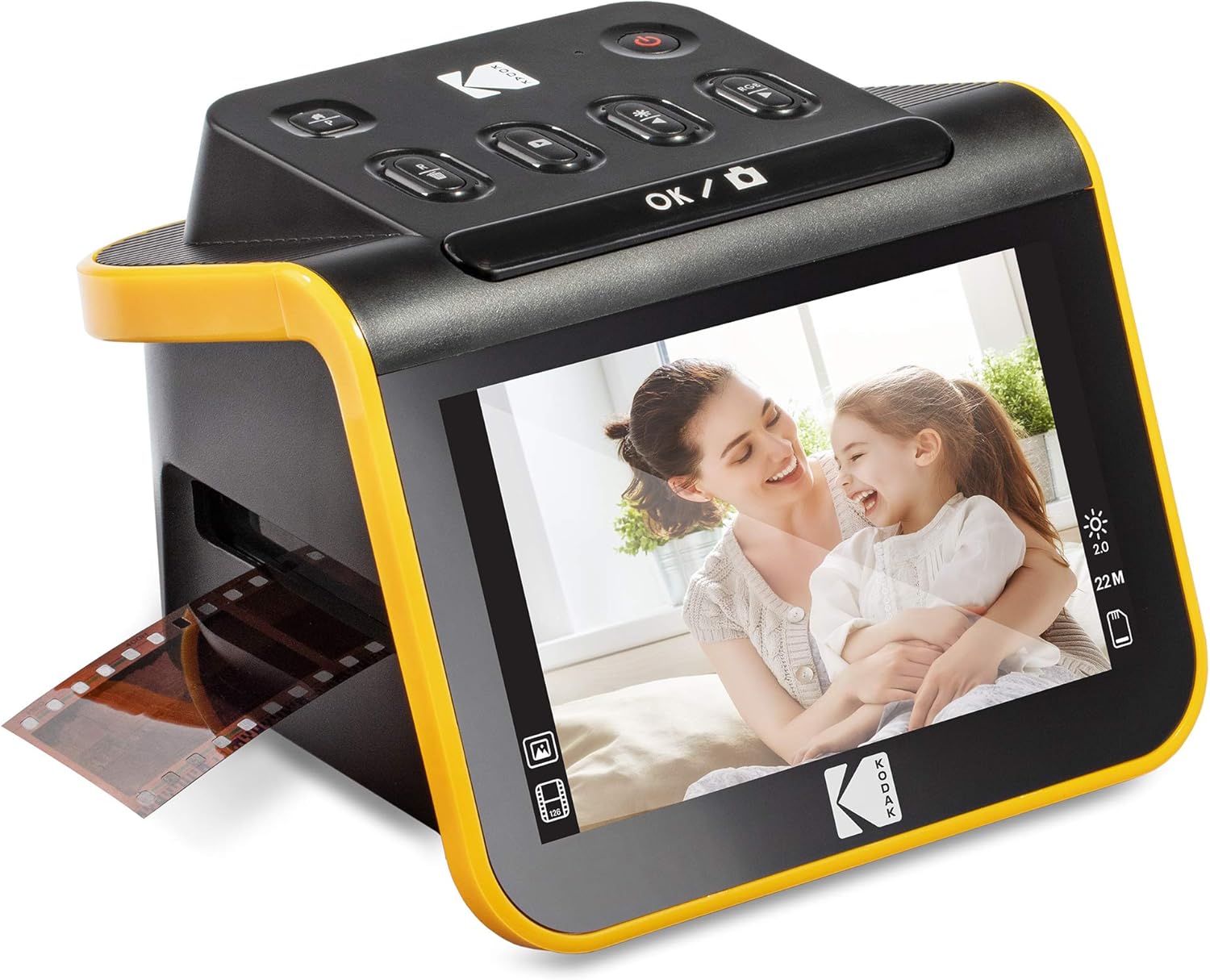
The KODAK Slide N Scan is a simple, standalone film and slide scanner aimed at hobbyists and artists who want fast, no-fuss digitizing of old negatives and slides. It accepts 50mm slides and comes with adapters for 135, 110 and 126 film, offers a quick-feeding tray for continuous loading, and saves scans directly to an SD/SDHC card or to a computer via USB. The bright 5" LCD with gallery mode makes it easy to preview and do one-touch adjustments for color, brightness and date stamping before saving. The unit captures images at a native 13MP sensor with an option to output at 22MP via interpolation, and it provides HDMI output for TV viewing. Practical benefits include fast batch scanning without PC software, built-in preview and simple editing controls, and modest power needs. Limitations to note are the reliance on an SD card (not included), interpolated higher-resolution option rather than true optical upscaling, and basic editing compared with desktop film-scanning software—so very detailed restoration work may still require a computer and specialized software.
Best for: Artists and hobbyists who want a low-risk, easy-to-use device to quickly digitize and preview film and slide collections without relying on complex software.
Less Ideal for: Professional photographers or archival restorers who need native high optical resolution and advanced image correction workflows should consider dedicated desktop scanners and software instead.
- Accepts 50mm slides and 135/110/126 negatives with included adapters for broad film compatibility
- Quick-feeding tray enables continuous scanning for faster batch jobs
- Built-in 5" LCD and gallery mode let you preview and make simple edits without a PC
- Saves JPEGs directly to SD/SDHC card and connects to PC via USB for easy transfers
- HDMI output lets you review images on a TV or larger display
- Higher 22MP output is achieved by digital interpolation rather than higher optical resolution
- Requires an SD card to operate which is not included
- Onboard editing is basic compared with desktop restoration tools
Verdict: A simple, low-risk scanner that lets artists quickly convert and preview a wide range of slides and negatives without needing complex software.
Choosing the Right Scanner for Artists: Key Factors to Consider
Optical Resolution and Detail Retention
Optical resolution determines how much fine line work, texture, and subtle grain your scanner can record without relying on software upscaling. For artwork that includes delicate pencil strokes, pen line work, or textured brush marks, higher native optical resolution preserves those details when cropping or printing at larger sizes.
Look beyond interpolated numbers. True optical dpi and the quality of the lens and sensor matter because they affect edge sharpness and the clarity of micro-detail. If you plan to reproduce work at large print sizes or make high-resolution archival files, favor scanners with demonstrable optical performance.
Color Fidelity and Profiling Support
Accurate color reproduction is critical for artists who depend on consistent hues and tonal balance. Scanners that provide wide color gamut sensors and support ICC profiling let you match scans to your monitor and printing workflow more reliably.
Also check whether the scanner software allows manual color correction, custom profiles, or integration with third-party color-management tools. Devices that aggressively auto-enhance or apply default corrections can alter the original appearance, so the ability to disable processing is important for faithful captures.
Dynamic Range and Tonal Detail
Dynamic range, often expressed as Dmax/Dmin capability, affects how well a scanner captures both deep shadows and bright highlights in a single pass. Artwork with subtle gradations, transparent glazes, or heavy inks benefits from higher dynamic range because it preserves shadow detail without clipping blacks or blowing out highlights.
For mixed-media pieces that combine reflective and matte surfaces, look for scanners and settings that let you balance exposures or use multi-pass captures. Good dynamic range reduces the need for time-consuming edits later and delivers truer scans for archival purposes.
Media Handling, Thickness, and Maximum Size
Consider the physical format of the artwork you typically scan. Flatbed scanners have limits on maximum scan area and platen thickness; some accommodate thicker originals or padded media better than others. If you work on larger sheets, a scanner that supports the size without tiling or stitching will save time and preserve edge-to-edge consistency.
Also check how the device handles delicate paper or textured surfaces. A gentle lid and even glass pressure help avoid flattening relief or causing gloss hotspots. If you occasionally scan three-dimensional elements or layered collage, verify the scanner's clearance and whether it can capture those without damage.
Software Features and Workflow Integration
The scanner's bundled software and driver stability influence daily workflow speed. Useful features include batch scanning, automatic file naming, multi-page handling, and export presets for common color spaces and file formats. For artists who prepare files for print, direct export to TIFF with embedded profiles is often essential.
Compatibility with image-editing programs and support for color management workflows reduce friction. If you use external RIPs or print labs, the scanner should export files in formats and color profiles those services accept. Easy-to-use controls and reliable driver updates are also important for long-term productivity.
Build Quality, Reliability, and Serviceability
Scanners used frequently in a studio should be robustly built and maintain consistent performance over time. Metal hinges, solid-feeling lids, and stable glass platen alignment reduce artifacts like banding or misregistration.
Consider warranty coverage and the availability of replacement parts or service options. Devices that allow simple user maintenance, such as cleaning the glass or replacing rollers, can extend life in a busy studio. Reliability matters because downtime during a project can be costly.
Choosing the Right Scan Settings for Artwork
Getting a faithful scan often comes down to choosing appropriate scan settings rather than relying on automatic defaults. Start with the scanner's native optical resolution rather than upscaling; pick a color space that matches your intended use, such as Adobe RGB for print or sRGB for web publishing. Disable aggressive sharpening and noise reduction features that modify edge detail or texture.
- Scan at the optical dpi for the desired print size and crop after scanning
- Use 16-bit color if available for smoother gradients and safer edits
- Save masters as uncompressed TIFF with embedded ICC profile for archiving
Preparing Artwork to Minimize Scanning Artifacts
Careful preparation reduces post-scan fixes. Remove dust and loose particles with a soft brush, and work in a low-dust area. For crinkled or warped paper, gently flatten between clean boards for a short time before scanning, or select a scanner mode that compensates for slight gaps between the glass and the artwork.
- Clean the glass platen with a lint-free cloth and appropriate cleaner before each session
- Use black or neutral backing materials for translucent media to prevent light bleed
- Avoid pressing fragile media flat if the texture is part of the artwork
Managing Color Across Devices
A consistent color workflow ensures that what you see on screen and what prints on paper match the original piece. Calibrate your monitor regularly and use ICC profiles for your scanner and printer. When possible, create or use a scanner profile made with a target chart to minimize color shifts between capture and output.
- Calibrate monitors every few weeks for consistent results
- Use a physical color target to build a scanner profile for critical work
- Agree on a standard file format and color space with your print lab
When to Use Flatbed Vs. Overhead Capture
Flatbed scanners are excellent for small to medium flat originals and typically offer higher optical resolution and more controlled lighting. Overhead or camera-based capture may suit very large pieces or three-dimensional work where contact with glass would damage the artwork. Choose the approach that preserves the original and delivers the necessary detail.
- Flatbed for high-resolution, contact-based captures of flat works
- Overhead camera setups for large canvases or textured surfaces
- Consider replication needs and handling precautions when deciding between methods
How We Chose the Best Scanner for Artists
We prioritized tools that reliably reproduce artwork with minimal post-scan correction. Our selection process focused on measurable capture quality and real-world usability for artists working in ink, watercolor, pencil, and mixed media. We examined device specifications and user workflows to identify units that deliver accurate color, high optical resolution, and consistent tonal response across the scanning bed. Key evaluation criteria included optical resolution and detail retention, color fidelity and profiling support, dynamic range for highlights and shadows, and workflow features such as scan speed, drivers, and included software tailored for art reproduction. We also considered physical factors like maximum media size, the ability to scan textured or thicker originals, and build quality for frequent use. We excluded devices aimed solely at document scanning with aggressive image processing that alters color or removes texture. We also omitted specialty photography scanners and flatbed hybrids that only capture small fragments of artwork. The final list emphasizes scanners that balance studio-grade image capture with practical usability for artists.
Our full evaluation process is outlined in our review methodology.
FAQ
What resolution should I scan my artwork at for gallery prints?
For gallery-quality prints, scan at the native optical resolution that yields at least 300 ppi at the final print size. That typically means scanning at higher dpi than you would for web use, but prioritize true optical dpi rather than interpolated values.
Can I scan watercolor without flattening the paper?
You can, but slight warping may introduce focus and contact issues. Use a scanner with adequate clearance, or flatten gently between clean boards for a short period. Overhead capture is an alternative for delicate, highly textured pieces.
How important is 16-bit scanning for color work?
Scanning in 16-bit color preserves more tonal steps and reduces posterization during heavy edits. It is particularly valuable for subtle gradients and layered washes where preserving midtone nuance matters.
Will scanning damage my original artwork?
Scanning with a clean, well-maintained flatbed is generally safe for most flat media. Avoid pressing fragile pieces too hard against glass and be cautious with media that has flaking pigment or unstable adhesives. When in doubt, use a non-contact capture method.
Do I need special software to get accurate colors?
Bundled scanner software often suffices for basic color control, but for critical color work you may want profiling tools or integration with image-editing programs that respect ICC profiles. Building a scanner profile with a color target gives the most predictable results.
Final Verdict
Prioritize the capture qualities that align with how you plan to use scans. If you need archival masters or large prints, emphasize optical resolution, dynamic range, and color profiling support. If you work with delicate or oversized pieces, media handling and non-contact capture options should dominate your decision. Weigh the tradeoffs between absolute capture fidelity and everyday workflow convenience. Choose a scanner that fits your typical artwork sizes and materials, supports reliable color management, and integrates with your editing and printing process so you get consistent, usable scans without excessive postprocessing.