
Note: This article contains affiliate links. If you click on these links and make a purchase, we may earn a small commission at no extra cost to you. This helps support our research and content. Read our full affiliate disclosure here.
If you live in an apartment, a security camera that is designed for the door area can give you peace of mind and practical protection without major installation work. You want reliable video, useful notifications, and an installation process that respects building rules and limited mounting options. This guide shortlists the top security cameras for apartment doors that combine clear daytime and low-light footage, motion detection you can tune, and mounting choices that work in rented units. Below are our top picks and the specific criteria we used to evaluate them so you can pick the right option for your entryway and building situation.
Top Picks at a Glance
| Best Overall The best all-around choice for most situations | Arlo Video Doorbell 2K (2nd Gen) |  |
| Best Quality Built to a higher standard if you want something more solid | Hiseeu 12MP PoE Security System |  |
| Best Value The sweet spot between price and what you get | BOIFUN 2K Video Doorbell | 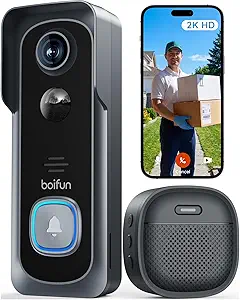 |
| Best Budget The cheapest option that still gets the job done reliably | KyraNexo Doorbell Camera P52 |  |
| Top Rated A top-rated pick with lots of positive feedback | Ring Indoor Cam |  |
| Most Popular A crowd favorite that many people choose with confidence | Blink Video Doorbell |  |
| Best Seller A high-volume bestseller chosen again and again | WYZE Cam Pan v3 |  |
Arlo Video Doorbell 2K (2nd Gen)

| Video Capture Resolution | 1440p |
|---|---|
| Field Of View | 180 degrees |
| Night Vision Range | 25 feet |
| Connectivity Protocol | Wi-Fi (2.4 GHz) |
| Power Source | Battery Powered (or wired trickle charging) |
The Arlo Video Doorbell (2nd Gen) is a flexible front-door camera that works either wirelessly on its rechargeable battery or hardwired for continuous trickle charging, and it is designed specifically for outdoor entryway monitoring. It captures 2K video with a 180 degree, head-to-toe field of view so you can see packages on the ground and identify visitors from top to bottom, and it records at 30 fps with MPEG-4/MP4 output for straightforward viewing and sharing. Smart motion detection and person, package, vehicle, and pet alerts reduce irrelevant notifications, and a one-month trial of Arlo Secure adds AI detections and short-term cloud storage. Two-way audio and a built-in siren let you communicate and deter from the app, and IP65 weather resistance plus night vision to about 25 feet keep coverage reliable in varied conditions. Expect typical wireless-camera limits: advanced AI features and extended cloud history require a paid subscription after the trial, and the single-band 2.4 GHz Wi-Fi connection can be sensitive to weak signals at the door. For apartment entryways the head-to-toe view and package detection are especially useful, though users should confirm Wi-Fi reach and subscription needs before relying on archived footage.
Best for: Buyers who want a reliable apartment-door camera that prioritizes clear head-to-toe video, package and person detection, and flexible installation options for renters or owners.
Less Ideal for: People who need unlimited local or free long-term video storage or who cannot provide a stable 2.4 GHz Wi-Fi connection at their door should consider alternatives.
- Sharp 2K resolution with a 180 degree head-to-toe field of view for full-entryway coverage
- Flexible power: rechargeable battery or wired trickle charging for continuous operation
- Built-in two-way audio and siren let you communicate and deter visitors from the app
- IP65 weather resistance and night vision extend reliable outdoor use in varied conditions
- Advanced AI detections and long-term cloud storage require a paid Arlo Secure subscription after the trial
- Single-band 2.4 GHz Wi-Fi only, which can struggle if the apartment door is far from the router or strong interference
Verdict: A practical, apartment-friendly doorbell camera that delivers wide 2K head-to-toe video and flexible power options for dependable front-door monitoring.
Hiseeu 12MP PoE Security System

| Video Capture Resolution | 12MP |
|---|---|
| Number of Channels | 16 |
| Memory Storage Capacity | 3 TB |
| Frame Rate | 30 fps |
| Viewing Angle | 121 degrees |
This Hiseeu system pairs eight 12MP PoE bullet cameras with a 16-channel-capable NVR and a preinstalled 4TB hard drive to deliver high-resolution, always-on surveillance. Cameras plug directly into the NVR over Ethernet for power and video, making installation straightforward in buildings that allow wired runs or have nearby network access. The 2.8mm wide-angle lenses capture a broad 121° field, and the 12MP sensor records up to 3840×2880 at 20 fps for clear detail in daytime scenes. Night modes include full-color, spotlight alarm, and black-and-white to suit different lighting needs, plus human/vehicle detection and configurable privacy masks reduce false alerts and protect private spaces. Two-way audio and app control enable remote communication and monitoring without a cloud subscription, and local 24/7 recording with smart playback helps find events quickly. The system requires wired installation and a bit of network familiarity, and the 20 fps cap means very fast motion can look slightly less smooth than higher-frame solutions. For apartment door coverage the wide angle and detection features make it effective when you can route PoE cable or mount near an entry point.
Best for: Buyers who prioritize image clarity and continuous local recording for detailed evidence at entry points and who can accommodate wired PoE installation in or near their apartment.
Less Ideal for: Renters who cannot run or conceal Ethernet/PoE cabling or who need a completely wireless, plug-and-play door camera solution.
- True 12MP recording for detailed images up to 3840×2880.
- Power-over-Ethernet simplifies cabling by delivering power and video over one cable.
- 121° wide-angle lens reduces blind spots for entryway coverage.
- Onboard 4TB HDD supports continuous 24/7 recording with smart playback.
- Smart human and vehicle detection cuts down on irrelevant alerts.
- Requires running Ethernet/PoE cabling to each camera, which can be disruptive in some apartments.
- Frame rate tops at 20 fps for 12MP, so very fast motion is less fluid than lower-resolution, higher-frame systems.
Verdict: Choose this wired Hiseeu kit if you want high-resolution, always-on local recording and wide-angle coverage for apartment door surveillance and can support PoE cabling.
BOIFUN 2K Video Doorbell
| Video Capture Resolution | 2k |
|---|---|
| Viewing Angle | 166 degrees |
| Battery Power | 5200 milliamp_hours |
| Waterproof Rating | IP65 |
| Flash Memory Supported Size Maximum | 128 GB |
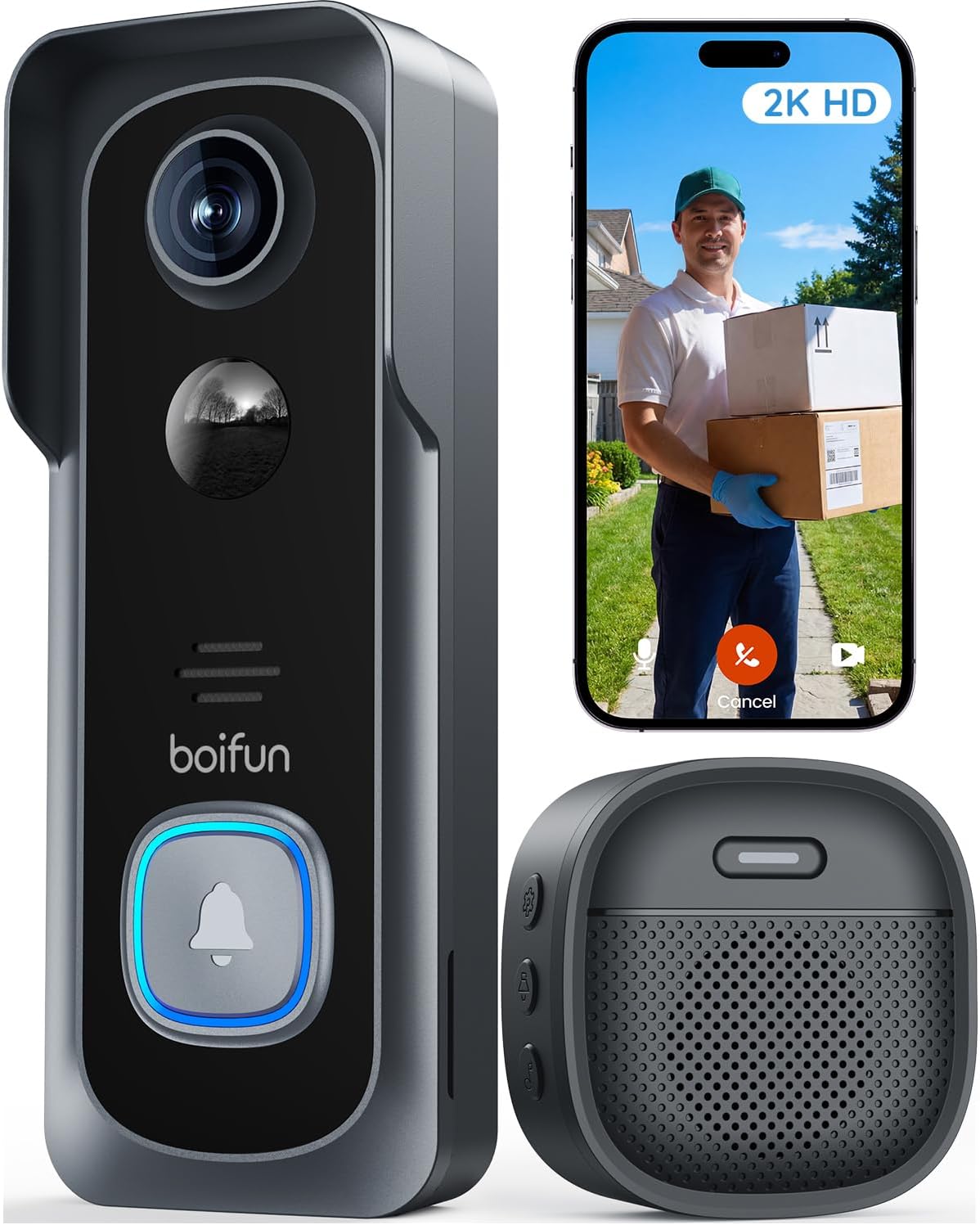
The BOIFUN 2K Video Doorbell is a battery-powered, app-controlled door camera meant for simple front-door monitoring without a required subscription. It captures 2K video with a 166 degree field of view and HDR night vision, and sends motion alerts and human detection notifications to your phone over 2.4 GHz Wi-Fi. Installation is straightforward as a no-drill, battery-mounted unit and the built-in rechargeable 5200 mAh battery is sized to last weeks in normal use if Live View is limited. The doorbell supports two-way audio for quick conversations and local recording to a microSD card up to 128 GB, while an optional cloud plan is available for those who want remote archival. Practical limits include reliance on 2.4 GHz Wi-Fi only and a non-removable battery, so frequent live monitoring or weak Wi-Fi will shorten time between charges and can introduce latency in alerts or talk. For apartment doors the IP65 weatherproofing, tamper alerts and multi-user sharing make it a convenient, low-friction option for renters and compact-entry setups.
Best for: Apartment dwellers who want a low-maintenance, subscription-free door camera that is easy to install and shares live access with household members.
Less Ideal for: Users who need continuous high-frequency live monitoring or who cannot place a 2.4 GHz Wi-Fi router close enough for reliable connection should consider hardwired or professionally installed alternatives.
- 2K video with 166° field of view and HDR night vision for clear daytime and nighttime coverage
- Built-in rechargeable 5200 mAh battery enables wireless, no-drill installation
- Two-way audio and app-based live view let you talk to visitors in real time
- Supports local microSD storage up to 128 GB plus optional cloud backup
- IP65 weatherproofing and tamper-detection alerts suitable for outdoor use
- Only supports 2.4 GHz Wi-Fi which can limit placement if router signal is weak
- Battery is non-removable so recharging requires taking the unit down or using a wired install option
Verdict: A practical, easy-to-install battery video doorbell that delivers clear 2K coverage and subscription-free alerts tailored to apartment entry monitoring.
KyraNexo Doorbell Camera P52

| Power Source | Battery Powered |
|---|---|
| Video Capture Resolution | 1080p |
| Connectivity Protocol | Wi-Fi |
| Wireless Technology | Wi‑Fi |
This KyraNexo doorbell camera is a basic, budget-oriented smart doorbell aimed at monitoring apartment entry points. It records 1080p video with infrared night vision and uses AI human detection to reduce false motion alerts, while a built-in mic and speaker enable two-way conversation with visitors. The unit is battery powered for easy installation on most doorframes and connects only to 2.4GHz Wi-Fi using a smartphone app for setup and live view. Cloud storage is available but requires a separate subscription, and playback and live access are app-based only. Practical benefits include straightforward wireless installation, useful night visibility for dark doorways, and fewer nuisance alerts thanks to human detection, which helps conserve battery life. Limitations to consider are the lack of 5GHz Wi-Fi support, dependence on a paid cloud plan for recorded footage, and that the camera is managed from the mobile app only, which may not suit users who want PC-based viewing or local NVR storage.
Best for: Apartment residents who want an affordable, easy-to-install doorbell camera that reduces false alerts and provides clear daytime and night monitoring via a smartphone.
Less Ideal for: People who need 5GHz Wi-Fi support, local recording or PC-based viewing, or who prefer included free storage without a subscription.
- 1080p HD video with infrared night vision for clear day and low-light monitoring
- AI-powered human detection reduces false alerts from pets or environmental motion
- Battery-powered design allows easy, drill-free installation on apartment doors
- Two-way audio for real-time conversation with visitors
- Requires separate subscription for cloud storage and playback
- Only supports 2.4GHz Wi-Fi, so it will not connect to 5GHz networks
Verdict: A straightforward, budget-friendly doorbell camera that delivers 1080p night-capable monitoring and human detection for renters who need simple, app-based security.
Ring Indoor Cam

| Video resolution | 1080p HD |
|---|---|
| Night vision | Color Night Vision |
| Power | Plug-in |
| Mounting | Swivel mount |
The Ring Indoor Cam is a compact plug-in camera designed to keep an eye on indoor entry areas in 1080p HD. It provides live view, motion-triggered recording with short pre-roll snippets, and color night vision so you can see activity at dimly lit apartment doors. Installation is simple: set it on a table or use the included swivel mount to position it near the door and plug it into an outlet. A manual privacy cover physically blocks the lens and microphone when you want the camera off, and Alexa integration lets you view feed on Echo Show devices and receive announcements. For fuller cloud features such as extended event history and AI alerts you will need a compatible Ring Protect subscription. The camera is best for renters or apartment residents who want straightforward monitoring without hardwiring, though it does rely on constant power and optional subscription services for advanced functions.
Best for: Buyers who prioritize a dependable, easy-to-install indoor camera to monitor an apartment entry and want straightforward live view plus physical privacy control.
Less Ideal for: Those who need fully local-only recording or battery-powered placement far from outlets should consider other solutions.
- 1080p HD video with color night vision for clear day and low-light footage
- Manual privacy cover to physically disable camera and microphone
- Flexible placement with plug-in power and swivel mount for easy positioning
- Pre-roll video captures a few seconds before motion events for more context
- Works with Alexa for hands-free viewing and announcements
- Advanced event history and AI-powered alerts require a separate Ring Protect subscription
- Requires a nearby power outlet since it is not battery powered
Verdict: A simple, reliable plug-in indoor camera with night vision and a physical privacy cover ideal for monitoring apartment doors.
Blink Video Doorbell

| Battery life | Up to two years |
|---|---|
| Power | Three AA Energizer lithium batteries (included) |
| Night vision | Infrared night vision |
| Includes | Sync Module Core |
The Blink Video Doorbell is a wire-free smart doorbell designed for simple setup and long-term, low-maintenance use. It ships with three AA Energizer lithium batteries and a Sync Module Core so you can run it off battery power for up to two years under typical use or hardwire it to existing doorbell wiring to trigger chimes inside the home. The camera offers a head-to-toe HD view, infrared night vision, and two-way talk via the Blink app, which makes it useful for watching packages, greeting visitors, and checking activity at an apartment entry. It supports cloud storage and person detection when you add a Blink subscription and can integrate with Alexa for voice control. Practical limitations include reliance on subscription features for advanced detection and cloud storage and the usual constraints of battery-powered devices if you have very frequent activity that shortens battery life. For renters or owners who want a no-fuss, easy-to-install doorbell camera, it covers the essentials well.
Best for: Buyers who prioritize low-effort installation and long battery runtime and who want a straightforward camera to monitor package deliveries and visitors at an apartment door.
Less Ideal for: People who need free, continuous local storage or the most advanced on-device detection without a subscription should consider other options.
- Long battery life rated up to two years with included AA Energizer lithium batteries
- Included Sync Module Core simplifies local connectivity and setup
- Head-to-toe HD view with infrared night vision for day and night monitoring
- Easy wire-free installation with option to hardwire to existing doorbell
- Advanced person detection and cloud storage require a paid Blink subscription
- Battery life will vary with activity and may be shorter in high-traffic locations
Verdict: A simple, low-maintenance doorbell camera that is ideal for renters and apartment doors thanks to easy wire-free setup and long battery life.
WYZE Cam Pan v3

| Video Capture Resolution | 1080p |
|---|---|
| Frame Rate | 15fps, 20fps |
| Field Of View | 120 degrees |
| Waterproof Rating | IP65 |
| Connectivity Protocol | Wi-Fi 802.11 b/g/n |
The WYZE Cam Pan v3 is a flexible indoor/outdoor security camera that pans 360 degrees and tilts 180 degrees to cover wide areas such as entryways, porches, or apartment doors. It records 1080p video at up to 20 fps in daylight, offers color night vision for low-light monitoring, and uses AI motion tracking to follow the largest moving object in frame. Setup is app-driven with 2.4 GHz Wi‑Fi and Bluetooth pairing, and the camera supports local recording via microSD (up to 512GB) or optional cloud clips. Additional practical features include two-way audio for speaking to visitors, customizable motion zones to reduce false alerts, a privacy mode to block the view, and an IP65 weather rating for sheltered outdoor mounting. Trade-offs are modest resolution versus higher-end 2K/4K models and reliance on constant power and a 2.4 GHz network, so placement needs good Wi‑Fi and a nearby outlet. For an affordable, feature-rich option to monitor an apartment door or small entry area, the Pan v3 delivers reliable coverage and sensible privacy controls.
Best for: Buyers who prioritize reliable, easy-to-use monitoring of an apartment door or porch and want local recording and basic smart features without complexity.
Less Ideal for: People who need the highest-resolution footage for long-distance identification or who cannot provide a nearby power source and strong 2.4 GHz Wi‑Fi connection.
- 360° horizontal pan and 180° tilt provide comprehensive coverage of entryways and approaching areas
- Color night vision gives usable low-light detail for doors and porches
- AI motion tracking and custom motion zones reduce missed events and false alerts
- Supports local microSD recording (up to 512GB) so you can record without a subscription
- IP65 weather resistance and two-way audio make it suitable for sheltered outdoor door monitoring
- 1080p resolution may not capture distant license plates or fine facial detail
- Requires continuous power and 2.4 GHz Wi‑Fi, limiting placement options
Verdict: A budget-friendly, weather-resistant pan/tilt camera that gives apartment-door monitoring broad coverage, built-in two-way audio, and local recording without a subscription.
Choosing the Right Security Camera for Apartment Doors: Key Factors to Consider
Video Resolution and Low-light Performance
High-resolution video makes it easier to identify faces, package labels, and other small details at the door. For apartment door use, good daytime clarity matters for distantly framed shots in hallways and corridors.
Low-light performance and infrared or color night modes are critical because many apartment entryways have poor lighting after dark. Cameras with noise-reduction and higher sensor sensitivity produce more usable footage for incidents that occur at night or in shadowed corridors.
Mounting Flexibility and Noninvasive Installation
Renters often cannot drill into walls or alter doorframes, so options like adhesive mounts, magnetic plates, door-hanger brackets, or clamp-style attachments allow installation without lease violations. Consider which mounting approaches are permitted in your building and whether the camera can be repositioned easily if you move.
A low-profile footprint helps avoid blocking hallway traffic or violating common-area rules. Cameras that include multiple mounting accessories or work with both horizontal and vertical surfaces give you the most practical choices for tight or awkward entryway spaces.
Power Delivery and Battery Management
Power options affect where you can place the camera and how often you must maintain it. Battery-powered cameras remove the need for wiring but require recharging or battery swaps; check typical battery life under realistic usage and motion-activation patterns.
Plug-in cameras offer continuous operation but need an outlet nearby or a discreet cable run. Hybrid options that support both battery and wired power are often the most versatile for apartments where outlet placement varies.
Motion Detection Accuracy and Notification Controls
A camera that triggers too often will flood your phone with false alarms, while one that is too insensitive can miss important events. Look for adjustable motion zones, sensitivity settings, and intelligent person detection to reduce irrelevant alerts from hallway traffic or pets.
Reliable push notifications with customizable schedules let you mute alerts during expected busy times. Some systems allow activity-based clips or short timed recordings, which minimize storage needs while preserving key footage.
Storage Options and Data Privacy
Storage choices influence ongoing cost and privacy. Cloud subscriptions can provide off-site backup and easy clip review, but review retention policies and the provider's data handling practices. Local storage via encrypted SD card or a dedicated base station keeps data under your control and avoids continuous subscription fees.
Consider how your chosen storage method affects evidence preservation if you need clips for building management or law enforcement. Ensure the camera supports exporting or sharing clips in common formats for compatibility with third-party reviewers.
App Usability and Account Controls
A well-designed mobile app simplifies setup, day-to-day monitoring, and sharing access with roommates or building managers. Look for clear live-view controls, history timelines, easy clip export, and granular permission settings for guest access.
Security features like two-factor authentication, password protection, and the ability to control data retention from the app improve overall privacy. Frequent firmware updates and responsive support channels are additional indicators of a manageable long-term experience.
Legal and Lease Considerations for Door-mounted Cameras
Before installing any camera at your apartment door, check your lease and building policies. Some buildings restrict permanent alterations to common areas or inside elevator lobbies, while others allow doorframe or interior hallway mounting so long as it does not obstruct shared walkways.
If you are unsure, discuss the plan with your landlord or building manager. Choose mounting methods that are explicitly permitted like adhesive mounts or temporary brackets, and avoid routes that require drilling into shared walls or hallway infrastructure.
- Document approval in writing when possible
- Use nonpermanent mounts to avoid lease violations
- Position cameras to avoid recording private indoor spaces beyond the entryway
Balancing Visibility and Privacy in Multiunit Corridors
Aim the camera to capture the immediate entry area and the approach path, not neighboring units or windows. Proper angling prevents accidental recording of private spaces and reduces friction with neighbors.
Many cameras offer configurable privacy zones that mask portions of the frame. Use these features to legally and ethically limit surveillance coverage to the doorway and immediate approach.
- Use privacy masks for adjacent doors or windows
- Check local laws and building rules about recording in common areas
- Share recording policies with roommates or household members
Optimizing Placement for Best Detection and Evidence
Place the camera slightly above eye level and angled downward to capture faces and package surfaces without excessive distortion. If you have a recessed doorway or long corridor, test different distances to ensure motion triggers at the right moment and subjects are within readable range.
Avoid backlighting from strong hall lights or exterior sun that can silhouette subjects. If lighting is uneven, choose a camera with dynamic range or use an auxiliary light source under permissible conditions.
- Mount above eye level and tilt downward
- Avoid direct backlight and adjust for dynamic range
- Test detection zones during peak hallway traffic times
Network and Connectivity Tips for Reliable Monitoring
A stable Wi-Fi connection is essential for real-time alerts and cloud uploads. If your apartment has weak Wi-Fi near the door, consider a Wi-Fi extender or choosing a camera that supports both 2.4 GHz and 5 GHz bands for better flexibility.
For battery-powered cameras, look for efficient codecs and upload settings that reduce bandwidth use. Schedule firmware updates and set clip upload rules to avoid saturating your home network during busy hours.
- Place router or extender to cover entryway
- Prefer dual-band support for crowded networks
- Limit upload quality at night if bandwidth is constrained
Maintaining Battery-powered Cameras in Apartments
To maximize battery life, reduce continuous recording, rely on motion-triggered clips, and use power-saving modes where available. Keep track of battery status through the app and schedule regular maintenance checks to recharge or replace cells before they fail.
If frequent recharging is a concern, consider hybrid solutions that allow temporary wired power during long absences or seasonal changes in door traffic.
- Use motion-based recording to conserve battery
- Set low-power schedules for quiet hours
- Keep spare batteries or a charging routine
How We Chose the Best Security Camera for Apartment Doors
We evaluated cameras specifically for apartment door monitoring with an emphasis on real-world constraints renters face. Key filters removed devices that require hardwired power or invasive drilling unless they also offer non-permanent mounting and battery or plug-in alternatives. We prioritized video fidelity and low-light performance because readable footage matters for identifying faces and events. Notification reliability and motion detection tuning ranked highly to reduce false alerts in hallway or stairwell traffic. Installation flexibility was another core criterion, including adhesive, doorframe hooks, or easy screw mounts that comply with most lease agreements. Privacy and data handling were considered by checking whether a device supports local storage or configurable cloud retention. Finally, we favored products with straightforward mobile apps and user controls so setup and daily use are manageable for people who are not technicians. Excluded were cameras that require complex professional installation, multi-part alarm systems incompatible with apartment mounting, or devices with consistently poor low-light performance. The result is a list focused on entryway visibility, simple installation options, dependable alerts, and usable video for evidence if needed.
Our full evaluation process is outlined in our review methodology.
FAQ
Can I install a camera on my apartment door without landlord permission?
It depends on your lease and building policies. Nonpermanent mounts are often acceptable, but you should check the lease and, when possible, get written approval from your landlord or property manager.
Will a door camera pick up hallway noise and false motion alerts?
Yes, corridor traffic and passing people can trigger alerts. Choose a camera with adjustable motion zones, sensitivity controls, and person detection to reduce false positives.
Is local storage better than cloud storage for apartment cameras?
Local storage keeps footage under your control and avoids subscription fees, but it can be vulnerable to theft or damage. Cloud storage provides off-site backup and easier sharing at the cost of ongoing fees and privacy considerations.
How can I position a camera to avoid recording neighbors?
Angle the camera to focus on your doorway and immediate approach, and use privacy masks when available to block neighboring doors or windows from the frame.
Do battery-powered cameras work in cold apartment corridors?
Battery performance can decline in cold conditions. Check the device's operating temperature range and consider wired power or a camera with battery management features if your hallway gets very cold.
Final Verdict
For apartment doors, prioritize clear video and flexible, noninvasive mounting over advanced features you cannot use in a rented unit. Decide whether battery operation or continuous plug-in power fits your access to outlets and maintenance tolerance. Tune motion detection and privacy masks to limit false alerts and avoid recording private neighboring spaces. Focus on installation options, night clarity, and straightforward app controls when choosing a camera for an apartment door. Those tradeoffs will help you pick a solution that improves doorstep visibility while respecting building rules and neighbor privacy.