
Note: This article contains affiliate links. If you click on these links and make a purchase, we may earn a small commission at no extra cost to you. This helps support our research and content. Read our full affiliate disclosure here.
Choosing the right security camera for businesses matters because surveillance is a core part of loss prevention, employee safety, and liability management. The correct camera setup helps you identify incidents quickly, scale coverage as a facility grows, and maintain usable evidence when needed. This guide collects the top shortlisted security cameras for businesses that deliver dependable imaging, storage options, and remote management tools. Below we evaluate each option for image quality, connectivity, installation flexibility, and ongoing management overhead to help you pick the right device for different commercial spaces. Start with the coverage needs for your site, then match features to the operational demands outlined in this guide.
Top Picks at a Glance
| Best Overall The best all-around choice for most situations | ONWOTE 16CH NVR Security System |  |
| Best Quality Built to a higher standard if you want something more solid | REOLINK 12MP PoE Security System |  |
| Best Value The sweet spot between price and what you get | REOLINK RLK8-410B4 5MP Kit |  |
| Best Budget The cheapest option that still gets the job done reliably | VISION WELL CG6S 2K Security Camera |  |
| Top Rated A top-rated pick with lots of positive feedback | 4COVR 16-Channel PoE Security System |  |
| Most Popular A crowd favorite that many people choose with confidence | Ring Indoor Cam |  |
| Best Seller A high-volume bestseller chosen again and again | Ring Indoor Cam Plus |  |
ONWOTE 16CH NVR Security System

| Number of Channels | 16 |
|---|---|
| Camera Resolution | 5 Megapixels @25FPS |
| Night Vision Range | 100 feet |
| Power Source | PoE 802.3af/at 48V; 12V DC ± 10% |
| Maximum Storage Capacity | 20 TB |
This ONWOTE kit is a commercial-focused wired PoE surveillance package that bundles sixteen 5MP wide-angle outdoor cameras with a 16‑channel NVR that supports up to 12MP inputs and ships with a 4TB drive. Installation uses PoE so each camera receives power and network over a single cable, making deployment in small to mid-size businesses straightforward, and the cameras are rated IP66 for outdoor use. The NVR offers continuous 24/7 recording, motion/schedule recording, dual-stream HEVC compression to save storage, and simultaneous 16-camera playback on a monitor. Smart features include AcuSearch rapid video search and AI human/vehicle detection to cut false alarms and speed up investigations. Practical limits are the 25 FPS per camera spec and 5MP native cameras in the box, so extreme high-resolution needs require upgrading cameras or the NVR configuration; also a wired PoE setup needs cable runs and basic networking knowledge. Support and a built-in 4TB drive simplify first-time setup, and the system accepts up to 20TB for longer retention or heavier recording schedules.
Best for: Business owners or IT managers who need a full, factory-quality wired surveillance solution for a small to mid-size site and value reliable continuous recording plus AI features for faster investigations.
Less Ideal for: Organizations that need a wireless system, rapid DIY plug-and-play without cabling, or must capture very high-frame-rate footage for industrial analysis should consider other options.
- Complete 16-camera PoE kit including NVR and 4TB hard drive for out-of-the-box recording
- PoE power and Ethernet connectivity simplify wiring and reduce separate power cabling
- AI human and vehicle detection plus AcuSearch make finding events and reducing false alerts faster
- IP66 metal housings on cameras are rated for outdoor use in a wide temperature range
- Dual-stream HEVC compression and support for up to 20TB let you balance video quality and storage needs
- Wired PoE installation requires cable runs and basic networking or installer time
- Cameras included are 5MP at 25 FPS which may not meet needs that demand higher frame rates or larger-than-5MP continuous capture
Verdict: A fully bundled 16‑channel PoE system with built-in storage and AI detection that delivers a practical, business-grade surveillance setup ready for commercial deployment.
REOLINK 12MP PoE Security System

| Video Capture Resolution | 12MP (4512×2512)@20FPS |
|---|---|
| Number of Channels | 16 |
| Memory Storage Capacity | 4 TB (built-in) |
| Night Vision Range | 100 feet |
| Compression Format | H.265 |
This REOLINK kit bundles a 16-channel NVR with eight 12MP PoE bullet cameras and a preinstalled 4TB HDD to deliver high-resolution, always-on surveillance for small businesses. The cameras record at 4512×2512 (12MP) at 20 fps using H.265 compression, which keeps footage detailed while saving storage space, and the NVR supports synchronous playback and expansion to larger HDDs. Built-in spotlights provide full-color night vision and motion-activated deterrence while two-way audio lets staff communicate or warn intruders. Smart detection reduces false alerts by distinguishing people, vehicles, and pets, and PoE wiring simplifies installation by combining power and data over Ethernet. Important limitations: the cameras are locked to Reolink PoE NVRs for full functionality, the system needs proper network cabling and PoE infrastructure, and the default 20 fps is modest for very fast-motion scenarios. For business use the system offers a practical balance of image quality, local storage, and smart alerts, but plan cabling and future storage needs before installation.
Best for: Business owners or facility managers who prioritize high-resolution local recording and reliable on-site monitoring with smart detection to cut down false alerts.
Less Ideal for: Sites that need cross-brand camera compatibility or users seeking a plug-and-play cloud-only solution without running Ethernet/PoE cabling.
- High 12MP resolution (4512×2512) with H.265 compression for detailed footage and efficient storage
- Built-in 4TB HDD and support for much larger internal/external storage per NVR port
- Full-color night vision via spotlight plus IR for clearer nighttime identification
- Smart detection differentiates people, vehicles, and pets to reduce false alarms
- Power over Ethernet delivers video and power over a single cable for simpler installation
- Cameras only work with Reolink PoE NVRs, limiting third-party interoperability
- Default 20 fps at 12MP may be low for capturing very fast motion
- Requires proper PoE cabling and network setup, which may raise installation effort
Verdict: This REOLINK PoE kit is a solid choice for businesses that need very high-resolution, locally stored surveillance with smart detection and simplified PoE installation.
REOLINK RLK8-410B4 5MP Kit
| Video Capture Resolution | 5MP (2560×1920)@25FPS |
|---|---|
| Number of Channels | 8 |
| Memory Storage Capacity | 2 TB (preinstalled, expandable to 16TB) |
| Night Vision Range | 100 feet |
| Connectivity Technology | Wired PoE |
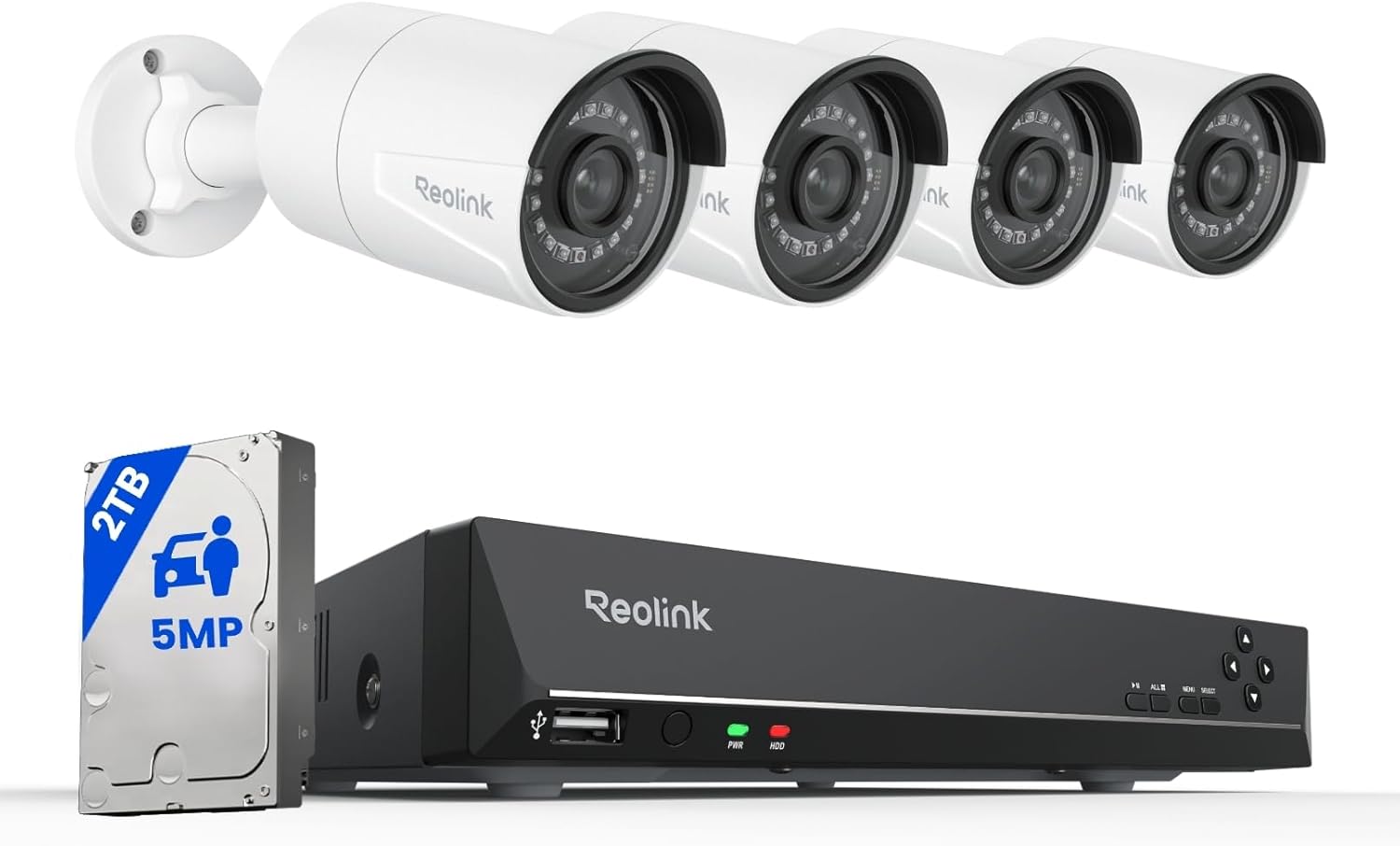
This Reolink kit bundles an 8‑channel PoE NVR with four 5MP fixed‑lens dome cameras and a preinstalled 2TB hard drive for local 24/7 recording. It uses PoE so each camera needs only one Ethernet cable for power and video, which simplifies installation for small business sites and avoids running separate power. The cameras record 5MP at 25fps, offer IR night vision up to about 100 feet, and include built‑in microphones for basic audio capture. Smart person/vehicle/animal detection, customizable motion zones, and push/email alerts help reduce nuisance alarms and speed up finding events in playback. The NVR supports H.265/H.264 compression, HDMI/VGA output, multiple simultaneous remote viewers, and expandable storage up to 16TB. Important limits are that Reolink recommends using only Reolink cameras with this NVR and some advanced features require firmware updates or familiarity with the app, so IT support or a hands‑on installer helps get the most from the system.
Best for: Small business operators or facilities managers who want a scalable, self‑contained PoE surveillance system that prioritizes straightforward installation, local recording, and reliable day/night imaging.
Less Ideal for: Organizations that need open third‑party camera compatibility, enterprise IT features like ONVIF/RTSP integration with existing VMS, or turnkey cloud‑only solutions.
- PoE design supplies power and video over a single Ethernet cable for simpler, cleaner installation
- 5MP resolution at 25fps provides clearer detail than 1080p for identifying people and vehicles
- Preinstalled 2TB HDD with expandable storage up to 16TB supports continuous local recording
- Smart person/vehicle/animal detection and motion zone settings reduce false alerts and speed event search
- IP67 weatherproof cameras with built‑in microphone and 100 ft IR night vision for outdoor use
- System is designed to work only with Reolink cameras, limiting third‑party camera compatibility
- Some smart features and optimal performance require firmware updates and app configuration knowledge
Verdict: A practical PoE kit that delivers high‑resolution day/night footage, simple single‑cable installation, and ample local storage for small business surveillance needs.
VISION WELL CG6S 2K Security Camera

| Video Capture Resolution | 2k |
|---|---|
| Power Source | Battery Powered |
| Connectivity Protocol | Wi-Fi |
| Mount Type | Wall Mount |
The VISION WELL CG6S is a fully wireless outdoor/indoor bullet camera designed for straightforward surveillance without running power or network cables. It records at 2K resolution, streams live video to a smartphone app, and offers two-way audio so staff can speak with visitors or issue warnings remotely. AI-driven PIR detection attempts to distinguish people, vehicles, pets, and packages and triggers instant alerts plus an audible siren and flashing spotlight to deter intruders. Color night vision and a selectable infrared mode help preserve usable video after dark, and the camera accepts microSD storage or optional cloud archiving. The unit is IP65 rated for weather resistance and the manufacturer claims long single-charge runtime, which simplifies installation in locations where wiring would be difficult. Limitations to consider: it does not support 5 GHz Wi-Fi, so it requires a 2.4 GHz network, and actual battery life varies with activity and alert frequency, so active high-traffic sites will need more frequent recharges or a wired solution.
Best for: Small business operators who need a low-cost, easy-to-install outdoor camera that can be deployed quickly where wiring is impractical and monitored remotely via smartphone.
Less Ideal for: Large sites with constant foot traffic or businesses that require continuous 24/7 wired recording should consider a hardwired or PoE system instead.
- 2K resolution with color night vision for clearer day and night footage
- AI PIR motion detection that classifies people, vehicles, pets, and packages
- Completely wireless battery operation and IP65 weather resistance for flexible placement
- Two-way talk plus siren and spotlight for active deterrence
- Supports local microSD and cloud storage options
- Requires 2.4 GHz Wi-Fi only and does not support 5 GHz networks
- Battery life depends heavily on detection frequency and may be short in busy areas
Verdict: A budget-friendly, fully wireless 2K outdoor camera that lets small businesses add remote monitoring and active deterrence without running power or network cables.
4COVR 16-Channel PoE Security System

| Number of Channels | 16 |
|---|---|
| Video Resolution | 5MP (2592 × 1944) |
| Memory Storage Capacity | 4 TB |
| Night Vision Range | 100 feet |
| Field of View | 110° |
This 4COVR kit is a complete wired PoE surveillance solution aimed at business sites that need broad coverage and local retention. It includes sixteen 5MP fixed‑lens PoE cameras (2.8mm, 110° FOV) and a 16‑channel 4K NVR with a preinstalled 4TB HDD and two SATA bays for expansion up to 16TB. Cameras are metal‑housed with IP67 weatherproofing and IK10 vandal resistance, and PoE simplifies installation by carrying power and data over a single Ethernet cable. The NVR supports H.265 compression, synchronous 16‑channel playback, event and schedule recording, and local playback without internet; remote viewing is available through the vendor app when the NVR is on a network. Smart AI person and vehicle detection reduces nuisance alerts, and built‑in mics provide one‑way audio. Expect reliable continuous local recording and durable outdoor operation, though the cameras are fixed‑lens (no PTZ) and night mode is black‑and‑white rather than full‑color at night. Installation requires cable runs and basic network setup but yields a hard‑wired, business‑grade system designed for long‑term use.
Best for: Facilities managers and small business owners who prioritize a robust, hard‑wired surveillance solution that records locally and resists weather and vandalism.
Less Ideal for: Users who need motorized pan/tilt/zoom coverage or a wireless camera deployment that avoids running Ethernet cabling.
- Complete 16‑camera PoE kit with NVR and 4TB HDD included for immediate deployment
- IP67 metal housings and IK10 vandal rating for durable outdoor/commercial use
- PoE plug‑and‑play design reduces installation complexity by combining power and data
- H.265 compression and dual SATA bays support efficient storage and up to 16TB total capacity
- AI person/vehicle detection reduces false alarms and focuses alerts on meaningful events
- Fixed 2.8mm lenses mean no optical zoom or PTZ for long‑range or variable framing
- Night vision records in black and white rather than smart full‑color night mode
Verdict: A rugged, enterprise-minded 16‑camera PoE system that delivers reliable local recording and durable outdoor performance for business surveillance needs.
Ring Indoor Cam

| Video resolution | 1080p HD |
|---|---|
| Night vision | Color Night Vision |
| Mounting | Swivel mount |
| Power | Plug-in |
| Pre-roll | Advanced Pre-Roll |
The Ring Indoor Cam is a compact plug-in security camera designed for continuous indoor monitoring at businesses. It captures 1080p HD video with color night vision and live view, and the Advanced Pre-Roll feature records a few seconds before motion events to give more context to incidents. The camera uses a flexible swivel mount so you can place it on a shelf or install it high on a wall, and the manual privacy cover physically blocks the lens and mic when you need privacy. Motion notifications and AI-powered alerts help reduce false alarms by focusing on activity that matters, and the device integrates with Alexa for hands-free viewing on Echo Show devices. Expect most cloud features, event history, and person detection to require a Ring Protect subscription. As a small indoor unit it needs a constant power outlet and does not include local storage, so plan placement and subscription accordingly.
Best for: Small business operators who want an easy-to-install indoor camera that gives clear day/night video, basic AI alerts, and a physical privacy option for staff comfort.
Less Ideal for: Businesses that need battery-powered, weatherproof, or on-device local storage solutions should consider other camera types built for outdoor or offline recording.
- 1080p HD video with color night vision for clear day and night monitoring
- Advanced Pre-Roll captures seconds before motion events for fuller context
- Manual privacy cover lets staff physically disable camera and microphone
- Flexible swivel mount enables table placement or high mounting positions
- Integrates with Alexa for voice control and Echo Show streaming
- Requires constant AC power and has no onboard/local storage
- Key cloud features such as event history and person alerts need a paid Ring Protect subscription
Verdict: A simple, plug-in indoor camera that delivers clear 1080p day/night video and practical features like pre-roll and a privacy cover, ideal for businesses wanting straightforward indoor monitoring.
Ring Indoor Cam Plus
| Video resolution | Retinal 2K |
|---|---|
| Zoom | 4x Enhanced Zoom |
| Audio | Two-way talk |
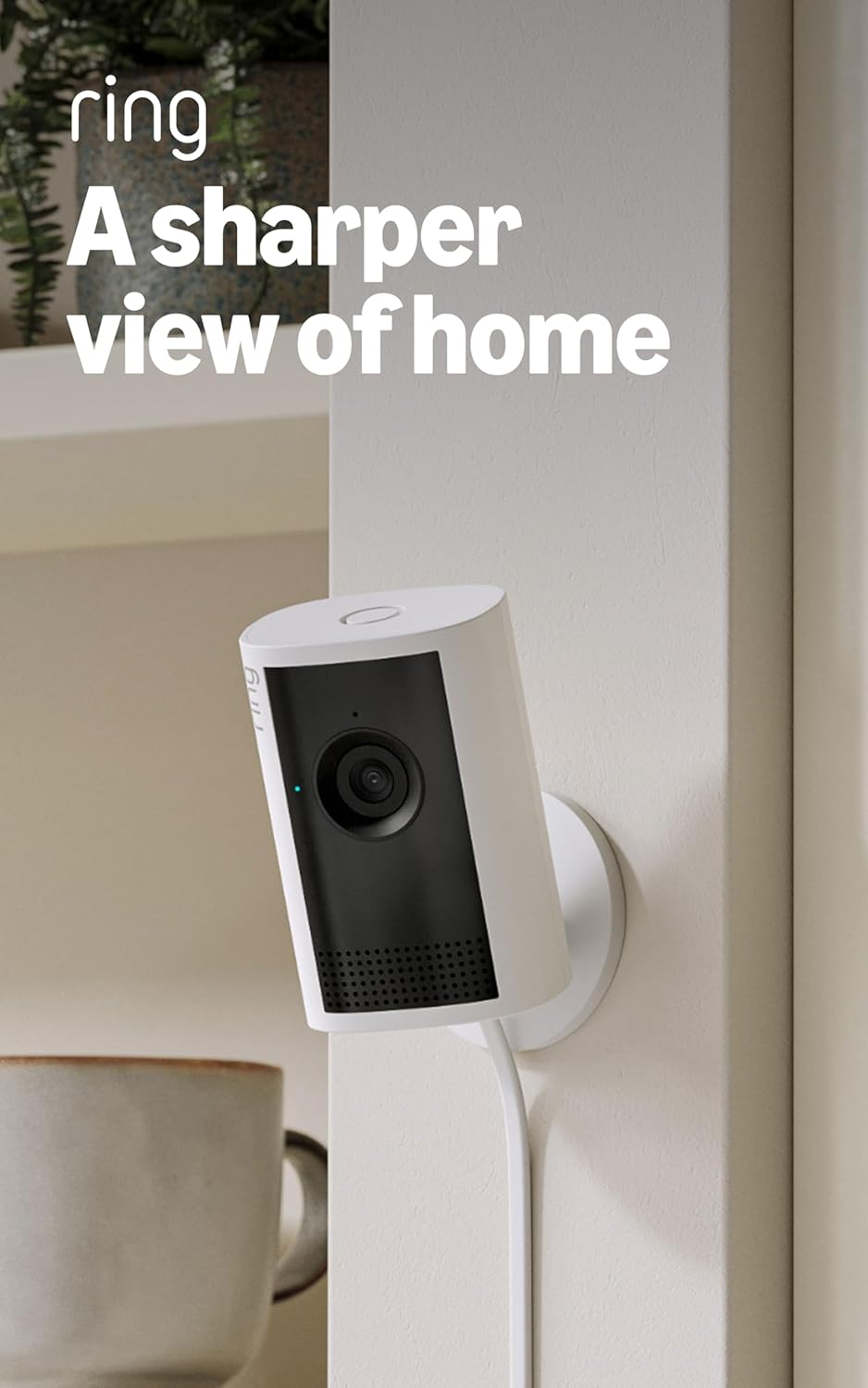
The Ring Indoor Cam Plus is a small, corded indoor security camera intended for continuous monitoring of rooms, entryways, or small business interiors. It records Retinal 2K video for clearer detail than standard 1080p and includes 4x enhanced digital zoom to inspect activity at a distance. Low-Light Sight preserves true color with some ambient light and switches to crisp black-and-white in full darkness, while Live View and two-way talk let you check and communicate in real time. The camera includes a slide-to-cover privacy shutter and delivers motion alerts to your phone, making it suitable for routine business monitoring and quick incident checks. Practical limits include dependence on your network for real-time video quality and that advanced features may require a cloud subscription; the microphone can remain active even when the lens cover is closed unless disabled in the app. For businesses that need a straightforward indoor camera with good image clarity and remote access, this is a solid pick.
Best for: Small business owners or managers who want a reliable, easy-to-install indoor camera with higher-than-average video clarity and straightforward remote monitoring.
Less Ideal for: Large-scale surveillance installations or users who need fully local-only recording and advanced on-premises video management features.
- Retinal 2K video for higher-detail indoor footage
- 4x enhanced zoom for closer inspection of distant activity
- Low-Light Sight maintains true color with ambient light and good B/W performance in darkness
- Live View and two-way talk enable immediate remote checking and communication
- Slide-to-cover privacy shutter for quick visual privacy control
- Video quality and responsiveness depend on network bandwidth
- Some advanced features and cloud storage likely require a subscription
- Microphone can remain active when lens cover is closed unless disabled in app
Verdict: Choose this camera when you need a simple indoor security camera with clearer-than-1080p video and easy remote access for business monitoring.
Choosing the Right Security Camera for Businesses: Key Factors to Consider
Field of View and Lens Type
Field of view determines how much area a single camera can monitor and directly affects how many cameras you need to cover an entrance, office floor, or parking lot. Wide-angle lenses reduce blind spots but can introduce distortion at frame edges, which matters when you need accurate facial or plate detail.
Consider whether a fixed, varifocal, or motorized PTZ lens best suits each mounting location. Varifocal or motorized options let you tune framing after installation, which reduces the need for repositioning or multiple camera types.
Resolution and Low-Light Performance
Higher resolution sensors capture more detail, making it easier to identify faces, read labels, and verify events. However, resolution increases bandwidth and storage requirements, so balance pixel count with how long you need to retain footage.
Low-light performance and IR illumination matter for early-morning, evening, and poorly lit interiors. Look for cameras with good signal-to-noise ratios, True WDR, or adaptive lighting features to keep footage usable across varied lighting conditions.
Network Connectivity and Power Options
Reliable connectivity is essential for consistent recording and timely alerts. Decide between wired Ethernet, Power over Ethernet (PoE), and robust Wi-Fi depending on your facility layout. PoE simplifies power and data delivery to outdoor and ceiling-mounted cameras and reduces the need for electrical work.
Also confirm network security features like encrypted streams and supported authentication methods so cameras do not become weak points on the corporate network. Consider segmented VLANs for surveillance traffic and how cameras integrate with existing switches and PoE budgets.
Storage, Retention, and Recording Modes
Businesses often need configurable retention windows to satisfy insurance, compliance, or internal policy requirements. Choose systems that allow on-premises recording to local NVRs or networked storage, cloud retention, or a hybrid approach.
Check whether cameras support continuous recording, scheduled recording, or event-triggered capture, and how efficiently they store footage using codecs and motion-based recording to reduce space needs without losing critical evidence.
Management, User Access, and Alerts
Centralized management simplifies administration across multiple locations. Important features include multi-camera dashboards, user role limits, granular event notification rules, and audit trails for access to footage.
Examine how alerts are delivered and filtered to minimize false positives. Integration with existing security systems or third-party monitoring services can streamline incident response and preserve staff bandwidth.
Durability, Mounting, and Environmental Ratings
Outdoor and industrial cameras must resist water, dust, and vibration. Look for IP and IK ratings appropriate to the deployment environment and consider operating temperature ranges when cameras will face extreme heat or cold.
Mounting hardware and vandal-resistant housings matter in high-traffic or unsupervised areas. Consider tamper detection features and how easily a camera can be serviced without major downtime.
Choosing Camera Types by Location
Different locations in a business require different camera styles. Entrances and cash-handling areas often benefit from cameras with narrower fields of view and higher detail, while wide hallways and open lots may be better served by wide-angle or PTZ cameras that reduce the total number of units required.
Assess sightlines, typical lighting conditions, and mounting constraints for each zone before selecting a camera type. That upfront planning lowers installation complexity and helps you get the coverage you need with fewer adjustments after the system goes live.
- Indoor offices: discreet dome or bullet cameras with decent low-light capability
- Entrances: focused lenses with good facial capture at typical approach distances
- Loading docks and lots: weather-rated cameras with wide coverage or PTZ options
Networking and Security Best Practices
Protecting camera feeds is as important as camera placement. Put surveillance devices on a segmented network, enforce strong passwords, and enable encryption where supported. Regularly update firmware through a managed process to reduce vulnerability exposure.
Plan bandwidth and storage needs before deployment. High-resolution cameras on constrained uplinks can cause packet loss and gaps in recording. Use QoS policies and consider local buffering during network interruptions to preserve footage.
- Use VLANs to separate camera traffic from general business traffic
- Enable encryption and disable unused services to reduce attack surface
- Monitor bandwidth and storage trends to avoid surprise capacity shortfalls
Scaling a System Over Time
Design a system that accommodates growth. Choose management software and recording hardware that can handle additional cameras and longer retention periods without requiring a complete overhaul. Modular NVRs and cloud-hybrid systems simplify phased rollouts.
Document mounting points, cable runs, and configuration templates during the initial deployment so future expansion follows consistent settings. Standardizing on a small set of camera types and mounts reduces spare-part requirements and speeds maintenance.
- Plan for power and PoE switch capacity when adding cameras
- Keep configuration templates for consistent alert rules and recording schedules
- Audit coverage periodically to address blind spots created by layout changes
Privacy, Compliance, and Signage
Businesses must balance surveillance needs with privacy and legal requirements. Understand local rules about recording in workspaces and public areas, and maintain policies for footage access and retention that align with those regulations.
Visible signage and clear internal policies help set expectations for employees and visitors. Limit access to raw footage and keep logs of retrievals to support compliance or investigations.
- Maintain a clear retention policy based on legal and business needs
- Restrict playback access and log all review activity
- Use masking or cropping features where privacy-sensitive areas exist
Maintenance and Lifecycle Planning
Routine maintenance keeps a surveillance system reliable. Schedule periodic checks for lens cleanliness, firmware updates, and time synchronization to ensure recordings remain usable.
Plan for lifecycle events such as sensor upgrades, end-of-life firmware, or replacement of failed units. Budget for spare mounts, replacement cameras, and periodic firmware validation as part of ongoing operational costs.
- Create a maintenance calendar for firmware checks and physical inspections
- Keep spare mounting hardware and cabling for quick repairs
- Test alerting and playback workflows periodically to confirm response readiness
How We Chose the Best Security Camera for Businesses
We prioritized cameras that meet real-world business needs by focusing on concrete, operational criteria. Our evaluation emphasized image quality and low-light performance because usable footage is the primary deliverable for any surveillance system. We also assessed network and storage options, including support for on-site recording and secure remote access, since businesses require predictable retention and retrieval workflows. Installation flexibility and mount options were weighed to ensure cameras can cover entrances, loading docks, offices, and parking areas with minimal structural changes. We considered software and remote management capabilities, including multi-camera dashboards, user role controls, and alerting, because central administration reduces staffing overhead. Durability and weather resistance were included for outdoor deployments to ensure long-term reliability. We excluded consumer-only, single-purpose cameras lacking commercial-grade firmware or remote management features. We filtered out products without clear security update policies or that do not support business-friendly storage options. The shortlist reflects devices that balance image fidelity, network reliability, installation versatility, and administrative controls.
Our full evaluation process is outlined in our review methodology.
FAQ
How many cameras does a typical small business need?
It often depends on layout and coverage goals. For many small retail or office locations, 4 to 8 cameras cover entrances, key interior zones, and a parking area. Perform a site survey to measure sightlines and blind spots before finalizing counts.
Should businesses use wired or wireless cameras?
Wired PoE connections generally provide more reliable power and bandwidth for business use, while wireless can simplify installs in areas where cabling is difficult. Choose wired for continuous high-resolution recording and wireless only when bandwidth and power constraints are acceptable.
What retention period should I set for recorded footage?
Retention depends on regulatory, insurance, and internal investigation needs. Many businesses retain 14 to 90 days of continuous footage, but critical areas may require longer keeping. Factor in resolution and recording mode when calculating storage needs.
Can surveillance systems integrate with alarm or access control?
Yes, many business-grade systems support integrations with alarms and access control to correlate events and streamline investigations. Confirm compatibility at the system selection stage and plan how alerts are routed to security staff or monitoring services.
How do I minimize false alerts from motion detection?
Reduce false positives by tuning motion zones, adjusting sensitivity, and enabling object-class filters when available. Proper mounting to avoid moving foliage or reflective surfaces in the frame also lowers nuisance alerts.
Final Verdict
Prioritize clear, usable footage and reliable management when selecting a security camera for businesses. Balance resolution with storage and bandwidth constraints, and favor devices with strong remote administration to reduce onsite maintenance. Plan cameras by zone, secure the network, and adopt retention and access policies that meet legal and operational needs. With these priorities in place, you can choose a solution that scales with your business and supports faster, more effective incident response.