
Note: This article contains affiliate links. If you click on these links and make a purchase, we may earn a small commission at no extra cost to you. This helps support our research and content. Read our full affiliate disclosure here.
If you rent, installing a security camera can feel complicated because you need good coverage without altering the property. You want devices that mount without drilling, are easy to remove when you move, and still deliver reliable video and solid privacy controls. This guide highlights seven top security camera options specifically suited to renters, shortlisted for their ease of installation, mounting flexibility, and user-facing privacy features. We consider both wired-free setups and low-impact hardwired options, and we explain the tradeoffs so you can pick a camera that fits your rental situation and security needs.
Top Picks at a Glance
| Best Overall The best all-around choice for most situations | WYZE Cam v4 |  |
| Best Quality Built to a higher standard if you want something more solid | eufy SoloCam E42 |  |
| Best Value The sweet spot between price and what you get | ZUMIMALL F5 Wireless Security Camera |  |
| Best Budget The cheapest option that still gets the job done reliably | TP-Link Tapo C100 |  |
| Top Rated A top-rated pick with lots of positive feedback | Ring Indoor Cam |  |
| Most Popular A crowd favorite that many people choose with confidence | WYZE Window Camera | 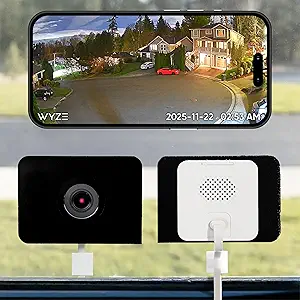 |
| Best Seller A high-volume bestseller chosen again and again | Blink Mini 2K+ |  |
WYZE Cam v4

| Video Capture Resolution | 2k |
|---|---|
| Effective Video Resolution | 1440 pixels |
| Field Of View | 115.9 degrees |
| Night Vision Range | 100 feet |
| Flash Memory Supported Size Maximum | 512 GB |
The Wyze Cam v4 is a compact indoor/outdoor security camera that records 2.5K QHD video with a wide field of view and enhanced color night vision. It is typically used for front porches, driveways, garages, nurseries, and indoor monitoring; setup is a five-minute process via Bluetooth and the Wyze app and it can be freestanding on a shelf, attached with a magnetic base, or wall-mounted. Notable features include a 72-lumen motion-activated spotlight, a 99 dB siren for active deterrence, two-way audio, on-device AI for person/package/pet detection, and support for local microSD recording up to 512 GB so you can record without a subscription. The camera is IP65 rated for weather resistance and works with Alexa, Google Assistant, and IFTTT. Practical benefits for renters include tool-free magnetic mounting options, 24/7 local recording, and clear color footage at night, while limitations are the 2.4 GHz Wi-Fi requirement and modest 20 fps frame rate which may affect very fast-motion clarity; advanced cloud AI features require an optional subscription for the most refined alerts.
Best for: Renters and homeowners who want an affordable, easy-to-install camera that delivers sharp daytime and color night footage and local recording without needing monthly fees.
Less Ideal for: People who need the absolute highest frame rates for sports or fast action capture or who cannot provide a stable 2.4 GHz Wi‑Fi connection should consider alternatives.
- High 2.5K QHD resolution for clearer face and package detail near entryways
- Enhanced color night vision with a built-in 72-lumen spotlight for usable nighttime footage
- IP65 weather resistance suitable for porch and driveway mounting
- Local microSD recording up to 512 GB so continuous recording is possible without a subscription
- Magnetic freestanding mount enables drill-free installation ideal for renters
- Requires 2.4 GHz Wi-Fi which may need router configuration in some homes
- 20 fps frame rate is lower than some higher-end cameras and may blur very fast motion
Verdict: A renter-friendly, easy-to-mount camera that delivers crisp 2.5K daytime and color night footage with local recording so you can protect entryways without drilling or monthly fees.
eufy SoloCam E42

| Video Capture Resolution | 4k |
|---|---|
| Power Source | Battery Powered |
| Battery Power | 44.3 watt-hours |
| Connectivity Protocol | Wi-Fi |
| Indoor Outdoor Usage | Outdoor |
The SoloCam E42 is a performance-focused outdoor camera built for long unattended runs and detailed footage. It records true 4K video, uses onboard AI to detect and auto-track people and vehicles, and activates a red/blue strobe plus siren for immediate deterrence. SolarPlus 2.0 charging and a 44.3 Wh battery let the camera operate continuously with just a couple hours of direct sun, and it can also run in wired direct-power mode when available. Storage is local and expandable, supporting microSD or HomeBase expansion up to multi-terabyte drives so you can avoid subscription fees while keeping high-resolution clips. The camera is weatherproof to IP65 standards, works over 2.4 GHz Wi-Fi, and integrates with Alexa and Google Assistant. Expect excellent image detail and reliable motion filtering, but note some advanced features require HomeBase and Apple HomeKit needs a specific hub; setup also needs a stable 2.4 GHz connection for best results. For renters the included removable solar panel and screw-in mount make it straightforward to install and remove, though you should plan mounting that fits your lease rules.
Best for: Renters who prioritize image quality and reliable detection and want a largely self-contained, low-maintenance camera that can run on solar power without a subscription.
Less Ideal for: People who need plug-and-play Apple HomeKit support without buying extra hardware or who cannot provide stable 2.4 GHz Wi-Fi where they plan to mount the camera.
- True 4K video captures fine detail including readable license plates at short range
- Built-in AI for people and vehicle detection reduces false alerts and enables auto-tracking
- SolarPlus 2.0 with 44.3 Wh battery supports near-continuous operation with minimal sun exposure
- Local expandable storage options (microSD or HomeBase up to large HDD) avoid recurring subscription fees
- Some advanced features and HomeKit support require a separate HomeBase hub
- Only supports 2.4 GHz Wi-Fi which can limit placement if that band is weak
Verdict: Choose the SoloCam E42 if you want a high-resolution, solar-capable outdoor camera that prioritizes detection accuracy and local storage without monthly fees.
ZUMIMALL F5 Wireless Security Camera

| Video Capture Resolution | 3 MP |
|---|---|
| Effective Video Resolution | 1080 pixels |
| Field Of View | 130 degrees |
| Night Vision Range | 32 feet |
| Power Source | Battery Powered |
The ZUMIMALL F5 is a battery-powered, wireless outdoor camera designed for quick setup and renter-friendly installations. It uses a magnetic mount for no-drill placement or can be fixed with screws, and connects over 2.4 GHz Wi‑Fi to stream live video to the ZUMIMALL or CloudEdge app. The camera records 3 MP / 2K video with a 130 degree field of view, color night vision supported by IR plus a spotlight, and offers two-way audio and an instant siren for remote deterrence. AI analysis differentiates people, pets, vehicles, and packages and lets you set up custom detection zones to cut down false alerts. Storage options include a 7-day loop cloud service (short clips) or a local microSD card up to 128 GB. Key limitations: it does not support 5 GHz Wi‑Fi and, as a battery camera, it is not intended for 24/7 continuous recording without frequent recharging or external power. For renters who want a movable, easy-to-install security camera with decent image quality and smart alerts, the F5 is a practical choice.
Best for: Renters and practical buyers who need a camera that installs without drilling, is easy to move, and provides good daytime and color night coverage with smart alerts.
Less Ideal for: Homes that require always-on, continuous 24/7 recording or properties that only offer 5 GHz Wi‑Fi without a 2.4 GHz option.
- Truly wireless battery operation with magnetic no-drill mount for easy renter-friendly installation
- 2K/3MP video and 130° field of view for wider, clearer coverage than standard 1080p cameras
- Color night vision with spotlight plus infrared for clearer low-light images
- AI detection with customizable zones reduces false alarms and identifies people, pets, vehicles, and packages
- Multiple storage options: 7-day loop cloud clips plus local microSD support up to 128 GB
- Does not support 5 GHz Wi‑Fi which can limit placement in environments with only 5 GHz networks
- Battery-powered design means it cannot do continuous 24/7 recording without frequent recharges or an external power source
Verdict: A renter-friendly, truly wireless camera that snaps into place with a magnetic mount and delivers 2K image quality and smart AI alerts for practical, movable home security.
TP-Link Tapo C100

| Video Capture Resolution | 1080p |
|---|---|
| Wireless Technology | 2.4GHz Wi-Fi |
| Field Of View | 110 degrees |
| Night Vision Range | 30 feet |
| Storage | microSD up to 512GB / Cloud (Tapo Care) |
The Tapo C100 is a no-frills indoor security camera that records 1080p video to your phone over 2.4GHz Wi‑Fi and sends motion alerts in real time. Installation is straightforward with a simple screw mount and the Tapo app guides you through setup and schedules; the camera supports up to a 512GB microSD card for local storage or subscription cloud backup via Tapo Care. Two-way audio and a built-in siren let you check in with family or deter unwanted visitors, while the IR night vision reaches up to about 30 feet so the feed stays usable in low light. The 110 degree field of view and motion detection make it suitable for monitoring living rooms, nurseries, or entryways, but the 15 fps stream is basic and there is no battery option since it is corded. Compatibility with Alexa and Google Assistant adds convenience for viewing the feed on smart displays. For renters who need an inexpensive, easy-to-install indoor camera, it covers essential features without advanced analytics or high frame-rate video.
Best for: Renters wanting an inexpensive, easy-to-install indoor camera to monitor pets, children, or entryways and who prioritize simple setup and local storage over advanced features.
Less Ideal for: Users who need high-frame-rate video, battery-powered placement, or advanced person/vehicle analytics should look at more capable models.
- 1080p video with night vision up to 30 feet for clear indoor monitoring
- Easy 3-step setup and app controls with motion notifications
- Two-way audio plus built-in siren for communication and deterrence
- Supports local microSD storage up to 512GB and optional cloud subscription
- Works with Alexa and Google Assistant for hands-free viewing
- Limited to 2.4GHz Wi‑Fi and a 15 fps video stream which is less smooth than higher-frame alternatives
- Corded power only, so placement requires an outlet
Verdict: A budget-friendly indoor camera that gives renters reliable 1080p monitoring, night vision, and easy local storage with minimal setup.
Ring Indoor Cam

| Video resolution | 1080p HD |
|---|---|
| Night vision | Color Night Vision |
| Power | Plug-in |
| Mounting | Flexible swivel mount |
The Ring Indoor Cam is a compact plug-in camera intended for renters who need an easy, reliable way to monitor indoor spaces. It streams 1080p HD video and offers Live View plus color night vision so you can check activity day or night, and Advanced Pre-Roll captures a few seconds before motion events for fuller context. The camera uses a flexible swivel mount to sit on a shelf or be screwed up high, and the manual privacy cover and microphone toggle give quick, physical control over recording. It integrates with Alexa for voice announcements and Echo Show streaming, and works with Ring Protect subscription features like event history and AI alerts. Because it is plug-in only, placement is limited to locations with an outlet, and some features require a subscription to access full event history and smart notifications. Setup and everyday use are straightforward, which is helpful for renters who move or rearrange frequently.
Best for: Renters who prioritize a dependable, easy-to-install indoor camera that they can move between locations and want simple physical privacy controls and cloud features when needed.
Less Ideal for: People who need battery-powered or totally wireless cameras for outdoor or remote placement should look at other models with battery operation and weatherproofing.
- 1080p HD live video with color night vision for clear day and night monitoring
- Advanced Pre-Roll records a few seconds before motion events for better context
- Manual privacy cover and mic control provide quick physical privacy control
- Flexible swivel mount allows table placement or high mounting for versatile angles
- Integrates with Alexa and Echo Show for voice and screen access
- Requires a constant power outlet so it cannot be battery-placed
- Full event history and some smart alerts need a subscription
Verdict: A reliable, renter-friendly plug-in indoor camera that delivers clear 1080p day/night video and simple privacy controls for easy setup and everyday monitoring.
WYZE Window Camera
| Video Capture Resolution | 1080p |
|---|---|
| Frame Rate | 20 fps |
| Night Vision Range | 25 feet |
| Flash Memory Type | Micro SD |
| Connectivity Technology | 2.4GHz, Wi-Fi, Wired |
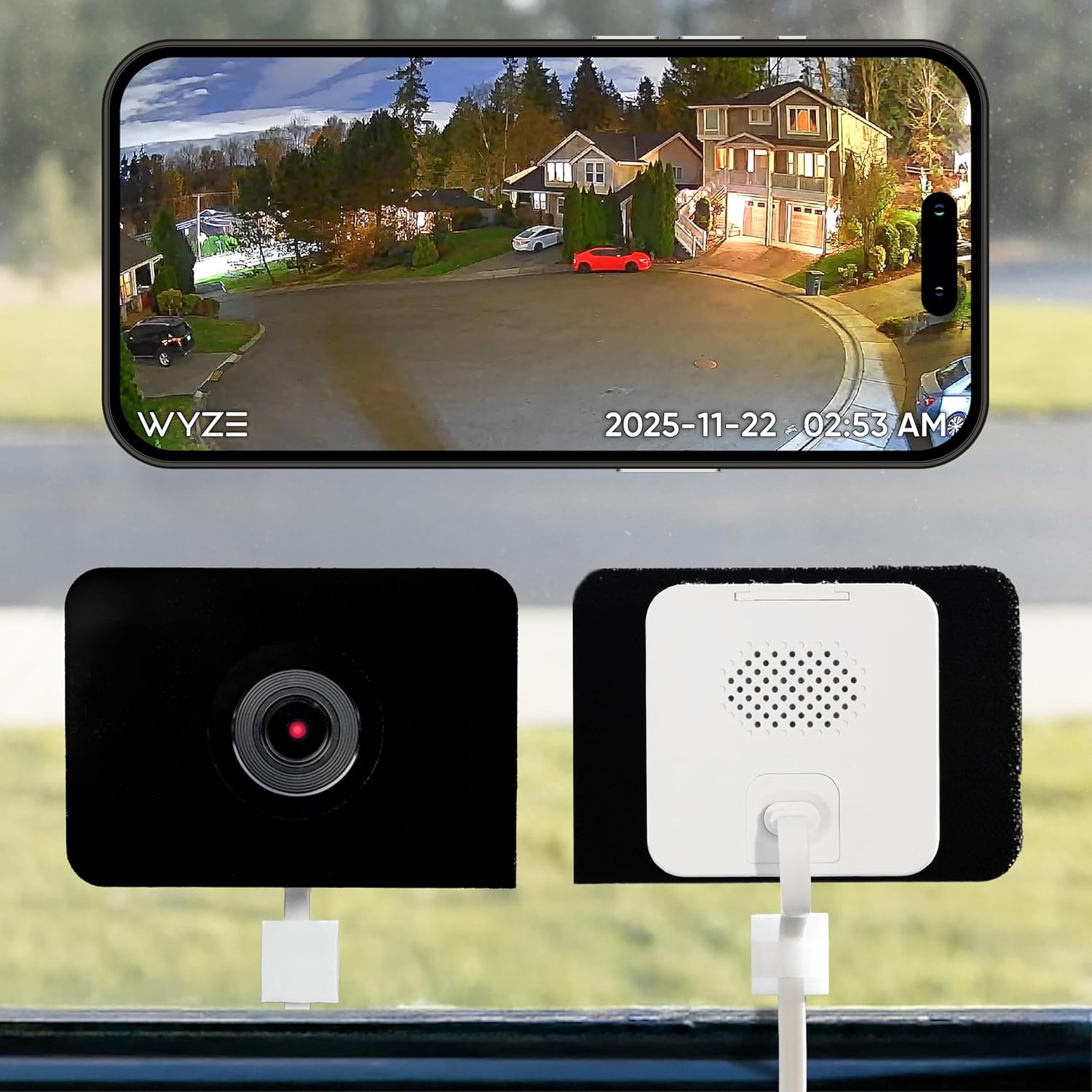
The WYZE Window Camera is designed for easy, noninvasive window mounting and continuous home monitoring, making it a practical choice for renters. It records 1080p video at 20 fps, offers upgraded color night vision thanks to an f/1.0 aperture and BSI sensor, and reduces interior glare so footage through glass is clearer. Setup is straightforward via Bluetooth and the package includes a long USB-A cable and adhesive mounting sticker so no tools or drilling are required. The camera supports 24/7 local recording to a microSD card up to 512 GB and sends motion alerts to the Wyze app, with optional cloud event backup via Wyze subscription. It also includes two-way audio and integrations with Alexa, Google Assistant, and IFTTT. Limitations to keep in mind are the 2.4 GHz Wi‑Fi requirement (no 5 GHz), a 20 fps frame rate that is adequate but not ultra-smooth, and reliance on a corded power source which requires access to an outlet near the window.
Best for: Renters who want a no-drill, easy-to-install camera that captures usable day/night footage and keeps video locally without forcing a cloud subscription.
Less Ideal for: People needing battery-powered or truly wireless cameras, or users who require 5 GHz Wi‑Fi compatibility or higher frame-rate professional surveillance.
- Tool-free window mounting with adhesive sticker suitable for renters
- Color night vision with f/1.0 aperture and BSI sensor for clearer low-light footage
- 24/7 local recording to microSD up to 512 GB without a subscription
- Two-way audio and smart home integrations with Alexa, Google Assistant, and IFTTT
- Requires 2.4 GHz Wi‑Fi and is not compatible with 5 GHz networks
- Corded power means you need an outlet near the mounting location
- 20 fps video is serviceable but not as smooth as higher-frame cameras
Verdict: A renter-friendly window camera that delivers clear day and color night footage with easy stick-on installation and local recording, ideal for noninvasive home monitoring.
Blink Mini 2K+

| Video resolution | 2K |
|---|---|
| Zoom | Up to 4x |
| Power | Plug-in (included power adapter) |
| Audio | Two-way with noise cancellation |
The Blink Mini 2K+ is a small, plug-in indoor camera designed for easy setup and everyday home monitoring. It records sharper 2K video with up to 4x zoom, provides expanded coverage for a single room, and includes improved two-way audio with noise cancellation so conversations are clearer. The camera supports person and vehicle detection when paired with Blink subscription services and can act as a chime for Blink video doorbells. Installation is simple using the included stand, mounting kit, USB cable, and power adapter, and it integrates with Alexa for voice control. Practical benefits for renters include quick plug-and-play setup, compact size that is easy to move between rooms, and optional cloud storage for saving clips. Important limitations are the need for a constant power outlet, reliance on Blink cloud features for advanced detection and long-term storage, and the weather-resistant adapter required for outdoor placement is sold separately.
Best for: Renters who want a low-friction, moveable indoor camera with clear video and easy setup and who prefer a device that works with Alexa and cloud storage options.
Less Ideal for: People needing a battery-powered or fully outdoor-rated camera out of the box or those who want local-only storage without any cloud dependency.
- 2K video resolution with up to 4x zoom for clearer room coverage
- Improved two-way audio with noise cancellation for clearer conversations
- Simple plug-in setup and compact size that is easy to reposition
- Integrates with Alexa for voice commands and smart home control
- Advanced detection and cloud storage require a paid Blink subscription
- Requires a constant power outlet and is not battery-powered
Verdict: A renter-friendly plug-in indoor camera offering sharper 2K video and easy setup for simple, movable home monitoring.
Choosing the Right Security Camera for Renters: Key Factors to Consider
Installation Method
How the camera mounts matters for renters because many leases prohibit drilling or permanent alterations. Peel-and-stick mounts, clamp or tension mounts, and magnetic bases let you place a unit on walls, door frames, or metal surfaces without leaving permanent damage. Hardwired solutions can offer continuous power but typically require landlord permission or conduit work that is not feasible for short-term stays.
Consider also whether the camera requires a hub. Hubless cameras reduce equipment clutter and are simpler to deploy in temporary homes. If a hub is necessary, check how it mounts and whether it needs an Ethernet connection that might limit placement options.
Power and Battery Considerations
Battery-powered cameras avoid wiring and are often the best fit for renters, but battery capacity and standby behavior vary widely. Look for realistic battery-life estimates under typical usage patterns, and whether the unit supports removable batteries so you can swap spares rather than uninstalling the camera to recharge.
Also consider solar accessory support or plug-in charging docks for entryway or porch installs. For units that support both battery and wired power, assess how intrusive the wiring is and whether low-profile cords or adhesive cable channels are sufficient to meet lease rules.
Mounting Versatility and Placement
Effective coverage depends on where you can place the camera. Cameras with adjustable mounts, wide-angle lenses, or pan-and-tilt capabilities reduce the number of devices needed to monitor common access points like front doors, windows, and shared hallways. Magnetic mounts and quick-release brackets let you reposition cameras as room layouts change.
Think about indoor versus outdoor ratings. If you plan to watch a balcony or porch, choose a weatherproof unit with mounting options that do not require permanent anchors. For indoor use, compact designs that sit on shelves or fit in corners are often preferable.
Privacy Controls and Local Storage
Renters often share walls and common areas, so strong privacy controls matter. Seek cameras that offer configurable recording zones, privacy shutters, or physical disable switches to avoid recording sensitive areas or neighbors. Clear, easy-to-manage account security settings like two-factor authentication and password policies help protect access to your footage.
Local storage options such as onboard microSD cards or local network storage can avoid mandatory cloud subscriptions and give you more control over where footage is kept. Understand the device's data retention defaults and how to export or delete recordings if needed.
Video Quality and Night Performance
A camera that records crisp daytime footage but fails at night can be of limited use for security incidents. Look for units with at least 1080p capture for clear detail, and consider sensors and IR illumination that offer usable black-and-white or color night images. Some cameras include low-light enhancement or color night mode that improves identification after dark.
Also evaluate field of view and digital zoom. A wider field of view covers more area but may reduce identifiable detail at distance, so ensure the resolution and lens balance fits the areas you need to monitor.
App Usability and Integrations
How the camera integrates with your phone and smart-home systems affects daily convenience. A straightforward app with reliable notifications, customizable motion detection zones, and easy timeline playback reduces the time you spend managing footage. Consider whether the camera supports commonly used voice assistants or home automation platforms if you want routines like arm/disarm schedules.
Be mindful of subscription dependencies for advanced features. Some functionality may be limited without a paid plan, so verify which essential capabilities are free and which require a subscription.
Low-Impact Mounting Options
For renters, mounting choices shape where a camera can go and how much visible impact it leaves. Adhesive mounts, removable clamps, and tension rods create secure placements without drilling and are widely compatible with rental walls and trim. Magnetic bases work well on metal door frames and on brackets near balconies, enabling quick repositioning.
When using adhesives, follow manufacturer instructions and allow proper curing time for maximum hold. Test placements before committing, and keep the original mounting hardware in case the landlord requests reinstatement when you move.
- Peel-and-stick mounts for drywall and painted surfaces
- Clamp mounts for door frames and window trim
- Magnetic mounts for metal surfaces and railings
- Temporary ceiling or shelf placements for wide coverage
Balancing Battery Freedom with Reliability
Battery cameras free you from cords but require a plan for recharging or swapping cells. Evaluate whether a unit supports replaceable batteries, fast charging, or optional solar panels. For high-traffic entry points, consider a camera with extended battery modes or a wired option that can be subtly routed along baseboards if permitted.
Power management features like scheduled recording and adjustable motion sensitivity can greatly extend runtime. Use lower recording quality or event-triggered capture for perimeter monitoring to conserve battery life without sacrificing important footage.
- Replaceable batteries let you hot-swap on long trips
- Solar add-ons maintain charge for outdoor placements
- Scheduled recording reduces constant drain
- Event-triggered capture focuses battery use on likely incidents
Protecting Privacy in Shared Spaces
Renters often live in apartments or multiunit buildings where cameras could inadvertently record neighbors or shared common areas. Choose cameras with privacy shutters or physical covers that block the lens when you want privacy. Software features like motion zones and person detection can limit recording to specific doorways or approaches rather than broad angles.
Also pay attention to account-level privacy: strong passwords, two-factor authentication, and the option to store video locally reduce the risk of unauthorized access. Make sure you understand local laws and building rules about recording in common areas before installing any camera.
- Physical shutters for when you need total privacy
- Configurable motion zones to avoid shared corridors
- Local storage options to keep footage off remote servers
- Account security features like two-factor authentication
Placement Tips for Maximum Coverage
Place cameras to cover primary entryways, a common sightline of valuables, and any exterior approaches such as stairwells or porches. Mount at a height that prevents tampering but still captures faces at approach distance. Corners often provide the best wide-angle coverage while minimizing blind spots.
If you have a single device, prioritize the highest-risk area such as the main door. For multi-camera setups, stagger coverage so one device captures the approach while another monitors the doorstep for package deliveries.
- Mount 6 to 8 feet high for optimal face capture
- Angle slightly downward to avoid sky glare and false motion
- Avoid pointing directly into windows to reduce backlight
- Use overlapping fields of view for entry and porch coverage
Managing Subscriptions and Local Backup
Many cameras offer cloud storage and advanced features behind subscription plans. Decide whether you need continuous cloud recording or if local storage and event-based clips suffice. For renters who prefer full control, microSD or local NAS options let you keep footage without ongoing fees.
If you rely on cloud services, check retention periods, download/export functions, and the ease of canceling subscriptions. Make sure essential security features like motion alerts are not gated behind paid tiers, or plan accordingly.
- Verify which features require subscriptions
- Prefer local backup if you want control over footage
- Ensure export tools exist for evidence preservation
- Check retention lengths and auto-deletion policies
How We Chose the Best Security Camera for Renters
We shortlisted security cameras based on renter-friendly practical criteria that reflect what matters in temporary living spaces. Primary considerations included installation method and mounting flexibility, because renters often cannot drill or permanently alter walls. We evaluated video quality and night vision performance so footage is useful for identification and incident review. Privacy and data controls were scored, covering local storage options, account security features, and user-configurable recording zones. Power and battery life were assessed for wireless units, and included ease of recharging or battery replacement. Finally, we considered integration and app usability to ensure everyday operation is straightforward. We excluded cameras that require structural changes, professional installation, or permanent wiring that would violate typical lease agreements. The resulting picks emphasize low-impact installation, clear footage, configurable privacy, and manageable power choices.
Our full evaluation process is outlined in our review methodology.
FAQ
Can I legally install a security camera in a rental unit?
Laws vary by location and lease terms, but generally you may install cameras to monitor your private space. Avoid filming common areas or neighbors without consent. Check your lease and local privacy laws and consult your landlord when cameras require drilling or permanent wiring.
What is the best way to mount a camera without drilling?
Use adhesive mounts, removable clamps, magnetic bases, or tension rods designed for camera use. These options provide secure placement without permanent changes, but test adhesive strength and follow manufacturer weight limits.
Are battery-powered cameras reliable for continuous use?
Battery cameras can be reliable if paired with power-saving settings and realistic expectations. Continuous recording drains batteries quickly, so event-triggered capture, scheduled active hours, and replaceable batteries or solar accessories help maintain uptime.
Should I use cloud storage or local storage for recordings?
Cloud storage offers offsite backup and easy access from anywhere, while local storage keeps footage under your direct control and can avoid subscription costs. Choose based on your comfort with cloud services, required retention, and whether you need remote access.
How do I protect my camera account from unauthorized access?
Use strong, unique passwords and enable two-factor authentication if available. Regularly update firmware, review connected devices, and limit sharing of account credentials to reduce the risk of unauthorized access.
Final Verdict
Renters need security cameras that balance minimal property impact with reliable monitoring and strong privacy safeguards. Prioritize installation methods and mounting options that comply with your lease, and weigh battery versus wired power based on how permanent you want the setup to be. Emphasize video clarity and night performance for useful evidence, and choose devices with robust privacy controls or local storage if you prefer to limit cloud retention. By focusing on installation ease, power strategy, and data control, you can select a camera that secures your space responsibly and moves with you when your lease ends.