
Note: This article contains affiliate links. If you click on these links and make a purchase, we may earn a small commission at no extra cost to you. This helps support our research and content. Read our full affiliate disclosure here.
If you need nonstop surveillance, picking the right security camera for 24/7 recording matters. Continuous recording places extra demands on video clarity, storage, power, and heat management, and those factors affect day-to-day reliability and how useful footage is when you need it. This guide focuses on the top shortlisted options built for round-the-clock operation and explains the technical tradeoffs you should expect. Below we cover cameras designed for continuous capture, the evaluation criteria we used, and practical considerations like recording retention, power requirements, and network impact to help you choose the best fit for your space.
Top Picks at a Glance
| Best Overall The best all-around choice for most situations | Hiseeu 5MP Wireless Camera Kit |  |
| Best Quality Built to a higher standard if you want something more solid | REOLINK 4K PoE Security System RLK16-800B8 |  |
| Best Value The sweet spot between price and what you get | Kasa KC420WS Outdoor Camera |  |
| Best Budget The cheapest option that still gets the job done reliably | EDSACE EDS-ZY-B8 Outdoor Camera |  |
| Top Rated A top-rated pick with lots of positive feedback | eufy Security Floodlight Camera E340 |  |
| Most Popular A crowd favorite that many people choose with confidence | Wyze Cam v4 |  |
| Best Seller A high-volume bestseller chosen again and again | Ring Indoor Cam Plus |  |
Hiseeu 5MP Wireless Camera Kit

| Video Capture Resolution | 2.6K (5MP) |
|---|---|
| Number of Channels | 10 |
| Memory Storage Capacity | 500 GB |
| Recording Mode | Event, 24/7 |
| Hardware Interface | 802.11 ac/b/g/n |
This Hiseeu kit pairs four 5MP weatherproof bullet cameras with a 10-channel NVR that includes a preinstalled 500GB hard drive for around-the-clock recording. Cameras connect over 2.4GHz or 5GHz WiFi so you can install them without running network cable, and the NVR/NVR app allows remote live view, playback, and two-way audio. Notable features include color night vision using built-in floodlights, motion alerts via the HiseeCloud app, and support for adding up to 10 cameras to the system. In practice the system is aimed at homeowners who want a self-contained local recording solution: the HDD stores recordings locally with no mandatory cloud fees and the NVR supports continuous 24/7 recording plus event-based clips. Expect straightforward setup for typical home installs but plan for constant power at each camera and occasional tweaks to WiFi placement for reliable streams; frame rate is modest at 15 fps which limits fluidity on fast motion, and advanced users may prefer higher frame rates or different bitrate controls. The included accessories and paired shipping of cameras reduce configuration time for basic monitoring needs.
Best for: Buyers who want a self-contained home security system with local 24/7 recording and easy wireless camera placement, prioritizing privacy and continuous archival without ongoing subscription fees.
Less Ideal for: People who need battery-powered or fully wireless (no power cables) cameras, or those who require high-frame-rate surveillance for very fast-moving subjects.
- Preinstalled 500GB HDD enables local 24/7 recording without required subscriptions
- Wireless dual-band (2.4/5GHz) connectivity reduces the need for network cabling
- Color night vision with floodlights improves nighttime identification compared with IR-only systems
- Expandable up to 10 channels so you can add more cameras later
- Two-way audio and mobile app remote viewing for real-time monitoring and communication
- Cameras require continuous mains power; they are not battery powered
- Frame rate is 15 fps which can make fast action look less smooth
- Reliable performance depends on WiFi coverage and may need network tuning
Verdict: A practical, expandable wired-power WiFi camera kit that delivers local 24/7 recording with a preinstalled 500GB HDD for buyers who want continuous on-site surveillance without subscription fees.
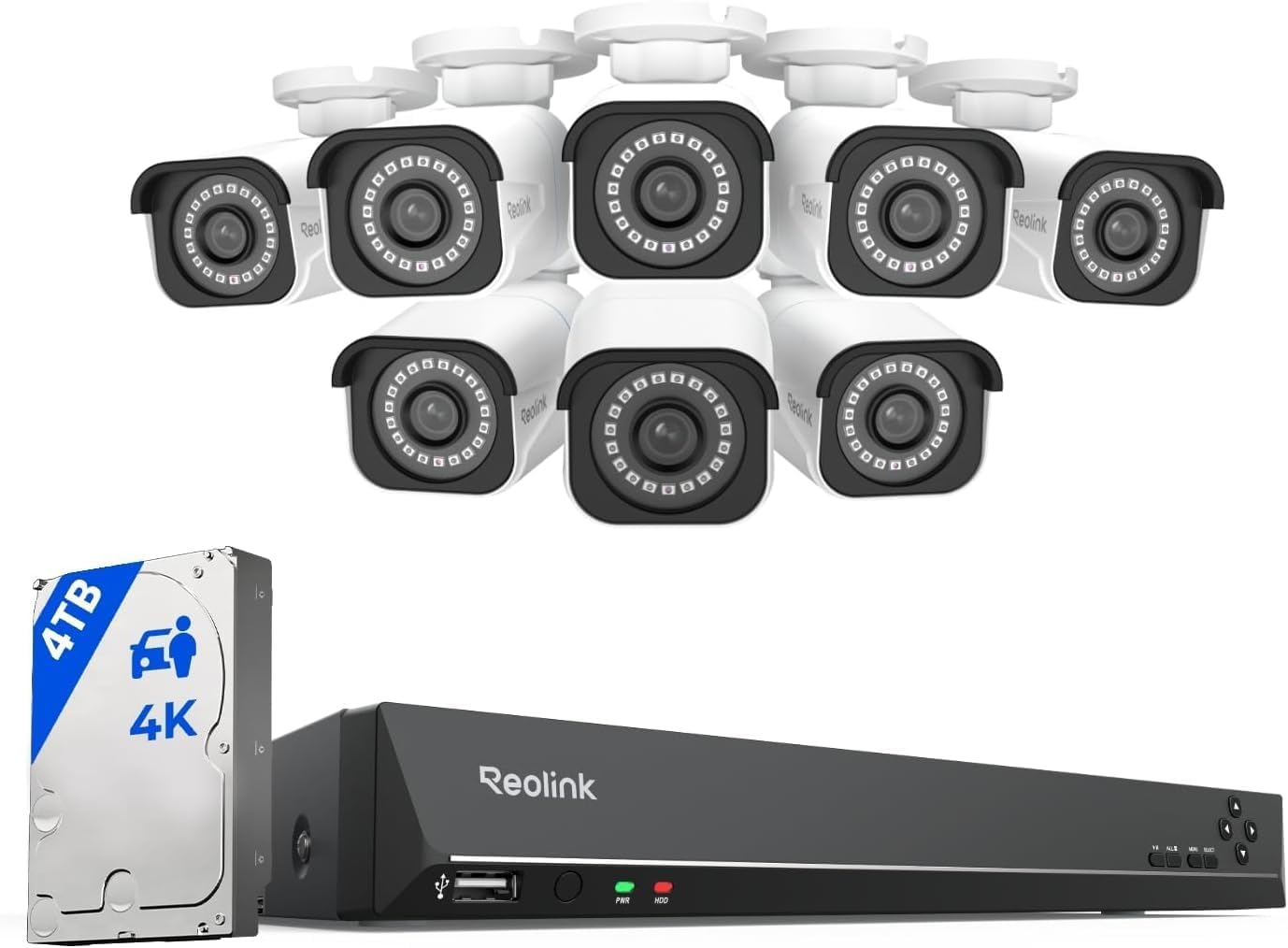
REOLINK 4K PoE Security System RLK16-800B8
| Video Capture Resolution | 4K 8MP (3840×2160) @20FPS |
|---|---|
| Number of Channels | 16 |
| Memory Storage Capacity | 4 TB (preinstalled) |
| Night Vision Range | 100 feet |
| Compression Format | H.265 |
This REOLINK kit bundles eight 4K/8MP PoE bullet cameras with a 16‑channel NVR and a preinstalled 4TB hard drive to deliver continuous 24/7 recording for homes or small businesses. The cameras use H.265 compression and fixed 4.0 mm lenses to produce clear 3840×2160 video up to 20 fps, and night vision extends to roughly 100 feet. Smart person and vehicle detection reduces false alerts and pushes notifications to the Reolink app for remote live view and playback on iOS, Android, Windows, or Mac. Setup is straightforward with PoE single‑cable power and data runs up to 330 ft, and the NVR supports HDMI/VGA output and USB peripherals. Limitations to note are that the cameras only work with Reolink PoE NVRs and do not integrate with Alexa or other smart home ecosystems, and frame rates are modest at higher resolutions. For continuous, local recording and clear 4K detail with scalable storage up to 16TB, this kit is a solid, performance-focused choice.
Best for: Buyers who prioritize high-resolution continuous local recording and want a scalable, wired PoE system for round-the-clock surveillance with smarter motion filtering.
Less Ideal for: People who need third‑party NVR/ONVIF compatibility, Alexa or smart home integration, or who prefer wireless/Wi‑Fi camera setups.
- True 4K/8MP video on each camera for detailed footage and clearer digital zoom
- Preinstalled 4TB HDD with NVR supports 24/7 continuous recording and larger storage expansion
- PoE design supplies power and data over one Ethernet cable for simpler, longer runs
- Smart person and vehicle detection reduces false motion alerts and focuses notifications
- Multi-platform remote access and local HDMI/VGA outputs for onsite monitoring and playback
- Cameras are locked to Reolink NVRs and will not work with third‑party systems
- Higher-resolution recording runs at lower frame rates (up to 20 fps) compared with some competitors
Verdict: If you want reliable 24/7 local recording with high-resolution 4K cameras and scalable PoE storage, this REOLINK kit delivers a performance-focused, plug-and-play solution.
Kasa KC420WS Outdoor Camera

| Video Capture Resolution | 1440P / 4MP |
|---|---|
| Night Vision Range | 98 feet |
| Waterproof Rating | IP65 |
| Power Source | Corded Electric |
| Memory Storage Capacity | 256 GB |
The Kasa KC420WS is an outdoor wired dome camera built for continuous monitoring and deterrence. It captures crisp 2K/4MP video with an auto‑focus lens and digital zoom, and dual integrated spotlights plus a starlight sensor deliver color night vision and usable low-light images up to about 98 feet. The camera supports 24/7 local recording to a microSD card or optional cloud backup, and AI features like person detection, custom activity zones, and instant motion alerts help cut down on false alarms. Two‑way audio is clear for remote conversations and the built‑in siren can be triggered to ward off intruders. Setup is straightforward through the Kasa app and the IP65 rating means it tolerates rain and dust for outdoor placement. Expect the unit to require a nearby power outlet since it is corded, and advanced cloud features require a subscription for longer clip history and sharing options.
Best for: Buyers who want reliable 24/7 outdoor monitoring with clear daytime and night video and prefer local recording plus useful AI alerts to minimize false notifications.
Less Ideal for: People needing a fully wireless, battery‑operated camera or those who want long cloud-retention without subscribing to a service.
- High-resolution 2K/4MP video for clear detail and face/object recognition
- Color night vision with dual spotlights plus starlight sensor for usable low-light footage
- Supports continuous local recording up to 256 GB and optional cloud backup
- AI person detection and custom activity zones reduce irrelevant notifications
- IP65 weatherproof rating suitable for outdoor installation
- Requires a wired power connection so it is not battery‑free or fully wireless
- Full cloud features and extended clip history require a paid subscription
Verdict: Choose the KC420WS if you need a weatherproof outdoor camera that delivers clear 2K daytime and color night footage with local 24/7 recording and smart person alerts.
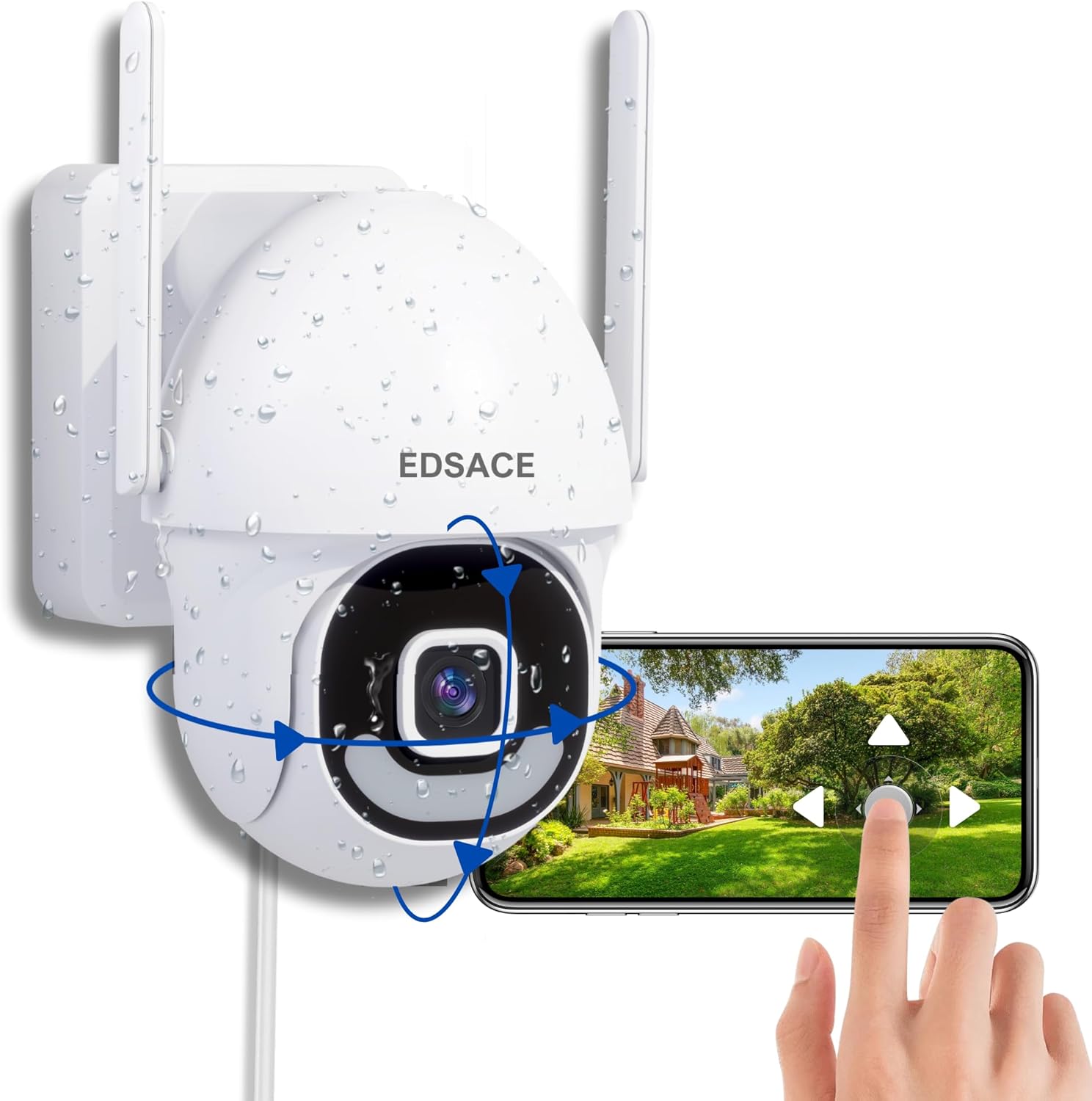
EDSACE EDS-ZY-B8 Outdoor Camera
| Power Source | Corded Electric |
|---|---|
| Video Capture Resolution | 1296p |
| Night Vision Range | 186 feet |
| Memory Storage Capacity | 128 GB |
| Connectivity Protocol | Wi-Fi (2.4G/5G) |
The EDSACE EDS-ZY-B8 is a corded outdoor dome camera designed for continuous 24/7 monitoring. It connects to 2.4 GHz or 5 GHz Wi‑Fi and records in 1296p using MPEG‑4, with full-color night vision and AI-powered human detection and auto-tracking to follow moving people across its wide pan and tilt range. The camera supports local microSD storage up to 128 GB or three days of free cloud storage, and offers two-way audio and a built-in light for clearer nighttime footage. Practical strengths are its continuous wired power for uninterrupted recording, motion zones and push alerts via the Vicohome app, and weatherproof IP66 rating for outdoor placement. Expect straightforward wall mounting and multi-user sharing for household access. Limitations include reliance on the vendor app for many features, modest free cloud retention, and MPEG‑4 compression rather than newer codecs that reduce storage needs and bandwidth.
Best for: Buyers who need an inexpensive, always-on outdoor camera for round-the-clock monitoring and prefer wired reliability over battery models.
Less Ideal for: People who want long-term cloud retention, advanced codec efficiency, or a solution that avoids manufacturer apps entirely should look elsewhere.
- Continuous corded power enables reliable 24/7 recording without battery swaps
- Dual-band Wi‑Fi support (2.4 GHz and 5 GHz) for more flexible network connections
- Full-color night vision and built-in light improve low-light identification
- AI human detection and auto-tracking reduce false alerts and follow moving subjects
- Supports local microSD storage up to 128 GB plus basic free cloud backup
- Free cloud storage is limited to three days, which may be short for some users
- Uses MPEG-4 compression rather than more efficient modern codecs
- Key features require the Vicohome app and may depend on the app experience
Verdict: A budget-friendly wired outdoor camera that delivers dependable 24/7 recording with color night vision and AI person tracking for basic continuous surveillance.
eufy Security Floodlight Camera E340

| Video Capture Resolution | 2k |
|---|---|
| Memory Storage Capacity | 128 GB |
| Waterproof Rating | IP65 |
| Power Source | Corded Electric |
| Lighting Brightness | 2,000 Lumens |
The eufy Floodlight Camera E340 combines a dual‑lens camera and bright motion lights for continuous outdoor monitoring. It pairs a wide 3K lens with a 2K telephoto lens and an internal pan‑tilt mechanism to cover 360° horizontally and track subjects automatically, which is useful for driveways, porches, and side yards. The camera supports 24/7 local recording to a microSD card (up to 128 GB) or to a compatible HomeBase, so you can record without a subscription, and on‑device AI aims to reduce false alarms by distinguishing people, vehicles, and pets. The dual‑band Wi‑Fi 6 support offers faster, more reliable connectivity for high‑resolution streams, while the 2,000‑lumen floodlight and 95 dB alarm provide visible and audible deterrence. Expect a hardwired installation into a UL‑listed junction box and fixed floodlight panels that are not user replaceable. Continuous recording at top resolution will consume storage quickly and requires either regular overwriting or HomeBase attachment for longer retention.
Best for: Buyers who prioritize always‑on, local surveillance and want a single wired device that records continuously and actively deters intruders without a subscription.
Less Ideal for: People who need a battery‑powered or easily movable camera, or those unwilling to perform a hardwired installation with a junction box.
- Dual‑lens plus pan‑tilt gives near 360° coverage and subject tracking for fewer blind spots.
- Supports continuous 24/7 local recording to microSD or HomeBase without monthly fees.
- Dual‑band Wi‑Fi 6 improves streaming stability and responsiveness for high‑resolution video.
- Powerful 2,000‑lumen floodlight and 95 dB alarm add active deterrence and scene illumination.
- Requires hardwired AC installation and a UL‑listed junction box, so DIY placement is limited.
- Floodlight panels are not user replaceable, which could limit long‑term maintenance options.
Verdict: Choose the E340 if you want subscription‑free, 24/7 local recording with wide coverage, integrated floodlights, and reliable Wi‑Fi 6 connectivity for continuous outdoor security.
Wyze Cam v4

| Video Capture Resolution | 2k (2560×1440) |
|---|---|
| Effective Video Resolution | 1440 |
| Viewing Angle | 120 degrees |
| Night Vision Range | 100 feet |
| Flash Memory Supported Size Maximum | 512 GB |
The Wyze Cam v4 is a small but capable indoor/outdoor security camera designed for continuous monitoring and event capture. It records at up to 2.5K QHD with a 120° field of view and uses an enhanced Starlight sensor plus a 72-lumen motion-activated spotlight to produce color footage in low light. The camera supports two-way audio, a 100 dB siren for deterrence, and configurable activity zones and sensitivity to reduce false alerts. It connects over 2.4 GHz Wi‑Fi (setup via Bluetooth) and can save video locally to a microSD card up to 512 GB so you can run 24/7 recording without a subscription. Practical limits include a 20 fps frame rate and digital zoom only, so very fast motion or long-distance license-plate reading may be imperfect, and it requires a nearby power source since it is corded. For homeowners who want affordable, always-on local recording with useful deterrent features, this balances image quality and value very well.
Best for: Buyers who prioritize continuous local recording and verifiable performance from real users will appreciate an affordable camera that captures higher-resolution daytime and color-night footage and supports deterrent features.
Less Ideal for: People who need battery-powered or fully wireless placement options or who require high-frame-rate video for forensic-level capture at long distances should consider other designs.
- High 2.5K QHD resolution with 120° field of view for clear detail near entryways
- Enhanced color night vision plus 72-lumen spotlight for usable color footage in low light
- Local microSD recording up to 512 GB enables 24/7 recording without a subscription
- Motion-activated siren and spotlight provide active deterrence
- Integrates with Alexa, Google Assistant and IFTTT for smart-home routines
- Requires constant power via corded connection so placement needs nearby outlet
- Frame rate is 20 fps which can show motion blur during fast movement
Verdict: If you want affordable 24/7 local recording with strong color night performance and built-in deterrence, the Wyze Cam v4 is a practical, risk-conscious choice.
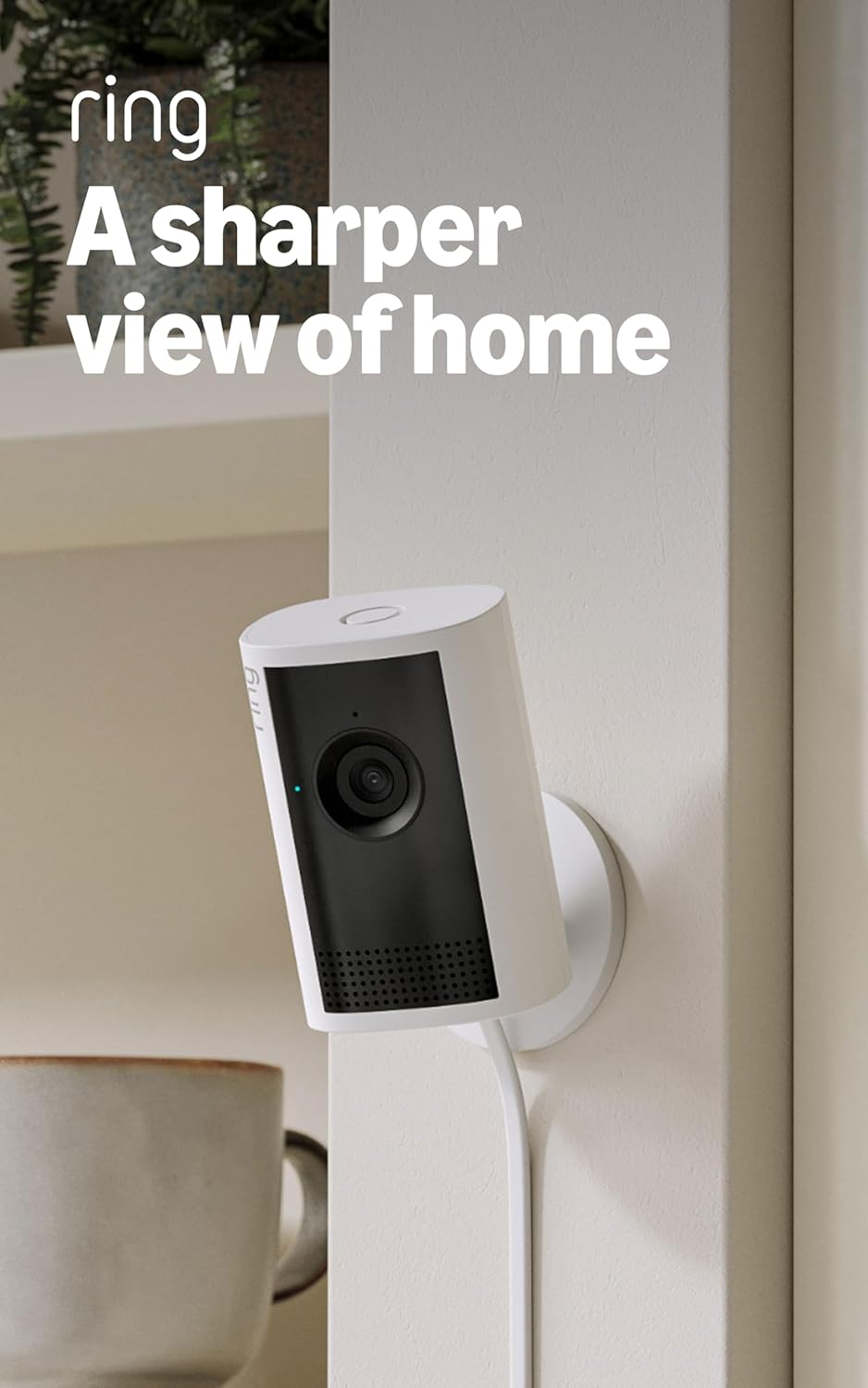
Ring Indoor Cam Plus
| Video resolution | Retinal 2K |
|---|---|
| Zoom | 4x Enhanced Zoom |
| Privacy control | Slide lens cover |
| Night mode | Low-Light Sight |
The Ring Indoor Cam Plus is a small indoor security camera focused on clear, around-the-clock video and simple monitoring. It records in Retinal 2K for sharper detail than standard 1080p, and the 4x enhanced zoom helps you inspect distant areas without repositioning the device. Low-Light Sight preserves true color in dim conditions and reverts to crisp black-and-white in total darkness, while dynamic handling of bright and dark areas improves visibility across windows and corners. Live View with two-way talk lets you check in and respond in real time, and motion alerts push notifications to your phone when activity is detected. A physical slide lens cover provides an easy privacy control, though the microphone remains active unless disabled in the app. The camera relies on your network for video quality and alert speed, so performance can vary with bandwidth and device temperature. For continuous 24/7 use, expect to pair it with a reliable power source and appropriate storage or subscription options for extended recording.
Best for: Buyers who prioritize reliable, high-resolution indoor monitoring with simple privacy controls and straightforward smartphone alerts for everyday home or small business security.
Less Ideal for: People who need fully offline, local-only 24/7 recording without reliance on cloud services or who require built-in battery operation for untethered placement.
- Retinal 2K video for noticeably sharper footage than 1080p
- 4x enhanced zoom to inspect distant details without moving the camera
- Low-Light Sight preserves color in low light and switches to clear B&W in darkness
- Live View and two-way talk for real-time interaction
- Physical slide lens cover for quick, visible privacy control
- Microphone remains on when the lens cover is closed unless manually disabled in the app
- Video quality and alert responsiveness depend on network bandwidth and device temperature
Verdict: Choose the Ring Indoor Cam Plus if you want sharp 2K indoor video, useful zoom, and easy privacy controls for dependable 24/7 monitoring.
Choosing the Right Security Camera for 24/7 Recording: Key Factors to Consider
Video Resolution and Codec
Higher resolution produces clearer footage but increases storage and bandwidth needs. For 24/7 recording, choose a camera that balances resolution with efficient compression codecs so you retain detail where it matters without exhausting storage prematurely.
Consider whether the camera supports modern codecs that reduce file sizes while preserving clarity, and whether you can lower frame rates or use region-of-interest recording for long-term storage savings. Those options let you maintain useful footage for longer retention windows.
Storage Options and Retention Policies
Continuous recording creates large data volumes, so flexible storage options are essential. Look for cameras that support local storage media, network-attached storage, or on-premises NVRs, and check maximum card sizes and overwrite policies.
Also verify how retention is managed: circular overwrite, scheduled archival, or automatic event tagging. These controls determine how long footage is retained and how easily you can retrieve an incident without losing footage due to automatic purging.
Power Reliability and Backup
Uninterrupted power is critical for 24/7 recording. Assess whether the camera supports PoE, AC power, or battery backup, and whether it can gracefully resume recording after outages. PoE can simplify installation and support consistent uptime when paired with a UPS or PoE switch with battery backup.
If battery operation is an option, understand expected runtimes under continuous recording and whether power-saving modes are available. Planning for power redundancy reduces the chance of gaps in long-term surveillance.
Heat Dissipation and Duty Cycle
Continuous operation generates heat that can shorten component life or trigger thermal throttling. Choose cameras with enclosures, heat sinks, or firmware that manage sustained temperatures. Products intended for always-on use will typically specify duty cycles and have hardware designed to run cooler over time.
Proper installation also helps: avoid enclosed spaces that trap heat and ensure airflow. Managing thermal stress preserves video consistency and reduces the likelihood of dropouts during extended recording.
Network Bandwidth and Local Vs Cloud Recording
Streaming high-resolution video nonstop can quickly saturate local networks and external upload capacity. Decide whether you will store footage locally or rely on cloud services, and plan network capacity accordingly. Local NVRs or on-device storage reduce upstream bandwidth, while cloud solutions can simplify off-site redundancy but may require subscription and robust upload speeds.
Also consider camera settings like bitrate caps, frame rate adjustments, and scheduled lower-bitrate modes to limit network impact during periods of steady activity.
Motion Detection and Intelligent Recording Controls
Even with continuous recording, intelligent controls reduce unnecessary footage and simplify review. Cameras that offer region-based motion detection, people-only alerts, or scheduled sensitivity help prioritize footage while maintaining continuous capture for critical streams.
These features make it easier to find relevant segments in long archives and can lower effective storage needs by tagging or bookmarking events of interest within continuous files.
Balancing Continuous Recording and Storage Costs
Recording nonstop can multiply storage needs quickly. Calculate how many days of footage you need and convert that into average daily data rates based on chosen resolution and frame rate. Use that number to size local storage, NVR capacity, or cloud subscription tiers.
Consider combinations such as storing high-resolution video for the most recent days and switching to lower-resolution or event-only archives for older footage. That hybrid approach keeps recent evidence detailed while conserving long-term storage.
- Estimate daily data usage: resolution, fps, and codec affect file sizes
- Use circular overwrite to avoid manual deletions unless regulatory retention is required
- Archive important clips to separate media to prevent accidental overwrites
Installation Tips for Reliable 24/7 Operation
Mount cameras where they get stable power and airflow to reduce thermal stress. For outdoor installs, choose sheltered locations that still offer a clear view to limit weather exposure while maintaining cooling.
If using PoE, run cables to a switch that is backed by a UPS. For wireless setups, ensure the camera is within strong signal range or use dedicated wireless extenders to avoid packet loss that can interrupt continuous uploads.
- Avoid placing cameras in direct sunlight that can overheat enclosures
- Ensure consistent grounding and surge protection for outdoor installations
- Label and document cable runs and storage devices to streamline maintenance
Managing Continuous Footage for Quick Review
Long recordings are difficult to scan manually. Use systems that add metadata, timestamps, and event markers to continuous files so you can jump to relevant moments quickly. Software with smart search or timeline thumbnails speeds up review.
Consider workflows that automatically clip motion events from continuous streams into shorter, indexed files for immediate review, while retaining the full stream for forensic needs.
- Enable on-device tagging or event flags when available
- Use timeline scrubbers and thumbnail previews in your NVR or management software
- Export and backup critical clips to separate drives for evidence preservation
Security and Privacy When Recording 24/7
Continuous recording increases the amount of sensitive data stored. Secure stored footage with strong access controls, encrypted storage, and regular firmware updates. Limit account access and enable two-factor authentication where supported.
Be mindful of local laws about audio recording and private areas. Configure cameras and retention policies to comply with privacy regulations and avoid inadvertently recording restricted spaces.
- Use encrypted storage or VPNs for remote access
- Restrict admin access and maintain an access log
- Regularly update firmware to patch security vulnerabilities
Optimizing Camera Settings for Around-the-Clock Use
Adjust frame rates, bitrates, exposure settings, and night modes to balance clarity and resource use. Lowering frame rates during low-activity periods can substantially reduce storage needs without losing important detail for most security applications.
Configure scheduled modes so the camera adapts automatically to predictable patterns, for example lowering bitrate at night when motion is minimal but keeping higher-resolution capture during peak hours.
- Use variable frame rate or scheduled bitrate reductions
- Enable IR or low-light enhancements for consistent night performance
- Test settings for a few days and adjust to find the sweet spot between quality and storage
How We Chose the Best Security Camera for 24/7 Recording
We prioritized products built to support continuous recording without frequent manual intervention. Our selection required evidence of sustained operation features such as dedicated continuous-record modes, reliable thermal management, or explicit firmware support for extended duty cycles. We also considered video resolution under sustained capture, on-device and networked storage options, and robust power options for uninterrupted uptime. Key evaluation criteria included long-duration video handling, storage flexibility and retention policies, heat and power management for continuous operation, and network efficiency when streaming nonstop. We excluded cameras intended only for motion-triggered or short-duration surveillance and devices lacking clear continuous-record configuration or reliable power options. We also filtered out models with limited storage or unclear warranty support for heavy-use scenarios. The final list favors devices that balance video clarity with sustainable storage and power approaches while keeping network load manageable. Each pick met multiple dimensions of continuous operation that matter for real-world, 24/7 recording deployments.
Our full evaluation process is outlined in our review methodology.
FAQ
How much storage do I need for 24/7 recording?
Storage needs depend on resolution, frame rate, and codec. A higher-resolution stream at 30 fps uses many times more space than a lower-resolution, lower-fps stream. Calculate expected daily data and multiply by desired retention days to size storage or NVR capacity.
Can a battery camera handle continuous recording?
Most battery cameras cannot sustain continuous recording for long periods without frequent recharging. Battery models often use event-driven modes to conserve power. If you need nonstop capture, prefer wired power or PoE with UPS support.
Will continuous recording overload my home network?
Continuous high-bitrate streams can consume significant upload and local LAN bandwidth. Use local storage or an NVR to minimize external upload, cap bitrate settings on cameras, or schedule lower bitrate windows to reduce network strain.
Is cloud storage necessary for 24/7 recording?
Cloud storage is not strictly necessary but provides off-site redundancy. It requires sufficient upload bandwidth and may involve subscriptions. Local storage solutions give more control over retention and access without relying on continuous internet connectivity.
How do I retrieve a specific hour from continuous footage?
Use timeline navigation tools, thumbnails, or event markers in your camera management software. Systems that index footage by timestamp or automatically tag motion events make it faster to jump to a specific hour in long recordings.
Final Verdict
For 24/7 recording, prioritize sustained reliability over peak specs. Focus on cameras that pair sensible video settings with robust storage options and dependable power arrangements to avoid gaps in coverage. Pay attention to heat management and network impact because those operational factors determine long-term consistency. Balance resolution and retention to match how long you need to keep footage, and choose storage and power solutions that align with your tolerance for maintenance. With those tradeoffs clear, you can select a camera that delivers continuous monitoring without constant intervention.