
Note: This article contains affiliate links. If you click on these links and make a purchase, we may earn a small commission at no extra cost to you. This helps support our research and content. Read our full affiliate disclosure here.
Picking the right security camera on a budget matters because lower cost should not mean poor coverage or constant maintenance. You want dependable video, straightforward setup, and trustworthy motion detection so you can monitor your home without fuss. This guide shortlists the top affordable security cameras that deliver those basics and highlights models that are easy to live with day to day. We evaluated options for clarity of footage, mounting and power choices, motion detection reliability, and privacy controls. Below are our top picks for budget-friendly surveillance, followed by practical buying guidance to help you choose the right camera for your space.
Top Picks at a Glance
| Best Overall The best all-around choice for most situations | Wyze Cam Pan v3 |  |
| Best Quality Built to a higher standard if you want something more solid | eufy Wired Cam C31 |  |
| Best Value The sweet spot between price and what you get | blurams PTZ Dome Camera A31 |  |
| Best Budget The cheapest option that still gets the job done reliably | Cinnado 2K Indoor Security Camera |  |
| Top Rated A top-rated pick with lots of positive feedback | Tapo C201 Pan/Tilt Camera |  |
| Most Popular A crowd favorite that many people choose with confidence | wansview Q5 Indoor Camera |  |
| Best Seller A high-volume bestseller chosen again and again | Tapo C400 1080p Battery Camera |  |
Wyze Cam Pan v3

| Video Capture Resolution | 1080p |
|---|---|
| Frame Rate | 15fps, 20fps |
| Field Of View | 120 degrees |
| Waterproof Rating | IP65 |
| Connectivity Technology | Wi-Fi 802.11 b/g/n |
The Wyze Cam Pan v3 is a flexible budget security camera that pans 360° and tilts 180° to cover an entire room, porch, or garage while following movement automatically. It records 1080p video at up to 20 fps in daylight and offers color night vision and an 8x digital zoom for clearer low-light footage. Setup is done through the Wyze mobile app using 2.4 GHz Wi‑Fi and Bluetooth pairing, and it supports local microSD recording for continuous capture without a subscription. Practical features include two‑way audio, push alerts, custom motion zones, a built-in spotlight and siren for deterrence, and IP65 weather resistance for outdoor mounting when paired with the outdoor power adapter. Trade-offs reflect its price: digital rather than optical zoom, modest frame rates at night, and dependence on continuous power and a stable 2.4 GHz Wi‑Fi connection for reliable tracking and live view. For everyday home monitoring—pets, kids, porches, and garages—it delivers strong value with useful smart features and local storage options.
Best for: Buyers who want an affordable, feature-rich camera that can cover large areas and handle both indoor and protected outdoor monitoring with useful smart controls and local storage options.
Less Ideal for: People who need optical zoom or the highest night-time frame rates for license-plate level detail or who want a battery-powered, wire-free camera option.
- 360° horizontal pan and 180° tilt provide comprehensive room or outdoor coverage
- Color night vision improves low-light detail compared with basic IR-only cameras
- AI motion tracking and customizable motion zones reduce missed events and false alerts
- Supports local microSD recording up to 512GB so you can record without a subscription
- IP65 weather resistance and two‑way audio expand use to porches and garages with deterrent features (spotlight/siren)
- Requires continuous power and 2.4 GHz Wi‑Fi so placement is limited by outlets and network coverage
- Zoom is digital, so detail at long distances is limited compared with optical zoom cameras
Verdict: For budget-minded buyers who need full-room coverage and smart tracking, the Wyze Cam Pan v3 delivers comprehensive features and local recording without a big price tag.
eufy Wired Cam C31
| Video Capture Resolution | 1080p |
|---|---|
| Night Vision Range | 20 feet |
| Waterproof Rating | IP66 |
| Flash Memory Supported Size Maximum | 256 GB |
| Connectivity Technology | Wired |
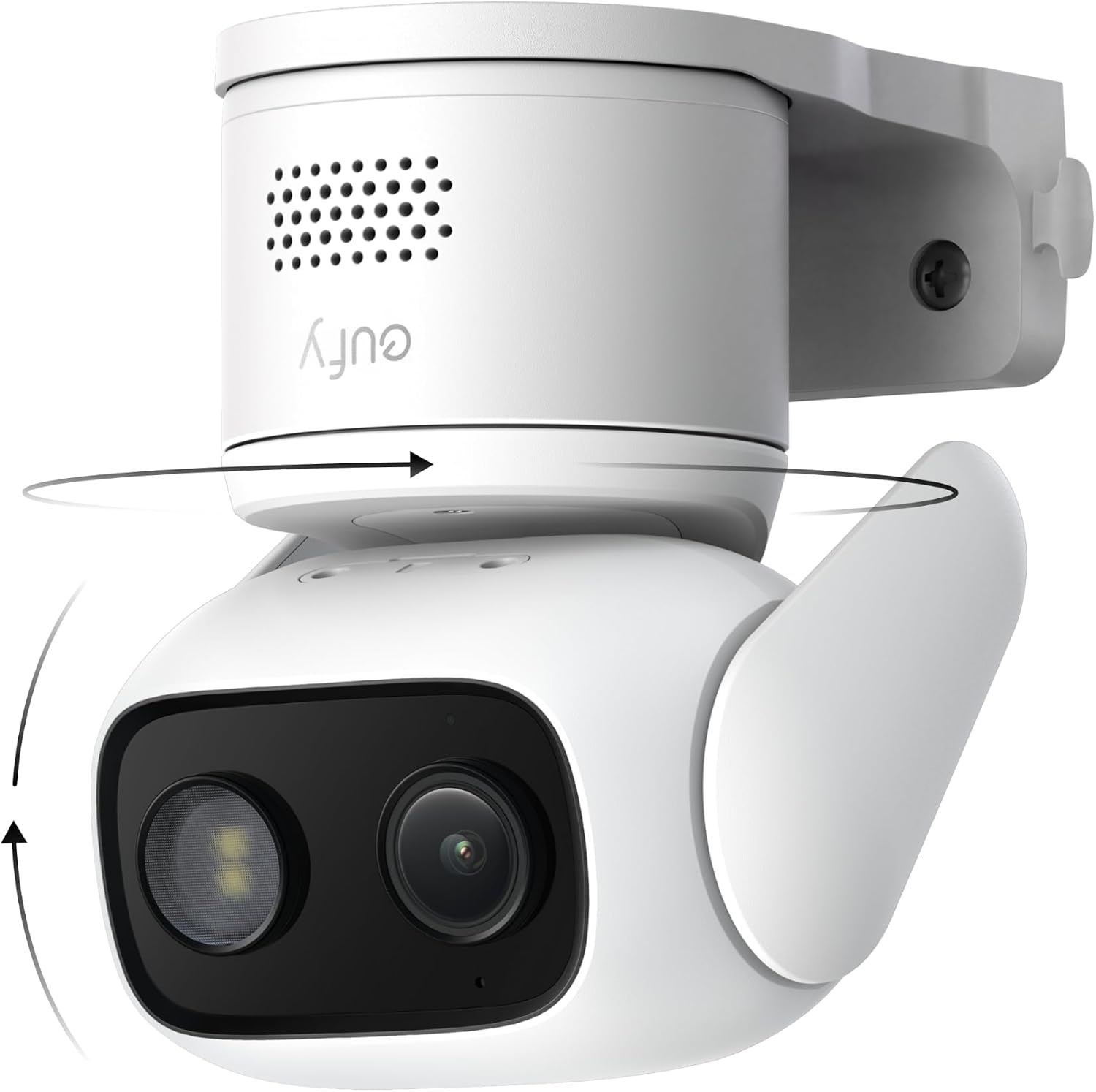
The eufy Wired Cam C31 is a wired dome camera designed for all-around home surveillance that combines 360° pan and tilt with AI-powered tracking and continuous local recording. It captures 1080p video at 15 fps and uses a larger-aperture sensor to deliver PureColor night vision so footage remains in color in low light without spotlights. The camera is IP66-rated for outdoor use and includes dual external antennas and wired 5V power for a stable connection and 24/7 uptime. It supports microSD storage up to 256 GB or pairing with a HomeBase for extended recording, and it works with Alexa and Google Assistant. Practical benefits include wide-area coverage from a single unit, automatic tracking of people, vehicles, and pets, and no subscription fees for local storage. Limitations to consider are the 15 fps frame rate which is modest for fast motion, no HomeKit support, and the need for a wired power source which requires installation effort and access to a nearby outlet or concealed wiring.
Best for: Buyers who prioritize reliable, continuous surveillance and wide coverage on a budget and are comfortable with a wired installation and local storage over cloud subscriptions.
Less Ideal for: Users who need battery-powered, plug-and-play fixtures or require HomeKit/native Apple automation should look elsewhere.
- 360° pan and tilt with AI auto-tracking covers large areas with a single camera
- PureColor night vision keeps footage in color in low light without a spotlight
- Wired power plus dual external antennas deliver stable 24/7 connectivity
- Supports local microSD storage up to 256 GB or HomeBase for continuous recording with no subscription
- IP66 weatherproofing lets you use it indoors or outdoors
- Frame rate is 15 fps which can show motion blur on fast-moving subjects
- Requires a wired power connection so installation is less flexible than battery cameras
- Does not support HomeKit integration
Verdict: If you want subscription-free, 24/7 wired security with full-room coverage and color night vision at a budget price, the eufy C31 is a strong choice.
blurams PTZ Dome Camera A31

| Effective Video Resolution | 1440 |
|---|---|
| Video Capture Resolution | 1296p |
| Night Vision Range | 27 feet |
| Connectivity Technology | Wi‑Fi |
| Memory Storage Capacity | 128 GB |
The blurams PTZ Dome Camera A31 is an indoor Wi‑Fi security camera designed for live monitoring and basic automated alerts. It pans and tilts for 360 degree coverage, offers optical zoom, and records at up to 2K/1440p so you can track motion across a room and clip events. Setup is typically ceiling or wall screw mount, and the blurams app supports live viewing, two‑way audio, and sharing with multiple family members. Night color vision and infrared extend visibility to about 27 feet, and the camera can save clips to cloud or an SD card up to 128 GB. The camera integrates with Alexa, Google Assistant, and IFTTT for simple smart‑home routines and includes a siren and privacy mode when you need it. Consider that it is an indoor unit only and requires a constant 5V power connection, and advanced analytics beyond human/motion/sound detection are limited to what the app provides. For budget setups it delivers feature-rich monitoring with straightforward app control, though power and indoor-only placement constrain installation options.
Best for: Buyers who want a full‑featured indoor security camera on a budget and prioritize wide coverage, clear 2K video, and easy app control for everyday home monitoring.
Less Ideal for: People who need outdoor or weatherproof cameras, battery operation, or advanced on‑device analytics for enterprise‑grade surveillance should look elsewhere.
- Pan‑tilt coverage with 360 degree viewing and 4x optical zoom for flexible room coverage
- 2K/1440p effective resolution for clearer footage than typical 1080p budget cameras
- Color night vision plus IR extends low‑light visibility to about 27 feet
- Built‑in two‑way audio, siren, and privacy mode for interactive monitoring and quick response
- Works with Alexa, Google Assistant and IFTTT and supports cloud or local (microSD) storage up to 128 GB
- Indoor use only and not weatherproof for outdoor placement
- Requires continuous corded 5V power so no battery or PoE option is included
Verdict: A feature-packed indoor PTZ camera that gives budget buyers 2K video, 360 degree coverage, and app-driven monitoring without a big price tag.
Cinnado 2K Indoor Security Camera

| Resolution | 2K FHD |
|---|---|
| Connectivity | 2.4 GHz Wi‑Fi |
| Storage | Micro SD up to 128GB, optional cloud |
The Cinnado 2K Indoor Security Camera is a wired dome camera designed for straightforward home monitoring of pets, babies, and general indoor spaces. It streams 2K HD video and lets you pan and tilt from the phone app for nearly complete room coverage, while four 940nm IR LEDs provide usable night vision. Motion detection triggers 10-second recordings, push alerts, and an optional siren to deter intruders, and two-way audio lets you speak to family or pets. Recordings can be saved to an SD card (up to 128GB) for continuous capture or to encrypted cloud storage with a trial period. Setup is handled through the camera app and the device works with Alexa and Google Assistant, though it only supports 2.4 GHz Wi-Fi and requires a nearby power connection because it is wired. For buyers prioritizing budget, it delivers a solid mix of image clarity and smart features, but those wanting cordless operation or 5 GHz Wi-Fi support will need a different model.
Best for: Budget-minded buyers who want an indoor camera with higher-than-basic resolution and remote pan/tilt control to monitor pets, children, or a single room without paying for premium subscription plans.
Less Ideal for: Users who need a battery-powered or fully wireless camera, or those who rely on 5 GHz Wi-Fi networks and cannot use 2.4 GHz devices.
- 2K FHD live streaming for clearer indoor video than typical 720p models
- Pan and tilt controls provide near 360 degree coverage from the app
- Built-in microphone and speaker enable real-time two-way communication
- Supports local SD recording up to 128GB plus optional encrypted cloud storage
- Motion detection with push alerts and a built-in siren for active notifications
- Wired power required so it is not portable or battery-operated
- Only compatible with 2.4 GHz Wi-Fi, not 5 GHz networks
Verdict: A cost-conscious indoor camera that upgrades image quality and adds pan/tilt and two-way audio while keeping setup and storage options simple.
Tapo C201 Pan/Tilt Camera

| Video Capture Resolution | 1080p |
|---|---|
| Power Source | Corded Electric |
| Connectivity Protocol | Wi-Fi (2.4 GHz) |
| Local Storage | microSD up to 512 GB |
| Night Vision Range | Up to 30 ft |
The Tapo C201 is an indoor pan/tilt security camera aimed at covering an entire room with 360° horizontal and 114° vertical rotation while recording in 1080p. It connects to 2.4 GHz Wi‑Fi and sends instant notifications for motion, person detection, or baby crying, and can track moving subjects automatically. Use two-way audio to talk through the built-in speaker and mic or trigger the siren when needed. Footage can be stored locally on a microSD card up to 512 GB or kept in the vendor cloud subscription for 30‑day history and extra features like motion tracking. Night vision extends visibility to about 30 feet, and the app supports customizable privacy zones and shared access for family members. For buyers on a budget it delivers solid, practical surveillance features, though it relies on continuous power and a 2.4 GHz network and advanced features such as cloud recording require a paid subscription for full functionality.
Best for: Buyers who want dependable, room‑covering indoor monitoring on a budget and prefer local storage with straightforward motion and cry alerts.
Less Ideal for: Users who need battery operation, dual‑band Wi‑Fi support, or unlimited free cloud storage should consider other options.
- Pan/tilt range covers wide areas with automatic motion tracking
- 1080p video with night vision up to 30 feet for usable detail day and night
- Two-way audio and built-in siren for real-time interaction and deterrence
- Supports local microSD storage up to 512 GB plus optional cloud backup
- Requires continuous power and only supports 2.4 GHz Wi‑Fi
- Some advanced features and 30‑day cloud history require a paid subscription
Verdict: A budget-friendly indoor pan/tilt camera that reliably covers full rooms with 1080p video, night vision, and local storage for buyers who prioritize dependable monitoring.
wansview Q5 Indoor Camera

| Video Capture Resolution | 1296p |
|---|---|
| Effective Video Resolution | 1080 pixels |
| Viewing Angle | 105 degrees |
| Wireless Technology | Wi‑Fi |
| Power Source | Corded Electric |
The wansview Q5 is an affordable indoor Wi‑Fi dome camera designed for basic home monitoring. It streams up to 1296p (marketed as 2K) video over 2.4 GHz Wi‑Fi and uses a 105° wide lens plus a pan/tilt range to cover virtually an entire room. Setup is phone-based through the wansview app, and the camera supports two‑way audio so you can listen and speak remotely. Motion alerts push short video clips to your phone and you can record locally to a microSD/TF card or opt into cloud storage. Night vision uses four IR LEDs for clear monochrome views in the dark and there is a privacy mode when you need it. Practical limits include 2.4 GHz-only connectivity and the need for continuous power via a cord, so it is not a battery device, and the 4x digital zoom and digital PTZ are not as sharp as optical zoom. For the price it delivers solid features for room‑level security and pet/baby monitoring, with straightforward app control and Alexa compatibility for simple integrations.
Best for: Buyers who want a budget indoor camera with broad room coverage, simple app setup, and two‑way audio for monitoring kids, pets, or common living areas while prioritizing devices with strong social proof and track record.
Less Ideal for: Users who need battery‑powered or outdoor cameras, or who require professional‑grade optical zoom and enterprise security features.
- High 1296p video for clearer live view compared with many budget cameras
- Pan/tilt coverage plus a 105° lens for near‑360° room monitoring
- Two‑way audio lets you communicate through the camera
- Supports local microSD recording and optional cloud storage
- Motion alerts with short video clips sent to your phone
- Only connects to 2.4 GHz Wi‑Fi and must remain plugged in
- Zoom is digital rather than optical, so detail degrades when magnified
Verdict: A feature‑packed, low‑cost indoor camera that gives broad pan/tilt coverage, two‑way audio, and local recording—an easy, proven pick for budget home monitoring.
Tapo C400 1080p Battery Camera

| Video Capture Resolution | 1080p |
|---|---|
| Frame Rate | 15 frames per second |
| Viewing Angle | 117 degrees |
| Night Vision Range | 33 feet |
| Waterproof Rating | IP65 |
The Tapo C400 is a straightforward battery-powered outdoor camera meant for homeowners who want dependable, low-maintenance monitoring on a budget. It records 1080p video with a 117-degree field of view and offers color night vision and person/vehicle detection so alerts are focused and actionable instead of noisy. Setup is wire-free using its rechargeable battery and the camera connects directly to your Wi-Fi network without a hub, while two-way audio and an adjustable spotlight let you interact with or deter visitors. Storage is flexible: use a microSD card up to 512GB for subscription-free local recording or opt into Tapo Care cloud storage. Practical downsides are a modest 15 fps frame rate, which is fine for general surveillance but not ideal for fast-motion detail, and reported battery life varies with usage despite the advertised long-run figure. For budget-conscious buyers the C400 balances easy installation, sensible smart features, and weatherproof reliability in a compact package.
Best for: Homeowners and small business users who prioritize easy, low-maintenance outdoor monitoring and want reliable person detection without ongoing subscription costs.
Less Ideal for: Users who need high-frame-rate or forensic-grade video for fast action scenes or those who require always-on wired power and continuous high-bandwidth recording.
- Wire-free operation with large rechargeable battery for reduced maintenance
- 1080p video with color night vision and 117-degree viewing angle for clear daytime and nighttime coverage
- Smart person and vehicle detection to reduce false motion alerts
- Flexible storage options including microSD local recording up to 512GB and optional cloud service
- IP65 weather resistance suitable for year-round outdoor use
- 15 frames per second capture can miss fine detail during fast motion
- Actual battery life depends heavily on settings and usage and may be much shorter than lab claims
Verdict: The Tapo C400 is an affordable, battery-powered outdoor camera that delivers practical person detection, color night vision, and flexible local storage for budget-minded buyers who want low-maintenance security.
Choosing the Right Security Camera on a Budget: Key Factors to Consider
Video Resolution and Low-Light Performance
Higher resolution makes it easier to identify faces and details, which is especially important if footage might be used for evidence. On-budget cameras often trade off sensor size and optics, so check whether the camera delivers true HD or higher imagery rather than marketing blur. Low-light performance and built-in infrared illumination matter for nighttime coverage; poor low-light footage can render a camera effectively useless after sunset.
Consider where you need the camera to record and how far subjects will be from the lens. A camera that records crisp detail at 10 to 20 feet may suffice for a front door, while a longer driveway or yard needs better optics and sensitivity.
Motion Detection and Alert Reliability
Accurate motion detection reduces time spent checking false alarms from passing cars, trees, or pets. Look for cameras that let you customize detection zones and sensitivity so you only get alerts for relevant movement. Cameras that include basic on-device processing or simple AI filters can lower nuisance alerts even on budget models.
Also evaluate the speed and content of alerts. A delayed notification or a still image instead of a short clip limits usefulness. For budget setups, prioritize systems that bundle clear alert options with reasonable configurability rather than systems that force you into expensive cloud tiers for smarter notifications.
Installation Flexibility and Mounting Options
Ease of installation affects both initial setup and future adjustments. Battery-powered units avoid wiring but need recharging or battery swaps. Wired cameras often provide continuous power and more stable connectivity but require access to an outlet or wire runs. Mounting hardware should accommodate common mounting points like eaves, walls, and interior ceilings.
Also consider whether the camera supports pole or corner mounts and if it includes tamper-resistant screws for outdoor placement. A camera that is quick to mount and reposition will save time and make it simpler to adapt coverage as your needs change.
Power, Connectivity, and Network Requirements
Budget cameras vary between Wi-Fi only, battery, PoE, or wired power. Your home network strength and router placement will influence which option works best. Wi-Fi-only devices are easiest to add but can suffer from interference or range limits. PoE and wired options provide stable connections ideal for continuous recording but can require more installation work.
Check data usage implications if you plan to upload clips frequently and whether the camera supports both 2.4 GHz and 5 GHz networks. Power and connectivity choices determine ongoing reliability and whether the camera is suitable for indoor, covered outdoor, or exposed outdoor locations.
Storage Options and Data Privacy
How footage is stored affects both ongoing costs and privacy. Some budget cameras offer local storage via microSD, which avoids subscription fees and keeps data under your control. Others rely on cloud storage that may require monthly payments. Review whether the camera encrypts stored video and how it handles user authentication to prevent unauthorized access.
Also look for local backup options or the ability to export footage. Privacy controls like on-demand audio recording toggle, configurable recording schedules, and clear data retention settings help keep surveillance targeted and compliant with household expectations.
Durability and Weather Resistance
For outdoor use, the camera should have an IP rating indicating protection against dust and water. Even modestly priced outdoor cameras need to handle rain, humidity, and temperature swings without frequent failure. Housing material and lens covers affect long-term clarity and resistance to environmental wear.
If you place a camera in a sheltered location, durability requirements are lower, but still consider corrosion-resistant mounts and UV-stable plastics for sunny exposure. Longevity matters for total ownership cost when shopping on a budget.
Indoor Vs Outdoor Placement: Matching Features to Location
Decide whether the camera will live indoors or outside because placement changes the feature priorities. Indoor cameras can prioritize field of view and two-way audio, while outdoor cameras need stronger weatherproofing, infrared or color night modes, and sturdier mounts.
Think about placement height and typical lighting. Porch or driveway cameras benefit from narrower, longer-range lenses, while broad indoor rooms may be better served by wide-angle optics and pan/tilt capability.
- Indoor: wide-angle lens, two-way audio, easy plug-in power
- Outdoor: weatherproof housing, IR illumination, tamper-resistant mount
Setting Up Without a Subscription
Many budget cameras offer local recording through microSD or a local NVR. If avoiding recurring fees matters, choose a camera with reliable local storage and export capability. Confirm retention limits and ease of retrieving clips when needed.
Even when skipping paid cloud plans, check for essential features like time-stamped clips, simple export tools, and configurable recording triggers so your saved footage is searchable and usable.
- MicroSD storage: low ongoing cost, limited capacity
- Local NVR: centralized storage for multiple cameras
- Manual export: ensures access without vendor lock-in
Power Choices: Batteries, Wired, and PoE
Battery cameras reduce installation work but add maintenance in the form of recharges or battery swaps. If you choose a battery model, estimate recharge intervals based on expected motion events and whether the camera offers power-saving modes.
Wired and PoE cameras provide steady power for continuous recording. PoE is attractive for multi-camera setups because it combines power and network over one cable, but it requires compatible network hardware and cable runs.
- Battery: easy install, periodic maintenance
- Wired AC: continuous power, simple for single cameras
- PoE: robust for multiple cameras, needs network planning
Network and Bandwidth Considerations
Video uploads and live view use significant bandwidth. If you have multiple cameras, pay attention to stream resolution and compression settings. Lowering resolution or frame rate can reduce network strain while still providing usable footage.
Ensure your router covers the camera locations reliably. For distant outdoor placements, consider mesh Wi-Fi, a Wi-Fi extender, or wired Ethernet to prevent dropouts that create blind spots.
- Check router placement relative to camera locations
- Use H.264 or H.265 compression to reduce bandwidth
- Limit concurrent live streams to preserve network performance
Privacy, Legal Considerations, and Placement Etiquette
Respect neighbor privacy when installing external cameras. Aim cameras at your property and avoid recording public spaces where laws may be stricter. Some localities require clearly visible notices if you record areas where others expect privacy.
Configure privacy options such as disabling audio capture when not needed, turning off recording during certain hours, and setting detection zones to exclude sidewalks or shared spaces. These steps reduce privacy risks and make alerts more relevant.
- Avoid targeting neighbors' yards or windows
- Disable audio or limit recording schedules to reduce exposure
- Use detection zones to exclude public walkways
How We Chose the Best Security Camera on a Budget
We focused on measurable, buyer-relevant criteria that directly affect everyday use for budget security cameras. Primary evaluation dimensions included video resolution and low-light performance to ensure footage is useful for identification, plus motion detection accuracy to reduce false alerts. We assessed installation complexity and mounting flexibility so buyers can set up cameras without professional help. Power and connectivity options were examined to match a range of home setups, including battery, wired, and Wi-Fi choices. Data handling and privacy features were reviewed to confirm on-device controls, encryption, or local storage options are available. We excluded premium professional systems and devices with recurring mandatory cloud subscriptions that negate a low-cost ownership model. Products were filtered out if they lacked basic durability for typical indoor or outdoor use. The shortlist favors cameras that balance performance with lower ongoing costs and straightforward installation so buyers get reliable monitoring without extra complexity.
Our full evaluation process is outlined in our review methodology.
FAQ
Can a budget security camera record continuously or only on motion?
It depends on the model. Some budget cameras support continuous local recording when connected to local storage or an NVR, while others are designed for motion-triggered clips only. Continuous recording usually requires more storage capacity and stable power.
Will a cheap security camera work well at night?
Many budget cameras include infrared LEDs or low-light sensors that provide usable night footage. Performance varies, so check for explicit low-light specs and sample night images if available. A sheltered outdoor placement also improves nighttime reliability.
Do budget cameras need a cloud subscription to get alerts?
Not always. Some cameras send basic alerts and images without a subscription, while more advanced features like extended clip history or smart detection filters may require a paid plan. If avoiding subscriptions matters, prioritize models with local storage and configurable alerts.
Are battery-powered cameras a good fit for long-term security?
Battery cameras are convenient for quick installs and locations without power, but they need periodic charging or battery swaps. For always-on monitoring or high-traffic areas, wired power or PoE is typically more practical and lower maintenance over time.
How much internet bandwidth do security cameras use?
Bandwidth depends on resolution, frame rate, and compression. A single HD stream can use several hundred kilobits to a few megabits per second during live viewing. Reducing resolution or frame rate and using modern compression formats lowers the load on your network.
Final Verdict
When choosing a security camera on a budget, prioritize clarity of footage, reliable motion detection, and an installation style that fits your home. Expect tradeoffs between convenience and continuous coverage: battery models are easier to place but require upkeep, while wired or PoE units offer steadier operation. Focus on cameras that let you control storage and privacy without mandatory subscriptions and pick hardware with the right weather resistance and mounting options for your intended location. With those priorities, you can get effective, low-cost monitoring that meets most home security needs.