
Note: This article contains affiliate links. If you click on these links and make a purchase, we may earn a small commission at no extra cost to you. This helps support our research and content. Read our full affiliate disclosure here.
Choosing the right Zigbee smart switch matters because it determines how smoothly your lighting integrates with the rest of your home automation. A poorly matched switch can cause flaky connectivity, limited features, or frustrating installation. This guide shortlists the top-rated Zigbee smart switches available for typical home setups and explains the practical tradeoffs that matter most. We evaluated switches for real-world use: how they install, how reliably they connect to hubs and mesh networks, the functionality available for multi-way wiring and scenes, and how they affect everyday lighting control. Read on to see the top picks and the criteria we used to select them.
Top Picks at a Glance
| Best Overall The best all-around choice for most situations | Leviton Decora Smart DG15S |  |
| Best Quality Built to a higher standard if you want something more solid | Shelly 1 Gen4 Smart Relay |  |
| Best Value The sweet spot between price and what you get | THIRDREALITY Smart Switch Starter Kit |  |
| Best Budget The cheapest option that still gets the job done reliably | MOES Zigbee 3-Way Light Switch |  |
| Top Rated A top-rated pick with lots of positive feedback | SONOFF ZBMINIR2 Zigbee Smart Switch |  |
Leviton Decora Smart DG15S

| Current Rating | 15 A |
|---|---|
| Operating Voltage | 120 volts |
| Connectivity Protocol | ZigBee |
| Wattage | 1800 watts |
| Circuit Type | 3-way |
The Leviton Decora Smart DG15S is a 15A Zigbee 3.0 in-wall rocker switch that replaces a standard wall switch to give lights remote app and voice control through a Zigbee hub. Install is typical for an in-wall switch and the DG15S requires a neutral wire and standard screw terminals for wiring; once joined to a Zigbee hub it can participate in scenes, schedules, and voice control via supported hubs. It supports a wide range of loads including LED/CFL, incandescent, fluorescent ballasts, and small motors, and is rated for half-horsepower motor loads and up to 1800 watts for appropriate load types. The Decora form factor and optional color change kits help it blend with existing decor, and Leviton's rocker action gives a familiar manual interface that also prevents LEDs from glowing when off. The main limitations are the need for a Zigbee hub to unlock smart features and the neutral wire requirement, so it is not a drop-in smart solution for every older switch location. For buyers who want a reliable, factory-quality Zigbee switch built for varied load types, the DG15S fits well.
Best for: Buyers who want a dependable, interoperable Zigbee in-wall switch that handles a variety of load types and integrates into an existing Zigbee-based smart home setup.
Less Ideal for: People who do not have a Zigbee hub, lack a neutral at the switch box, or who need a Wi‑Fi native switch without a separate hub.
- Zigbee 3.0 certified for reliable mesh networking and broad hub interoperability
- Supports multiple load types including LED/CFL, incandescent, fluorescent ballasts, and 1/2 HP motor loads
- 15A relay and 1800W rating for higher-capacity circuits than many smart switches
- Decora rocker form factor with optional color kits for a clean, familiar look
- Works with voice and scenes when paired to a compatible Zigbee hub
- Requires a Zigbee hub to access smart features
- Neutral wire is required, limiting install locations
Verdict: A solid factory-quality Zigbee in-wall switch for buyers who prioritize reliable hub-based smart control and broad load compatibility.
Shelly 1 Gen4 Smart Relay

| Contact Type | Normally Open |
|---|---|
| Current Rating | 16 A |
| Wattage | 1920 watts |
| Mounting Type | Wall Mount |
| Connector Type | Screw |
The Shelly 1 Gen4 is a compact 1-channel smart relay designed for retrofitting into wall boxes, sockets, and control panels to add remote switching and automation to lights, garage doors, and small appliances. It provides multi-protocol connectivity with Wi‑Fi, Zigbee, Matter and Bluetooth gateway functionality so you can integrate the relay into cloud or local smart-home platforms and voice assistants. The device handles up to 16 A (1920 watts) and offers dry contacts for isolating low-voltage control circuits, plus automatic operation modes and screw terminals for secure wiring. In practice it is useful for performance-minded setups where reliable switching, low-latency local control, and wide platform compatibility matter. Its small footprint makes in-wall installation straightforward, but it requires basic wiring skills and attention to safe mounting in standard electrical boxes. There is no built-in power metering on this model, so users wanting energy reporting should look at other Shelly variants with metering.
Best for: Tech-savvy buyers building responsive Zigbee-based smart switch setups who prioritize reliable local control and wide protocol compatibility for lighting and accessory automation.
Less Ideal for: Casual users wanting plug-and-play energy monitoring or those uncomfortable with in-wall wiring should consider simpler smart switches or models with integrated metering and easier installation.
- Multi-protocol support: Wi‑Fi, Zigbee, Matter and Bluetooth gateway allow broad platform integration
- High switching capability: 16 A current rating and 1920 W wattage for common lighting and appliance loads
- Dry contact output for safe integration with low-voltage control circuits and garage door setups
- Compact form factor fits standard wall boxes and tight installation spaces
- No built-in power metering or energy monitoring on this model
Verdict: Choose the Shelly 1 Gen4 when you need a compact, high-current Zigbee-capable relay that delivers reliable local control and wide smart-home compatibility.
THIRDREALITY Smart Switch Starter Kit

| Connectivity Protocol | Wi-Fi |
|---|---|
| Controller Type | Amazon Alexa, Apple HomeKit, Google Assistant, SmartThings |
| Operation Mode | ON-OFF |
| Unit Count | 2 Count |
The THIRDREALITY Smart Switch Starter Kit converts standard toggle or rocker switches into Zigbee-enabled smart switches without rewiring by snapping a battery-powered module over the existing switch and pairing it to the included Smart Bridge MZ1. Installation is designed to be quick and renter-friendly since the switch mechanically actuates the original switch and runs on two AAA batteries, and the bridge provides integration with Apple Home, Google Home, Alexa-compatible Echo devices, SmartThings and Hubitat. In daily use you control lights with the ThirdReality app, voice, schedules, and grouped scenes; the kit supports timers and multi-admin LAN control for remote management. Notable limits are the reliance on Zigbee through the bridge rather than direct Wi-Fi control and the one-way mechanical actuation approach, which means physical switch placement and clearances matter and some users may prefer a hardwired neutral solution for always-on power or faster response. Battery life is advertised as long but will vary with usage patterns.
Best for: Buyers who want a low-effort way to add smart lighting to an existing home without electrical work and who prioritize platform compatibility and easy setup.
Less Ideal for: People seeking a hardwired, always-powered smart switch with neutral wiring or those who need native Wi‑Fi control without a hub.
- No wiring or neutral required so installation is fast and renter-friendly.
- Includes a Zigbee bridge for broad smart home integration with HomeKit, Google Home, Alexa and SmartThings.
- Snaps onto existing toggle or rocker switches to preserve the original switch and avoid electrical work.
- Supports schedules, timers and group control for automating multiple switches together.
- Requires the included bridge and Zigbee ecosystem rather than direct Wi‑Fi control.
- Mechanical snap-on design can be sensitive to switch size, gang layout, and clearance at the wall plate.
Verdict: A quick, renter-friendly way to add Zigbee smart control and broad platform compatibility to existing toggle or rocker switches without any rewiring.
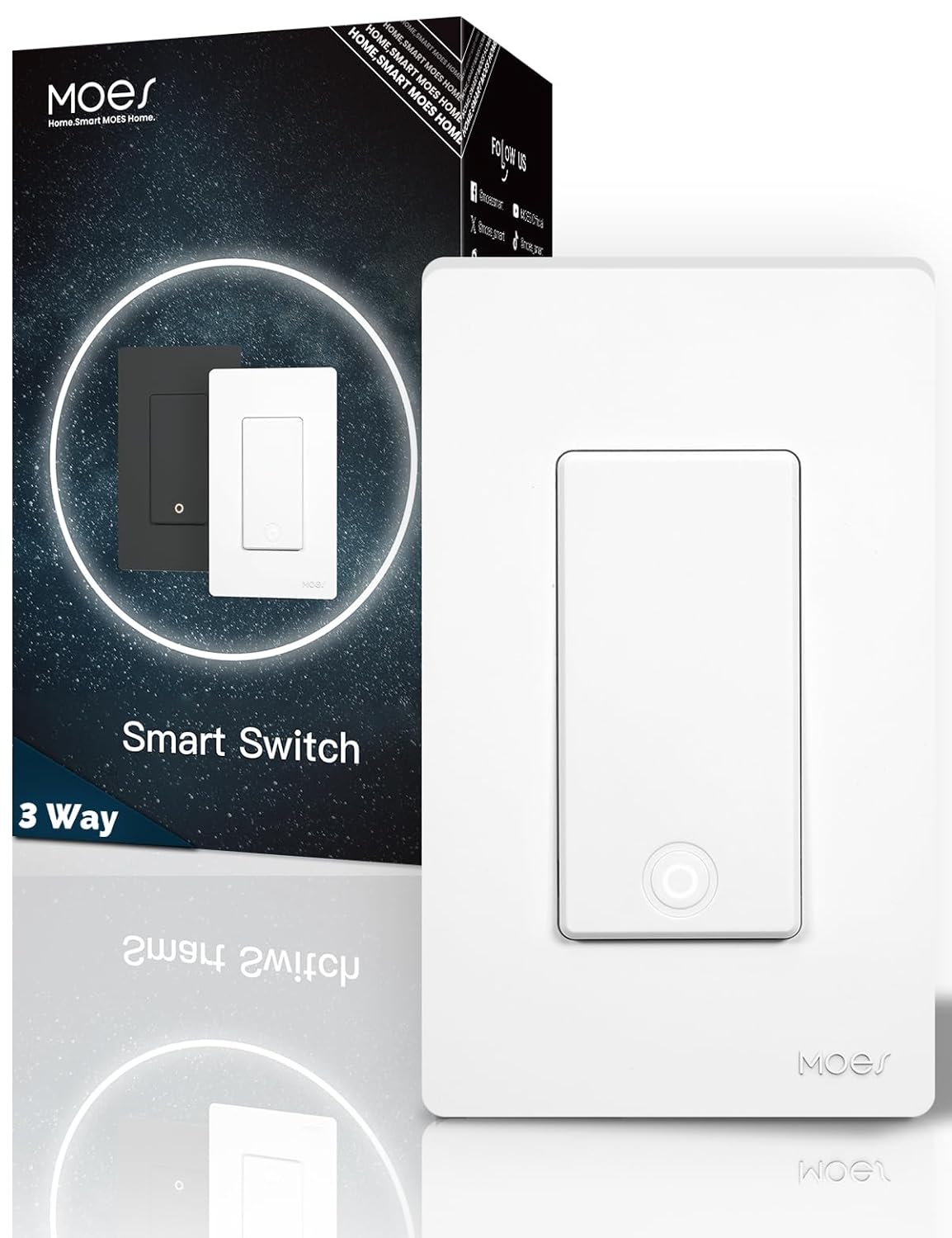
MOES Zigbee 3-Way Light Switch
| Connectivity Protocol | ZigBee |
|---|---|
| Circuit Type | 3-way (also single-pole compatible) |
| Connector Type | Screw Terminals |
| Control Method | Push Button, Remote, Voice |
This MOES Zigbee 3-way light switch replaces a traditional toggle and brings Zigbee smart control to single-pole or 3-way lighting circuits. It requires a neutral wire and a Zigbee gateway to enable app control, voice control with Alexa or Google Assistant, timers, and remote on/off. The switch uses screw terminal connections for a standard hardwired installation and offers configurable indicator modes so the LED can show on/off or location, or be turned off. It is not a dimmer and is intended for switching line-voltage fixtures rather than smart bulbs, and the hub is sold separately. For buyers focused on value, it covers core smart functions at a lower price than many branded alternatives, but expect a basic feature set and the extra step of adding a Zigbee hub for full functionality.
Best for: Buyers who want an affordable path to Zigbee-based voice and remote control for standard hardwired lights and are comfortable adding a separate Zigbee hub and doing basic wiring.
Less Ideal for: People who need built-in dimming, want hub-free Wi‑Fi operation, or who cannot access a neutral wire in their switch box should look elsewhere.
- Works in both single-pole and 3-way circuits for flexible home placement
- Zigbee connectivity enables voice control and remote scheduling when paired with a gateway
- Screw terminal connections and included screwless wall plate simplify installation
- Configurable indicator LED lets you choose on/off, location indication, or off
- Requires a neutral wire and a separate Zigbee hub to unlock smart features
- Not a dimmer and will not control bulb brightness
Verdict: A budget-friendly Zigbee wall switch that adds voice and remote control to standard and 3-way circuits when paired with a separate Zigbee hub.
SONOFF ZBMINIR2 Zigbee Smart Switch

| Operation Mode | ON-OFF |
|---|---|
| Current Rating | 10 A |
| Operating Voltage | 240 volts |
| Connectivity Protocol | ZigBee |
| Controller Type | Zigbee Gateway |
The SONOFF ZBMINIR2 is a very small Zigbee smart switch module designed to hide behind an existing wall switch and give that circuit Zigbee control. It pairs with Zigbee gateways to provide app scheduling, countdown timers, two-way control and voice control via Alexa or Google when the hub is present. Its tiny footprint makes it easy to tuck into standard EU/86/120 mounting boxes and it supports common external switch types so you can keep a physical rocker or push button in place. Rated for 10 A and up to roughly 2200 watts at 240 volts, it can handle most lighting loads and the Zigbee connection allows local control even without internet. The switch requires a neutral line in typical installs and has basic screw terminals and clamp connectors for wiring, so an electrician or confident DIYer will appreciate the straightforward hookups. Limitations include a simple on/off operation with no dimming and an IP00 rating that means it must remain inside a protected junction box.
Best for: Buyers who prioritize a reliable, locally controlled smart switch that hides behind an existing wall switch and works with a Zigbee hub for dependable on/off automation and voice control.
Less Ideal for: People who need dimming, outdoor-rated switches, or a standalone Wi‑Fi solution without a Zigbee gateway should look elsewhere.
- Very compact size fits behind most standard wall switches
- Zigbee 3.0 compatibility enables local hub-based control and voice assistants
- Supports common external switch types so original switch can remain
- 10 A / 240 V rating suitable for typical lighting circuits
- App scheduling and two-way control for staircases and paired switches
- No dimming capability, only on/off control
- IP00 rating requires installation inside a protected box and not suitable for exposed locations
- Requires a Zigbee hub for smart features
Verdict: Choose the ZBMINIR2 when you want a tiny, hub-based Zigbee switch that reliably adds local app and voice on/off control while staying hidden behind your existing switch.
Choosing the Right Zigbee Smart Switch: Key Factors to Consider
Compatibility With Your Hub
Different Zigbee hubs and bridges expose different feature sets and pairing behaviors. Confirming that a switch adheres to Zigbee cluster standards for on/off and level control usually makes integration smoother.
Compatibility affects whether the switch will report state reliably, whether dimming or scene commands are supported, and whether firmware updates can be applied through your hub. If you plan to use local automations, favor switches that are known to work without requiring cloud services.
Wiring and Installation Requirements
Wall switch replacement often runs into two main wiring scenarios: neutral-present circuits and legacy no-neutral boxes. Some Zigbee smart switches require a neutral wire to power their radio and electronics, while others use alternative wiring or include companion modules for no-neutral situations.
Also consider whether you need multi-way (3-way) operation. If your room has multiple switches controlling the same light, choose a switch designed for multi-way work or that includes a compatible auxiliary switch. Clear installation instructions and included wiring diagrams reduce the chance of installation errors and service calls.
Local Control Versus Cloud Dependence
Switches that allow local control keep automations working even if external Internet access goes down. Local control typically means the switch responds instantly to physical presses, hub-based automations, and voice assistants connected locally.
Cloud-dependent devices can still be useful but may introduce latency or outages tied to external services. For mission-critical lighting (entrances, safety lighting), prefer solutions with proven local control paths.
Physical Controls and User Experience
The tactile feel, feedback, and button layout of a smart switch influence daily satisfaction. Look for switches with responsive rockers or paddles, clear LED indicators for status that can be dimmed or disabled for night use, and consistent on/off/dim behavior.
If dimming is required, evaluate the smoothness of the dim curve and whether the switch supports multiple ramp rates or scene recall. For frequently used rooms, prioritize switches designed for heavy use and easy physical interaction.
Load Rating and Electrical Safety
Ensure the switch is rated for the type of loads you plan to control, including incandescent, LED, and motor loads for fans. Using a switch beyond its rated amperage shortens lifespan and creates safety risks.
Look for switches with clear line and load labeling, proper certifications for your region, and robust internal components. Some switches include built-in overload protection or fan-specific modes, which are useful when controlling specialized fixtures.
Network Range and Mesh Behavior
Zigbee is a mesh protocol where powered devices can extend the network for other nodes. A switch with stable radio performance helps maintain a resilient mesh and reduces the chance of isolated bulbs or sensors.
Consider placement relative to your Zigbee hub and other powered devices. If you have large houses or thick walls, prioritize switches with proven range or plan to add powered repeaters to strengthen mesh coverage.
Planning Your Switch Upgrade
Start by mapping the circuits you intend to upgrade and noting which wall boxes have a neutral conductor. Turn off power and, where uncertain, consult a professional electrician before attempting any swaps. Document any multi-way arrangements so you can match the correct replacement type.
Decide whether you want single-function on/off switches, dimmers, or switches with integrated scene buttons. Matching the switch capabilities to fixture types avoids issues such as LED flicker or limited dimming range.
- Check for neutral wire presence before buying
- Identify multi-way circuits and note traveler wiring
- Match switch rating to fixture load type
- Plan hub placement to optimize Zigbee range
Wiring Tips for Common Households
If your wall box lacks a neutral, you have several options: choose a no-neutral compatible switch, use a companion module installed near the fixture, or run a neutral in the wall (a job for an electrician). No-neutral switches often rely on leakage current and can have limitations with some LED loads.
For multi-way setups, follow diagrams carefully. Some smart switches require a specific auxiliary or remote accessory rather than a standard mechanical three-way switch. Label wires during removal to avoid confusion during reassembly.
- Turn power off at the breaker before touching wiring
- Use wire labels or photos to record original connections
- Test with a voltage tester if unsure before touching conductors
Maximizing Mesh Reliability
Place Zigbee hubs centrally and away from large metal obstructions. Each powered Zigbee device ideally extends the mesh; avoid clustering all powered nodes in a single room if possible. If you experience dropouts, adding powered repeaters or relocating the hub can make a big difference.
Keep firmware up to date and verify that your hub and switches are using the same Zigbee version where possible. Stable channel planning and avoiding Wi-Fi channels that cause interference can also improve reliability.
- Distribute powered Zigbee nodes across the house
- Avoid mounting hubs in enclosed metal cabinets
- Use dedicated routers/repeaters if coverage gaps persist
Dimming Performance and Fixture Compatibility
Not all dimmers perform the same with LED fixtures. Look for switches that explicitly state compatibility with LED loads and include adjustable dimming curves or minimum load support. Smooth dimming often requires both the right switch and LED driver combination.
If you encounter flicker or limited low-end dimming, try enabling any configurable minimum brightness or use LED drivers with proven compatibility. In some cases, an inline load resistor or a different LED module may resolve behavior issues.
- Prefer switches with configurable dimming or multiple modes
- Test dimming with your actual fixtures before final installation
- Use LED drivers recommended for dimmable applications when possible
Security and Firmware Updates
Keep switches and hubs on the latest firmware to benefit from security patches and interoperability improvements. Check that the vendor or device supports local update methods through your hub, which reduces dependence on external services.
Change default credentials on networked controllers and limit unnecessary cloud integrations. Audit devices periodically to ensure only required automations and remote access are enabled.
- Enable firmware updates through your hub when available
- Restrict cloud permissions if local control is sufficient
- Monitor device behavior after updates for any regressions
How We Chose the Best Zigbee Smart Switch
We applied a focused set of filters to identify switches suited for reliable home Zigbee lighting control. First, compatibility and network behavior were primary filters: we prioritized devices that adhere to Zigbee standards and show consistent behavior in mesh networks. Second, installation flexibility mattered: switches that support common wiring configurations including neutral and no-neutral setups, multi-way operation, and clear wiring diagrams were scored higher. Third, feature set and local control were evaluated: we favored switches that offer native scene triggers, physical-level dimming or on/off performance, and support for local automation via a hub rather than requiring cloud access. Fourth, build quality and electrical ratings were considered to ensure safe, lasting operation under typical household loads. Fifth, long-term reliability factors such as firmware update availability, known interoperability with mainstream Zigbee hubs, and typical range performance were included. We excluded devices that rely solely on proprietary wireless stacks, require cloud-only operation, or lack clear wiring documentation. We did not include battery-powered inline modules that are not intended as wall-replacement switches. Overall, the selected devices scored well across compatibility, installability, features, electrical safety, and network reliability — the dimensions we list and score in each product block.
Our full evaluation process is outlined in our review methodology.
FAQ
Do Zigbee smart switches need a neutral wire?
It depends. Some Zigbee smart switches require a neutral to power the radio and electronics, while others are designed to work without a neutral using alternative power methods. Check the switch specifications and your wall box wiring before purchase.
Will a Zigbee switch work if my hub loses Internet?
Often yes. Many Zigbee setups allow local control via the hub so basic on/off and local automations continue to work without Internet. However, cloud-dependent features or remote access will be unavailable until connectivity is restored.
Can I use a Zigbee dimmer with all LED fixtures?
Usually not. Dimming performance depends on both the switch and the LED driver. Some LED fixtures are not designed for leading or trailing edge dimmers, so test your combination or choose switches that list LED compatibility and offer adjustable dimming profiles.
How do Zigbee switches affect mesh networks?
Powered Zigbee switches typically act as routers, extending the mesh and improving coverage for battery devices. Their placement can strengthen network reliability, but poorly performing radios can also introduce instability if not chosen carefully.
Are firmware updates necessary for Zigbee switches?
Yes, firmware updates often provide security fixes and compatibility improvements. Apply updates through your hub when available and follow vendor guidance to avoid disruptions during critical hours.
Final Verdict
Pick a Zigbee smart switch that matches your wiring and control needs first, then prioritize compatibility with your hub and proven mesh reliability. Balance physical usability and dimming performance against electrical ratings for safe, long-term use. When you focus on wiring requirements, local control capabilities, and network behavior, you can choose a switch that delivers consistent lighting control and minimal maintenance.