
Note: This article contains affiliate links. If you click on these links and make a purchase, we may earn a small commission at no extra cost to you. This helps support our research and content. Read our full affiliate disclosure here.
Picking the right 3D printer for hobbyists matters because your first machine shapes how quickly you learn, how confident you feel, and what projects you can complete. A good hobbyist printer delivers dependable print quality, a friendly setup experience, and a mix of features that match your skill level and ambitions. This guide shortlists the top options for hobbyists and explains why each made the cut based on practical criteria like print consistency, ease of use, and material flexibility. Read on for a clear breakdown of what to expect and which capabilities matter most before you buy.
Top Picks at a Glance
| Best Overall The best all-around choice for most situations | Creality Ender 3 V3 SE |  |
| Best Quality Built to a higher standard if you want something more solid | QIDI PLUS4 3D Printer |  |
| Best Value The sweet spot between price and what you get | Anycubic Kobra X |  |
| Best Budget The cheapest option that still gets the job done reliably | CAIDAQC Portable 3D Printer |  |
| Top Rated A top-rated pick with lots of positive feedback | Anycubic Kobra X |  |
| Most Popular A crowd favorite that many people choose with confidence | FLASHFORGE Adventurer 5M |  |
| Best Seller A high-volume bestseller chosen again and again | FLASHFORGE AD5X 3D Printer | 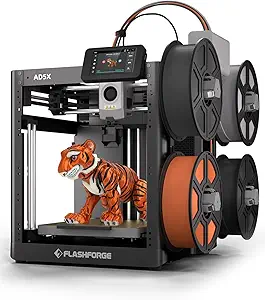 |
Creality Ender 3 V3 SE

| Printing Technology | Fused deposition modeling |
|---|---|
| Build Volume | 220×220×250mm |
| Typical Printing Speed | 180mm/s |
| Max Nozzle Temperature | ≤260℃ |
| Mainboard Type | 32-bit Silent Mainboard |
The Creality Ender 3 V3 SE is an FDM desktop printer aimed at hobbyists who want an easy start without sacrificing performance. It uses a CR Touch auto leveling system plus a strain sensor for automatic Z-offset, which reduces the fiddling required to get a reliable first layer. The Sprite direct drive extruder and auto filament load/unload make flexible materials like TPU easier to run, and the 32-bit silent mainboard keeps noise low during long prints. Mechanical stability comes from dual synchronized Z lead screws and hardened Y-axis shafts, helping reduce Z wobble for cleaner layer alignment. The printer is tuned for speed, with typical printing up to 180mm/s and a maximum advertised 250mm/s, so it can crank out prototypes faster than many entry-level machines when using appropriate settings and materials. Practical limits include a modest 220 × 220 × 250mm build volume for larger projects and a nozzle temperature ceiling of 260C that confines advanced high-temperature filaments. Assembly is straightforward but some tuning and slicer setup are still needed to get the best results.
Best for: Hobbyists who want an easy-to-use, mostly plug-and-play desktop printer that balances beginner-friendly automation with capable hardware for faster prototyping and flexible materials.
Less Ideal for: Users who need large-format printing or those who require industrial high-temperature materials and extended build volume for big parts should look elsewhere.
- CR Touch auto leveling and strain sensor simplify first-layer setup
- Sprite direct drive extruder improves feeding of flexible filaments
- Automatic filament loading and unloading speeds material changes
- Stable dual Z-axis and hardened Y-axis shafts reduce vibration and Z wobble
- 32-bit silent mainboard keeps operating noise low
- Build volume is limited to standard desktop size (220×220×250mm)
- Top speed claims require careful tuning and suitable filament to maintain quality
Verdict: A beginner-friendly hobbyist printer that pairs automated leveling and filament handling with stable hardware for faster, reliable everyday prints.
QIDI PLUS4 3D Printer

| Build Volume | 305×305×280 mm |
|---|---|
| Max Extruder Temp | ≤370°C (80W) |
| Active Chamber Heater | ≤65℃ (Second Generation) |
| Print Speed | ≤600 mm/s |
The QIDI PLUS4 targets users who need fast, large prints and the ability to run high-temperature materials. It uses a Core XY motion system and claims up to 600 mm/s head speed with strong acceleration, which shortens print times for big parts or batches. The printer includes a second-generation active chamber heater with dual-layer insulation and air circulation to stabilize temperatures and reduce warping when printing ABS, PC, PPS-CF and other engineering filaments. A hardened-steel direct extruder, an 80W hotend rated to 370°C and a multi-metal integrated nozzle increase wear resistance and let you use abrasive or high-temp filaments. Practical touches include fully automatic bed leveling, filament runout and break detection, a 5-inch HD touchscreen, remote monitoring via app and an onboard camera, plus power-loss recovery. Trade-offs are the printer's physical heft and complexity compared with entry-level hobby machines, and buyers should expect a learning curve when dialing in advanced filaments and faster print settings.
Best for: Hobbyists who prioritize printing performance and material flexibility and who want to produce large, functional parts or multi-piece batches using engineering filaments.
Less Ideal for: Casual users who only print small PLA models or want a simple, plug-and-play desktop printer with minimal tuning and footprint.
- Large 305×305×280 mm build volume for big parts or multiple models per print
- Active heated chamber with circulation and insulation reduces warping on high-temp filaments
- 80W hotend and 370°C nozzle support demanding engineering materials like PPS-CF and PAHT-CF
- Core XY architecture and high acceleration enable faster print speeds for time-saving production
- Convenience features such as auto bed leveling, filament detection, power-loss recovery and app monitoring
- Heavier and more mechanically complex than typical desktop hobby printers, requiring more setup space and handling
- High-temperature printing of engineering filaments still requires tuning and appropriate enclosure management despite the heated chamber
Verdict: Buy this if you want a fast, large-format hobby printer built to handle high-temperature, engineering filaments for functional and production-style prints.
Anycubic Kobra X

| Build volume | 260×260×260 mm |
|---|---|
| Max nozzle temperature | 300℃ |
| Connectivity | Dual-band Wi-Fi (2.4G/5G) and LAN |
| Print speed | Up to 600 mm/s |
| Auto leveling | LeviQ 3.0 49-point |
The Anycubic Kobra X is a beginner-friendly FDM printer built around multicolor printing and speed. It ships with four ACE 2 Pro color units by default and can expand the palette up to 19 colors, which cuts down on manual filament swaps for multicolor models. Practical features include LeviQ 3.0 auto bed leveling with a 49-point calibration for consistent first layers, a hardened steel nozzle and vibration compensation for durability and cleaner layers, and power/filament recovery plus object and spaghetti detection for fewer failed prints. Connectivity options include dual-band Wi-Fi and LAN for remote monitoring through the Anycubic app and AI camera monitoring. The Kobra X targets fast prints with an advertised top speed up to 600 mm/s and a claimed greatly reduced purge path to save filament. Trade-offs to expect are that very high-speed printing can demand tuning and may reduce fine detail compared with slower profiles, and the multicolor system adds mechanical complexity versus single-extruder setups. For hobbyists who value quick multicolor prototypes and a largely plug-and-play experience, the Kobra X strikes a useful balance of convenience and capability.
Best for: Hobbyists who prioritize fast, multicolor prints and want an easy-to-use machine that reduces manual filament handling while offering remote monitoring.
Less Ideal for: Users seeking the absolute finest single-color detail or the simplest, lowest-maintenance single-extruder printer should consider alternatives.
- Native multicolor printing with four ACE 2 Pro units and expandability up to 19 colors reduces filament swaps
- LeviQ 3.0 49-point auto bed leveling for reliable first-layer adhesion
- Hardened steel nozzle and vibration compensation improve durability and layer quality
- Power/filament recovery and object/spaghetti detection lower overall print failure rates
- Dual-band Wi-Fi and LAN plus AI camera support remote monitoring and control
- Very high advertised speeds may require tuning and can compromise fine detail
- Multicolor hardware increases system complexity compared with single-extruder printers
Verdict: Choose the Kobra X if you want a hobby-grade printer that makes multicolor printing fast and convenient without a lot of manual filament swapping.
CAIDAQC Portable 3D Printer

| Build volume | 100 x 100 x 100 mm |
|---|---|
| Nozzle size | 0.4 mm |
| Filament compatibility | PLA, TPU (1.75 mm) |
| Layer resolution | 0.05–0.3 mm |
| Power adapter | 12V Type-C (≥2A) |
This small CAIDAQC portable FDM printer is built for beginners and hobbyists who want a simple, low-cost way to experiment with 3D printing. It ships as a modular kit with tools, a 10 m sample of PLA, an 8 GB TF card preloaded with slicing software and video tutorials, and a 12V Type-C adapter so you can assemble, level the bed, and print without hunting for extras. The printer accepts 1.75 mm PLA and TPU, uses a 0.4 mm nozzle and prints at 0.05–0.3 mm layer heights, which is fine for small toys, models, and flexible prototypes. The removable build plate and lack of a heated bed make part removal and classroom use safer, but they also limit adhesion with some prints and rule out high-temperature materials. Offline TF card printing is convenient for classrooms and makerspaces, though advanced users will miss network connectivity and a larger build area. For its size and price point this unit is a straightforward, bundled entry-level machine that gets beginners printing quickly while trading advanced features and large-format capability for portability and safety.
Best for: Buyers looking for an inexpensive, beginner-friendly 3D printer for small hobby projects, classroom use, or hands-on STEM learning who value a ready-to-print bundle and easy setup.
Less Ideal for: Users who need larger build capacity, advanced material support, or networked/remote printing features should consider larger or more fully featured machines.
- Complete starter bundle includes filament, TF card with software and tutorials, tools, and power adapter
- Supports both PLA and flexible TPU for a wider range of beginner projects
- Compact 100×100×100 mm build volume fits small desks and backpacks for portable use
- Removable build plate and no heated bed improve safety for classroom or family use
- Small build volume limits project size and larger functional prints
- No heated bed or network connectivity restricts material choices and remote workflow
Verdict: A compact, budget-oriented starter 3D printer that bundles everything a beginner needs to start printing small PLA and TPU projects quickly.
Anycubic Kobra X

| Print volume | 260×260×260mm³ |
|---|---|
| Supported materials | PLA, PETG, TPU, PVA, ABS, ASA |
| Max hotend temperature | 300C |
| Camera | 720P with AI monitoring |
The Anycubic Kobra X is a feature-rich FDM printer aimed at hobbyists who want fast, dependable multicolor prints without a steep learning curve. It ships with LeviQ 3.0 automatic bed leveling, a 49-point probe and vibration compensation to reduce first-layer issues, plus sensors for filament run-out and power-loss recovery that protect long prints. The ACE system allows native multi-color printing (4 colors standard, expandable up to 19 with additional modules) and the hardened steel nozzle and 300C-capable hotend let you run PLA, PETG, TPU and other common filaments. Anycubic also includes a 720p camera with AI monitoring for real-time error detection and part-skipping to avoid wasted filament on failed prints. The Kobra X is unusually fast for its class, with advertised speeds up to 600mm/s supported by a tuned OS and vibration control, which shortens print times for small models and prototypes. Trade-offs to note are that true multicolor setups require extra ACE 2 Pro hubs to reach the largest color counts and achieving the highest advertised speeds will depend on tuning and print geometry, so peak speed claims are not always representative of complex prints. For hobby projects and classroom use the Kobra X balances automation, monitoring, and speed well.
Best for: Hobbyists who prioritize dependable, mostly hands-off printing with built-in sensors and automated leveling so projects finish reliably without constant tweaks.
Less Ideal for: Users who need out-of-the-box industrial multicolor production or those who expect maximum advertised speeds for detailed large-format prints without additional tuning.
- LeviQ 3.0 49-point auto leveling and vibration compensation for reliable first layers
- Filament run-out sensor and power-loss recovery protect long prints
- Native multicolor printing (4 colors) with expansion up to 19 colors using additional ACE modules
- 720p camera with AI monitoring and object/spaghetti detection to catch failures early
- Hardened steel nozzle and 300C-capable hotend support a wide range of common filaments
- Full multicolor capability requires buying extra ACE 2 Pro hubs to reach the highest color counts
- Advertised top speeds (600mm/s) require careful tuning and may not be achievable for high-detail or large prints
Verdict: Buy this if you want a fast, feature-packed hobby 3D printer that focuses on reliable prints through auto-leveling, sensors, and AI monitoring.
FLASHFORGE Adventurer 5M
| Build Volume | 220 x 220 x 220 mm |
|---|---|
| Leveling Type | One-Button Auto Leveling |
| Travel Speed | 600 mm/s |
| Extruder Max Temp | 280°C Direct Drive |
| Platform Type | Double-Sided PEI Platform |
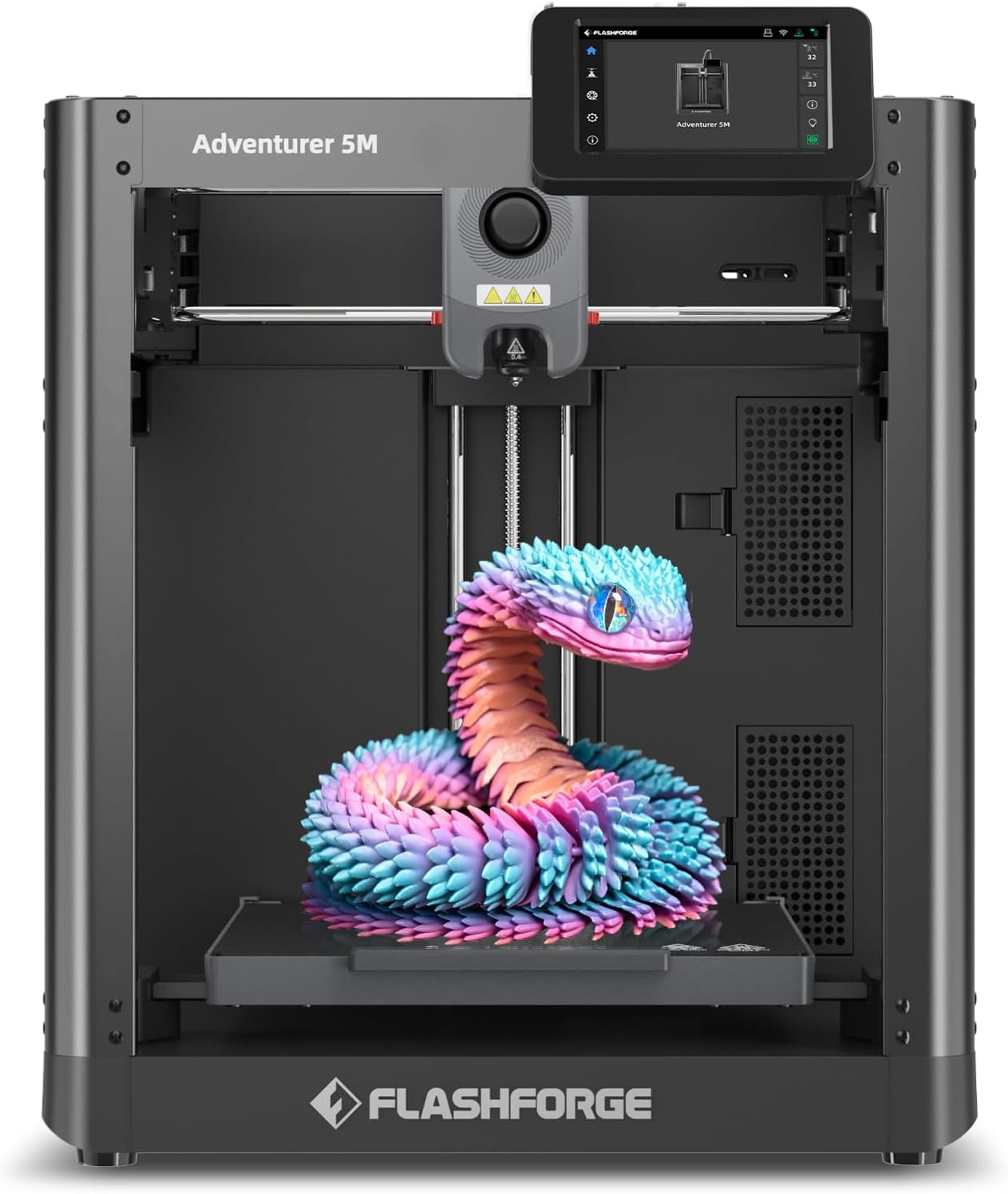
The FLASHFORGE Adventurer 5M is a CoreXY desktop printer aimed at faster, repeatable prints for hobbyists and light production work. It uses a one-button auto-leveling system and a double-sided PEI platform to simplify first-layer adhesion and part removal, while a 280°C direct-drive extruder and interchangeable nozzles support a wide range of filaments including PLA, ABS, PETG, TPU and carbon-fiber blends. The AD5M emphasizes speed with advertised 600 mm/s travel and high acceleration, a high-flow nozzle and quick warm-up times so short print cycles and prototyping runs finish sooner. Practical advantages include a rigid all-metal CoreXY frame for stability, mobile app monitoring and a tool-free nozzle change system. Important limitations are that high advertised speeds may require tuning and the fastest settings can sacrifice fine detail, and advanced materials will still need user attention for filament handling and temperature tuning. For buyers who value faster throughput and easy setup, this blends convenience with capable hardware; those prioritizing ultra-fine detail or out-of-the-box multi-material printing may want a different model or add upgrades.
Best for: Hobbyists and small-scale makers who want a fast, reliable desktop printer that minimizes setup time and supports a broad range of engineering filaments while offering remote monitoring.
Less Ideal for: People whose priority is the absolute finest surface detail or turnkey multi-color/multi-material printing without additional upgrades should consider other specialized models.
- One-button automatic bed leveling for easier first layers and less setup time
- CoreXY all-metal structure that improves motion stability at higher speeds
- 280°C direct-drive extruder and multiple nozzle sizes for a wide range of filaments
- Double-sided PEI platform for reliable adhesion and easier part removal
- Mobile app monitoring and quick nozzle-change design for convenient workflow
- Advertised top speeds require user tuning and can reduce fine-detail quality
- No built-in multi-color/multi-material head on this variant so multi-filament work needs accessories
Verdict: Choose the Adventurer 5M if you want a hobbyist-friendly CoreXY printer that speeds up prototyping with easy setup and broad filament support.
FLASHFORGE AD5X 3D Printer

| Build volume | 220×220×220 mm |
|---|---|
| Max extruder temp | 300°C |
| Structure | Open CoreXY |
| Travel speed | 600 mm/s |
| Filament types | PLA/ABS/PETG/TPU/CF/etc. |
The FLASHFORGE AD5X is a CoreXY desktop FDM printer aimed at hobbyists who want faster, more flexible printing. It uses a 300°C direct-drive extruder and supports PLA, ABS, PETG, TPU and composite filaments, plus up to four-color printing for multi-material or multi-color parts. Key conveniences include one-click auto bed leveling, automatic filament feed/retract and a resume-printing feature for power interruptions, which make day-to-day operation less fiddly. The machine is built for speed with travel specs up to 600 mm/s and high acceleration, and it offers interchangeable nozzles from 0.25 mm to 0.8 mm so you can favor detail or throughput. Practical limits include an open-frame design that can make temperature-sensitive filaments harder to manage and a relatively compact 220 mm build volume that constrains large single-part prints. The AD5X is a solid choice for hobbyists who value faster prototyping, multi-color capability, and user-friendly automation but should be used with standard ventilation and filament handling practices for best results.
Best for: Hobbyists who want a faster, user-friendly printer that handles multi-color or multi-material projects and minimizes fiddly setup and failed prints.
Less Ideal for: Users who need a large build volume for single big parts or who require a fully enclosed, heated chamber for consistent high-temperature printing.
- Supports up to four-color/multi-material printing for more complex or colorful models
- 300°C direct-drive extruder broadens filament compatibility including engineering and flexible filaments
- One-click auto bed leveling and auto filament feed reduce setup time and failed prints
- High travel speed and acceleration enable faster prototyping and shorter print times
- Interchangeable nozzles (0.25–0.8 mm) let you trade detail for speed as needed
- Open CoreXY structure without a sealed chamber can complicate printing high-temperature materials
- 220×220×220 mm build volume limits the size of single prints
Verdict: Buy this if you want a speedy, user-friendly CoreXY desktop printer with multi-color capability and broad filament support for hobbyist prototyping.
Choosing the Right 3D Printer for Hobbyists: Key Factors to Consider
Print Quality and Accuracy
Print quality determines whether finished parts meet your expectations for detail, fit, and surface finish. For hobbyists, good first-layer adhesion, consistent extrusion, and accurate stepper calibration mean fewer failed prints and less time spent troubleshooting. Tight tolerances matter when printing functional parts or interlocking pieces, while visible layer lines may be acceptable for rough prototypes.
Evaluate whether a printer offers consistent layer resolution, a reliable hot end and extruder design, and adequate cooling for detail work. Consider how easy it is to calibrate the X, Y, and Z axes and whether the machine supports common slicer settings that help improve surface finish.
Ease of Setup and Usability
How quickly you can go from unboxing to a successful print affects how enjoyable the hobby will be. Look for printers with clear assembly instructions, pre-calibrated or assisted bed leveling, and intuitive control interfaces. Automatic or assisted bed leveling is especially helpful for newcomers because it reduces a steep learning curve.
Also consider user-facing features like a responsive touchscreen, straightforward file transfer options, and helpful error reporting. Community resources, firmware updates, and documentation further reduce friction when learning to operate and maintain the machine.
Material Compatibility and Hot End
The range of filaments a printer supports expands the types of projects you can attempt. Most hobbyists start with PLA, but being able to print PETG or flexible filaments opens up robust parts and wearable items. Check the hot end temperature limits, whether the extruder is geared or direct drive, and if an all-metal hot end is available for higher-temperature materials.
Filament diameter support and spool mount compatibility also matter. Machines that tolerate slight variations in filament quality and provide consistent feeding reduce jams and failed prints, which is particularly important when experimenting with different materials.
Build Volume and Future Needs
Build volume determines the maximum size of parts you can produce in a single print. Hobbyists should match bed size to the projects they plan to make — miniatures and small prototypes need less volume than cosplay props or larger functional parts. Consider whether you can split models into sections or if a larger single-piece print is important for your workflow.
Also evaluate upgradeability. Printers with modular beds, removable build plates, or community-supported hardware mods let you scale capabilities as your skills and project scope grow.
Reliability and Maintenance Requirements
A reliable machine minimizes the time you spend repairing or reprinting. Reliability depends on frame rigidity, quality of motion components, and the hot end/extruder robustness. Easy access to wear parts, clear maintenance guides, and simple bed-surface replacement help keep downtime low.
Consider how often routine tasks like nozzle cleaning, belt tensioning, and lubrication are required. Machines designed with straightforward maintenance reduce frustration and help you focus on designing and printing rather than constant repairs.
Community Support and Documentation
Strong user communities and clear documentation amplify a hobbyist's ability to solve problems and learn faster. Community forums, shared slicer profiles, and tutorial content shorten the learning curve and provide tried-and-true settings for common filaments and models.
Good documentation should include setup walkthroughs, troubleshooting tips, and upgrade guides. When buying a first machine, favor printers with active communities so you can find help and inspiration as you progress.
Preparing Your Workspace
Set aside a stable, level surface with enough clearance for the printer's full motion envelope. Avoid placing the machine near direct sunlight, drafts, or excessive dust that can affect bed adhesion and filament storage. Ensure access to ventilation when printing materials that can emit fumes, and consider a small enclosure if you plan to print temperature-sensitive filaments.
Keep basic tools within reach: a scraper or spatula for part removal, hex keys for routine adjustments, and a set of flush cutters for filament trimming. A small digital caliper is useful for measuring printed parts and verifying dimensional accuracy.
- Choose a sturdy table that does not vibrate
- Allow 12 to 18 inches of clearance around the printer
- Provide a dedicated storage solution for filament spools
Basic Filament Choices for Hobbyists
PLA is the most forgiving filament and a solid starting point because it prints at lower temperatures and rarely warps. It is suitable for prototypes, toys, and display pieces. PETG is a good next step when you need stronger, more impact-resistant parts that tolerate slightly higher temperatures.
Flexible filaments and specialty materials expand creative options but require the right extruder and printing setup. If you plan to experiment, check that the printer supports the filament types you expect to use and be prepared for extra tuning.
- PLA: easy, low-warp, great for beginners
- PETG: stronger, more durable, slightly trickier
- TPU/flex: requires a compatible extruder setup
Slicer Settings That Make a Big Difference
Slicer configuration can transform print outcomes. Start with manufacturer-recommended profiles when available and adjust in small increments. Key settings that commonly need tuning include print temperature, print speed, retraction distance, and cooling fan behavior.
Layer height affects both aesthetics and print time: lower layer heights yield finer detail but increase print time. Infill percentage and pattern affect part strength and material use. Learn to iterate on one setting at a time so you can identify the effect of each change.
- Use recommended profiles as a baseline
- Tune temperature and retraction to reduce stringing
- Lower layer height for detailed models
Upgrades and When to Make Them
Many hobbyist printers support simple upgrades that improve reliability or expand capabilities. Common upgrades include better bed surfaces, all-metal hot ends for higher-temperature filaments, and improved cooling ducts for finer overhangs. Upgrading stepper drivers or motion hardware can reduce noise and improve print smoothness.
Prioritize upgrades that address clear limitations you encounter. For example, if you repeatedly struggle with adhesion, add a better bed surface before changing electronics. Keep in mind that some upgrades require a learning curve and may affect warranty or community support paths.
- Start with simple mods like build plates or filament guides
- Progress to hot end or extruder swaps for new materials
- Consider firmware and community support before major changes
Safety and Routine Maintenance
Follow basic safety practices: keep the printer away from combustible materials, supervise prints when using high-temperature filaments, and power down the machine before working on moving parts or hot components. Use appropriate PPE if cutting or sanding finished parts.
Regular maintenance extends machine life. Clean the build surface after each print, check belt tension monthly, and replace nozzles or worn parts as needed. Keep a log of filament types and successful settings to speed future prints and troubleshooting.
- Inspect belts and rods for wear every few months
- Clean nozzle and bed after prolonged use
- Store filaments in dry conditions to avoid moisture issues
How We Chose the Best 3D Printer for Hobbyists
We focused on machines that make hobbyist 3D printing approachable without sacrificing useful capabilities. Selection prioritized consistent first-layer adhesion and dimensional accuracy, as reliable prints reduce frustration during learning. We also weighted ease of setup and user interface clarity so new and returning hobbyists can get to printing quickly. Material and filament support was a key filter, favoring printers that accept common filaments and support basic temperature ranges for PLA and PETG. Build volume and upgrade paths were considered to ensure the machine can grow with a hobbyist's projects. We excluded industrial or prosumer machines whose complexity and maintenance needs exceed typical hobby use. Final choices reflect a balance of print reliability, user experience, firmware and community support, and physical build quality.
Our full evaluation process is outlined in our review methodology.
FAQ
What size build volume do hobbyists typically need?
It depends on the projects you plan to make. For miniatures and small prototypes, a modest bed is usually sufficient. If you want to print props or larger functional parts in one piece, choose a larger build volume. You can often split models for smaller beds, but that adds assembly work.
Is automatic bed leveling necessary for a beginner?
Automatic bed leveling is very helpful but not strictly necessary. It reduces the initial setup complexity and ongoing adjustments, letting beginners focus on printing. Manual leveling can work well if you are willing to learn the process and perform periodic tweaks.
Which filament should I start with as a new hobbyist?
Most beginners start with PLA because it prints at lower temperatures and is forgiving of common setup issues. Once comfortable, PETG is a good next option for stronger parts, while flexible filaments require more specialized setups and tuning.
How often will I need to calibrate or maintain the printer?
Routine checks like bed adhesion verification and visual inspections can be weekly when using the machine regularly. More involved maintenance such as belt tensioning, lubrication, and nozzle replacement is usually monthly or as issues arise, depending on usage intensity.
Can I upgrade my hobby printer to handle new materials later?
Many hobbyist machines are upgradeable with hotter hot ends, different extruders, or enclosure options. Upgrades let you print a wider range of materials, but they may require tuning and additional learning. Confirm community support and compatibility before making major changes.
Final Verdict
Choosing the right 3D printer for hobbyists comes down to balancing print quality, ease of use, and the types of projects you want to create. Prioritize machines that deliver reliable first-layer adhesion and straightforward setup if you are new, and pick models with upgrade paths if you plan to expand into tougher filaments or larger prints. Accept tradeoffs: larger build volume and advanced material support can increase complexity and maintenance. Focus on the criteria that will impact your day-to-day printing and select a machine that matches your skill level and project ambitions for the best long-term experience.