
Note: This article contains affiliate links. If you click on these links and make a purchase, we may earn a small commission at no extra cost to you. This helps support our research and content. Read our full affiliate disclosure here.
Picking the right 4K security camera system for home use matters because image detail and consistent recording directly affect how useful footage is after an incident. You want cameras that capture crisp faces and license plates, record reliably overnight, and fit into your home's wiring and storage setup. This guide shortlists top 4K security camera systems for home coverage and evaluates them on the most important practical measures buyers care about. Read on to see how we weighed image quality, low-light performance, storage options, and installation variables to identify the best options for different home layouts and needs.
Top Picks at a Glance
| Best Overall The best all-around choice for most situations | REOLINK RLK8-800B6 4K Security Kit |  |
| Best Quality Built to a higher standard if you want something more solid | ONWOTE 16-Channel 4K NVR System |  |
| Best Value The sweet spot between price and what you get | OOSSXX 4K PoE 8‑Camera System |  |
| Top Rated A top-rated pick with lots of positive feedback | eufy Security S4 Max 4-Cam Kit |  |
| Most Popular A crowd favorite that many people choose with confidence | REOLINK 4K Security System RLK16-800B8 |  |
| Best Seller A high-volume bestseller chosen again and again | eufy SoloCam E42 4‑Cam Kit | 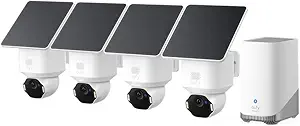 |
REOLINK RLK8-800B6 4K Security Kit

| Video Capture Resolution | 4K, 8MP (3840 x 2160) |
|---|---|
| Number of Channels | 8 |
| Memory Storage Capacity | 2 TB |
| Power Source | POE |
| Night Vision Range | 100 feet |
This REOLINK kit supplies a complete wired PoE surveillance solution for homeowners who want high-resolution coverage without cloud dependency. The bundle includes an 8-channel NVR with a preinstalled 2TB hard drive and six 8MP (4K) fixed-lens bullet cameras that connect over Ethernet for power and video, simplifying installation and delivering stable, lossless streams. Cameras record at up to 3840×2160 at 20fps with 100 ft night vision and an 87 degree horizontal field of view, while H.265 compression and 3D-DNR help reduce storage use and improve low-light clarity. Built-in person and vehicle detection cuts down on false alerts and sends push, email, or buzzer notifications for events, and the Reolink apps and PC clients provide remote live view and playback. Limitations include fixed lenses with a modest 87 degree view that may require more cameras for wide coverage and the system is designed to work only with Reolink PoE cameras, which restricts future camera brand mixing.
Best for: Buyers who want a turnkey, wired home system that prioritizes high-resolution local recording, reliable PoE connections, and smarter motion alerts over cloud-first or mixed-brand setups.
Less Ideal for: Users who need flexible multi-brand compatibility, ultra-wide or motorized zoom coverage from each camera, or who prefer fully wireless setups.
- True 4K (8MP) cameras for sharp daytime and nighttime detail
- PoE design provides power and data over a single Ethernet run for stable, lossless video
- Preinstalled 2TB HDD with expandable local storage and 24/7 recording
- Person and vehicle detection reduces false motion alerts
- Remote viewing and playback via iOS/Android and Windows/Mac clients
- Cameras have fixed 4.0 mm lenses and an 87° field of view, so more units may be needed to cover wide areas
- System only supports Reolink PoE cameras and is not compatible with other brands
Verdict: A complete, high-resolution PoE kit best for homeowners who want reliable local 4K recording and smarter motion alerts without relying on cloud services.
ONWOTE 16-Channel 4K NVR System

| Number of Channels | 16 |
|---|---|
| Memory Storage Capacity | 20 TB |
| Built-In Media | 4TB HDD included |
| Night Vision | Smart AI Color Mode/ Full Color Mode/ Black & White Mode |
| Power Source | PoE 802.3af/at 48V; 12V DC ± 10% |
The ONWOTE 16-channel kit bundles a 16CH 6K/12MP-capable NVR with sixteen PoE outdoor cameras designed for high-resolution coverage of a whole property. It uses Power-over-Ethernet for plug-and-play installation so each camera carries power, audio and video over a single cable, and the NVR includes a preinstalled 4TB drive with expansion up to 20TB for long retention. Cameras deliver 8MP 4K video at about 20 fps, a wide 134 degree view and three night modes including an AI color night mode that can trigger warm lights for color at night. The system adds practical AI features such as face recognition, vehicle and human detection, customizable motion/privacy zones, two-way audio and fast suspect searches with AcuSearch. For performance-focused buyers this kit gives enterprise-style features and full local recording, but it is a complex install for users unfamiliar with PoE networking and the 20 fps frame rate is lower than some higher-frame-rate systems, which may matter for very fast action capture.
Best for: Buyers who prioritize high-resolution, AI-driven surveillance and need a single, expandable system to cover an entire home or estate with local recording and rapid forensic search.
Less Ideal for: Casual users who want a simple consumer camera or plug-and-play cloud-only solution without dealing with PoE cabling, local storage management, or more advanced setup.
- Includes 16 PoE cameras and a 16-channel NVR with a preinstalled 4TB HDD and support up to 20TB storage
- Power-over-Ethernet simplifies wiring by carrying power, video and audio on one cable
- Advanced AI features: face recognition, AcuSearch rapid search, human/vehicle detection and customizable motion/privacy zones
- Smart Color Night Vision and multiple night modes improve identification in low light
- Two-way audio allows remote communication through cameras
- Camera frame rate is listed at 20 FPS which is lower than some competitors for very fast motion capture
- Full performance requires knowledge of PoE networking and larger storage planning
Verdict: This kit delivers high-resolution 16-camera coverage with robust AI features and local expandable storage for buyers focused on performance and forensic capabilities.
OOSSXX 4K PoE 8‑Camera System

| Video Capture Resolution | 4096×2160 (4K) |
|---|---|
| Number of Channels | 8 |
| Flash Memory Installed Size | 4 TB |
| Night Vision Range | 65 feet |
| Waterproof Rating | IP66 |
This OOSSXX kit bundles eight 4K PoE bullet cameras with an 8‑channel NVR and a 4TB hard drive to provide a complete wired home surveillance setup. The cameras use PoE for single‑cable power and network, which simplifies installation and keeps connections stable for long‑term recording. Image quality is true 4K (4096×2160) at up to 15 fps and a 130° ultra wide angle, so a single camera covers broad areas like driveways and backyards; night color vision and two‑way audio let you both see and speak to visitors after dark. Smart AI human detection combined with PIR sensors helps reduce false motion alerts, while the NVR's 4TB storage supports continuous recording and up to 60 days of footage depending on settings. The system is IP66 rated for outdoor use and uses H.265 encoding to save space. Trade offs are the lower frame rate versus some consumer systems and the need to run Ethernet cables for PoE, which requires planning or professional installation for larger homes.
Best for: Buyers who want a practical, all‑in‑one wired security system that prioritizes clear 4K coverage, reliable PoE connections, and long local storage without recurring fees.
Less Ideal for: People who need a purely wireless setup or higher frame‑rate video for fast action capture should consider other options.
- True 4K (4096×2160) resolution and 130° wide‑angle lenses for broad, detailed coverage
- PoE single‑cable setup simplifies wiring and delivers stable power plus network to each camera
- Preinstalled 4TB HDD with up to 60 days of continuous recording capacity and H.265 compression
- AI human detection plus PIR sensor reduces false alarms and improves event accuracy
- IP66 weatherproof rating and two‑way audio for outdoor monitoring and real‑time communication
- Frame rate limited to 15 fps, which can make fast motion appear less smooth
- Requires running Ethernet/PoE cables to each camera, increasing installation work for larger properties
Verdict: A practical wired 4K PoE kit that delivers wide, high‑resolution coverage and long local storage for homeowners who want reliable, no‑monthly‑fee surveillance.
eufy Security S4 Max 4-Cam Kit

| Video Capture Resolution | 4K |
|---|---|
| Number of Channels | 8 (expandable to 16) |
| Memory Storage Capacity | 2 TB (upgradable to 16 TB) |
| Recording Mode | 24*7 Recording, Motion, Schedule |
| Night Vision Range | 65 feet |
The eufy Security S4 Max kit pairs an 8‑channel PoE NVR (preinstalled 2TB HDD) with four triple‑lens Bullet‑PTZ cameras to deliver wide fixed 4K views plus a 2K PTZ module for tracked closeups. It is designed for wired, 24/7 recording: PoE simplifies installation by carrying power and data over a single Ethernet run, and the NVR supports up to 16 channels and storage expansion to 16TB. The system's local AI agent runs on the NVR to filter alerts, enable face/pet/vehicle recognition, and perform smart video search without a subscription. Cameras are IP65 weatherproof, offer color/starlight/IR night vision and up to 164 ft auto‑framing and 8x zoom for long‑range tracking. Practical benefits include continuous local recording, cross‑cam handoff so tracking does not drop, and app/display/web access for live view and playback. Limitations to consider are the wired PoE requirement and the NVR‑centric architecture, which means expansion or integration with wireless third‑party cameras requires additional eufy modules or adapters.
Best for: Buyers who prioritize reliable, always‑on, local recording and want a robust, wired system with on‑device AI to reduce false alerts and provide searchable footage.
Less Ideal for: Users who need a completely wireless, battery‑powered camera solution or who prefer cloud‑only systems managed without a local NVR.
- Local 2TB NVR with option to upgrade to 16TB for continuous 24/7 recording
- PoE cameras simplify wiring by delivering power and data over one cable
- Local AI agent enables on‑device person/vehicle/pet recognition and smart video search without subscription
- Triple‑lens Bullet‑PTZ design gives a wide 4K overview plus 360° PTZ and 8× auto zoom for closeups
- IP65 weatherproofing and AI noise reduction for two‑way audio make outdoor use reliable
- Wired PoE setup requires running Ethernet to each camera, which may need planning or extra hardware
- Bullet‑PTZ cameras consume two streams each, limiting how many PTZs can connect without reaching channel limits
Verdict: Choose this wired PoE NVR kit if you want dependable 24/7 local 4K coverage with built‑in AI and seamless cross‑camera tracking for home security.
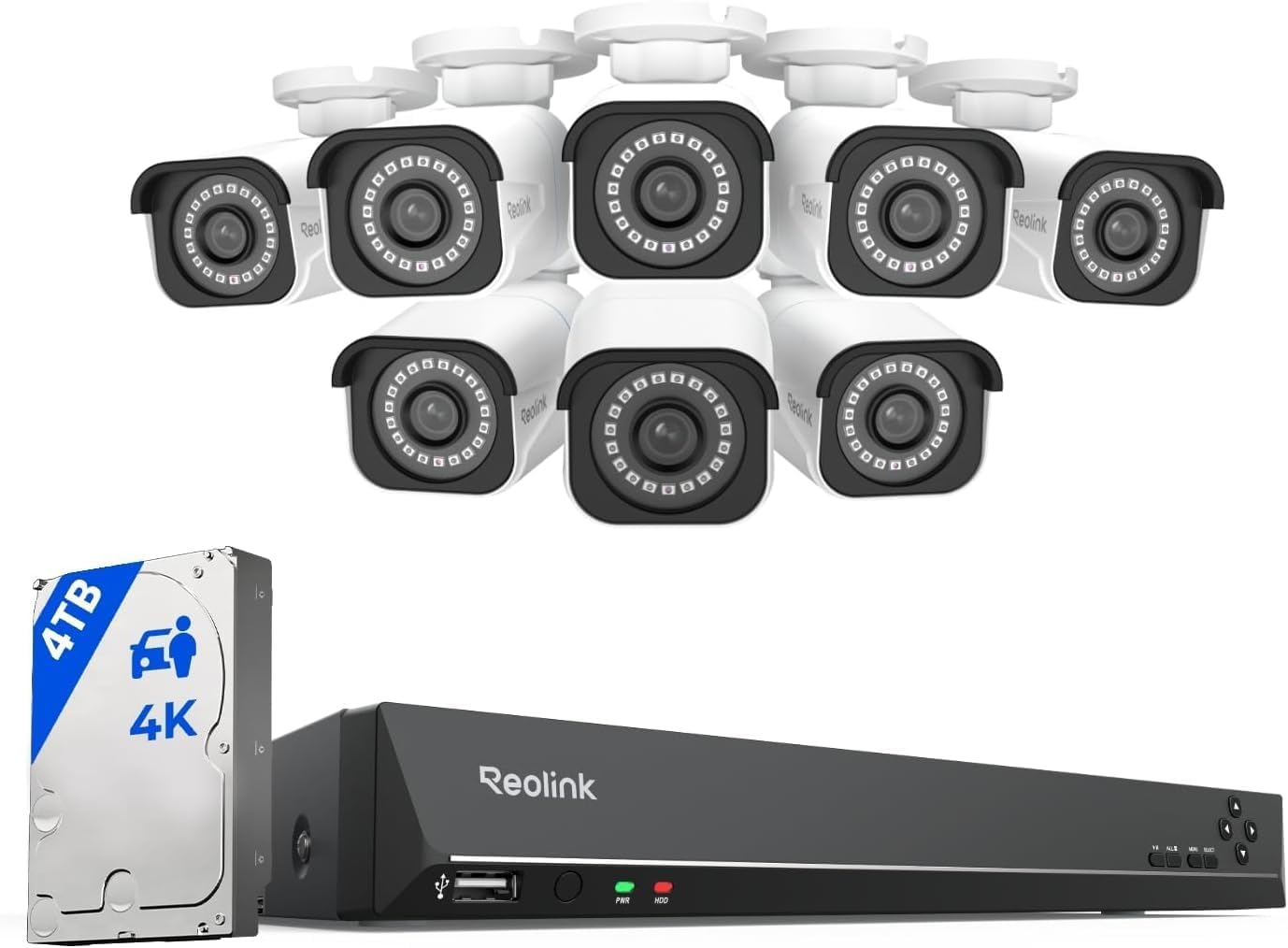
REOLINK 4K Security System RLK16-800B8
| Number of Channels | 16 |
|---|---|
| Video Capture Resolution | 4K 8MP (2560 × 1920) |
| Memory Storage Capacity | 4 TB (preinstalled) |
| Night Vision Range | 100 feet |
| Recording Mode | Motion recording; schedule recording; 24/7 recording |
This Reolink kit is a complete wired PoE system aimed at whole‑home coverage: the package includes eight fixed‑lens 4K (8MP) PoE bullet cameras and a 16‑channel NVR with a 4TB HDD installed. Setup is plug‑and‑play over Ethernet so each camera gets power and data on a single cable, and the NVR supports 24/7 continuous recording, motion/schedule recording, and push/email alerts. The cameras offer 4K clarity at up to 20fps, 100ft night vision, IP67 weatherproofing, and person/vehicle detection to reduce false alarms. Remote viewing and playback are available via Reolink apps on iOS, Android, Windows, and Mac, and the NVR exposes HDMI/VGA/USB ports for local monitoring and backup. Important limits to note: the cameras work only with Reolink PoE NVRs and do not integrate with Alexa or other smart home hubs, and advanced frame rates or AI features are constrained to the company ecosystem. Installation requires running Ethernet cable runs and basic network attention for optimal results.
Best for: Buyers who want a proven, fully bundled wired 4K surveillance system for whole‑home or small business coverage and value local recording, clear evidence capture, and fewer false alerts.
Less Ideal for: If you need cross‑brand ONVIF/RTSP compatibility, cloud‑only setups, or tight smart‑home voice integration, this closed Reolink ecosystem is not the best fit.
- True 4K (8MP) cameras for detailed images and usable digital zoom
- Plug‑and‑play PoE design supplies power and data over one cable to simplify installation
- Preinstalled 4TB HDD with support up to 16TB for continuous 24/7 local recording
- Built‑in person and vehicle detection reduces false alerts compared with basic motion detection
- IP67 weatherproof cameras with 100ft night vision for reliable outdoor coverage
- Cameras and NVR only support Reolink PoE devices and do not work with third‑party camera brands
- No Alexa or wider smart home integration and not a Wi‑Fi camera
- Frame rates and advanced features are limited to the Reolink ecosystem and firmware capabilities
Verdict: Choose this kit when you want a ready‑to‑install, locally recorded 4K PoE camera system that prioritizes image detail and reliable person/vehicle alerts.
eufy SoloCam E42 4‑Cam Kit

| Power Source | Battery Powered |
|---|---|
| Battery Power | 55.98 watt-hours |
| Video Capture Resolution | 4k |
| Connectivity Protocol | Wi-Fi |
| Built-In Media | HomeBase 3 with 16 GB built-in storage |
The eufy SoloCam E42 4‑Cam Kit is an outdoor security system built for continuous, local surveillance without mandatory monthly fees. Each camera records in true 4K, uses AI-based motion detection and auto-tracking to follow people or vehicles, and can trigger a red/blue strobe and siren for instant deterrence. Cameras support SolarPlus 2.0 for solar charging and include HomeBase 3 with 16 GB built-in storage plus expandability up to 16 TB for longer retention and 24/7 recording when set up properly. Setup is typical for outdoor cameras — wall mounting, Wi‑Fi connection or HomeBase pairing, and configuring detection zones in the app — and the system integrates with Alexa, Google, and HomeKit. Practical benefits include high-resolution image capture (helpful for plate or face detail), cross-camera tracking to reduce blind spots, and on-device storage to avoid recurring cloud costs. Important limitations are that continuous recording requires direct-power or proper HomeBase configuration, a microSD card is not included for camera-only storage, and weather and sunlight exposure affect solar charging performance in low‑light climates.
Best for: Buyers who prioritize reliable, local 4K video and want a no-subscription system with deterrent features and lower maintenance through solar charging.
Less Ideal for: People who need a strictly plug‑free solution in heavily shaded or indoor-only locations or those who prefer cloud-only storage and subscription-based features.
- True 4K capture for clear detail and license plate recognition at short range
- AI motion detection with auto-tracking reduces false alerts and follows subjects across view
- SolarPlus 2.0 support lowers maintenance by keeping batteries charged from sunlight
- HomeBase 3 included with onboard storage and support for large hard drive expansion
- On-device local storage option avoids mandatory subscription fees
- Continuous 24/7 recording requires direct power or HomeBase setup rather than battery alone
- MicroSD card for camera-local recording is not included
- Solar charging effectiveness depends on sunlight availability and placement
Verdict: Choose the SoloCam E42 kit if you want high‑resolution, subscription‑free outdoor security with solar charging and strong local storage options.
Choosing the Right 4K Security Camera Systems for Home: Key Factors to Consider
Image Resolution and Optics
Higher sensor resolution is only part of the story. Good optics, sensor size, and efficient compression combine to deliver usable 4K footage. Poor lenses or aggressive compression can negate the benefits of 4K, producing footage that looks detailed in still frames but fails to expose facial features or license plates in real conditions.
When evaluating systems, consider recorded bitrates, lens aperture, and whether the system lets you crop and zoom into footage while preserving readable detail. For many homeowners, prioritize systems that offer configurable video quality and conservative compression profiles so recorded clips remain useful for evidence.
Night and Low-Light Performance
Most incidents happen at night or in low light, so how a camera performs after sundown matters a lot. Look for sensors and IR illumination that minimize noise and maintain contrast. Some 4K cameras switch to monochrome IR at night while others retain color longer with supplemental lighting. Consider whether the camera's IR range matches the coverage area and if built-in wide dynamic range helps with bright headlights or backlit scenes.
For outdoor coverage, weather-resistant housings that keep IR windows clean and sealed are important because dirt or moisture can scatter IR and reduce night clarity.
Storage, Retention, and Bandwidth
4K footage consumes substantial storage and bandwidth. Decide between local NVR storage, edge recording to SD cards, and cloud retention depending on your privacy preferences and network capacity. Systems that support configurable recording schedules, motion-triggered clips, and variable bitrate recording help manage storage use while preserving important footage.
Also consider upload bandwidth if you rely on cloud backup. Home networks with limited upstream speeds may need lower recording quality or selective uploading to avoid congestion during peak use.
Installation and Power Options
Installation complexity influences total cost and how flexible your coverage can be. PoE systems simplify power and network wiring by using a single cable, while wireless cameras reduce cabling but may require separate power or have battery maintenance. Evaluate whether your property supports long cable runs, how many exterior mounting points you need, and whether the system's mounts allow for the necessary angles and tilt.
Also factor in conduit requirements, weatherproof ratings for outdoor placement, and whether professional installation is necessary for your chosen layout.
System Management and Alerts
Daily utility depends on how easily you can monitor live feeds, receive relevant alerts, and search past footage. Look for systems with intuitive apps, reliable push notifications, and robust motion filtering to reduce false alarms from things like tree movement or passing cars. Integration with existing smart home hubs or voice assistants can be useful but is secondary to dependable alerting and simple multi-camera playback.
Pay attention to how systems handle firmware updates, user access controls, and whether event clips are time-stamped and exportable for use in investigations.
Choosing Cameras for Outdoor Versus Indoor Coverage
Outdoor and indoor placements present different demands. Outdoor cameras need higher ingress protection, sun-shielding housings, and wide dynamic range to handle bright daylight and deep shadows. Indoor cameras can prioritize compact size and wider-angle lenses to cover rooms without creating blind spots.
Match camera placement to the camera's strengths. Use weather-rated domes or bullet housings for driveways and eaves, and consider discrete indoor models for entryways and living areas where appearance and field of view matter more.
- Place outdoor cameras under eaves to protect against rain and direct sunlight
- Mount indoor cameras higher to maximize field of view and reduce obstruction
- Use narrow field-of-view lenses for long-distance coverage like driveways
Network Considerations for 4K Systems
4K streams are heavy on network traffic. Plan for PoE switches or robust Wi-Fi backhaul to prevent lag and dropped frames. If multiple cameras will stream simultaneously, calculate combined bitrate rather than assessing each camera individually.
Quality of Service settings on routers can prioritize camera traffic, and separate VLANs help isolate surveillance devices from general home devices for performance and security reasons.
- Estimate combined upstream bandwidth needs before installation
- Prefer wired PoE where possible to avoid wireless reliability issues
- Use VLANs or separate SSIDs to isolate camera traffic
Calibration, Motion Zones, and False Alarm Reduction
Camera configuration often determines the usefulness of alerts. Set motion zones to cover doors, windows, and driveway approaches while excluding busy streets or tree lines. Adjust sensitivity so common wildlife or vehicle shadows do not trigger frequent recordings.
Use scheduled arming and disarming to limit alerts during expected activity windows and review sample clips after setup to refine settings. Proper calibration reduces unnecessary storage use and improves the quality of retained evidence.
- Test and refine motion zones at different times of day
- Use object detection features where available to focus on people or vehicles
- Check sample recordings after setup and adjust sensitivity
Archiving and Exporting Evidence
When an incident occurs you may need to export clips for law enforcement or insurance. Ensure the system supports straightforward export formats, consistent timestamps, and preserves original resolution. Systems that allow selective bulk export of multiple camera feeds simplify incident response.
Consider retention policies that balance long-term storage of key events with routine pruning of incidental footage to conserve space and keep the system responsive.
- Verify clip export formats and timestamp integrity
- Set retention rules for event types to prioritize important footage
- Keep backups of critical clips on separate local media when possible
Power Backup and Redundancy
Power interruptions are common during storms or local outages and can render surveillance blind when it is most needed. Evaluate options for uninterrupted power supply to NVRs and key cameras. Small UPS units can keep recording devices and network switches online for hours depending on load.
For critical locations, consider dual-path recording where clips are written locally and also uploaded to a remote server when network conditions allow. That way you retain footage if either power or network goes down temporarily.
- Use a UPS for NVRs and PoE switches to maintain recording during outages
- Configure redundant recording if the system supports both local and remote backups
- Test failover scenarios to ensure recording persists during power or network loss
How We Chose the Best 4K Security Camera Systems for Home
We focused on practical, real-world criteria that matter for homeowners wanting high-resolution surveillance. Our evaluation emphasized image resolution and clarity because 4K detail is only useful when optics and compression preserve identifiable features. Night and low-light performance was another key filter, including IR effectiveness, noise control, and color retention under dim conditions. We also assessed recording workflows by looking at local versus cloud storage support, retention flexibility, and compatibility with common network video recorders. Installation and mounting versatility were considered, including wiring options, PoE or wireless setups, and whether systems accommodate outdoor placement and weatherproofing. Finally, we evaluated ease of use for daily monitoring, including app reliability, live-view latency, and multi-camera management. Systems that lacked reliable night capture, had overly restrictive storage options, or did not support standard home networking setups were excluded. The criteria used here align with the scoring metrics below and reflect what homeowners typically prioritize in 4K security camera systems.
Our full evaluation process is outlined in our review methodology.
FAQ
Do 4K security cameras need more storage than 1080p systems?
Yes. 4K footage contains more pixels, which increases file sizes and storage demands. Configurable recording settings like motion-only capture, variable bitrate, and scheduled recording help manage storage while keeping important footage at high resolution.
Can I run a 4K camera system on a typical home Wi-Fi network?
Running multiple 4K streams over Wi-Fi can be challenging because upstream capacity and wireless reliability vary. For consistent performance, wired PoE connections are preferred. If using Wi-Fi, limit the number of simultaneous high-resolution streams and ensure your router and network are high-capacity.
Is local NVR storage safer than cloud storage for home surveillance?
Local NVR storage keeps footage on hardware you control and avoids ongoing cloud costs, but it can be vulnerable to theft or local damage. Cloud storage protects against local loss but depends on your internet connection and provider policies. Many homeowners use a hybrid approach to get the benefits of both.
How important is weatherproofing for outdoor 4K cameras?
Very important. Proper weatherproofing protects sensors and optics from moisture, dust, and temperature swings that degrade image quality over time. Look for cameras with suitable ingress protection ratings and housings designed for outdoor exposure.
Will 4K cameras improve facial recognition at distance?
4K can capture more detail at a distance, but effective facial recognition also depends on lens quality, focus, lighting, and compression. Good placement, adequate illumination, and conservative compression settings improve the likelihood of capturing identifiable facial features.
Final Verdict
Prioritize systems that deliver reliable 4K capture where it matters most: clear optics, solid night performance, and manageable storage workflows. Decide whether wired PoE or wireless deployment best fits your property and factor in UPS protection for critical components. Balance image quality against bandwidth and retention needs so you keep usable evidence without overwhelming your network or storage. Choose a system whose strengths align with your highest-risk coverage areas and operational preferences. With attention to installation, motion calibration, and backup strategies, a properly configured 4K security camera system for home will give you clearer, more actionable footage when you need it most.