
Note: This article contains affiliate links. If you click on these links and make a purchase, we may earn a small commission at no extra cost to you. This helps support our research and content. Read our full affiliate disclosure here.
Picking the right Barcode Scanner matters because it directly affects how quickly you can process inventory, sales, and returns. A poor choice leads to misreads, slower checkout lines, and extra work reconciling data. This guide shortlists the top options so you can focus on devices that deliver accurate reads, sensible ergonomics, and long-term reliability. We evaluated models based on real-world scanning speed, read accuracy on damaged or curved codes, connectivity options, battery life, and durability. Below are the best Barcode Scanners across typical small-business and retail workflows, followed by practical advice to help you match a scanner to your environment.
Top Picks at a Glance
| Best Overall The best all-around choice for most situations | Tera 5100 Barcode Scanner |  |
| Best Quality Built to a higher standard if you want something more solid | Zebra DS2278-SR Wireless Imager |  |
| Best Value The sweet spot between price and what you get | NetumScan Barcode Scanner L3 |  |
| Best Budget The cheapest option that still gets the job done reliably | YANZEO L1000 Barcode Scanner |  |
| Top Rated A top-rated pick with lots of positive feedback | WoneNice WN3300 Laser Scanner |  |
| Most Popular A crowd favorite that many people choose with confidence | NADAMOO Wireless Barcode Scanner Bur3003 |  |
| Best Seller A high-volume bestseller chosen again and again | Tera D5100 Barcode Scanner |  |
Tera 5100 Barcode Scanner

| Connectivity Technology | 2.4G Wireless, USB Cable |
|---|---|
| Power Source | Battery Powered |
| Number of Batteries | 1 Lithium Polymer (included) |
| Compatible Devices | Desktop, Laptop |
| Scan Rate | 300 seconds |
The Tera 5100 is a practical 1D laser barcode reader that works as both a USB-wired and a 2.4GHz wireless scanner for PCs and laptops. It is typically used at checkout counters, small warehouses, or inventory stations where scanning paper barcodes is the main task; setup is plug-and-play with either a USB receiver or a cable and no driver installation is required. Notable features include a built-in battery level indicator, selectable storage or instant upload modes, manual trigger and continuous scan modes, and adjustable volume across four levels. The scanner handles a wide range of 1D barcode symbologies and is reported to read damaged or reflective printed barcodes reliably. Important limitations are that it only reads 1D barcodes on paper and does not support Bluetooth, 2D/QR codes, or scanning from digital screens, so it is not suitable for QR-heavy workflows or mobile-phone based scanning. The included dongle, USB cable, and optional stand accessories make it versatile for desktop or portable use, while the IP54-rated protection and silicone cover increase durability for light industrial environments.
Best for: Buyers who want a reliable, no-fuss barcode scanner for steady 1D barcode workflows across retail or light warehouse environments and who value easy setup and durable hardware.
Less Ideal for: Teams that need to scan QR codes, barcodes shown on mobile screens, or require Bluetooth pairing should look at 2D-capable or Bluetooth-enabled models instead.
- Dual connection modes: 2.4GHz wireless and USB wired for flexible deployment.
- Battery level indicator and rechargeable battery for predictable uptime management.
- Plug-and-play setup with no driver installation required.
- Multiple scan/upload modes and adjustable volume let you tailor operation to the workspace.
- Rugged extras: anti-shock silicone cover and IP54 dust protection for tougher environments.
- Only reads 1D barcodes on paper and cannot scan 2D/QR codes or barcodes on screens.
- Does not support Bluetooth connectivity.
Verdict: A solid, easy-to-deploy 1D scanner built for dependable paper-barcode scanning with both wireless and wired use cases.
Zebra DS2278-SR Wireless Imager

| Connectivity Technology | Bluetooth, USB Cable |
|---|---|
| Power Source | Battery Powered,Usb Cable |
| Number of Batteries | 1 Lithium Ion (included) |
| Compatible Devices | Desktop, Laptop |
The Zebra DS2278-SR is a cordless 1D/2D Bluetooth imager designed for fast, point-and-shoot scanning in retail and front-line environments. It ships as a kit with a cradle, rechargeable battery, and a heavy-duty shielded USB cable so you can switch between cordless and tethered use. The scanner offers omni-directional imaging and a wide effective range, letting users capture barcodes without precise alignment and read codes from very close up to over a foot away, which speeds checkout and inventory tasks. Zebra's Wi-Fi Friendly Mode helps avoid Bluetooth interference in busy wireless environments, and the scanner can be configured or monitored from Windows, Android, or iOS devices. Practical limitations include its single-battery design meaning downtime for charging unless you keep a spare, and the unit's focus on handheld retail use rather than industrial drop resilience. For teams that need reliable, fast scanning with easy setup and wireless flexibility, the DS2278-SR is a solid performer.
Best for: Buyers who prioritize dependable, fast scanning performance for retail checkout, inventory counts, or POS tasks and want a ready-to-use wireless solution that integrates with Windows, Android, or iOS hosts.
Less Ideal for: Organizations needing ultra-rugged, industrial-grade scanners or teams that cannot tolerate any downtime without built-in battery redundancies should consider other models.
- Omni-directional 1D/2D imaging for quick point-and-shoot scanning without precise alignment
- Wireless Bluetooth connectivity with cradle for cordless mobility and easy docking
- Wide scanning range for reading barcodes from near contact to over a foot away
- Wi-Fi Friendly Mode reduces interference with local WLANs in busy environments
- Single battery included means operations may need a spare battery or downtime for charging
- Not positioned as a heavy-duty industrial drop-resistant scanner
Verdict: Choose the DS2278-SR when you need a ready-to-use wireless 1D/2D scanner that delivers fast, omni-directional scanning and reliable performance in retail and POS environments.
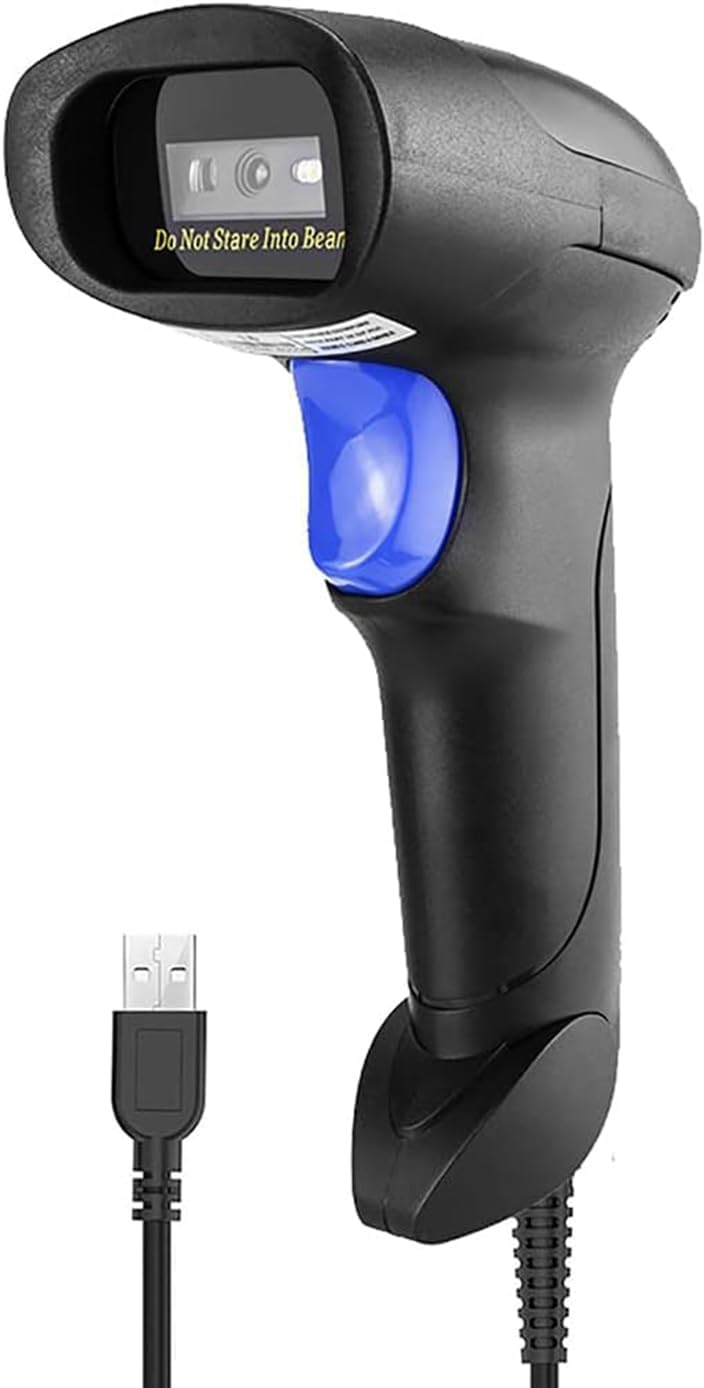
NetumScan Barcode Scanner L3
| Power Source | USB |
|---|---|
| Connectivity Technology | USB Cable |
| Compatible Devices | Desktop, Laptop |
| Number of Batteries | 1 Lithium Ion batteries required. |
The NetumScan L3 is a plug-and-play wired 1D barcode scanner that uses a CCD sensor to read common linear barcodes from paper or screens. It connects over a 1.8 m USB cable and supports trigger, auto-induction, and continuous scanning modes, so you can use it as a handheld reader or in hands-free workflows with a stand. The CCD engine is tuned to capture even smudged or reflective codes like UPC, EAN, Code128 and others, which helps reduce failed reads at checkout or in stockrooms. The housing is ABS plastic with an anti-shock design rated for repeated drops, making it suitable for retail, library, or warehouse use. Setup is zero-config thanks to USB plug-and-play, though it only decodes 1D formats and requires a host with a USB port. If you need 2D/QR scanning, wireless operation, or extended enterprise features, look at other models; for straightforward POS and inventory scanning where reliability and durability matter, the L3 covers the basics well.
Best for: Buyers who want a no-frills, durable scanner for POS, inventory counting, or small warehouse tasks and prioritize reliable 1D reads and easy setup.
Less Ideal for: Users who need QR/2D scanning, cordless operation, or advanced enterprise management features should consider other models.
- CCD sensor reads damaged or reflective 1D barcodes reliably
- Three scanning modes: trigger, auto-induction, and continuous for flexible workflows
- Simple USB plug-and-play setup with stable wired connection
- Durable ABS housing with anti-shock design for drop resistance
- Only decodes 1D barcode formats, no 2D/QR support
- Wired USB connection limits mobility compared with Bluetooth or wireless scanners
Verdict: A tough, plug-and-play wired 1D scanner that delivers reliable reads for everyday POS and inventory work.
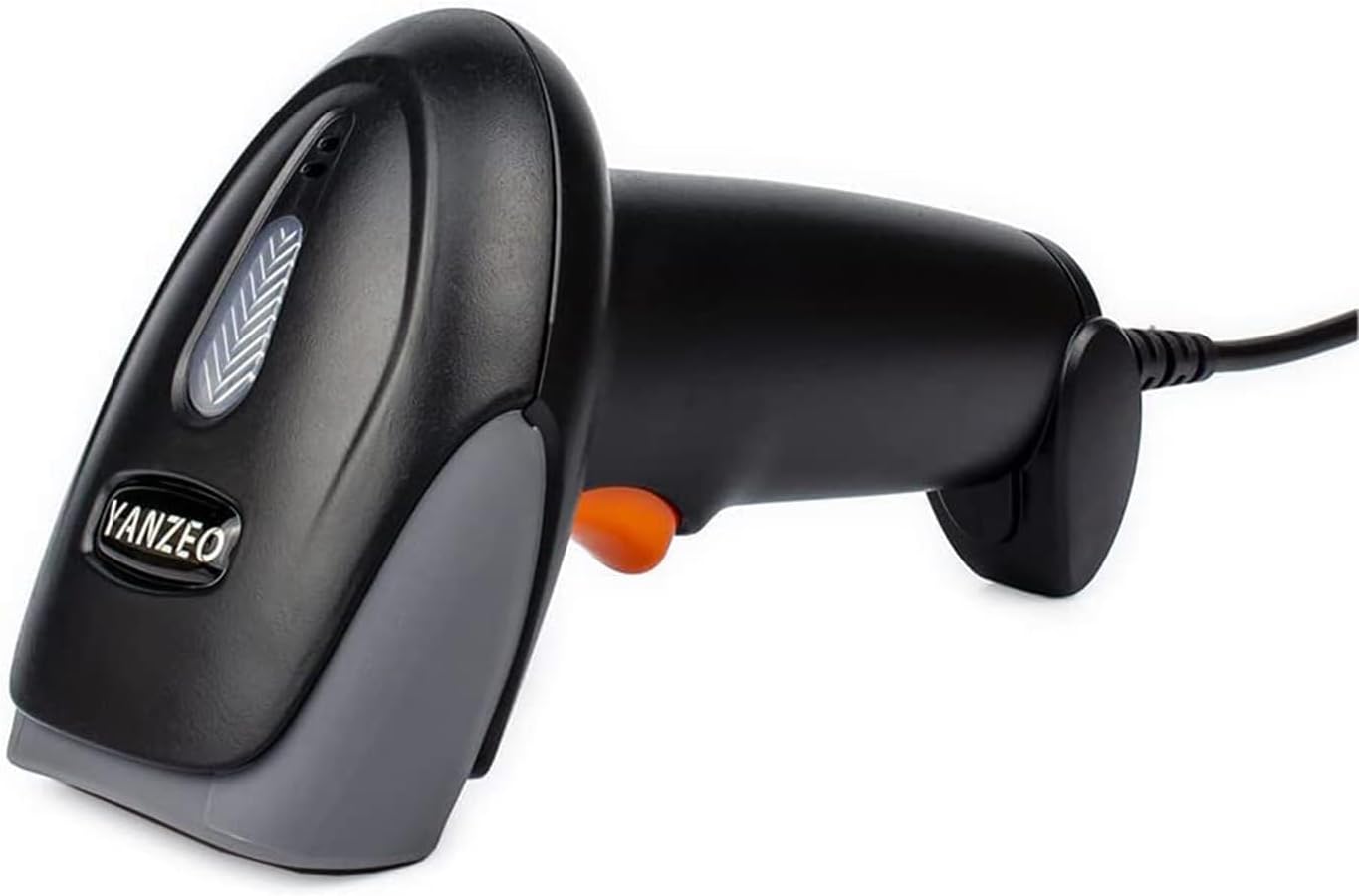
YANZEO L1000 Barcode Scanner
| Compatible Devices | Desktop, Laptop |
|---|---|
| Power Source | Corded Electric |
| Connectivity Technology | USB Cable |
| Real Angle of View | 65 degrees |
The YANZEO L1000 is a straightforward corded CCD barcode scanner aimed at basic retail, library, and warehouse tasks. It connects over USB with no driver installation required, reads a wide range of 1D barcodes (UPC, EAN, Code128, Code39, Interleaved 2 of 5, and similar), and can scan barcodes from screens as well as printed labels. Built from ABS plastic and rated to survive 1.5 m drops, it is suited for light to moderate daily handling, and the LED and buzzer give clear scan feedback. The unit cannot read 2D codes such as QR, so it is not suitable where digital coupons or QR-based tickets are used. Scan rate and angle specs are basic but adequate for typical checkout or inventory scanning, and the USB power and plug-and-play setup mean minimal technical overhead. If you need a low-cost, no-frills 1D scanner that works across Windows, Mac, Android, and Linux, this performs the job reliably; if 2D scanning or cordless operation is required, look elsewhere.
Best for: Buyers who need an inexpensive, reliable 1D barcode scanner for basic checkout, inventory, or library use and prioritize easy setup and low overhead.
Less Ideal for: Organizations that require 2D/QR scanning, frequent cordless operation, or industrial-grade ruggedness should consider more capable models.
- Plug-and-play USB connection with wide OS compatibility (Windows, Mac, Linux, Android)
- Reads a broad set of 1D symbologies and can scan barcodes from screens
- Durable ABS construction with 1.5 m drop resistance for everyday handling
- Simple LED and buzzer feedback makes scanning clear and easy
- Cannot read 2D barcodes such as QR codes
- Wired design limits mobility compared with wireless scanners
Verdict: If you want a budget-friendly, plug-and-play 1D scanner for straightforward retail or inventory tasks, the YANZEO L1000 delivers reliable performance with minimal setup.
WoneNice WN3300 Laser Scanner

| Connectivity Technology | USB Cable |
|---|---|
| Power Source | Corded Electric |
| Scan Rate | 200 scans/s |
| Real Angle of View | 55 degrees |
The WoneNice WN3300 is a wired laser handheld barcode scanner built for basic retail, inventory, and light warehouse tasks. It connects over USB for simple plug-and-play setup with Windows, Mac, and Linux systems and works as a keyboard wedge in common apps like Word and Excel. The unit reads a wide range of symbologies including UPC/EAN, Code39/128, Interleaved 2 of 5 and others, and its 200 scans-per-second rate and 55 degree field of view make fast single-line scanning easy. Practical touches include a 2 meter straight cable, configurable prefix/suffix/termination options, and a 1.5 meter drop spec for everyday durability. Limitations are its laser single-line engine, which is less forgiving on damaged or poorly printed 2D codes compared with imager scanners, and the need for a cableed connection if mobile operation is required. For steady, reliable wired scanning where durability and broad 1D decoding matter, the WN3300 performs well for its class.
Best for: Buyers who need a dependable, no-fuss wired scanner for steady retail or inventory workflows and prioritize durable, consistent 1D decoding over mobility or 2D scanning.
Less Ideal for: Shops that require frequent mobile scanning away from a workstation or need native 2D/QR code reading should consider cordless imagers instead.
- Plug-and-play USB connection compatible with Windows, Mac, and Linux
- Supports a wide range of 1D barcode formats for retail and inventory use
- High scan rate (200 scans/sec) enables fast throughput
- Configurable prefix/suffix/termination strings for integration with existing software
- 1.5 m drop resistance and durable wired design for everyday reliability
- Laser single-line engine cannot read 2D barcodes such as QR codes
- Wired USB tether limits mobility compared with cordless models
Verdict: Choose the WoneNice WN3300 when you want a rugged, plug-and-play wired scanner that reliably decodes a broad set of 1D barcodes for steady retail or inventory use.
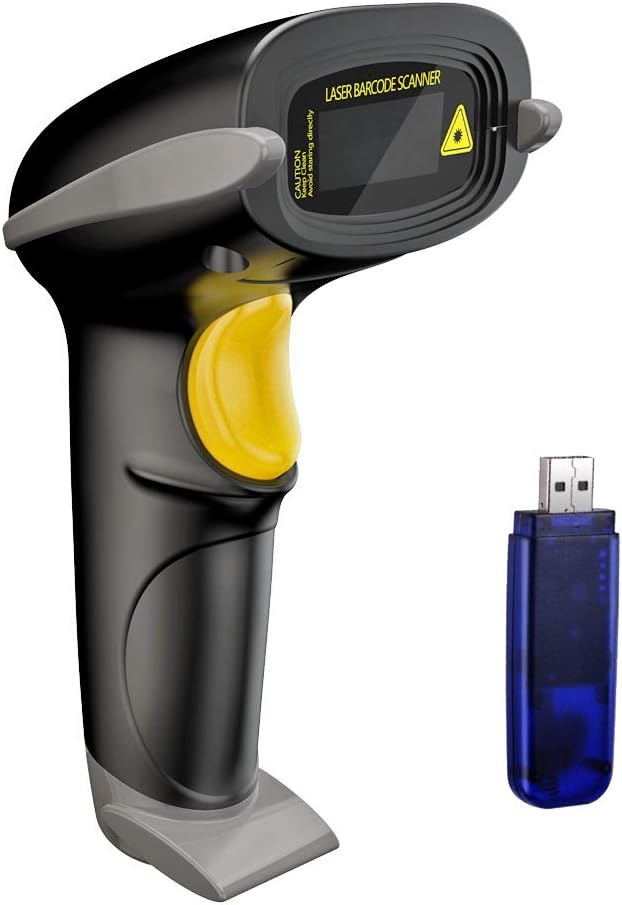
NADAMOO Wireless Barcode Scanner Bur3003
| Connectivity Technology | Wireless |
|---|---|
| Power Source | Battery Powered |
| Number of Batteries | 1 Lithium Ion battery required. |
| Real Angle of View | 42 degrees |
The NADAMOO Bur3003 is a cordless 1D laser scanner designed for point-of-sale and inventory tasks where mobility matters. It pairs to a USB receiver and supports long-distance wireless transmission so operators can scan from across a shop floor or between aisles without running cables. The scanner offers both instant upload and offline storage modes, with onboard memory for up to 100,000 barcodes so you can scan out of range and sync later. Two pairing modes let a single receiver accept input from one or multiple scanners, which is useful in multi-user environments. It runs on a 2600mAh rechargeable battery that the manufacturer says can last many days under normal scanning loads, and you can switch between trigger and automatic scan modes for handheld or hands-free use. Practical limits to note are that this model is a 1D laser unit (no 2D/QR native imaging) and real-world indoor range will be shorter than the quoted open-air distance. Setup is straightforward via the included USB dongle, making this a solid option for small stores and warehouses that need reliable cordless scanning without complex integration.
Best for: Buyers who want a cordless, easy-to-deploy scanner for retail or warehouse environments and value battery life, offline storage, and simple USB receiver setup backed by user feedback.
Less Ideal for: If you need to scan 2D barcodes or QR codes, or require integrated Bluetooth/OS-level pairing without a USB receiver, choose a dedicated imager or a different connectivity option.
- Long wireless range for open-air and extended indoor coverage potential
- Large 2600mAh rechargeable battery for multi-day use between charges
- Offline storage for up to 100,000 barcodes enables scanning out of receiver range
- Supports one-to-one and multiple-to-one pairing for flexible multi-user setups
- Switchable trigger and automatic scan modes for handheld or hands-free work
- 1D laser engine only, so it cannot reliably read 2D barcodes or QR codes
- Indoor transmission range is lower than open-air spec and depends on environment
Verdict: Choose the NADAMOO Bur3003 when you need a straightforward cordless 1D scanner with long battery life and large offline storage for hands-free or mobile scanning tasks.
Tera D5100 Barcode Scanner

| Connectivity Technology | 2.4G Wireless, USB Cable |
|---|---|
| Power Source | Battery Powered |
| Number of Batteries | 1 Lithium Ion (included) |
| Scan Rate | 200 seconds |
| Operating Voltage | 5 volts |
The Tera D5100 is a versatile handheld barcode scanner built for retail and light warehouse use, offering both USB wired and 2.4 GHz wireless dongle connectivity for plug-and-play operation with desktops and laptops. It reads 1D and 2D codes, including QR and DataMatrix, and supports manual, continuous, and auto-sense scanning modes plus storage or instant upload for flexible workflows. Practical touches include a large 2200mAh battery with a visible level indicator, an ergonomic curved handle and flat trigger for extended use, and an anti-shock silicone cover with IP54 dust protection for tougher environments. Setup is straightforward with no driver installation required and a claimed wireless range up to 328 feet in open space. Limitations to note are the lack of Bluetooth support for direct pairing with phones or tablets and that compatibility with some payment systems such as Square is not supported, so it is best paired with PCs and standard POS systems.
Best for: Buyers who want a reliable, easy-to-set-up scanner for desktop or laptop POS and inventory tasks and who prioritize predictable battery life and simple plug-and-play wireless operation.
Less Ideal for: Users who need direct Bluetooth pairing with mobile devices or who require guaranteed compatibility with specific mobile-first POS apps should consider alternatives.
- Dual connectivity: USB wired and 2.4 GHz wireless dongle for easy plug-and-play with PCs
- Large 2200mAh battery and visible battery-level indicator for long shifts and predictable runtime
- Scans both 1D and 2D codes including QR and DataMatrix and supports multiple scan modes
- Ergonomic handle, flat trigger, and anti-shock silicone cover with IP54 dust protection
- No Bluetooth support, so it cannot pair directly with smartphones or tablets
- Not compatible with some point-of-sale apps such as Square
Verdict: Choose the Tera D5100 when you need a rugged, battery-backed 1D/2D scanner that is simple to set up and reliable for PC-based checkout and inventory work.
Choosing the Right Barcode Scanner: Key Factors to Consider
Scan Speed
Scan speed determines how many codes you can process per minute and has a direct impact on checkout and packing throughput. Faster decoders reduce bottlenecks at point-of-sale and speed up receiving or fulfillment tasks.
When evaluating speed, look beyond peak claims. Real-world performance depends on decode algorithms, motion tolerance, and whether the scanner is reading printed paper, labels behind protective sleeves, or mobile phone screens. Prioritize models that sustain high frame rates and consistently lock onto codes without repeated triggers.
Read Accuracy and Decoding Robustness
Accuracy covers how reliably a scanner reads clean, smudged, damaged, or partially obscured barcodes. Robust decoding algorithms can reconstruct poor-quality codes and deal with low-contrast printing or curved surfaces.
For mixed-use environments where you scan both paper labels and smartphone screens, choose imagers with strong 2D decoding and good tolerance for glare. Consider whether the unit supports multiple symbologies you need, such as UPC, EAN, Code 128, and QR codes.
Connectivity and Compatibility
Connectivity affects where and how you can deploy a scanner. Wired USB models are simple to set up at a fixed register, while Bluetooth and Wi-Fi units enable mobility for stock checks and large-format scanning tasks.
Compatibility with your point-of-sale, inventory software, or device operating system is essential. Confirm that the scanner offers standard HID or serial keyboard emulation modes, or that drivers and SDKs are available when more advanced integration is required.
Battery Life and Charging Options
For cordless scanners, battery runtime determines how long the device can be used between charges and whether it will last a full shift. Consider both nominal runtime and real-world usage patterns, such as continuous scanning versus intermittent bursts.
Charging options matter as well. Some units use cradle chargers for quick swap-and-go workflows, while others rely on USB-C charging that can be topped up from power banks. Check reported cycle life and whether battery replacement is user-serviceable for long-term ownership.
Durability and Ergonomics
Durability influences total cost of ownership. Scan units that survive drops, dust, and moisture need less maintenance and downtime. Look for impact ratings, ingress protection levels, and reinforced housings when devices are used in warehouses or busy retail environments.
Ergonomics reduce fatigue during high-volume scanning. Consider grip shape, trigger placement, weight, and balance. A comfortable scanner improves speed and consistency over long shifts.
Supported Symbologies and Future-Proofing
Supported symbologies determine whether the scanner can read all barcode types used in your operations. If you handle a mix of linear barcodes and 2D codes, pick an imager that decodes common formats and can be updated for additional symbologies if needed.
Future-proofing also includes firmware update paths and SDK support for new workflows. Devices that allow configuration updates or have robust developer resources will adapt better to evolving business needs.
Wired Vs Wireless Scanners: Which Fits Your Workflow
Wired scanners are typically plug-and-play and work well for fixed checkout points where mobility is not required. They avoid battery management and usually present as a standard keyboard input to host systems, making integration straightforward.
Wireless scanners offer mobility for stock checks, warehouse picks, and curbside service. They come in Bluetooth or dedicated RF base station configurations. Choose wireless if you need to scan across aisles or carry the unit for extended periods, but plan for charging workflows and potential pairing steps.
- Wired: simple setup, no batteries, best for fixed registers
- Bluetooth: works with tablets and phones, good for mobile POS
- Base-station RF: longer range and multi-unit support for busy counters
How Symbology Support Affects Use Cases
Different industries use different barcode types. Retail commonly uses UPC and EAN, logistics often uses Code 128 and GS1-128, and modern ticketing or coupons may rely on QR codes. If you expect to scan phone screens or printed 2D labels, prioritize imagers with strong 2D decoding.
Also verify whether the scanner can be configured to accept only the symbologies you need. Narrowing accepted types can speed decoding and reduce accidental reads in mixed-code environments.
- Retail: UPC/EAN focus
- Warehousing: Code 128 and GS1 formats
- Mobile tickets and coupons: QR and Data Matrix support
Setting Up and Integrating a Scanner
Most scanners support simple keyboard-emulation modes that require no software changes. For tighter integration, many vendors provide serial interfaces or SDKs for custom applications. Test a scanner's compatibility with your cash register or inventory software before wide deployment.
Pay attention to configuration options like suffixes, prefixes, and data formatting to ensure scanned data lands in the correct database fields. Where possible, perform a small pilot to validate workflows and identify any driver or pairing edge cases.
- Use HID mode for plug-and-play keyboard input
- Use SDK or serial mode for structured data and more control
- Test configuration settings like prefix/suffix and symbology filters
Maintenance, Cleaning, and Troubleshooting
Keeping the scanner window clean improves read reliability. Use a soft, lint-free cloth and manufacturer-recommended cleaners to remove smudges and dust. Avoid abrasive materials that can scratch the optics.
For intermittent read failures, check configuration settings and test different symbology profiles. Recalibrate or update firmware when available, and monitor battery health on cordless units. Keep a backup wired unit at critical checkout points to avoid downtime.
- Clean windows regularly with a soft cloth
- Update firmware for decoding improvements
- Keep a wired spare for mission-critical registers
Regulatory and Data Security Considerations
If scanned data contains personally identifiable information or links to accounts, ensure your scanners and host systems use secure connections and follow organizational data-handling policies. Bluetooth pairing should be managed to prevent unauthorized access in public-facing deployments.
For networked or cloud-integrated scanners, confirm that communication uses encrypted channels and that firmware is regularly updated to address vulnerabilities. Maintain logs and access controls according to your compliance requirements.
- Manage Bluetooth pairing to limit unauthorized connections
- Use encrypted network paths for cloud-integrated scanning
- Track firmware updates and security patches
How We Chose the Best Barcode Scanner
We focused on criteria that matter for everyday scanning tasks in retail, warehousing, and light industrial settings. Our evaluation emphasized scan speed and read reliability because those two dimensions most directly affect throughput. We assessed connectivity and compatibility options to ensure devices work with common point-of-sale and inventory systems. Battery life and charging flexibility were scored to reflect full-shift usability for cordless units. Durability and ingress protection were considered for environments where drops or dust are likely. Ergonomics and handset weight were included because repeated use creates cumulative fatigue. We excluded specialty imagers and industrial-only fixed-mount readers that require custom integration. We also filtered out devices lacking necessary drivers or common interface options. In short, our list favors scanners that balance fast, accurate decoding with dependable daily operation and straightforward setup. The scoring framework used the same concrete criteria noted above to keep comparisons consistent and practical.
Our full evaluation process is outlined in our review methodology.
FAQ
Can a Barcode Scanner read codes from a smartphone screen?
Usually yes. Most modern imagers can decode barcodes displayed on phone screens, but performance varies with screen glare and brightness. Look for scanners advertised as capable of reading mobile barcodes and test with your typical device screens.
Do I need a 2D imager or is a laser scanner sufficient?
It depends on the barcodes you handle. Laser scanners read linear barcodes well but cannot decode 2D codes like QR or Data Matrix. If your workflow includes tickets, coupons, or mobile codes, choose a 2D imager.
How long should a cordless Barcode Scanner battery last?
Battery life varies by model and usage pattern. Many cordless scanners offer full-shift runtimes of 8 to 12 hours under typical intermittent scanning. Continuous high-volume scanning will reduce runtime, so confirm reported real-world runtime and charging strategies.
What connectivity options should I prioritize?
Prioritize the interface that matches your host devices. For fixed registers, USB is the simplest. For tablets and mobile POS, Bluetooth is convenient. If you need long range or multi-unit support, an RF base station may be appropriate.
Are Barcode Scanners difficult to integrate with POS or inventory software?
Integration is often straightforward when using keyboard-emulation modes, which require no software changes. For structured data or custom workflows, you may need SDKs or serial interfaces and light development work to parse and route scanned fields.
Final Verdict
Choose a Barcode Scanner by prioritizing the few factors that matter most in your environment: whether you need cordless mobility, the types of barcodes you must decode, and how durable the device must be. Tradeoffs are common. A compact, lightweight unit improves ergonomics but may have shorter battery life than a heavier model. A wired scanner simplifies setup but lacks mobility. Focus on scan speed, read accuracy on the codes you actually use, and compatibility with your hardware and software. With those priorities in mind, pick the option that aligns with your daily workflows to minimize downtime and keep operations moving smoothly.