
Note: This article contains affiliate links. If you click on these links and make a purchase, we may earn a small commission at no extra cost to you. This helps support our research and content. Read our full affiliate disclosure here.
When you ship regularly, label printing speed and dependable connectivity matter more than flashy extras. A Bluetooth thermal shipping label maker streamlines packing by letting you print directly from a phone, tablet, or computer without ink cartridges. This guide covers the top shortlisted units suited for small business and home-shipping workflows, and it explains the practical tradeoffs between speed, connectivity, and media costs. Below you will find the picks along with the evaluation criteria we used to vet them and the factors that should influence your choice.
Top Picks at a Glance
| Best Overall The best all-around choice for most situations | NULLTONEX Y813 4×6 Thermal Label Printer |  |
| Best Quality Built to a higher standard if you want something more solid | MUNBYN RealWriter 941BP |  |
| Best Value The sweet spot between price and what you get | Nelko PL70E Bluetooth Label Printer |  |
| Best Budget The cheapest option that still gets the job done reliably | TATTMUSE Bluetooth Label Printer 2411bt |  |
| Top Rated A top-rated pick with lots of positive feedback | HKHKPI N40 Label Printer |  |
| Most Popular A crowd favorite that many people choose with confidence | JADENS JD268BT Thermal Label Printer |  |
| Best Seller A high-volume bestseller chosen again and again | KNAON Y813BT Thermal Label Printer |  |
NULLTONEX Y813 4×6 Thermal Label Printer

| Printer Type | Thermal |
|---|---|
| Print Resolution | 203 x 203 dpi |
| Maximum Media Size | 4 x 6 Inches |
| Connectivity | Bluetooth, USB, wireless |
| Power Consumption | 24 watts |
The NULLTONEX Y813 is a direct thermal 4×6 label printer aimed at small businesses that need fast, no-ink shipping labels. It prints monochrome at 203 dpi and can run at speeds up to 72 labels per minute, which helps move through high-volume batches without warming up ink or swapping cartridges. You can connect via Bluetooth to the FlashLabel Pro app for mobile design and templates or use a USB connection for a steadier desktop workflow, and the package includes an adapter, power cord, and starter labels so you can start immediately. The printer is compact and built with overheat protection for longer runs, and the app offers many templates and offline storage for repeat jobs. Limitations include single-color output only and no duplex capability, and achieving crisp prints may require using genuine direct-thermal labels and occasional printhead cleaning for best barcode readability.
Best for: Small business owners or e-commerce sellers who need a reliable, fast shipping label printer that works wirelessly from phones and also via USB for desktop setups.
Less Ideal for: Users who need color labels, duplex printing, or photo-quality output should look for a different printer geared toward graphics or color printing.
- Direct thermal printing eliminates ink or toner and reduces maintenance.
- Bluetooth and USB connections support mobile and desktop workflows.
- Compact, durable design with overheat protection for longer print runs.
- Includes starter labels and necessary cables for out-of-the-box use.
- Prints only in black and white, no color or duplex printing.
- Requires direct-thermal labels and occasional printhead cleaning for optimal scanability.
Verdict: Choose the Y813 if you want a compact, fast, no-ink Bluetooth label printer that gets shipping labels out the door quickly and reliably.
MUNBYN RealWriter 941BP

| Print media | Labels |
|---|---|
| Paper Size | 4×6 inches |
| Printer Connectivity Type | Bluetooth, USB |
| Maximum Print Resolution Black and White | 300 dpi dots_per_inch |
| B&W Pages per Minute | 180 pages_per_minute |
The MUNBYN RealWriter 941BP is a compact direct-thermal label printer built for shipping workflows and small-business throughput. It connects over Bluetooth for quick mobile printing via the Munbyn Print app or via Type-C USB to macOS and Windows machines, making it easy to drop into desktop or mobile setups. At 300 dpi and rated print speeds up to 180 mm/s the unit produces crisp 4×6 shipping labels and handles a high daily volume without ink or toner. Setup is straightforward thanks to vendor tutorials and included cables, and the auto-return feature helps reduce label waste. Practical limits include reliance on direct-thermal labels (no ink or toner options) and simplex-only printing, so it is strictly for monochrome labels and not for glossy or long-term archival prints. The printer is compact and fast, but buyers should plan label roll or fanfold supplies and verify platform integration for their specific shipping software before committing.
Best for: Buyers who prioritize fast, high-resolution shipping label production for a small business or home office and want easy mobile and desktop connectivity.
Less Ideal for: Those who need color or archival labels, duplex printing, or a thermal transfer solution for long-lasting prints should consider other printer types.
- Wireless Bluetooth printing from iOS and Android via dedicated app
- High 300 dpi resolution for sharp barcodes and text
- Fast thermal printing speed suitable for high-volume label runs
- Type-C USB connectivity for direct computer connection
- No ink or toner required reduces running costs
- Only supports direct thermal labels which can fade over time
- Prints monochrome labels only and does not support duplex or color printing
Verdict: A fast, 300 dpi Bluetooth-ready thermal printer built to deliver crisp 4×6 shipping labels for performance-focused small-business shipping.
Nelko PL70E Bluetooth Label Printer

| Printer Type | Thermal |
|---|---|
| Maximum Media Size | 4 x 6 inch |
| Resolution | 203 x 203 DPI |
| Printer Connectivity Type | Bluetooth, USB |
| Wattage | 6 watts |
The Nelko PL70E is a compact direct-thermal label printer made for printing 4×6 shipping labels and a variety of smaller label sizes from a phone, tablet, or computer. It connects over Bluetooth for on-the-go printing via the Nelko app or by USB for desktop setups, and supports fan-fold and roll media with widths from about 1.54" to 4.1". At 203 x 203 DPI and a listed speed up to 150 mm/s (about 72 four-by-six labels per minute) it produces clear, monochrome labels without ink or toner, which keeps running costs low. The unit ships with cables and 50 4×6 labels to start, and includes simple setup resources and driver files for Windows and Mac. Practical limitations are the modest 203 DPI resolution which is fine for shipping and barcodes but not for high-detail printing, and Bluetooth printing requires using the vendor app which may add a step compared with native OS print drivers. For small businesses or home shippers needing fast, low-cost label output, the PL70E is a space-saving, efficient choice.
Best for: Buyers who prioritize fast, low-cost shipping label production in a small workspace and want the flexibility to print from mobile devices or a desktop using a simple app-driven workflow.
Less Ideal for: Users who need high-resolution label graphics, full native OS printing without a vendor app, or enterprise print management features should consider other solutions.
- Bluetooth and USB connectivity for phone, tablet, and computer printing
- Direct thermal printing requires no ink or toner, lowering running costs
- Supports common shipping label sizes including 4×6 and several smaller widths
- Compact footprint with included cables and initial supply of labels for quick setup
- 203 x 203 DPI resolution is basic and not suited for high-detail graphics
- Bluetooth printing relies on the vendor app which may be less seamless than native drivers
Verdict: A compact, app-friendly thermal label printer that delivers fast, economical 4×6 shipping labels for small shipments and home businesses.
TATTMUSE Bluetooth Label Printer 2411bt

| Printer Type | Thermal |
|---|---|
| Maximum Media Size | 4 x 6 inches |
| Maximum Print Resolution | 203 dpi |
| Printer Connectivity Type | Bluetooth |
| Hardware Interface | USB |
The TATTMUSE 2411bt is a small, portable thermal label printer geared toward shipping and basic label tasks. It connects over Bluetooth for phone and tablet printing via the Labelife app and also supports USB for Windows and macOS with a driver, so you can print 4×6 shipping labels, barcode tags, and smaller label sizes without ink. The unit uses a 203 dpi thermal print head and claims fast output suitable for light to moderate volumes, and its automatic calibration and anti-jam adapters help keep labels aligned. Practical advantages include a compact footprint that fits a crowded desk and support for common label widths from 1 inch up to 4.6 inches. Limitations are inherent to the category: it only prints black-and-white and requires the app pairing workflow for mobile devices rather than standard OS Bluetooth pairing, and macOS/Windows printing needs a driver install. For budget-focused small sellers who need straightforward 4×6 label printing, it covers the essentials without extra frills.
Best for: Small business owners and home sellers who want an inexpensive, portable printer for printing standard 4×6 shipping labels and barcode tags from phones or a PC.
Less Ideal for: High-volume warehouses or users who need color labels, plug-and-play Bluetooth pairing without an app, or enterprise printing features.
- Bluetooth and USB connectivity allow printing from phones, tablets, and computers
- Compact, lightweight design fits small desks and is easy to move
- Automatic calibration and anti-jam adapters reduce misaligned or wasted labels
- Supports common shipping label sizes up to 4 x 6 inches and various smaller widths
- Prints only black-and-white; no color printing capability
- Mobile pairing requires using the app rather than standard OS Bluetooth pairing
Verdict: A budget-friendly Bluetooth thermal printer that delivers reliable black-and-white 4×6 shipping labels for small sellers who prioritize compact, no-ink printing.
HKHKPI N40 Label Printer

| Printer Type | Thermal |
|---|---|
| Maximum Media Size | 4 x 6 inches |
| Resolution | 203 x 203 dpi |
| Printer Connectivity Type | Bluetooth |
| Hardware Interface | USB |
The HKHKPI N40 is a compact Bluetooth thermal label printer aimed at small businesses and home shippers who need straightforward 4×6 shipping labels. It prints via Bluetooth from iOS and Android using the Nada Print app and also supports USB connection and drivers for Windows, macOS, and Linux. The printer uses direct thermal printing at 203 dpi so no ink, toner, or ribbons are required, and it supports label widths from about 1 to 4.2 inches including 4×6 roll or fanfold labels. Practical features include automatic calibration, smart paper ejection to reduce jams, and a reported top speed around 150 mm/s which keeps label output brisk for moderate-volume packing. Setup requires installing the appropriate driver on desktop platforms and calibrating label size when switching stock, so it is best for users comfortable following those steps. The N40 is compact and portable for small workspaces, but it lacks advanced on-device controls and is limited to monochrome thermal output and 203 dpi resolution, so it is not suited for high-resolution graphics or color labels.
Best for: Buyers who prioritize a dependable, compact Bluetooth label printer for regular shipping tasks and want easy mobile printing plus USB backup for desktop workflows.
Less Ideal for: People who need high-resolution graphic labels, color printing, or advanced on-device controls should consider other options.
- Bluetooth and USB connectivity for mobile and desktop printing
- Direct thermal printing at 203 dpi eliminates ink, toner, and ribbons
- Automatic calibration and smart paper ejection to reduce jams and waste
- Supports standard 4×6 shipping labels and a range of paper widths
- Monochrome 203 dpi limits fine graphic detail
- Requires driver installation and label calibration on desktop platforms
Verdict: A compact, reliable Bluetooth thermal printer built for straightforward 4×6 shipping label printing with mobile and USB flexibility.
JADENS JD268BT Thermal Label Printer

| Printer Type | Thermal |
|---|---|
| Resolution | 203 x 203 DPI |
| Maximum Media Size | 4 x 6 inches |
| Printer Connectivity Type | Bluetooth |
| Maximum Sheet Capacity | 50 |
The JADENS JD268BT is a compact thermal label printer built for small shipping operations and home offices that need fast 4×6 labels without ink or toner. It prints monochrome labels at 203 x 203 DPI and accepts rolls or fan-fold media up to 4 x 6 inches, with a reported sheet capacity around 50. Connectivity is primarily Bluetooth for wireless printing from computers and select mobile setups, and a USB port is available for Windows and Mac connections. Setup is straightforward using the vendor app or drivers on supported systems, and the thermal mechanism keeps running costs low since no ink or toner is required. Practical strengths include simple label calibration via the feed button and broad compatibility with common shipping platforms. Limitations to be aware of are basic resolution compared with high-end models, simplex-only printing, and some mobile workflows require the dedicated app to function reliably on phones. If you prioritize inexpensive, mess-free shipping labels and straightforward setup, this printer delivers a capable, compact option.
Best for: Buyers who want a low-cost, inkless label solution for regular shipping or marketplace fulfillment and who value easy setup and social proof from other users.
Less Ideal for: Businesses that need very high-resolution graphics or advanced print features like duplexing or robust enterprise management should consider more capable commercial printers.
- No-ink thermal printing reduces consumable cost and mess.
- Bluetooth plus USB connectivity gives flexible printing from PCs and some mobile devices.
- Supports standard 4×6 shipping labels and multiple label sizes including fan-fold and rolls.
- Compact footprint suitable for small workspaces and shipping stations.
- Requires the vendor app for full Bluetooth printing on many phones which can complicate mobile use.
- 203 x 203 DPI is adequate for shipping labels but not for high-detail barcode or graphic printing.
Verdict: A compact, cost-efficient Bluetooth thermal printer that reliably produces standard 4×6 shipping labels with minimal fuss.
KNAON Y813BT Thermal Label Printer
| Print media | Labels, Thermal Paper |
|---|---|
| Maximum Print Resolution Black and White | 203 dpi |
| Printer Connectivity Type | Bluetooth |
| Paper Size | 4.2 inches |
| B&W Pages per Minute | 60 pages_per_minute |
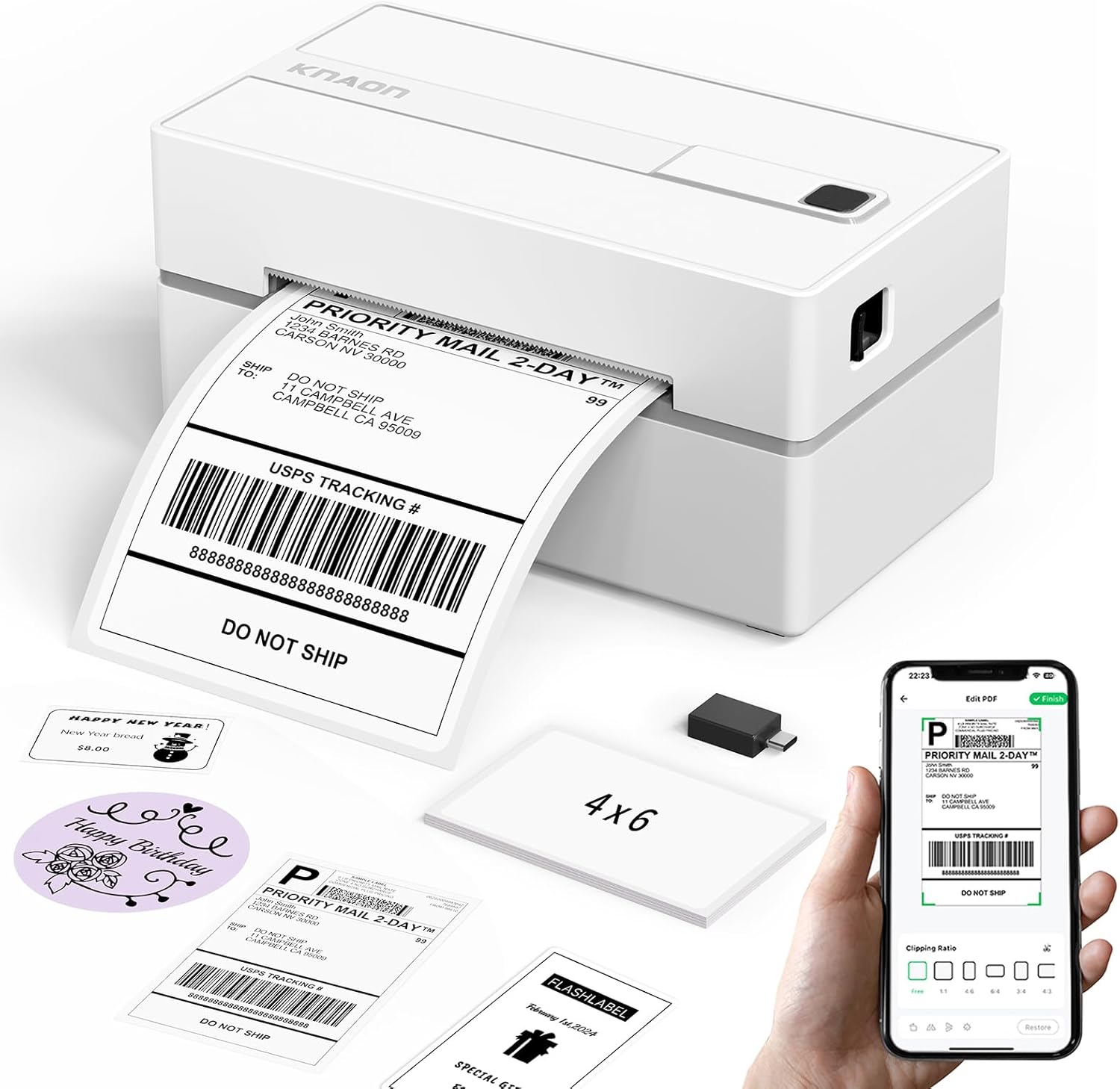
The KNAON Y813BT is a small desktop thermal label printer aimed at printing 4×6 shipping labels and a variety of small labels without ink. It connects over Bluetooth for smartphone/tablet printing through the FlashLabel Pro app and also supports USB connection to Windows, macOS, ChromeOS, and Linux with drivers included on a built-in USB drive. The printer handles paper widths from about 1.5 to 4.2 inches, prints at up to roughly 180 mm/s, and offers many built-in templates, icons, and fonts that make DIY shipping labels, barcode tags, and price labels straightforward. Setup is simplified with tutorial videos and quick driver guides, and the unit ships with test label rolls to get started. Limitations include a 203 dpi resolution that is adequate for shipping but not for fine-detail graphics, and app-dependent Bluetooth printing which means you must use the vendor app for mobile workflows rather than native OS print dialogs. The machine is best for steady label volumes for small businesses or home sellers who want fast, no-ink printing with easy template customization.
Best for: Buyers who want a straightforward, low-maintenance shipping label printer for regular small-business or home shipping tasks and prefer a device that is easy to set up and operate through an app.
Less Ideal for: People who need high-resolution graphic or photo printing or those who require native OS Bluetooth printing without a vendor app should look elsewhere.
- Inkless thermal printing eliminates ink costs and maintenance
- Bluetooth and USB connectivity cover mobile and desktop workflows
- Includes drivers, tutorial videos, and starter label rolls for easy setup
- Supports multiple label widths up to 4.2 inches and many templates/icons in the app
- 203 dpi resolution is modest for high-detail prints
- Bluetooth printing requires the vendor app rather than native OS printing
Verdict: Choose the KNAON Y813BT if you want a compact, app-driven Bluetooth thermal printer that makes fast, inkless 4×6 shipping labels with minimal setup.
Choosing the Right Bluetooth Thermal Shipping Label Maker: Key Factors to Consider
Print Speed and Throughput
Print speed determines how quickly you can fulfill batches of shipments. Faster inches-per-second ratings translate to fewer bottlenecks during packing, but continuous throughput under sustained use is the practical metric to watch. Devices that list high top speeds may still throttle during long print runs if thermal management is inadequate.
Consider how many labels you print in a typical shift. If you routinely produce dozens to hundreds of labels, prioritize units tested for continuous operation rather than those optimized only for occasional use. Also think about the label content: dense barcodes and graphics can slow effective throughput compared with plain text.
Bluetooth Pairing and Connection Reliability
Bluetooth reliability affects how often you must re-pair devices and how consistently prints start when you send a job from a phone or computer. Look for printers with supported Bluetooth profiles and clear documentation for pairing steps across iOS and Android.
Range matters if your shipping station is not right next to the printer. Interference in warehouse environments can cause dropouts, so devices with stable reconnection behavior and up-to-date Bluetooth versions will reduce interruptions. Also check whether the printer supports simultaneous connections or only one host at a time.
Supported Label Sizes and Media Options
Shipping workflows use several standard label sizes. A printer that supports multiple widths reduces the need to swap devices or compromise on label design. Check compatibility with common roll core sizes and whether the manufacturer uses proprietary media that limits sourcing options.
Availability and cost of thermal label rolls directly affect long-term operating expenses. Also consider whether the device handles continuous labels for multi-up printing or only single-roll layouts. Easy roll loading and clear media guides reduce errors during busy shifts.
Ease of Setup and Software Compatibility
A smooth setup minimizes downtime. Look for clear setup instructions and broad platform support, including drivers or apps for iOS, Android, Windows, and macOS. Native printing support via standard printing frameworks or reliable vendor apps simplifies integration with shipping software.
APIs or SDKs can be important if you plan to integrate printing into a custom workflow or shipping application. Also consider whether label formatting tools are built into the app or require third-party software.
Thermal Head Lifespan and Maintenance
Thermal heads wear down over time, especially with abrasive or poor-quality media. A longer-rated thermal head lifespan reduces replacement frequency and maintenance cost. Check available guidance on cleaning intervals and whether the device supports easy access for routine maintenance.
Consider warranty terms and the availability of replacement parts. In higher-volume environments, the cost and downtime associated with head replacement can be significant, so durability is a key reliability factor.
Operating Cost and Consumables
Operating cost includes the price and availability of label rolls and any required accessories. Thermal printing removes ink expenses, but label media quality, roll length, and supplier options affect your per-label cost. Proprietary rolls increase ongoing costs and complicate sourcing.
Factor in accessory needs such as spare batteries, power adapters, or mounting brackets for fixed stations. Estimate monthly label usage to calculate per-label cost under realistic conditions rather than relying on MSRP.
How Bluetooth Setup Typically Works
Most Bluetooth thermal shipping label makers follow a simple pairing flow: power on the printer, put it into pairing mode, and connect from your phone or computer using the operating system Bluetooth menu or the vendor app. Some models use a dedicated app that handles firmware updates and label layout, while others rely on standard printing drivers.
Common pitfalls during setup include mismatched Bluetooth profiles, blocked permissions on mobile devices, and firmware that needs updating before the device appears reliably. If you run into trouble, restart both devices, remove any stale pairings, and follow the manufacturer's pairing sequence precisely.
- Enable Bluetooth and location permissions on mobile devices if required.
- Use vendor app when available to access advanced label templates.
- Keep firmware current to reduce connectivity bugs.
Integrating With Shipping Software
Integration options vary from native support in shipping platforms to printing via PDF export. Check whether your shipping system can send ZPL, EPL, or standard print jobs directly. If not, use label-design software that exports compatible files or an app that bridges the shipping software to the printer.
For automated workflows, look for printers that expose simple command sets or have SDKs so you can trigger prints from custom scripts. For manual workflows, template support and one-tap printing from a mobile device are more important.
- Confirm supported label formats with your shipping software.
- Test a full end-to-end shipping label job before relying on the setup.
Choosing Between Portable and Desktop Units
Portable Bluetooth units offer flexibility for remote packing stations and pop-up shipping points. They often include battery operation but may print slower or have smaller roll capacity. Desktop units typically accept larger label rolls and are better for central packing tables that handle higher daily volume.
Decide based on where most of your printing happens. Portables are useful when staff move across stations, while desktop models reduce refill frequency and can sustain higher continuous throughput.
- Portable: battery life, weight, and roll capacity matter.
- Desktop: higher throughput and larger roll compatibility.
Maintenance Best Practices
Regular cleaning extends thermal head life and prevents print quality issues. Use recommended cleaning pens or swabs and follow the manufacturer's schedule based on your volume. Also inspect label rolls for dust or adhesives that could transfer to the thermal head.
Keep spare rollers and a backup roll on hand to minimize downtime. Establish a simple checklist for staff that covers roll changes, cleaning steps, and basic troubleshooting to keep operations running smoothly.
- Wipe thermal head after heavy print runs.
- Store label rolls away from heat and humidity.
- Log maintenance tasks to anticipate head replacement timelines.
Security and Network Considerations
Bluetooth printing is convenient but introduces potential vectors for unauthorized connections. Use models that support secure pairing methods and ensure devices are not left in discoverable mode when not in use. If multiple users need access, set clear procedures for pairing and unpairing devices.
For added control, isolate printing devices on a dedicated local network segment if they also support Wi-Fi. Maintain firmware updates to patch any discovered connectivity vulnerabilities.
- Disable discoverable mode when idle.
- Rotate or restrict administrative access to pairing functions.
How We Chose the Best Bluetooth Thermal Shipping Label Maker
We prioritized real-world factors that affect daily shipping operations rather than marketing claims. Our selection filters focused on print speed under continuous loads, Bluetooth pairing stability and range, supported label sizes and media availability, ease of setup with common mobile and desktop platforms, and ongoing operating costs including label roll compatibility. We also considered build quality and thermal head durability because these determine maintenance frequency and uptime. We excluded units that rely solely on wired connections, models lacking standard label size support, and devices with poor or undocumented compatibility with mainstream mobile operating systems. Reviews and user feedback emphasizing recurrent connectivity dropouts, frequent paper jams, or unclear roll-change processes were also grounds for exclusion. The final shortlist reflects devices that meet functional requirements for consistent shipping use, easy integration into existing workflows, and reasonable lifecycle costs.
Our full evaluation process is outlined in our review methodology.
FAQ
Will a Bluetooth thermal shipping label maker work with my phone?
Often it will, but compatibility depends on the printer's supported Bluetooth profiles and the phone's operating system. Check for explicit support for iOS and Android and whether a vendor app or native printing is required.
How long do label rolls typically last?
Roll life depends on roll length and your monthly volume. Low-volume users may find a single roll lasting weeks, while higher-volume shippers replace rolls daily. Calculate expected monthly usage to choose appropriate roll sizes.
Can I print carrier-specific barcode formats?
Usually yes if the printer supports common encoding formats and the shipping software can output the carrier barcode. Verify the printer accepts the format you need or can print raw label files exported from your shipping system.
Is thermal printing durable enough for shipping labels?
Thermal labels are durable for most transit conditions but can fade under prolonged heat or direct sunlight. Use weather-resistant or coated thermal labels for shipments exposed to harsh environments.
How do I troubleshoot frequent Bluetooth dropouts?
Restart both devices, remove and re-pair the Bluetooth connection, ensure firmware is up to date, and minimize interference from other wireless equipment. Also check battery level and proximity to reduce dropouts.
Final Verdict
Prioritize printers that match your daily label volume and connectivity needs. If you print constantly, favor models with higher continuous throughput, larger roll capacity, and robust thermal heads. For flexible or mobile workflows, prioritize stable Bluetooth pairing, battery life, and simple roll changes. Balance print speed, media availability, and operating cost to choose the device that keeps your packing line moving with minimal interruptions.