
Note: This article contains affiliate links. If you click on these links and make a purchase, we may earn a small commission at no extra cost to you. This helps support our research and content. Read our full affiliate disclosure here.
Getting organized at home or in the office often starts with properly labeled file folders. A good label maker for file folders makes names, dates, and categories easy to read, withstands handling, and fits the tab sizes you use most. In this guide we narrowed the field to seven top picks that balance print quality, label durability, and user-friendly operation. Below you will find shortlist picks that cover battery and plug-in options, simple and advanced interfaces, and tape formats suited to common folder tabs. We evaluate each option on the features that matter when labeling files so you can pick the right tool for everyday filing and long-term storage.
Top Picks at a Glance
| Best Overall The best all-around choice for most situations | DYMO LetraTag 100H |  |
| Best Quality Built to a higher standard if you want something more solid | Brother P-touch PT-D610BT |  |
| Best Value The sweet spot between price and what you get | SUPVAN E11 Label Maker |  |
| Best Budget The cheapest option that still gets the job done reliably | NDYIN N12 Label Maker |  |
| Top Rated A top-rated pick with lots of positive feedback | DYMO LetraTag 100H |  |
| Most Popular A crowd favorite that many people choose with confidence | Nelko P21 Label Maker |  |
| Best Seller A high-volume bestseller chosen again and again | Brother P‑Touch PT‑N20 Label Maker |  |
DYMO LetraTag 100H

| Print technology | Direct Thermal Printing, 200 dpi |
|---|---|
| Power source | 4x AA Batteries (not included) |
| Tapes included | 3 (paper black on white, plastic black on white, plastic black on clear) |
The DYMO LetraTag 100H is a compact handheld thermal label maker designed for quick home and office labeling tasks like file folders, storage bins, and craft projects. It prints on paper and plastic LetraTag tapes and offers formatting options including five font sizes, seven print styles, eight box styles, two-line printing and a date stamp so folder labels can be both clear and consistent. A graphical LCD previews text effects before printing, which reduces wasted labels when you need a specific layout for file systems. It runs on four AA batteries and has auto-off to preserve battery life, and the package includes three starter tapes (paper, plastic white, and clear) to get you started right away. Limitations are its thermal printing technology, which means you must use DYMO-compatible tapes and there is no rechargeable battery or USB power option, so ongoing tape purchases and battery replacement are part of ownership. For basic to moderate folder-labeling workflows the LetraTag 100H balances ease of use, portability, and useful formatting controls.
Best for: Buyers who want a straightforward, portable label maker for organizing file folders and small storage systems, and who value on-device preview and flexible label formatting.
Less Ideal for: Users who need high-volume industrial printing, USB or rechargeable power, or who want to use third-party continuous rolls and wider tape formats.
- Compact, lightweight handheld design for easy use at a desk or on the go
- Graphical LCD that previews text effects to reduce wasted labels
- Multiple formatting options (font sizes, styles, box styles, two-line printing and date stamp) for clear folder organization
- Includes three starter tapes (paper, plastic white, clear) so you can label right away
- Uses 4x AA batteries rather than built-in rechargeable power
- Requires DYMO LetraTag tapes which are proprietary and must be repurchased
Verdict: A portable, easy-to-use label maker with on-screen preview and versatile formatting that makes fast, tidy file-folder labeling simple.
Brother P-touch PT-D610BT

| Printer Type | Thermal |
|---|---|
| Maximum tape width | 24mm (~1") |
| Print Resolution | 180 x 360 dpi |
| Connectivity | USB, Bluetooth |
| Display Type | Full color LCD |
The Brother P-touch PT‑D610BT is a business-focused label maker that connects by Bluetooth or USB to mobile devices and PCs so you can design labels from the office or on the go. It prints laminated Brother TZe tapes up to about 1 inch wide with high resolution for crisp barcodes, logos, and multi-line text, and the built-in automatic cutter speeds repetitive jobs. The full‑color 20‑character, two‑line LCD offers preview and one‑touch formatting, while onboard memory and 175 preset templates make it easy to store and reprint frequently used folder and asset labels. Use cases include filing systems, inventory tags, cable and shelf labeling, and barcode or QR code printing for tracking. Practical limits are the reliance on proprietary TZe tapes and the desktop footprint that is larger than compact handheld models, so it is better suited to steady office use than occasional home labeling. For performance‑minded users it delivers fast, consistent output and flexible connectivity that streamline high‑volume folder and asset labeling workflows.
Best for: Buyers who prioritize speed, print quality, and reliable connectivity for frequent folder, shelf, and asset labeling in an office or small business environment.
Less Ideal for: If you only need occasional home or travel labeling or want the smallest handheld device, a compact consumer labeler would be a better fit.
- Bluetooth and USB connectivity for mobile and PC design workflows
- High-resolution thermal printing for clear barcodes, logos, and multi-line text
- Full-color preview display and one-touch formatting to reduce setup errors
- Automatic cutter and onboard memory speed repetitive, high-volume jobs
- Supports laminated Brother TZe tapes that are durable for filing and asset tags
- Uses proprietary TZe tapes which adds ongoing supply cost
- Larger desktop footprint compared with handheld label makers
Verdict: A performance-oriented desktop label maker that produces sharp, durable folder and asset labels quickly while offering flexible mobile and PC connectivity.
SUPVAN E11 Label Maker

| Printer Type | Thermal |
|---|---|
| Printer Connectivity Type | Bluetooth |
| Resolution | 203 dpi |
| Wattage | 10 watts |
| Battery | 1200 mAh |
The SUPVAN E11 is a compact thermal label maker that offers two convenient ways to create labels: an integrated QWERTY keyboard for quick on-device printing and a Bluetooth-connected app for more customized designs. It handles both continuous and die-cut tapes, and the app provides a wide set of fonts, frames, and icons for creating folder and file labels from your phone. The device is portable and rechargeable, with a 1200 mAh battery that the maker says can last up to a month per charge, and its minimal 0.2 inch margin reduces tape waste when printing narrow folder tabs. Practical features include USB-C charging, a small LCD for simple on-device edits, and a modest 203 dpi thermal resolution that produces clear black-on-white labels suitable for filing systems. Limitations are typical of thermal mono printers: no color printing and print quality and tape durability depend on using the maker's compatible laminated tapes. For organizing file folders, the E11 balances speed, tape efficiency, and mobile customization in a small, easy-to-store package.
Best for: Buyers who want an efficient, low-waste labeler for organizing file folders and prefer a compact tool that can print quickly from the device or be customized via a phone app.
Less Ideal for: Those who need color labels, heavy industrial durability, or who prefer a purely desktop-bound label printer with high-resolution thermal output.
- Two printing modes: built-in keyboard for quick labels and Bluetooth app for custom designs
- Supports continuous and die-cut tapes for long or tab-style folder labels
- Minimal 0.2 inch margin reduces tape waste when making narrow folder tabs
- Rechargeable battery with USB-C charging for portable, cordless use
- Monochrome thermal printing only, so no color labels
- Best results rely on genuine SUPVAN laminated tapes for durability
Verdict: A compact, rechargeable thermal label maker that saves tape with minimal margins and offers fast on-device or app-driven printing ideal for tidy file folder organization.
NDYIN N12 Label Maker
| Printer Type | Thermal |
|---|---|
| Printer Connectivity Type | Bluetooth |
| Maximum Print Resolution Black and White | 203 dots_per_inch |
| Built-In Media | 1*180 Pre-cut white labels (14*40mm) |
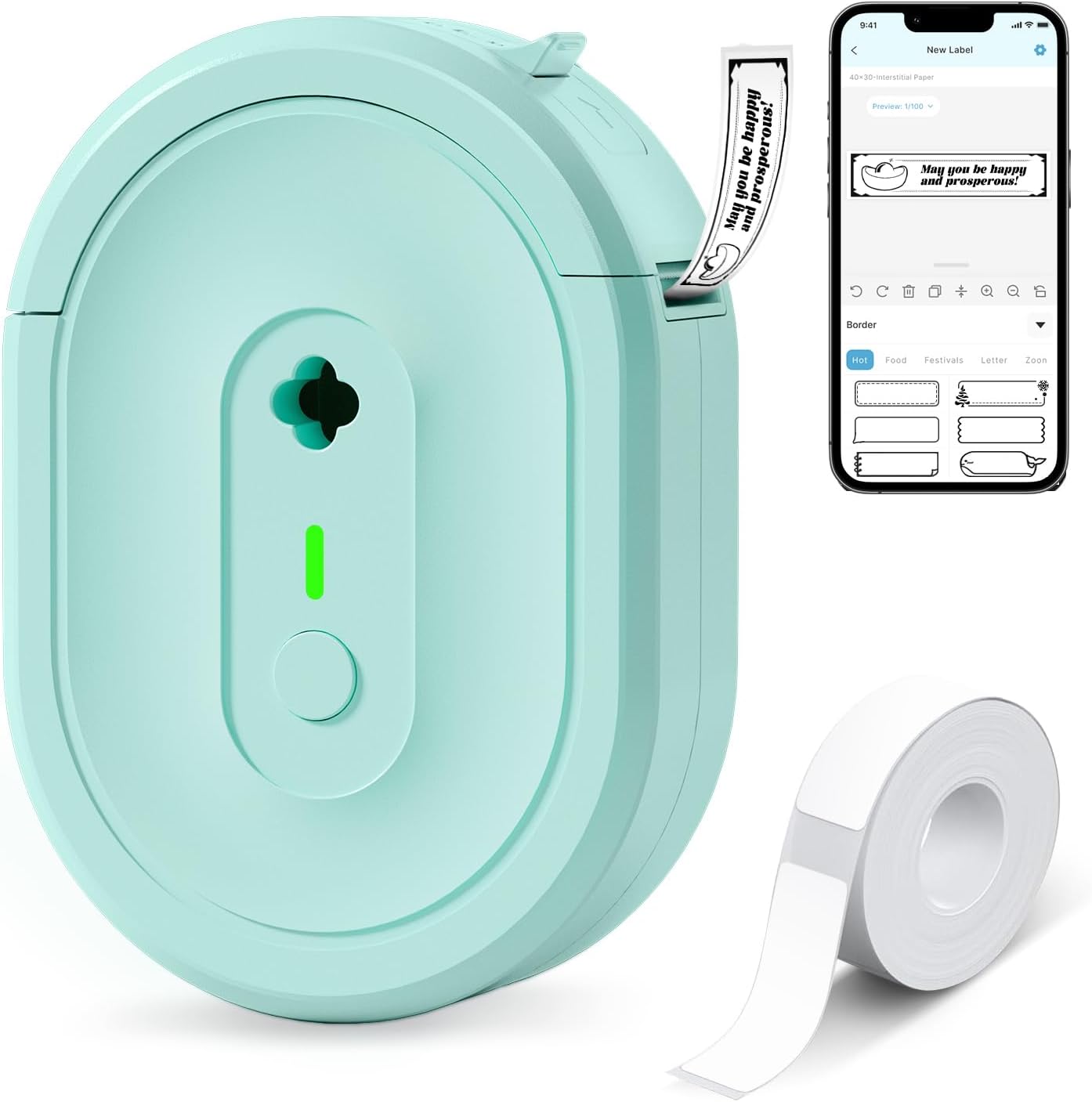
The NDYIN N12 is a pocket-sized Bluetooth thermal label printer designed for quick, low-cost label creation from a smartphone or tablet using the Nada Print app. It prints direct-thermal black text onto pre-cut adhesive labels included in the box and supports multiple fixed label widths; the built-in rechargeable battery keeps it portable for moving between a desk, kitchen, or classroom. The app offers plenty of templates, symbols, and fonts so you can format folder and file labels, shelf tags, cable IDs, or price tags without a computer. Print quality is standard thermal resolution (203 dpi), which is sharp enough for folder tabs and barcodes but not for photo-quality graphics. Setup requires pairing via Bluetooth and selecting the correct label size in the app before printing, and the unit only prints monochrome. For simple, frequent labeling tasks where affordability and portability matter, the N12 delivers dependable, app-driven prints and low ongoing costs since it needs no ink, toner, or ribbons.
Best for: Buyers seeking an inexpensive, portable label solution for organizing file folders, home storage, or classroom supplies who prioritize low ongoing costs and simple app-driven templates.
Less Ideal for: Users who need high-resolution color printing, variable continuous-length labels, or heavy-duty industrial labeling should look for more capable desktop label printers.
- Direct thermal printing eliminates the need for ink, toner, or ribbons
- Bluetooth connection and mobile app provide easy template-driven label design
- Built-in rechargeable battery makes the unit portable and ready for spot labeling
- Includes pre-cut labels and charging cable so you can start labeling out of the box
- Prints only monochrome at 203 dpi, so fine graphics or photos are not suitable
- Fixed label lengths and sizes require choosing the correct paper size in the app before printing
Verdict: A budget-friendly, portable Bluetooth thermal printer that makes quick, low-cost monochrome labels for file folders and everyday organization.
DYMO LetraTag 100H

| Print Resolution | 300 dpi |
|---|---|
| Printer Type | Thermal |
| Printer Connectivity Type | USB |
| Display Type | LCD |
| Paper Size | 1/2" |
The DYMO LetraTag 100H is a small, battery-powered handheld label maker built for straightforward labeling around the home or office. You type on the unit, preview the text and style on the LCD, then print monochrome thermal labels from the easy-load cassettes. It supports multiple font sizes, basic text styles and box borders, which makes it useful for neat file-folder labels, pantry bins and classroom organization. The included magnetic holder keeps the unit handy, and auto-off helps preserve battery life. Because it uses thermal printing there is no ink or toner to replace, and DYMO tapes are available in paper, plastic and iron-on varieties for different surfaces. Limitations to note are the single-color output and modest print speed, so it is best for batch labeling of folders rather than high-volume office printing, and it requires specific LetraTag cassettes for replacements.
Best for: Buyers who prioritize a reliable, no-fuss labeling tool for tidy file-folder and personal organization will appreciate this unit for occasional to moderate labeling tasks.
Less Ideal for: People who need multi-color labels, fast high-volume printing, or full computer integration should consider a different solution.
- Compact, portable design that is easy to store or keep on a magnetic holder
- WYSIWYG LCD preview so labels print as shown
- Thermal printing requires no ink or toner
- Includes two starter label cassettes for immediate use
- Monochrome-only output limits visual differentiation
- Print speed and output capacity are modest for heavy office use
Verdict: A dependable, portable thermal label maker that reliably produces clear, easy-to-read folder labels without ink or toner.
Nelko P21 Label Maker
| Printer Type | Thermal |
|---|---|
| Printer Connectivity Type | Bluetooth |
| Resolution | 203 x 203 DPI |
| Hardware Interface | USB Type C |
| Paper Size | 15X30mm,12X40mm,14x40mm,14X50mm,14x75mm |
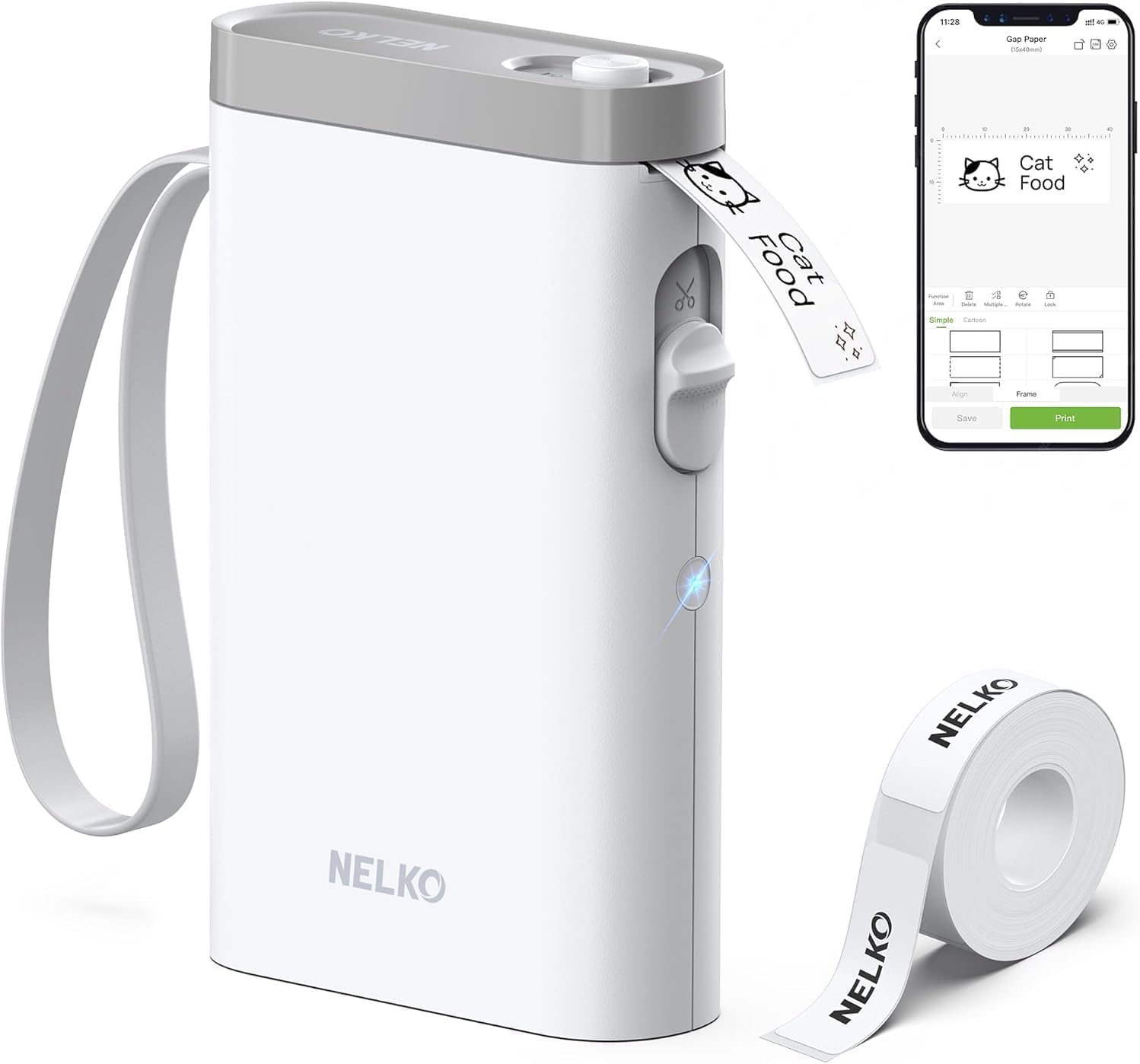
The Nelko P21 is a pocketable Bluetooth thermal label maker designed for quick, app-driven label creation for home, school, and small office use. You connect it to the Nelko mobile app on iOS or Android, pick from templates, icons, borders or add QR codes and barcodes, then print monochrome labels on factory-format tapes. Its 203 DPI thermal printing and built-in cutter produce clear, inkless text and simple graphics without cartridges, and the rechargeable battery keeps it portable for on-the-go labeling tasks. Practical strengths include support for multiple tape sizes (including 14×40mm and 14×75mm), a USB-C charge port, and many creative templates that make folder and bin labeling fast. Important limitations: it requires the Nelko app for Bluetooth pairing (iOS recommended and Android 14 has compatibility notes) and it prints only in black, so color accents depend on patterned tapes; continuous label rolls and computer printing are not supported. For routine folder labeling and classroom or small-office organization, the P21 is straightforward and efficient, but it is less suitable when full-color prints or direct PC control are needed.
Best for: Buyers who want a simple, app-driven portable labeler for tidy file folders, bins, and classroom supplies and who value fast setup and template-driven printing over PC integration.
Less Ideal for: Those who need full-color printing, direct PC/desktop control, continuous roll support, or enterprise label workflows should look elsewhere.
- Compact, lightweight design for portable use and quick labeling.
- 203 DPI thermal printing delivers clear, inkless monochrome labels without cartridges.
- Bluetooth pairing with a mobile app offers many templates, icons, and layout options.
- Supports multiple standard tape sizes and has a built-in cutter for clean finishes.
- USB‑C rechargeable battery enables cordless operation.
- Requires the Nelko mobile app to create and send prints and does not support computer printing.
- Prints only monochrome (black) output; color must come from patterned tapes.
- Noted Android 14 compatibility caveat and reliance on genuine label tape for best quality.
Verdict: A pocketable, app-first thermal label maker that makes fast, high‑definition monochrome labels for file folders and classroom organization.
Brother P‑Touch PT‑N20 Label Maker

| Print media | Labels |
|---|---|
| Maximum Media Size | 12mm |
| Display Type | LCD |
| Printer Connectivity Type | USB |
| Battery Power | 6 AAA batteries (not included) |
The Brother P‑Touch PT‑N20 is a user‑friendly desktop label maker aimed at quick, everyday labeling tasks like file folders, pantry items, and personal belongings. You type on a full QWERTY keyboard, preview up to 16 characters on the display, then print two‑line color labels on Brother Btag 12mm tapes and trim them with the built‑in cutter. It includes 3 fonts, 7 styles, 15 frames and 250 symbols so labels can be both functional and decorative, and it saves up to 10 labels for fast reprinting. The unit runs on six AAA batteries or an optional AC adapter and connects via USB for basic data transfer. Practical benefits for filing include consistent 12mm-wide label output, water and temperature resistance when paired with Btag tapes, and an easy‑to‑use interface that reduces wasted labels. Limitations are the narrow maximum tape width (12mm) so very wide folder spines need different hardware, and memory and connectivity are basic compared with app‑paired or PC labelers, so advanced templates and large batch printing are better handled by more feature-rich models.
Best for: Buyers who want a simple, reliable desktop labeler that produces durable, easy‑to‑read 12mm folder labels with minimal setup and low risk of mistakes.
Less Ideal for: Users who need wide spine labels, advanced PC templates, or high‑volume batch printing for large filing systems should consider more capable, app‑connected models.
- Full QWERTY keyboard and 16‑character preview reduce typing errors and speed label creation.
- Prints two lines of color labels with 3 fonts, 7 styles, 15 frames and 250 symbols for clear, attractive folder labels.
- Built‑in cutter and label memory (10 saved labels) make repeat labeling tasks faster and neater.
- Designed for Brother Btag 12mm tapes which are water, freezer, dishwasher and microwave resistant when applied.
- Maximum tape width limited to ~12mm so it cannot produce wider spine labels.
- Basic connectivity and limited memory mean large batch or complex template printing requires another solution.
Verdict: For straightforward, low‑risk folder labeling, the PT‑N20 delivers fast, durable 12mm color labels with an easy keyboard and preview that minimize mistakes.
Choosing the Right Label Maker for File Folders: Key Factors to Consider
Print Clarity and Font Options
Clear, legible text is critical for file folders because labels are often read at a glance and in low light. Higher resolution printing yields sharper characters, which is especially important for small font sizes used on narrow tabs. Multiple font styles and size choices can help you prioritize readability over decorative styling when needed.
Also consider adjustable text alignment and bolding features that make key words stand out. If you plan to include dates or codes, check whether the device supports previewing before printing to avoid wasted tape.
Tape Sizes and Compatibility
File folders use a range of tab widths and label heights, so tape size compatibility determines whether the labels will actually fit. Look for devices that support narrow tapes designed for folder tabs as well as wider tapes for binder spines or shelving. Compatibility with common cartridge types avoids obsolescence and makes it easier to find replacement supplies.
Some makers accept both laminated and plain tapes; laminated tapes add moisture resistance and longevity, while plain tapes can be more economical for short-term projects. Verify the maximum and minimum tape widths before purchasing.
Adhesive Strength and Label Durability
Labels on frequently handled files need adhesive that sticks without lifting yet can be removed cleanly if you reorganize. Durable, laminated labels resist smudging, fading, and moisture—useful for long-term storage or files that move between desks. Consider how the adhesive performs on common folder materials like coated paper and cardstock.
Temperature and humidity exposure can affect adhesion over time, so if your files will be stored in basements or attics, prioritize tapes with proven longevity and strong adhesive backing.
Ease of Use and Editing Features
A label maker should speed up organization rather than slow it down. Physical keyboards with familiar layouts speed data entry, while devices that offer templates, auto-numbering, and alignment presets reduce repetitive work. Mobile app connectivity expands layout options and lets you reuse label templates across devices.
Consider whether you need on-device memory for frequently used labels, a preview screen to catch mistakes, or simple one-button formatting for common label types. The learning curve matters if multiple people will use the same device.
Power Source and Portability
Decide whether you need a portable label maker you can carry between rooms or a plug-in unit for a fixed desk. Battery-powered models are convenient for quick labeling rounds but require periodic battery changes or recharging. AC-powered units remove battery concerns but restrict placement.
Weight and size matter if you plan to label while holding stacks of folders. Also think about whether a USB-rechargeable battery is preferable to disposable batteries from a sustainability and cost perspective.
Cost of Consumables
The device cost is only part of ownership expenses; tape cartridges and special laminates add recurring cost. Narrow tapes for folder tabs are typically less expensive per foot than specialty wide or colored laminates, but usage adds up for large filing projects. Check availability and expected yield per roll or cartridge.
Also factor in whether the label maker supports third-party tapes, which can reduce long-term costs, and whether bulk purchases or multi-roll packs are available to lower per-label pricing.
Which Tape Type Should You Choose
Laminated tapes are the standard for file folders because they resist moisture, scuffing, and fading. For everyday office files choose a laminated tape in a neutral color that contrasts with the folder for readability. If you expect heavy handling or archival storage, look for tapes specifically labeled as long-life or fade-resistant.
Plain paper tapes are fine for temporary sorting or internal projects where durability is not essential. Colored tapes can help with visual categorization, but avoid low-contrast combinations that reduce legibility.
- Laminated tape: best for durability and archival use
- Plain tape: economical for short-term labeling
- Colored tape: useful for categorization, pick high-contrast colors
Label Layouts and Folder Tab Types
Folder tabs come in straight, cutout, and extended styles; check that the label width and height you plan to print match the tab dimensions. Many label makers include templates for common tab sizes, which reduces guesswork and waste.
Centering text versus left-aligning can change how quickly names are scanned in a drawer. For alphabetical systems center-align short names and left-align longer entries or codes for faster scanning down a column.
- Use narrow, single-line templates for standard tabs
- Choose wider labels for binder spines or multi-line folder descriptions
- Preview layouts to ensure text does not get truncated
Organizing Systems That Work Best with Labels
Alphabetical, numerical, and subject-based systems are all compatible with printed labels; the benefit of a label maker is consistent, legible output across your entire filing scheme. Use bold headers for primary categories and smaller secondary text for subcategories or dates.
Consider adding color-coding for departments or priority files while keeping the textual label clear. Combining a visible color cue with readable type speeds retrieval without relying solely on color memory.
- Primary category on top line, secondary info on smaller second line
- Use numbering for sequential archives to avoid duplication
- Maintain a simple suffix or prefix system for dates and versions
Maintenance and Troubleshooting
Keep the print head and tape path free of dust and adhesive residue to preserve consistent print quality. Clean the cutter and any rollers periodically according to the device manual, and store unused tapes in a cool, dry place to prevent adhesive degradation.
If labels appear faint or streaky, check ribbon or thermal settings and replace the tape cartridge if needed. For devices with software, keep the app and firmware updated to ensure compatibility with new tape types and template libraries.
- Wipe print head gently with recommended cleaner
- Replace batteries or recharge before long labeling sessions
- Store tapes sealed to protect adhesive and lamination
Accessibility and Multi-User Considerations
If multiple people will use the same label maker, pick a model with an intuitive interface and durable physical controls. Devices with saved templates or user profiles can speed repeat tasks and reduce errors when different staff members create labels.
Consider models with larger screens or compatibility with mobile apps for users who need larger previews or keyboard alternatives. Accessibility features reduce mistakes and improve efficiency in shared filing environments.
- Look for memory presets or template saving
- Choose clear, high-contrast displays for easier reading
- Mobile app support can simplify label creation for occasional users
How We Chose the Best Label Maker for File Folders
We prioritized features that directly affect how well a label maker performs when used on file folders. Print clarity and tape compatibility were key because small text and narrow tabs demand crisp, legible type and sizes that fit common folder styles. Durability and adhesive strength were considered so labels remain secure and readable after repeated handling and archival storage. Usability was another focus, examining keyboard layouts, mobile or on-device editing, and the learning curve for common tasks such as creating multi-line labels or using templates. Power and portability were included to reflect whether the device suits a mobile organizer or a desktop filing station. Finally, value was assessed as the balance of features and build against typical tape and battery requirements for sustained use. We excluded specialized industrial labelers and heavy-duty embossers that do not suit routine file-folder work. Models with limited tape sizes or formats that do not match standard folder tabs were also filtered out. The remaining products were judged by the concrete dimensions above: print quality and type options, tape format and compatibility, durability and adhesive performance, ease of use and setup, and power/portability.
Our full evaluation process is outlined in our review methodology.
FAQ
What tape width is best for standard file folder tabs?
Standard folder tabs usually work well with narrow tapes in the 9 to 12 millimeter range, but check your folder tab dimensions. Narrower tapes keep text readable on small tabs while wider tapes are better for extended tabs and spines.
Are laminated labels necessary for home filing?
Laminated labels are not always required for short-term home projects, but they provide better resistance to moisture and wear for files that are handled frequently or stored long term. For temporary sorting, plain tapes are usually sufficient.
Can I remove labels without damaging folders?
Most modern tape adhesives are designed to be removable from paper folders without severe damage, though removal can sometimes lift coating on cheaper folders. Test a small area first if you plan to relabel often, and consider low-tack tapes for reusable systems.
How do I avoid misaligned text on folder tabs?
Use the device preview and built-in templates for common tab sizes, and choose a label maker with centering and margin controls. Practicing on scrap tape before committing to a batch reduces waste and alignment errors.
Is mobile app connectivity worth having?
Mobile apps expand layout options, allow keyboard input from a phone, and let you store templates centrally. For occasional labeling a basic on-device interface may suffice, but apps are helpful for complex layouts and repetitive tasks.
Final Verdict
Prioritize print clarity, tape compatibility, and label durability when choosing a label maker for file folders. Those dimensions determine whether labels will fit tabs, remain legible over time, and survive regular handling. Balance ease of use and power needs based on whether you will be labeling at a desk or moving between locations. Focus on the tape types and adhesive performance that match your filing materials, and pick a unit whose interface and template options match how you organize. With those priorities in mind you can confidently select a device that keeps your files orderly and easy to find.