
Note: This article contains affiliate links. If you click on these links and make a purchase, we may earn a small commission at no extra cost to you. This helps support our research and content. Read our full affiliate disclosure here.
If you want neat, lasting labels without bulky equipment, a mini label maker can make everyday organization faster and more consistent. These small handheld units are meant for labeling everything from pantry jars and file folders to cables and craft supplies. Picking the right mini label maker matters because portability, print clarity, and tape compatibility determine how and where you can use it. This guide covers seven carefully shortlisted mini label makers that perform well across typical home and office tasks. We evaluated each pick on practical criteria like print quality, ease of use, and tape options so you can find a compact label maker that fits your workflow. Read on to see which features matter most and which model types suit different labeling jobs.
Top Picks at a Glance
| Best Overall The best all-around choice for most situations | Phomemo D30 Mini Label Maker |  |
| Best Quality Built to a higher standard if you want something more solid | Brother P‑Touch PTD220 |  |
| Best Value The sweet spot between price and what you get | NIIMBOT D110 Mini Label Maker |  |
| Best Budget The cheapest option that still gets the job done reliably | NDYIN N12 Label Maker |  |
| Top Rated A top-rated pick with lots of positive feedback | dessports S1 Mini Thermal Printer |  |
| Most Popular A crowd favorite that many people choose with confidence | Phomemo D30 Mini Label Maker |  |
| Best Seller A high-volume bestseller chosen again and again | Nelko P21 Label Maker |  |
Phomemo D30 Mini Label Maker

| Printer Type | Thermal |
|---|---|
| Resolution | 203 x 203 DPI |
| Maximum Media Size | 15mm |
| Connectivity | Bluetooth |
| Battery | 1200mAh |
The Phomemo D30 is a compact, rechargeable Bluetooth thermal label maker that pairs with iOS and Android to print monochrome labels from preloaded templates, icons, and fonts. It supports 6–15mm tape widths including die-cut and continuous rolls, and uses thermal printing so there is no ink, toner, or ribbon to replace. The free Print Master app includes thousands of templates, barcode/QR generation, Excel batch import, and offline printing which makes it handy for organizing pantry items, classroom name tags, small-business price tags, and cable or file labels. Its 203 dpi print resolution produces clear black text at up to about 40 ppm, and the 1200 mAh battery gives a couple hours of continuous printing between charges with USB-C recharge. Limitations to note: it prints black-only, so color effects depend on patterned tapes, and it cannot print while charging. The small media capacity and narrow tape range mean it is optimized for short labels and light daily use rather than heavy-duty commercial labeling.
Best for: A practical buyer who wants an all-purpose, portable label maker for home, classroom, or small-business organization and values app flexibility and low ongoing supplies cost.
Less Ideal for: Those who need full-color printing, high-volume continuous production, or industrial-strength label durability should consider heavier-duty or color-capable solutions.
- Pocket-sized and lightweight for easy carry and mobile use
- Thermal printing requires no ink, toner, or ribbon
- Robust free app with many templates, fonts, icons, and batch import features
- Works with a variety of tape types and widths (6–15mm) including continuous rolls
- Rechargeable 1200mAh battery with USB-C charging
- Prints black text only so color requires patterned tape
- Small internal media capacity suited to short runs rather than high-volume jobs
Verdict: Buy this if you want a highly portable, app-driven thermal label maker that handles everyday home, school, and small-business labeling without ink or complex setup.
Brother P‑Touch PTD220

| Print resolution | 180 dpi |
|---|---|
| Maximum tape width | 12 mm |
| Lines per label | 2 |
| Built-in memory | Stores 30 labels |
| Power | 6 AAA batteries or AC adapter (sold separately) |
The Brother P-Touch PTD220 is a small, battery-powered label printer aimed at quick home and small-office organization. It uses Brother TZe laminated tapes (up to 12mm/1/2 inch) and prints one or two lines at 180 dpi, letting you create readable, durable labels for files, storage bins, cables, and more. The unit has a familiar QWERTY keyboard, a 15-character preview display, one-touch formatting keys and 25 preset templates, so basic labels are fast to build and print without a computer. You can save up to 30 favorite labels for instant reprints and choose from a wide library of fonts, frames and symbols for customization. Practical limits include manual tape cutting and USB-only wired connectivity, so there is no Bluetooth app printing or wider tape widths beyond 12mm on this model. Its compact, battery-operated design makes it portable but it is best when you need straightforward, repeatable label printing rather than advanced desktop design workflows.
Best for: Buyers who prioritize fast, reliable label printing for home and small-office organization and want a portable, easy-to-use device with on-device templates and saved labels.
Less Ideal for: Users who need wireless printing from phones or advanced PC-based design and larger tape widths should consider a different, feature-rich model.
- Prints durable laminated TZe tapes up to 12mm for long-lasting labels
- QWERTY keyboard and 15-character preview make label creation quick and intuitive
- Stores up to 30 frequently used labels for one-touch reprinting
- Includes 25 preset templates plus many fonts, frames and symbols for customization
- No Bluetooth or wireless printing option, only USB/wired connectivity
- Manual cutter rather than automatic tape cutter
Verdict: Choose the PTD220 if you want a compact, no-fuss label maker that delivers durable laminated labels quickly for home and small-office use.
NIIMBOT D110 Mini Label Maker

| Printer Type | Thermal |
|---|---|
| Resolution | 203 x 203 DPI |
| Printer Connectivity Type | Bluetooth |
| Hardware Interface | USB Type C |
| Wattage | 1500 milliamp_hours |
The NIIMBOT D110 is a pocketable thermal label maker that pairs with the NIIMBOT app to design and print monochrome labels without ink. It prints at 203 dpi and supports a range of narrow tapes (common sizes include 12×40mm and 14×30mm), making it useful for jar labels, cable tags, name badges, and small-business price stickers. Setup is straightforward: charge via USB‑C, connect over Bluetooth, choose a template or type custom text in the app, and the printer produces clear, single-color labels. The upgraded automatic label-rewind and first-label calibration reduce wasted tape and make short runs cleaner. The built-in 1500 mAh battery allows several hours of intermittent use and the device's 149 g weight lets you carry it in a drawer or bag. Limitations are expected for a mini thermal unit: prints are monochrome and limited to narrow widths, the app is required for most layout features, and heavy continuous printing is better suited to larger desktop printers.
Best for: Buyers who want a compact, app-driven labeler to tidy home, school, or small-business items and who value portability and low ongoing fuss.
Less Ideal for: People who need wide-format, color, or high-volume continuous printing should choose a larger desktop label printer instead.
- Pocketable, lightweight design that is easy to carry and store
- Thermal printing at 203 dpi produces clear, inkless monochrome labels
- Bluetooth app control with templates and design options for iOS and Android
- Automatic label rewind and first-label calibration reduce wasted tape
- Rechargeable battery with USB‑C for convenient charging
- Prints only in monochrome and limited to narrow tape widths
- Requires the mobile app for most formatting and advanced templates
Verdict: A highly portable, app-controlled thermal label maker that simplifies everyday labeling tasks with clear, inkless prints and minimal tape waste.
NDYIN N12 Label Maker
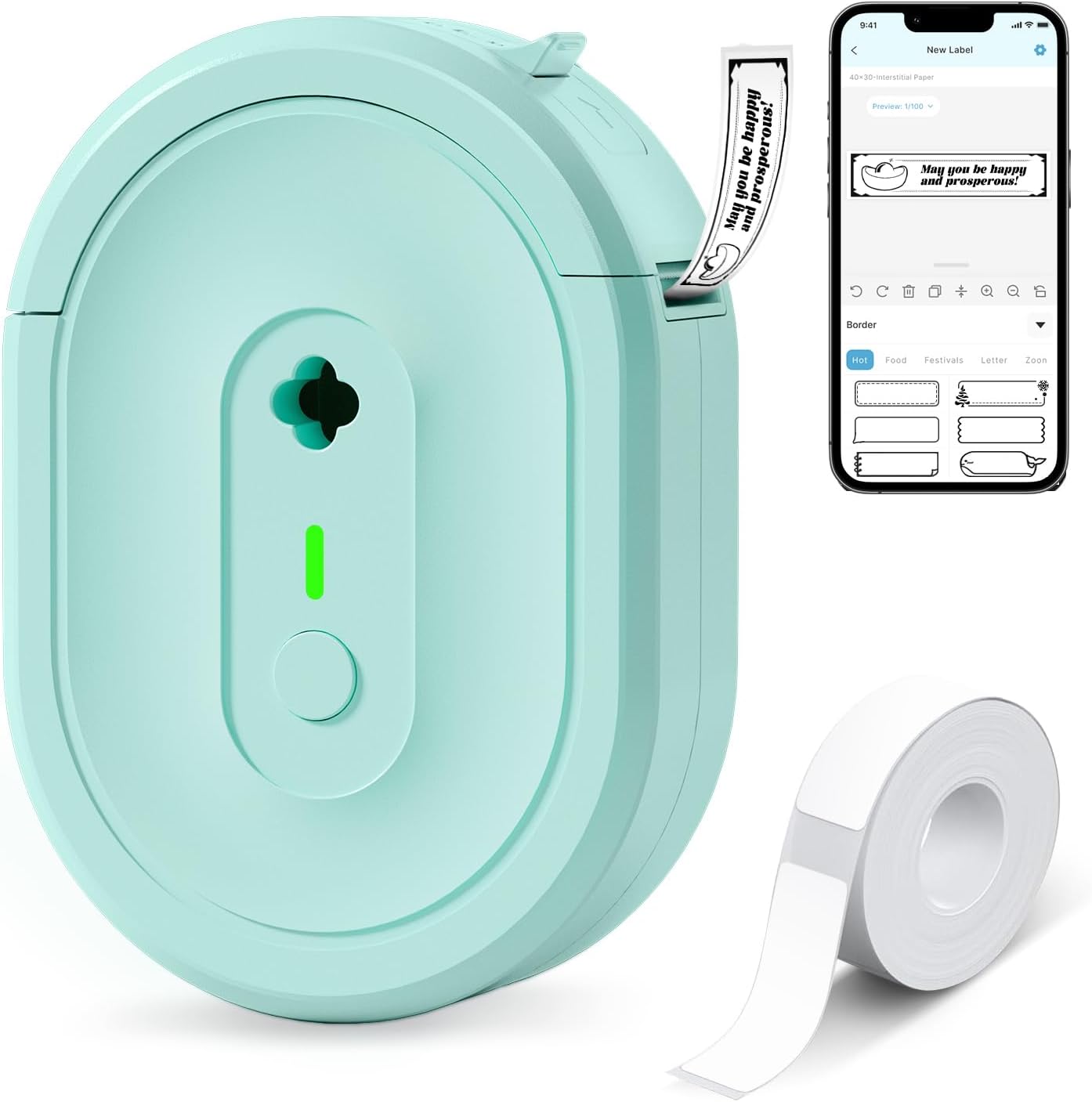
| Printer Type | Thermal |
|---|---|
| Connectivity | Bluetooth |
| Resolution | 203 x 203 dpi |
| Built-In Media | 1*180 Pre-cut white labels (14x40mm) |
| Compatible Devices | Smartphones, Tablets |
The NDYIN N12 is a small, portable thermal label printer that connects to phones and tablets over Bluetooth and prints monochrome adhesive labels without ink or ribbons. You design labels in the free Nada Print app, pick from many templates, fonts, and symbols, then send jobs wirelessly for quick on-demand printing. It ships with a roll of pre-cut labels and a charging cable and uses a built-in rechargeable battery so you do not need disposable batteries. The printer produces simple black text and barcodes at a 203 dpi resolution on fixed-width label sizes, which is fine for pantry, cable, file, and price tags but not for high-resolution graphics or color. Setup is straightforward but requires the companion app to set label sizes correctly. If you want an inexpensive, no-frills label maker for home, school, or small-business tagging, the N12 covers the essentials with low running costs, though its limited resolution and single-color output keep it from replacing desktop thermal or full-color label systems.
Best for: Buyers who want an affordable, easy-to-use portable label printer for basic home, school, or small-business labeling and prefer low operating costs over high-resolution output.
Less Ideal for: Users who need color printing, very high-resolution graphics, or enterprise-grade label printer features should look at larger thermal or dedicated color label systems.
- Direct thermal printing eliminates ink, toner, and ribbon costs
- Bluetooth connectivity and companion app with many templates and fonts
- Rechargeable battery for truly portable use
- Comes with pre-cut labels and a charging cable
- Monochrome only with 203 dpi resolution, so no color or high-detail prints
- Label lengths and sizes are fixed and must be set correctly in the app
Verdict: A budget-friendly portable thermal label maker that delivers low-cost monochrome labels via a mobile app, ideal for basic home and small-business tagging.
dessports S1 Mini Thermal Printer

| Printer Type | Thermal |
|---|---|
| Printer Connectivity Type | Bluetooth |
| Maximum Media Size | 2.2 inch |
| B&W Pages per Minute | 70 |
The dessports S1 is a pocket-sized Bluetooth thermal sticker printer meant for on-the-go labeling, crafts, and light office tasks. It connects over Bluetooth to a companion app that provides 1,000+ templates and guest mode for quick printing from phones, and ships with four paper rolls and a 1200mAh battery for portable use. Because it uses thermal paper, prints are inkless and monochrome which keeps running costs down and makes the unit very lightweight and easy to carry. The 2.2-inch maximum media width and roughly 70 pages-per-minute speed make it suitable for labels, flashcards, journaling, and basic receipts but not for large-format jobs or color output. Practical limitations include reliance on thermal paper (prints fade with heat and sunlight over time) and a modest media width that restricts layout options. For buyers who want a small, dependable label printer for household organization and craft projects, the S1 delivers portable, low-maintenance printing with a straightforward app-driven workflow.
Best for: Buyers who prioritize a reliable, low-maintenance label maker for home organization, journaling, and light office or school use and who value portability and straightforward app-based printing.
Less Ideal for: Users who need wide-format, long-lasting archival prints or full-color output should look for a different printer technology.
- Inkless thermal printing eliminates the need for ink cartridges or ribbons
- Compact, lightweight design and built-in 1200mAh battery for true portability
- Bluetooth connectivity with a mobile app that includes 1,000+ templates and guest mode
- Includes multiple paper rolls so you can start labeling right away
- Monochrome thermal output that cannot print in color
- Thermal prints can fade over time with exposure to heat or sunlight
Verdict: A dependable, pocketable thermal label printer that offers inkless, app-driven printing for everyday organization and craft tasks.
Phomemo D30 Mini Label Maker

| Printer Type | Thermal |
|---|---|
| Printer Connectivity Type | Bluetooth |
| Print Resolution | 203 dots_per_inch |
| Hardware Interface | Bluetooth 4.0, USB Type C |
| Print media | Labels |
The Phomemo D30 is a compact, rechargeable thermal label printer that connects to iOS and Android devices via Bluetooth and prints black text onto a variety of pre-cut or continuous label tapes. You design labels in the Print Master app, which includes many templates, icons, fonts and extras like QR codes, barcodes and batch import from Excel, then send jobs wirelessly to the D30. Because it uses thermal printing there is no ink or ribbon to replace, and the included USB-C charging cord and lightweight body make it convenient to carry for home, classroom or small-business tasks. Print quality is good for its class thanks to a 203 dpi head, but it only produces monochrome output so colorful labels rely on patterned tapes rather than color printing. The device can print small runs quickly and is easy to use, though precise alignment requires selecting the correct tape size in the app and occasional cleaning of the print head if prints get faint. For buyers wanting a pocketable, app-driven labeler with lots of creative templates, the D30 delivers strong value.
Best for: Buyers who prioritize a small, easy-to-carry label maker with smartphone control and lots of ready-made templates for home, classroom, or small business organization and labeling tasks.
Less Ideal for: People who need full-color printing or large-format, high-volume commercial label production should consider other solutions.
- Very compact and lightweight for portable use
- Bluetooth app control with extensive templates, icons and batch import
- Inkless thermal printing eliminates ink or ribbon costs
- Supports both continuous and pre-cut label tapes for flexible layouts
- USB-C rechargeable battery for on-the-go convenience
- Prints only black text so color effects depend on patterned tapes
- Requires correct paper-size selection in the app to avoid offset prints
Verdict: Choose the Phomemo D30 if you want a pocketable, app-driven thermal labeler that makes quick, ink-free monochrome labels with extensive creative templates.
Nelko P21 Label Maker
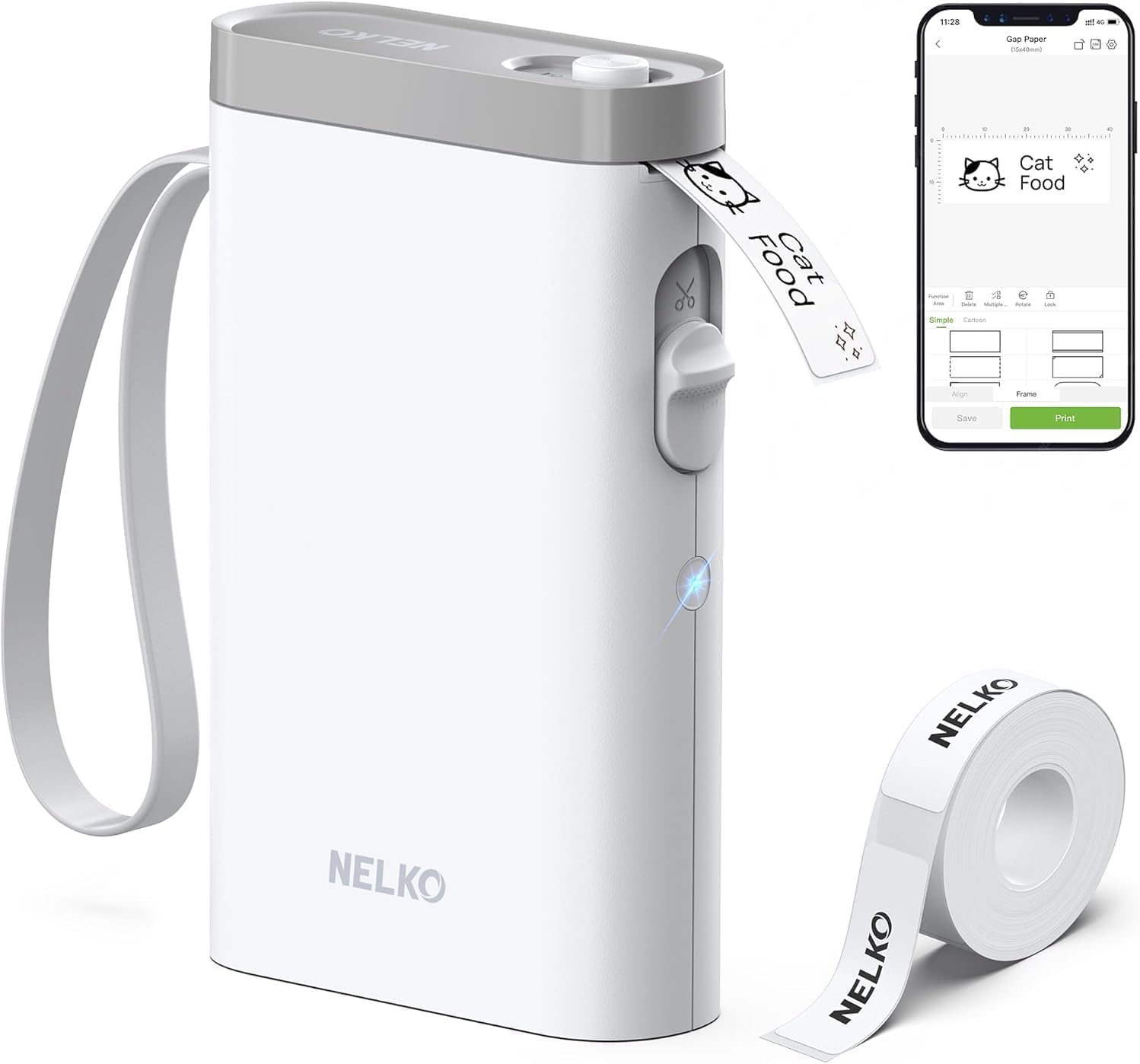
| Printer Type | Thermal |
|---|---|
| Printer Connectivity Type | Bluetooth |
| Hardware Interface | USB Type C |
| Maximum Print Resolution Black and White | 203 DPI |
| Paper Size | 15X30mm,12X40mm,14x40mm,14X50mm,14x75mm |
The Nelko P21 is a pocketable thermal label maker designed to create adhesive labels from your smartphone. It pairs over Bluetooth with the Nelko app (iOS 13+ and Android supported) where you pick templates, icons, borders, barcodes or QR codes and send monochrome 203 DPI prints to the device. The unit is rechargeable via USB‑C and uses direct thermal label rolls so there is no ink to replace; Nelko recommends using its genuine tapes for best clarity. The small footprint and built‑in cutter make it convenient for classroom, home pantry, office filing, and price tags, and the app includes many templates and resources for quick designs. Limitations include single‑color printing only and fixed tape widths, and the app-based workflow means no computer support and reported compatibility issues with some Android 14 phones. For cautious buyers the one-year warranty and clear setup guidance help, but expect to buy compatible label rolls to avoid print quality problems.
Best for: Buyers who want an easy, low‑maintenance label maker for home, classroom, or light business tasks and prefer a simple phone-based design workflow with reliable thermal prints.
Less Ideal for: Users who need full‑color printing, continuous label rolls, or a printer that can be controlled from a computer should look at other options.
- True thermal printing with 203 DPI for sharp monochrome text and simple graphics
- Bluetooth pairing to Nelko smartphone app with many templates, icons, and borders
- Rechargeable USB‑C battery and built‑in cutter for portable use
- Small, lightweight design suitable for carrying and quick on‑the‑spot labeling
- Prints only in black so color output requires patterned tapes rather than ink
- Requires the Nelko app to design and print and does not support PC connection
Verdict: A tiny, app-driven thermal label maker that delivers sharp monochrome labels for home, school, and light office use without the fuss of ink.
Choosing the Right Mini Label Maker: Key Factors to Consider
Print Quality and Font Options
Print clarity affects how readable labels are at a glance. Higher-resolution print heads and sharper fonts produce crisp text that remains legible on small labels. Multiple font sizes and basic styling (bold, underline) let you emphasize headings or separate categories. If you plan to label narrow tapes or tiny items, prioritize a unit with fine resolution and adjustable font sizes.
Font variety and alignment options matter when you need consistent labeling across different applications. Look for devices that let you center text or create multi-line entries easily. Clear characters reduce errors when scanning or reading labels from a distance.
Tape Compatibility and Durability
The types of tapes a mini label maker accepts determine how versatile and long-lasting your labels will be. Options commonly include washable fabric-safe tapes, glossy standard tapes, and laminated options that resist water, fading, and abrasion. Choosing a model that supports widely available tape widths and laminated options ensures labels endure typical home and office wear.
Durability also affects cost of ownership. Laminated tapes tend to last longer in kitchens or storage areas where moisture is present, while fabric-friendly tapes are better for clothing tags and soft materials. Confirm tape availability and whether specialty colors or adhesives are supported before committing.
Ease of Use and Setup
A mini label maker should be quick to set up and simple to operate with minimal learning curve. Consider how menus are presented, whether there is a small display for previewing text, and how many steps are required to change tapes or adjust settings. Physical keyboards with tactile keys often speed up basic entry compared with tiny touchscreen interfaces.
Simplicity reduces frustration when creating many labels in one session. Look for clear icons, intuitive navigation, and straightforward tape loading mechanisms to keep the workflow efficient.
Power Source and Battery Life
Power choices influence portability and convenience. Some mini label makers run on replaceable AA or AAA batteries, while others use built-in rechargeable batteries charged by USB. Replaceable batteries are easy to swap in low-connectivity situations, whereas rechargeable units eliminate recurring battery purchases and often provide faster charging.
Battery life matters if you plan to label many items during a single outing. Check typical print counts per charge or per set of batteries, and consider models that offer a power-saving sleep mode to extend usable life between charges.
Portability and Build Quality
Size, weight, and construction determine how comfortably you can carry a mini label maker and how well it holds up to repeated use. Look for compact profiles that fit in a drawer or tool bag if you need to transport the device between rooms. Solid-feeling housings and reliable tape doors reduce the chance of damage during everyday handling.
A balanced, ergonomic layout helps with one-handed operation. If you plan to use the device in workshops or craft areas, slightly more robust plastic or reinforced corners can increase longevity without adding too much bulk.
Connectivity and Extra Features
Some mini label makers offer Bluetooth connectivity and companion apps for more complex layouts or copying text from a phone. These features expand creative options like custom symbols, multiple fonts, and quick importing of lists. For occasional users, built-in templates and simple onboard editing are often sufficient.
Extra features such as cutter mechanisms, automatic tape length detection, and symbol libraries can speed up repetitive work. Decide whether these conveniences justify added complexity for your typical labeling tasks.
Common Label Tape Types and When to Use Them
Label tapes come in several common constructions that suit different tasks. Standard glossy tapes are fine for most home organization jobs like jars and boxes, while laminated tapes add a protective top layer that resists moisture and abrasion for long-term storage labels.
Fabric-friendly or cloth tapes use gentler adhesives for tagging clothing or soft materials without damaging the substrate. Specialty colored or metallic tapes are helpful when color-coding storage or making decorative labels for craft projects.
Match the tape adhesive and finish to the intended surface. Porous or textured surfaces may need stronger adhesives and wider tape widths for secure adhesion.
- Glossy standard tape: everyday household and office labels
- Laminated tape: water and wear resistance for long-term use
- Fabric tape: safe for textiles and clothing tags
- Colored and specialty tapes: color-coding and crafts
Battery Types: Rechargeable Vs Replaceable
Rechargeable mini label makers typically use a built-in lithium battery recharged by USB. They remove the need to buy disposable batteries and usually offer predictable runtimes per charge. Rechargeables are convenient if you label frequently and have easy access to a charger.
Replaceable-battery models use AA or AAA cells and can be more convenient in remote situations where charging is not practical. They also allow you to carry spare batteries for extended field use. Consider your typical usage patterns when choosing between these power approaches.
- Rechargeable: lower ongoing cost, need access to charging
- Replaceable: swap quickly, good for infrequent or remote use
Label Design Tips for Readability
Keep label text short and use consistent capitalization for quick recognition. Use larger font sizes for headers and smaller sizes for secondary details. When labeling shelves or bins, align text in a single direction to avoid confusing orientations when grabbing items.
Contrast between text color and tape background boosts legibility. Prefer dark text on light tape for general-purpose labels and reserve light text on dark tape for small accents or decorative tags.
- Use concise wording and consistent case
- Choose high-contrast color combinations
- Reserve decorative tapes for low-visibility or non-essential labels
Maintenance and Tape Storage Best Practices
Store unused tapes in a cool, dry place to prevent adhesive degradation and fading. Avoid exposure to direct sunlight when storing colored or laminated tapes. Keep spare tapes in their original packaging until use to preserve adhesive performance.
Periodically clean the label maker's tape path and cutter to avoid jams. If the device supports removable cartridges, follow manufacturer guidance for gentle removal and reinstallation to prevent tearing or misalignment.
- Store tapes away from heat and sunlight
- Clean tape path occasionally to prevent jams
- Keep spare tapes sealed until ready to use
Using a Mini Label Maker in Different Rooms
In the kitchen, prioritize laminated and washable tapes to withstand moisture and frequent handling. For the home office, focus on crisp print quality and tape widths that suit file labels and shelf tags. In craft rooms, color and specialty tapes let you add style while keeping projects organized.
Carrying a compact unit between areas is easy with a rechargeable model or spare batteries. Consider a small pouch to store frequently used tapes and the device together for quick labeling sessions.
- Kitchen: laminated tapes, durable adhesives
- Home office: fine print quality, narrow tapes for files
- Crafts: colored and decorative tapes for visual sorting
How We Chose the Best Mini Label Maker
We prioritized tools that deliver reliable printed labels in a compact, easy-to-store package. Our edition focused on units that balance portability with clear, durable printing and straightforward controls. Key evaluation dimensions included print clarity and font options, label durability and tape compatibility, battery life and charging convenience, user interface and setup, and portability and build quality. We tested for real-world usability by examining how quickly a device produces a legible label and how intuitive the controls are for common tasks like changing tape size, adjusting text, and printing basic symbols. Durability considerations focused on the types of tapes supported and the expected lifespan of printed text under normal indoor conditions. Power and upkeep looked at both replaceable battery and rechargeable options, plus tape loading simplicity. Excluded from consideration were oversized desktop thermal labelers and multipurpose office printers that are not designed for handheld, on-the-go use. We also excluded devices that require specialized, hard-to-find consumables. The resulting list highlights compact label makers that suit everyday home and light office labeling needs.
Our full evaluation process is outlined in our review methodology.
FAQ
What tape width should I choose for general household labeling?
Narrow widths, like 6 to 12 millimeters, work well for small jars, cables, and files. Wider tapes are better for shelf labels or anything that needs to be read from a distance.
Can mini label makers print symbols or barcodes?
Many models include basic symbol libraries and icons, and some support simple barcode formats. If you need advanced barcode printing, confirm the device supports the specific barcode type you require.
How long do printed labels typically last?
Laminated labels can last for years indoors and resist moisture and abrasion. Standard glossy tapes will fade or wear faster in high-traffic or wet areas. Lifespan depends on tape type and the environment.
Is a built-in keyboard better than app control?
Built-in keyboards are fast for short, single-line labels and do not require a phone. App control gives more layout flexibility and may be faster for longer lists. The best choice depends on whether you value standalone convenience or advanced formatting.
Do mini label makers require special maintenance?
Maintenance is minimal. Keep the tape path and cutter free of debris, store tapes properly, and avoid dropping the unit. Occasional cleaning extends reliable operation.
Final Verdict
Choose a mini label maker that matches the types of labeling you do most often. Prioritize print clarity and tape durability if you need lasting labels, or favor rechargeable convenience and portability if you move between rooms frequently. Ease of use and tape availability are practical tradeoffs that will determine how often you actually use the device. Focus on the specific tasks you plan to tackle and let that guide which features matter most. With the right balance of print quality, durable tapes, and simple controls, you can make fast, consistent labels that keep your home or office organized.