
Note: This article contains affiliate links. If you click on these links and make a purchase, we may earn a small commission at no extra cost to you. This helps support our research and content. Read our full affiliate disclosure here.
Picking the right budget Wi-Fi thermostat matters because it directly affects comfort, energy use, and how easily you control home temperature from a phone. A well-chosen unit can lower heating and cooling waste, fit your heating system without hassles, and give you reliable remote access and scheduling. This guide shortlists the top affordable Wi-Fi thermostats, focusing on real-world installation, compatibility with common HVAC configurations, and the simplicity of daily operation. Below you will find our top picks and the criteria we used to evaluate them, so you can quickly identify which model fits your needs.
Top Picks at a Glance
| Best Overall The best all-around choice for most situations | meross MTS300 Smart Thermostat |  |
| Best Quality Built to a higher standard if you want something more solid | Honeywell Home Smart Color Thermostat RTH9585WF |  |
| Best Value The sweet spot between price and what you get | Sensi Lite ST25 | 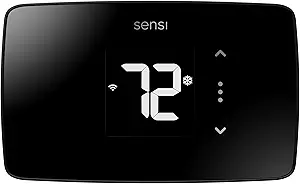 |
| Best Budget The cheapest option that still gets the job done reliably | Honeywell Home X2P Programmable Thermostat |  |
| Top Rated A top-rated pick with lots of positive feedback | Sensi Smart Thermostat ST55 |  |
| Most Popular A crowd favorite that many people choose with confidence | Amazon Smart Thermostat |  |
| Best Seller A high-volume bestseller chosen again and again | Google Nest Thermostat |  |
meross MTS300 Smart Thermostat

| Connectivity Technology | Wi-Fi |
|---|---|
| Voltage | 24 volts |
| Display Type | LCD |
| Control Type | App Control |
| Mounting Type | Wall Mount |
The meross MTS300 is a compact smart thermostat that replaces standard 24V wall thermostats to add remote control, 24/7 scheduling, and voice integration through Matter, Alexa, Google Assistant, and Apple Home. Installation is typical for modern smart thermostats: wall mount it, connect the required low‑voltage wires and a C‑wire when needed, then finish setup in the meross app. The unit uses Wi‑Fi and an LCD to show temperature and settings and supports heating and cooling, heat pumps, boilers, and more while excluding line‑voltage baseboard and millivolt systems. Practical benefits include flexible schedules to reduce energy use, smart alerts for filter and system issues, and Matter support to keep control local across platforms. Tradeoffs are standard for budget smart thermostats: it needs a compatible wiring setup (C‑wire in some configs) and works only on 2.4GHz Wi‑Fi, and advanced HVAC diagnostics are basic compared with premium models. For buyers who want a straightforward, app‑driven upgrade with broad smart home compatibility, this delivers key features without complexity.
Best for: Homeowners who want an affordable, easy‑to‑use smart thermostat that adds app control and broad voice/Home integration without advanced HVAC features.
Less Ideal for: Homes without a compatible low‑voltage wiring setup or users who need deep HVAC diagnostics, multi‑stage system tuning, or 5GHz Wi‑Fi support.
- Matter support for local integration with Apple Home, Alexa, Google and SmartThings
- 24/7 programmable schedules for energy saving and comfort automation
- Smart alerts for filter life and system issues to reduce surprises
- Sleek contemporary design with an easy‑read LCD and simple wall‑mount installation
- Requires a C‑wire for some wiring configurations and does not include a C‑wire adapter
- Only supports 2.4GHz Wi‑Fi which can limit networks it will join
Verdict: A budget‑friendly smart thermostat that adds Matter, app control, and programmable schedules for buyers wanting straightforward smart home integration.
Honeywell Home Smart Color Thermostat RTH9585WF

| Connectivity Technology | Wi‑Fi |
|---|---|
| Controller Type | Touch Screen, Voice |
| Power Source | AC Power Supply |
| Display Type | LED |
| Specification Met | Energy Star |
The Honeywell Home Smart Color Thermostat is a Wi‑Fi programmable thermostat built for everyday comfort control and modest energy savings. It installs on standard low‑voltage systems and requires a C‑wire, then connects to the Honeywell app so you can set 7‑day schedules, view local weather, and control temperature remotely. The bright full‑color touchscreen is customizable to match your decor and provides easy local control while the unit's Smart Response Technology helps the thermostat learn how your system reaches setpoints to reduce cycles. Voice control support and push alerts for filter and humidifier pad changes are handy convenience touches. As a budget conscious smart model it covers core needs—remote control, scheduling, energy reports and basic automation—without high‑end features like advanced zoning or multi‑stage system setup complexity. It will not work on line‑voltage baseboard heat and needs a C‑wire, so check compatibility before buying.
Best for: Buyers who want an affordable smart thermostat that provides remote control, simple 7‑day programming, and energy‑saving features without paying for advanced commercial controls.
Less Ideal for: Homes that use line‑voltage baseboard heat or owners who need multi‑stage or complex zoning features in a thermostat.
- Customizable full‑color touchscreen for easy local control and matching decor
- Wi‑Fi connectivity with app control and voice assistant compatibility
- Energy Star certified with features for scheduling and basic energy reporting
- Smart Response Technology that helps the thermostat learn heating and cooling behavior
- Requires a C‑wire and is incompatible with line‑voltage electric baseboard heating
Verdict: A budget‑friendly smart thermostat that gives reliable Wi‑Fi control, a customizable color touchscreen, and energy‑saving scheduling for most low‑voltage HVAC systems.
Sensi Lite ST25
| Connectivity Technology | Wi-Fi |
|---|---|
| Controller Type | Amazon Alexa, Google Assistant, Hand Control, SmartThings |
| Power Source | Battery or C-wire |
| Number of Batteries | 2 AAA (included) |
| Specification Met | Energy Star |
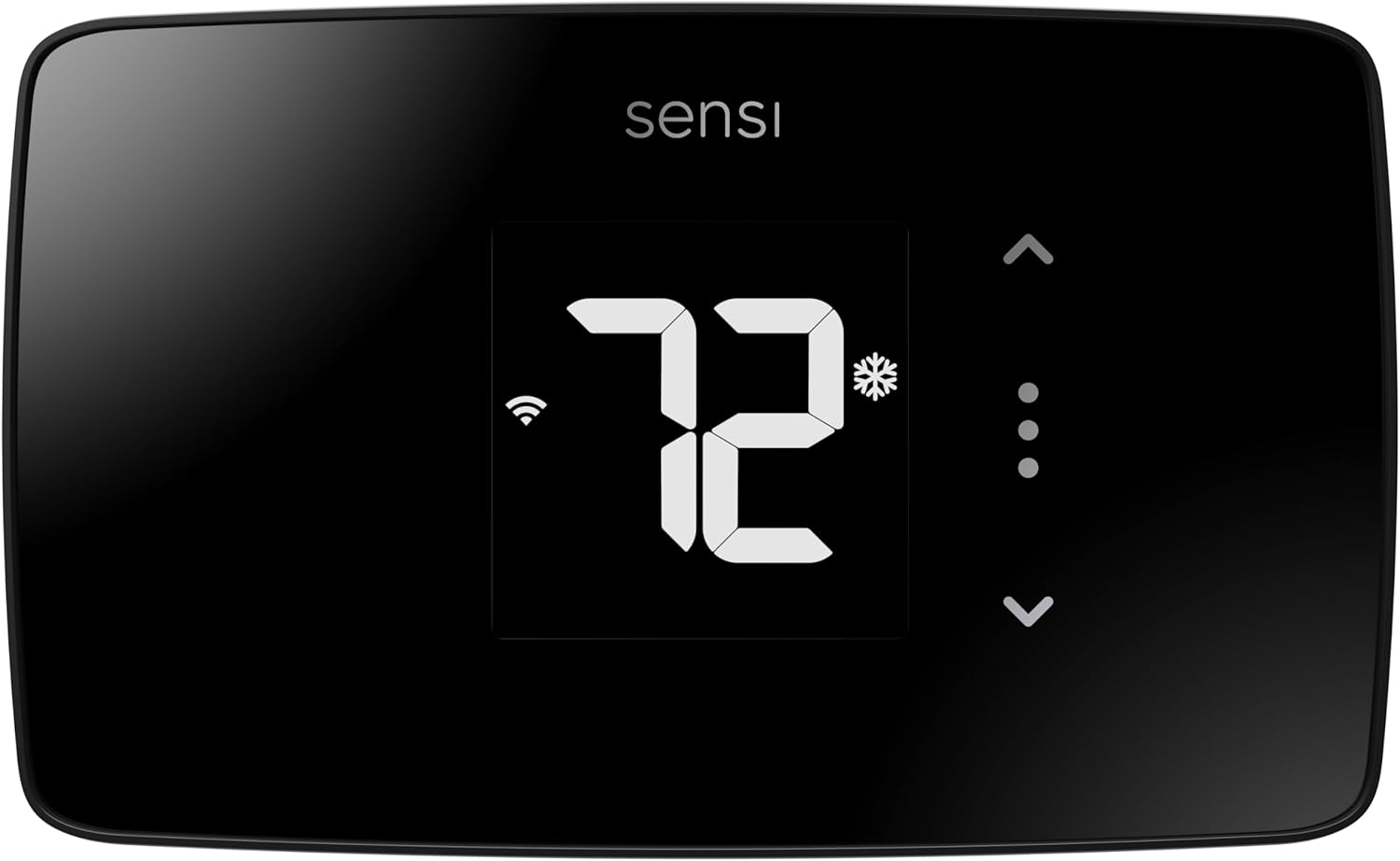
The Sensi Lite ST25 is an entry-level smart thermostat that brings remote control and basic scheduling to homes without a steep learning curve. It connects to 2.4 GHz Wi‑Fi and pairs with Alexa, Google Assistant, and SmartThings so you can change temperature by app or voice, and the LCD touch display provides basic local control. Installation is designed for DIY with a built-in level and step-by-step guide, and most systems do not require a common wire though some heat-only or cool-only setups will. The companion app supports flexible schedules, geofencing, and usage reports that help reduce HVAC energy use, and the unit is ENERGY STAR certified. The thermostat runs on included AAA batteries or a C‑wire, and the manufacturer highlights data privacy protections. Limitations include a simple display and fewer advanced features than premium models, and it requires 2.4 GHz Wi‑Fi so it will not work on 5 GHz-only networks. For buyers wanting straightforward smart scheduling and remote control on a budget, Sensi Lite covers the essentials without extra complexity.
Best for: Homeowners seeking an affordable, no-frills smart thermostat that is easy to install themselves and provides reliable remote control and basic energy-saving features.
Less Ideal for: Users who want a full-color display, advanced learning algorithms, or a thermostat with 5 GHz Wi‑Fi support should consider more feature-rich models.
- Easy DIY installation with built-in level and step-by-step instructions
- Remote app control plus Alexa, Google Assistant, and SmartThings compatibility
- ENERGY STAR certified with scheduling, geofencing, and usage reports to reduce energy
- Runs on included AAA batteries or optionally on a C‑wire, fitting many homes
- Manufacturer states data privacy protections for user activity
- Basic LCD display and fewer advanced features compared with higher-end smart thermostats
- Requires 2.4 GHz Wi‑Fi and will not connect to 5 GHz‑only networks
Verdict: A straightforward, budget-minded smart thermostat that delivers easy DIY setup, reliable app and voice control, and basic energy-saving features.
Honeywell Home X2P Programmable Thermostat

| Programmable | 5-2 day scheduling or non-programmable |
|---|---|
| Compatibility | Single-stage 1 heat/1 cool |
| Power Source | 2 AA batteries |
| Display Type | Backlit LCD |
The Honeywell Home X2P is a practical, no-frills programmable thermostat made for single-stage heating and cooling systems. It provides 5-2 day scheduling (with non-programmable option), a large backlit LCD for easy daily use, and reminders like change-filter alerts and humidity monitoring to help maintain comfort and equipment health. Installation is straightforward for typical forced-air systems and the unit runs on two AA batteries, avoiding the need for a constant hardwired power source in many homes. It supports common system types but excludes electric baseboard heat, so compatibility checks matter before buying. The interface is simple touchpad control rather than a smartphone-first experience, and while the product information mentions WiFi and ENERGY STAR in related models, this specific unit focuses on reliable programmable control rather than advanced smart-home integrations. For budget-focused buyers who want dependable scheduling and an easy-to-read display without extra smart features, the X2P covers the essentials cleanly and cheaply.
Best for: Buyers looking for an affordable, reliable programmable thermostat to set daily schedules and improve comfort without needing extensive smart-home features.
Less Ideal for: Users who want deep smart-home integration, remote app control, or a thermostat that supports electric baseboard heating should look elsewhere.
- Simple 5-2 day scheduling with a non-programmable option for basic needs
- Large backlit LCD and clear font for easy daily adjustments
- Runs on two AA batteries so it can work without a C-wire in many installs
- Change-filter reminders and humidity monitoring help with routine maintenance
- Not compatible with electric baseboard (120–240V) systems
- Limited smart-home functionality compared with full Wi-Fi smart thermostats
Verdict: A budget-friendly programmable thermostat that delivers dependable scheduling and a clear display for buyers who prioritize basic comfort control over smart features.
Sensi Smart Thermostat ST55

| Connectivity Technology | Wi-Fi |
|---|---|
| Controller Type | Amazon Alexa, Apple HomeKit, Google Assistant, SmartThings, Vera |
| Power Source | Corded Electric |
| Energy Certification | Energy Star Certified |
| Number of Batteries | 2 AA (included) |
The Sensi ST55 is a straightforward Wi‑Fi thermostat designed for DIY replacement of conventional thermostats. It connects to 2.4 GHz networks and works with Alexa, Google Assistant, Apple HomeKit and other smart platforms, allowing remote control and voice commands through the companion app. Installation is aimed at typical homeowners: the package includes mounting hardware, wire stickers and step‑by‑step app guidance and in many cases a common wire is not required. The thermostat is Energy Star certified and provides usage reports, smart alerts and filter reminders to help lower HVAC energy use and maintenance overhead. Controls combine physical buttons with app, touch and voice control and a backlit LED display for local adjustments. Limitations to consider are the simple LED screen rather than a color touchscreen and reliance on a 2.4 GHz Wi‑Fi band only, which may be a constraint in some networks. For buyers prioritizing reliable basic smart features, easy install, and energy reporting at a budget price, the ST55 delivers a sensible, no‑frills option.
Best for: Buyers who want a dependable, easy‑to‑install smart thermostat that provides core remote control, voice support and energy reporting without advanced UI or premium features.
Less Ideal for: Users who want a high‑end touchscreen interface, multi‑band Wi‑Fi support, or advanced HVAC integrations and diagnostics.
- Works with major smart platforms including Alexa, Google Assistant and Apple HomeKit
- Energy Star certified with usage reports and smart alerts for proactive maintenance
- Easy DIY installation with included hardware and app guidance, often without a C‑wire
- Includes batteries and mounting accessories so it is ready to install out of the box
- Uses a basic LED display rather than a color touchscreen
- Only supports 2.4 GHz Wi‑Fi which may limit some network setups
Verdict: A reliable, budget‑friendly smart thermostat that delivers essential remote control, voice compatibility and energy reporting for homeowners who prioritize dependable, no‑frills performance.
Amazon Smart Thermostat

| ASIN | B08J4C8871 |
|---|---|
| Requires C-wire | Yes |
| Works with | Alexa and Ring |
| Manufacturer tech | Honeywell Home thermostat technology |
| Price | USD 79.99 |
The Amazon Smart Thermostat is a budget-friendly Wi‑Fi thermostat designed to replace a traditional thermostat and add Alexa control and scheduling. It connects to your home network so you can adjust temperature from the Alexa app or with voice commands through Alexa-enabled devices, and it supports basic home, away, and sleep schedules. The unit uses Honeywell Home thermostat technology for temperature sensing and offers presence-based adjustments when paired with select Alexa devices to create simple comfort zones. Installation is intended as a DIY job and requires a C‑wire; the Alexa app walks you through wiring and setup. Practical benefits include remote control, routine-based automation via Alexa+, and potential energy savings through programmed schedules and rebate information provided after purchase. Limitations for some buyers are the need for a C‑wire and reliance on the Alexa ecosystem for advanced automations, so users who want fully independent or highly customizable third‑party integrations may find it constrained.
Best for: Buyers who prioritize a low-cost smart thermostat with straightforward Alexa voice and app control and who want a familiar, easy setup guided by an app and customer support.
Less Ideal for: People who need an install-free battery operation, prefer broad third‑party smart home integrations, or want highly configurable HVAC controls beyond basic scheduling.
- Simple Alexa voice and app control for remote temperature changes
- Scheduling and basic home/away automation to reduce energy use
- Uses proven Honeywell Home thermostat technology for reliable temperature sensing
- Requires a C‑wire for installation, which may need extra wiring work
- Advanced automations and features are tied to the Alexa ecosystem rather than open third‑party platforms
Verdict: A cost-conscious smart thermostat that adds Alexa voice control and simple scheduling to homes that can provide a C‑wire.
Google Nest Thermostat

| Connectivity Technology | Bluetooth, Wi-Fi |
|---|---|
| Power Source | Battery Powered |
| Display Type | LCD |
| Control Type | Remote Control, Voice Control |
| Number of Batteries | 2 A batteries required. (included) |
The Google Nest Thermostat is an entry-level smart thermostat that makes basic home temperature control simple and energy conscious. It connects to 2.4/5 GHz Wi‑Fi and Bluetooth, so you can change settings from the Google Home app or with voice assistants, and it supports remote control and schedule programming. Installation is designed for DIY—most users finish in about 30 minutes—and it usually works without a C wire, though some systems may need one or a power accessory. The thermostat includes Savings Finder and Eco Temperature features that help reduce energy use by suggesting schedule tweaks and automatically lowering settings when the home is empty, and it can send alerts if the HVAC shows signs of trouble. The interface is a small LCD with a side touch bar rather than a large dial, so adjusting on the unit is straightforward but less tactile than higher-end Nest models. If you want a straightforward, app-first smart thermostat for energy-conscious households without premium extras, this offers the core features in a compact, easy-to-install package.
Best for: Buyers who want an affordable, app-controlled smart thermostat that is easy to install and focuses on straightforward energy savings rather than premium features.
Less Ideal for: People who need extensive HVAC diagnostics, a large physical dial interface, or advanced programmability and sensors should consider higher-end models.
- Wi‑Fi and Bluetooth connectivity for remote app and voice control
- Designed for simple DIY installation and often works without a C wire
- Energy-saving features like Savings Finder and automatic Eco Temperature
- Basic HVAC monitoring with alerts to flag potential issues
- Includes batteries, mounting screws, and steel plate in the box
- Small 2‑inch LCD and side touch bar offer less tactile control than larger dial thermostats
- Limited advanced features compared with higher-end Nest models
Verdict: A budget-minded smart thermostat that delivers easy DIY installation, app and voice control, and practical energy-saving features for mainstream buyers.
Choosing the Right Budget Wi-Fi Thermostat: Key Factors to Consider
HVAC Compatibility and Wiring
Confirming compatibility with your heating and cooling system is essential. Budget Wi-Fi thermostats vary in support for conventional systems, heat pumps, and multistage setups, and some require a common wire. An incompatible thermostat can lead to improper system cycling, loss of features, or a need for additional adapters.
Check the thermostat's wiring requirements and whether your system uses a C wire, conventional 24V control, or more specialized terminals. When a C wire is missing, evaluate whether the thermostat offers a power-stealing mode or if you should install a common wire adapter. Ensuring proper wiring up front avoids installation headaches and unreliable operation after setup.
Installation Complexity and Tools
Ease of installation is a major factor for budget-minded buyers who plan to DIY. Some affordable thermostats are designed for simple swapouts with clear terminal labeling, bubble-level mounts, and step-by-step apps. Others may need wall plate drilling, wire adapters, or professional assistance, which raises overall cost and time.
Consider what tools you have and your comfort with basic electrical wiring. Look for thermostats that provide guided in-app wiring checks and clear physical markings for each terminal. Also factor in whether the unit requires a hub or extra components that complicate setup.
Connectivity and App Reliability
A Wi-Fi thermostat is only as useful as its remote connection and control software. App reliability affects whether you can change temperature, modify schedules, or read diagnostics from anywhere. Poorly implemented apps can drop connections, delay commands, or provide confusing status information.
Assess whether the thermostat supports standard home Wi-Fi bands, what level of remote monitoring it provides, and whether the interface is intuitive. Consider if the vendor supplies OTA updates and clear documentation for reconnecting the device after router changes.
Scheduling Options and Automation
Scheduling flexibility determines how effectively a thermostat can reduce energy use while preserving comfort. Basic on/off schedules are fine for simple households, but more advanced features like multiple temperature periods per day, weekday/weekend programs, and learning modes can yield better results.
Think about whether you need fine-grained control for varying daily routines, or if simple occupancy-based schedules suffice. Compatibility with third-party automation platforms may matter if you plan to orchestrate the thermostat with other smart-home devices.
Temperature Sensing and Accuracy
Accurate temperature sensing ensures the thermostat activates heating and cooling at the right times. Budget models sometimes rely on a single internal sensor that may read warmer or cooler than other rooms, leading to uneven comfort. Some units support remote or external sensors to improve accuracy in problem areas.
Consider the placement of the thermostat in the home and whether the model supports additional sensors. Also check reported hysteresis and how tightly the unit holds setpoints, since tighter control reduces short-cycling and energy waste.
Security and Software Support
Connected thermostats introduce network risk and benefit from timely software updates. Even budget devices should follow basic security practices such as encrypted connections and firmware update mechanisms. Lack of updates can leave a device vulnerable or cause compatibility problems with newer routers.
Verify the vendor's history of firmware maintenance and whether updates are automatic or user-initiated. Also assess whether the device provides local control fallback in case of cloud outages, which preserves basic temperature control without remote connectivity.
Do You Need a C Wire?
Many budget Wi-Fi thermostats require a C wire for continuous power, while a few include alternatives like power-stealing or adapters. Knowing whether your home has a common wire determines which models you can install without extra hardware.
If your system lacks a C wire, consider how comfortable you are running a new conductor or installing an adapter. Power-stealing solutions can work, but they may cause compatibility problems with certain furnaces or humidifiers. A quick wiring check before buying prevents installation delays.
- Check your current thermostat base for a terminal labeled C
- Power-stealing may be adequate for simple systems but is not guaranteed
- Common wire adapters add complexity but avoid re-wiring walls
Setting Up Schedules That Save Energy
Effective schedules reduce energy use without sacrificing comfort by lowering setpoints during unoccupied hours and raising them when people return. The best budget thermostats let you program multiple periods per day and easily copy weekday/weekend routines.
Start with conservative setbacks to avoid discomfort or system strain, then adjust one day at a time. Use vacation or hold modes for extended absences to keep recovery simple.
- Use gradual setbacks to prevent long recovery cycles
- Test different setback magnitudes to find the most comfortable balance
- Prefer models with easily editable schedules in the app
Placement Tips for Accurate Readings
Thermostat location has a big effect on perceived comfort. Avoid placing the unit near drafts, direct sunlight, or heat-generating appliances. Hallways and open-plan spaces may not reflect bedroom or basement temperatures.
If a thermostat supports remote sensors, place one in an area where comfort matters most and let the system average readings or prioritize that sensor. This approach reduces complaints about rooms that feel too hot or cold compared with the thermostat zone.
- Keep the thermostat on an interior wall away from vents
- Avoid mounting above or near heat sources
- Use remote sensors for bedrooms or frequently used rooms if supported
Network Setup and Troubleshooting
Reliable Wi-Fi is crucial. Ensure the thermostat is within good signal range of your router or a mesh node. Some budget units only support 2.4 GHz networks, so confirm your network configuration before purchasing.
If the device loses connectivity after a router change, follow the vendor's documented reconnection steps and check whether the thermostat supports a temporary local access mode. Keeping a note of your Wi-Fi SSID and password during setup makes reconnection quicker.
- Confirm 2.4 GHz versus 5 GHz support
- Place the router or a mesh node close enough for strong signal
- Document reconnection steps in case of network changes
Balancing Features and Long-Term Reliability
Budget thermostats trade premium polish for affordability, so prioritize features that provide long-term value, such as solid update practices, clear diagnostics, and straightforward physical controls. Fancy extras are useful but not essential if core functions are reliable.
Look for transparent documentation about updates and how the device behaves during power outages or Wi-Fi interruptions. A thermostat that maintains local control and returns to expected behavior after outages will serve you better over time.
- Prioritize update and security practices over flashy extras
- Check for documented local-control behavior
- Choose units with clear status indicators and diagnostics
How We Chose the Best Budget Wi-Fi Thermostat
We focused on the concrete capabilities that matter most when choosing an affordable Wi-Fi thermostat. Our selection process prioritized proven compatibility with common HVAC system types, straightforward installation for DIYers, reliable temperature sensing and scheduling accuracy, and the robustness of mobile and web-based controls. We also considered how clearly the device communicates status and diagnostics to help troubleshoot heating and cooling issues, and the availability of firmware updates and security practices for connected devices. We excluded units that require professional-only installation, lack basic scheduling features, or do not support secure Wi-Fi connections. Our filters removed devices with opaque documentation or minimal user-facing controls. The dimensions that carried the most weight were wiring and HVAC compatibility, installer and user friendliness, connectivity and app reliability, and long-term software support. These criteria align with the scorecard metrics below and reflect what buyers typically need from an affordable smart thermostat.
Our full evaluation process is outlined in our review methodology.
FAQ
Will a Budget Wi-Fi Thermostat work with my furnace or heat pump?
It often depends on the control wiring and system type. Check the thermostat's compatibility list for support of conventional 24V systems, heat pumps, and multistage configurations. Pay special attention to whether a C wire is required.
Can I install a Budget Wi-Fi Thermostat myself?
Many models are designed for DIY installation and include clear terminal labeling and app-guided setup. However, systems with advanced wiring or control modules may still require a professional to avoid damage or improper operation.
Do budget units support remote sensors for other rooms?
Some budget thermostats support remote or external sensors while others do not. If even temperature across rooms is important, choose a model that explicitly supports additional sensors or averaging modes.
What happens if the Wi-Fi goes out?
Most thermostats retain local control and continue to run the programmed schedules when Wi-Fi is unavailable. Remote app control and cloud features will be disabled until connectivity is restored, though behavior varies by device.
Are software updates important for inexpensive thermostats?
Yes. Firmware updates can fix bugs, improve connectivity, and patch security issues. Confirm that the vendor provides accessible update mechanisms and clear notes on what updates address.
Final Verdict
When choosing a budget Wi-Fi thermostat, prioritize compatibility with your HVAC wiring, the ease of installation, and reliable app connectivity. Scheduling flexibility and accurate sensing matter for everyday comfort and energy savings. Expect some tradeoffs in polish and advanced features at lower price points, but focus on models that provide clear diagnostics, software updates, and stable local control. With those priorities in mind, you can confidently select an affordable Wi-Fi thermostat that meets your home's needs.