
Note: This article contains affiliate links. If you click on these links and make a purchase, we may earn a small commission at no extra cost to you. This helps support our research and content. Read our full affiliate disclosure here.
If you work with analog film, a dedicated film negative scanner can make the difference between usable digital files and disappointing scans. You want faithful color, enough resolution for prints or archiving, and software that helps you correct dust, scratches, and exposure. This guide covers seven shortlisted film negative scanners chosen for different uses, from casual digitization to archival-grade scanning. Below you will find concise evaluations and clear criteria to help you pick the right scanner for your workflow, whether you prioritize resolution, speed, or ease of use.
Top Picks at a Glance
| Best Overall The best all-around choice for most situations | ClearClick QuickConvert 2.0 |  |
| Best Quality Built to a higher standard if you want something more solid | Epson Perfection V850 Pro |  |
| Best Value The sweet spot between price and what you get | ClearClick Virtuoso 2.0 |  |
| Best Budget The cheapest option that still gets the job done reliably | BEONE GLOBAL ClearScan MINI |  |
| Top Rated A top-rated pick with lots of positive feedback | KODAK Slide N Scan 22MP |  |
| Most Popular A crowd favorite that many people choose with confidence | KODAK SCANZA Film Scanner |  |
| Best Seller A high-volume bestseller chosen again and again | Magnasonic FS71 24MP Film Scanner |  |
ClearClick QuickConvert 2.0

| Scanner Type | Film, Photo |
|---|---|
| Connection Type | USB |
| Resolution | 7200 |
| Color Depth | 24 bpp |
| Media Type | 35mm Slides, 35mm, 110, 126 Negatives, 4×6 Photos or Smaller |
The ClearClick QuickConvert 2.0 is a self-contained scanner for digitizing photos, 35mm slides, and 35mm/110/126 negatives that saves JPEGs directly to an SD card and shows a preview on a 5-inch screen. It scans single photos or slides quickly—about 2 to 3 seconds per scan—and offers a native 14 megapixel capture with interpolation up to 22 megapixels for larger files. The unit works without connecting to a PC, includes a rechargeable battery for cordless use, and can scan photos while they remain in albums (4×6 or smaller). The package also includes basic photo touch-up software and a 32 GB SD card for immediate use. Practical limitations are its single-feed, manual handling (no automatic feeder), lack of support for 5×7 prints, and the interpolated resolution should not be confused with optical resolution, so results vary with source quality and framing. For people who want a fast, simple way to preserve mixed-format film and prints without a computer, it delivers convenient, usable results.
Best for: Buyers who want an easy, no-PC solution to convert a mix of slides, negatives, and small prints into usable digital files quickly and with minimal setup.
Less Ideal for: Those who need high-end archival optical scans, support for larger prints like 5×7, or high-volume automatic batch scanning should look at dedicated film scanners or flatbed models instead.
- Standalone operation saves scans as JPEG to SD card with no computer or drivers required
- Supports 35mm slides and 35mm, 110, and 126 negatives plus 4×6 photos without removing them from albums
- Fast single-item scanning workflow at roughly 2–3 seconds per scan
- Built-in rechargeable battery and 5-inch preview screen for cordless, immediate review
- Single-item manual scanning with no automatic feeder slows large batch jobs
- Interpolated 22 MP files are upscaled from a 14 MP native scan, so detail is limited by optical capture
Verdict: Choose the QuickConvert 2.0 if you want a fast, portable, no-computer scanner to quickly turn mixed-format slides, negatives, and small photos into ready-to-use JPEGs.
Epson Perfection V850 Pro

| Optical Resolution | 6400 dpi (film) |
|---|---|
| Scanner Type | Photo |
| Color Depth | 48 bits |
| Dmax | 4.0 |
| Connection Type | USB |
The Epson Perfection V850 Pro is built to digitize film and prints at pro quality, using a dual-lens system, CCD sensor and LED array to deliver very high-resolution scans and wide tonal range. It is typically used by photographers and serious hobbyists to scan 35 mm slides, medium and large-format film as well as prints; included film holders and Digital ICE dust-and-scratch removal make batch scanning and restoration practical. Key features are 6400 dpi film scanning capability, a 4.0 Dmax for deep shadow detail, 48-bit color depth and automatic lens selection to balance speed and resolution. The ReadyScan LED light source removes warmup time and the scanner connects over USB for desktop workflows. Limits to consider are the unit size and weight that make it a desktop fixture rather than portable gear, and the high-resolution scans produce large files that need storage and capable editing software. The V850 Pro is clearly aimed at users who prioritize maximum detail and film restoration tools over compactness or casual snapshot scanning.
Best for: Photographers and film restorers who need maximum detail and strong image-restoration tools for archiving negatives and slides.
Less Ideal for: Casual users who only scan occasional photos or need a compact, portable scanner should consider simpler, lighter models instead.
- Very high optical and film resolution suitable for detailed enlargements
- Dual-lens system that automatically selects optimal optics for speed or detail
- Digital ICE technology and included film holders for dust and scratch removal and batch scanning
- ReadyScan LED light source eliminates warmup time and supports consistent color
- Large, heavy desktop unit not designed for frequent relocation
- High-resolution output creates large files that require storage and processing power
Verdict: Choose the V850 Pro if you need top-tier film scanning quality and robust restoration tools for professional archiving.
ClearClick Virtuoso 2.0

| Resolution | 3200 |
|---|---|
| Color Depth | 24 bits |
| Connection Type | HDMI |
| Media Type | Negatives, Photo, Slide |
| Standard Sheet Capacity | 126 |
The ClearClick Virtuoso 2.0 is a compact film and slide scanner designed to turn old negatives and slides into digital photos without a PC. It captures images at an interpolated 22 megapixels and shows scans on a large 5-inch preview LCD so you can check results as you go, and it accepts 35mm, 110, and 126 negatives plus 50mm slides. The unit saves directly to an SD card and offers a mini HDMI output if you want to view images on a TV, which makes batch scanning straightforward for photo cleanup and archiving. Setup is simple because no drivers or computer connection are required, though you will need to supply your own SD card and HDMI cable for some workflows. Image depth is 24-bit color and the advertised resolution and color handling are fine for casual archiving and sharing, but serious restorers may find interpolated resolution and lack of advanced software controls limiting. The scanner is lightweight and backed by a two-year warranty, making it a practical choice for homeowners who want an easy, self-contained way to digitize film collections without a steep learning curve.
Best for: Buyers who want a simple, no-fuss way to digitize family slides and negatives at home and prefer a standalone device with a clear preview display.
Less Ideal for: Users seeking professional-grade scans with native high optical resolution or advanced software-based image restoration should consider higher-end film scanners and workflow tools instead.
- Large 5-inch LCD for live preview and easy framing of scans
- Works standalone without a computer or drivers, saving directly to SD card
- Supports multiple film formats: 35mm, 110, 126 negatives and 50mm slides
- Mini HDMI output for viewing scans on a TV
- Includes 24-bit color depth for reasonably accurate color capture
- Resolution is interpolated rather than native optical capture
- No bundled SD card or mini HDMI cable so extras are required for full use
- Limited advanced editing or software control for professional restoration
Verdict: A user-friendly standalone scanner with a large preview screen that makes fast home archiving of multiple film formats simple and practical.
BEONE GLOBAL ClearScan MINI

| Scanner Type | Film |
|---|---|
| Connection Type | USB |
| Resolution | 16 Megapixels |
| Color Depth | 24 bits |
| Media Type | SD Card |
The ClearScan MINI is a small, straightforward film and slide scanner designed to digitize 35mm and 126/135 film quickly and with minimal fuss. You load negatives or slides into the included holder, press the one-touch scan button, and the unit captures JPEG files using its 1/3" CMOS sensor with native output up to 8MP and interpolated to 16MP. Scans save directly to an SD card and can be transferred to a computer over USB, and basic adjustments like brightness, color, rotation, and flipping are available on the 2.31" LCD before saving. Its strengths are simple operation, portability, and fast per-frame capture that makes it easy to preserve batches of old photos without complicated software. Expect modest image quality compared with higher-end dedicated scanners and limited control over advanced color correction or batch metadata. There is no built-in large memory and scans rely on JPEG output rather than raw files, so users who want maximum fidelity or professional restoration tools may prefer a more capable model. For casual archiving and sharing, it delivers solid value for the price.
Best for: Buyers wanting an affordable, no-frills way to digitize family slides and negatives for sharing and casual archiving without learning complex software.
Less Ideal for: Photographers or restorers who need maximum image fidelity, raw output, or fine-grained color correction for professional restoration projects.
- One-touch scanning with quick per-frame capture for fast digitization
- Built-in 2.31" LCD and on-device editing for brightness, color, flip, and rotate before saving
- Saves directly to SD card and transfers via USB for easy file management
- Compact, lightweight design makes it portable and easy to store
- JPEG-only output with no raw capture limits post-processing flexibility
- Limited advanced color correction and professional-level controls
Verdict: A budget-friendly, easy-to-use film scanner that quickly converts 35mm and 126/135 negatives into shareable JPEGs with minimal setup.
KODAK Slide N Scan 22MP
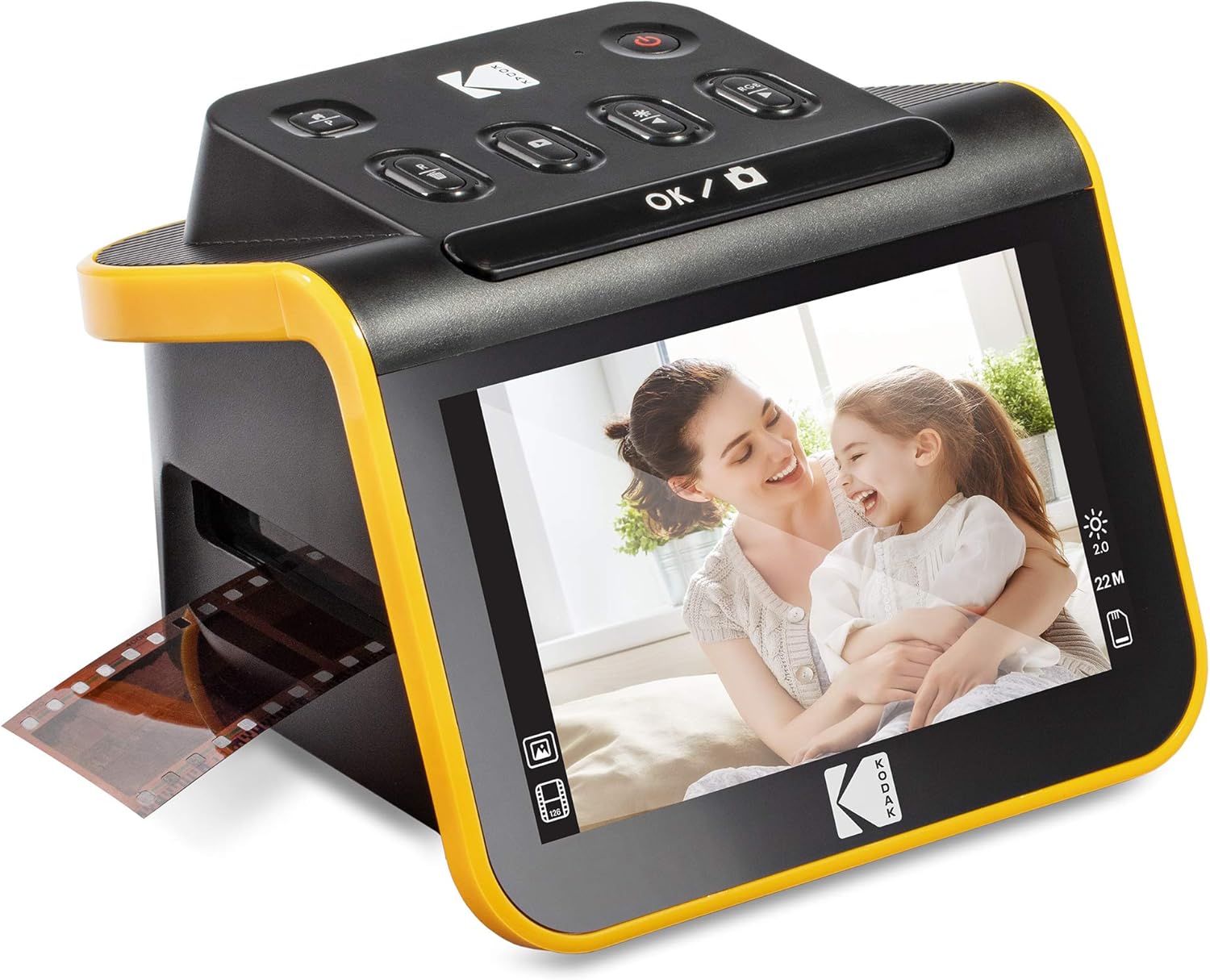
| Resolution | 13MP/22MP (interpolation) |
|---|---|
| Image sensor | 13-megapixel CMOS |
| Connection Type | HDMI, USB |
| Media Type | Negatives, Slide |
| SD support | SD/SDHC up to 32GB |
The KODAK Slide N Scan is a simple, purpose-built scanner for converting old negatives and slides into digital JPEGs without a PC. It feeds film through an easy-load insert and accepts 135/110/126 formats plus 50mm slides, and it can save images directly to an SD/SDHC card (up to 32GB) or transfer via the included USB cable. The large 5" LCD and gallery mode make previewing and basic edits straightforward, and a one-touch scan flow plus adapters and a cleaning brush make batch scanning faster than hand-feeding individual mounts. The unit captures images using a 13MP sensor with an option to output up to 22MP via interpolation and offers HDMI output for TV viewing. Expect good color and balanced results for most consumer film; however resolution is sensor-limited and interpolated up to 22MP rather than true optical. The scanner is USB or external-power bank powered, so it is convenient on a desk but depends on having an SD card (not included). For straightforward, reliable digitizing of family slides and negatives, it keeps the process quick and low-friction.
Best for: Buyers who want a dependable, no-fuss way to digitize family slides and film with minimal setup and straightforward controls for regular use.
Less Ideal for: Photographers who need true high-resolution archival scans or advanced image control should consider higher-end dedicated film scanners or drum scanning services.
- Easy-load continuous feeding speeds up bulk scanning
- Large 5" LCD with gallery mode for instant previewing and sharing
- Includes adapters for 135, 110 and 126 film plus slide holder and cleaning brush
- Saves directly to SD/SDHC card and offers USB and HDMI connectivity
- 22MP option is achieved by interpolation rather than higher native optical resolution
- Requires an SD card to operate and ships without one
Verdict: A reliable, easy-to-use scanner for quickly turning family slides and negatives into viewable digital files without a computer.
KODAK SCANZA Film Scanner

| Compatible film types | 35mm, 126, 110, Super 8, 8mm |
|---|---|
| Sensor | 14MP (interpolated to 22MP) |
| Outputs | SD card, USB, HDMI |
| Screen | 3.5" tilt-able LCD |
| SD card support | up to 128GB |
The KODAK SCANZA is a standalone film and slide scanner designed to quickly convert 35mm, 126, 110, Super 8 and 8mm negatives and slides into JPEG files. It uses a 14MP sensor with optional interpolation to 22MP, a tilt-able 3.5" LCD for previewing and simple on-unit controls for capture, rotation and basic edits. Film is loaded into numbered inserts and adapters for fast batch scanning, and output can be saved directly to an SD card (up to 128GB), exported over USB to a computer, or shown on a TV via HDMI. Included accessories cover power and connectivity and a cleaning brush helps reduce dust on the light box. The scanner is built for convenience rather than high-end archival quality, so scans are quick and easy but will not match flatbed or drum scanner detail; Super 8 is converted to still frames rather than video. The device also powers off after inactivity and requires a brief power-button hold to turn on, which helps conserve energy but can interrupt workflow if you step away during a session.
Best for: Buyers who want a straightforward, mostly standalone way to digitize family negatives and slides quickly and rely on peer feedback to choose a proven, easy-to-use model.
Less Ideal for: Archivists or photographers seeking museum-grade, high-resolution archival scans or those who need Super 8 transferred as continuous video should look at higher-end flatbed or film transfer solutions.
- Supports multiple film formats including 35mm, 126, 110, Super 8 and 8mm with adapter trays.
- Built-in 3.5" tilt-able LCD for previewing, basic editing, and easy capture without a PC.
- Saves scans directly to SD card and offers USB and HDMI outputs for flexible export and playback.
- Includes accessories needed to start scanning: power/USB/HDMI cables and a cleaning brush.
- Not a flatbed scanner so image quality is lower than professional archival scanners.
- Super 8 and 8mm are converted to still images only, not video.
- Requires an SD card (sold separately) to save scans standalone.
Verdict: A user-friendly, all-in-one film scanner that makes fast, serviceable JPEG conversions of many film formats without a PC, ideal for converting family collections.
Magnasonic FS71 24MP Film Scanner
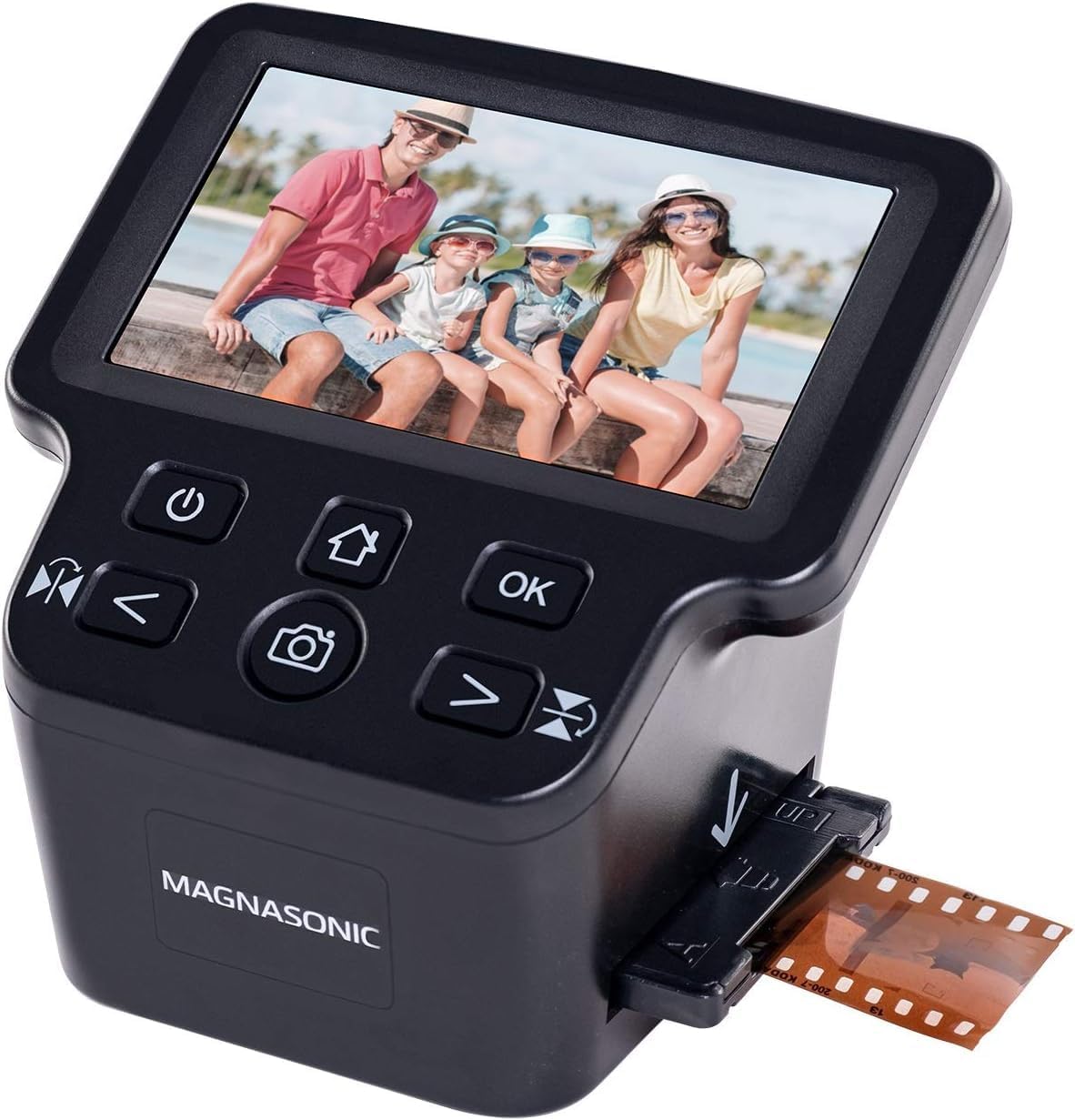
| Scanner Type | Film, Photo |
|---|---|
| Connection Type | HDMI, USB |
| Resolution | 24MP (interpolation) |
| External Memory Card | Up to 128GB SD card |
| Scan Speed | 3-5 Seconds |
The Magnasonic FS71 is an entry-level all-in-one film and slide scanner designed to quickly convert old negatives and slides into shareable JPEGs without a computer. It accepts multiple formats including 35mm, 110, 126, Super 8 and common slide sizes, and uses a 16MP sensor with interpolation to 24MP for higher-resolution output. Scans are fast — about 3 to 5 seconds each — and you can preview and adjust brightness and color directly on the built-in 5" TFT screen or output to a TV/monitor over HDMI. Files save to an SD card (up to 128GB) or transfer via USB, so storing large collections is straightforward. Practical benefits include simple setup, included film and slide adapters, and on-device editing tools that remove the need for extra software. Limitations to keep in mind are the reliance on interpolation for the 24MP claim rather than a true 24MP sensor, fixed focus optics, and JPEG-only output which reduces advanced editing flexibility. For cautious buyers looking to digitize family archives without a steep learning curve, it is a convenient, purpose-built option.
Best for: Buyers who want a low-friction, do-it-yourself way to digitize family slides and negatives and prefer a simple, mostly standalone device over a computer-dependent workflow.
Less Ideal for: Archivists, photo professionals, or hobbyists who need native high-resolution raw output, advanced color management, or the highest optical detail should consider more advanced dedicated scanners.
- All-in-one workflow with a 5-inch display and HDMI output for previewing and slideshows
- Fast single-pass scanning at roughly 3–5 seconds per frame
- Supports a wide range of film and slide formats using included adapters
- Saves directly to SD card up to 128GB or to a PC via USB without extra software
- Uses interpolation to reach 24MP rather than a true 24MP optical capture
- Fixed focus lens limits fine detail recovery compared with higher-end scanners
- Outputs only JPEG files, which limits lossless editing options
Verdict: A user-friendly, standalone film scanner that quickly digitizes a variety of film and slide formats with on-device preview and simple storage options.
Choosing the Right Film Negative Scanner: Key Factors to Consider
Optical Resolution
Resolution determines how much detail you capture from a negative and directly affects the largest print size you can make without obvious softness. Higher optical resolution is essential for 35mm and medium-format negatives intended for large prints or cropping. Keep in mind that quoted dpi numbers can be misleading if they reflect interpolated values rather than true optical sampling.
Also consider how resolution interacts with your intended workflow. If you mainly archive thumbnails or web images, extreme resolutions add scanning time and file size without visible benefit. For archival or professional print work, favor true optical resolution and check sample scans where possible.
Dynamic Range And Tonal Recovery
A scanner's dynamic range influences its ability to hold highlight and shadow detail from high-contrast negatives. Film often contains exposed highlights and deep shadows; a unit with good dynamic range preserves more information for post-scan edits and lowers the need for aggressive corrections.
Look at how the scanner's software exposes and recovers shadow and highlight detail. Some systems offer multi-exposure capture or HDR-style scans of the same frame to extend usable range. For negatives with high contrast or push-processed film, stronger tonal recovery options are important.
Color Accuracy And Software Tools
Color fidelity depends on the scanner's sensor, light source, and the quality of its color management pipeline. Effective scanning software provides white balance, tone curves, and film-profile support or custom ICC workflow compatibility to match original color intent.
Dust and scratch removal, grain management, and selective retouching tools reduce time spent in external editors. Consider whether the included software supports batch corrections and whether it exports high-bit-depth files for further color grading.
Film Handling And Mechanical Stability
How the scanner secures negatives affects registration, focus, and consistency. Rigid film holders that keep negatives flat and aligned produce sharper, repeatable results and reduce the chance of uneven focus or light leaks. For batch scanning, the reliability of feeders and carriers becomes more important.
Also assess how the scanner handles different formats if you work with multiple film sizes. Tooling for 35mm strips, mounted slides, and medium-format frames should be precise and easy to use to avoid repeated rework.
Throughput And Workflow Efficiency
If you have large quantities of film, scan speed and batch workflow features will save substantial time. Consider whether the scanner supports batch feeding, automated frame detection, and low-overhead file export to a watched folder or image server.
Faster capture is only useful when paired with reliable alignment and consistent color; otherwise you trade speed for increased post-processing work. Think through your complete workflow from loading film to final storage to identify bottlenecks before choosing.
File Formats And Post-Processing Flexibility
Support for high-bit-depth file formats such as 16-bit TIFF preserves more tonal information for color grading and archival. RAW-like capture or uncompressed TIFF output gives more latitude during post-processing than compressed JPEGs.
Also consider how easy it is to integrate scanned files into your existing image-management system and whether the scanner's output metadata supports cataloging for large archives.
When To Choose Dedicated Film Scanning Over Camera Scans
Flatbed or dedicated film negative scanners are purpose-built for consistent film capture, providing accurate optical alignment, controlled illumination, and integrated holders. Camera-based scanning can be faster for quick digitization but often requires additional accessories and careful setup to match the consistency a dedicated unit provides.
- Dedicated scanners usually offer better dust removal and color-management integration.
- They provide stable holders that ensure consistent focus across frames.
- Camera setups can be more flexible for irregular formats but need more user skill.
Managing Dust, Scratches, And Grain
Dust and scratches are inevitable when working with older film. Scanners with effective infrared-based dust and scratch removal or advanced software algorithms reduce time spent on manual retouching. For heavily degraded negatives, plan for some manual cleanup even when hardware correction is available.
- Use clean, lint-free gloves and compressed-air sparingly when preparing film.
- Consider multiple passes or multi-exposure features for problematic negatives.
- Preserve original negatives and note which frames required heavy correction for archival records.
Color Management And ICC Profiles
Accurate color requires a controlled workflow from scanner to monitor to final output. Look for scanners that support color-managed workflows and can export in high-bit-depth formats. Calibrating your monitor and using ICC profiles tailored to your scanning software ensures more predictable color reproduction.
- Capture in 16-bit where possible to retain color depth.
- Build or use established ICC profiles for common film stocks if available.
- Soft-proof to your intended output profile before final adjustments.
Archival Practices For Digitized Film
Digitizing film for archival purposes means balancing resolution, file format, and storage strategy. Use lossless high-bit-depth formats and a consistent naming and metadata convention so files remain discoverable years later. Maintain backups and consider offsite or cloud archival solutions for irreplaceable negatives.
- Store master files in uncompressed TIFF with embedded metadata.
- Keep a working copy for edits and a pristine archival master.
- Document film details such as exposure, processing notes, and condition in a sidecar or database.
How We Chose the Best Film Negative Scanner
Our shortlist favors film negative scanners that reliably produce high-quality digital files across common formats and shooting workflows. We prioritized optical resolution and effective dynamic range because those specs directly determine how large and detailed a print you can make and how much highlight and shadow detail you can recover. We also weighed software capability and included models with robust image correction tools, batch-scanning features, and support for common color management workflows. Build quality and feed stability matter for consistent frame alignment and to avoid light leaks or movement during capture, so mechanical design was another filter. Speed and throughput were considered for users who need to digitize large volumes of film without sacrificing consistency. We excluded scanners that lack dedicated film holders or offer only photocopier-style scanning, since those designs limit image fidelity. We also filtered out devices with poor software support or limited color depth because those shortcomings materially reduce final-image quality. The final list balances resolution, tonal range, software, and practical usability for real-world scanning tasks.
Our full evaluation process is outlined in our review methodology.
FAQ
What optical resolution do I need for 35mm negatives?
For 35mm, true optical resolution in the range of 3000 to 5000 dpi is typically adequate for high-quality prints and moderate cropping. Higher resolutions help when heavy cropping or very large prints are expected, but they increase scanning time and file size.
Can I use a flatbed scanner for negatives?
Some flatbed scanners include film holders and can do a decent job, but they often have lower optical resolution and dynamic range than dedicated film negative scanners. For serious archival or print work, a dedicated film scanner is usually a better choice.
How important is 16-bit scanning?
Scanning at 16 bits per channel preserves more tonal and color information, giving you greater flexibility in post-processing and less risk of banding. For archival and professional workflows, 16-bit capture is recommended.
Will dust removal ruin film grain?
Automated dust-removal tools can sometimes soften fine grain or reduce perceived sharpness, especially when set aggressively. Use conservative settings and review results at 100 percent to balance dust removal against preserving film texture.
How do I choose between speed and quality?
If you have large volumes and the film is in good condition, prioritize scanners with reliable batch workflows to save time. For highest image quality or fragile negatives, choose a slower, higher-resolution capture with better film handling and tonal recovery.
Final Verdict
Choose a film negative scanner by matching optical resolution and dynamic range to the size and purpose of your prints or archives. Prioritize reliable film holders and software that supports high-bit-depth capture, good dust and scratch correction, and color-management workflows. Tradeoffs are inevitable: higher-resolution archival scans take longer and produce larger files but preserve more detail for future use. Focus on the dimensions that matter most to your workflow—resolution, tonal range, or throughput—and pick the scanner that best balances those needs for consistent results.