
Note: This article contains affiliate links. If you click on these links and make a purchase, we may earn a small commission at no extra cost to you. This helps support our research and content. Read our full affiliate disclosure here.
If you are digitizing negatives or slides, choosing the right film scanner determines how much of the original detail and tone you preserve. A good film scanner saves time, reduces artifacts, and creates files that are ready for editing or archival use. This guide covers seven shortlisted film scanners selected for home and small-studio photographers, focusing on image fidelity, scanning throughput, software control, and ease of use. Below you will find the evaluation criteria we used and the top picks that match different needs and workflows.
Top Picks at a Glance
| Best Overall The best all-around choice for most situations | Plustek OpticFilm 8200i SE |  |
| Best Quality Built to a higher standard if you want something more solid | Epson Perfection V850 Pro |  |
| Best Value The sweet spot between price and what you get | Wolverine Titan Film to Digital Converter |  |
| Best Budget The cheapest option that still gets the job done reliably | DigitConvert Mobile Film Scanner |  |
| Top Rated A top-rated pick with lots of positive feedback | KODAK Slide N Scan |  |
| Most Popular A crowd favorite that many people choose with confidence | KODAK SCANZA Film Scanner |  |
| Best Seller A high-volume bestseller chosen again and again | Magnasonic FS71 Film Scanner |  |
Plustek OpticFilm 8200i SE

| Scanner Type | Photo |
|---|---|
| Connection Type | USB |
| Resolution | 7200 |
| Color Depth | 48 bits |
| Media Type | Negatives, Photo, Slide |
The Plustek OpticFilm 8200i SE is a desktop 35mm film and slide scanner aimed at photographers who want high-resolution digital conversions from negatives and mounted slides. It captures up to 7200 dpi with 48-bit color depth, uses a high-sensitivity CCD and offers an infrared channel for dust and scratch detection so many defects can be removed automatically during scanning. The scanner includes multi-exposure capability to extend dynamic range, and it ships with QuickScan and SilverFast SE Plus for color correction, batch scanning, and more control over output. In practice it is used for careful archival work or hobby projects where image detail and tonal range matter more than speed; batch scanning with holders is possible but each frame still benefits from time spent on exposure and color adjustments. Limitations include a single-film-size focus on 35mm and a workflow that benefits from learning SilverFast to get the best results, so it is less convenient for casual users who just want one-touch scans.
Best for: Photographers and enthusiasts who want high-resolution, archival-quality scans from 35mm negatives or slides and are willing to invest time in software and post-scan adjustments.
Less Ideal for: Casual users who need quick, one-button scans of assorted media sizes or those who prefer a simpler, more automated scanning device.
- Very high optical resolution (7200 dpi) that preserves fine detail from 35mm film
- Built-in infrared dust and scratch detection for automated defect removal
- 48-bit color depth and multi-exposure support for improved tonal range
- Bundles QuickScan and SilverFast SE Plus for color correction and advanced scanning controls
- Designed only for 35mm negatives and slides, so it is not flexible for other film sizes
- Requires time and familiarity with bundled software to extract the best image quality
Verdict: Choose the OpticFilm 8200i SE if you need a 35mm-focused scanner that delivers very high-resolution, defect-reduced scans for archival or detail-critical work.
Epson Perfection V850 Pro

| Scanner Type | Photo |
|---|---|
| Connection Type | USB |
| Resolution | 9600 |
| Color Depth | 48 bits |
| Optical Sensor Technology | CCD |
The Epson Perfection V850 Pro is a pro-grade flatbed scanner built for archiving film and photos at very high resolution. It uses a dual-lens system with CCD sensors and a ReadyScan LED light source to capture up to 6400 dpi for film and 9600 dpi listed resolution for detail work, and it supports 48-bit color depth for rich tonal gradation. Included film holders and Digital ICE image-restoration technologies help remove dust and scratches and make batch scanning of slides, negatives, and medium or large-format film practical for serious hobbyists and pro photographers. The unit connects via Hi-Speed USB and offers TWAIN support and Windows/macOS compatibility for integration into common workflows. The scanner is substantial and not compact, and its speed will be slower than consumer flatbeds when scanning at maximum resolution, so expect longer scan times and larger file sizes when pushing its capabilities. It is best used where image quality and restoration features matter more than scan throughput or portability.
Best for: Photographers and photo archivists who prioritize image quality and restoration when converting film and prints to digital files and need pro-level scanning control.
Less Ideal for: Casual users who need fast, occasional document scans or a compact, portable unit should consider simpler consumer scanners instead.
- High optical resolution and dual-lens system for detailed film scans
- Digital ICE technology to remove dust and scratches during film and print scans
- Includes film holders for 35 mm, medium and large-format batch scanning
- 48-bit color depth and 4.0 Dmax for superior tonal range and shadow detail
- Large and heavy footprint compared with consumer flatbed scanners
- High-resolution scans produce long scan times and large files
Verdict: Choose the V850 Pro when you need maximum film-and-photo image quality and reliable image-restoration for archival scanning.
Wolverine Titan Film to Digital Converter

| Scanner Type | Film |
|---|---|
| Connection Type | HDMI, USB |
| Resolution | 20 Megapixels |
| Light Source Type | LED |
| Media Type | Negatives, Photo, Slide |
The Wolverine Titan is a user-friendly film-to-digital converter designed to quickly turn 35mm, 127, 126, 110 and APS slides and negatives into JPEG images without a computer. It uses a CMOS sensor and LED illumination to capture 20 megapixel images that save to internal memory or an SD/SDHC card, and the 4.3" color screen plus HDMI output make it easy to preview or show scans on a TV. Fast-loading adapters let you push strips or slides through for very quick batch scanning, with single scans taking about three seconds. Because it operates standalone from AC power or USB, setup is simple for nontechnical users and casual archivists. Important limitations are that it produces fixed JPEG files rather than raw scans and lacks advanced image restoration or dust/scratch removal features found in higher-end scanners, so heavy restoration may still require desktop software. The Titan is best for quickly digitizing large quantities of film when convenience and speed matter more than professional-grade editing control.
Best for: Buyers who want a straightforward, time-saving way to convert large stacks of slides and negatives into viewable digital photos without fuss or a computer.
Less Ideal for: Photographers seeking professional-grade scans with raw output and advanced dust, scratch, or color restoration should choose a dedicated film scanner or drum/flatbed scanner instead.
- Standalone operation with internal memory or SD card means no computer required
- Fast-loading adapters and ~3 second scan time enable rapid batch digitizing
- 4.3" color screen and HDMI output let you preview and view scans on a TV
- 20 MP CMOS sensor delivers high-resolution JPEGs suitable for prints and sharing
- Outputs JPEG only and does not offer raw capture or advanced restoration tools
- No included TV HDMI cable and limited built-in image correction compared with prosumer scanners
Verdict: If you need a fast, no-fuss way to digitize large quantities of slides and negatives, the Titan delivers quick, high-resolution JPEGs without a computer.
DigitConvert Mobile Film Scanner
| Scanner Type | Films and Slides |
|---|---|
| Connection Type | Mobile |
| Resolution | 600 dpi |
| Color Depth | 24 bits |
| Media Type | negative,diapositif |
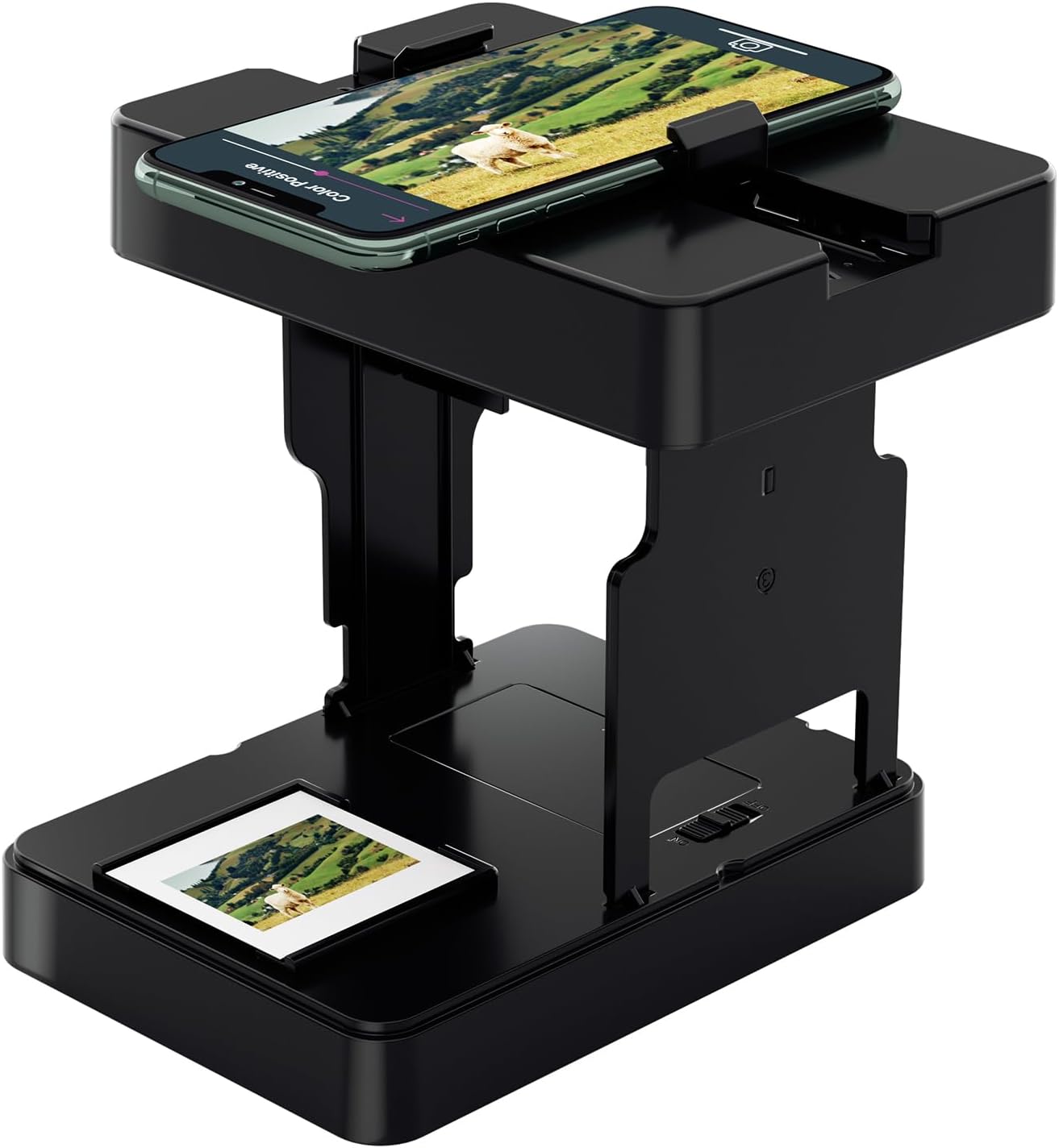
The DigitConvert Mobile Film Scanner is a foldable, battery-operated viewer and capture rig that turns 35mm slides and negatives into JPEGs using your smartphone. You assemble the lightweight housing, flip on the LED backlight, insert a slide or negative, mount and align your phone in the retractable clamp, and capture images with the free Pic-Scanner app or another camera app. Its 600 dpi resolution and 24-bit color depth mean scans can look decent for sharing, archiving, and small prints, while the built-in LED keeps exposure consistent without needing extra lights. The portable, fold-flat design and included AA batteries make it easy to take on trips or work through boxes of film without a computer connection. Limitations are predictable for an inexpensive mobile solution: image quality depends heavily on phone camera quality and alignment, there is no built-in image processing beyond the app, and throughput is slower than automated feed scanners because each frame is captured manually. For budget projects and casual digitizing this is a practical, low-cost way to preserve film negatives and slides.
Best for: Buyers on a tight budget who want a simple, portable way to convert boxes of family 35mm slides or negatives into shareable digital photos without buying dedicated hardware.
Less Ideal for: Photographers needing high-volume, archival-grade scans or users who want automated batch scanning and built-in image processing should choose a dedicated desktop film scanner instead.
- Folds into a compact case for easy storage and travel
- Battery powered with included AA batteries so no external power is required
- Retractable phone clamp and sliding phone mount make camera alignment straightforward
- 600 dpi resolution and 24-bit color depth provide usable scans for sharing and small prints
- Includes free companion app for scanning and basic workflow
- Final image quality depends on the phone camera and manual alignment
- No automatic image correction or batch automation built into the unit
Verdict: A very affordable, portable solution for casually digitizing 35mm slides and negatives using your smartphone when budget and portability are the top priorities.
KODAK Slide N Scan
| Scanner Type | Film |
|---|---|
| Connection Type | HDMI, USB |
| Resolution | 22 Megapixels |
| Color Depth | 24 bits |
| Media Type | Negatives, Slide |
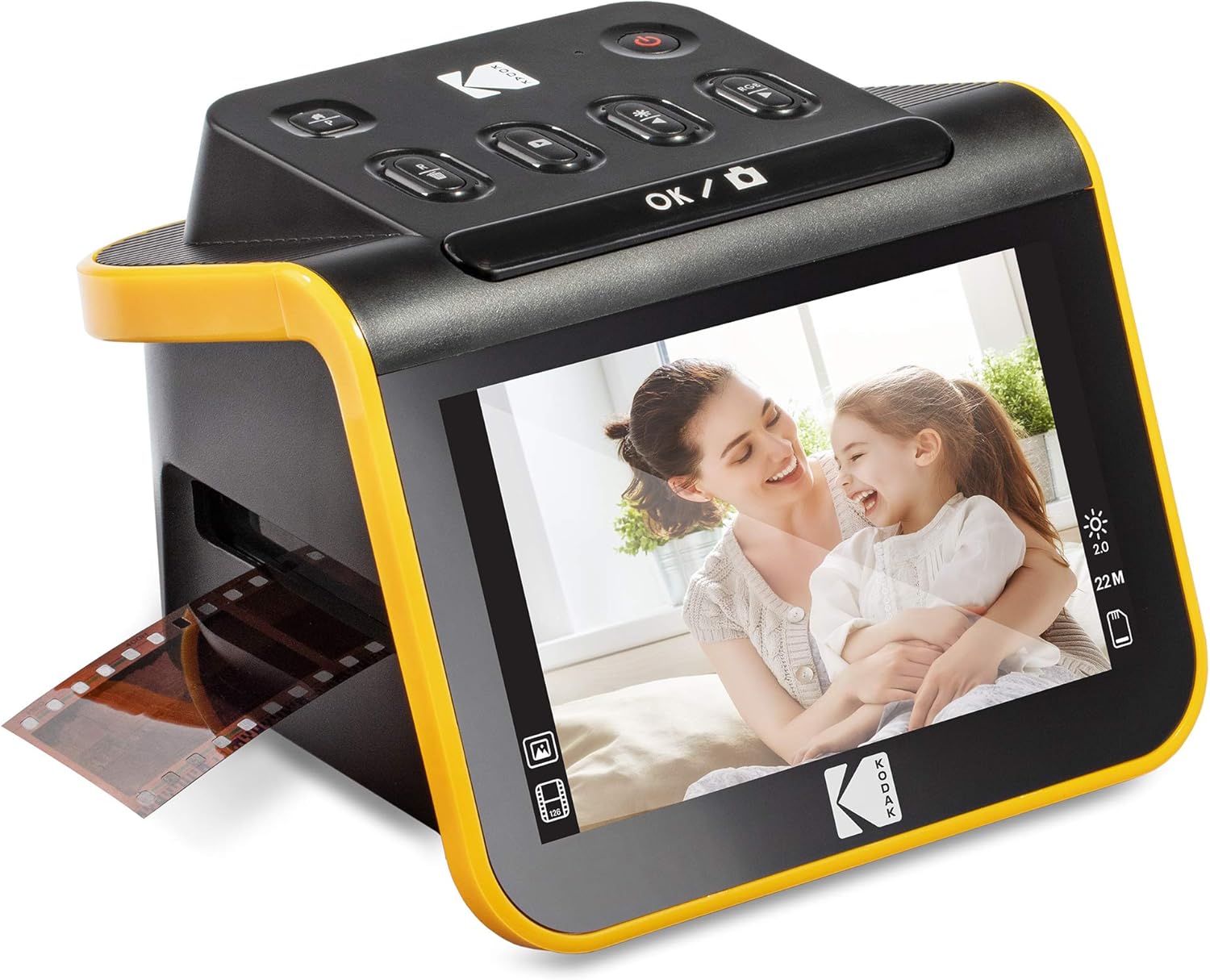
The KODAK Slide N Scan is a purpose-built film and slide scanner that makes digitizing old 35mm, 110 and 126 negatives and 50mm slides straightforward without a computer. You load film into the quick-feeding tray or the included adapters, preview images on the large 5" LCD, then scan with one-touch controls; files are saved directly to an SD/SDHC card (up to 32GB) or transferred via USB. The unit captures 13MP natively and can interpolate to 22MP for larger files, and it includes basic onboard editing for color, brightness and date stamping so many corrections can be handled before transfer. HDMI output and a gallery mode let you display results on a TV or use the scanner as a simple digital frame. Practical limitations include dependence on an SD card (not included) and interpolation rather than true optical upscaling for 22MP images, so extremely large prints may not hold up to professional archival scanning. For everyday preservation and easy sharing the Slide N Scan is fast, user-friendly and consistent.
Best for: Buyers who prioritize a reliable, no-fuss way to preserve and share family slides and negatives will appreciate this scanner’s steady output and straightforward controls.
Less Ideal for: Photographers seeking professional archival-grade scans or the highest native optical resolution should consider higher-end flatbed or dedicated drum scanners instead.
- Large 5" LCD with gallery mode for easy previewing and sharing
- Quick-feeding tray and adapters for 135, 110 and 126 films speed up scanning
- Saves JPEG files directly to SD/SDHC card or connects to computer via USB
- Simple one-touch scanning and basic onboard editing for color and brightness
- 22MP option is achieved via interpolation rather than higher native optical resolution
- Requires an SD card to operate and the card is not included
Verdict: A dependable, easy-to-use film and slide scanner that gets family negatives and slides into shareable JPEGs with minimal setup.
KODAK SCANZA Film Scanner

| Compatible film types | 35mm, 126, 110, Super 8, 8mm |
|---|---|
| Sensor | 14MP (interpolated to 22MP) |
| Display | 3.5" tilt-able LCD |
| Storage | SD card (up to 128GB) support |
| Connections | HDMI, USB |
The KODAK SCANZA is a purpose-built film and slide scanner that quickly converts 35mm, 126, 110, Super 8 and 8mm negatives and slides into JPEG files using a built-in 14MP sensor with optional interpolation up to 22MP. You load film into numbered adapter trays, preview images on the tilt-able 3.5" LCD, then capture and save directly to an SD card or export over USB, and you can even display results on a TV via HDMI. The unit is compact and includes multiple adapters, an AC adapter, USB and HDMI cables, and a brush for cleaning the light box. It is designed for straightforward, fast digitizing of family archives rather than high-end archival scans; the camera-style capture is convenient and much faster than flatbed scanning but will not match the color depth and detail of dedicated drum or high-end flatbed scanners. The automatic shutoff and simple controls keep the workflow easy, while the note that the device only reads developed film and produces still images from Super 8 is important for expectations.
Best for: Buyers who want a simple, mostly self-contained way to convert family negatives and slides into viewable JPEGs quickly and with minimal setup, relying on peer feedback and proven ease of use.
Less Ideal for: Photographers or archivists who need museum-quality, high-resolution archival scans or granular color profile control should consider higher-end flatbed or film scanners instead.
- Accepts a wide range of film formats including 35mm, 126, 110, Super 8 and 8mm for broad compatibility
- Built-in 3.5" tilt-able LCD for previewing, rotating and basic editing without a computer
- Saves directly to SD card and offers HDMI and USB output for easy transfer or TV projection
- Comes with multiple adapter trays, cables, AC adapter and cleaning brush for out-of-box scanning
- Image capture is a snapshot-style camera system so it will not reach the detail or dynamic range of high-end flatbed or film scanners
- Requires developed film and does not convert exposed but undeveloped negatives or produce video from Super 8
Verdict: A fast, user-friendly way to turn family film and slides into JPEGs with minimal fuss, ideal for anyone prioritizing speed and simplicity over archival-grade scans.
Magnasonic FS71 Film Scanner
| Scanner Type | Film, Photo |
|---|---|
| Connection Type | HDMI, USB |
| Resolution | 24MP (interpolated) |
| External Memory Card | SD card up to 128 GB |
| Scan Speed | 3-5 Seconds |
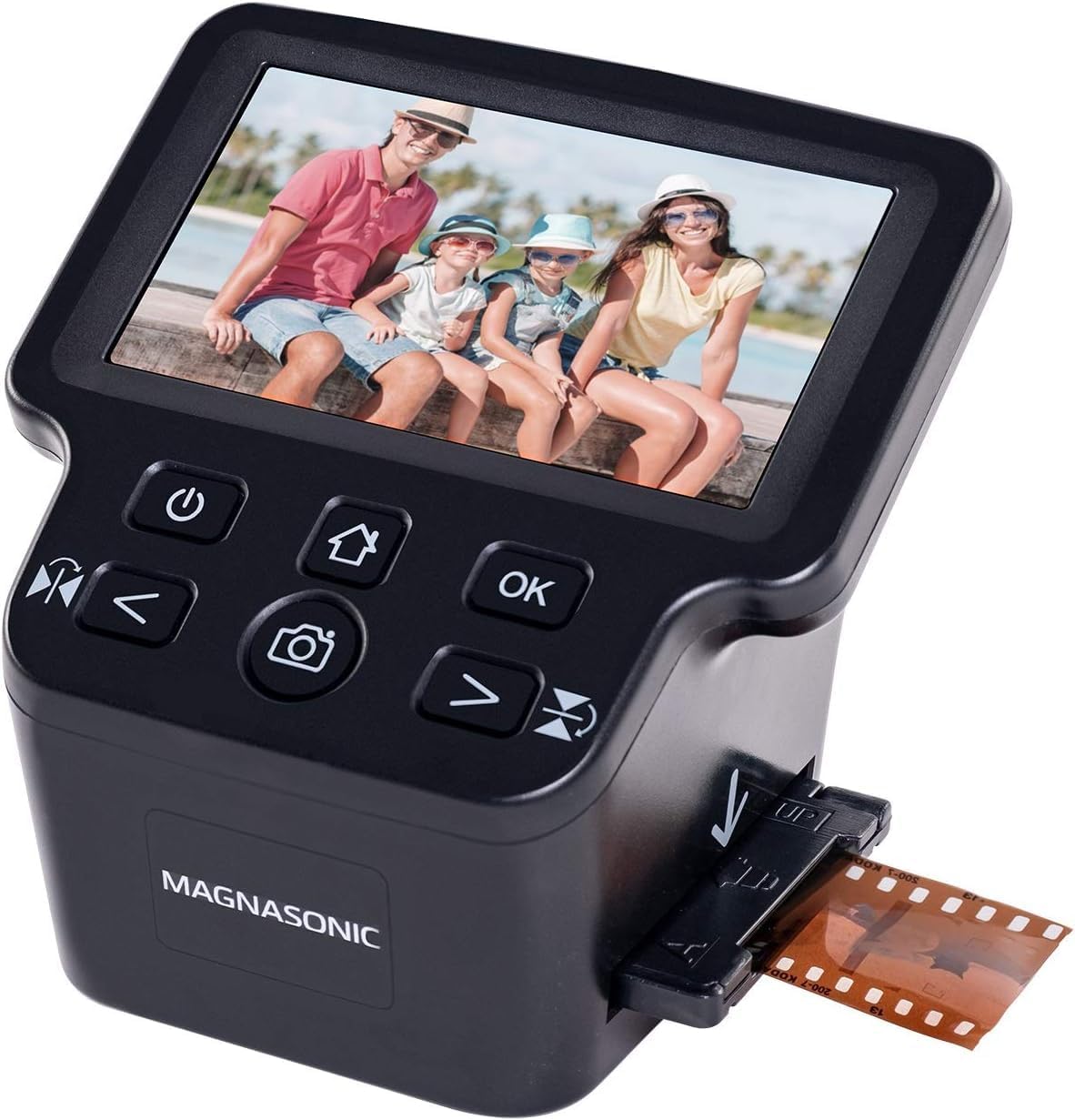
The Magnasonic FS71 is an entry-level all-in-one film and slide scanner built to quickly digitize a variety of small-format film and slides without a computer. It scans 35mm, 110, 126 and Super 8 negatives and 135/126/110 slides into JPEGs using a 16MP sensor with interpolation to 24MP, and you can preview and adjust brightness or basic color directly on the 5" TFT LCD. Scans are fast, typically 3 to 5 seconds each, and files save to an SD card (up to 128 GB) or transfer via USB, while HDMI output lets you view slides on a TV for group viewing. The unit is simple to use thanks to dedicated film inserts and on-screen controls, making it practical for someone with a box of family negatives who wants straightforward results with minimal setup. Image quality is good for sharing and prints at modest sizes, but the scanner relies on interpolation rather than a larger sensor or advanced restoration tools, so it will not match professional drum or flatbed scanners for fine grain and dynamic range.
Best for: Buyers who want a low-friction, dependable way to digitize family slides and small-format film with minimal technical setup or software fuss and prefer a device that works out of the box.
Less Ideal for: Photographers or archivists seeking archival-grade scans, maximum detail, or advanced restoration tools should consider higher-end flatbed or dedicated film scanners instead.
- Scans multiple film formats including 35mm, 110, 126 and Super 8 with included adapters
- Fast single-pass scanning with typical 3–5 second scan speed
- Built-in 5" color LCD and HDMI output allow previewing and viewing without a computer
- Saves JPEGs to SD card up to 128 GB or transfers via USB without special software
- Uses interpolation to reach 24MP so it cannot match higher-end scanners for detail and dynamic range
- No built-in memory and limited on-device editing compared with dedicated desktop scanning software
Verdict: A straightforward, risk-free choice for quickly turning boxes of slides and small-format film into shareable JPEGs without needing a computer.
Choosing the Right Film Scanner: Key Factors to Consider
Optical Resolution and Lens Quality
Optical resolution determines how much fine detail from a negative or slide will be present in the digital file. Higher native optical resolution is important when you plan to make large prints or crop aggressively, because interpolation cannot recreate genuinely captured detail. Pay attention to how resolution is reported: native optical resolution is more meaningful than interpolated numbers.
Lens quality and the scanner's optical path also affect edge sharpness and the presence of optical aberrations. A device with good optics will render grain structure and film grain more faithfully, which matters for archival work and for photographers who want natural-looking scans rather than overly smoothed results.
Dynamic Range and Color Depth
Dynamic range measures the scanner's ability to capture detail in both shadows and highlights from the original film. Films with a wide exposure latitude or high-contrast slides require a scanner that preserves midtones and highlight roll-off without clipping.
Bit depth and color depth in the scanner's output affect how smoothly tones and gradients render and how much headroom you have in post-processing. Higher bit-depth captures reduce banding and allow more aggressive color and exposure adjustments without introducing artifacts.
Scanning Speed and Batch Workflow
Scan speed is about more than a single-frame time measurement; it includes how the device handles multiple frames, how quickly it writes high-bit-depth files, and how much operator time is required per frame. If you are digitizing large archives, features like motorized feed, efficient batch holders, or multi-frame trays significantly reduce total project time.
Also consider the balance between speed and quality. Some scanners offer faster preview modes and slower high-quality passes. Choose a device whose throughput matches how much time you are willing to spend per frame versus the expected image quality.
Software Features and File Output
Included software and driver support strongly influence the end result. Look for robust color profile support, batch naming and export options, tethered capture or scripting, and advanced correction tools such as dust and scratch removal and infrared-based defect detection when available.
Output formats matter for future editing and archiving. Support for high-bit-depth TIFFs, uncompressed or lossless formats, and embedded color profile options will make downstream editing and long-term preservation easier. Check whether the software provides consistent scanning presets and reliable metadata embedding.
Film Handling, Holders, and Compatibility
Physical handling affects alignment, scratch risk, and the accuracy of framing. Good film holders that keep film flat and consistent across frames reduce focus and perspective errors. If you work with multiple formats, look for holders or adapters that cover 35mm negatives, mounted slides, medium format strips, or larger formats if needed.
Ease of loading and unloading and the presence of clear guides or indexing marks can speed up repetitive work and reduce the chance of misfeeds or accidental damage to fragile negatives.
Maintenance, Support, and Long-Term Reliability
Scanners are precision devices that can require periodic cleaning, calibration, or occasional parts replacement. Consider how easy it is to access and clean the optical path, whether calibration targets or procedures are provided, and whether the manufacturer documents maintenance tasks.
Long-term reliability and available technical support matter when you are depending on the device for client work or large personal archives. Durable construction and clear service guides reduce downtime and extend useful life.
When to Choose a Dedicated Film Scanner
Dedicated film scanners are optimized for capturing negatives and slides with superior optical designs and film-specific holders. Choose a dedicated unit when your priority is archival-quality captures, consistent color rendition, and minimal post-scan correction work.
They are particularly useful when you need reliable dynamic range to preserve highlight detail or when you plan to generate large, printable files from small film formats. For casual one-off scans or mixed home office needs, other scanning options might be acceptable, but dedicated film scanners deliver the best results for photographic work.
- Better optical path designed for small-format film
- Film-specific holders for consistent framing and focus
- Higher dynamic range and color fidelity compared with general-purpose scanners
Tips for Preparing Film Before Scanning
Clean negatives and slides gently with a blower and soft brush to remove loose dust. Use anti-static solutions and high-quality lint-free gloves when handling negatives to avoid fingerprints and oils that can be difficult to remove later.
Inspect for stubborn dust or spots and consider a light ultrasonic cleaning for very dirty or archival material when appropriate. Allow any wet-cleaned film to dry completely in a dust-free environment before feeding into a scanner.
- Use a blower brush before every scan
- Avoid touching emulsion surfaces directly
- Let cleaned film dry fully to prevent water spots
Understanding Output Files and Post-Processing
Capture at the highest practical bit depth and native resolution for your needs. High-bit-depth TIFFs preserve the most tonal information and are preferable for serious editing or archival storage. Save master files in a lossless format and create lower-resolution derivatives for web use or quick sharing.
Color correction and dust removal are often best handled in post using the scanner's preview plus dedicated editing software. Make use of embedded profiles or scan software that allows you to export embedded color space information for consistent results across applications.
- Keep a lossless master file
- Use color profiles to maintain consistent color across devices
- Separate archival workflow from quick-export workflow
Ergonomics and Workspace Setup
Set up a comfortable, dust-minimized workspace with stable lighting and a level surface for the scanner and film handling. Good lighting and magnification tools reduce handling errors and help you spot defects before scanning.
Organize film strips and slides with numbered sleeves to maintain order during batch scanning. A small triangle of soft cloth for resting gloves and a dedicated blower nearby will speed workflow and reduce contamination.
- Keep a clean, level work surface
- Number and organize film frames for easy tracking
- Use consistent lighting and magnification when inspecting frames
Color Calibration and Consistency
Regular calibration ensures consistent color and exposure across long projects. Use scanner-specific calibration targets and update profiles when you change lighting, paper types, or software versions. Calibration is especially important if scans will be printed or compared to originals.
Document your settings and keep a small set of reference scans to verify that color balance and exposure are stable over time. That practice helps detect drift and keeps archive batches consistent.
- Use calibration targets periodically
- Record and reuse effective presets
- Keep reference scans for long projects
How We Chose the Best Film Scanner
We focused on practical, repeatable measures that matter to photographers and archivists working with negatives and slides. Primary evaluation criteria included optical resolution and dynamic range, which determine how much detail and tonal information the scanner captures. We assessed scanning speed and batch handling to reflect real-world throughput for projects ranging from single frames to large archives. Software and workflow compatibility was a key filter, including color calibration tools, dust and scratch removal options, and supported file formats. Ease of use and physical design were considered to ensure reliable feed alignment and straightforward film handling. Finally, build quality and long-term support factors such as replaceable parts and documented maintenance practices were part of the selection. We excluded flatbed scanners and multi-function office scanners that lack dedicated film holders or the optical characteristics needed for high-quality film capture. We also excluded scanners with inconsistent software or unclear support for RAW or high-bit-depth outputs. The resulting list emphasizes devices that balance measurable capture quality with efficient, stable scanning workflows.
Our full evaluation process is outlined in our review methodology.
FAQ
What resolution do I need to scan 35mm film for prints?
You usually need high native optical resolution to make large prints from 35mm negatives. For modest prints up to 8×10 inches, moderate resolution is often sufficient. Larger prints or heavy cropping require higher native optical resolution to retain detail.
Can dust and scratches be removed automatically?
Many film scanners offer infrared-based dust and scratch detection or software removal tools that work well for small defects. These tools are effective most of the time but may not handle severe damage, and they can sometimes alter fine grain rendering.
Is it better to scan at lower resolution and upsample later?
No. Upsampling cannot recover detail that was never captured optically. It is better to scan at the highest practical native optical resolution and then downsample or crop as needed in post.
How important is bit depth for scanning film?
Higher bit depth preserves more tonal gradations and gives you more latitude in color correction and exposure adjustments. For archival or heavy post-processing, higher bit-depth captures are recommended.
Do I need special holders for different film formats?
Yes. Proper holders keep film flat and in the correct plane for focus and exposure. Using the right holder for 35mm, medium format, or mounted slides reduces framing errors and improves consistency.
Final Verdict
When choosing a film scanner, prioritize optical resolution and dynamic range if your goal is archival-quality captures or large prints. Balance those capture needs against scanning speed and software features that match your workflow. Good film handling and reliable software can save hours of cleanup and rework. Decide whether you need fast batch throughput or the absolute best single-frame fidelity, then pick a scanner whose strengths align with that priority. With the right choice, you will preserve negatives and slides as usable, high-quality digital masters that stand up to editing and printing demands.