
Note: This article contains affiliate links. If you click on these links and make a purchase, we may earn a small commission at no extra cost to you. This helps support our research and content. Read our full affiliate disclosure here.
If you have boxes of film negatives or shoeboxes of 35mm slides, a dedicated Film & Slide Scanner makes it possible to convert those analog memories into stable digital files. The right scanner preserves detail, captures accurate color, and minimizes dust or scratches during capture so your images remain useful for printing or archiving. This guide shortlists the top scanners for common film formats and scanning workflows, and evaluates them on resolution, color fidelity, and user workflow.
Top Picks at a Glance
| Best Overall The best all-around choice for most situations | Plustek OpticFilm 8300i Ai |  |
| Best Quality Built to a higher standard if you want something more solid | Plustek OpticFilm 8200i SE |  |
| Best Value The sweet spot between price and what you get | Wolverine Titan Film to Digital Converter |  |
| Best Budget The cheapest option that still gets the job done reliably | DIGITNOW 35mm Film Scanner |  |
| Top Rated A top-rated pick with lots of positive feedback | KODAK Slide N Scan |  |
| Most Popular A crowd favorite that many people choose with confidence | KODAK SCANZA Film Scanner |  |
| Best Seller A high-volume bestseller chosen again and again | Magnasonic FS71 24MP Film Scanner |  |
Plustek OpticFilm 8300i Ai

| Scanner Type | Film |
|---|---|
| Connection Type | USB |
| Resolution | 7200 |
| Color Depth | 16 bits |
| Optical Sensor Technology | CCD |
The Plustek OpticFilm 8300i Ai is a single-strip 35mm film and slide scanner aimed at photographers who want high-resolution digital captures from negatives and slides. It uses a CCD sensor with a quoted 7200 dpi optical resolution and 16-bit color depth, and includes infrared-based dust and scratch removal plus a built-in ICC profile for color management. Plustek bundles SilverFast Ai Studio 9 and its QuickScan Plus utility, plus three Advanced IT8 calibration targets, so you can calibrate color and fine-tune scans without buying extra software. The scanner is designed for careful, one-frame-at-a-time scanning rather than batch panorama work, and its newer chip boosts scan speed versus prior models though using iSRD or higher DPI noticeably increases processing time. Setup is straightforward with a USB connection and a provided flash drive for drivers, but deep SilverFast features have a learning curve for users new to color calibration. For people who prioritize image quality and color accuracy from 35mm originals, the 8300i Ai delivers capable results when paired with proper calibration and workflow.
Best for: Photographers and photo hobbyists who want high-resolution, color-accurate scans of 35mm slides and negatives and are willing to invest time in calibration and software tuning.
Less Ideal for: People who need fast batch scanning of many frames or a plug-and-play scanner with minimal setup and software learning.
- High optical resolution (7200 dpi) and 16-bit color depth for detailed scans
- Includes SilverFast Ai Studio 9 and QuickScan Plus for advanced image processing
- Bundled Advanced IT8 calibration targets enable accurate color calibration
- Infrared iSRD dust and scratch removal reduces manual retouching
- Single-frame scanning only, no motorized batch scanning for roll film
- Advanced software and calibration tools require time to learn for best results
Verdict: Choose the OpticFilm 8300i Ai if you want high-resolution, color-accurate 35mm scans with professional calibration tools included.
Plustek OpticFilm 8200i SE

| Scanner Type | Photo |
|---|---|
| Connection Type | USB |
| Resolution | 7200 |
| Color Depth | 48 bits |
| Media Type | Negatives, Photo, Slide |
The OpticFilm 8200i SE is a high-resolution 35mm film and slide scanner aimed at users who want detailed digital captures from negatives and mounted slides. It scans at up to 7200 dpi with a 48-bit color depth and includes an infrared channel for iSRD dust and scratch detection so many defects are removed during capture. The unit bundles QuickScan and SilverFast SE Plus for color correction, multi-exposure capture, and workflow control, and supports both Windows and macOS drivers. In practice the scanner produces very fine detail and strong tonal range, especially when you use the multi-exposure option and SilverFast tools to pull shadow detail. The compact footprint and USB connection make it easy to add to a small desktop workflow, but expect scanning to be a deliberate process rather than instant batch throughput: film holders and careful placement are required and scanning at the highest resolutions takes time and disk space. The 8200i SE is particularly well suited to photographers prioritizing maximum image fidelity from 35mm originals, though casual users may find the workflow and software learning curve steeper than simpler consumer scanners.
Best for: Photographers and archivists who prioritize maximum image detail and tonal range from 35mm negatives or slides and are willing to work through a hands-on scanning workflow.
Less Ideal for: People who need fast, simple batch scanning, support for medium/large format film, or a plug-and-play consumer experience.
- Very high optical resolution up to 7200 dpi for detailed 35mm scans
- Integrated infrared channel (iSRD) for automatic dust and scratch detection
- Bundles SilverFast SE Plus and QuickScan for advanced color correction and multi-exposure capture
- 48-bit color depth and multi-exposure capability for improved tonal range and shadow detail
- High-resolution scans are time-consuming and produce large files
- Designed specifically for 35mm negatives and slides so not suited for larger film formats
Verdict: Buy this if you want a 35mm scanner that squeezes out the highest detail and dynamic range with infrared defect removal and professional scanning software.
Wolverine Titan Film to Digital Converter

| Scanner Type | Film |
|---|---|
| Connection Type | HDMI, USB |
| Resolution | 20 Megapixels |
| Color Depth | 24 bits |
| Light Source Type | LED |
The Wolverine Titan is a purpose-built film-to-digital converter that digitizes slides and negatives without a computer, saving images as JPEGs to internal memory or an SD card. It handles multiple formats including 35mm, 127, 126, 110 and APS using speed-load adapters that let you push strips or slides through for fast captures — the maker claims about three seconds per slide. The unit records 20 megapixel images with a 24-bit color depth and uses an LED light source with a CMOS sensor, and you can preview images on the 4.3" color screen or send them to a TV via HDMI. Setup is simple: plug into AC or USB power, insert film, and press a button, making it convenient for large batches without a computer workflow. Limitations include a modest internal workflow for image editing or dust and scratch correction, and maximum SD card support of 32 GB, which may require frequent offloads for large projects. For someone who wants a fast, no-fuss way to convert legacy film into usable digital files, the Titan is a practical choice.
Best for: Buyers who want a straightforward, hands-on way to convert boxes of old slides and negatives into digital photos quickly without learning scanning software or tethering to a computer.
Less Ideal for: Photographers who need high-end restoration, RAW files, or professional dust and scratch removal should choose a dedicated film scanner with advanced software instead.
- Standalone operation requires no computer or software to capture images
- Speed-load adapters for slides and negatives enable fast batch scanning
- 4.3" color screen and HDMI output let you preview and view images on a TV
- 20 megapixel CMOS sensor with 24-bit color depth for reasonably detailed JPEGs
- No built-in advanced dust, scratch or color correction and limited editing workflow
- SD card capacity limited to 32 GB which may need frequent transfers during large jobs
Verdict: A fast, no-fuss standalone converter for users who need to quickly digitize large collections of film and slides without a computer.
DIGITNOW 35mm Film Scanner
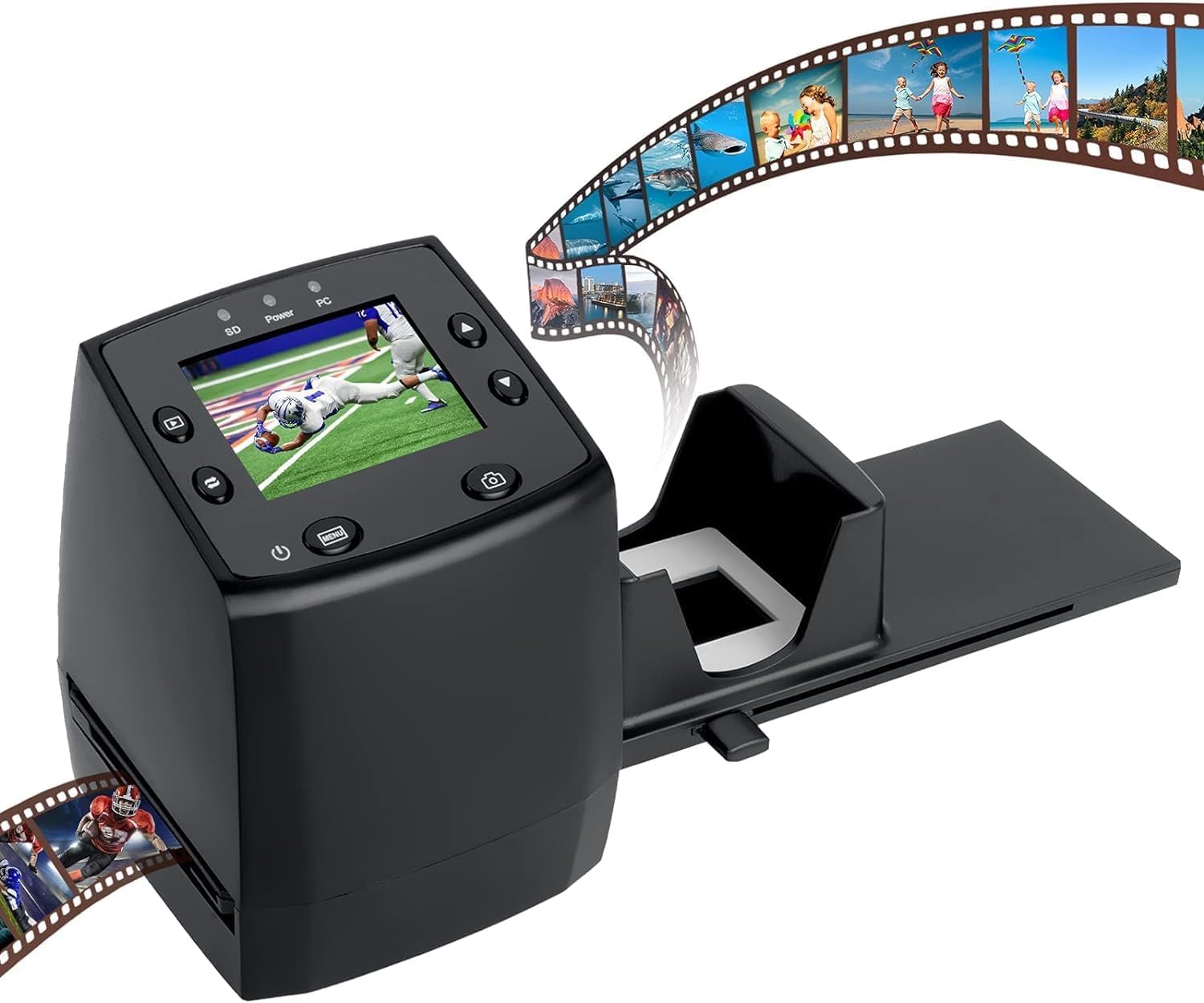
| Scanner Type | Film |
|---|---|
| Connection Type | USB |
| Resolution | 1800 |
| Light Source Type | LED |
| Media Type | Negatives, Slide |
The DIGITNOW 35mm Film Scanner is a small, standalone device for turning 35mm negatives and slides into digital JPEGs without needing a computer during capture. You load a slide or negative into the included holders or rapid feeder, use the 2.4-inch color LCD to preview, and press Scan to save images to an SD card or connect via USB to transfer to a PC or Mac. It uses a CIS sensor with LED illumination and an 1800 DPI scanning resolution, so images are serviceable for sharing, basic archiving, and small prints. The package includes a rapid slide feeder, USB and video cables, adapters, and cleaning brush, which makes it ready to use out of the box. Expect simple, fast single-image scans but limited image control: there is no bundled editing software on-device and color depth/grayscale handling is basic, so serious restoration or high-end enlargement will require post-processing on a computer. For the price and footprint, it is a practical choice to quickly digitize modest collections of 35mm slides and negatives.
Best for: Buyers on a tight budget who want a simple, no-frills way to digitize a modest collection of 35mm slides or negatives for sharing and casual archiving.
Less Ideal for: Photographers or archivists who need high-fidelity scans, advanced color depth, or professional-grade restoration capabilities should choose a higher-end scanner or film drum scan service.
- Standalone operation with 2.4-inch LCD so no computer is required to scan and save images to SD card
- Includes rapid slide feeder and both slide/negative holders for straightforward batch or single scans
- 1800 DPI CIS sensor and LED light source provide acceptable detail for web use and small prints
- Bundled cables and cleaning brush make it ready to use out of the box
- Image quality and color depth are basic compared with higher-end dedicated film scanners
- Limited on-device image adjustment and editing, requiring external software for restoration
Verdict: A compact, budget-friendly standalone scanner that gets 35mm slides and negatives into JPEGs quickly for everyday sharing and casual archiving.
KODAK Slide N Scan
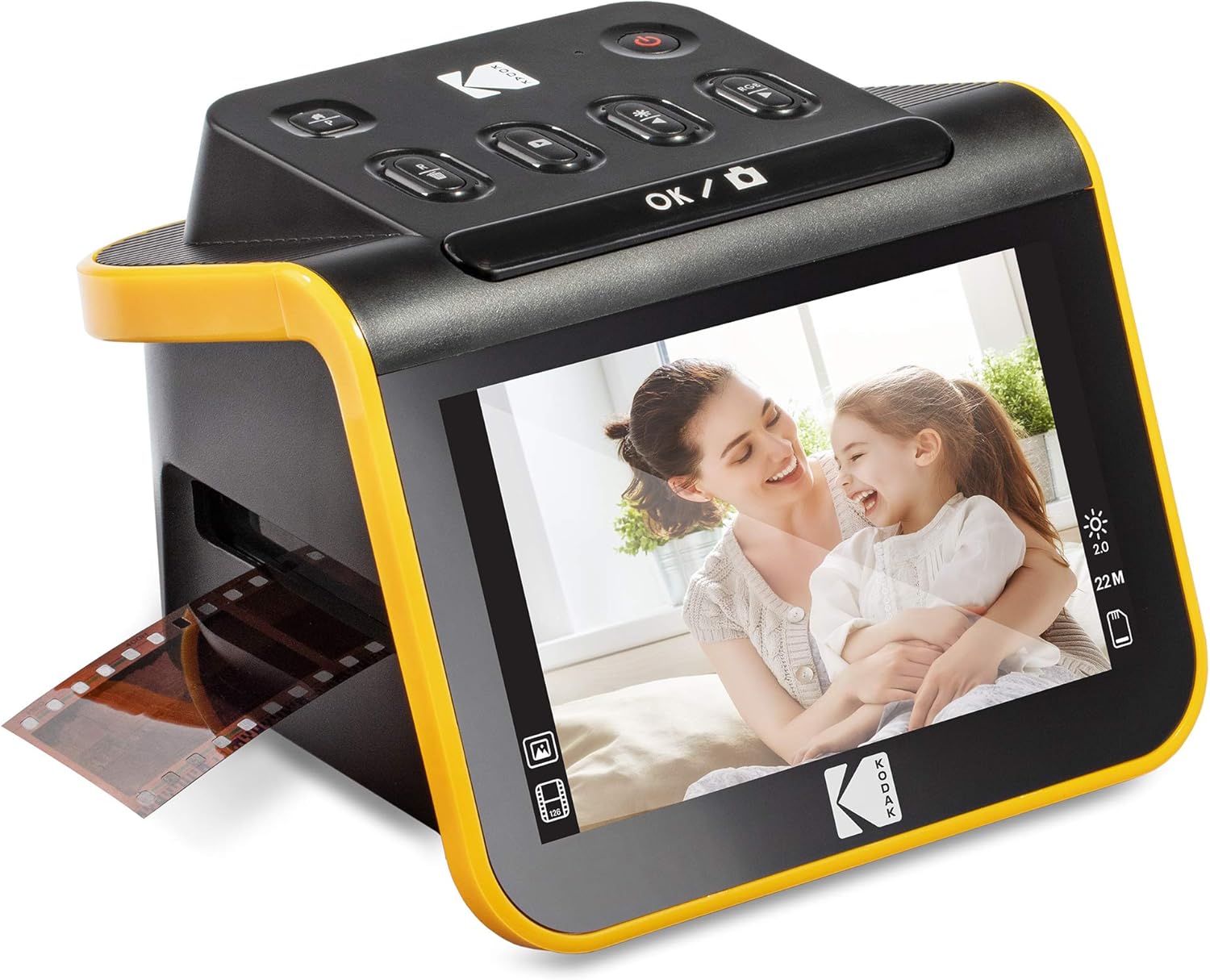
| Scanner Type | Film |
|---|---|
| Connection Type | HDMI, USB |
| Resolution | 22 Megapixels |
| Color Depth | 24 bits |
The KODAK Slide N Scan is a straightforward desktop film and slide scanner aimed at hobbyists who want an easy path from boxes of old negatives to usable digital photos. It uses a 13MP sensor with an optional 22MP interpolation mode, a quick-feed tray and adapters for 135, 110 and 126 formats so you can scan slides or strips of negatives without frequent reloading. Scans save directly to an SD/SDHC card and the large 5" LCD with gallery mode lets you preview, apply simple color/brightness adjustments and batch through images without a PC; you can also connect via USB or HDMI to transfer files to a computer or display them on a TV. Practical benefits include the continuous-feed insert for faster scanning, on-device editing controls for one-button captures, and included adapters and cables. Limitations are that it relies on interpolation for the 22MP setting rather than true optical resolution, requires an SD card (not included), and offers only basic image correction compared with dedicated flatbed scanners plus software.
Best for: Buyers who want a reliable, turn-key way to digitize family slides and negatives quickly without learning complex software and who value simple, repeatable results.
Less Ideal for: Photographers seeking maximum optical detail, advanced image restoration, or RAW capture for professional archival work should consider higher-end scanners or dedicated film scanning services.
- Quick-feeding tray for continuous loading speeds up batch scanning
- Built-in 5" LCD and gallery mode allow previewing and basic edits without a computer
- Adapters included for 135, 110, 126 negatives and 50mm slides
- Saves JPEG files directly to SD/SDHC cards and offers USB/HDMI output for easy transfer
- 22MP is achieved by digital interpolation rather than native optical resolution
- SD card is required but not included
Verdict: A user-friendly, dependable scanner for anyone who wants fast, no-fuss digitization of slides and negatives with on-device preview and simple controls.
KODAK SCANZA Film Scanner

| Connection Type | HDMI, USB |
|---|---|
| Resolution | 14MP (interpolates to 22MP) |
| Optical Sensor Technology | CCD |
| Media Type | Negatives, Slide |
| Color Depth | 24 bpp |
The KODAK SCANZA is a purpose-built film-to-JPEG scanner that uses a 14MP sensor with optional interpolation to produce up to 22MP images and a tilt-able 3.5" LCD for framing and quick on-device edits. You load negatives or slides into numbered inserts and adapter trays, preview them on the screen, then capture and save files directly to an SD card or transfer over USB, and there is HDMI output for showing results on a TV. The unit ships with multiple adapters, a cleaning brush, USB and HDMI cables, and an AC adapter, which makes setup and batch scanning straightforward for home users. Expect fast, convenient digitization of old negatives and slides rather than archive-grade, flatbed quality; the scanner snapshots the film rather than scanning with a flatbed sensor, so highly detailed restoration work will still benefit from higher-end equipment. The interface and one-touch capture make it a practical choice for quickly preserving family memories, while the note about automatic shutoff and the requirement for previously developed film are important operational points to remember.
Best for: Buyers who want an easy, plug-and-play way to convert family negatives and slides into JPEGs without learning complex software or investing in professional equipment.
Less Ideal for: Archivists or photographers seeking maximum detail for restoration or large format negatives should choose a high-end flatbed or drum scanner instead.
- Supports multiple film formats including 35mm, 126, 110, Super 8 and 8mm with adapter trays
- Onboard 3.5" tilt-able LCD for previewing, editing and one-touch capture without a computer
- Saves scans directly to SD card and offers USB and HDMI output for easy transfer and display
- Includes adapters, cables and a cleaning brush so you can start digitizing right away
- Uses a built-in camera snapshot method rather than a flatbed scanner, so ultimate resolution and fine detail fall short of professional flatbed scans
- Automatic 10-minute shutoff can interrupt long scanning sessions if not kept active
Verdict: A user-friendly, all-in-one scanner for quickly converting a wide range of home film formats into viewable JPEGs without needing a computer.
Magnasonic FS71 24MP Film Scanner
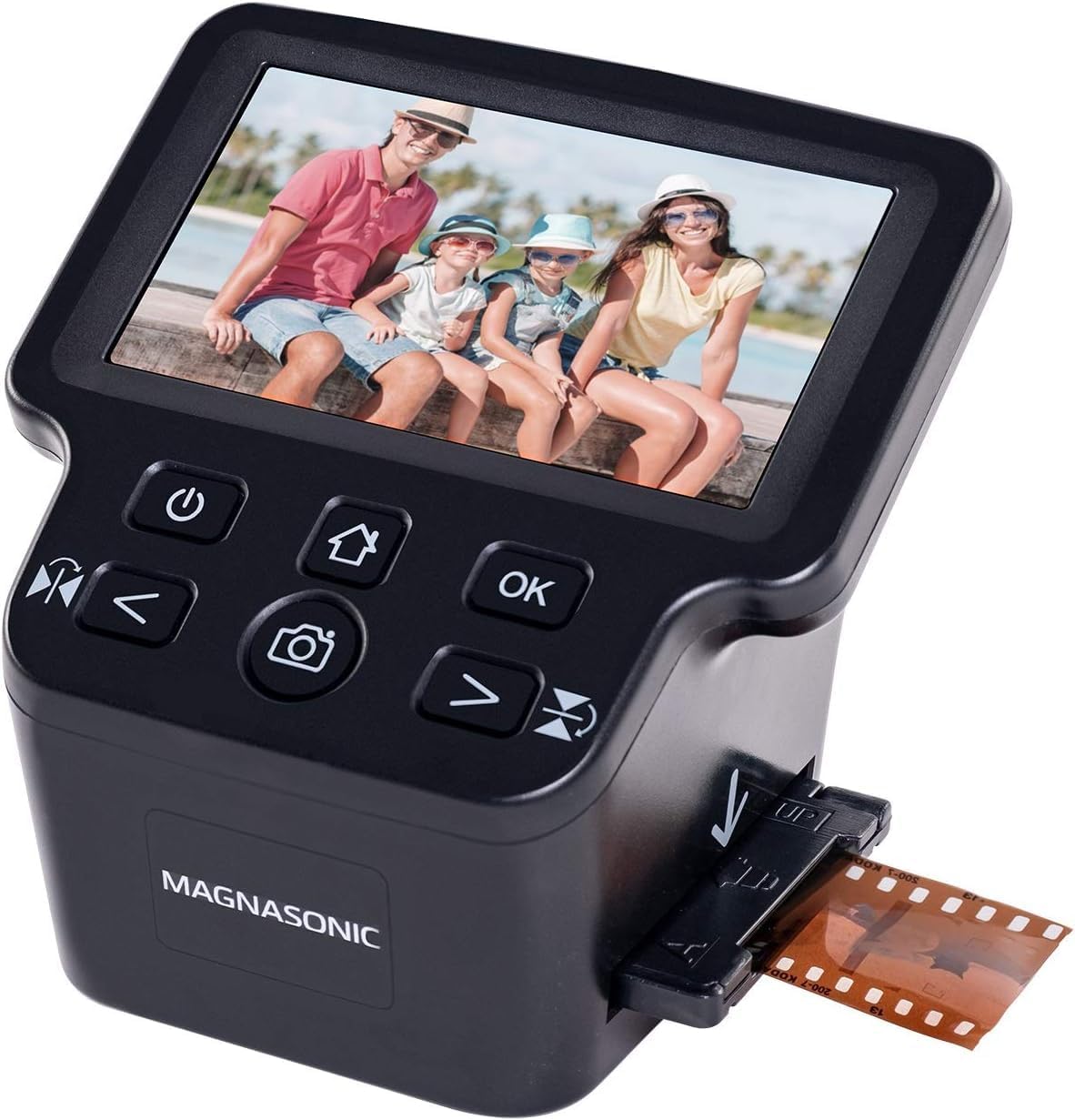
| Scanner Type | Film, Photo |
|---|---|
| Connection Type | HDMI, USB |
| Resolution | 24MP (interpolated) |
| Media Type | SD Card, USB |
| Scan Speed | 3-5 Seconds |
The Magnasonic FS71 is a straightforward, consumer-friendly film and slide scanner that turns old negatives and slides into usable JPEG files without a computer. You load the included trays for 35mm, 110, 126 and Super 8 film or slide strips, preview on the 5" color LCD, and scan in about 3 to 5 seconds per frame. It offers on-device exposure adjustment and basic color correction (RGB) so you can fix brightness and tint before saving to an SD card, and there is an HDMI output to watch scans on a TV for group viewing. The unit uses a 16MP CMOS sensor with interpolation to 24MP and supports SD cards up to 128GB, which makes batch scanning convenient. Expect good ease of use and speed for family archives, but keep in mind image quality is limited by the fixed-focus optics and interpolation rather than a true high-end optical scan, and it does not support larger medium formats like 120/220. For buyers who want a low-friction way to digitize common film and slides, the FS71 balances speed and simplicity well.
Best for: Buyers who want a risk-averse, easy-to-use way to digitize family slides and common-format film quickly without installing software or relying on a computer.
Less Ideal for: Photographers seeking archival-level scans, true optical high-resolution capture, or support for medium-format film should consider higher-end dedicated film scanners or professional scanning services.
- Simple, no-computer workflow with on-device preview and basic editing
- Fast single-pass scans at roughly 3–5 seconds per frame
- Built-in 5" LCD plus HDMI output for direct viewing and slideshows
- Supports SD cards up to 128GB for bulk scanning and storage
- Image quality relies on interpolation and fixed-focus optics rather than high-end optical scanning
- Does not support medium-format or uncommon film sizes (127/120/220)
Verdict: A fast, user-friendly scanner for risk-averse buyers who want an easy, no-computer way to preserve common-format slides and negatives.
Choosing the Right Film & Slide Scanner: Key Factors to Consider
Optical Resolution and Sensor Type
Resolution determines how much detail the scanner captures from film or slides. Optical resolution is more important than interpolated resolution because it represents real, captured detail rather than software upscaling. Higher native resolution is particularly relevant if you plan to make large prints or crop aggressively.
Sensor type and optical design affect clarity and sharpness. CCD sensors traditionally offer good dynamic range for film scanning, while some modern CMOS designs can achieve high resolution with faster readout. Consider the smallest film format you will scan and choose a scanner whose native resolution preserves the level of grain and detail you need.
Color Accuracy and Dynamic Range
Accurate color rendering and a wide dynamic range are essential when digitizing older or faded film. Dynamic range affects how well the scanner recovers shadow and highlight detail in negatives and slides, which is critical for restoring exposure and tonal balance in post.
Color calibration support, such as included profiles or compatibility with third-party calibration targets, makes consistent results easier across large batches. Consider scanners that produce RAW or high-bit-depth TIFF files if you plan to do color correction or archival-grade storage.
Film Format Support and Holders
Different users need support for different formats: 35mm strips, mounted slides, medium-format sheets, or even 8mm movie film. The included film holders and whether the scanner supports batch feeding will influence how quickly you can digitize a collection.
Check whether the scanner ships with adjustable holders for various film thicknesses and if additional holders are available. Secure, flat holders reduce the risk of blurring and keep frames aligned for consistent batch scans.
Workflow, Software, and File Output
Software controls determine how much time you spend scanning and post-processing. Intuitive scanning software with batch processing, auto-cropping, and dust removal options speeds throughput. Output options matter too: high-bit-depth TIFFs are preferred for archival use, while JPEGs may be acceptable for casual sharing.
Look for scanners that integrate easily with common image editors and that offer tethered scanning or direct-to-disk options. Ability to save scan presets and automate repetitive tasks reduces manual effort for large projects.
Dust and Scratch Mitigation
Film is often stored imperfectly, and dust, scratches, and surface defects are common. Effective dust removal systems, infrared dust mapping, or included software correction reduce manual retouching time and improve final image quality.
Physical features such as anti-Newton ring glass, gentle holder pressure, and easy cleaning access help protect originals and make maintenance straightforward.
Durability and Serviceability
A scanner intended for large archiving projects should be built to handle repeated use without frequent failures. Sturdy film holders, reliable transport mechanisms, and easy access to consumable parts lengthen usable life.
Consider warranty terms and the availability of firmware updates or software support. A unit that receives ongoing software improvements will remain compatible with modern workflows longer.
Choosing the Right Resolution for Your Project
Resolution needs depend on the final use of your scans. For archiving and large prints, prioritize higher optical resolution so fine grain and emulsion texture are preserved. If your primary goal is screen sharing or small prints, moderate resolution can save storage and speed up scanning.
Also consider how you will crop and edit. If you anticipate heavy cropping or extensive restoration, capture at a higher native resolution to retain detail through multiple edits.
- High resolution for archival and print
- Moderate resolution for web and casual sharing
- Capture bigger bit-depth files if you plan heavy color correction
Setting Up a Batch Scanning Workflow
Batch scanning is essential when you have large quantities of film. Look for machines that provide consistent automated frame detection, reliable holders for multiple frames, and software that queues jobs with minimal user intervention. Pre-sorting film by format and condition reduces interruptions and improves consistency.
Create a naming and folder convention before you start to avoid rework. Use presets for resolution and color profile so each batch is consistent, and periodically review scans for dust or exposure problems to catch issues early.
- Pre-sort by format and condition
- Use scan presets and naming conventions
- Check periodic samples to maintain consistent quality
Maintaining Originals During Scanning
Handle negatives and slides with clean hands and minimal contact on the emulsion. Use lint-free gloves and store originals on flat, static-free surfaces. Keep a soft brush or blower handy to remove loose dust before each scan.
Ensure holders do not apply excessive pressure or introduce Newton rings. If cleaning is required, use recommended cleaners and avoid abrasive motion that could further damage fragile film.
- Use gloves and soft brushes to remove dust
- Avoid harsh cleaners and abrasive materials
- Inspect holders for wear that could damage film
File Management and Long-Term Archiving
Decide early whether you will keep high-bit-depth master files for archive and create smaller derivatives for sharing. Master files require more storage and careful backup, but they retain maximum information for future edits. Implement a consistent folder structure and metadata practice to make retrieval easier.
Consider using lossless formats for masters and creating lower-resolution JPEGs for everyday access. Regular backups and checksum verification protect against bit rot and accidental loss.
- Store masters in high-bit-depth, lossless formats
- Create accessible derivatives for everyday use
- Use regular backups and checksums for archives
Common Post-Scan Corrections
After scanning, most users perform color correction, dust and scratch removal, and exposure adjustments. Work on a copy of the master file to preserve the original scan. Use non-destructive editing layers or adjustment files when possible to retain a reversible workflow.
When correcting color, reference neutral areas and test small patches before applying global changes. Automated dust-removal tools are helpful but inspect results to avoid losing fine image detail.
- Work on copies and use non-destructive edits
- Reference neutral tones for color correction
- Review automated corrections before batch applying
How We Chose the Best Film & Slide Scanner
We focused on features that matter for long-term preservation and practical scanning workflows. Primary evaluation criteria included optical resolution and scanner sensor quality, because these determine how much detail a scan can hold. Color fidelity and dynamic range were judged next, since faithful color and highlight/shadow recovery are essential when restoring aged negatives or slides. Scan speed and workflow were considered for users digitizing large libraries, including software efficiency, batch handling, and supported film sizes. Physical handling and dust management—such as holders, anti-Newton ring design, and included dust-removal tools—were part of the assessment because they reduce cleanup time and protect originals. Finally, file output options and connectivity were checked to ensure scanners produce industry-standard files and integrate with typical editing workflows. We excluded general-purpose flatbed scanners that lack dedicated film optics, as well as devices that do not support common film formats like 35mm or medium-format holders. We also filtered out units without any form of dust mitigation or basic color calibration capability. The result is a list of scanners that offer a balance of resolution, color accuracy, usable throughput, and practical handling features.
Our full evaluation process is outlined in our review methodology.
FAQ
What resolution should I choose for scanning 35mm negatives?
Choose a resolution that preserves the detail you need. For archival quality and large prints, higher optical resolution is recommended. For web use or small prints, a moderate resolution reduces file size and speeds scanning.
How do scanners handle dust and scratches on old film?
Many film scanners include infrared-based dust mapping or software dust-removal tools that identify and correct surface defects during processing. These systems often reduce manual retouching but should be reviewed to ensure fine detail is not removed.
Can I scan mounted slides and loose film on the same device?
Most dedicated film and slide scanners support both mounted slides and loose strips if they include the appropriate holders. Confirm that the scanner has compatible holders for your formats and that it secures mounts without excessive pressure.
Is it better to scan at higher bit depth?
Higher bit depth captures more tonal information and is beneficial if you plan extensive color correction or archival storage. For casual sharing, lower bit depth may be acceptable, but masters should be kept at higher bit depth when possible.
How do I speed up scanning without sacrificing quality?
Use batch holders and presets to reduce per-frame setup time, and choose settings that balance resolution with throughput. Disable unnecessary high-latency corrections during preview scans, and apply corrections to final scans only.
Final Verdict
When choosing a Film & Slide Scanner, prioritize optical resolution and color fidelity if your goal is archival-quality scans or large prints. If you need to process many frames quickly, give equal weight to scan speed, batch handling, and software workflow. Pay attention to dust control and file output options so your workflow produces durable masters and convenient derivatives. By matching scanner capabilities to your typical film formats and planned post-processing, you can achieve reliable results without unnecessary compromise.