
Note: This article contains affiliate links. If you click on these links and make a purchase, we may earn a small commission at no extra cost to you. This helps support our research and content. Read our full affiliate disclosure here.
If you need consistent, professional-looking badges for staff, visitors, or events, choosing the right ID Card Printer matters. The wrong choice can mean smudged prints, unreliable feeders, or frequent maintenance interruptions. This guide covers seven shortlisted ID card printers designed for everyday office badge production and higher-volume campus or event use. We evaluated each option for print quality, reliability, setup effort, and ongoing operating costs so you can pick a model that fits your workflow. Read on to see the top picks and which features matter most when buying an ID card printer.
Top Picks at a Glance
| Best Overall The best all-around choice for most situations | Fargo DTC1250e ID Card Printer |  |
| Best Quality Built to a higher standard if you want something more solid | Fargo DTC4250e ID Card Printer |  |
| Best Value The sweet spot between price and what you get | Zebra ZC100 LT ID Card Printer |  |
| Best Budget The cheapest option that still gets the job done reliably | IDP SMART-21S ID Card Printer |  |
| Top Rated A top-rated pick with lots of positive feedback | Bodno Seaory S25 ID Card Printer |  |
| Most Popular A crowd favorite that many people choose with confidence | Badgy100 Card Printer |  |
| Best Seller A high-volume bestseller chosen again and again | Bodno Pronto ID Card Printer |  |
Fargo DTC1250e ID Card Printer

| Printer Type | Dye Sublimation |
|---|---|
| Print Resolution | 300 x 300 (color) |
| Maximum Print Resolution Black and White | 600 dpi |
| Printer Connectivity Type | USB |
| Compatible Cartridge | YMCKO Ribbon |
The Fargo DTC1250e is a desktop dye sublimation card printer built to deliver color photo-quality credentials for small offices, schools, and local enrollment desks. It prints single-sided cards using YMCKO ribbon and supports CR-80 and similar card sizes with a 100-card input/output capacity, producing sharp 300 dpi color output and up to 600 dpi monochrome resolution where needed. Setup and day-to-day use are straightforward thanks to USB connectivity and an app-based control option, and the unit is compact enough to sit on a tabletop without taking much space. Security features such as AES-256 encryption and resin scramble data protection make it suitable for environments that handle personal data, and its Energy Star certification and support for eco-friendly ribbons help reduce operating footprint. Limitations include single-sided printing only and reliance on proprietary YMCKO ribbons and ribbons/cards that add to running costs, so budget-conscious buyers should factor consumables into total cost of ownership.
Best for: Buyers who need a reliable, compact desktop solution to produce professional-looking single-sided ID, membership, or access cards on demand and who value security features and straightforward operation.
Less Ideal for: Organizations that require automatic double-sided printing, very high-volume enterprise throughput, or the lowest possible consumable cost per card should consider other options.
- High-quality color printing at 300 dpi for visually rich ID cards
- Compact tabletop footprint suited to small offices and enrollment stations
- Built-in security with AES-256 encryption and resin scramble protection
- Supports standard CR-80 cards and holds up to 100 cards for batch runs
- Energy Star certified and compatible with eco-friendly refill ribbons
- Single-sided printing only with no built-in duplex capability
- Depends on proprietary YMCKO ribbons and specific card stock, increasing consumable cost
Verdict: Choose the Fargo DTC1250e when you want a compact, secure desktop printer that reliably produces high-quality single-sided color ID cards on demand.
Fargo DTC4250e ID Card Printer

| Printer Type | Dye Sublimation;Thermal |
|---|---|
| Print Resolution | Approximately 1200 dpi |
| Print Speed | 20 seconds single-sided; 45 seconds dual |
| Input Capacity | 100 cards |
| Connectivity | Ethernet, USB |
The Fargo DTC4250e is a direct-to-card dye sublimation printer designed for in-house photo ID and badge printing. It prints full-color cards at roughly 20 seconds single-sided and supports automatic duplexing for two-sided cards, making it practical for membership, access, and loyalty cards. The package includes a full-color ribbon (about 250 prints), 100 blank PVC cards, and Card Imaging XXS software so you can design badges and capture photos from a camera right away. Connectivity options include USB and Ethernet and the unit has a small LED screen for basic controls. Print resolution is approximately 1200 dpi, which yields crisp color and readable barcodes. The printer targets mid-range volumes with a 100-card input hopper and simple software for immediate setup, but it does not list advanced encoders as standard and accessories like magnetic stripe or smart card encoders are optional. For shops or offices needing reliable, photo-quality badges without complex setup, this bundle gets you printing quickly; organizations requiring high-volume throughput or built-in advanced encoding should verify add-on options before buying.
Best for: Buyers who prioritize reliable, photo-quality badge production and want a turnkey package that prints two-sided IDs quickly with minimal setup.
Less Ideal for: Organizations that need continuous high-volume production or built-in advanced encoding and security features should consider larger industrial systems or models with integrated encoders.
- Includes full-color ribbon and 100 PVC cards to start printing immediately
- Automatic duplexing for two-sided card printing
- Approximately 1200 dpi resolution for sharp photo and barcode output
- Ethernet and USB connectivity plus a simple LED screen for control
- Magnetic stripe encoder and other advanced encoders are optional rather than built-in
- Intended for mid-range volumes so very high-volume shops may need a heavier-duty model
Verdict: Choose the DTC4250e if you want a ready-to-run, mid-volume dual-sided ID card printer bundle that delivers photo-quality results out of the box.
Zebra ZC100 LT ID Card Printer

| Printer Type | Dye Sublimation |
|---|---|
| Maximum print Resolution Color | 600 x 600 dpi |
| Maximum Media Size | CR80 |
| Maximum Sheet Capacity | 200 |
| Printer Connectivity Type | USB |
The Zebra ZC100 LT is a compact dye sublimation printer designed specifically for on-demand ID card printing and small office workflows. It prints in color at up to 600 x 600 dpi and accepts CR80 card stock, making it suitable for staff badges, membership cards, and visitor passes. The unit includes CloudBadging software, blank cards, and a ribbon so you can start printing immediately, and the ribbon-change system is designed to be straightforward for nontechnical users. Connectivity is via USB and the printer is controlled through an app or iOS controller, which simplifies basic setups but may limit more advanced networked deployments. The manual duplexing and single USB port reflect its focus on small runs rather than high-volume production, and the 200-card input/output capacity is modest but practical for low- to mid-volume use. If you need a compact, ready-to-run ID printer that emphasizes ease of setup and color print quality, the ZC100 LT fits that niche, though larger operations will want a more fully networked or higher-capacity model.
Best for: Buyers who want a compact, plug-and-play ID card printer for low- to mid-volume badge printing and value a straightforward setup and included supplies.
Less Ideal for: Organizations that need heavy daily throughput, built-in networking, or enterprise fleet management should consider higher-capacity, networked models instead.
- Includes CloudBadging software, blank cards, and ribbon for immediate use
- High color print resolution at 600 x 600 dpi for crisp ID graphics
- Compact footprint suited to small offices and limited counter space
- Simple ribbon-change system and app/iOS control for easy operation
- USB-only connectivity and single port limit networked or multi-user setups
- Manual duplex and modest card capacity restrict throughput for larger volumes
Verdict: A compact, ready-to-run dye sublimation ID printer that delivers high-quality color badges and includes the supplies and software small offices need to get started.
IDP SMART-21S ID Card Printer

| Print technology | Dye Sublimation |
|---|---|
| Connectivity | USB |
| Color resolution | 300 dpi color |
| Included media | 100-print YMCKO ribbon; 100 PVC cards |
| Power consumption | 48 watts |
The IDP SMART-21S is a compact, entry-level dye-sublimation card printer kit intended to let small organizations produce single-sided photo IDs and access badges in-house. It ships with PC-only IDesigner software, a 100-print YMCKO color ribbon and 100 PVC cards so you can start printing right away via the USB connection. The printer supports full-color and monochrome output with color resolution up to 300 dpi and mono up to 1200 dpi, and the manufacturer quotes throughput of roughly 150 full-color cards per hour and higher speeds for monochrome badges. Its simple LED control and hand-feed design make it easy to set up on a desktop, and built-in ribbon and card handling keeps operation straightforward. Limitations include USB-only connectivity and single-sided printing, so it is not suited for environments that need duplex badges or network printing, and production-grade users will want higher-volume, faster models. For budget-minded teams that need reliable, professional-looking single-sided IDs printed locally, this kit covers the essentials without extra complexity.
Best for: Buyers who need an affordable, turn-key solution to print professional single-sided ID badges on-site and prefer a compact, easy-to-run desktop system.
Less Ideal for: Organizations that require networked printing, high-volume continuous throughput, or double-sided ID cards should consider higher-end or network-capable models.
- Starter kit includes 100-print YMCKO ribbon and 100 PVC cards so initial setup prints immediately
- Compact desktop footprint suitable for small offices and reception desks
- Capable of full-color photo ID printing with 300 dpi color resolution and up to 1200 dpi mono detail
- Simple hand-feed and one-button LED control make it easy to operate and maintain
- USB-only connectivity limits shared or networked printing
- Simplex (single-sided) printing only, no duplex capability
Verdict: A compact, budget-friendly starter kit that delivers professional single-sided ID and badge printing on-site with minimal setup.
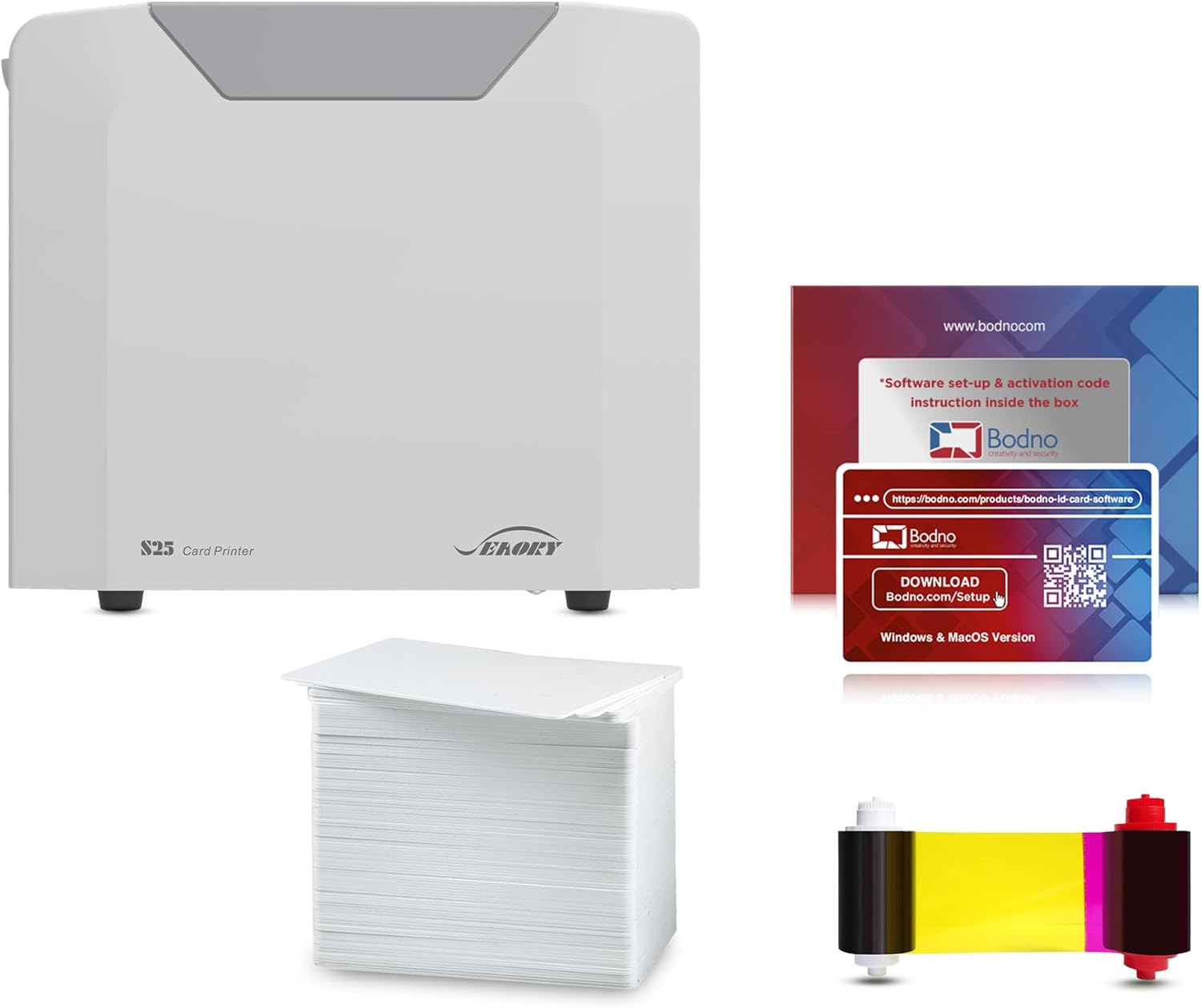
Bodno Seaory S25 ID Card Printer
| Printer Type | Direct To Card |
|---|---|
| Resolution | 300 x 300 |
| Ink Color | YMCKO |
| Printer Connectivity Type | USB |
| Power Consumption | 30 watts |
The Bodno Seaory S25 is a portable direct-to-card ID printer aimed at small offices and schools that need an all-in-one starter solution. It prints full-color cards using YMCKO ribbon and ships with a 100-print color ribbon and software with a lifetime license, so you can design and produce badges right away. The manual feed design suits low-volume, one-at-a-time workflows and the simple USB connection keeps setup straightforward for a single workstation. Print quality is 300 x 300 dpi, which delivers acceptable photo and text detail for typical ID and access badges, and the LED touchscreen control and included templates make basic jobs fast to run. Expect modest throughput — the spec sheet lists 18 color pages per minute but real-world single-card feed and ribbon changes make this better for occasional or batch-of-30 tasks rather than heavy continuous production. Connectivity is limited to USB and a single Ethernet port, and the unit is simplex only, so it does not support duplex card printing. For buyers who need a compact, ready-to-use printer with included supplies and software, the S25 is a practical option; those needing high-volume, automated card issuing should consider higher-capacity models.
Best for: Buyers who prioritize a reliable, turnkey ID solution for small-scale badge production and want included supplies and straightforward software to get started quickly.
Less Ideal for: Organizations needing continuous high-volume issuance, automated card feeders, or duplex card printing for two-sided secure badges should look at higher-capacity models.
- Complete starter package with software and a 100-print YMCKO color ribbon included
- Simple manual feed workflow is good for controlled, low-volume badge printing
- Compact, portable design with USB and Ethernet connectivity for single-station use
- User-friendly software with lifetime license and LED touch control simplifies setup
- Manual single-card feed and limited input capacity make it slow for high-volume use
- Print resolution and simplex-only output limit advanced security or duplex badge layouts
Verdict: A compact, ready-to-use ID card printer packaged with supplies and lifetime software support for reliable low-volume badge production.
Badgy100 Card Printer

| Printer Type | Dye Sublimation, Thermal |
|---|---|
| Print Resolution | 300 x 300 dpi |
| Printer Connectivity Type | USB |
| Paper Size | credit card dimensions (3.37" x 2.125") |
| Power Consumption | 60 watts |
The Badgy100 is a small dye-sublimation card printer aimed at on-demand ID badge jobs where you need a finished plastic card quickly. It prints full-color badges at a 300 x 300 dpi resolution using supplied plastic cards and connects over USB for a straightforward desktop setup. The included Badge Studio software and template library let non-designers create professional-looking badges, and the unit ships with consumables packs so you can start printing right away. Print speeds are modest, around 38 to 45 seconds per card depending on settings, so it is best for low- to moderate-volume single-station use rather than batch production. It is portable and lightweight for moving between workstations, but it offers only USB connectivity and manual duplexing, and it lacks advanced network or high-speed features found on larger office printers. For small offices, schools, and events that need reliable, easy-to-use badge printing with minimal setup, the Badgy100 covers the essentials without unnecessary complexity.
Best for: Buyers who prioritize straightforward, on-demand badge printing with simple setup, clear badge design tools, and low to moderate monthly volumes.
Less Ideal for: Organizations needing high-volume, networked, or multi-station badge production or fast throughput should consider larger enterprise-grade models instead.
- Full-color dye-sublimation printing at 300 x 300 dpi for clear photo badges
- Compact, portable design suited to a single desktop or occasional mobile use
- Includes Badge Studio software and template library for quick badge creation
- Supplied consumables pack lets you start printing out of the box
- Slow per-card print speed compared with higher-end ID printers
- USB-only connectivity and no built-in network printing options
- Manual duplexing and limited tray/output capacity for larger runs
Verdict: A compact, easy-to-use full-color badge printer that delivers professional ID cards for small offices and event use without complex setup.
Bodno Pronto ID Card Printer

| Printer Type | Dye Sublimation |
|---|---|
| Connectivity | USB |
| Print Resolution | 300×300 dpi (color) |
| Maximum Sheet Capacity | 100 |
| Control Method | App |
The Bodno Pronto is a portable dye-sublimation card printer sold as a complete starter kit with a color YMCKO ribbon and 100 PVC cards, plus simple design software. It prints color and monochrome cards from a connected PC using a USB interface and is controlled through an Android-capable app or included software, so small offices or front-desk setups can design and produce badges on demand. Print resolution tops out at 300 x 300 dpi in color with fast initial output—about five seconds to the first card—and a 100-card hopper for short to medium runs. The package favors ease of use over high-volume throughput: printing is simplex only and connectivity is USB-only, so it fits locations that need straightforward, reliable badge printing rather than networked or duplex workflows. The included supplies and two-year hardware warranty lower setup friction and risk for buyers new to card printers, though businesses with heavy daily volumes or advanced encoding needs will likely need a more robust, networked unit.
Best for: Buyers who want an easy, low-risk way to produce professional-looking photo IDs or membership cards on-site with minimal setup and included supplies.
Less Ideal for: Organizations that need high-volume, networked, double-sided printing or advanced card encoding should consider a more capable commercial printer.
- Complete starter bundle includes printer, YMCKO color ribbon and 100 PVC cards so you can print immediately
- Portable, compact design that fits small workspaces or front desks
- Simple USB connectivity and app/software control make setup and day-to-day use straightforward
- Two-year hardware warranty and lifetime software support reduce ownership risk
- Color print resolution is limited to 300×300 dpi which may not match higher-end card printers
- No network connectivity or duplex printing, limiting use in multi-user or double-sided workflows
- Not optimized for high-volume continuous production despite a 100-card capacity
Verdict: A turn-key, risk-averse starter solution for small offices that need straightforward on-site color ID card printing with included supplies and support.
Choosing the Right ID Card Printer: Key Factors to Consider
Print Resolution and Color Accuracy
Higher print resolution delivers crisper text, sharper photos, and more accurate color gradations. For ID cards that include portraits, fine text, or color-coded elements, resolution and color handling determine legibility and professional appearance.
Color accuracy matters when matching brand colors or security markings. Ask about supported dpi and color profiles, and consider whether the printer offers color correction tools. A printer that struggles with color fidelity will require more reprints and manual adjustments.
Card Feed and Handling Reliability
Card feeders and internal rollers are frequent failure points. Consistent card feeding reduces jams and misprints, which is important when producing batches of badges or on-demand visitor passes.
Check whether the printer supports the card thickness you use and how it handles coated or specialty cards. Durable mechanisms and well-designed hoppers make day-to-day operation smoother and lower maintenance needs.
Connectivity and Driver Support
How a printer connects to your systems affects deployment speed. USB is common for single-workstation setups, while Ethernet or Wi-Fi enable shared access across a network.
Driver stability and availability for your operating system determine long-term usability. Integrated software or browser-based utilities that simplify print queuing and color setup can save time for administrators.
Consumables Availability and Cost
Ribbons, cleaning kits, and blank cards are recurring expenses. Consumables that are widely available reduce sourcing headaches, and longer-yield ribbons lower per-card cost.
Also consider whether the printer uses proprietary cartridges or standard ribbon rolls. Machines that require specialized supplies can increase running costs and lead times for replacements.
Security and Encoding Options
If you need magnetic stripe, contactless smart card, or RFID encoding, ensure the printer supports the exact encoding method your access system uses. Built-in encoders streamline issuance by printing and programming in one pass.
Consider whether you require one-step printing with encoding or can manage separate encoding workflows. Matching the encoding options to your badge system avoids compatibility issues later.
Maintenance and Serviceability
Routine cleaning, ribbon changes, and occasional roller replacement should be straightforward. Accessible components and clear maintenance guides reduce downtime and the need for technician visits.
Look for models with user-replaceable parts and readily available support documentation. Warranty terms and the availability of local service options also influence long-term reliability.
Single-Sided Vs Double-Sided Printing
Decide whether you need one- or two-sided printing. Single-sided printers are typically less expensive and simpler to operate. They work well when all required information fits on the front of the card.
Double-sided printers let you put additional details, barcodes, or policies on the back of the badge without laminating or applying stickers. If you issue cards that require back-of-card printing for access rules or emergency contacts, dual-sided capability is worth the investment.
- Single-sided: lower cost, simpler maintenance, faster per-card throughput.
- Double-sided: more flexible badge designs, slightly higher complexity and cost.
Encoding and Security Features
Consider whether you must encode magnetic stripes, contact smart cards, or contactless chips during printing. Built-in encoders reduce steps by programming credentials as cards are printed.
Also evaluate physical security printing options such as holographic overlays or UV printing if your badges need anti-counterfeiting features. These add-ons affect consumable choice and may require certified supplies.
- Onboard encoders streamline issuance workflows.
- Security overlays and UV features increase counterfeit resistance but may add cost.
Managing Throughput and Batch Jobs
Estimate how many cards you print daily and choose a printer whose rated throughput meets that demand. For moderate batch jobs, look for larger input hoppers and faster print speeds to minimize operator time.
If you only print occasional badges, prioritize ease of setup and low maintenance rather than raw speed. For events or large staff onboarding, throughput and hopper capacity become more important.
- Higher throughput reduces wait times for large print runs.
- Smaller hoppers are acceptable for low-volume, on-demand printing.
Software and Template Support
Good badge design and management software simplifies layout, variable data, and database connections. Check whether the printer vendor or third parties offer templates and integration with common ID management systems.
Templates and software that support photo capture, batch import, and barcode generation speed up production and reduce manual errors. Confirm compatibility with your existing user directory or HR systems.
- Look for software with photo capture and batch import features.
- Database connectivity can automate badge personalization and reduce manual entry.
Durability and Environmental Considerations
Assess the working environment where the printer will operate. Dusty, humid, or high-traffic areas may demand more robust build quality and a regular cleaning schedule.
Also consider energy consumption and noise levels, especially if the printer will be in a shared office area. Durable builds and quieter operation improve the day-to-day user experience.
- Robust housing and sealed mechanisms resist dust and debris.
- Lower noise and energy-efficient designs are better for open workspaces.
How We Chose the Best ID Card Printer
We prioritized practical, measurable criteria that reflect how ID card printers perform in real-world office and event environments. Primary evaluation metrics included print resolution and color fidelity to judge output clarity, feed and card handling reliability to predict downtime risk, setup and driver simplicity for fast deployment, and consumables efficiency to estimate operating cost. We also considered build durability and warranty support to assess long-term ownership experience. We excluded specialty machines built only for high-security credential personalization or industrial laminators that require separate certification. We focused on printers suited to badge issuance, on-demand visitor badges, and small to medium batch production. Our shortlisting favored machines with clear documentation, commonly available ribbons and cards, and straightforward connectivity options. The final list reflects devices that meet minimum thresholds across these concrete, buyer-relevant dimensions.
Our full evaluation process is outlined in our review methodology.
FAQ
How often should I clean my ID card printer?
Clean the printer according to the manufacturer schedule or after every few thousand prints. Regular cleaning of rollers and printheads prevents card jams and maintains print quality.
Can one printer handle both magnetic and contactless encoding?
Many printers offer modular encoders that support magnetic stripe and contactless chip programming. Confirm the exact encoding options you need and whether they are built in or available as add-ons.
What card stock thickness is standard?
Common card thickness ranges from 0.25 mm to 1.0 mm, with 0.76 mm being a typical ID card. Verify the printer's supported card thickness range, especially if you use specialty or PVC composite cards.
Are ribbons and cards interchangeable across printers?
Some printers use standard ribbon formats while others require proprietary cartridges. Machines that use common ribbon rolls and standard CR80 cards are easier to source supplies for and may offer lower operating costs.
Do networked printers require special configuration?
Networked printers typically need an IP address and may require driver installation on client machines. Using Ethernet simplifies multi-user access, while Wi-Fi offers placement flexibility but can introduce connectivity variables.
Final Verdict
Prioritize the features that match how you will use the printer. If you produce many badges, focus on throughput, hopper capacity, and feed reliability. If you need secure, encoded credentials, confirm encoder types and security overlay options before buying. Balancing print quality, consumable availability, and ease of maintenance will lead to the most dependable setup. Choose the configuration that minimizes reprints and downtime while meeting your badge design and encoding needs.