
Note: This article contains affiliate links. If you click on these links and make a purchase, we may earn a small commission at no extra cost to you. This helps support our research and content. Read our full affiliate disclosure here.
If you need a practical way to digitize books, a portable book scanner makes the job faster and less awkward than using a phone or flatbed. You want crisp, readable scans without spending hours on setup or postprocessing, especially when working with bound volumes or fragile pages. This guide shortlists the top portable book scanners available and explains why each type might suit different reading, archiving, or research needs. We evaluated candidates for image fidelity, handling of bound books, software capabilities, and real-world ease of use. Read on for the features that matter and which scanner styles match your workflow.
Top Picks at a Glance
| Best Overall The best all-around choice for most situations | VIISAN A2 Document Scanner S21 |  |
| Best Quality Built to a higher standard if you want something more solid | IRIScan Desk 7 Business 24MP |  |
| Best Value The sweet spot between price and what you get | NetumScan 13MP Book Document Camera |  |
| Most Popular A crowd favorite that many people choose with confidence | CZUR Shine Ultra Book Scanner |  |
| Best Seller A high-volume bestseller chosen again and again | CZUR Aura Pro |  |
VIISAN A2 Document Scanner S21

| Capture size | Up to A2 (594 x 420 mm) |
|---|---|
| Max resolution | Up to 26MP (software-realized) |
| File formats | JPG, PDF, Word, Excel, EPUB, TXT, MP3, WAV, MP4 |
| Connectivity | USB / USB 2.0 |
| Sensor type | CMOS |
The VIISAN S21 is an overhead document camera designed for scanning large items up to A2 (594 x 420 mm) and works as a portable book scanner and visualizer. It connects over USB and, when paired with VIISAN's OfficeCam software on Windows or macOS, can produce software-enhanced images up to 26MP and roughly 600 DPI for detailed captures. The software adds practical features for real-world book scanning: smart curve flattening, automatic cropping and de-skewing, finger removal, background cleanup, multi-image splitting, OCR, barcode recognition and a text-to-speech export on Windows. Built-in three-level LED illumination and an adjustable foldable hinge make it easy to position for newspapers, maps, journals or thick books, and the device can also stream for remote collaboration. Limitations include fixed focus and USB 2.0 connectivity, so very small type or high-speed wired workflows may not match flatbed scanners or higher-end cameras, and the bundled software is not compatible with ARM-based machines. For buyers who need wide-format portability and robust software processing, the S21 is a capable choice.
Best for: Buyers who need a portable scanner capable of digitizing large-format books, newspapers and maps with strong software correction tools and occasional live visualization.
Less Ideal for: Users who require ARM/M1-based device compatibility, the fastest wired transfer speeds, or the absolute finest optical detail for microprint and archival-grade capture.
- Captures large A2-size documents and books for oversized materials
- Bundled OfficeCam software offers curve flattening, cropping, finger removal, OCR and multi-file export
- Built-in 3-level LED lighting and adjustable hinge simplify consistent scans in varied lighting
- Can stream as a document camera for remote collaboration and video capture
- Software features include barcode recognition and text-to-speech (Windows)
- Fixed-focus optical design limits very fine detail at variable distances
- Uses USB 2.0 which may be slower than newer interfaces for large files
- Software text-to-speech and some features are limited to Windows x86/x64 platforms
Verdict: Choose the VIISAN S21 when you need a portable overhead scanner that handles oversized documents and thick books while relying on powerful software to flatten, clean and OCR scans.
IRIScan Desk 7 Business 24MP

| Scanner Type | Document |
|---|---|
| Connection Type | USB (USB-C) |
| Resolution | 600 dpi |
| Color Depth | 24 bits |
| Minimum System Requirements | Windows 11, 10 with Intel i3 or higher; Mac OS 10.15+ with Intel |
The IRIScan Desk 7 Business is a hybrid document camera and portable book scanner built for high-detail capture and classroom or office projection. It uses a 24MP CMOS sensor and bright LED lighting to scan pages up to A3 landscape, produces 600 dpi optical scans, and can output JPG, PDF (searchable), PDF-A, TIFF and Office formats. The bundled IRIS software adds OCR, text-to-speech, AI curve-flattening for books, finger erasing, and cloud export to services like Dropbox and OneDrive, which makes converting paper to editable files straightforward. Its short-arm design and desktop cropping let you scan without a separate mat, and USB-C connectivity simplifies laptop setup for live visualizer use. Expect fast single-second captures and live video projection at Full HD for presentations, but note it requires a relatively modern PC (Windows 10/11 with Intel i3 or Mac OS 10.15+) to use advanced features. The unit focuses on capture quality and workflow rather than standalone battery operation, so it fits stationary portable setups rather than truly cordless field scanning.
Best for: Buyers who need high-resolution scans and reliable OCR for books, teaching, or office digitization and who will use the scanner alongside a laptop or desktop for live projection and processing.
Less Ideal for: Users who need a truly cordless, on-the-go handheld scanner or those who want a turnkey standalone scanner that does not rely on a connected PC.
- High 24MP sensor with 600 dpi optical resolution for detailed captures
- AI curve-flattening and OCR with searchable PDF export improves book-to-text conversion
- Supports A3 landscape capture without a separate scanning mat
- Fast capture and live Full HD projection useful for presentations and teaching
- Requires a modern PC (Intel i3 or better) for full software functionality
- Not battery powered, so it is best for desk use rather than fully mobile scanning
Verdict: Choose this scanner if you want a desktop-focused, high-resolution book and document capture solution with strong OCR and AI flattening for accurate, editable scans.
NetumScan 13MP Book Document Camera
| Scanner Type | Document |
|---|---|
| Connection Type | USB |
| Resolution | 800 dpi |
| Optical Sensor Technology | CMOS |
| Light Source Type | LED |
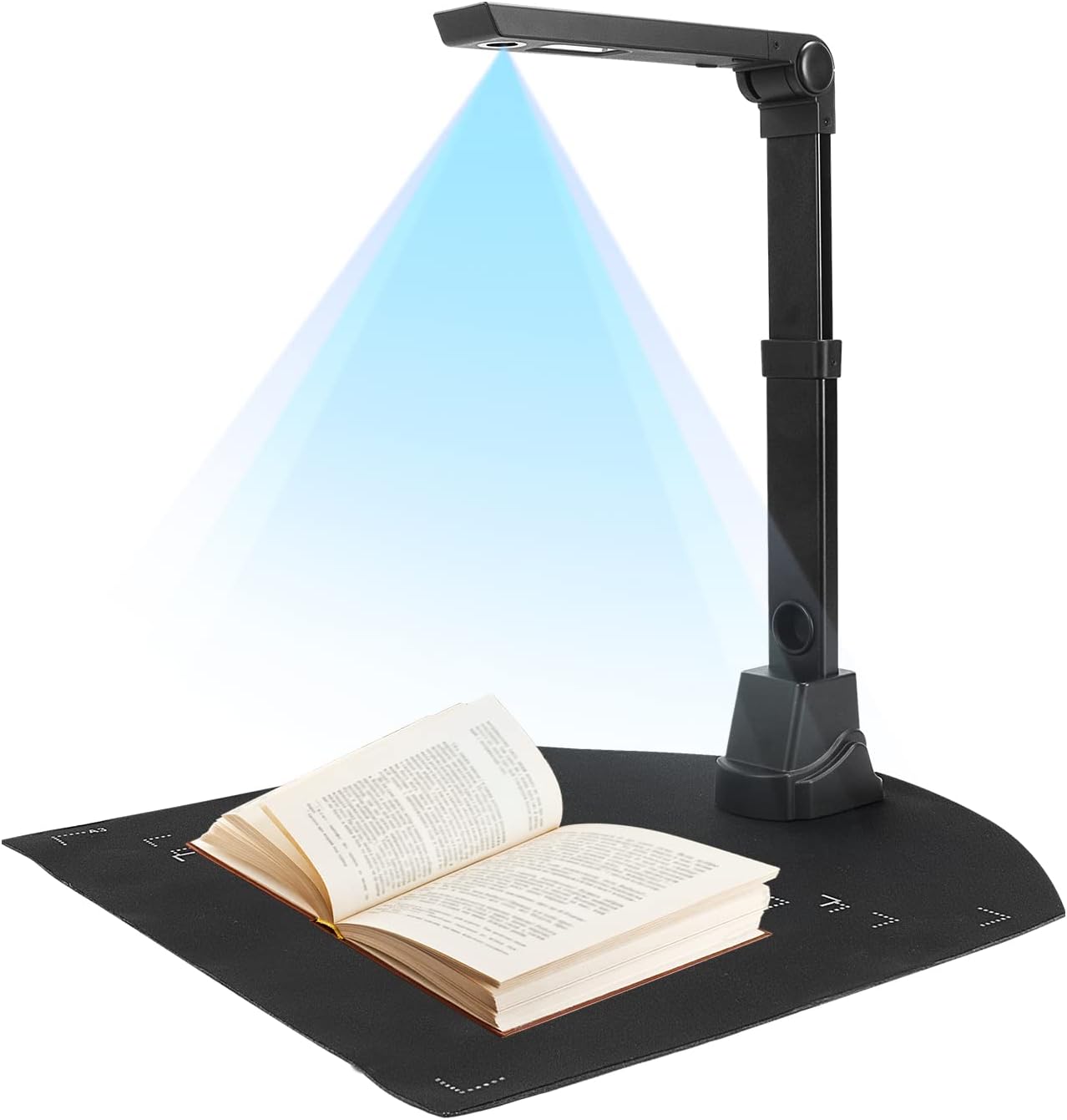
The NetumScan 13MP Book Document Camera is a portable, foldable scanner and visual presenter designed for teachers and mobile scanning tasks. It connects over USB and uses a 1300W (approx. 13MP) CMOS sensor plus six built-in LEDs to capture clear images of pages up to A3/A4, and it can project live video for distance teaching or record lessons. The unit includes one-key automatic correction to deskew images and supports mass automatic scanning with manual page turns, while its bundled OCR converts scans into editable text in multiple languages with high claimed accuracy. The aluminum alloy foldable body and retractable bracket make it simple to position and carry between classrooms or home offices. Practical benefits include instant live projection, integrated lighting for consistent results in varied ambient light, and export to common formats like Word, PDF, and TXT. Limitations to expect are the need for a computer and software to operate over USB, occasional setup or driver steps on different OSes, and modest customer feedback indicating the user experience or software could be uneven compared with higher-end models.
Best for: Buyers who need a portable visual presenter for teaching, remote lessons, or frequent on-site scanning and who value live projection and OCR over an all-in-one desktop scanner.
Less Ideal for: Users who want a fully standalone scanner that works without a PC or who need enterprise-grade scanning speed and workflow integration.
- Foldable aluminum body and retractable bracket for easy portability and angled positioning
- 1300W CMOS sensor plus six LED lights for clear captures in varied lighting
- Supports live projection and video recording for teaching and presentations
- Built-in OCR with multi-language support and export to editable formats
- Requires a computer and software/drivers to use over USB
- Some users report uneven software or setup experience
Verdict: A portable foldable document camera that pairs live projection and solid OCR to make lesson delivery and on-the-go scanning practical for teachers and mobile users.
CZUR Shine Ultra Book Scanner

| Sensor/Pixel | CMOS 13 megapixel (4160×3120) |
|---|---|
| Scan size | ≤A3, 420 × 297 mm |
| Scan speed | About 1s/page |
| Export formats | JPG, PDF, Searchable PDF, Word, Excel, TIFF |
| Connection type | USB |
The CZUR Shine Ultra is an overhead document camera and book scanner aimed at quickly digitizing flat papers and thin books up to A3 size. It uses a 13MP CMOS sensor to produce roughly 340 DPI at A4 and about 245 DPI at A3, and the software offers OCR for searchable PDFs plus auto-cropping, de-skewing, and an AI-driven flattening mode that reduces curve distortion on thin book pages. Typical use is desktop scanning: place documents or open a thin book under the arm, trigger scans via the button, foot pedal, or software, and export to JPG, PDF, searchable PDF, Word, Excel or TIFF. The scanner works as a USB document camera for live teaching and meetings and includes a foldable, two-level neck that makes it reasonably portable. Important limitations are that glossy photos are not recommended and the flattening works best on thinner volumes rather than thick books; macOS and Windows are supported but iOS and Android are not. The unit ships with a foot pedal, mat, finger cots and basic software, making it a practical choice for home offices, researchers, and educators who need fast, software-assisted scanning without a flatbed scanner footprint.
Best for: Buyers who want a compact overhead scanner for digitizing papers, thin books and teaching materials quickly with built-in OCR and software corrections, and who value peer feedback and established feature sets when choosing tech.
Less Ideal for: Users who primarily need high-quality scans of glossy photos or who must digitize very thick, tightly bound books should look at alternatives designed for those specific tasks.
- High-resolution 13MP CMOS sensor for detailed scans at A4/A3 sizes
- Fast capture speed of about 1 second per page for quick batch work
- Software features include OCR for searchable files, auto-cropping, de-skewing and AI flattening of curved pages
- Functions as a USB document camera for remote teaching and live capture
- Includes useful accessories like a foot pedal, black work mat and finger cots for easier operation
- Not recommended for scanning glossy photographs or highly reflective media
- Curve-flattening is optimized for thinner books and may not handle thick volumes well
Verdict: A fast, portable overhead scanner with strong OCR and software flattening that suits home offices and educators needing quick A3/A4 digitizing.
CZUR Aura Pro

| Scanner Type | Document |
|---|---|
| Connection Type | USB |
| Resolution | 4320*3240 |
| Color Depth | 24 bits |
| Scan speed | About 2s/page |
The CZUR Aura Pro is a compact overhead scanner designed for quickly digitizing books, documents, and small multi-item batches. It combines a 14MP CMOS camera with top and side LED lights and software that auto-detects frames, flattens curved pages, deskews, and produces JPG, PDF, searchable PDF and OCR exports in about two seconds per page. The unit folds for travel and includes a 2-inch preview screen, auto-scan and foot-pedal support to speed repetitive scanning, and a lamp mode so it doubles as a desk light when idle. In practice the AI flattening and multi-target detection make scanning bound books and several ID cards or photos at once far easier than shooting with a phone, and the USB connection keeps workflow simple with Windows and macOS. Expect short setup and regular reliance on the companion software for best results; languages for OCR exclude a few scripts and TIFF output requires conversion from JPG. For someone who wants reliable, portable book scanning with helpful automation, the Aura Pro is a practical choice.
Best for: Buyers who want a dependable, portable scanner that simplifies digitizing books and mixed documents with automated corrections and straightforward USB connectivity.
Less Ideal for: Those who need native TIFF export, full universal OCR language coverage, or a networked Wi-Fi scanning solution should look elsewhere.
- 14MP camera with AI-based curve flattening and deskewing for clean scans of bound books
- Fast scan speed of about 2 seconds per page with auto-scan and foot-pedal support
- Built-in top and side LED lighting plus a 2-inch preview screen for accurate framing
- Foldable, portable design that packs for travel and doubles as a desk lamp
- Requires companion software for best image processing and OCR, adding a software dependency
- OCR omits a few language scripts and TIFF files need conversion from JPG
Verdict: A portable, foldable book scanner that makes fast, clean scans of bound pages easy thanks to AI flattening and simple USB workflow.
Choosing the Right Portable Book Scanner: Key Factors to Consider
Scan Quality
Scan quality determines how legible and usable your digitized pages are. Look for sensors and optics that produce sharp text and consistent color or grayscale tones, because poor capture means extra time cleaning images or re-scanning. Resolution matters for small fonts and fine detail, while dynamic range affects how well shadowed or aged pages reproduce. High-quality scans also reduce OCR errors, so image fidelity directly impacts downstream searchability and editing.
Handling Bound Books
How a scanner deals with book spines and page curvature is critical. Devices designed for books minimize distortion using angled cameras, glass plates, or software dewarping to flatten curved text near the gutter. If you routinely scan older or delicate volumes, gentle contact mechanisms and the ability to scan without fully flattening the book can prevent damage. Consider whether the workflow requires two-page captures versus single-page scans and whether automated splitting or gutter correction is available.
OCR Performance and File Output
Optical character recognition turns images into searchable, editable text and is often the point of scanning books. Effective OCR depends on original image quality but also on the scanner's software: language support, handling of columns, and accuracy on mixed fonts all matter. Also check supported output formats like searchable PDF, plain text, or editable Word files, and whether the software preserves layout, footnotes, and headers. Reliable batch processing and export options save time on multi-page projects.
Portability and Power
Portability is a major reason to choose a portable book scanner. Consider weight, physical footprint, and whether the unit runs on internal batteries or requires mains power. Battery life and charge time determine how many pages you can capture in the field. Also think about durability during travel and whether the scanner includes a protective case or simple setup steps to get running quickly at a library, archive, or client site.
Ease of Use and Workflow Speed
A fast, repeatable scanning workflow saves significant time on book projects. Look for simple physical controls, straightforward page-turning techniques, and software that automates common tasks like deskewing, auto-cropping, splitting two-page images, and batch OCR. Intuitive connectivity, such as reliable USB or wireless file transfer, and clear on-device status indicators reduce friction. Training and documentation also matter if multiple people will use the scanner.
Physical Ergonomics and Durability
Ergonomics influence how comfortable long scanning sessions feel and how safe books are during handling. Consider whether the scanner has a stable base, non-slip feet, and a design that keeps hands away from the scanning window. Materials and build quality affect lifespan when the device is transported or used frequently. A rugged but lightweight construction is ideal for professionals who scan regularly outside a controlled office.
Types of Portable Book Scanners
Portable book scanners come in a few common designs: overhead camera rigs, wand-style scanners, and portable flatbed hybrids. Each design has advantages depending on the volume of pages, fragility of the books, and the level of image correction you need.
Overhead camera styles capture two pages at once from above and often include software for dewarping and splitting spreads. Wand scanners are hand-guided across a page and work well for single-page capture and small tasks. Hybrids try to combine the portability of a wand with a flatbed-like capture area for higher fidelity scans.
- Overhead cameras: fast for bound volumes, good software correction.
- Wand scanners: lightweight, good for ad hoc scanning and single pages.
- Hybrids: better image uniformity, slightly bulkier but versatile.
Preparing Books for Better Results
Proper handling before scanning reduces artifacts and speeds postprocessing. Work on a stable, well-lit surface and gently press the page near the gutter if needed, using a nonreflective weight or a glass plate when compatible with the scanner design. Turn pages carefully to avoid creases and maintain consistent spacing for automated cropping to work reliably.
Remove loose inserts or sticky notes that could obstruct capture. For brittle or rare books, minimize contact and use noninvasive supports to prevent strain on the binding. Scanning in batches of similarly sized books helps keep software presets consistent and reduces the need for manual adjustments.
- Use steady lighting and avoid reflective surfaces near the scan area.
- Stabilize fragile spines with supports rather than flattening forcibly.
- Scan similar paginated books together to reuse settings efficiently.
Optimizing OCR and Postprocessing
To improve OCR results, capture at adequate resolution and contrast so characters are clearly defined. Use software options to correct skew, remove background noise, and normalize brightness across pages. If your material contains multiple languages or columns, select OCR settings that match the document layout to reduce errors.
Batch processing features speed up large jobs by applying consistent corrections across many pages. Review OCR outputs selectively for pages with unusual formatting rather than attempting full manual correction. For archival projects, maintain both the original image files and the searchable exports to preserve fidelity.
- Choose resolution that balances file size and legibility; higher for small fonts.
- Enable dewarping and gutter correction when scanning bound pages.
- Use selectable language packs if you work with multiple languages.
Connectivity and File Management
How a scanner moves files to your workflow is important. Look for reliable connection options like USB-C, Wi-Fi transfer, or removable storage. Built-in file management that allows naming templates, folder structures, and export presets reduces time spent organizing scans after capture.
Consider whether the scanner integrates with common cloud services or offers desktop software for more advanced batch operations. Simple, consistent file naming and folder placement make later OCR editing, sharing, or archival easier and less error-prone.
- Prefer USB-C or proven wireless transfer for fast file movement.
- Removable storage helps when direct connections are unavailable.
- Look for export presets to common searchable formats like PDF and DOCX.
When to Choose a Portable Scanner Over a Flatbed
Portable scanners are better when mobility, speed, and minimal setup are priorities. If you scan in multiple locations, need to work quickly across many bound books, or require a lighter footprint on a field visit, portability outweighs the marginal increase in image control you get from a full flatbed setup.
However, if your primary need is the highest possible fidelity for photographic reproductions or oversized materials, a flatbed or dedicated overhead archival system may be more appropriate. Match the device to the nature of the materials you handle and the output quality you require.
- Choose portable for on-site, multi-location scanning and quick workflows.
- Prefer flatbed or larger overhead systems for maximum fidelity and large formats.
How We Chose the Best Portable Book Scanner
We focused on attributes that directly affect the success of scanning books, not just general document capture. Candidates had to demonstrate consistent scan quality on bound pages, including accurate text rendering and minimal curvature or shadow. We prioritized scanners that simplify handling of bound volumes through hardware design or software correction, and we looked for reliable OCR performance so scanned pages become searchable and editable. Battery life and portability were considered to ensure the scanner works away from a desktop, while physical ergonomics and setup complexity determined how practical each option is for extended sessions. We excluded units geared solely for flat documents, single-sheet feeders without book-friendly features, and devices lacking basic image correction tools. Final selections balance optical output, book-handling features, software usability, and portability for typical home, library, or field use.
Our full evaluation process is outlined in our review methodology.
FAQ
How many pages can I scan on a single battery charge?
Battery life varies by model and usage, but many portable scanners can capture several hundred pages per charge under typical settings. Continuous high-resolution capture and wireless transfers reduce runtime, so expect fewer pages at top settings.
Will a portable book scanner damage old or fragile books?
Proper technique minimizes risk. Scanners designed for books often allow scanning without forcing the spine flat and include supports to reduce strain. For very fragile material, use noncontact methods and consult conservation guidance before extensive scanning.
Can the scanner handle two-page spreads and split them automatically?
Many portable book scanners include software to split two-page images and correct gutter distortion automatically. The effectiveness depends on capture geometry and software sophistication, so verify that the device offers reliable dewarping and page-splitting for spread scans.
What file formats should I expect from portable book scanners?
Common outputs include searchable PDF, plain text, and editable Word documents. Some devices also export high-resolution TIFF or JPEG images. Choose a scanner that supports the formats you need for archiving, editing, or sharing.
Is manual postprocessing usually required after scanning?
Some manual cleanup is often needed for challenging pages, but modern software reduces this work with automatic deskewing, noise removal, and OCR. The amount of manual editing depends on source material condition and the importance of perfect layout preservation.
Do portable book scanners support multiple languages in OCR?
Most offer language packs or multi-language OCR capabilities, though accuracy varies by script and font. For mixed-language texts, enable appropriate language settings and verify a sample to ensure satisfactory recognition.
Final Verdict
Choosing the right portable book scanner means balancing image fidelity, how the device handles bound pages, and the practicalities of your workflow. Prioritize scan quality and OCR accuracy if searchable, editable text is the main goal. If you work on location or need to move between sites, portability, battery life, and simple file transfer become more important. Consider the tradeoffs between speed and absolute image control, and pick the style that fits the materials and volume you scan most often. With the right priorities, you can confidently select a portable book scanner that saves time while preserving the readability and accessibility of your books.