
Note: This article contains affiliate links. If you click on these links and make a purchase, we may earn a small commission at no extra cost to you. This helps support our research and content. Read our full affiliate disclosure here.
If you want physical photos from your phone or camera without hauling a full-size machine, a Portable Photo 4×6 Printer can bridge the gap between digital and print. These compact printers are designed for quick, true-to-color 4×6 prints you can hand out, scrap into albums, or post to the fridge. Choosing the right model matters because output quality, paper handling, and how the device connects to your phone all affect results and convenience. This guide presents a short list of the top Portable Photo 4×6 Printers that made our cut and outlines the practical criteria we used to evaluate them, including print quality, portability, and connectivity. Read on to see which features matter most for your use and which tradeoffs to expect.
Top Picks at a Glance
| Best Overall The best all-around choice for most situations | Polaroid Hi-Print 4×6 |  |
| Best Quality Built to a higher standard if you want something more solid | Epson PictureMate PM-400 |  |
| Best Value The sweet spot between price and what you get | YOTON YP01 Photo Printer |  |
| Best Budget The cheapest option that still gets the job done reliably | HPRT CP4100 Photo Printer |  |
| Top Rated A top-rated pick with lots of positive feedback | Liene 4×6 Photo Printer DHP513 |  |
| Most Popular A crowd favorite that many people choose with confidence | KODAK Dock Plus PD460 |  |
| Best Seller A high-volume bestseller chosen again and again | Canon Selphy CP1500 |  |
Polaroid Hi-Print 4×6

| Printer Type | Thermal |
|---|---|
| Print Size | 4 x 6 inch |
| Maximum print Resolution Color | 600 dpi |
| Printer Connectivity Type | Bluetooth |
| Maximum Sheet Capacity | 80 |
The Polaroid Hi-Print 4×6 is a small Bluetooth thermal photo printer aimed at quickly turning phone pictures into 4×6 prints. You pair it with the free Hi-Print app on iOS or Android, select photos, apply creative filters or layouts, and print postcard-size images using the included 80-sheet paper cartridge. The printer uses dye diffusion thermal transfer to produce 600 dpi color output that is suited for albums, frames, and casual photo projects. Its single-tray, simplex design and 1 ppm nominal speed mean it is built for occasional personal use rather than high-volume jobs, but the built-in media cartridge and straightforward app make setup and printing simple. Connectivity is limited to Bluetooth, so printing from laptops or networked environments will require a phone or tablet bridge. The requirement to use Polaroid Hi-Print 4×6 paper cartridges keeps supplies consistent but limits third-party paper options. For a balanced buyer who wants easy, attractive 4×6 prints without dealing with ink cartridges, this is a convenient desktop option.
Best for: Buyers who want an easy, app-driven way to make attractive 4×6 prints from their phone for albums, framing, and gifting without managing inks.
Less Ideal for: People who need fast, high-volume printing, networked office use, or the flexibility to use third-party paper types.
- Compact footprint suitable for a desk or shelf
- Simple phone-to-print workflow via the free Hi-Print app and Bluetooth
- Includes an 80-sheet paper cartridge so you can start printing immediately
- Dye diffusion thermal transfer produces good 600 dpi color prints for casual display
- Print speed and capacity are low, not intended for heavy or continuous use
- Works only with Polaroid Hi-Print 4×6 paper cartridges, limiting paper choices
Verdict: An easy-to-use, Bluetooth 4×6 thermal printer that delivers attractive phone-to-print photos for casual home use.
Epson PictureMate PM-400

| Printer Type | Inkjet |
|---|---|
| Print Resolution | 5760 x 1440 dpi |
| Print media | Glossy photo paper |
| Printer Connectivity Type | USB, Wi-Fi |
| Maximum Media Size | 5 x 7 inch |
The Epson PictureMate PM-400 is a portable color inkjet built for quick, high-quality photo prints on 4×6 and 5×7 glossy paper. It connects via Wi-Fi or USB and supports printing directly from smartphones and tablets using Epson's app, making it convenient for events or travel. The printer delivers very high optical resolution up to 5760 x 1440 dpi for detailed, color-rich output and produces a 4×6 borderless photo in about 36 seconds in its default mode. It handles a simple paper workflow with a single tray and up to 50 sheets capacity so you can run small batches without constant refills. Because Epson designs this unit to work with genuine Epson cartridges only, expect consistent color and longevity of prints but plan for brand cartridges as ongoing cost and supply constraints. The PM-400 is compact and lightweight for a photo printer while still offering duplex capability and a basic scan function, making it a practical choice when you need portable, gallery-quality photo prints on demand rather than a multipurpose office printer.
Best for: Photographers and hobbyists who prioritize print quality and need a compact, mobile photo printer for quick borderless 4×6 and 5×7 prints at events or on the go.
Less Ideal for: Users who need a general-purpose office printer for high-volume document duty or those who prefer the flexibility of third-party ink supplies.
- High maximum print resolution up to 5760 x 1440 dpi for sharp, detailed photos
- Compact and lightweight portable design for easy transport and space savings
- Wireless printing and mobile app control for direct smartphone and tablet printing
- Fast 4×6 borderless photo output in about 36 seconds and 50-sheet capacity for short runs
- Requires genuine Epson cartridges which can increase ongoing operating cost
- Not designed for high-volume document printing beyond photo batches
Verdict: Choose the PictureMate PM-400 when you want a compact, mobile printer that delivers high-resolution, borderless 4×6 and 5×7 photos quickly and reliably.
YOTON YP01 Photo Printer

| Printer Type | Dye Sublimation |
|---|---|
| Maximum Media Size | 4 x 6 inch |
| Maximum Sheet Capacity | 54 |
| Printer Connectivity Type | Wi-Fi |
| Maximum print Resolution Color | 300 dpi |
The YOTON YP01 is a portable 4×6 photo printer that uses dye-sublimation to produce water- and scratch-resistant prints from phones and Windows PCs. It is designed for casual photo printing on the go: set the printer down, connect a phone to its built-in Wi‑Fi, use the HeyPhoto app to edit or apply AR video content, and output glossy 4×6 pictures. The unit ships with a print cassette, one ink ribbon and 54 sheets of paper so you can start printing immediately; a single ink ribbon is rated for roughly 40–50 photos. Practical touches include a USB port for PC/USB connectivity and a simple app control method, while 300 dpi resolution and dye-sublimation output deliver vivid, durable images. Limitations to expect are 4×6-only media support, no macOS driver at the moment, and periodic ribbon replacements if you print frequently, so this is best for snapshots and keepsakes rather than high-volume photo production.
Best for: Buyers who want a compact, ready-to-use portable printer for quick 4×6 snapshots, edited keepsakes, and occasional prints from phones or Windows PCs.
Less Ideal for: People who need larger-format printing, heavy daily photo production, or native Mac computer support should look at different solutions.
- Dye-sublimation printing produces vivid, water- and scratch-resistant 4×6 photos
- Built-in Wi‑Fi hotspot lets phones connect directly without an external network
- Comes with 54 sheets and one ink ribbon so you can print out of the box
- Supports AR video printing via the app for shareable, interactive photos
- Only prints 4×6 media so it is not suitable for larger formats
- No macOS support for direct computer printing at this time
Verdict: A compact, travel-friendly 4×6 dye-sublimation printer that delivers durable, vivid snapshots and unique AR prints right from your phone.
HPRT CP4100 Photo Printer
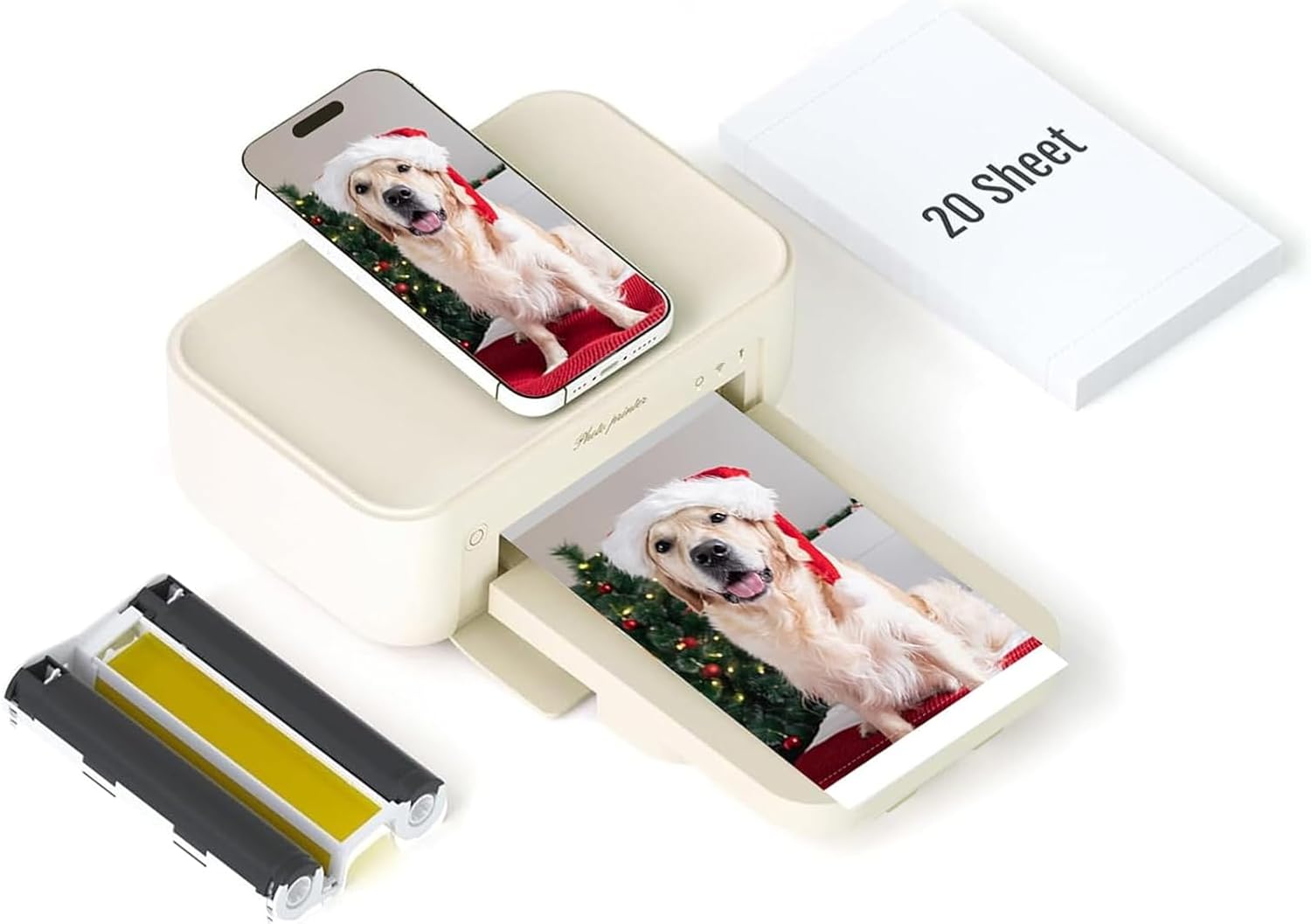
| Printer Type | Dye Sublimation |
|---|---|
| Maximum Media Size | 4 x 6 inch |
| Maximum Sheet Capacity | 20 |
| Maximum print Resolution Color | 300×300 |
| Printer Connectivity Type | Wi-Fi |
The HPRT CP4100 is a portable 4×6 dye sublimation photo printer aimed at instant phone-to-paper printing. You connect via Wi‑Fi and use the HEY Photo app to send images from iPhone or Android, choose filters or AR-enabled video frames, and print single 4×6 photos. The unit prints at up to 300 DPI with a 24-bit color depth and applies a laminated protective layer for water and scratch resistance, so prints feel durable for display or albums. It ships with a power adapter, one ribbon, and 20 sheets of glossy paper so you can start printing right away, and the machine accepts HPRT 4×6 paper and ribbon cartridges sold for the line. Practical limitations include a slow one-page-per-minute output and a 20-sheet maximum media capacity, which makes it best for casual home use rather than high-volume events, and replacement supplies must be the brand-specific cartridges. For buyers who want small, durable 4×6 prints directly from their phone, the CP4100 is a straightforward, budget-oriented choice.
Best for: Buyers who want an affordable, easy-to-use 4×6 photo printer for occasional home or party printing directly from smartphones and value durable, ready-to-display prints.
Less Ideal for: People who need fast, high-volume photo output or want to use third‑party paper and ribbon options for lower running costs.
- Dye sublimation printing with 300 DPI for vibrant, durable 4×6 photos
- Wi‑Fi connectivity and HEY Photo app for direct smartphone printing and AR/video printing features
- Comes with ribbon and 20 sheets of glossy paper so it is ready to use out of the box
- Protective lamination on prints makes them water and scratch resistant
- Print speed is about one 4×6 per minute, which is slow for large batches
- Uses proprietary HPRT paper and ribbon, limiting supply options
Verdict: A budget-friendly portable 4×6 dye sublimation printer that produces durable, phone-ready photos with easy wireless printing.
Liene 4×6 Photo Printer DHP513

| Printer Type | Dye Sublimation |
|---|---|
| Maximum Media Size | 4 x 6 inch |
| Maximum Sheet Capacity | 20 |
| Printer Connectivity Type | USB, Wi-Fi |
| Maximum print Resolution Color | 300 x 300 dpi |
The Liene DHP513 is a portable dye-sublimation 4×6 photo printer designed for quick, durable prints from phones or PCs. It connects via built-in Wi‑Fi (including a hotspot) or USB Type‑C and is controlled with the Liene app to apply filters, borders, and basic edits before printing. The printer uses thermal dye-sublimation cartridges and glossy paper to produce laminated, water- and scratch-resistant photos at a native 300 x 300 dpi; the first print takes about a minute and the tray holds up to 20 sheets. Setup is straightforward: install the cartridge and paper, power on, connect your device, and print from the app or directly from the device album. Practical strengths include borderless printing, a simple app workflow, and the ability to accept up to five simultaneous device connections for sharing. Limitations to note are the relatively slow per-photo print time compared with small ZINK instant printers and reliance on proprietary cartridges and paper that you must replace to keep printing. For basic home or small-event use the DHP513 balances image durability and ease of use, but heavy-volume users should plan for consumable costs and print speed.
Best for: Buyers who prioritize reliable, durable 4×6 photo prints for home albums, events, or shared printing between multiple devices and want an easy app-based workflow.
Less Ideal for: People who need very fast throughput or the lowest ongoing supply cost for high-volume printing should consider other solutions.
- Dye-sublimation prints with laminated finish that resist water, scratches, and fading
- Built-in Wi‑Fi hotspot plus USB Type‑C for easy phone and PC connections
- App control with templates, filters, and simple editing before printing
- Borderless 4×6 output at 300 x 300 dpi for full-frame photos
- Prints are relatively slow at about one minute each
- Uses proprietary cartridges and paper, which adds recurring cost
Verdict: A dependable portable 4×6 photo printer for anyone who wants durable, borderless dye-sublimation prints from phones or PCs with simple app control.
KODAK Dock Plus PD460

| Printer Type | 4PASS Dye Sublimation |
|---|---|
| Maximum Media Size | 4×6 inches |
| Maximum Sheet Capacity | 10 |
| Connectivity | wired, wireless |
| Compatible Devices | Smartphones, Tablets |
The KODAK Dock Plus PD460 is a desktop-focused 4×6 photo printer built for quick, easy smartphone prints. It uses 4PASS dye-sublimation with a laminated finish so each 4×6 print resists water, fingerprints, and fading, and a full cartridge handles paper and ink in one unit. Setup is straightforward: plug in, pair via Bluetooth to the KODAK Photo Printer app on iOS or Android, edit in-app and send a print; a built-in docking station keeps a phone upright and charges it during use. Typical use is home albums, party snapshots, gifts, and small print runs—expect about one print per minute and a 10-sheet loaded capacity. The Dock Plus favors simplicity and print durability over advanced controls: it is print-only (no scanning or copying functions beyond photo reproduction) and is wired/wireless capable but relies on the app for image adjustments. Because it prints only 4×6 and holds a limited number of sheets, it is better for occasional batches than continuous high-volume jobs.
Best for: Buyers who want a reliable, easy-to-use home photo printer that produces durable 4×6 prints directly from smartphones and values straightforward setup and app-based editing.
Less Ideal for: People who need high-volume, continuous printing, variable print sizes, or professional-level color control should look at larger photo printers or lab services instead.
- Durable 4PASS dye-sublimation prints with laminated finish resist water, fingerprints, and fading.
- Integrated smartphone dock that holds and charges a phone while printing for stable connection.
- Simple Bluetooth app workflow for quick edits and one-touch printing from iOS and Android.
- All-in-one cartridge design simplifies media and ink replacement.
- Holds only up to 10 sheets, so frequent refills are needed for larger print runs.
- Print speed is about one 4×6 per minute, which is slower than some compact instant printers.
- Limited to 4×6 prints and does not offer advanced print controls beyond the app.
Verdict: Choose the Dock Plus if you want a simple, docked smartphone photo printer that reliably produces water- and fingerprint-resistant 4×6 prints at home.
Canon Selphy CP1500

| Printer Type | Dye Sublimation |
|---|---|
| Maximum Media Size | 4×6 |
| Maximum Sheet Capacity | 108 |
| Printer Connectivity Type | Wi-Fi |
| Maximum print Resolution Color | 300 x 300 |
The Canon Selphy CP1500 is a portable dye-sublimation photo printer designed to produce lab-style 4×6 prints from smartphones, tablets, or computers over Wi‑Fi. It ships as a bundle with 108 sheets of KP-108 glossy paper, three color ink cartridges, and a cleaning cloth so you can start printing right away. The dye-sub process yields vibrant, fade-resistant, water- and fingerprint-resistant photos with smooth color gradations, and the printer is simple to set up and control via an app. Its compact footprint and wireless printing make it convenient for events, scrapbooks, and quick gift prints, and the pre-matched paper and ink reduces compatibility guesswork. Limitations include 4×6-only output and simplex printing, so it is not suitable for larger formats or duplex jobs, and the 300 x 300 dpi resolution is optimized for photos rather than high-detail document work. For straightforward, reliable 4×6 photo printing at home or on the go, the CP1500 covers the essentials with minimal hassle.
Best for: Buyers who want a low-hassle, ready-to-print solution for quick 4×6 photos at home or events and prefer a reliable, plug-and-play experience over tinkering with supplies.
Less Ideal for: People who need larger-format printing, duplex capabilities, or very high-resolution photo lab output should look at dedicated photo labs or larger inkjet printers.
- Dye-sublimation printing produces durable, vibrant 4×6 photos that resist water and fingerprints
- Includes 108 sheets of KP-108 paper and three color ink cartridges so it is ready to use out of the box
- Built-in Wi‑Fi and app control allow easy wireless printing from phones and tablets
- Compact, portable design fits on a desk or can be moved for events and parties
- Prints only up to 4×6 size and does not support duplex or larger media
- 300 x 300 dpi is modest compared with high-resolution photo labs for large prints
Verdict: A compact, worry-free 4×6 photo printer bundle that delivers ready-to-use, durable prints with simple wireless setup.
Choosing the Right Portable Photo 4X6 Printer: Key Factors to Consider
Print Quality and Color Accuracy
This factor determines how closely a printed photo matches the original image in tone, contrast, and saturation. For 4×6 prints, look for devices that render skin tones naturally and preserve shadow detail without oversaturation.
High resolution and reliable color profiles matter if you plan to display or gift prints. Consider how the printer handles gloss and matte paper finishes because surface choice affects perceived sharpness and color depth.
Connectivity and App Features
How the printer connects to your phone or camera affects convenience. Bluetooth provides quick direct pairing for casual snaps while Wi-Fi can support higher throughput and multi-device access. Some printers also offer USB or SD card slots for direct photo transfer.
Companion apps vary widely in editing features, layout templates, and firmware updates. A robust app can let you crop, correct exposure, or add borders before printing, reducing the need to edit photos on a separate device.
Portability and Power Options
Portable printers are defined by how easy they are to carry and where you can use them. Weight and physical dimensions determine whether the unit fits in a bag or requires a dedicated case. Battery life and charging method are critical if you plan to print at events or while traveling.
Consider whether the device supports rechargeable batteries, USB-C power delivery, or replaceable batteries. A short charge time and the option to print while plugged in increase flexibility for longer outings.
Media Handling and Print Speed
Media handling covers how paper is loaded, how many sheets the device can carry, and the range of supported paper types. A simple drop-in paper tray makes refills faster, while single-sheet loading can be slower but saves space.
Print speed affects how quickly you can produce multiple photos at events. Faster per-print times reduce bottlenecks when printing for groups, but speed should not sacrifice image quality.
Durability and Print Longevity
Durability includes both the build quality of the printer and how well prints resist fading and staining. Look for printers and papers designed to resist moisture and UV exposure if you expect prints to be handled often or displayed.
Consider whether prints require special coatings or laminates for archival storage. The long-term appearance of your photos depends on the combination of ink or dye-sublimation chemistry and the paper's protective layers.
Consumables and Ongoing Costs
Consumables include paper packs, ink cartridges, or hybrid media bundles. Availability and packaging size impact how often you need to reorder and the per-print cost.
Also assess how easy it is to replace consumables and whether common retail channels stock the specific paper sizes. Some printers use integrated paper-and-ink packs that simplify replacements but can be more expensive per print.
How Portable 4X6 Printing Works
Portable 4×6 printers use a few different technologies to create photos. Thermal dye-sublimation layers dye onto photo paper in multiple passes for continuous tones, while inkjet variations spray tiny droplets and rely on paper coatings to absorb the inks. Some models use integrated paper-and-ink packs to simplify maintenance.
Understanding the underlying print method helps set expectations for color, finish, and durability. Dye-sublimation tends to produce smooth gradients and durable prints, while inkjet can offer sharper detail on certain media but may require higher-quality paper for longevity.
- Dye-sublimation: smooth tones, durable finishes
- Inkjet: potentially higher detail, paper-dependent longevity
- Integrated packs: simpler replacements, predictable output
Best Use Cases for Portable Photo Printers
Portable 4×6 printers are ideal for travel, on-site events, and quick physical backups of digital images. They are also useful for instant gifting, parties, and craft projects where small format photos are sufficient.
They are not a substitute for larger lab prints when you need big enlargements or archival-grade prints for exhibitions. Consider how often you will print and whether 4×6 is the primary size you need.
- Travel snapshots and vacation keepsakes
- Event photo stations and instant guest giveaways
- Scrapbooking and craft projects
Managing Color and Exposure for Small Prints
Because 4×6 prints are small, color shifts and clipping can be more noticeable. Adjust exposure and contrast slightly lower than you might for larger prints to preserve highlight detail. Most companion apps include basic color correction tools that can make a big difference.
Shoot with slightly higher resolution and avoid excessive cropping to retain detail at 4×6 size. If you frequently print portraits, test a few photos to see how skin tones render and adjust white balance or saturation presets accordingly.
- Slightly underexpose to preserve highlight detail
- Use minimal cropping to maintain resolution
- Check skin tones on test prints and tweak white balance
Transporting and Caring for a Portable Printer
Protect the unit from shocks and moisture during transport. Use a padded case or wrap the printer in soft clothing inside your bag. Keep consumables sealed until you are ready to use them to avoid dust or moisture contamination.
Regularly clean paper paths and contacts as recommended by the manufacturer to prevent jams and maintain print consistency. When storing for long periods, remove paper rolls or packs if instructed to prevent curling or adhesive issues.
- Use padded storage to prevent impact damage
- Keep paper sealed and dry until use
- Perform periodic cleaning to avoid jams
Integrating Portable Prints Into Projects
Small 4×6 photos are highly versatile and can be used in collages, journals, or as instant tags on gifts. Consider printing a few extras when you are on site so you have spares for creative uses.
Use adhesive-backed photo pages or clear sleeves for display projects to protect prints from handling. Matte finish paper can reduce reflections in scanned reproductions of your projects.
- Print extras for craft projects
- Use protective sleeves or adhesive pages for displays
- Choose finish based on display and scanning needs
How We Chose the Best Portable Photo 4X6 Printer
We focused on practical, measurable criteria that matter for everyday mobile photo printing. First, we prioritized print quality metrics such as color accuracy, resolution, and print permanence because these determine how photos look and how long they last. Second, we evaluated connectivity and ease of setup, including Bluetooth and Wi-Fi reliability, app features, and compatibility with the common mobile platforms. Third, portability was assessed by weight, footprint, and battery options since buyers often carry these printers on trips or to events. Fourth, media handling and print speed were considered, including supported paper types, drop-in loading, and the time per 4×6 print. Finally, we reviewed ongoing costs and maintenance factors, such as consumable availability and how easy it is to replace paper or cartridges. We excluded devices that are primarily full-size photo printers or multifunction units that do not offer true 4×6 dedicated mobile printing. We also filtered out models with poor connectivity feedback or insufficient documentation. The shortlisted units were chosen based on these objective dimensions rather than brand recognition or price alone.
Our full evaluation process is outlined in our review methodology.
FAQ
How long do prints from a portable 4×6 printer typically last?
Print longevity depends on the printing method and paper. Dye-sublimation prints with proper storage can last many years without noticeable fading, while inkjet prints may require archival paper or protective coatings for similar longevity.
Can I print directly from my phone without a computer?
Yes. Most portable 4×6 printers support direct printing from phones via Bluetooth or Wi-Fi and offer companion apps for layout and basic edits. Make sure the app supports your phone's operating system.
Are these printers suitable for event use with many guests?
They are suitable for small to medium events but consider print speed and media capacity. For high-volume events, look for models with faster per-print times or plan for printing in batches to avoid long wait times.
Do I need special paper or ink for good results?
Yes. Using the recommended paper type and ink system for the printer yields the best color and durability. Some units require proprietary paper-and-ink packs while others accept standard photo paper, so check media compatibility before buying.
How do I maintain print consistency over time?
Keep firmware and companion apps updated, store consumables properly, and run any calibration or cleaning routines the manufacturer provides. Regularly printing test sheets can help you spot color shifts early.
Final Verdict
Choose a Portable Photo 4×6 Printer by balancing print quality, connectivity, and portability against your typical use patterns. If you print mostly on the go, prioritize battery life and compact dimensions; if image fidelity is paramount, emphasize color accuracy and the printer's supported media. Expect tradeoffs: the most portable units may limit paper capacity or print speed, while models focused on image permanence may weigh more. Decide which criteria matter most for your workflow and pick a model that aligns with those priorities. That approach will ensure you get consistent, satisfying 4×6 prints without unnecessary compromises.