
Note: This article contains affiliate links. If you click on these links and make a purchase, we may earn a small commission at no extra cost to you. This helps support our research and content. Read our full affiliate disclosure here.
When you ship packages regularly, the right printer for shipping labels can save time and reduce errors at every step. You want crisp barcode and address prints, fast feeding to keep up with batch jobs, and labels that resist smudging during transit. This guide covers seven shortlisted printers that fit a range of small-business and home fulfillment needs and highlights the practical strengths buyers care about. We evaluated models for speed, label handling, connection options, and long-term reliability. Read on to understand which features matter for your workflow and which printers suit particular shipping volumes and setups.
Top Picks at a Glance
| Best Overall The best all-around choice for most situations | Rollo USB Shipping Label Printer X1038 |  |
| Best Quality Built to a higher standard if you want something more solid | Zebra ZD220 Direct Thermal Printer |  |
| Best Value The sweet spot between price and what you get | Omezizy D450-BT Label Printer |  |
| Best Budget The cheapest option that still gets the job done reliably | TATTMUSE A646 Thermal Label Printer |  |
| Top Rated A top-rated pick with lots of positive feedback | HKHKPI N40 Thermal Label Printer |  |
| Most Popular A crowd favorite that many people choose with confidence | JADENS JD268BT 4×6 Label Printer |  |
| Best Seller A high-volume bestseller chosen again and again | KNAON Y813BT Thermal Label Printer |  |
Rollo USB Shipping Label Printer X1038

| Printer Type | Thermal |
|---|---|
| Print Resolution | 203 x 203 DPI |
| Maximum Media Size | 4.1 Inch Width |
| Connectivity | USB (wired) |
| Paper Size | 4 inch x 6 inches |
The Rollo USB Shipping Label Printer is a direct-thermal desktop printer built for quick, high-volume label jobs without ink or toner. It connects over USB to Windows and Mac systems and handles 4×6 shipping labels plus other widths between 1.57 and 4.1 inches, with automatic label detection to simplify loading. In practice it produces sharp, scannable 203 dpi labels at about one 4×6 label per second, which keeps packing stations moving and reduces consumable cost compared with ink printers. Setup is straightforward using Rollo drivers and the company also offers a shipping app for streamlined postage purchasing. Because it is a wired USB-only model, it is best placed next to a PC workstation rather than shared wirelessly, and it lacks duplex or color printing—so its use is focused on address, barcode, and product sticker printing rather than documents or photos. Overall it is a dependable, workhorse label printer for small businesses and ecommerce sellers who need fast, low-cost shipping labels and clear barcode printing.
Best for: Buyers who need a reliable, high-throughput label printer for daily shipping and barcode tasks and prioritize low running costs and fast, legible output at a packing-station workflow.
Less Ideal for: People who need wireless printing from phones or multiple users without a dedicated PC, or those who need color labels or multifunction printing beyond labels.
- Direct thermal printing eliminates ink or toner costs
- Fast print speed suitable for busy packing stations (about one 4×6 label per second)
- Automatic label detection and wide label width support (1.57"–4.1") simplify loading different label types
- Compatible with Windows and Mac and integrates with common shipping platforms and apps
- High resolution 203 dpi output yields clear, scannable barcodes and address text
- USB wired connection only, no built-in Wi‑Fi for mobile or shared printing
- No color printing or duplex capability
Verdict: A fast, inkless USB label printer built to cut consumable costs and keep shipping stations moving for small ecommerce and fulfillment workflows.
Zebra ZD220 Direct Thermal Printer

| Resolution | 203 x 203 dpi |
|---|---|
| Maximum Media Size | 4 Inches |
| Printer Connectivity Type | USB |
| Print Speed | 4 inches per second |
| Specific Uses For Product | Industrial Labels |
The Zebra ZD220 is a small-footprint direct thermal label printer designed for fast, ink-free printing of shipping labels, barcodes, receipts, and tags. It prints at 203 x 203 dpi and up to 4 inches per second, making it suitable for busy packing stations where standard shipping labels and barcode clarity matter more than ultra-high resolution. The unit connects via USB and includes Print DNA Essentials software for managing label templates and stored fonts or graphics, and it accepts 4" core media for common label rolls. Its dual-wall frame and factory-grade construction give it a durable feel for retail or small warehouse use, and the lack of ink simplifies maintenance and running costs. Important limitations are the single 203 dpi resolution, which is fine for standard shipping labels but not for extremely fine graphics or high-density barcodes, and manual duplex is irrelevant for its label role. Overall, it delivers reliable, no-frills label printing where speed, simplicity, and durable daily operation are the priority.
Best for: Buyers who need a reliable, fast desktop printer for standard shipping labels and barcodes in a small retail or light warehouse environment where durability and low maintenance matter most.
Less Ideal for: Shippers who require very high-resolution labels, frequent wireless/network placement without USB or advanced multi-function printing should consider other models.
- Direct thermal printing requires no ink or toner, lowering ongoing supplies costs
- Compact, rugged dual-wall design suited to busy retail or small warehouse stations
- Prints 4-inch labels at up to 4 inches per second for steady throughput
- Includes Print DNA Essentials software to manage templates, fonts, and graphics
- Accepts standard 4" core media for easy label roll compatibility
- Fixed 203 dpi resolution limits fine-detail or high-density graphic printing
- USB is primary connectivity which may limit flexible network placement
Verdict: A dependable, compact direct-thermal desktop printer that delivers fast, low-maintenance shipping label printing for small to mid-volume operations.
Omezizy D450-BT Label Printer
| Print resolution | 203 x 203 DPI |
|---|---|
| Print media | Labels |
| Printer connectivity | Bluetooth, USB |
| Maximum media size | Paper Width: 1"-4.6" (25.4-117mm) |
| Maximum sheet capacity | 250 |
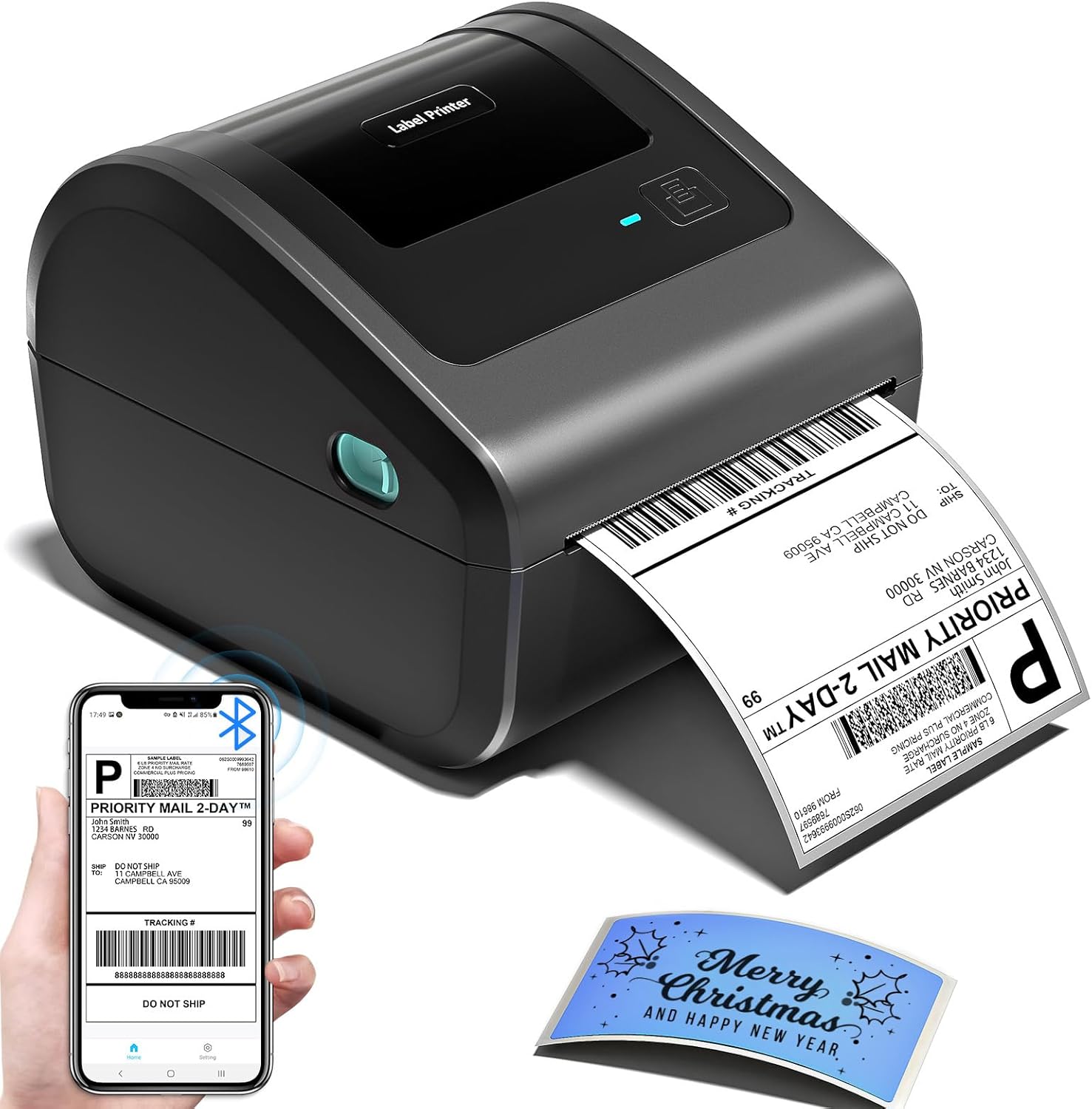
The Omezizy D450-BT is a compact thermal label printer built for quick 4×6 shipping labels and general label work without ink or toner. It connects via Bluetooth or USB to phones, tablets, and computers and prints with a 203 dpi thermal head that keeps text and barcodes legible for carriers. The unit stores an internal roll in a built-in bin and accepts 1 to 4.6 inch widths, which simplifies loading and reduces desk clutter. Setup is app-driven for mobile printing and drivers are available for Windows and macOS for direct pairing, and the printer supports common shipping platforms used by small sellers. It prints rapidly for a desktop unit and uses automatic label detection and alignment to reduce misfeeds. Limits to note are the 203 dpi ceiling, which is fine for shipping but not for high-resolution graphics, and the reliance on the vendor app for Bluetooth pairing on phones instead of system-level pairing. For sellers who need a space-saving, no-ink solution that integrates with common shipping workflows, this model is a practical choice.
Best for: Small sellers and office users who prioritize a compact, no-ink desktop printer that integrates with popular shipping platforms and lets them print labels quickly from phones or computers.
Less Ideal for: Teams that need photo-quality label printing or advanced enterprise fleet features should consider higher-resolution or networked industrial printers instead.
- Bluetooth and USB connectivity for printing from phones, tablets, and computers
- Built-in label bin and internal roll storage to save desk space and simplify loading
- Prints standard 4×6 shipping labels with automatic label detection and alignment
- Thermal printing with 203 dpi produces clear barcodes and text without ink or toner
- 203 dpi resolution is adequate for shipping but not suitable for high-detail graphics
- Bluetooth pairing for mobile requires the vendor app rather than native OS pairing
Verdict: A space-saving, no-ink 4×6 thermal printer that lets small businesses print shipping labels quickly from phones or computers.
TATTMUSE A646 Thermal Label Printer
| Printer Type | Thermal |
|---|---|
| Maximum Media Size | 4 x 6 inches |
| Maximum Print Resolution | 203 dots_per_inch |
| Printer Connectivity Type | Bluetooth, USB |
| B&W Pages per Minute | 72 pages_per_minute |
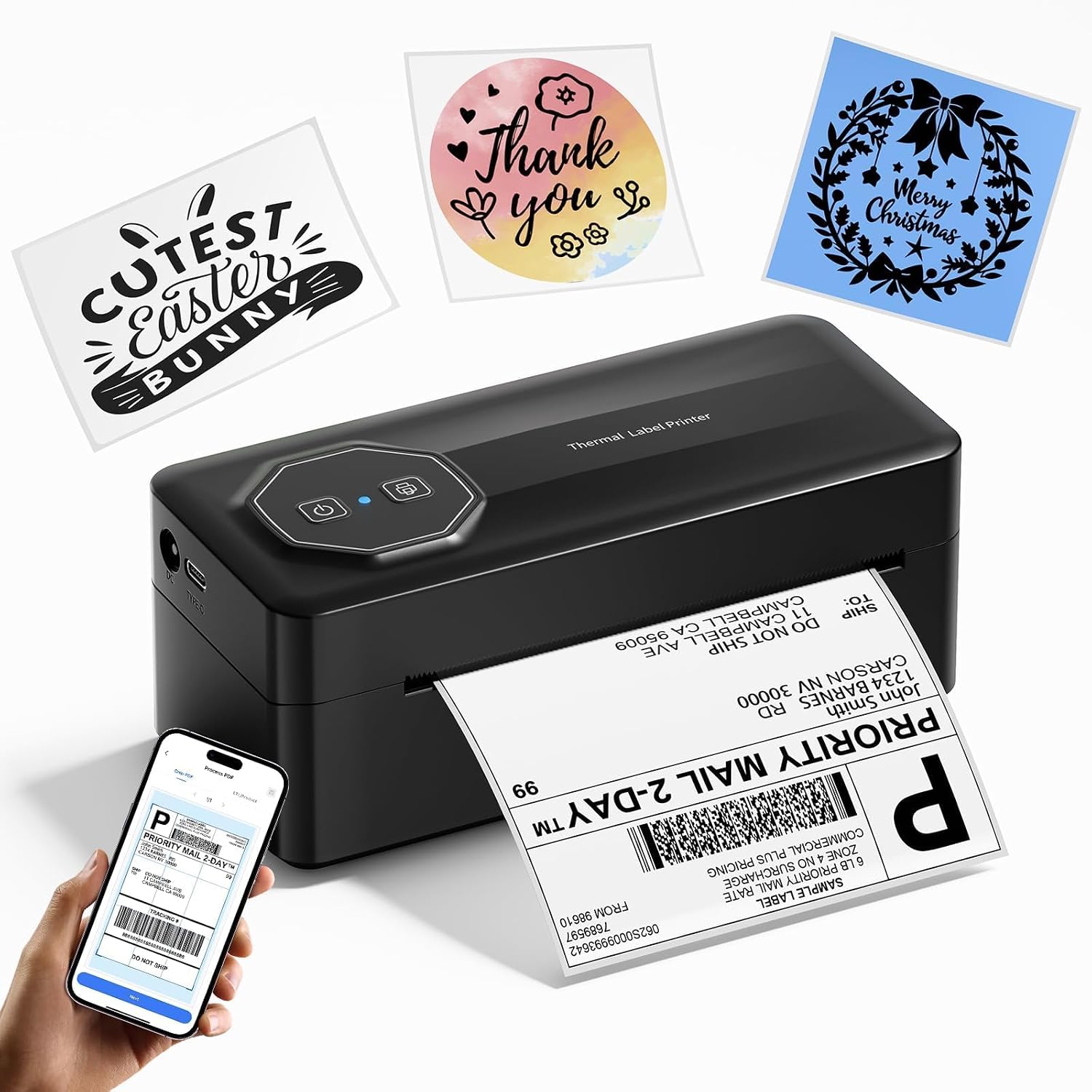
The TATTMUSE A646 is a small thermal shipping label printer built for basic, high-volume label tasks around a home office or small business. It prints monochrome thermal labels up to 4×6 inches at a quoted 72 labels per minute and 203 dpi, and connects via Bluetooth to smartphones and tablets or by USB Type-C to computers. Setup is driven through the vendor app for mobile labeling and a downloadable driver for PC use, and the unit ships with a small starter roll of 4×6 thermal labels and required cables. Because it uses direct thermal paper there is no ink or toner to buy, which keeps ongoing costs low, but prints are black-and-white only and will fade with heat or sunlight over time. The printer is very compact and lightweight, so it fits on a crowded desk and is easy to move, though power draw is listed at 60 watts which may be higher than some portable models. For sellers who need straightforward shipping, barcode, and address labels without extra features, the A646 offers a fast, no-frills solution at a budget-friendly level.
Best for: Small sellers or home-business owners who need an inexpensive, space-saving label printer to handle routine shipping and barcode labels with minimal operating costs.
Less Ideal for: Businesses that need long-lasting color prints, heavy industrial durability, or wide-format printing should consider higher-end or specialty models instead.
- Fast quoted print speed (72 pages per minute) for quick label throughput
- Bluetooth and USB Type-C connectivity for mobile phones, tablets, and computers
- No ink or toner required thanks to thermal printing which lowers consumable costs
- Supports multiple label widths including standard 4×6 and several smaller sizes
- Compact, lightweight design that saves desk space and is easy to relocate
- Prints only in black-and-white with thermal media that can fade over time
- Requires vendor app or drivers for some platforms which may add setup steps
Verdict: A budget-friendly, compact thermal printer that delivers fast, ink-free 4×6 shipping labels for small businesses and home sellers.
HKHKPI N40 Thermal Label Printer

| Print Resolution | 203 x 203 dpi |
|---|---|
| Maximum Media Size | 4 x 6 inches |
| Paper Size Range | 25mm-110mm |
| Printer Connectivity Type | Bluetooth, USB |
| Maximum Sheet Capacity | 100 |
The HKHKPI N40 is a small desktop thermal label printer built for shipping and general label tasks. It prints 4×6 labels without ink or toner using a 203 x 203 dpi thermal head and accepts media from 25mm to 110mm wide, making it flexible for shipping labels, barcodes, QR codes, and price tags. Connectivity includes Bluetooth for phone/tablet printing through the vendor app and a USB port for PC connections, and the unit offers features like automatic calibration and smart paper ejection to reduce jams and wasted labels. The printer is portable and straightforward to set up, and the stated print speed supports high-volume label batches for small business use. Limitations are the monochrome thermal output only and a modest resolution compared with high-end industrial models, so very small text or detailed graphics may not be as crisp; it also relies on the vendor app for mobile workflows, which may be less convenient than direct integration with some shipping software without extra setup. For reliability-focused buyers the long-rated print head life and simple inkless operation are practical advantages for steady label throughput.
Best for: Small business or e-commerce sellers who need a reliable, no-ink printer for steady batches of shipping labels and basic barcode or price-tag printing.
Less Ideal for: Users who need color labels, ultra-high-resolution graphics, or plug-and-play integration with niche shipping software without app configuration.
- Inkless thermal printing eliminates ink and toner costs and mess
- Bluetooth plus USB connectivity supports mobile and PC workflows
- Automatic calibration and smart paper ejection reduce jams and wasted labels
- Supports wide media range (25mm–110mm) including 4×6 shipping labels
- Monochrome 203 dpi limits fine-detail reproduction compared with higher-resolution units
- Relies on the vendor app for mobile printing which can require extra setup for some shipping platforms
Verdict: Choose the N40 if you want a compact, inkless thermal printer that reliably churns through 4×6 shipping labels for a small business workflow.
JADENS JD268BT 4×6 Label Printer

| Printer Type | Thermal |
|---|---|
| Resolution | 203 x 203 DPI |
| Maximum Media Size | 4 x 6 inches |
| Printer Connectivity Type | Bluetooth |
| Total Usb Ports | 1 |
The JADENS JD268BT is a thermal 4×6 label printer built for small shipping workflows and light office use. It prints monochrome labels with a 203 x 203 DPI thermal head, so shipping barcodes and address labels come out clean without ink or toner. You can connect over Bluetooth for desktop and some mobile workflows or use the USB port for Windows and Mac; an app is offered for Android and iOS to print from phones. The unit accepts fanfold or roll labels in common sizes up to 4 x 6 inches and holds about 50 sheets, which makes it convenient for batch label printing. Setup and driver files are provided on a U-disk and the manufacturer includes basic troubleshooting resources and a one-year warranty. Expect straightforward, economical operation but not high-end speed or advanced network features; this is a dedicated print-only device without duplex or color printing and its Bluetooth behavior varies by platform, so phone printing can require the vendor app and extra steps.
Best for: Buyers who want a low-cost, compact label printer for occasional to moderate shipping and fulfillment tasks and who prefer a simple, print-only device with basic wireless or USB connectivity.
Less Ideal for: High-volume shipping operations that need faster throughput, larger label rolls, or advanced networked features like Ethernet or Wi-Fi integration should look elsewhere.
- Thermal printing requires no ink or toner, lowering running costs.
- Supports common label sizes up to 4 x 6 inches used for shipping.
- Bluetooth and USB connectivity give flexible connection options for desktop and mobile printing.
- 203 x 203 DPI thermal head produces legible barcodes and addresses for shipping services.
- Comes with test labels, USB cable, and driver resources for quick setup.
- Bluetooth printing from phones requires the vendor app and can be less seamless than native mobile printing.
- Maximum sheet capacity around 50 means frequent reloads during heavier batches.
Verdict: A compact, economical thermal printer that reliably prints standard 4×6 shipping labels for small sellers who value low running costs and simple setup.
KNAON Y813BT Thermal Label Printer
| Printer Type | Thermal |
|---|---|
| Maximum Print Resolution Black and White | 203 dpi |
| Printer Connectivity Type | Bluetooth |
| Paper Size | 4.2 inches |
| Compatible Devices | Laptops, PC, Smartphones, Tablets |
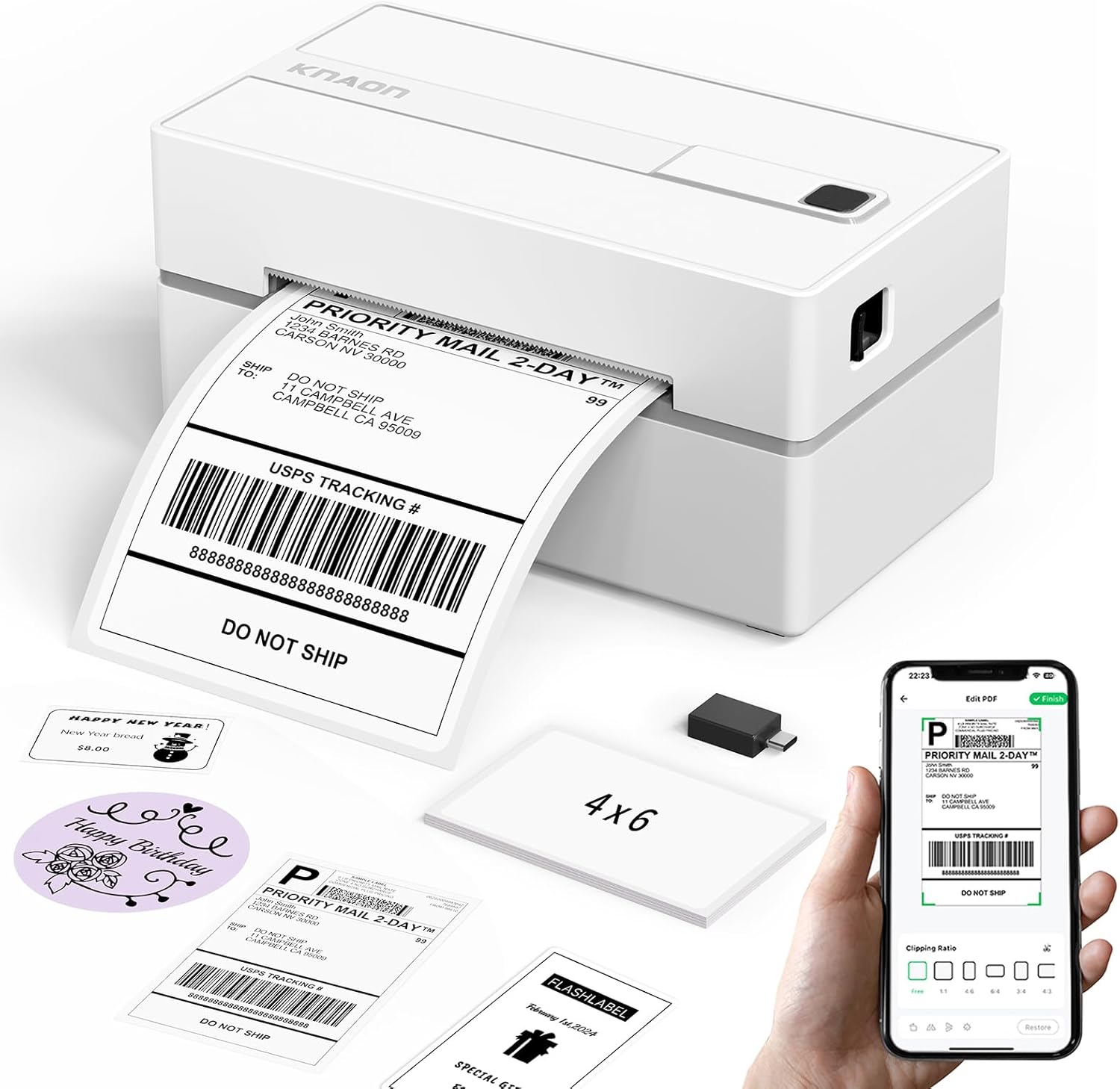
The KNAON Y813BT is a small, inkless thermal label printer built for printing 4×6 shipping labels and a variety of smaller label formats. It connects over Bluetooth for mobile printing via the FlashLabel Pro app and also supports USB connections to Windows, macOS, ChromeOS, and Linux with drivers included on a built-in media drive. The printer is fast for its class and handles paper widths from about 1.5 to 4.2 inches, which covers standard shipping labels and common barcode or price tags. The app offers many templates, icons, and fonts to customize labels without desktop software, and the package includes starter label paper and setup guides to simplify first-time use. Limitations to note are the modest 203 dpi resolution, which is fine for shipping barcodes but not for high-detail graphics, and the Bluetooth pairing requires the vendor app rather than native OS printing, which can add a setup step for some users. For everyday shipping-label workflows the unit is practical, portable, and straightforward to run once drivers or the app are installed.
Best for: Buyers who want a simple, portable label printer for regular shipping and small-business labeling that works with phones and computers and prefers an out-of-the-box setup experience.
Less Ideal for: Users who need high-resolution label graphics, advanced enterprise features, or direct native Bluetooth printing without a vendor app should look at higher-end or specialized models.
- Inkless thermal printing removes the need for ink or toner
- Bluetooth and USB connectivity support mobile and desktop printing
- Supports label widths up to 4.2 inches, suitable for standard 4×6 shipping labels
- Includes starter label papers, drivers on built-in media, and setup guides for faster setup
- 203 dpi resolution is lower than photo-grade printers and limits fine graphic detail
- Bluetooth printing is routed through the vendor app rather than native OS printing, adding an extra setup step
Verdict: A compact, app-driven thermal printer that makes reliable 4×6 shipping labels easily from phones or desktops, ideal for small businesses wanting a straightforward, portable solution.
Choosing the Right Printer for Shipping Labels: Key Factors to Consider
Print Speed and Throughput
How fast a printer produces labels matters for batch shipping. Higher inches-per-second ratings reduce time spent waiting during peak fulfillment, and faster first-label-out times improve responsiveness when printing small batches. Consider whether your daily order volume requires continuous fast printing or occasional moderate-speed jobs.
Throughput is also affected by warmup time and how the printer handles long rolls. If you regularly print hundreds of labels per day, choose a unit designed for sustained operation rather than a low-duty consumer device.
Print Quality and Barcode Readability
Clear, high-contrast prints are essential for carrier scanners and accurate address legibility. Resolution and print technology (direct thermal versus thermal transfer) determine how crisp barcodes and small text appear. Poor print quality increases the chance of scanning failures or misdelivery.
Also account for how labels hold up after printing. Some label media and printing methods resist smudging and fading better than others, which is crucial if packages will be exposed to heat, moisture, or rough handling.
Media Compatibility and Roll Size
Label dimensions, core sizes, and roll capacity determine how often you must change media. A printer that accepts larger rolls and standard core sizes reduces interruptions during high-volume shipping. Check whether the unit supports the label widths you use, and whether it accommodates continuous rolls, die-cut labels, or linerless stock.
Compatibility with different adhesive strengths and material types matters too. Some shipments need heavy-duty adhesive or synthetic labels for cold or rough environments, so ensure the printer can handle those media types.
Connectivity and Software Integration
Seamless connectivity with your shipping software and devices speeds the labeling process. Look for printers that offer reliable USB, Ethernet, Wi-Fi, and optional Bluetooth connections depending on your setup. Networked printers simplify shared use in a multi-user environment, while direct USB may be sufficient for single-station setups.
Driver stability and compatibility with common shipping platforms, label-design tools, and point-of-sale systems reduce configuration headaches. Check for supported operating systems and whether the manufacturer provides standard printer language support for label apps.
Durability and Maintenance Needs
A robust build and easy maintenance lower downtime and total ownership hassle. Industrial or commercial-grade components last longer under continuous use, and user-serviceable parts like replaceable printheads and easy-to-clean rollers simplify upkeep.
Routine maintenance intervals and the availability of consumables such as replacement platens or cleaning kits affect operating continuity. Consider how easy it is to clear jams and swap label rolls without disrupting production.
Cost of Consumables and Operational Efficiency
Beyond the initial unit, label cost per thousand, ribbon usage for thermal transfer models, and energy consumption influence ongoing expenses. Thermal transfer printing requires ribbons that add per-label cost but improve durability, while direct thermal eliminates ribbons but may require specialized label stock.
Factor in how media yield and roll sizes interact with labor costs for changing rolls and maintaining the printer. Choosing media that aligns with your daily volume minimizes per-label costs and reduces hands-on time.
Direct Thermal Vs Thermal Transfer
Understanding the two main label printing technologies helps match durability needs to shipping conditions. Direct thermal printing darkens specially coated label stock through heat and does not require ribbon. It is simple to use and lowers consumable complexity but is less resistant to heat, light, and abrasion.
Thermal transfer printing uses a ribbon to transfer ink onto label stock, producing more durable prints that resist smudging and environmental exposure. If your packages face long transit times, outdoor exposure, or refrigerated environments, thermal transfer may be worth the extra consumable cost.
- Direct thermal: no ribbon, simpler supplies, good for short-term labels
- Thermal transfer: uses ribbon, more durable, suited for harsh conditions
- Match your carrier handling and storage conditions to the technology
Setting Up a Networked Labeling Station
For teams or multiple workstations, networked printers save time by accepting print jobs from any connected device. Ethernet provides the most stable connection for high-volume environments, while Wi-Fi offers placement flexibility when wiring is impractical.
Assign a static IP to make the printer easy to find, and test driver compatibility with your primary shipping software early in the setup process. If you rely on cloud-based shipping platforms, verify that the printer supports the required protocols or that middleware is available to bridge systems.
- Use Ethernet for reliability in busy fulfillment areas
- Reserve Wi-Fi for flexible placement or small teams
- Check driver and protocol compatibility before deployment
Optimizing Label Workflow to Reduce Errors
A streamlined label workflow reduces misprints and scanning failures. Standardize label templates and barcode settings across your shipping software to ensure consistent output. Use test prints to validate barcode scanners read labels at the correct orientation and density.
Train staff on common error recovery steps such as clearing jams, cleaning printheads, and swapping rolls. Implement a simple checklist for daily startup and shutdown to catch issues before they affect a shipping run.
- Standardize templates and print settings
- Validate barcode readability with your scanners
- Create a short daily maintenance checklist for operators
Space and Placement Considerations
Label printers vary in footprint and how they feed labels. Desktop label printers are compact and fit on counters, but larger industrial units require dedicated shelving or bench space. Consider clearance for roll loading and whether the printer needs to feed labels into a second device such as a scale or applicator.
Also consider noise levels if the printer will be used in a customer-facing area. Some high-speed models are louder and better suited to backroom use rather than a retail counter.
- Measure depth and width including open covers for roll changes
- Allow clearance for cable routing and ventilation
- Account for noise when placing near customers or workstations
Common Troubleshooting Tips
Most labeling issues stem from media mismatch, dirty printheads, or incorrect settings. If labels print faintly or with streaks, clean the printhead and check for worn parts. Ensure the printer is set to the correct media type and density in the driver or onboard settings.
Paper jams often occur when roll cores or winding direction are incorrect. Verify roll orientation and that the label path is free of adhesive residue. Keep a small kit of cleaning supplies and extra cores on hand to minimize downtime.
- Clean printhead and rollers regularly
- Verify media orientation and driver settings
- Keep spare cores and simple tools for quick fixes
How We Chose the Best Printer for Shipping Labels
We focused on real-world shipping workflows and technical features that directly affect daily fulfillment efficiency. Primary evaluation criteria included print speed and throughput for batch labeling, print quality for barcode readability and address clarity, label handling and roll capacity to minimize downtime, and connectivity options for reliable integration with common shipping platforms. We also considered build durability and maintenance needs because printers that fail in the middle of a shipping run create delays. Ease of setup and driver support were weighed to reduce initial configuration time, and the availability of different media widths and adhesive types was included so buyers can match labels to carriers and packaging. Excluded from the shortlist were multifunction office machines and consumer photo printers that are not optimized for continuous label rolls or thermal label media. We did not include units that lack basic labeling features such as direct thermal or thermal transfer options, adequate roll sizes, or standard interfaces for label-printing software. The selected products represent units that meet the throughput, media handling, and connectivity thresholds outlined above.
Our full evaluation process is outlined in our review methodology.
FAQ
What label material should I use for packages that may get wet?
For shipments exposed to moisture, choose synthetic or specially coated labels designed for water resistance. Combine those labels with thermal transfer printing when possible for the most durable, scannable results.
Do I need a printer with Ethernet if I only have one workstation?
If you have a single dedicated workstation, USB connectivity may be adequate. Choose Ethernet when you anticipate adding more stations or want the stability of a wired network for high-volume printing.
How often should I clean the printhead?
Clean the printhead based on volume and media type, typically every few rolls or when you notice print quality issues. Regular cleaning prevents buildup that causes streaks and extends the life of the printhead.
Are linerless labels a good option for shipping?
Linerless labels reduce waste and increase roll capacity but require a printer specifically designed to handle linerless stock and residue. They can be efficient for high-volume operations that want to cut material costs.
Can I print shipping labels from mobile devices?
Many label printers offer Bluetooth or Wi-Fi support and mobile printing compatibility. Confirm that your shipping app supports the printer's connection method and that drivers or cloud printing options are available.
Final Verdict
Prioritize the features that map directly to your shipping volume and environment. If you print many labels daily, focus on print speed, roll capacity, and network reliability. For shipments that need to withstand harsh conditions, choose printing technology and media that improve durability. Balance consumable costs and maintenance requirements against operational gains. A well-matched printer will reduce manual handling, improve scan success, and keep your fulfillment process flowing with minimal interruptions.