
Note: This article contains affiliate links. If you click on these links and make a purchase, we may earn a small commission at no extra cost to you. This helps support our research and content. Read our full affiliate disclosure here.
If you want a hands-off approach to both vacuuming and damp-mopping, choosing a robot that combines effective suction with reliable mapping is essential. The right robot vacuum and mop combo with mapping reduces duplicate coverage, avoids no-go zones, and maintains a predictable cleaning schedule so you spend less time supervising and more time enjoying clean floors. This guide shortlists six top options across common home use cases and walks through the practical criteria that matter, from map accuracy and water delivery control to battery life and floor-surface handling. Read on to see the features we prioritized and which capabilities matter most for your layout and routines.
Top Picks at a Glance
| Best Overall The best all-around choice for most situations | roborock Q7 M5+ |  |
| Best Quality Built to a higher standard if you want something more solid | roborock Qrevo S Pro |  |
| Best Value The sweet spot between price and what you get | ILIFE A30 Pro |  |
| Top Rated A top-rated pick with lots of positive feedback | iRobot Roomba 105 Combo |  |
| Most Popular A crowd favorite that many people choose with confidence | iRobot Roomba Plus 405 Combo |  |
| Best Seller A high-volume bestseller chosen again and again | eufy C28 Robot Vacuum & Mop |  |
roborock Q7 M5+
| Suction | 10000Pa |
|---|---|
| Navigation | PreciSense LiDAR |
| Dust Capacity | 2.7 liters |
| Battery Life | 150 minutes |
| Noise Level | 65 db |
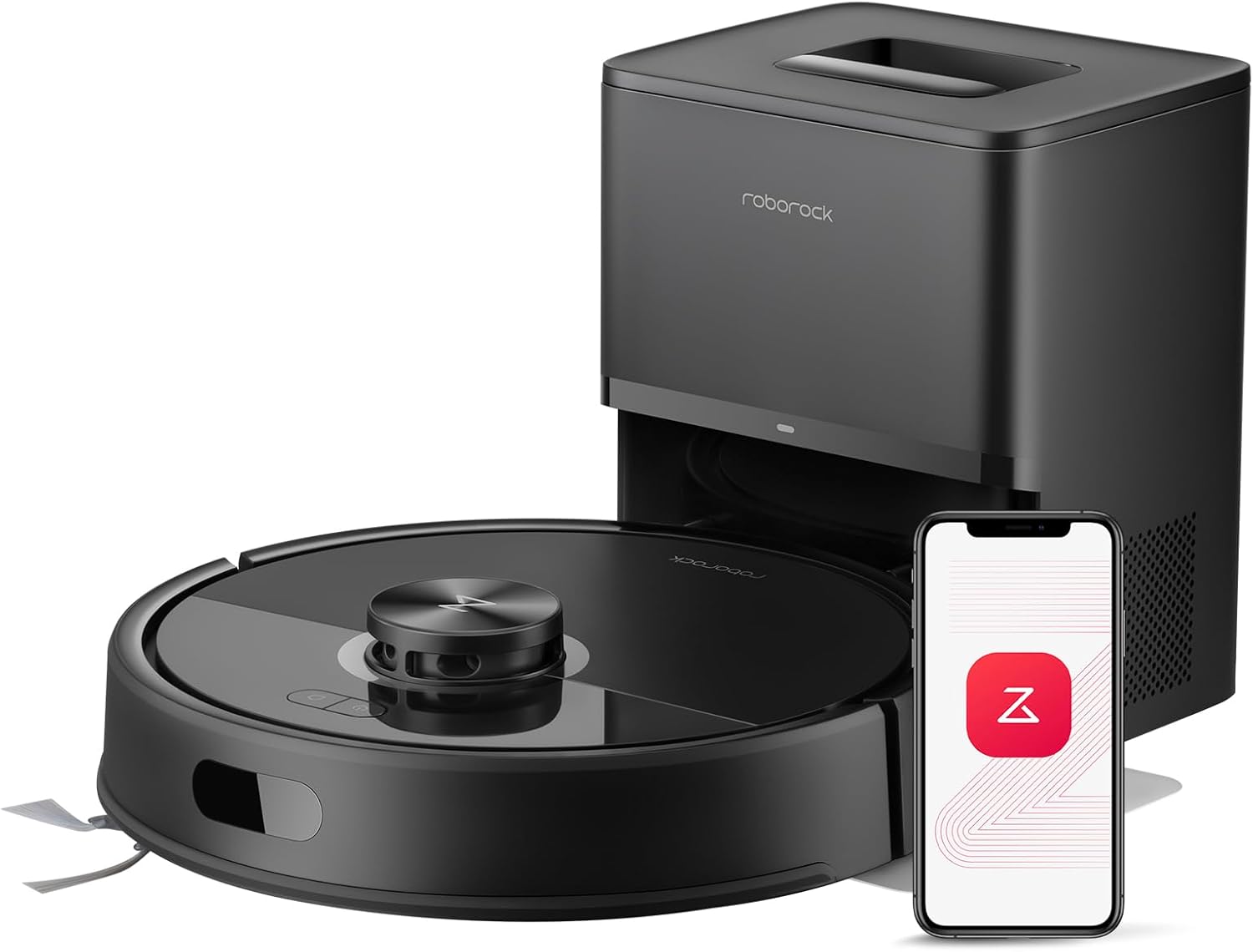
The roborock Q7 M5+ pairs 10000Pa HyperForce suction with PreciSense LiDAR navigation to handle vacuuming and mopping across multiple rooms with accurate mapping and sensible routes. It is typically set up through the Roborock app to create multi-level maps, schedule automated cleanings, and define no-go zones, while the auto-empty RockDock Plus holds a sealed 2.7L dust bag so you can go 7 to 9 weeks between emptying in many households. The vacuum uses a dual anti-tangle design to reduce hair wrap from pets and includes an electronic mop system with adjustable water flow for different floors. In everyday use it cleans hard floors and carpets effectively, navigates systematically instead of random bouncing, and keeps maintenance intervals low thanks to the large dust bag. Expect normal robot vacuum noise around 65 dB and rely on the app for customization; mop performance is useful for light spills and dust rather than heavy scrubbing, and it requires 2.4 GHz Wi-Fi for app features.
Best for: Buyers who want a mapped robot that reliably handles both vacuuming and light mopping with strong suction and long intervals between maintenance for everyday family and pet-focused cleaning.
Less Ideal for: Homes that need professional-grade wet mopping or users who require app control on a 5 GHz-only network should consider other options.
- Powerful 10000Pa suction lifts deep debris from carpets and along edges
- PreciSense LiDAR navigation creates accurate multi-room maps and efficient routes
- RockDock Plus self-emptying dock with 2.7L sealed dust bag reduces emptying to weeks
- Dual anti-tangle brush design minimizes hair wrap from pets
- App control for scheduling, no-go zones, and remote monitoring
- Mopping is electronic and suited to light cleaning rather than heavy scrubbing
- App features require 2.4 GHz Wi-Fi and will not work on 5 GHz networks
Verdict: Choose the Q7 M5+ if you want a mapped robot vacuum and mop that combines very strong suction, reliable LiDAR mapping, and a long-interval self-emptying dock for low-maintenance, whole-home cleaning.
roborock Qrevo S Pro
| Suction | 18,500 Pa |
|---|---|
| Dock capacity | 2.7 liters |
| Battery life | 180 minutes |
| Navigation | PreciSense LiDAR Navigation |
| Filter type | Washable |
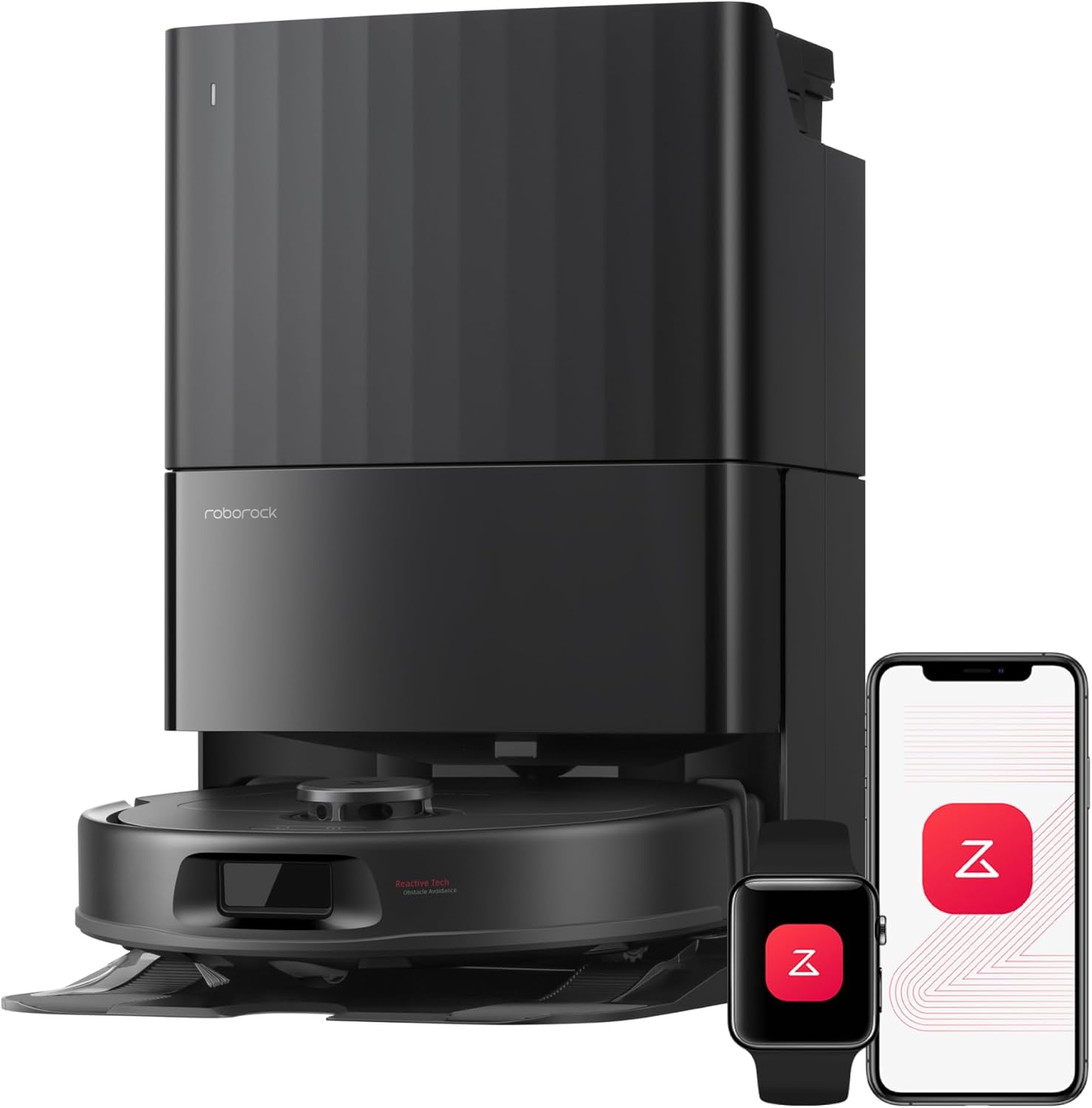
The roborock Qrevo S Pro is a mapped robot vacuum and mop designed for hands-off whole-home cleaning. It uses PreciSense LiDAR navigation and multi-floor mapping to create accurate floor plans and supports no-go zones and scheduling through the Roborock app, so you can set targeted routines. The vacuum delivers up to 18,500Pa suction and a zero-tangle brush system that helps with pet hair and debris, while dual liftable spinning mops and adjustable water flow handle light mopping tasks and lift for carpets. The multifunctional dock auto-empties into a sealed 2.7L bag, self-washes mops at high temperature, and warm-air dries them to reduce maintenance. Battery life is listed at 180 minutes for extended runs, and obstacle avoidance plus 2cm threshold crossing smooths navigation across rooms. Expect a premium feature set for performance-focused users, though the unit is sizable and the mop system is better for daily stains than heavy scrubbing; mop performance will not replace manual deep-cleaning on very stubborn grime.
Best for: Buyers who prioritize thorough, mapped cleaning and strong suction for pet hair or high-traffic homes and want a mostly hands-free mop-and-vac solution controlled from an app.
Less Ideal for: If you need a compact unit for very small apartments or require heavy-duty steam-like mopping performance, this unit is not the best fit.
- Accurate LiDAR mapping with multi-floor support and app-controlled no-go zones and scheduling.
- Strong 18,500Pa suction and anti-tangle brush system for pet hair and embedded debris.
- All-in-one dock auto-empties, self-washes mops at high temperature, and warm-air dries to reduce hands-on maintenance.
- Long 180-minute battery life for extended cleaning cycles and large-area coverage.
- Mop system handles everyday stains but is not a substitute for aggressive manual scrubbing on tough spots.
- Physically large unit and dock may take significant floor space in tight homes.
Verdict: For buyers who want mapped, high-suction vacuuming with a low-maintenance docked mop system, the Qrevo S Pro delivers hands-off whole-home cleaning performance.
ILIFE A30 Pro

| Max suction | 10000 Pa |
|---|---|
| Battery life | 150 minutes |
| Dust bag capacity | 2.5 liters |
| Filter type | Hepa |
| Power source | Battery Powered |
The ILIFE A30 Pro is a robot vacuum-and-mop designed for day-to-day floor maintenance in homes with both hard floors and carpets. It navigates with LiDAR mapping and SLAM to build accurate floor plans, supports multi-floor maps and no-go zones in the ILIFEClean app, and can be controlled by app, remote, or voice assistants. The unit offers four suction modes including a 10000Pa Max setting for deeper pickup and a combined 2-in-1 dustbin/water tank that lets it vacuum and mop in a single pass. The included self-emptying base uses replaceable 2.5L dust bags (five supplied) to reduce how often you handle debris, and runtime is rated up to 150 minutes per charge. Practical owners will appreciate the HEPA filter, scheduled cleanings, and adjustable water level for different floor types. Limitations to note are the relatively small onboard water reservoir for extended mopping sessions, app dependence on 2.4GHz Wi-Fi, and the usual need to clear clutter and thresholds for flawless mapping and mop performance.
Best for: Buyers who want a mapped, low-touch cleaning solution that handles both vacuuming and light mopping across mixed hard floors and carpets and who prioritize automation and scheduled maintenance.
Less Ideal for: Those who need heavy-duty, long-duration mopping or large continuous mop coverage without frequent refills should choose a separate full-size mop system instead.
- LiDAR navigation with SLAM enables accurate mapping, room selection, and no-go zones
- Self-emptying base with 2.5L disposable bags reduces manual dust disposal for weeks
- High peak suction (up to 10000Pa) and four power modes for varying messes
- Vacuum-and-mop simultaneous operation with adjustable water level
- Long runtime up to 150 minutes and app/voice/remote control options
- Combined 200ml water tank limits continuous mopping on large areas
- App requires 2.4GHz Wi-Fi which may not work with all home networks
Verdict: If you want mapped, largely hands-off floor care that vacuums and mops in one pass while minimizing how often you empty debris, the ILIFE A30 Pro is a practical choice.
iRobot Roomba 105 Combo

| Surface Recommendation | Carpet & Hard Floor |
|---|---|
| Battery Life | 100 minutes |
| Other Special Features of the Product | LiDAR Navigation, Self-Emptying, Simultaneous Vacuuming & Mopping, Smart Mapping |
| Controller Type | App Control, Button Control, Voice Control |
| Filter Type | Cartridge |
The Roomba 105 Combo pairs vacuuming and mopping with ClearView LiDAR mapping and an AutoEmpty dock to reduce hands-on maintenance. It maps your home, avoids obstacles and stairs, and offers three cleaning modes: vacuum, mop, or simultaneous vacuum-and-mop, with automatic carpet detection that keeps rugs dry while mopping. The 4-stage cleaning system combines intensive suction, an edge-sweeping brush, a multi-surface brush, and a reusable microfiber pad; SmartScrub increases scrubbing power for high-traffic spots and the robot dispenses a controlled amount of liquid onto the pad. The AutoEmpty dock holds up to 75 days of debris in a disposable bag, cutting down how often you touch dirt. Control is via the iRobot Home app, onboard buttons, or voice assistants, and mapping supports custom schedules and keep-out zones. Important limits to note are the stated 100-minute battery life which may require recharges for larger homes and the reliance on a 2.4 GHz Wi-Fi network for setup and operation.
Best for: Buyers who prioritize low-maintenance, dependable cleaning with reliable mapping and long intervals between dock emptying will appreciate this model.
Less Ideal for: Large open-plan homes that need uninterrupted multi-room cleaning without recharges or users who want to avoid disposable docking bags should consider other options.
- LiDAR-based mapping for efficient, repeatable room coverage.
- AutoEmpty dock holds up to 75 days of debris to minimize emptying.
- Combined vacuum-and-mop operation with SmartScrub for deeper scrubbing on hard floors.
- Automatic carpet detection that avoids rugs while mopping.
- Multiple control options including app, buttons, and voice assistants.
- 100-minute battery runtime may be short for very large homes without mid-clean recharging.
- Uses disposable bags in the AutoEmpty dock which add ongoing consumable costs.
Verdict: Choose the Roomba 105 Combo if you want a mapped, low-touch vacuum-and-mop that self-empties for weeks and reliably keeps rugs dry while mopping.
iRobot Roomba Plus 405 Combo
| Battery Life | 120 minutes |
|---|---|
| Capacity | 0.5 liters |
| Control Method | App, Push Button, Voice |
| Surface Recommendation | Carpet & Hard Floor |
| Filter Type | Cartridge |
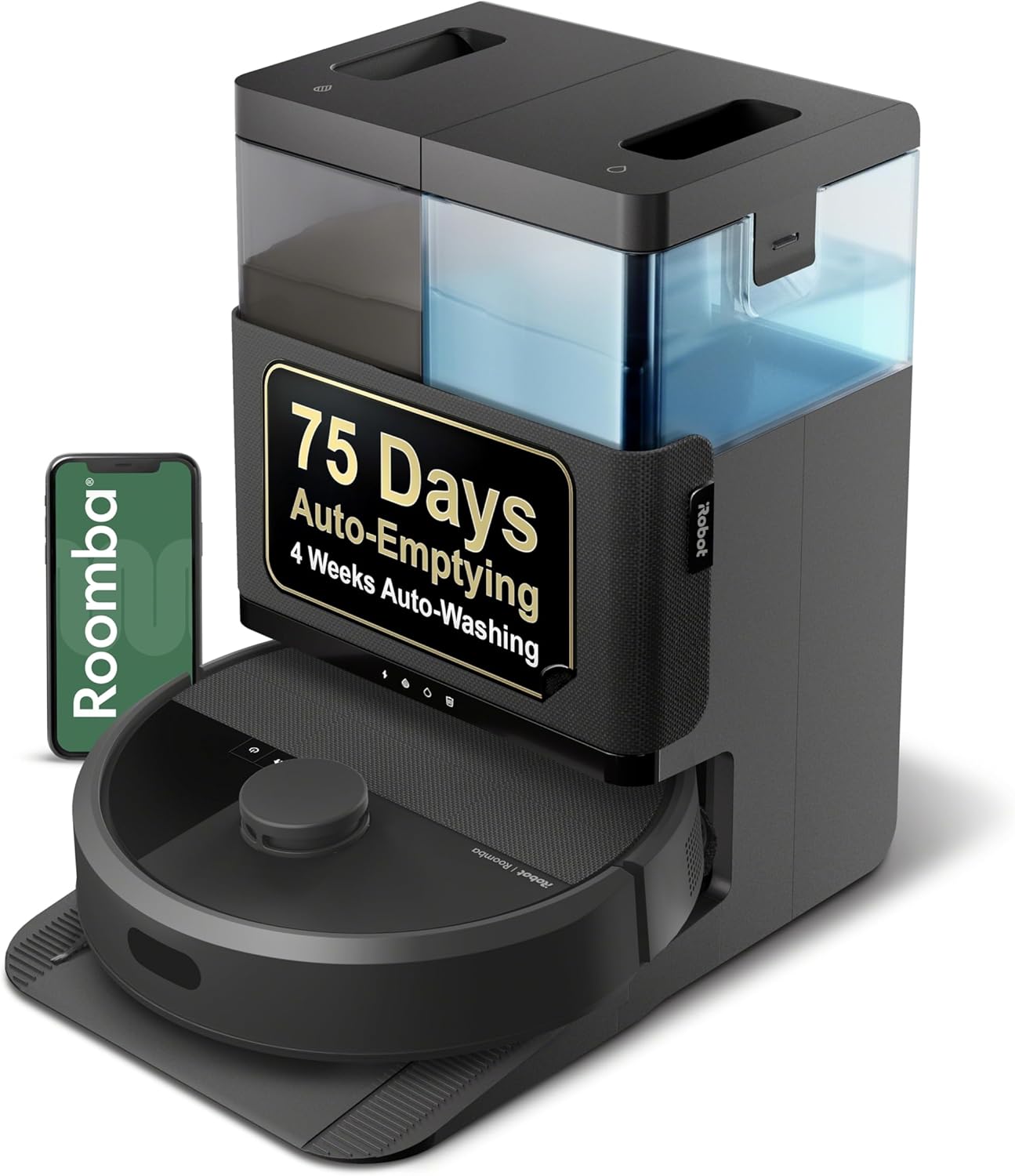
The Roomba Plus 405 Combo pairs powered vacuuming with spinning DualClean mop pads and a multi-function AutoWash dock to cut down manual upkeep. It uses ClearView LiDAR to map rooms quickly and offers app, voice, or button control to schedule vacuum-only, mop-only, combo, or vacuum-then-mop runs; mop pads lift automatically when carpets are detected. The AutoWash dock handles self-emptying for up to 75 days of debris capture and also rinses and dries mop pads after runs, reducing the need to hand-wash pads. Practical cleaning features include four suction levels, SmartScrub for extra scrubbing power, and custom clean zones and keep-out areas in the app. Expect routine maintenance like rinsing dock tanks, wiping contacts, and changing filters every few months, and note the robot relies on the dock and water usage for mop maintenance so it adds occasional dock care. For homes with pets or mixed hard floors and carpets, it balances strong suction with automatic mop care to keep floors ready without frequent hands-on intervention.
Best for: Buyers who want mapped, scheduled vacuum-and-mop cleaning with minimal daily fuss and appreciate social proof that the platform is widely used and supported.
Less Ideal for: People who need a very compact, dock-free robot or who want a simple vacuum-only unit with no mop or dock maintenance responsibilities.
- Combines vacuuming and active scrubbing mopping with dual spinning mop pads
- ClearView LiDAR mapping enables room-by-room navigation and custom clean zones
- AutoWash dock self-empties debris for up to 75 days and washes/drys mop pads after runs
- Multiple control options via app, voice assistants, or onboard buttons and four suction levels
- Requires periodic dock maintenance (water tanks, rinse cycles) to keep auto-wash functions working
- Larger docked footprint and ongoing use of dock consumables compared with a vacuum-only robot
Verdict: Pick this if you want a mapped robot that both vacuums and deep-scrubs mops while the AutoWash dock handles most of the pad cleaning and debris emptying for you.
eufy C28 Robot Vacuum & Mop

| Suction power | 15,000 Pa |
|---|---|
| Battery life | 140 minutes |
| Dust capacity (station) | 3 liters |
| Navigation | LiDAR |
| Filter type | Washable |
The eufy C28 combines a 15,000 Pa turbo suction vacuum with a HydroJet roller mop and an Omni all-in-one station to minimize upkeep. It maps with LiDAR for privacy-safe navigation and lifts the mop automatically when crossing short carpets, so you can run mixed floor cleans without constant supervision. The Omni station auto-empties dust into a 3 L container, refills/collects mop water, hot-washes the mop, and dries it at 50°C to reduce odors and mold, which the brand says supports about 75 days of largely hands-free maintenance. Zero-tangle DuoSpiral brush design and strong suction aim to handle pet hair and debris on hard floors and short carpets, while a long battery runtime supports multi-room runs. Trade-offs to expect are the product size and weight from including the large station and the fact that advanced features depend on correct app setup and occasional station maintenance; very thick or high-pile rugs may still limit mopping performance. For cautious buyers who value privacy-safe mapping and low maintenance, the C28 delivers a well-rounded automated clean.
Best for: Buyers who prioritize low-maintenance, privacy-focused mapping and reliable pet-hair cleanup for mixed hard-floor and short-carpet homes.
Less Ideal for: People with very high-pile carpets, tight storage space for a large base station, or those who prefer a compact, minimalist robot without an external station.
- High 15,000 Pa suction for deeper pickup on carpets and hard floors
- HydroJet roller mop with self-washing and 50°C drying to reduce odor and mold
- Omni station auto-empties dust, refills/collects water, and supports extended hands-free periods
- LiDAR navigation maps rooms while avoiding obstacles without using cameras
- Zero-tangle brush design reduces manual hair removal
- Large all-in-one station adds bulk and increases footprint compared with standalone robots
- Advanced features require app setup and periodic station cleaning
Verdict: If you want a mapping robot that largely automates vacuuming and mopping maintenance while protecting privacy, the eufy C28 is a hands‑off solution built for multi‑room homes.
Choosing the Right Robot Vacuum and Mop Combos with Mapping: Key Factors to Consider
Mapping Accuracy and Map Editing
Accurate mapping determines whether the robot cleans efficiently or repeatedly revisits the same areas. High-resolution mapping lets the robot understand room boundaries, doorways, and furniture placement so it can follow deliberate back-and-forth passes rather than random spirals.
Map editing features in the app let you merge or split rooms, set no-go lines, and save different layouts for multi-floor homes. If your floor plan has many small rooms or complex furniture arrangements, prioritize robots with robust map editing so you can tailor cleaning paths and protect fragile areas.
Suction Power and Brush Configuration
Suction strength and how brushes are arranged affect how well the robot lifts dirt from crevices and around baseboards. Strong suction is helpful for picking up pet hair and fine dust, while an effective brush roll helps dislodge debris from low-pile rugs and tile grout.
Also consider brush maintenance: easily removable brush rolls and tangle-resistant designs reduce the time you spend cleaning hair and threads from the machine. If you have pets or high-traffic entryways, put more weight on suction and brush accessibility.
Mopping System and Water Management
Not all mop systems are equal. Some robots use a passive microfiber pad with limited water control, while others have electronically metered water tanks or vibrating mop plates that boost cleaning action. The key is consistent water delivery that avoids puddles and protects wood floors.
Look for adjustable water flow, detachable tanks for easy refilling, and clear guidance on which floor types are safe to mop. If you plan to use the mop function daily, prefer systems that allow scheduled or zone-based mopping with independent water-level settings.
Battery Life and Recharge-and-Resume
Battery runtime dictates how much of your mapped space the robot can cover in a single run. For larger homes, a long battery life combined with reliable recharge-and-resume behavior ensures the robot completes multi-room cleans without manual intervention.
Also consider how long the robot takes to recharge and whether it docks reliably in tight spaces. If you often run overnight cycles or have a multi-floor home where the robot must return to a base between floors, prioritize models with dependable recovery and fast recharge times.
App Functionality and Scheduling
A useful app makes mapped robots genuinely convenient. Essential features include multi-map storage, custom schedules by room, adjustable suction and mop intensity per zone, and easy-to-draw no-go or no-mop lines.
Push notifications and cleaning history help you monitor performance over time. If you prefer hands-off operation, choose a robot whose app supports routine automation and integrates with voice assistants or home automation hubs you already use.
Maintenance and Consumables
Maintenance affects long-term ownership cost and convenience. Check how often filters, brush rolls, and mop pads need replacement and whether those parts are easy to swap. Machines that provide washable filters and reusable mop pads can reduce ongoing expense.
Also consider dustbin and water tank capacity. Smaller bins require more frequent emptying, which can be cumbersome if you run daily schedules. Choose a design that balances capacity with ease of access and cleaning to keep upkeep quick and predictable.
How Mapping Changes Daily Cleaning
Mapped navigation makes scheduled cleaning predictable and efficient. Instead of wandering, a mapped robot plans straight passes through each mapped room, cutting overall run time and improving coverage consistency.
With mapping, you can assign priorities by room and avoid areas that need to stay dry or untouched. This means the robot can be used more confidently around pet feeding areas, baby play spaces, or wood floors that should not be damp-mopped.
- Saves time by reducing overlap in cleaning paths
- Enables room-specific schedules and settings
- Creates no-mop zones to protect moisture-sensitive surfaces
Mopping Modes: What Each Actually Does
Robots offer a range of mopping behaviors from passive wiping to active scrubbing. Basic wipe modes dampen a pad as the robot moves, which is fine for light daily maintenance. Advanced systems meter water electronically or add vibration to improve stain removal.
Understand the limits: mops on these combos are generally intended for maintenance cleaning rather than deep steam-style sanitizing. Use higher water flow and repeat passes only on floors rated for damp cleaning.
- Dry or damp wipe: removes surface dust and light spills
- Electronic water control: consistent moisture without puddling
- Vibrating mop plates: better at removing stuck-on grime
Setting Up Maps and Zones Quickly
Initial map creation is usually automatic. For best results, clear obstacles from high-traffic pathways and run a single mapping cycle so the robot can learn walls and furniture layout. Once the map is generated, use the app to label rooms and draw exclusion or no-mop lines.
Save separate maps if your home has multiple floors. If you move furniture often, occasional remapping keeps navigation reliable and prevents the robot from getting stuck or misclassifying areas.
- Run one uninterrupted mapping pass for cleaner floor plans
- Label rooms for targeted schedules
- Use no-mop lines for wood floors or rugs with fringe
Maintaining Performance Over Time
Routine maintenance keeps mapped robots operating at peak efficiency. Clean brush rolls and sensors regularly, empty the dustbin after heavy runs, and launder mop pads as recommended. Dirty sensors can degrade mapping accuracy, so periodic sensor checks are important.
Replace consumables like filters and brushes on the cadence recommended by the manufacturer to maintain suction and airflow. Proper maintenance preserves both cleaning performance and the integrity of saved maps.
- Wipe sensors and charging contacts monthly
- Empty dustbin after high-debris jobs
- Replace or wash mop pads and filters per schedule
Common Setup Pitfalls and Fixes
Robots often encounter the same setup issues: rugs with deep fringe that trap edges, low-clearance furniture that confuses bump sensors, or shiny tile that reflects the robot's sensors. Address these by marking problem areas as no-go zones or adjusting sensor sensitivity when possible.
If mapping fails or rooms merge incorrectly, run a remap with fewer obstacles present or consult the app to split and relabel rooms. Small placement changes to the charging base can improve docking reliability if the robot struggles to find its home.
- Use no-go lines for fringe rugs and delicate zones
- Run remapping cycles after large furniture moves
- Relocate the base to a clear, open spot for reliable docking
How We Chose the Best Robot Vacuum and Mop Combos with Mapping
We selected products that deliver dependable mapped navigation and a meaningful integrated mopping capability. Our editorial filters focused on navigation precision, cleaning performance across hard floors and low-pile carpets, mopping control and water management, battery life and recharge behavior, and app features for map editing and scheduling. We prioritized units with documented multi-room mapping, reliable obstacle avoidance, and configurable no-go or no-mop zones. Battery runtime and recovery behavior during longer cleans were important because mapping is only useful if the robot can execute the plan without repeatedly failing mid-task. Water management—how the robot meters water and whether it supports detachable tanks or electronic pumps—was included because it affects floor safety and cleaning consistency. We excluded models that offer only rudimentary random navigation, single-room operation, or no mapping controls, since those do not meet the expectations for mapped vacuum-and-mop hybrids. We also filtered out devices with minimal app control or no support for editable maps. The remaining candidates were judged on concrete, comparable dimensions so readers can match features to their home layout and cleaning priorities.
Our full evaluation process is outlined in our review methodology.
FAQ
Can mapped robot vacuum and mop combos handle hardwood safely?
Often yes, provided the robot offers adjustable water flow and you follow floor-care recommendations. Use low water settings, avoid prolonged stationary mopping, and test a small area first to confirm no finish damage occurs.
How do no-mop zones work with mapped robots?
No-mop zones are drawn on the saved map in the app and tell the robot to avoid using the mop in those areas. They are useful for rugs, pet bowls, or wood floors that should remain dry and are typically enforced every run.
Will the robot clean multiple floors with mapping?
Many robots support multiple saved maps, but the robot must be carried between floors. Each saved map allows separate schedules and settings so you can tailor suction and mopping behavior to each level.
Is the mop function effective on dried spills and stains?
Mop attachments on combos are best for routine maintenance and light dried spots. Stubborn or greasy stains usually require a manual spot cleaning with appropriate cleaners rather than a single pass by the robot.
How often do I need to change filters and mop pads?
It depends on usage, but filters typically need replacing every few months with regular vacuuming, while reusable mop pads should be washed after several uses and replaced when worn. Heavy pet households will accelerate consumable replacement.
Final Verdict
When choosing a robot vacuum and mop combo with mapping, prioritize mapping accuracy, configurable mop water control, and reliable app-based map editing. Balance suction strength and brush design against the types of floors in your home and the frequency of scheduled cleans. Expect tradeoffs between mop aggressiveness and floor safety, and lean on features like no-mop zones and adjustable water flow to protect delicate surfaces. With a clear idea of your layout and cleaning priorities, you can pick a mapped combo that reduces hands-on effort and keeps floors consistently maintained.