
Note: This article contains affiliate links. If you click on these links and make a purchase, we may earn a small commission at no extra cost to you. This helps support our research and content. Read our full affiliate disclosure here.
If you want automated floor care without spending a fortune, a budget robot vacuum can handle daily debris, pet hair, and maintenance cleaning. Choosing the right Robot Vacuum under $300 matters because lower-priced models vary widely in suction, navigation, and runtime, which directly affects how well they clean different floor types and how often you need to intervene. This guide shortlists the top picks in this price range and explains the practical tradeoffs buyers face. Below you will find our selected models and a clear explanation of the evaluation criteria we used to judge suction, navigation, battery life, and upkeep.
Top Picks at a Glance
| Best Overall The best all-around choice for most situations | Shark Matrix Clean AV2511AE |  |
| Best Quality Built to a higher standard if you want something more solid | roborock Q7 M5+ |  |
| Best Value The sweet spot between price and what you get | ILIFE A30 Pro Robot Vacuum |  |
| Best Budget The cheapest option that still gets the job done reliably | ILIFE V2 Robot Vacuum |  |
| Top Rated A top-rated pick with lots of positive feedback | Vyzzle E20 Robot Vacuum |  |
| Most Popular A crowd favorite that many people choose with confidence | eufy 11S Max Robot Vacuum |  |
| Best Seller A high-volume bestseller chosen again and again | Tikom G8000 Max Robot Vacuum |  |
Shark Matrix Clean AV2511AE

| Battery Life | 120 minutes |
|---|---|
| Capacity | 0.27 gallons |
| Power Source | Battery Powered |
| Compatible Devices | Amazon Alexa, Google Assistant |
| Controller Type | App Control |
The Shark Matrix Clean AV2511AE is a robot vacuum and mop designed for routine whole-home cleaning with minimal intervention. It navigates using 360° LiDAR mapping and follows a precision grid pattern to make multiple passes over messy areas, while a sonic mopping system freshens hard floors. The unit handles carpets and hard floors, picks up pet hair with a self-cleaning brushroll, and returns to a bagless self-emptying base that stores debris for up to 60 days without disposable bags. You control schedules and targeted room cleans through the app or voice assistants. Practical benefits include strong suction for embedded dirt, better edge cleaning with targeted airflow, and long stretches between maintenance thanks to the large base. Limitations are its relatively heavy unit and the expectation of line-of-sight access for LiDAR mapping, and mopping function will not replace manual deep floor cleaning for stubborn stains. Battery runtime supports extended runs but may require recharge-and-resume on very large homes.
Best for: Buyers who want a low-maintenance, smart robot that cleans both carpets and hard floors with reliable navigation and minimal day-to-day upkeep.
Less Ideal for: People who need heavy-duty mopping performance, very compact storage solutions, or those who prefer a lightweight portable vacuum for spot cleaning.
- LiDAR 360° mapping for systematic, room-by-room navigation
- Matrix Clean grid pattern that makes multiple passes for more complete coverage
- Bagless self-emptying base holding up to 60 days of debris for low-maintenance use
- Designed to pick up pet hair with a self-cleaning brushroll and HEPA-style cartridge filter
- App and voice control for scheduling and targeted cleaning
- Mopping is light-duty and not a substitute for manual scrubbing of set-in stains
- Unit weight and dimensions make it less easy to move or lift for occasional servicing
- Large self-empty base increases footprint compared with dock-only models
Verdict: If you want an automated, low-maintenance vacuum that maps your home, handles pet hair, and stores up to 60 days of debris, this Shark Matrix Clean delivers.
roborock Q7 M5+
| Suction | 10000 Pa |
|---|---|
| Dust Capacity | 2.7 liters |
| Battery Life | 150 minutes |
| Navigation | PreciSense LiDAR |
| Noise Level | 65 db |
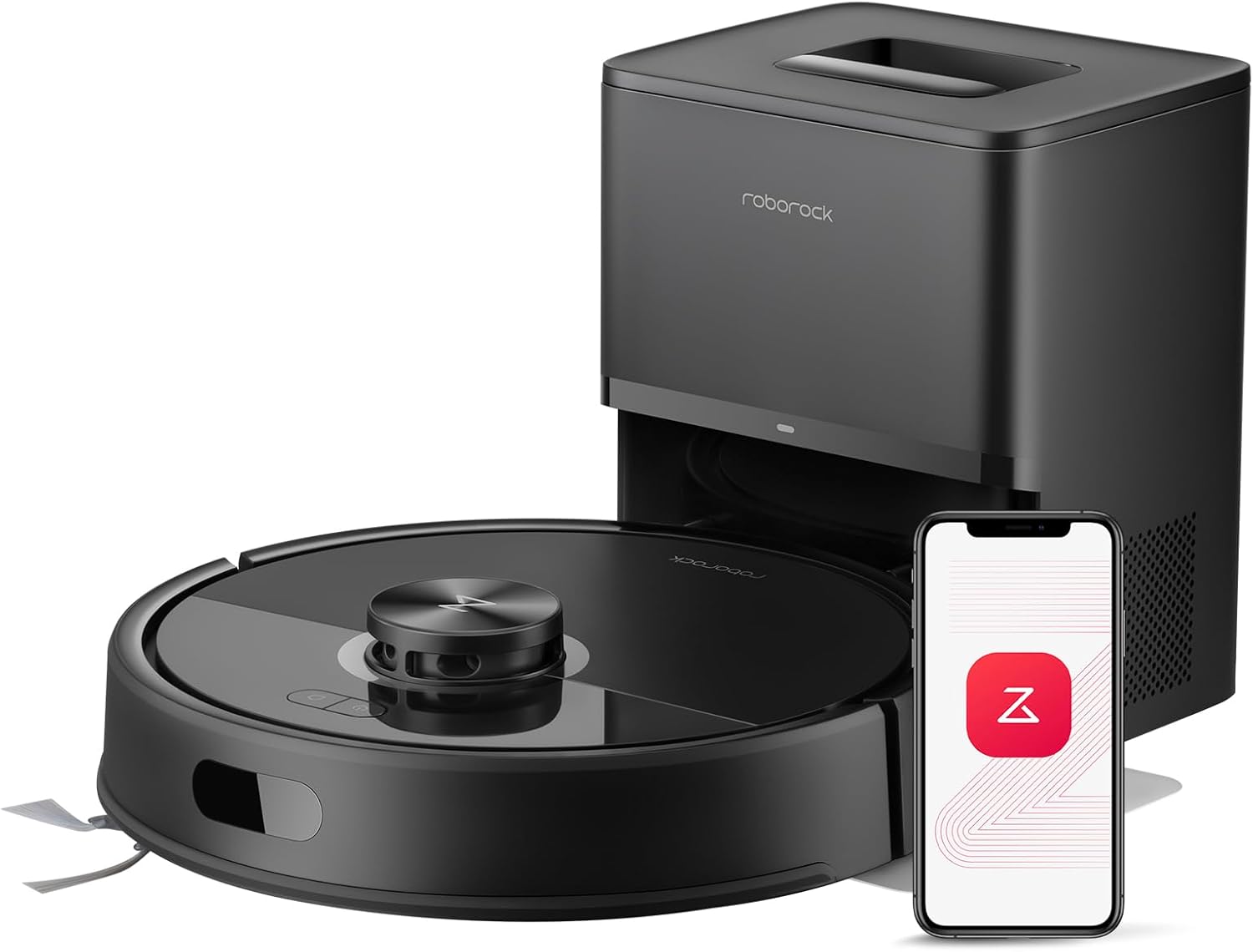
The roborock Q7 M5+ combines powerful 10000 Pa suction, PreciSense LiDAR mapping, and a 2.7 L auto-empty dock to deliver long stretches of hands-off cleaning for pet-friendly homes. It vacuums and mops in a single run, with an electronic mop system and three water-flow settings to adjust wet cleaning intensity. Navigation is accurate thanks to LiDAR-based SLAM and multi-level mapping, which makes scheduled whole-house and targeted cleanings efficient and repeatable via the Roborock app. The dual anti-tangle brush and zero-tangle side brush reduce hair wrap, cutting down brush maintenance in homes with shedding animals. Battery life is up to 150 minutes, enough for medium to large homes on a single charge, and the sealed dust bag in the RockDock Plus can hold weeks of debris before needing replacement. Trade-offs are typical for a combo unit: the noise level is moderate and it may need occasional mop module attention after wet cleaning sessions, and some users may find replacement bags and parts add ongoing costs.
Best for: Buyers who prioritize strong cleaning performance and long stretches of unattended operation, especially in pet households that need frequent deep cleaning with minimal hands-on maintenance.
Less Ideal for: People seeking the quietest possible robot or those who never want ongoing consumable costs from replacement dust bags and mop supplies.
- Very strong 10000 Pa suction for deep cleaning carpets and lifting embedded debris
- Large 2.7 L sealed auto-empty dust bag supports up to 7–9 weeks of hands-free use
- PreciSense LiDAR navigation with multi-level mapping for efficient, repeatable cleaning routes
- Dual anti-tangle brush system minimizes hair wrap from pets
- App control with scheduling, no-go zones, and remote operation
- Moderate noise level around 65 dB during operation
- Electronic mop requires occasional manual attention and water refills
- Replacement dust bags and some consumables create ongoing operating costs
Verdict: Choose the Q7 M5+ when you want high suction, reliable LiDAR mapping, and a large self-empty dock to maximize unattended cleaning time in pet homes.
ILIFE A30 Pro Robot Vacuum

| Max suction | 10000 Pa |
|---|---|
| Battery life | 150 minutes |
| Navigation | LiDAR (SLAM) |
| Dust capacity | 2.5 liters (bag) |
| Filter type | Hepa |
The ILIFE A30 Pro is a budget-friendly self-emptying robot that combines strong suction, LiDAR mapping, and a mop function to reduce hands-on maintenance. It navigates with precision using laser-based mapping and SLAM, so runs cover rooms methodically and support no-go zones and room scheduling through the ILIFEClean app or voice/remote control. Suction ranges from quiet modes up to a claimed 10000Pa max for heavier debris and pet hair, and a 2-in-1 dustbin/water tank lets the robot vacuum and mop at the same time or operate as vacuum-only when the mop holder is removed. The included self-empty station uses replaceable 2.5L dust bags for extended hands-free intervals and the battery supports long single runs. Practical buyers will appreciate the app-based mapping, multi-floor mapping potential, and the combination of vacuuming and mopping in one pass, while those who need the absolute quietest operation or want the largest wet-mopping capacity may find the integrated tank limits wet cleaning time and max suction claims are higher than typical sustained power in daily use.
Best for: Buyers who want a largely maintenance-free robot that maps reliably and handles both vacuuming and light mopping for daily upkeep without constant intervention.
Less Ideal for: Homes needing deep wet-mopping or very large continuous mopping sessions, or users prioritizing the absolute quietest operation over cleaning power.
- Self-emptying base with 2.5L dust bags for long periods between maintenance
- LiDAR navigation with SLAM enables accurate mapping, no-go zones, and efficient room coverage
- Vacuum and mop combo with removable mop holder for flexible cleaning modes
- App, remote, and voice control plus scheduling for hands-off operation
- Integrated 200ml water tank limits continuous mopping time compared with larger dedicated mop systems
- Max suction figure is a peak spec and real-world sustained suction may be lower
Verdict: If you want a low-maintenance robot that reliably maps your home and vacuums plus light-mops while minimizing daily upkeep, the ILIFE A30 Pro delivers strong value under $300.
ILIFE V2 Robot Vacuum

| Battery Life | 120 minutes |
|---|---|
| Capacity | 300 ml |
| Filter Type | Sponge |
| Control Method | Remote |
| Noise Level | 69 db |
The ILIFE V2 is an entry-level robot vacuum built to keep hardwood and other hard floors tidy without a lot of fuss. Its 2.99-inch slim body fits under low furniture while a tangle-free suction port and sponge filter make it practical for homes with pet hair. You can run scheduled cleanings, switch between auto, spot and edge modes, or start jobs with the included remote control or the single-button on the unit. A 300 ml dustbin and up to 120 minutes of runtime let it cover medium rooms on one charge, and it will automatically return to the dock when the battery is low. Noise is noticeable at 69 dB and there is only one power level, so it lacks adjustable suction or app-based controls, but for straightforward floor maintenance on hardwood and low-pile carpet the V2 delivers solid value at an affordable price.
Best for: Buyers who want an affordable, no-frills robot to maintain hardwood and low-pile carpet cleanliness with simple controls and scheduled runs.
Less Ideal for: Those who need strong adjustable suction, smart app control, or advanced mapping for large or complex homes should consider higher-end models.
- Slim 2.99-inch profile cleans under low furniture
- Tangle-free suction port suited for pet hair
- 120 minutes runtime with automatic return-to-dock
- Multiple cleaning modes (auto, spot, edge) and simple remote control
- Single power level limits suction control for heavier debris
- No smartphone app or advanced navigation features
Verdict: A low-cost, slim robot vacuum that reliably maintains hardwood floors and handles pet hair for budget-focused buyers.
Vyzzle E20 Robot Vacuum

| Battery Life | 150 minutes |
|---|---|
| Maximum Suction | 8000 centimeters |
| Noise Level | 45 db |
| Power Source | Battery Powered |
| Controller Type | App Control, Voice Control |
The Vyzzle E20 is a midrange robot vacuum and mop designed for hands-off cleaning in homes with pets and mixed floors. It uses 360° LiDAR mapping and SLAM to build accurate room maps, supports no-go and no-mop zones in the app, and returns to its dock to auto empty into a 3.5L bag for up to 60 days of reduced maintenance. In daily use you can schedule mopping or vacuum-only passes, choose from multiple suction and water-flow levels, and rely on Smart Carpet Boost for extra power on rugs. The E20 also offers about three hours of runtime in quiet mode with recharge-and-resume for larger homes, and it integrates with Alexa and Google Assistant for voice commands. Practical limits to note are that mop mode requires attention around carpets and the self-emptying base adds footprint and occasional consumable costs for replacement bags and filters. Noise is moderate at around 45 dB, and setup requires a 2.4 GHz Wi-Fi connection for full app features.
Best for: Buyers who want a low-maintenance vacuuming setup that reliably maps and cleans multiple rooms, especially households with pets where long runtimes and auto-emptying reduce daily upkeep.
Less Ideal for: People without a compatible 2.4 GHz home Wi-Fi network or those who need a very compact unit with no base for small tight spaces should consider other options.
- LiDAR mapping and SLAM for accurate room maps and reliable navigation
- 60-day auto-empty system reduces how often you handle dust and debris
- High reported suction with Smart Carpet Boost for better pet hair pickup
- Long runtime with recharge-and-resume for multi-room cleaning
- App scheduling plus Alexa and Google Assistant voice control
- Self-emptying base requires replacement dust bags and occasional filter changes
- Mop mode needs careful no-mop zone setup to avoid carpets
- Some features require stable 2.4 GHz Wi-Fi which can complicate setup
Verdict: If you want a feature-rich, hands-off robot that reliably maps your home and minimizes emptying, the Vyzzle E20 delivers strong suction, LiDAR navigation, and a long runtime for busy, pet-friendly households.
eufy 11S Max Robot Vacuum
| Surface Recommendation | Hard Floor & Tile & Medium carpet |
|---|---|
| Battery Life | 100 minutes |
| Suction Power | 2000 Pa |
| Capacity | 600 ml |
| Noise Level | 55 db |
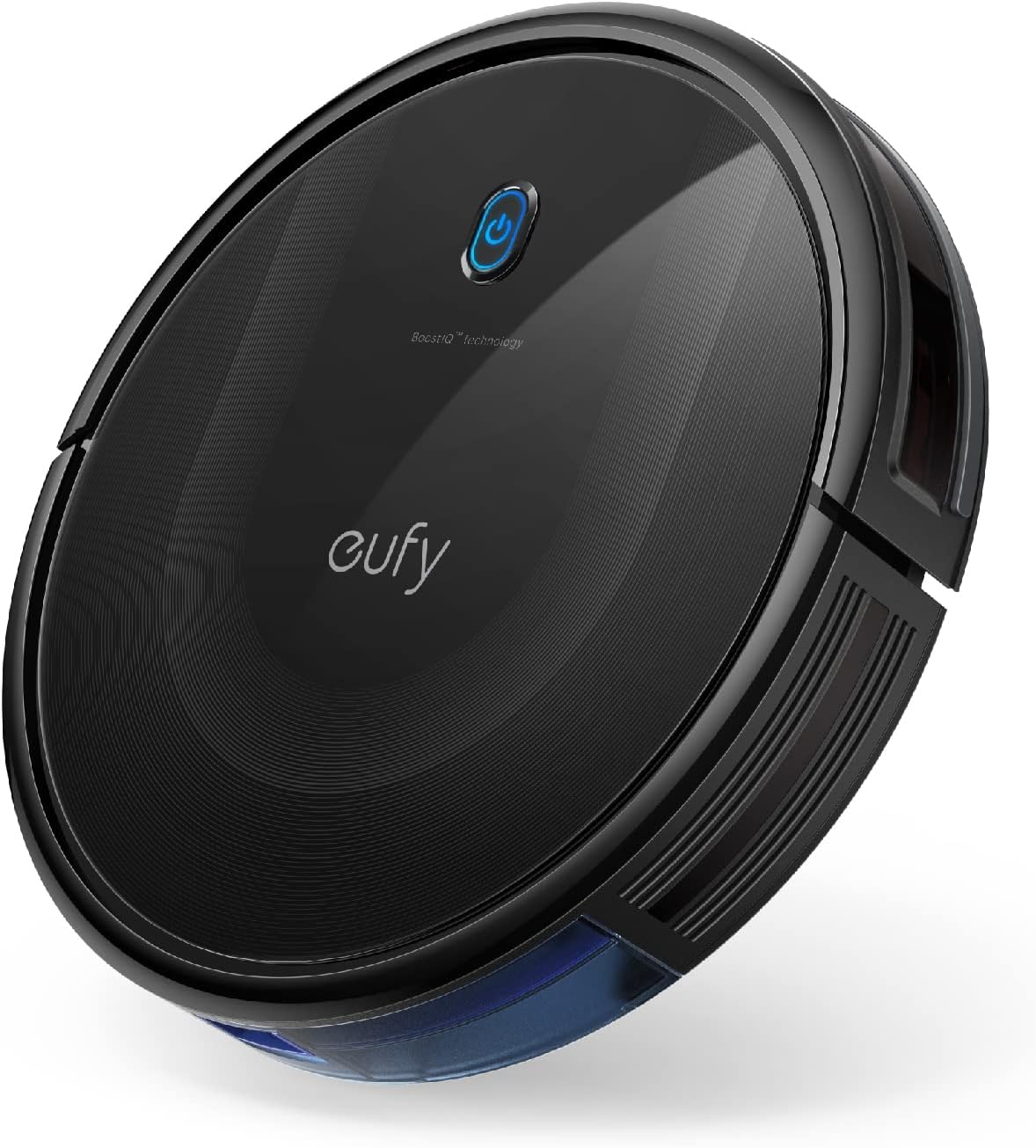
The eufy 11S Max is a low-profile robot vacuum built to clean hard floors and medium-pile carpets without drawing attention. Its 2.85-inch slim body lets it slide under low furniture while 2000Pa suction and a 12.8-inch cleaning path pick up dust, crumbs, and pet hair. It runs up to 100 minutes on hardwood at a reported low 55 dB, and automatic return-to-base means it tops off battery without user intervention. Controls are simple: the included remote and onboard buttons let you start, stop, and switch modes quickly, though there is no Wi-Fi or app control. Practical touches include washable filters, drop-sensing and anti-collision sensors, and a 600 ml dust capacity that reduces how often you empty the bin. The trade-offs are straightforward: navigation is basic rather than lidar or map-based, so room coverage is more random and may miss tight corners, and the single-side-brush design can be less thorough along edges compared with dual-brush models. For routine, quiet cleaning of hardwood, the 11S Max balances strong suction and a slim profile in a simple, reliable package.
Best for: Buyers who prioritize a quiet, no-frills robot that cleans hardwood reliably and fits under low furniture will appreciate this model for regular maintenance cleaning.
Less Ideal for: If you want mapped cleaning, smartphone scheduling, or the most thorough edge-cleaning for complex floorplans, choose a model with advanced navigation and app control instead.
- Slim 2.85" profile reaches under low furniture
- Up to 100 minutes runtime for extended cleaning sessions
- Powerful 2000Pa suction for effective pickup on hard floors
- Quiet operation at about 55 dB suitable for daytime or evening use
- Large 600 ml dust capacity and washable filter lower maintenance frequency
- Random navigation rather than mapping can lead to uneven coverage
- No Wi‑Fi or smartphone app means limited scheduling and remote control options
Verdict: A slim, quiet robot with strong suction made for routine hardwood maintenance when you want reliable, no-frills cleaning.
Tikom G8000 Max Robot Vacuum

| Suction | 5000Pa |
|---|---|
| Battery Life | 150 minutes |
| Dustbin Capacity | 450 ml |
| Water Tank | 300 ml |
| Noise Level | 45 db |
The Tikom G8000 Max is a low-profile robot vacuum that combines strong suction with mopping to keep hard floors and low-pile carpets tidy with minimal user effort. In use it maps and navigates with anti-collision and anti-fall sensors, and supports app, remote, voice, and onboard button control so you can schedule cleanings and start runs from a phone or the included remote. Notable features include a 5000Pa suction motor for lifting pet hair and debris, a combined 450 ml dustbin plus 300 ml water tank for simultaneous vacuuming and mopping, and a runtime up to 150 minutes with automatic recharge. Its 3-inch height lets it access under furniture and the Zig-zag cleaning mode improves coverage on open floor areas. Limitations to keep in mind are that higher-pile carpets may not get deep cleaning compared with upright vacuums and mopping is best for maintenance rather than heavy wet cleaning; occasional emptying of the dustbin and refilling the water tank are still required. For routine hardwood maintenance the G8000 Max offers a practical balance of suction, run time, and smart controls.
Best for: Buyers who want a practical, time-saving floor care solution for hardwood and low-pile carpets and prioritize long runtime, reliable navigation, and flexible control options.
Less Ideal for: Households that need deep carpet extraction, heavy wet mopping, or commercial-grade cleaning should consider a dedicated upright or standalone mop system instead.
- Strong 5000Pa suction effective on hard floors and short-pile carpets
- Simultaneous vacuuming and mopping with combined dustbin and water tank saves time
- Long run time up to 150 minutes with auto-recharge for larger homes
- Slim 3-inch profile reaches under low furniture
- Multiple control options including app, remote, voice, and onboard button
- Mopping function is for light maintenance and not heavy wet cleaning
- May be less effective on high-pile carpets compared with full-size vacuums
Verdict: A slim, long-running robot that combines powerful suction and light mopping to keep hardwood floors clean with minimal hands-on work.
Choosing the Right Robot Vacuum: Key Factors to Consider
Suction Strength and Brush Design
Suction strength determines how well a robot vacuum picks up dirt from hard floors and low-pile carpets. Higher suction helps with fine dust and embedded pet hair, while brushroll design affects how hair wraps and how debris is conveyed into the dustbin.
Pay attention to whether the machine uses a single rubberized roller, a combo brush, or a tangle-resistant layout. In this price band, stronger suction often comes at the cost of battery life, so consider the tradeoff between peak pickup and practical run time for your typical cleaning sessions.
Navigation Reliability
Navigation reliability affects how consistently the vacuum covers your rooms and how often it gets stuck. Look for systems that combine systematic pathing with basic obstacle detection rather than purely random bounce patterns.
Good navigation reduces missed spots and cuts down on manual rescue interventions. Also evaluate how the vacuum handles thresholds, furniture legs, and under-bed clearances because these real-world obstacles determine whether the robot can clean autonomously in your home layout.
Battery Runtime and Recharge Behavior
Battery runtime sets how much area a single charge can cover, and recharge behavior determines whether the robot returns to base reliably and resumes cleaning. For larger homes or multi-room jobs, longer runtime or smart return-and-resume can make a big difference.
Consider both stated run time and realistic performance under suction load. Note that higher power modes dramatically shorten runtime. Also check how long the battery takes to recharge and whether the device docks reliably from common positions in the room.
Dustbin Capacity and Filter Maintenance
Dustbin capacity determines how often you must empty the robot, which matters if you have pets or a lot of daily debris. Smaller bins require more frequent attention and can interrupt scheduled cleanings.
Filter type and ease of replacement are important for long-term allergy control and performance. Reusable filters may lower consumable costs but need washing and drying; disposable high-efficiency filters may capture more fine dust but add to ongoing expenses.
Boundary Control and Scheduling Flexibility
Boundary control determines how well you keep the robot out of restricted zones such as pet bowls or fragile décor. In this price segment, boundary options range from magnetic strips to app-based virtual no-go lines.
Scheduling flexibility impacts convenience. The ability to set recurring schedules for different rooms or times improves daily automation. Consider whether the app and onboard controls are intuitive enough for frequent schedule adjustments.
Noise Level and Cleaning Modes
Noise level affects when and where you can run the robot without disruption. Quieter units may reduce suction or run time, so check noise ratings or user feedback on sound during high-power modes.
Multiple cleaning modes, such as spot clean, edge sweep, and quiet mode, increase versatility and allow you to adapt performance to specific tasks and times of day.
How Budget Models Differ From Premium Robots
Budget robot vacuums in the under-$300 range usually prioritize core cleaning mechanics over advanced mapping and multi-floor support. You should expect competent suction and basic obstacle detection, but not the room-by-room mapping or advanced path planning found on higher-end models.
This category often sacrifices some convenience features to hit the price point. For example, you may see simplified scheduling interfaces, fewer mapping/customization options, and smaller dustbins. Understanding these tradeoffs helps set realistic expectations about autonomy and hands-off operation.
- Typically no lidar or high-end visual mapping
- Less sophisticated climb and threshold handling
- Fewer or simpler app features for zone control
- Maintenance burdens are similar: regular dustbin emptying and brush cleaning required
Floor Surface Compatibility
Different machines within this budget perform differently across hardwood, tile, and carpet. Many under-$300 robots do well on hard floors but lose efficiency on thicker carpets where brush and suction design are critical.
If your home mixes surfaces, choose a unit with adjustable suction modes and a brush system suited to both smooth floors and short pile carpets. Verify that the manufacturer notes capability on rugs and thresholds if those are common in your layout.
- Hard floors: prioritize suction plus dustbin access
- Low pile carpet: need decent suction and brush engagement
- High pile or shag: most budget robots will struggle
Setting Up for Reliable Daily Use
Preparation improves performance. Clear smaller obstacles, tidy power cords, and raise low-hanging drapes before the first runs. Position the charging base against a wall with some clearance so the robot can dock from a few angles.
Use boundary tools if the model includes them, and schedule initial runs during times you can observe behavior to spot problem areas like stuck locations or missed zones. Regularly empty the dustbin and clean the main brush to maintain consistent suction and avoid blockages.
- Leave at least 1 meter clearance around the dock if possible
- Secure cables and remove items the robot could snag
- Place small rugs with high fringe aside for initial runs
Common Maintenance Tasks and Intervals
Routine maintenance keeps a budget robot performing well. Empty the dustbin after each heavy session or every few days for light use. Inspect the main brush weekly for hair tangles and trim long hairs away to reduce motor strain.
Replace or clean filters according to the manufacturer schedule. Brushes and wheels can wear over months of use, so expect periodic replacement parts. Keeping sensors free of dust helps navigation accuracy and docking reliability.
- Empty dustbin: after each heavy clean or every 2-3 uses
- Brush inspection: weekly in homes with pets
- Filter care: clean or replace per the product recommendations
When to Prioritize Runtime Vs Suction
If you have a single-level home with open rooms, prioritize suction performance because the robot can cover more area without frequent re-docking. For multi-room layouts or larger floorplans, battery runtime and reliable return-to-dock behavior matter more so the robot can complete cycles without intervention.
Balance your choice to match typical cleaning needs. For example, heavy pet hair in concentrated zones benefits from stronger suction even if runtime is reduced, whereas routine daily maintenance across many rooms benefits from longer battery life and efficient pathing.
- Large homes: favor runtime and smart recharge
- Pet owners: favor suction and tangle-resistant brushes
- Mixed floors: choose adjustable suction modes
How We Chose the Best Robot Vacuum
We focused on realistic performance and long-term ownership costs when selecting Robot Vacuums under $300. Primary criteria included suction strength on hard floors and low- to medium-pile carpets, consistency and reliability of navigation, battery runtime and recharge behavior, and ease of routine maintenance such as dustbin access and filter replacement. We also considered connectivity and app features that are useful in budget models, plus the quality of boundary control whether via virtual barriers or simple magnetic strips. We excluded specialty or single-purpose floor machines and units that require expensive proprietary consumables. Models that lacked any meaningful navigation control or had very short runtime without rapid recharge were filtered out. The final shortlist balances cleaning effectiveness, predictable navigation, and affordable upkeep so that buyers get usable automation in a sub-$300 budget.
Our full evaluation process is outlined in our review methodology.
FAQ
Will a robot vacuum under $300 pick up pet hair effectively?
Often they can handle surface pet hair on hard floors and short-pile carpets, especially if they have strong suction and a well-designed brushroll. Expect more frequent bin emptying and occasional brush cleaning compared with higher-end models.
Can these budget robots map my home and avoid getting stuck?
Some budget units offer basic mapping or systematic pathing, but most rely on simpler navigation systems. They can avoid many common obstacles, but you should plan for occasional manual intervention and use boundary tools where available.
How noisy are robot vacuums in this price range?
Noise varies by model and power mode. Quiet modes reduce disruption but also lower suction. Budget robots tend to be louder at maximum power than premium machines, so check noise specifications or user feedback if operating during work or sleep hours matters.
How often will I need to replace filters and brushes?
Replacement intervals depend on usage and home conditions. In busy homes with pets, filters and brushes may need replacement every few months. For lighter use, you can extend intervals by cleaning reusable parts regularly and following maintenance guidance.
Are magnetic strips or app-based boundaries better?
Magnetic strips are simple and reliable for blocking off small areas, while app-based boundaries offer more flexibility without physical accessories. Budget models may only include one option, so choose based on how often you need to change restricted zones.
Final Verdict
Selecting a Robot Vacuum under $300 means accepting tradeoffs between advanced autonomy and core cleaning performance. Prioritize the features that match your home: stronger suction and tangle-resistant brushes for pet hair, longer runtime and reliable docking for larger layouts, or simpler controls and easy maintenance for fuss-free daily use. Focus on suction, navigation, battery behavior, and maintenance needs when deciding, and you can find a unit in this price range that meaningfully reduces daily floor upkeep.