
Note: This article contains affiliate links. If you click on these links and make a purchase, we may earn a small commission at no extra cost to you. This helps support our research and content. Read our full affiliate disclosure here.
A robot vacuum with docking station changes how you manage everyday floor care by automating emptying, recharging, or both. For busy homes, pet owners, and people who prefer low-maintenance routines, the docking station is the feature that turns a useful cleaning device into a genuinely hands-off system. You want a machine that navigates reliably, keeps suction steady across different surfaces, and returns to its dock when the job is done or the battery runs low. This guide shortlists seven top options and explains the practical decision points—runtime, docking behavior, debris handling, and app control—we used to evaluate them. Read on for the criteria that matter and actionable advice to match a robot vacuum with your floorplan and daily habits.
Top Picks at a Glance
| Best Overall The best all-around choice for most situations | Shark Matrix Clean AV2511AE |  |
| Best Quality Built to a higher standard if you want something more solid | roborock Saros 10R |  |
| Best Value The sweet spot between price and what you get | ILIFE A30 Pro Robot Vacuum |  |
| Best Budget The cheapest option that still gets the job done reliably | ILIFE V2 Robot Vacuum |  |
| Top Rated A top-rated pick with lots of positive feedback | WSUANE D15S Max Robot Vacuum |  |
| Most Popular A crowd favorite that many people choose with confidence | roborock Q10 S5+ |  |
| Best Seller A high-volume bestseller chosen again and again | eufy 11S Max Robot Vacuum |  |
Shark Matrix Clean AV2511AE

| Battery Life | 120 minutes |
|---|---|
| Capacity | 0.27 gallons |
| Control Method | Voice |
| Compatible Devices | Amazon Alexa, Google Assistant |
The Shark Matrix Clean AV2511AE is a self-emptying robot vacuum and mop designed for weekly hands-off cleaning in busy homes. It uses LIDAR-based mapping and a Matrix Clean grid pattern to systematically cover rooms, and its self-emptying bagless base stores up to 60 days of debris so you do not need to empty the bin frequently. The unit combines strong suction, a self-cleaning brushroll, and sonic mopping to handle pet hair on carpets and leave hard floors polished. App and voice control let you schedule cleanings, target rooms, and customize modes, while recharge-and-resume keeps long jobs moving without manual intervention. Practical limits include a relatively large base and robot footprint that may be awkward in tight storage spots, and the combined vacuum-and-mop approach means you trade some specialized mopping features for convenience. For day-to-day maintenance cleaning across mixed floors and pet households, this model reduces hands-on work and keeps spaces consistently tidy.
Best for: Buyers who want a low-maintenance, all-around cleaning robot that handles pet hair and mixed-floor homes with automated self-emptying and smart mapping.
Less Ideal for: Households that need a compact unit for tight storage or users seeking a specialized, heavy-duty standalone mopping system.
- Self-emptying bagless base holds up to 60 days of debris for low-maintenance use
- LIDAR home mapping with grid-pattern Matrix Clean gives thorough, consistent coverage
- Combined vacuum and sonic mopping cleans both carpets and hard floors
- App and voice control enable scheduling, room targeting, and remote operation
- Self-cleaning brushroll and strong suction optimize pet hair pickup
- Larger base and robot footprint require more storage space
- Mopping is combined with vacuuming and may not match dedicated mops for heavy floor stains
Verdict: If you want a convenient, low-touch robot that maps your home and empties itself for weeks while handling pet hair and mixed floors, this Shark Matrix Clean is an efficient choice.
roborock Saros 10R

| Suction | 22,000 Pa |
|---|---|
| Battery Life | 180 minutes |
| Filter Type | Washable |
| Noise Level | 65 db |
| Power Source | Battery Powered |
The roborock Saros 10R is a performance-focused robot vacuum and mop built to handle everyday dirt and pet hair on hard floors and low-pile carpets. It pairs powerful 22,000 Pa HyperForce suction with a Zero-Tangling DuoDivide brush and FlexiArm side brush to pick up hair without frequent brush cleaning, while the ultra-slim 3.14-inch body slips under low furniture to reach hidden dust. The multifunctional dock 4.0 automates maintenance with hot-water mop washing, hot-air drying, 60-day dust collection and auto refill features that greatly reduce hands-on upkeep. Navigation relies on the StarSight 2.0 system with 3D sensing and obstacle avoidance, which improves edge and cord handling and supports auto re-wash for high-traffic spots. For hardwood floors the mop functions and automatic mop lift when carpets are detected help avoid over-wetting. Trade-offs are the relatively loud 65 dB reported noise level during operation and a large, heavier docked system footprint, which may be more than needed for small homes.
Best for: Buyers who prioritize strong cleaning performance and low-maintenance operation on hard floors and have pets or long hair that require frequent deep pickup.
Less Ideal for: People living in very small apartments or who need a whisper-quiet machine for nighttime cleaning should consider smaller or quieter alternatives.
- Very strong 22,000 Pa suction for deep pickup on hardwood and low-pile carpets
- Zero-tangling main brush and omnidirectional wheels reduce hair maintenance
- Ultra-slim 3.14-inch profile reaches under low furniture and into tight spots
- Multifunctional dock automates mop washing, drying, and up to 60 days of dust collection
- 3D obstacle detection and advanced mapping improve edge cleaning and cord avoidance
- Noise level around 65 dB may be noticeable during cleaning
- Large multifunctional dock increases system footprint and setup complexity
Verdict: Choose the Saros 10R if you want top-tier suction and a hands-free docked system that keeps hardwood floors and pet hair under control with minimal daily effort.
ILIFE A30 Pro Robot Vacuum

| Max Suction | 10000 Pa |
|---|---|
| Battery Life | 150 minutes |
| Capacity (dock bags) | 2.5 liters per bag |
| Filter Type | Hepa |
| Control | App, Remote, Voice |
The ILIFE A30 Pro is a robot vacuum and mop designed to reduce hands-on maintenance by using a self-emptying dock with replaceable dust bags and LiDAR mapping for systematic cleaning. It vacuums and mops simultaneously using an integrated dual tank and offers four suction levels from Quiet to a 10000Pa Max for heavier debris and pet hair. The dock stores five 2.5L bags for extended unattended operation, and the ILIFEClean app plus voice and remote control let you set schedules, no-go zones, and room-by-room cleaning. Runtime is claimed up to 150 minutes, and LiDAR navigation provides precise maps and multi-floor coverage. Practical limitations include a relatively small combined dust/water tank when compared to standalone large-bin robots and the requirement for 2.4GHz Wi-Fi for smart features, which may restrict some networks. The A30 Pro is best when you want a low-maintenance docked robot that maps accurately and tackles both hard floors and carpets, but expect occasional manual checks of the mop pad and periodic replacement of dock bags.
Best for: Buyers who prioritize low-maintenance, scheduled cleaning and precise mapping—people who want a docked robot that reduces how often they empty the bin and can handle mixed hard floors and carpets.
Less Ideal for: Users who need very large onboard dust or water capacity for rare servicing cycles or who prefer a robot with broader Wi-Fi compatibility and non-disposable long-term dust containers.
- Self-emptying dock with five 2.5L disposable dust bags for extended hands-free cleaning
- LiDAR navigation and SLAM mapping for accurate room maps, no-go zones, and efficient routes
- Very strong Max suction (up to 10000Pa) with four selectable power levels to handle pet hair and embedded dirt
- App, remote, and voice control support plus scheduling and zone selection for convenient automation
- Combined 200ml dustbin and 200ml water tank is small compared with dedicated large-capacity robots or separate mop systems
- Smart features require a 2.4GHz Wi-Fi network, which may limit connectivity for some users
Verdict: If you want a docked robot that maps reliably and minimizes emptying with disposable dust bags, the ILIFE A30 Pro delivers practical, hands-off cleaning for mixed floor homes.
ILIFE V2 Robot Vacuum

| Battery Life | 120 minutes |
|---|---|
| Capacity | 300 ml |
| Filter Type | Sponge |
| Control Method | Remote |
| Noise Level | 69 db |
The ILIFE V2 is an entry-level robot vacuum built to keep hardwood and other hard floors tidy without a lot of fuss. Its 2.99-inch slim body fits under low furniture while a tangle-free suction port and sponge filter make it practical for homes with pet hair. You can run scheduled cleanings, switch between auto, spot and edge modes, or start jobs with the included remote control or the single-button on the unit. A 300 ml dustbin and up to 120 minutes of runtime let it cover medium rooms on one charge, and it will automatically return to the dock when the battery is low. Noise is noticeable at 69 dB and there is only one power level, so it lacks adjustable suction or app-based controls, but for straightforward floor maintenance on hardwood and low-pile carpet the V2 delivers solid value at an affordable price.
Best for: Buyers who want an affordable, no-frills robot to maintain hardwood and low-pile carpet cleanliness with simple controls and scheduled runs.
Less Ideal for: Those who need strong adjustable suction, smart app control, or advanced mapping for large or complex homes should consider higher-end models.
- Slim 2.99-inch profile cleans under low furniture
- Tangle-free suction port suited for pet hair
- 120 minutes runtime with automatic return-to-dock
- Multiple cleaning modes (auto, spot, edge) and simple remote control
- Single power level limits suction control for heavier debris
- No smartphone app or advanced navigation features
Verdict: A low-cost, slim robot vacuum that reliably maintains hardwood floors and handles pet hair for budget-focused buyers.
WSUANE D15S Max Robot Vacuum

| Suction | 10000Pa (max) |
|---|---|
| Dustbin Capacity | 3.5 liters |
| Navigation | dToF LIDAR |
| Run Time | Up to 160 minutes (silent) |
| Filter Type | Three-layer high-efficiency (washable) + filter cotton (not washable) |
The WSUANE D15S Max is a docked robot vacuum and mop designed to cut down on daily maintenance by storing debris in a 3.5L self-emptying station that the manufacturer estimates can hold many weeks of dirt. It uses dToF LIDAR navigation to build accurate maps and supports no-go zones and multi-level mapping through the app, which helps it cover larger homes without repeated collisions. Suction ranges up to 10,000Pa with multiple power modes and an Auto Boost that increases power on carpets, while a blade-equipped roller and side brushes aim to reduce hair tangles from pets. Runtime varies by mode with the longest quoted silent runtime around 160 minutes before returning to the dock. Practical benefits include fewer manual empties, detailed app control, and strong suction for pet hair and debris; limitations to expect are a relatively loud 70 dB noise level at higher settings and a reliance on the app for advanced features. For buyers prioritizing a low-maintenance docked machine with reliable mapping and strong suction, the D15S Max is a capable option.
Best for: Buyers who want a low-maintenance docked robot that reliably maps larger homes and minimizes how often you handle dirt, especially households with pets.
Less Ideal for: People who need an ultra-quiet nightly cleaner or who prefer fully offline controls without app dependence should consider other options.
- 3.5L self-emptying dustbin reduces how often you need to touch or empty debris
- dToF LIDAR navigation creates accurate maps and enables custom no-go zones
- Up to 10,000Pa suction with Auto Boost for deeper carpet cleaning
- Hair-cutting anti-tangle roller and side brushes help manage pet hair
- Longest quoted runtime around 160 minutes in quiet mode for large areas
- Noise can reach about 70 dB on higher power settings
- Some advanced controls require the companion app and smartphone
- Filter system includes non-washable filter cotton that will need replacement
Verdict: If you want a dependable docked robot that minimizes touchpoints with strong suction and accurate LIDAR mapping, the D15S Max delivers hands-free cleaning for busy, pet-friendly homes.
roborock Q10 S5+

| Maximum Suction | 10,000Pa |
|---|---|
| Capacity | 2.7 liters |
| Battery Life | 150 minutes |
| Filter Type | Washable |
| Noise Level | 65 db |
The roborock Q10 S5+ is a robot vacuum and mop built around a large self-emptying dock and strong suction for longer hands-free intervals. It maps rooms with 360° LiDAR for accurate multi-level mapping and uses ReactiveTech obstacle avoidance to navigate cluttered spaces, while ultrasonic carpet detection and auto mop lift protect rugs during mopping. The VibraRise 2.0 sonic mopping module scrubs floors and can lift for carpet transitions, and the dual anti-tangle brush design helps reduce hair wrap for pet households. The 2.7 liter dock is designed to hold dust for many weeks between bag changes and the Roborock app plus voice control let you schedule cleanings, set no-go zones, and adjust emptying modes. Expect reliable floor coverage and strong debris pickup, though the unit still produces noticeable noise at higher power and requires occasional maintenance of brushes and the mop for peak performance.
Best for: Buyers who prioritize long periods of hands-free cleaning, reliable mapping, and strong suction for pet hair and mixed-floor homes and who value social-proof features like advanced navigation and a self-empty dock.
Less Ideal for: People seeking an ultra-quiet cleaning solution or those who want a simple no-frills robot without occasional maintenance of brushes and mop components.
- Large 2.7 L auto-empty dock enables long stretches without manual emptying
- High suction (10,000 Pa) clears embedded dirt and pet hair effectively
- LiDAR-based 360° mapping with multi-level maps for precise navigation
- Sonic VibraRise mopping with auto mop lift and ultrasonic carpet detection
- Higher operating noise level around 65 dB at typical settings
- Requires periodic cleaning of brushes and mop module to avoid reduced performance
Verdict: Choose the Q10 S5+ if you want a powerful, LiDAR-mapped robot with a large self-empty dock to minimize hands-on maintenance while tackling pet hair and mixed floors.
eufy 11S Max Robot Vacuum
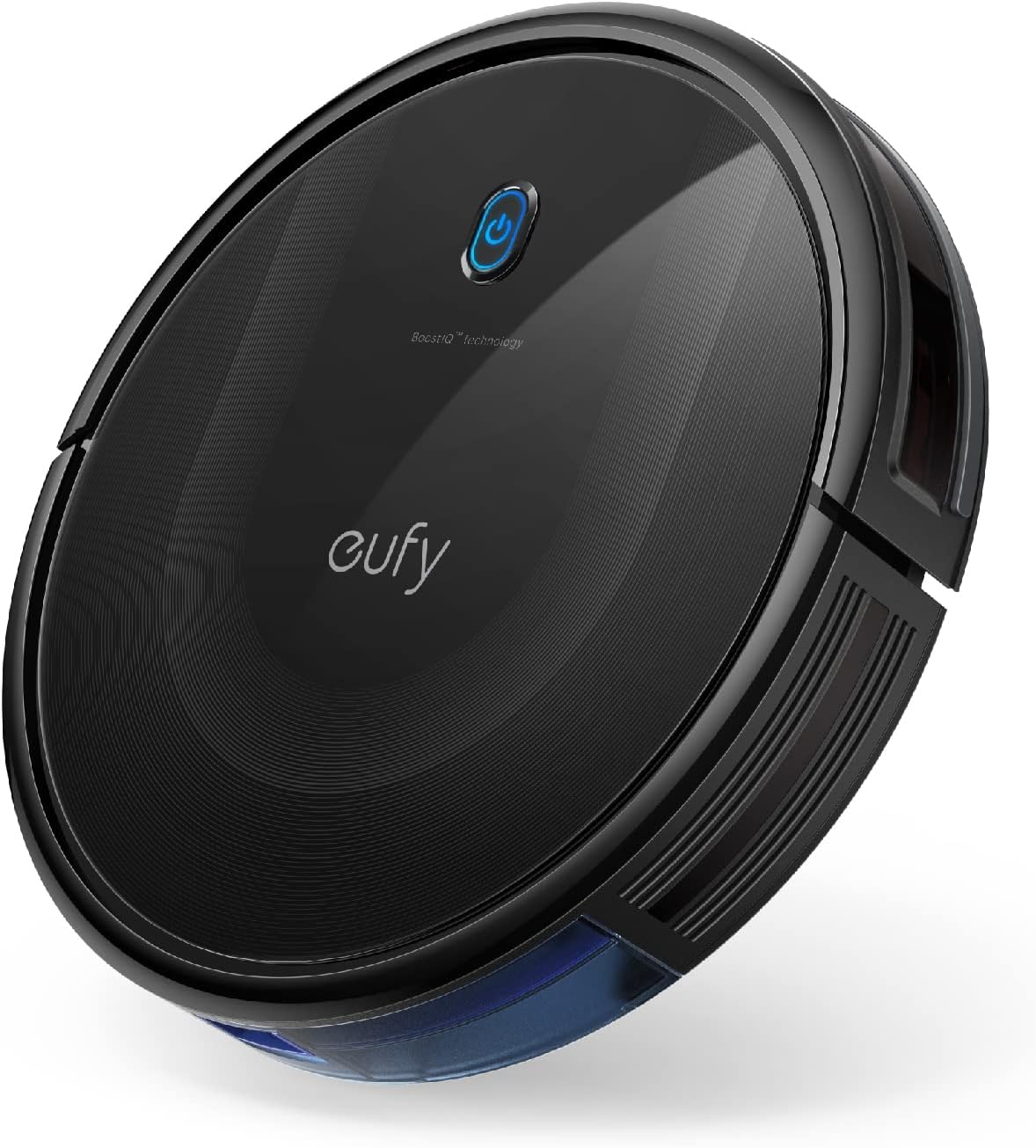
| Surface Recommendation | Hard Floor & Tile & Medium carpet |
|---|---|
| Battery Life | 100 minutes |
| Suction Power | 2000 Pa |
| Capacity | 600 ml |
| Noise Level | 55 db |
The eufy 11S Max is a low-profile robot vacuum built to clean hard floors and medium-pile carpets without drawing attention. Its 2.85-inch slim body lets it slide under low furniture while 2000Pa suction and a 12.8-inch cleaning path pick up dust, crumbs, and pet hair. It runs up to 100 minutes on hardwood at a reported low 55 dB, and automatic return-to-base means it tops off battery without user intervention. Controls are simple: the included remote and onboard buttons let you start, stop, and switch modes quickly, though there is no Wi-Fi or app control. Practical touches include washable filters, drop-sensing and anti-collision sensors, and a 600 ml dust capacity that reduces how often you empty the bin. The trade-offs are straightforward: navigation is basic rather than lidar or map-based, so room coverage is more random and may miss tight corners, and the single-side-brush design can be less thorough along edges compared with dual-brush models. For routine, quiet cleaning of hardwood, the 11S Max balances strong suction and a slim profile in a simple, reliable package.
Best for: Buyers who prioritize a quiet, no-frills robot that cleans hardwood reliably and fits under low furniture will appreciate this model for regular maintenance cleaning.
Less Ideal for: If you want mapped cleaning, smartphone scheduling, or the most thorough edge-cleaning for complex floorplans, choose a model with advanced navigation and app control instead.
- Slim 2.85" profile reaches under low furniture
- Up to 100 minutes runtime for extended cleaning sessions
- Powerful 2000Pa suction for effective pickup on hard floors
- Quiet operation at about 55 dB suitable for daytime or evening use
- Large 600 ml dust capacity and washable filter lower maintenance frequency
- Random navigation rather than mapping can lead to uneven coverage
- No Wi‑Fi or smartphone app means limited scheduling and remote control options
Verdict: A slim, quiet robot with strong suction made for routine hardwood maintenance when you want reliable, no-frills cleaning.
Choosing the Right Robot Vacuum with Docking Station: Key Factors to Consider
Navigation & Mapping Capabilities
How a robot maps and navigates your home has the biggest impact on coverage and time-to-complete. Reliable visual or lidar-based mapping reduces redundant passes, helps the robot avoid getting stuck, and enables room-by-room scheduling. Good mapping also allows virtual no-go zones and selective cleaning, which matter in homes with fragile items, pet bowls, or complex furniture layouts.
If the robot struggles with stairs, thresholds, or tight chairs, you'll face frequent rescues that undermine the convenience of a docked system. Consider whether the vacuum supports multi-floor maps if you have more than one level; accurate localization ensures the robot finds the dock even after pausing or being moved.
Docking Behavior and Auto-Empty Features
The docking station is more than a charging point. Some docks only recharge, while others include an automated debris-emptying mechanism that transfers dust into a sealed bag or bin. An auto-empty dock meaningfully extends the period between manual maintenance, which is especially valuable for households with pets or heavy foot traffic.
Also check how the robot aligns with the dock, how reliably it docks on low battery or mid-job, and whether the dock requires frequent filter or bag changes. A poorly designed docking procedure can cause missed cleanings or require manual intervention to nudge the robot into place.
Suction Performance Across Floor Types
Suction ratings and brush designs determine how well a robot picks up dirt, hair, and larger debris. Performance can vary widely between hard floors and rugs; some robots automatically boost power on carpet, while others run at a single suction level. Look for machines with multi-stage suction or smart surface detection to maintain consistent results.
Brush composition and intake geometry also affect hair tangle resistance and the ability to capture fine dust versus larger crumbs. If you have long-haired pets or deep-pile carpeting, prioritize systems with proven hair management and higher suction modes.
Battery Capacity and Recharge Strategy
Battery runtime dictates how much of your home a robot can cover in a single charge. For larger homes, longer runtime or the ability to resume cleaning after recharging is essential. Some robots return to the dock mid-job to recharge and then resume where they left off, which preserves cleaning continuity without manual restarting.
Consider charging speed and whether the dock supports fast top-ups between runs. Also account for how battery performance will change over time; replaceable battery options or straightforward service procedures extend the effective lifespan of the system.
Maintenance Needs and Consumables
Even docked systems require periodic upkeep: emptying a base bag, washing filters, removing hair from brushes, and replacing side brushes or batteries. The frequency and ease of these tasks directly affect how hands-off the system truly is. Some docks use sealed bags that last weeks, while others need frequent bin emptying.
Check how simple it is to access and clean the robot's dust bin, wash or replace filters, and swap worn brushes. Consumable cost and availability are also practical considerations because they determine ongoing ownership effort and expense.
App Features and Smart Integration
A good app makes scheduling, mapping edits, and status checks painless. Features to look for include room-based scheduling, cleaning history, manual drive control, and the ability to set temporary or permanent no-go zones. Voice assistant integration can add convenience for hands-free commands.
Also assess how the app handles notifications for dock maintenance, low battery, or trapped status. Clear, actionable alerts reduce the time you spend diagnosing issues and help maintain an uninterrupted cleaning routine.
How Docking Stations Change Daily Maintenance
Docking stations shift the maintenance burden from daily emptying to less frequent tasks such as replacing base bags or cleaning filters. With an auto-empty dock, you can often go weeks between inspecting the robot's bin, which is a major convenience upgrade for busy households.
Beyond debris handling, docks serve as a home base for scheduling and charging. A well-integrated dock reduces the need to manually start or retrieve the unit, which means you spend less time thinking about floor care and more time on other priorities.
- Auto-empty docks reduce bin access frequency.
- Some docks include sealed bags for cleaner disposal.
- Docks provide a reliable return point for recharging mid-job.
Sizing Your Robot to Your Home Layout
Match runtime and mapping capability to the size and complexity of your floorplan. Small apartments can be well served by shorter runtime models with efficient mapping, while larger homes benefit from long-run batteries and resume-after-charge functionality.
Also evaluate threshold-climbing ability and the robot's clearance height relative to common furniture. A robot that cannot negotiate common home features will need more manual intervention, undermining the advantages of an automated dock system.
- Consider a higher-capacity battery for homes over 1,000 square feet.
- Look for multi-floor map support if you carry the robot between levels.
- Check clearance to ensure the robot can reach under sofas and beds.
Managing Pet Hair and High-Traffic Zones
Homes with shedding pets or concentrated dirt zones like entryways demand stronger suction and tangle-resistant brush designs. An auto-empty dock is particularly helpful in these settings because it reduces daily hair removal chores.
Use room-based scheduling to focus cleanings on high-traffic areas and increase cleaning frequency in pet zones without raising maintenance across the whole home.
- Prioritize brush systems advertised as hair-resistant.
- Schedule multiple short runs in pet-heavy rooms to prevent full bins.
- Place the dock centrally for efficient coverage of entryways and living areas.
Practical Tips for Dock Placement and Setup
Place the dock on a flat surface against a wall with clear space around the unit to help the robot locate and align reliably. Avoid hiding the dock behind furniture or in corners that block approach angles.
If your dock includes an auto-empty feature, leave enough clearance for the discarded debris bag or bin to be replaced easily. Also position the dock near a power outlet to prevent awkward cord runs that could interfere with navigation.
- Leave at least 1 meter of free space in front of the dock if possible.
- Avoid direct sunlight on the dock if the robot uses optical sensors.
- Keep the dock on the main level where most cleanings are required.
Understanding Consumable Lifespans
Expect filters, side brushes, and main brushes to require periodic replacement. The interval depends on use intensity, home environment, and whether the dock auto-empties into a bag or reusable bin. Regular inspection of these parts prevents performance degradation and ensures consistent suction and navigation.
Keep an inventory of common consumables if you aim for true hands-off maintenance. That way you can replace parts promptly when the app or status lights indicate wear rather than putting off service and risking a drop in cleaning effectiveness.
- Check filters monthly in high-dust or pet homes.
- Replace side brushes every few months depending on use.
- Inspect the main brush for hair buildup weekly initially.
How We Chose the Best Robot Vacuum with Docking Station
We prioritized features and performance that directly affect daily hands-off cleaning. Key evaluation dimensions included navigation and obstacle management, because a vacuum that gets stuck wastes time and leaves areas dirty; suction consistency across hard floors and carpet, since debris pickup varies by surface; docking behavior and auto-empty capability, which determine how often you must intervene; battery runtime and recharge speed, because coverage and recovery affect cleaning schedules; and app and smart-home controls, which influence how easily you can schedule and monitor cleaning. For inclusion, products had to support an automated docking workflow and demonstrate reliable return-to-dock behavior under typical home conditions. We excluded devices that require frequent manual emptying at the base or lack basic mapping/navigation, since those traits defeat the purpose of a docking-centered setup. We also screened for important usability details such as ease of filter and brush access, clear status feedback from the dock, and reasonable replacement-part availability. The shortlist reflects items that meet these functional filters and present a coherent tradeoff between runtime, suction, and maintenance burden.
Our full evaluation process is outlined in our review methodology.
FAQ
How often does a docked robot vacuum need manual emptying?
It depends on the dock type and household debris levels. Auto-empty docks with sealed bags can go several weeks between manual attention in many homes, while docks that only charge require the robot bin to be emptied more frequently.
Will a robot vacuum with a dock handle multiple rooms and floors?
Many docked robots support multi-room mapping and can resume cleaning after recharging, which helps cover larger homes. For multi-floor use, you'll often need to carry the robot to each level and ensure the model supports saving multiple floor maps.
Are auto-empty docking stations messy or difficult to maintain?
Auto-empty docks minimize day-to-day mess by sealing debris into a base bag or bin, but you will still need to replace or empty that receptacle periodically. Maintenance is typically straightforward and is offset by the reduced frequency of manual bin emptying.
How does the dock affect battery life and cleaning schedules?
A dock enables automatic recharging between runs and can allow the robot to resume after a recharge, which extends effective coverage for larger floorplans. Battery wear over time will reduce run length, but docks make it easy to maintain a consistent cleaning cadence.
What should I do if the robot frequently misses the dock?
First check dock placement and surrounding clearance, then ensure the floor and dock sensors are clean. If problems persist, review the mapping history and try resituating the dock on a more open wall area to improve approach angles.
Final Verdict
When choosing a robot vacuum with docking station, focus on how the system reduces your ongoing effort. Prioritize reliable navigation, meaningful docking automation such as auto-emptying when you want less frequent maintenance, and sufficient battery capacity to cover your floorplan without constant intervention. Balance suction and brush design against your dominant floor types and pet situation. The best choice matches your home size, the amount of daily debris, and how hands-off you want the process to be. Opt for a model whose docking workflow and consumable cycle fit the level of convenience you need, and you will gain consistent, low-effort cleanings that truly save time.