
Note: This article contains affiliate links. If you click on these links and make a purchase, we may earn a small commission at no extra cost to you. This helps support our research and content. Read our full affiliate disclosure here.
If you have boxes of faded prints, slides, or negatives, choosing the right scanner for old photos makes the difference between usable digital files and disappointing results. You want high resolution, gentle handling, and simple software that helps repair color and remove dust without complex setup. This guide summarizes the top shortlisted scanners for old photos across common home-archiving needs, with attention to image fidelity, ease of use, and handling safety. Below we cover how each type of scanner performs for restoration, the practical tradeoffs to expect, and the evaluation criteria used to pick the top options. Read on to find the scanner that fits your workflow and preservation goals.
Top Picks at a Glance
| Best Overall The best all-around choice for most situations | Epson FastFoto FF-680W |  |
| Best Quality Built to a higher standard if you want something more solid | Epson Perfection V850 Pro |  |
| Best Value The sweet spot between price and what you get | KODAK SCANZA Film Scanner |  |
| Best Budget The cheapest option that still gets the job done reliably | ClearClick InstaScan Photo Scanner |  |
| Top Rated A top-rated pick with lots of positive feedback | Plustek ePhoto Z300 |  |
| Most Popular A crowd favorite that many people choose with confidence | KODAK Slide N Scan |  |
| Best Seller A high-volume bestseller chosen again and again | ScanSnap iX2500 Photo Edition |  |
Epson FastFoto FF-680W

| Scanner Type | Document, Photo |
|---|---|
| Connection Type | Wi-Fi |
| Resolution | 600 dpi |
| Color Depth | 24 bpp |
| Standard Sheet Capacity | 10 |
The Epson FastFoto FF-680W is built to move through large stacks of photos quickly while preserving delicate originals. It scans single photos as fast as one per second at 300 dpi, and can batch-feed up to 36 photos, plus it supports duplex capture so handwritten notes on the back are saved in the same pass. The FastFoto software and mobile app add automatic enhancement, color restoration, red-eye reduction and OCR for documents, making it useful for both photo archiving and converting paper to searchable files. Wireless and USB connections give flexible placement and the included carrier sheet and SafeTouch handling help protect fragile prints. Practical limits include its focus on consumer photo sizes and workflow rather than flatbed scanning for oversized or highly textured originals, and higher resolutions beyond optical 600 dpi may rely on interpolation. For anyone digitizing extensive family photo libraries, the FF-680W speeds the job and adds useful restoration and cloud backup options.
Best for: Buyers who need to digitize large personal photo collections quickly and want automated restoration and easy cloud backup integrated into the workflow.
Less Ideal for: Collectors who need a flatbed scanner for fragile, bound, highly textured, or oversized originals should choose a different scanning approach.
- Very fast batch scanning—up to 36 photos at once and about 1 photo per second at 300 dpi
- Duplex capture preserves both photo front and handwritten backs in a single pass
- Auto enhancement and color restoration simplify restoring old faded photos
- Wireless and USB connectivity plus cloud upload options for easy backup
- Not a flatbed design so thick, textured, or oversized originals may be difficult to scan
- Maximum optical resolution limited to 600 dpi, with higher dpi dependent on interpolation
Verdict: If you have hundreds or thousands of old photos to digitize, the FF-680W lets you scan, restore, and back them up far faster than manual flatbed workflows.
Epson Perfection V850 Pro

| Scanner Type | Photo |
|---|---|
| Connection Type | USB |
| Color Depth | 48 bits |
| Optical Sensor Technology | CCD |
| Light Source Type | LED |
The Epson Perfection V850 Pro is a high-end flatbed scanner built for photo and film archiving, combining dual lenses, a CCD sensor and a ReadyScan LED light source to deliver very detailed scans. It is typically used by hobbyists and pros who need to convert slides, negatives and prints into high-resolution digital files; included film holders and Digital ICE help remove dust and scratches and speed batch scanning. The scanner offers up to 6400 dpi film resolution (9600 listed in some specs for interpolation), 48-bit color depth and a 4.0 Dmax for strong shadow detail and smooth tonal gradations, which is helpful when restoring faded or contrasty originals. USB connection and TWAIN compatibility make it straightforward to integrate with common scanning workflows and restoration software. The trade-offs are its bulky, heavy desktop footprint and the learning curve to get optimal results from multi-pass scanning and image-restoration tools, so it is best matched to users who prioritize image quality over casual simplicity.
Best for: Photographers and serious archivists who need professional-grade scans of old photos and film and are focused on preserving maximum detail and tonal range.
Less Ideal for: Casual users who want a compact, simple scanner for occasional snapshots or those who prefer plug-and-play ease without learning detailed settings.
- Very high optical resolution and dual-lens system for detailed film and slide scans
- Digital ICE technology reduces dust and scratches during film and print scans
- Includes multiple film holders for 35mm, medium and large format batch scanning
- High color depth and 4.0 Dmax capture strong shadow detail and smooth tonal gradations
- Large and heavy desktop unit that requires dedicated workspace
- Advanced features require familiarity with scanning settings and restoration software
Verdict: Buy this if you need pro-level film and print scans with top-tier detail and image-restoration tools for archiving old photos.
KODAK SCANZA Film Scanner

| Compatible film types | 35mm, 126, 110, Super 8, 8mm |
|---|---|
| Sensor | 14MP (interpolated to 22MP) |
| Output formats | JPEG to SD card |
| Connections | HDMI, USB |
| Screen | 3.5" tilt-able LCD |
The KODAK SCANZA is a purpose-built film and slide scanner that digitizes 35mm, 126, 110, Super 8 and 8mm negatives and slides into JPEGs using a built-in 14MP sensor (optional interpolation to 22MP). It works as a standalone unit with a 3.5-inch tilt-able LCD for previewing and basic editing, and it saves directly to an SD card or connects to a computer via USB; HDMI output lets you view images on a TV. The scanner includes numbered film inserts and adapter trays for faster loading, one-touch capture and simple navigational buttons, so you can process batches without software. Practical benefits are speed and convenience for converting family negatives and slides without a PC, plus basic in-device RGB and resolution adjustments. Limitations are image quality compared with a flatbed or professional drum scan since this uses a snapshot-style CCD camera, and it cannot develop undeveloped film or produce video from Super 8 reels — it creates still images only. Expect some cleaning and careful handling to avoid dust on scans and accept that pro-grade restoration will require dedicated software or services.
Best for: Buyers who want a straightforward, fast way to convert boxes of old negatives and slides into digital JPEGs at home without a computer-oriented workflow, prioritizing convenience and speed over professional-grade scans.
Less Ideal for: Photographers seeking archival-quality, high-fidelity scans or motion restoration for Super 8 should look at flatbed or professional transfer services instead.
- Standalone workflow saves JPEGs to SD card without a PC
- 3.5-inch tilt-able LCD for previewing, editing and slideshow viewing
- Includes multiple adapters and numbered trays for quick, safe film loading
- HDMI and USB outputs let you view or transfer files easily
- One-touch capture and basic in-device image adjustments for fast batch scanning
- Snapshot-style CCD capture yields lower fidelity than flatbed or professional scans
- Can only convert developed film and outputs still images for Super 8 rather than video
Verdict: A fast, user-friendly scanner for quickly turning boxes of developed negatives and slides into viewable JPEGs at home without a computer.
ClearClick InstaScan Photo Scanner
| Resolution | 300 dpi |
|---|---|
| Connection Type | USB |
| Color Depth | 24 bits |
| Greyscale Depth | 8-bit |
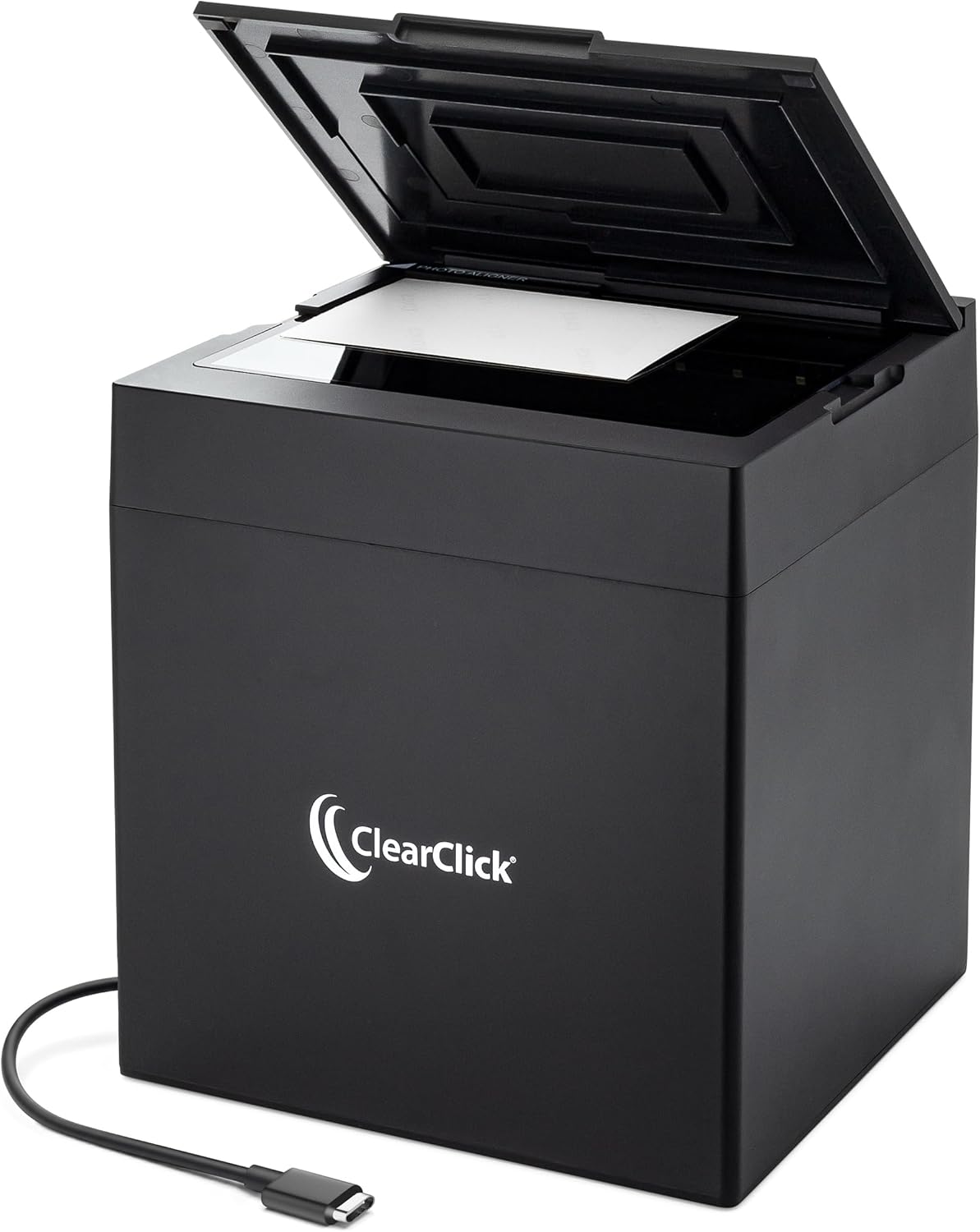
The ClearClick InstaScan is a simple plug-and-play scanner aimed at converting small printed photos and receipts to digital files quickly. It uses an internal 4K camera and lighting to capture 4×6 and 5×7 photos almost instantly, and bundled software lets you crop, adjust brightness and contrast, and save scans as JPG, PNG, or WEBP. Setup is straightforward on Windows or Mac via USB-C/USB-A with no manual driver installs, which makes bulk scanning easy if you want speed over deep controls. Image output is described as equivalent to 300 DPI and yields about 2500 x 1800 pixels after cropping, which is adequate for archiving and sharing but not for high-end restoration or large enlargements. The unit is compact and does not include an automatic feeder, so you position each photo manually; that keeps it affordable but means scanning many photos requires some hands-on time. It is best for homeowners who need a fast, low-friction way to digitize boxes of small photos without professional-level detail.
Best for: Buyers who want a low-cost, easy-to-use way to convert boxes of small printed photos into digital files quickly without fussing with drivers or complex software.
Less Ideal for: Photography enthusiasts or professionals who need high-resolution scans for large prints, advanced restoration, or batch automation should look at higher-end flatbed or film scanners instead.
- Very fast capture using built-in 4K camera and internal lighting
- Plug-and-play USB connection with no driver installation required
- Included software for cropping and basic image adjustments
- Produces roughly 300 DPI equivalent images suitable for digital archiving
- No automatic feeder so each photo must be positioned and scanned manually
- Not compatible with smartphones, tablets, or Chromebooks
Verdict: A budget-friendly, no-fuss photo scanner that converts small prints to usable 300 DPI digital files nearly instantly.
Plustek ePhoto Z300

| Scanner Type | Document, Photo |
|---|---|
| Connection Type | USB |
| Resolution | 600 dpi x 600 dpi, 300 dpi x 300dpi |
| Optical Sensor Technology | CCD |
| Light Source Type | LED |
The Plustek ePhoto Z300 is built specifically to digitize printed photos quickly and gently. You load single photos into its roller feed and the unit scans a 4×6 photo in about two seconds at 300 dpi, making it well suited for batch archiving sessions. It uses a CCD sensor rather than a CIS module, which delivers better color accuracy, deeper dynamic range, and the ability to handle slightly non-flat originals like thicker photos or Polaroids up to the specified thickness. Included software automatically crops, deskews, and offers image restoration tools such as color fade correction and red-eye removal, plus batch naming and straightforward saving options for common file formats and social upload. The roller feed design minimizes stress on fragile prints compared with tight document rollers, but the scanner is simplex only and does not function as a flatbed for large or very delicate items that require contact scanning. Overall, it is a practical, reliable choice when you need to convert large quantities of standard photos into cleaned, shareable digital files quickly.
Best for: Buyers who prioritize dependable, high-throughput photo digitizing and want a scanner that treats vintage prints gently while delivering better color fidelity than typical document feeders.
Less Ideal for: If you need to scan oversized, extremely fragile, or archival originals that require a flatbed surface or need duplex scanning, this is not the best choice.
- Fast single-photo throughput (about 2 seconds for a 4×6 at 300 dpi) for efficient batch scanning.
- CCD sensor provides improved color accuracy and dynamic range versus CIS-based photo feeders.
- Roller feed and special design reduce stress on older, sticky, or slightly warped photos.
- Bundled software offers auto crop, deskew, color restoration, red-eye removal, and batch naming for streamlined workflow.
- Simplex feed only so it cannot scan two-sided documents in one pass.
- Not a flatbed, so very fragile originals that require contact flat scanning are less well served.
Verdict: Choose the ePhoto Z300 when you need a reliable, fast photo-focused scanner that preserves color and handles old prints gently for large digitizing projects.
KODAK Slide N Scan
| Compatible film types | 35mm, 110, 126, 50mm slides |
|---|---|
| Image sensor | 13MP (up to 22MP interpolation) |
| Interface | USB, HDMI |
| Storage | SD/SDHC card (up to 32GB) |
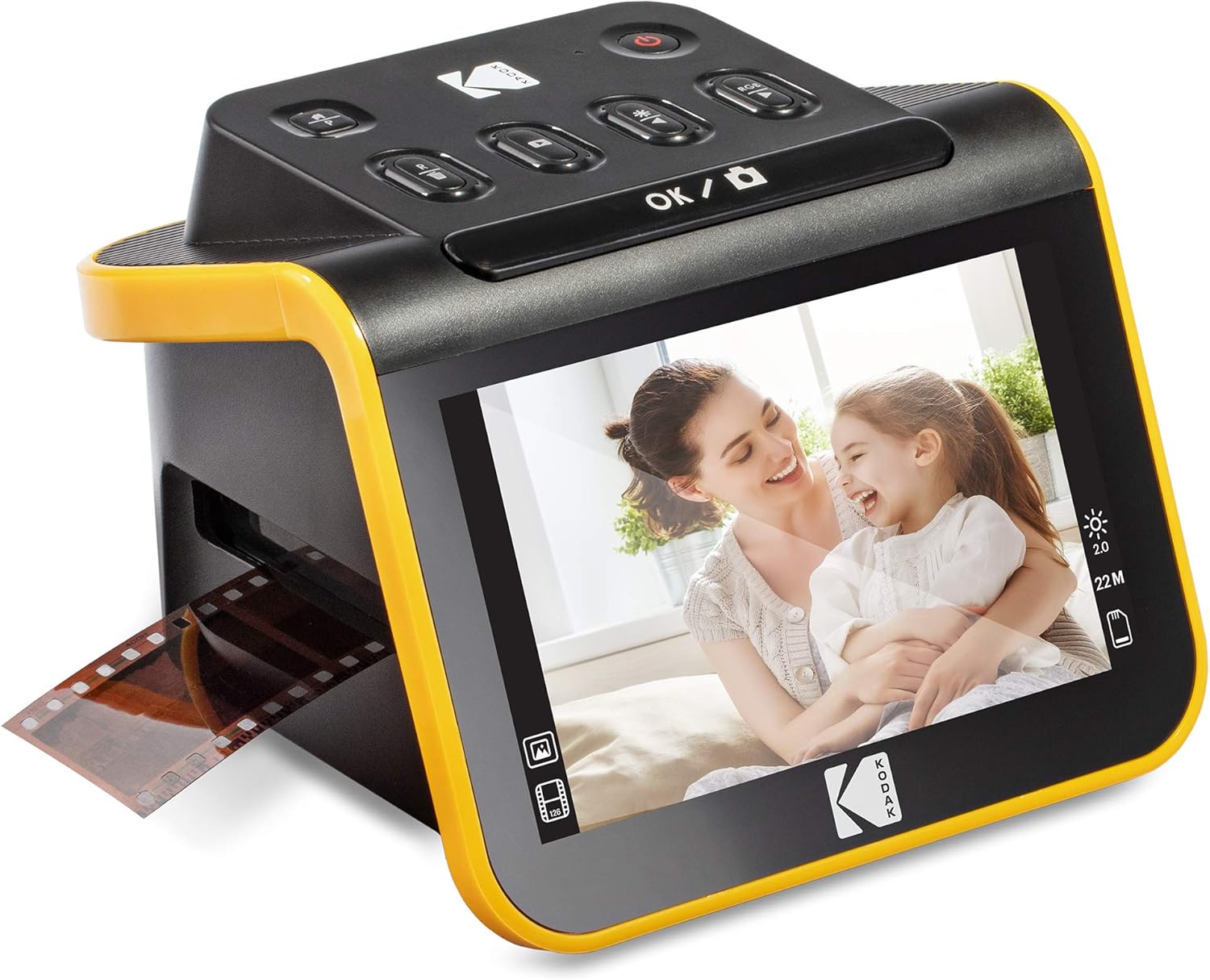
The KODAK Slide N Scan is a straightforward desktop film scanner aimed at converting old negatives and slides into digital JPEGs with minimal fuss. It accepts 135/110/126 film and 50mm slides using an easy-load tray and included adapters, so you can feed multiple frames quickly rather than handling each slide individually. Scans are captured by a 13MP sensor with an option to interpolate to 22MP, and images save directly to an SD/SDHC card or transfer over USB to a computer; there is also HDMI output for previewing on a TV. The large 5" LCD and gallery mode make it simple to preview, crop, and adjust color or brightness from the unit before saving. Practical benefits include fast batch scanning, simple one-button operation, and the ability to use the unit as a small desktop photo frame. Important limitations are that true optical resolution is limited to the sensor and interpolation, an SD card is required but not included, and advanced restoration steps still require separate software on a PC for best results.
Best for: Buyers who want a simple, mostly automated way to digitize family slides and negatives for sharing or archiving without learning complex software, and who value visual preview and batch throughput.
Less Ideal for: Photographers seeking high-end archival-grade scans or users who need native high-resolution optical scanning and professional restoration features should consider a higher-end film scanner or lab service.
- Handles 35mm, 110 and 126 negatives plus 50mm slides with included adapters
- Quick-feeding tray for continuous scanning of multiple frames
- Large 5" LCD with gallery mode for easy preview and basic edits
- Saves directly to SD/SDHC card and offers USB and HDMI output
- Resolution uses interpolation to reach 22MP rather than native optical 22MP
- Requires an SD card to operate which is not included
- Does not replace desktop restoration software for deep dust, scratch, or color correction
Verdict: A fast, user-friendly scanner for households that want to convert decades of slides and negatives into viewable digital files with minimal setup.
ScanSnap iX2500 Photo Edition

| Resolution | 600 dpi |
|---|---|
| Connection Type | USB, Wi‑Fi |
| Color Depth | 24 bits |
| Standard Sheet Capacity | 100 |
The ScanSnap iX2500 Photo Edition is a fast desktop scanner designed for scanning photos, documents, receipts and cards with minimal setup. It uses a 100‑sheet automatic feeder and duplex CIS sensor to scan both sides in one pass and supports USB or Wi‑Fi (including Wi‑Fi 6) for direct scanning to a PC, Mac, phone or cloud service. The 5" touchscreen makes it easy to choose saved scan profiles without a computer, and bundled ScanSnap Home software offers automatic image cleanup, file naming, and the ability to create searchable PDFs or editable Office files. Photo‑focused features include automatic color restoration, red‑eye reduction and three protective photo carrier sheets to handle delicate prints. Practical limitations are its lack of a TWAIN driver for legacy imaging apps and a moderate size and weight that suit a dedicated desk rather than a crowded shelf. For photo projects where speed, smart software and safe handling matter, the iX2500 streamlines large batch scans and reduces manual editing time.
Best for: Buyers who prioritize reliable, high‑speed photo digitization with strong automatic cleanup and easy cloud or device workflows and who prefer a turnkey, low‑risk scanning setup.
Less Ideal for: People who need a highly portable travel scanner or who must use legacy TWAIN‑only workflows should consider other options.
- High throughput with duplex scanning and 100‑sheet automatic feeder for batch photo and document scans
- Built‑in image enhancement (color restoration, auto rotation, red‑eye reduction) that reduces manual editing
- 5" touchscreen and customizable scan profiles for quick standalone operation without a PC
- Wi‑Fi 6 and USB connectivity to scan directly to phones, cloud services, Macs and PCs
- Includes protective photo carrier sheets and software that produces searchable PDFs and editable Office files
- No TWAIN driver which may limit integration with some legacy imaging applications
- Relatively large and heavier than compact portable photo scanners
Verdict: Choose the iX2500 Photo Edition if you want a fast, photo‑focused desktop scanner that safely handles delicate prints and delivers reliable, hands‑off image cleanup.
Choosing the Right Scanner for Old Photos: Key Factors to Consider
Optical Resolution and Detail
Higher optical resolution captures more fine detail, which matters when you want to make larger prints or crop tightly. Optical resolution is a true measure of the hardware's ability to resolve detail, unlike interpolated resolution that only upsamples. For many old family photos and small slides, look for a scanner whose native optics can capture the grain, edge detail, and texture you want to preserve.
If you plan to salvage tiny negatives or enlarge small prints, prioritize scanners with higher true optical resolution. For casual archiving where large prints are unlikely, moderately high resolution paired with good software can be sufficient.
Dynamic Range and Tonal Depth
Dynamic range measures the scanner's ability to capture both shadows and highlights from faded or contrasty originals. Older photographs often suffer from blown highlights, blocked shadows, and subtle midtone shifts. A scanner with generous dynamic range retains more of that tonal information, giving you room to correct exposure and restore detail in post-processing.
When evaluating units, consider whether the device captures rich detail in both ends of the histogram and how the accompanying software handles highlight recovery and shadow lifting. For delicate negatives and slides, dynamic range can make the difference between a flat-looking scan and a lifelike restoration.
Color Fidelity and Restoration Tools
Accurate color capture is essential if you want faithful digital reproductions or to correct color casts caused by age. Scanners with reliable color sensors and good ICC profile support produce scans that need less manual correction. Equally important are built-in restoration features such as automatic color cast removal, dust and scratch detection, and basic retouching tools.
A strong software suite reduces time spent in separate editing programs. However, advanced users may prefer raw high-fidelity scans for more control. Consider how much automatic correction you want versus how much manual editing you are willing to perform.
Handling Safety and Media Support
Old photos and negatives can be brittle, warped, or fragile. The scanner's handling method matters: flatbed scanners let you lay fragile prints flat without feeding them through rollers, while dedicated film holders secure negatives and slides for correct alignment. Avoid scanners that require fragile originals to pass through tight feeders.
Check for features like removable film holders, adjustable lids to accommodate mounted prints, and gentle platen materials. Good media support reduces the risk of accidental scratching or bending during scanning.
Scanning Speed and Workflow
If you are digitizing a large family archive, throughput becomes a practical consideration. Scanners with reliable batch scanning functions, automatic feeder options for loose prints, or efficient software that automates naming and file-format choices will save hours of repetitive work.
Speed should not be chosen at the expense of image quality or handling care. Look for models that balance faster throughput with consistent color and reliable dust-removal to avoid re-scanning.
File Formats and Post-Processing Flexibility
The available file formats and bit depth determine how much editing latitude you have after the scan. Scanning to high-bit TIFF or RAW-like formats preserves tonal data for substantial corrections, while JPEGs are smaller but less flexible. Bit depth of 24-bit versus 48-bit color affects how much subtle tonality is retained during restoration.
Prioritize devices and workflows that let you produce archival-quality files for long-term storage, while still offering convenient smaller formats for sharing.
Flatbed Versus Dedicated Film Scanners
Flatbed scanners are versatile for mixed collections because they handle loose prints, books, and fragile mounted items without feeding. Dedicated film scanners, including slide and negative scanners, often offer higher optical resolution and better dynamic range for small transparent originals.
For many home archivists, a high-quality flatbed with a film adapter provides the best balance of flexibility and image quality. If your archive consists primarily of mounted slides or 35mm negatives and you need the highest detail, a dedicated film scanner or a flatbed with a strong transparency unit may be preferable.
- Flatbed: best for fragile prints and mixed media
- Film scanner: best for small negatives and slides
- Consider film holders and transparency adapters for consistent alignment
Preparing Originals for Scanning
Clean and flatten originals carefully before scanning. Use a soft anti-static brush or a can of filtered air to remove surface dust. Avoid liquids on brittle or water-sensitive materials.
For curled or warped photos, place archival-weight tissue beneath the edges to stabilize them, or use a scanner lid that adjusts to the stack height. Always handle prints by the edges and wear clean, lint-free gloves if oil from fingers is a concern.
- Brush or blow away dust before scanning
- Do not press fragile prints flat with excessive force
- Label originals and track scanning order for better project organization
Software Tips for Restoring Old Photos
Start with the scanner's native software for initial capture and any built-in dust removal or color correction. Capture at the highest practical bit depth and choose lossless file formats when you plan to edit.
Use targeted adjustments for color cast and contrast, then apply localized spot repair for scratches and dust. Batch actions can speed up repetitive corrections, but inspect a few samples to ensure automatic fixes are not degrading fine detail.
- Capture at high bit depth and lossless formats for edits
- Use software dust and scratch removal judiciously
- Keep an original copy of the first scan before aggressive editing
Organizing and Naming Scanned Files
Develop a consistent naming and folder structure before you begin a large scanning project. Include date ranges, event descriptors, or original owner names in folder labels to make future retrieval straightforward.
Consider adding metadata during or after scanning, such as keywords, dates, and locations. Embedded metadata in TIFF or JPEG files reduces the work of cataloging later and helps maintain provenance for each image.
- Use descriptive folder names and sequential numbering
- Embed metadata for dates and context
- Back up master files to multiple storage locations
Archival Storage and Master Files
Keep master scans in a lossless format and store them in at least two separate physical or cloud locations. Use consistent folder structures and periodic checksum verification if you are managing a large archive.
Retain a working copy in a more accessible format for sharing and printing while preserving masters untouched for future reprocessing as better tools become available.
- Store masters in lossless formats like TIFF
- Maintain multiple backups and check file integrity
- Keep an editable working set for quick access
How We Chose the Best Scanner for Old Photos
We prioritized criteria that matter for archiving and restoring older prints, negatives, and slides. Key factors included optical resolution and dynamic range, since these dictate how much detail and tonal information the scanner can recover from faded originals. We also evaluated color accuracy and software restoration tools that can correct cast, adjust contrast, and remove dust and scratches. Handling and feed method were another filter, because delicate, brittle prints require gentle flatbed scanning or dedicated holders instead of automated sheets that can damage edges. Speed and file workflow mattered for larger projects, so we favored scanners with reliable batch scanning or companion software that produces standard file formats and consistent naming. Build quality and lift/scan ergonomics were examined to ensure safe repeated use. We excluded units that lacked basic dust-removal features or produced low dynamic range scans unsuitable for later editing. Overall, our selection balanced archival-quality imaging with practical usability for home preservation projects.
Our full evaluation process is outlined in our review methodology.
FAQ
What resolution do I need to scan old photos for prints?
For casual digital viewing, 300 to 600 ppi is usually adequate. For high-quality enlargements or cropping, aim for 1200 ppi or higher on small originals. The needed resolution depends on the original size and how much you plan to enlarge.
Can automatic dust removal ruin fine detail?
Automatic dust and scratch removal can help, but aggressive settings may soften fine texture and reduce apparent detail. Use moderate settings and check results at 100 percent magnification, keeping an untouched master where possible.
Is it better to scan prints or negatives for color accuracy?
Scanning negatives can capture more tonal range for certain originals, but requires accurate profile and inversion to get colors right. Well-handled prints scanned at sufficient resolution also produce very good color fidelity with less setup complexity.
How should I handle brittle or fragile photos during scanning?
Use a flatbed scanner and avoid feeders that use rollers. Support curled edges with archival tissue and handle by the edges, wearing lint-free gloves if necessary. If a print is extremely fragile, consider professional conservation before scanning.
What file format is best for archival masters?
Lossless formats such as TIFF stored at high bit depth are preferred for archival masters because they retain full tonal and color information for future editing. Keep working copies in compressed formats for sharing.
Final Verdict
Focus on the imaging characteristics that matter most for preservation: optical resolution, dynamic range, and gentle handling. Balance those priorities against how many items you need to digitize and how much time you will spend on post-processing. For most home archivists, a scanner that combines good optics, reliable software restoration tools, and safe media handling will give the best long-term results. Decide whether you need specialized film scanning or a flexible flatbed and prioritize file formats and workflow that preserve masters while simplifying day-to-day tasks. With those tradeoffs in mind, you can confidently choose a scanner for old photos that fits your archive size and restoration goals.