
Note: This article contains affiliate links. If you click on these links and make a purchase, we may earn a small commission at no extra cost to you. This helps support our research and content. Read our full affiliate disclosure here.
A security camera with a monitor puts live video where you need it most, eliminating delays from app loading or network congestion. Whether you want constant on-site observation, quick visual checks without pulling out a phone, or a dedicated display for a front desk or garage, choosing the right monitored camera system affects how quickly you can spot and respond to events. This guide shortlists seven top options that pair cameras with integrated or bundled monitors. We evaluated each pick for image clarity, setup and daily usability, recording options, and how the monitor integrates with the overall system. Read on to find the monitored setup that best matches your viewing habits and installation constraints.
Top Picks at a Glance
| Best Overall The best all-around choice for most situations | Camcamp SC37 4-Camera System |  |
| Best Quality Built to a higher standard if you want something more solid | Hiseeu 16CH NVR 5MP PTZ Kit |  |
| Best Value The sweet spot between price and what you get | OOSSXX 5.0MP DVR Camera Kit |  |
| Best Budget The cheapest option that still gets the job done reliably | Dioche Outdoor Security Camera Kit |  |
| Top Rated A top-rated pick with lots of positive feedback | WEILAILIFE 5MP Wired Security System |  |
| Most Popular A crowd favorite that many people choose with confidence | Cromorc 10CH 5MP Camera System |  |
| Best Seller A high-volume bestseller chosen again and again | Hiseeu 16CH Expandable Security Kit | 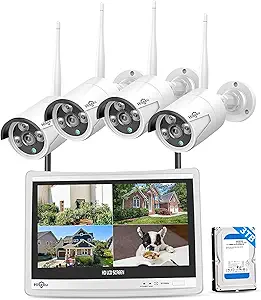 |
Camcamp SC37 4-Camera System
| Video Capture Resolution | 2K |
|---|---|
| Number of Channels | 10 |
| Memory Storage Capacity | 500 GB |
| Night Vision Range | 65 feet |
| Frame Rate | 15 fps |
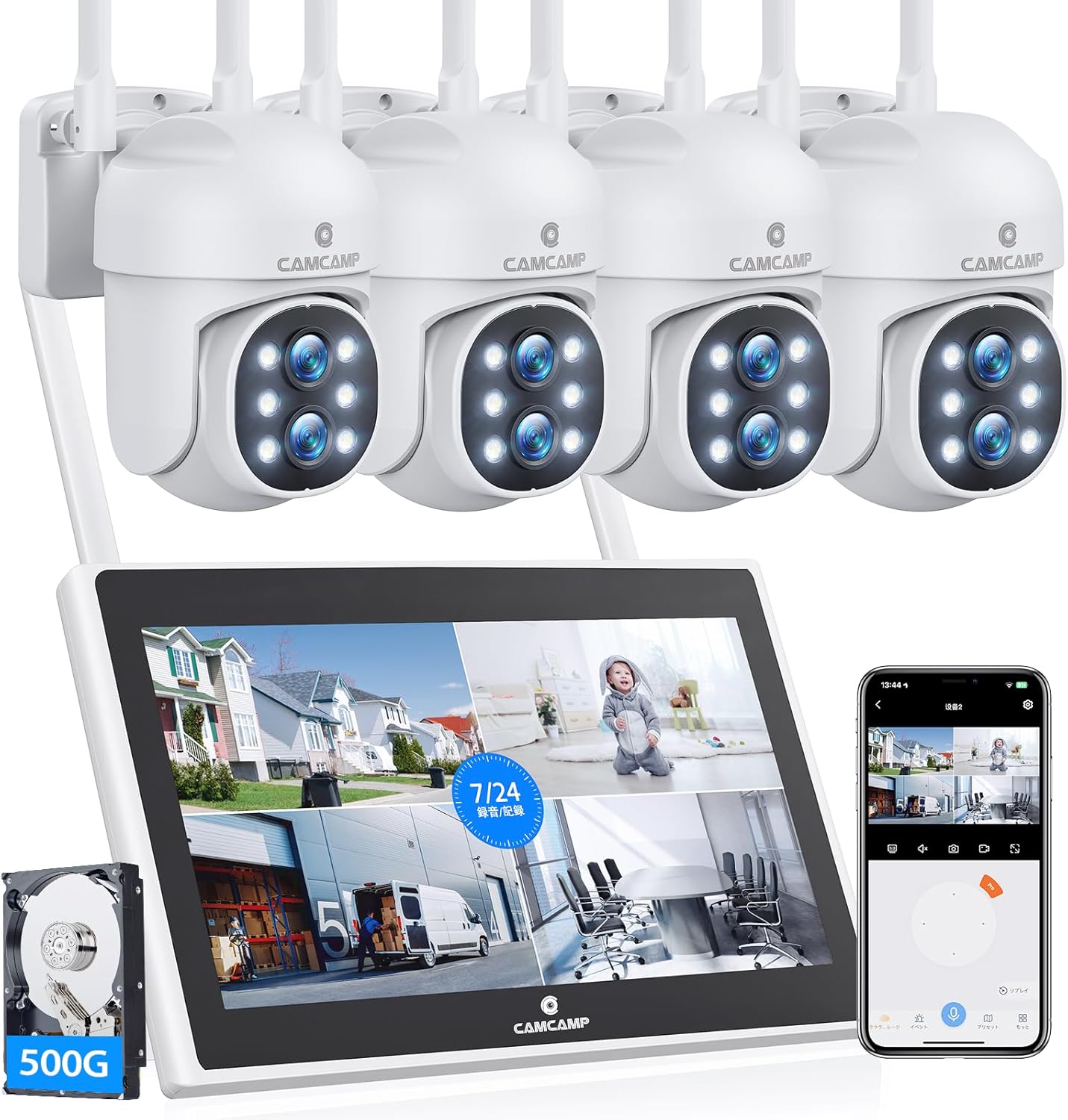
This Camcamp SC37 system pairs four outdoor PTZ-capable cameras with a 10-inch LCD monitor and a preinstalled 500 GB hard drive for local 24/7 recording. Each camera offers 2K video capture, 10x hybrid zoom via dual lenses, 355 degree pan and 90 degree tilt for wide coverage, and varifocal optics so you can frame both overview and close-up shots. The system supports 2.4 GHz Wi-Fi with auto-pairing, two-way audio through the monitor or app, motion auto-tracking, and AI-based human/vehicle detection to reduce false alerts. Night viewing can run in full-color using the white fill lights and reverts to IR as needed, and an integrated spotlight and siren let the unit actively deter intruders. Practical benefits include simple setup, local storage that keeps recordings accessible without constant cloud fees, and room to add up to ten channels for future expansion. Expect trade-offs in frame rate, which is capped at 15 fps, and reliance on 2.4 GHz Wi-Fi for camera connections rather than wired PoE, which may affect stability in congested networks.
Best for: Buyers who want a monitor-based, all-in-one home security kit that prioritizes easy setup, local recording, and flexible PTZ coverage for yard and perimeter monitoring.
Less Ideal for: Users who require the highest frame rates for fast-action capture or who prefer wired PoE camera installations for maximum network stability.
- Includes 10" monitor and 500 GB HDD for local continuous recording without mandatory cloud subscription
- PTZ dual-lens cameras with 10x hybrid zoom and 355°/90° pan-tilt for flexible coverage
- Full-color night vision with white fill lights plus AI human/vehicle detection to reduce false alerts
- Expandable up to 10 channels so you can add more cameras later
- Frame rate limited to 15 fps, which can make fast motion less smooth
- Uses 2.4 GHz wireless connections rather than wired PoE, which may be less stable in busy Wi-Fi environments
Verdict: A monitor-equipped, expandable 2K PTZ system that delivers local 24/7 recording and color night vision for buyers who want a ready-to-run home security setup.
Hiseeu 16CH NVR 5MP PTZ Kit

| Video Capture Resolution | 5MP |
|---|---|
| Number of Channels | 16 |
| Memory Storage Capacity | 3 TB |
| Night Vision Range | 65 feet |
| Connectivity Technology | Wireless |
This Hiseeu kit is a performance-focused all-in-one surveillance package built around a 14-inch NVR monitor and four 5MP PTZ dome cameras. Install the NVR, attach the cameras and power supplies, and you can view live feeds immediately on the built-in Full HD screen without needing a separate monitor. The PTZ domes offer 355° pan and 90° tilt plus zoom and smart auto-tracking, which makes them useful for covering driveways, yards, or business perimeters and following moving subjects. The system records continuously to the included 3TB HDD, avoiding subscription fees and providing weeks of local storage, and the HiseeCloud app enables remote viewing, motion alerts, and shared access on smartphones. Weatherproof, explosion-proof housings and 65-foot night vision extend outdoor reliability, while the 16-channel NVR leaves room to expand beyond the four included cameras. Expect a wired power setup for each camera and some initial configuration of the NVR and app, but once set up it delivers robust, monitor-centric surveillance for property-level security.
Best for: Buyers who prioritize high-resolution, monitor-centered surveillance and want a scalable system with local continuous recording and PTZ tracking for outdoor property protection.
Less Ideal for: Users who need a completely battery-powered or tiny plug-and-play camera solution for short-term indoor monitoring should consider simpler standalone cameras instead.
- Built-in 14-inch Full HD monitor lets you watch live video and playback without a separate display
- Four 5MP PTZ dome cameras with 355° pan, 90° tilt, zoom, and smart auto-tracking for wide coverage
- Preinstalled 3TB HDD supports continuous local recording with no monthly fees
- IP66 weatherproof and explosion-proof housings suitable for outdoor use
- Supports up to 16 channels so you can expand the system later
- Each camera requires its own power connection so installation still involves multiple power runs
- Wireless connectivity reduces cable clutter but range and reliability can vary by site and environment
Verdict: This system is a solid choice when you want a monitor-equipped, expandable NVR kit with 5MP PTZ cameras and local 24/7 recording for performance-driven property surveillance.
OOSSXX 5.0MP DVR Camera Kit

| Video Capture Resolution | 2592 x 1944 (5.0MP) |
|---|---|
| Number of Channels | 8 |
| Memory Storage Capacity | 500 GB |
| Night Vision Range | 80 feet |
| Water Resistance | IP67 |
This OOSSXX kit pairs four wired 5.0MP (2592 x 1944) cameras with an 8-channel DVR and a 10.2" all-in-one monitor, making it a single-package option for small-property video monitoring. The cameras use a 122° wide-angle lens and CMOS sensors to capture broad scenes, and the IR LED array provides night view up to about 80 feet. The DVR supports event and scheduled recording to the preinstalled 500GB hard drive and offers HDMI, VGA and USB outputs for playback or exports. IP67-rated housings and a corded power design mean the cameras are built for outdoor mounting and continuous operation, while the Honestview app enables remote viewing without a subscription. Limitations include a 15 fps frame rate which may show less fluid motion than higher-frame systems and the wired setup requires running cables and a single 12V power supply, so installation takes more effort than wireless kits. For buyers who prioritize a monitored, locally recorded system with rugged outdoor cameras, this kit delivers a practical, ready-to-run solution.
Best for: Buyers who want a practical, all-in-one wired surveillance solution with a built-in monitor and local storage for reliable around-the-clock home or small business monitoring.
Less Ideal for: People who need wireless plug-and-play installation, higher frame-rate sports/traffic capture, or cloud-first systems with subscription features.
- Includes 10.2" monitor and preinstalled 500GB HDD for immediate local recording
- Four 5.0MP cameras with 122° wide-angle lenses for broad coverage
- IP67-rated cameras for reliable outdoor use in harsh weather
- Night vision up to 80 feet for usable low-light monitoring
- HDMI, VGA and USB outputs plus app remote viewing without monthly fees
- Frame rate is limited to 15 fps which can produce less-smooth motion
- Wired cameras require cable runs and a centralized power connection
Verdict: A ready-to-install wired DVR kit with a built-in monitor and rugged 5MP outdoor cameras that delivers practical local recording and remote viewing without monthly fees.
Dioche Outdoor Security Camera Kit

| Video Capture Resolution | 480p |
|---|---|
| Frame Rate | 25 fps |
| Field Of View | 92 degrees |
| Waterproof Rating | IP54 |
| Max TF Card | 32G |
This Dioche kit combines four 480p bullet cameras with a 7-inch LCD monitor to give a simple, all-in-one surveillance setup for small properties. Cameras mount on walls, transmit on a 2.4GHz digital band to the included monitor, and support motion-triggered recording and photo capture to a local TF card (an 8GB card is included and the system supports up to 32GB). Night vision LEDs provide color-capable imaging at short distances (about 2–4 meters), and the 92-degree lenses offer a wide view for entryways, driveways, or small yards. The monitor can show a single camera or a 4-way split and stores ASF-format video for review. Expect straightforward, cable-free placement between cameras and the display, but note the image resolution is standard-definition 480p rather than HD and the system uses wired power for each camera. For buyers who need basic, inexpensive monitored coverage with local recording and easy setup, this kit delivers practical functionality; those wanting higher-resolution footage, longer night range, or cloud features should look elsewhere.
Best for: Buyers who want an inexpensive, self-contained monitored surveillance system that is easy to install and records locally without relying on cloud subscriptions.
Less Ideal for: Users who need high-resolution footage, long-range night monitoring, integrated cloud storage, or advanced smart-home platform integration.
- Complete 4-channel kit with monitor and cameras included for out-of-the-box setup
- Wireless 2.4GHz link to the monitor eliminates video cabling between cameras and display
- Local TF card recording with motion-triggered capture and an 8GB card included
- Night vision that yields usable color images at short range and a 92-degree field of view
- Video is standard-definition 480p rather than HD
- Night vision effective only at short distances (about 2–4 meters)
Verdict: A low-cost, easy-to-install 4-channel camera kit with a built-in monitor and local recording for buyers who prioritize simplicity and value.
WEILAILIFE 5MP Wired Security System
| Video Capture Resolution | 2536 x 1944p, 5.0Megapixel |
|---|---|
| Number of Channels | 8 |
| Memory Storage Capacity | 500 GB |
| Night Vision Range | 90 feet |
| Monitor | 10.1-inch Full HD IPS |
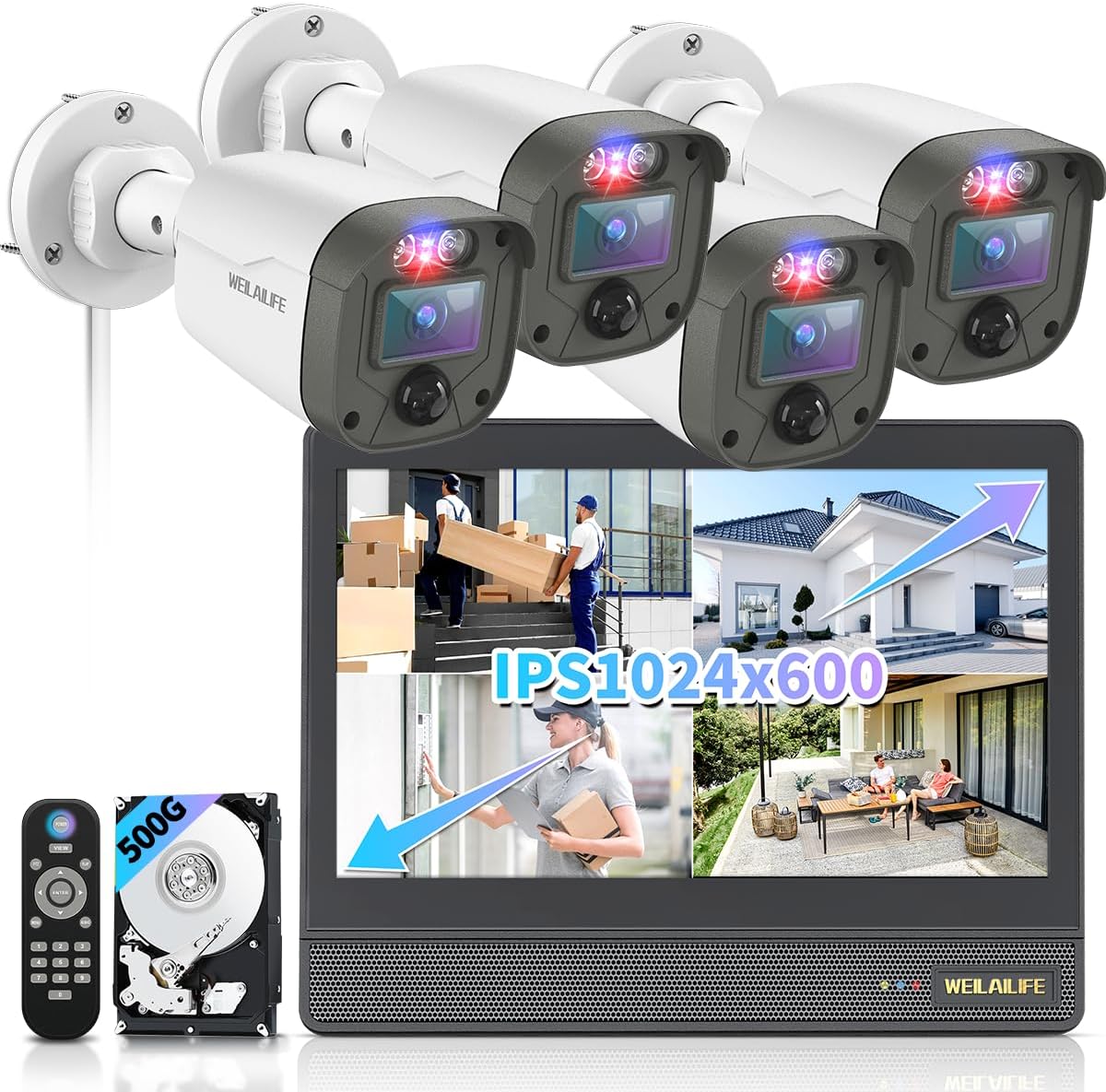
This WEILAILIFE kit combines four 5MP wired HD-Analog cameras with an 8-channel DVR and a 10.1-inch Full HD IPS monitor to deliver simple, on-site surveillance without subscription fees. It is typically used as a plug-and-play home or small-business system: run the included 60 ft cables from each camera to the DVR, power the unit, and view live and recorded footage on the monitor or via the HonestView app. Notable features include 122 degree wide-angle lenses, 90 ft night vision with IR cut filter, configurable PIR motion detection with email alerts, flashing red/blue deterrent LEDs, and multiple recording modes (event, schedule, continuous). Practical benefits are local 24/7 recording to the 500 GB drive, direct HDMI/VGA outputs to a TV, and remote access on phones and PCs without monthly fees. Important limitations are the 15 fps frame rate which reduces motion smoothness compared with higher-frame systems and the wired-only setup which requires cable routing and a fixed installation location.
Best for: Buyers who prioritize a reliable, always-on local surveillance setup and want a factory-ready kit with a monitor and preinstalled storage for straightforward installation and continuous recording.
Less Ideal for: Users wanting a wireless or battery-powered camera system for flexible placement or higher-frame-rate footage for fast-action monitoring should consider other options.
- All-in-one package with DVR preinstalled with 500 GB and a 10.1-inch Full HD IPS monitor for immediate local monitoring
- Four 5.0MP wired cameras with 122° wide-angle lenses for broad coverage and fewer blind spots
- 90 ft night vision with auto IR-cut filter for usable low-light images
- PIR motion detection with customizable sensitivity and email/app alerts plus flashing deterrent LEDs
- No monthly app fees and remote viewing on smartphones, tablets, PC, and TV
- Wired installation requires running cables to each camera and limits placement flexibility
- 15 fps recording/frame rate may produce less-smooth motion in fast-moving scenes
Verdict: Choose this wired all-in-one kit when you want a factory-ready, monitor-included system that provides dependable local recording and clear 5MP coverage without monthly fees.
Cromorc 10CH 5MP Camera System
| Number of Channels | 10 |
|---|---|
| Video Capture Resolution | 2880*1620, 5MP |
| Memory Storage Capacity | 1 TB |
| Night Vision Range | 65 feet |
| Connectivity Technology | Wireless |
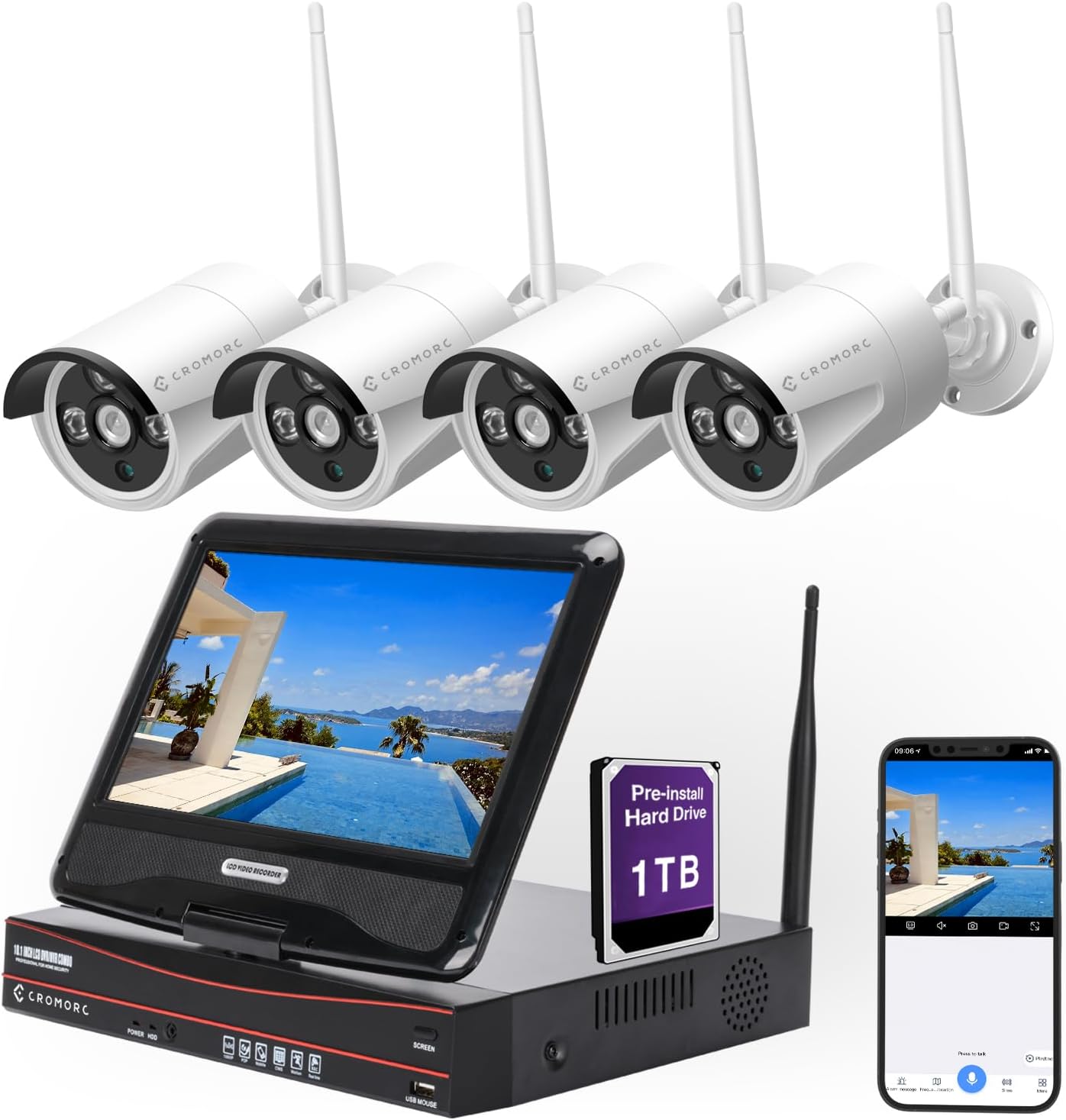
This Cromorc kit bundles a 10-channel NVR with a built-in 10.1" monitor, four 5MP bullet cameras and a preinstalled 1TB HDD so you get local 24/7 recording and playback without subscription. The cameras are weatherproof metal housings with one-way audio, 65 ft night vision and AI human detection to cut false motion alerts, and the recorder offers continuous, event or scheduled recording plus HDMI output and USB ports for backups. Setup is largely plug-and-play: cameras transmit video wirelessly while each camera still needs DC power, and the system supports remote viewing through the EseeCloud app when you connect the NVR to your network. Practical benefits include local storage (no mandatory cloud fees), the expandable 10-channel NVR for adding cameras later, and the onboard monitor for immediate live view and playback. Important limits are that the cameras use one-way audio only, the viewing angle is modest at 80 degrees so coverage may need careful placement, and wireless signal range and reliability depend on your home environment and camera power placement.
Best for: Buyers who want a turnkey, monitor-included system that records locally and prioritizes clear human-focused alerts for home or small business surveillance.
Less Ideal for: People who need two-way audio for remote conversations or extremely wide-angle single-camera coverage should consider systems with two-way audio or wider lenses instead.
- Complete package with NVR, built-in 10.1" monitor and preinstalled 1TB HDD for local 24/7 recording
- Four 5MP weatherproof cameras with up to 65 ft night vision for clear day/night footage
- AI humanoid detection reduces false motion alerts and focuses recordings on people
- 10-channel NVR is expandable so you can add up to six more cameras later
- Remote view, playback and alert push via the EseeCloud app when the NVR is networked
- Cameras provide one-way audio only, so you cannot speak through the camera
- Wireless transmission still requires DC power at each camera and can be affected by site interference
- 80 degree viewing angle may require additional cameras to avoid blind spots
Verdict: Choose this kit when you want an expandable, monitor-equipped security system that records locally and reduces false alerts with AI human detection.
Hiseeu 16CH Expandable Security Kit

| Video Capture Resolution | 5MP |
|---|---|
| NVR Resolution | 4K |
| Number of Channels | 16 |
| Memory Storage Capacity | 3 TB |
| Night Vision | Night Color |
This Hiseeu kit bundles four weatherproof 5MP bullet cameras with a 4K network video recorder that includes a built-in 12" monitor and a preinstalled 3TB hard drive. Cameras are corded for continuous 24/7 recording, and the NVR supports three recording modes (continuous, event, custom) plus H.265+ compression to save bandwidth and storage. The system can expand to 16 channels if you need more coverage, and AI human detection helps reduce false motion alerts while pushing real-time notifications to the app or email. Setup is a hybrid: you can view locally without Wi‑Fi, or connect dual-band Wi‑Fi for remote access; cameras use DC12V power and connect via BNC or RJ45. Practical benefits include hands-off continuous recording with long local retention, a dedicated monitor for onsite review, and rugged IP66-rated cameras for outdoor use. Limitations are that the cameras are corded so you must plan for power runs, one-way audio only allows listening not two-way talk, and advanced cloud backup requires optional paid service.
Best for: Buyers who prioritize reliable, local recording and want a complete plug-in kit with an integrated monitor for onsite viewing and minimal ongoing costs.
Less Ideal for: People who need battery-powered or wireless cameras to avoid running power cables or those who require two-way audio and fully cloud-based backup by default.
- Built-in 12" monitor on the 4K NVR for local live view and playback
- Preinstalled 3TB HDD for long local retention and no required monthly fees
- Expandable to 16 channels so you can add more cameras later
- IP66-rated outdoor cameras designed to operate in harsh weather
- Cameras are corded and require DC12V power runs to each mounting location
- Audio is one-way only, so you cannot speak through the cameras to visitors
- Some advanced remote features like cloud storage are optional paid services
Verdict: If you want a monitor-equipped, locally recorded security system that minimizes ongoing fees and delivers weatherproof 24/7 coverage, this expandable Hiseeu kit is a practical choice.
Choosing the Right Security Camera with a Monitor: Key Factors to Consider
Monitor Size and Resolution
The monitor is the primary interface for a security camera with a monitor, so its size and resolution directly affect how much scene detail you can see at a glance. A larger screen makes it easier to monitor multiple camera feeds or inspect distant details without zooming. Higher resolution reduces pixelation, which helps when you need to identify people or read small text on a license plate.
Consider where you will place the monitor and how far you typically sit from it. A small monitor may be fine for quick checks at a counter, while a living-room or security-station setup benefits from a larger, higher-resolution display. Also think about the screen aspect ratio and whether split-screen viewing of multiple cameras is supported.
Connection Type Between Camera and Monitor
How the camera and monitor communicate determines reliability, latency, and installation complexity. Wired connections offer stable, low-latency video and are less susceptible to interference, but they require running cable and more planning during installation. Wireless links simplify placement and are easier to retrofit, but signal strength, interference, and power options can affect performance.
For battery-powered cameras, wireless is often the only practical choice, but you will trade off continuous live viewing unless the system supports reliable local streaming. If the monitor receives multiple feeds, check whether it accepts a network video recorder or connects directly to each camera.
Local Recording and Playback
Local recording on an SD card or network video recorder provides faster access to footage without relying on cloud services. This is particularly important for a monitored setup where quick playback and exporting clips is part of routine use. Local storage reduces ongoing subscription costs and keeps data within your control, but it introduces considerations such as backup, capacity planning, and physical security of the recorder.
Evaluate how easy it is to access recorded clips from the monitor, whether the monitor offers timeline navigation, and if you can copy or export footage for evidence. Also check supported file formats and retention settings.
Power and Backup Options
Power design affects where you can place both cameras and the monitor. Cameras that require mains power impose wiring constraints but support continuous streaming. Battery-powered cameras give placement flexibility but may not support continuous live feed to the monitor without significant battery drain. The monitor itself may need a dedicated outlet and, for critical monitoring, a UPS or battery backup to keep the display live during brief outages.
Consider realistic run times for battery units under frequent live-view usage, whether solar or auxiliary power is supported, and how the system behaves during power interruptions when immediate live visibility matters.
User Interface and Control
The monitor's user interface determines how quickly you can check cameras, switch views, and react to alerts. Look for intuitive controls: physical buttons, a remote, touchscreen, or a simple on-screen menu. Ease of changing view layouts, enabling two-way audio, and grabbing snapshots from live feed are practical features that save time during an incident.
Also consider how alerts are presented on the monitor and whether you can customize notification thresholds. A cluttered or slow UI undermines the benefit of having a dedicated screen.
Night Vision and Low-Light Performance
Security needs do not end at dusk, so camera sensitivity and the monitor's ability to display low-light feeds matter. Cameras that offer good IR night vision or enhanced low-light color imaging provide useful detail after dark. The monitor should render those feeds with enough contrast to reveal motion and facial outlines.
Check whether the system adjusts exposure automatically and how well the monitor handles high-contrast scenes, such as bright streetlights against dark backgrounds. Poor night performance can leave blind spots precisely when you need reliable monitoring.
Wired Vs Wireless Monitored Setups
Deciding between wired and wireless monitored systems depends on how permanent the installation will be and where you can route power and data. Wired cameras and monitors typically give the best reliability, stable video, and minimal lag for live viewing. They are a good match for fixed security stations or builds where you can conceal cabling.
Wireless setups are easier to install and reconfigure, which appeals to renters or temporary monitoring needs. However, expect to manage signal range, potential interference, and battery life if the cameras are not line-powered. Hybrid approaches that use wired power with wireless data or vice versa can balance convenience and reliability.
- Wired: low latency, consistent feeds, requires cable runs
- Wireless: flexible placement, potential interference and latency
- Hybrid: mix of benefits when wiring is partially available
Monitor Placement and Mounting Tips
Place the monitor where it is readily visible during the times you need active observation, such as a reception desk, entryway, or garage workbench. The viewing distance dictates appropriate screen size and font scaling for on-screen menus.
Mounting options vary from desktop stands to wall mounts. If you need multiple monitors or need to share the screen among several viewers, choose a mount and cable planning that supports safe, heat-free installation. Keep the monitor away from direct sunlight and heat sources to preserve visibility and hardware longevity.
- Choose a location with a clear sightline and minimal glare
- Use secure mounts and route cables to avoid tripping hazards
- Consider a lockable enclosure if the monitor is in a public-facing area
Viewing Multiple Cameras on One Screen
A key advantage of camera systems with monitors is the ability to display multiple feeds simultaneously. Check whether the monitor supports preset layouts and easy switching between full-screen and multi-view modes. Useful systems let you assign priority cameras to larger panes or picture-in-picture for immediate attention.
Consider the tradeoff between seeing many cameras at once and maintaining sufficient detail in each pane. If you need to keep an eye on several zones, pick a monitor and camera pair that balances screen real estate with camera resolution so each quadrant remains legible.
- Preset split-screen modes simplify routine monitoring
- Priority or spotlighting features draw attention to motion
- Higher camera resolutions help maintain detail in multi-view
Integrating Two-Way Audio and Alerts
Two-way audio adds interaction to a monitored setup, letting you speak through a camera from the monitor. This is helpful for entry-way management or deterring unwanted behavior. Confirm that the monitor interface makes it easy to initiate calls and control microphone volume during live feeds.
Alert presentation matters: on-screen banners, audible chimes, and visual indicators reduce the chance of missing events. Look for systems that allow you to adjust motion sensitivity and schedule active monitoring hours to avoid alert fatigue.
- Check mic and speaker quality for clear communication
- Customizable alerts prevent unnecessary interruptions
- Mute and do-not-disturb schedules help during quiet hours
Maintenance and Long-Term Upkeep
A monitored camera system requires periodic maintenance to remain reliable. Keep camera lenses clean, verify firmware is up to date, and confirm the monitor and recorder storage health. Batteries, if present, should be checked seasonally for capacity loss.
Plan for software maintenance as well. Even systems with local monitors may need occasional updates to address security or compatibility. Establish a simple routine to test live feeds, playback functionality, and alert delivery so you catch issues before they matter.
- Schedule seasonal checks for lens, mounts, and wiring
- Verify recorded footage is accessible and backed up if needed
- Monitor uptime and address firmware updates on a regular cadence
How We Chose the Best Security Camera with a Monitor
We focused on features that matter to people who need immediate on-site video access through a dedicated screen. First, we prioritized video quality and monitor resolution because clear images are essential for identifying faces and license plates at a distance. Second, we evaluated the monitor experience itself, including screen size, viewing modes, and whether the display supports multiple camera feeds simultaneously. Third, installation and connectivity were judged for real-world setups: wired versus wireless options, ease of mounting, and how monitors connect to cameras. Fourth, recording and playback flexibility was considered, including local storage, scheduled recording, and clip retrieval. Finally, we assessed day-to-day usability: user interface simplicity, remote control or touchscreen operation, and the clarity of status indicators. We excluded systems that rely exclusively on third-party cloud apps without a usable local display or those whose monitors are purely decorative and do not show live camera feeds. The final list reflects systems that balance clear live viewing on a dedicated monitor with sensible installation and recording features suitable for home and small-site security.
Our full evaluation process is outlined in our review methodology.
FAQ
Can a monitor show multiple camera feeds at once?
Often, yes. Many monitors and bundled recorders support split-screen layouts to display several feeds simultaneously. The number of usable panes depends on monitor size and camera resolution because smaller panes may lose detail.
Will a battery camera stream continuously to a monitor?
It depends on the camera and power management. Continuous streaming drains batteries quickly, so many battery cameras throttle live feed or use event-triggered streaming. For uninterrupted live viewing, line-powered cameras are more reliable.
Do monitored systems require an internet connection?
Not always. Some systems allow local-only viewing and recording with the monitor connected directly to cameras or to a local recorder. Internet access is useful for remote access and firmware updates but is not strictly required for on-site monitoring.
How do I access recorded clips from the monitor?
Most monitors paired with recorders provide on-screen playback controls and a timeline interface to scrub footage. Others rely on removable storage like an SD card or USB export. Check whether the system supports easy clip export for archiving or evidence.
Is it easy to mount a monitor in a visible public area?
It can be straightforward, but you should consider security and durability. Use a secure mount, protect cables, and consider locking enclosures if the monitor will be accessible to the public. Ensure the monitor's brightness and anti-glare properties suit the environment.
Final Verdict
Choose a security camera with a monitor based on how and where you will watch live video. Prioritize monitor clarity and layout if you need to watch multiple feeds at once. If uninterrupted real-time viewing is important, favor line-powered cameras and reliable wired or robust wireless connectivity. Balance recording needs against privacy and backup preferences by selecting systems with local storage or easy export features. Focus on straightforward controls and predictable power behavior so the monitor becomes a dependable, quick-access tool for spotting and responding to events.