
Note: This article contains affiliate links. If you click on these links and make a purchase, we may earn a small commission at no extra cost to you. This helps support our research and content. Read our full affiliate disclosure here.
A Smart Hub is the connective tissue for a connected home—routing signals, coordinating automations, and letting you control many devices from one place. Choosing the right Smart Hub matters because the wrong hub can limit which devices work together, create frustrating setup hassles, or restrict the automations you can build. This guide shortlists the top Smart Hubs across common home uses and evaluates each for compatibility, ease of setup, reliability, and automation power. We focus on practical aspects that affect everyday ownership so you can pick a hub that fits how you manage lights, sensors, locks, and routines. Read on for our top picks and the criteria we used to vet them.
Top Picks at a Glance
| Best Overall The best all-around choice for most situations | Aeotec Smart Home Hub V3 |  |
| Best Quality Built to a higher standard if you want something more solid | Home Assistant Green |  |
| Best Value The sweet spot between price and what you get | Philips Hue Bridge |  |
| Best Budget The cheapest option that still gets the job done reliably | Tapo H110 Smart IR & IoT Hub |  |
| Top Rated A top-rated pick with lots of positive feedback | Lutron Caseta Smart Hub L-BDG2-WH |  |
| Best Seller A high-volume bestseller chosen again and again | Amazon Echo Dot Max |  |
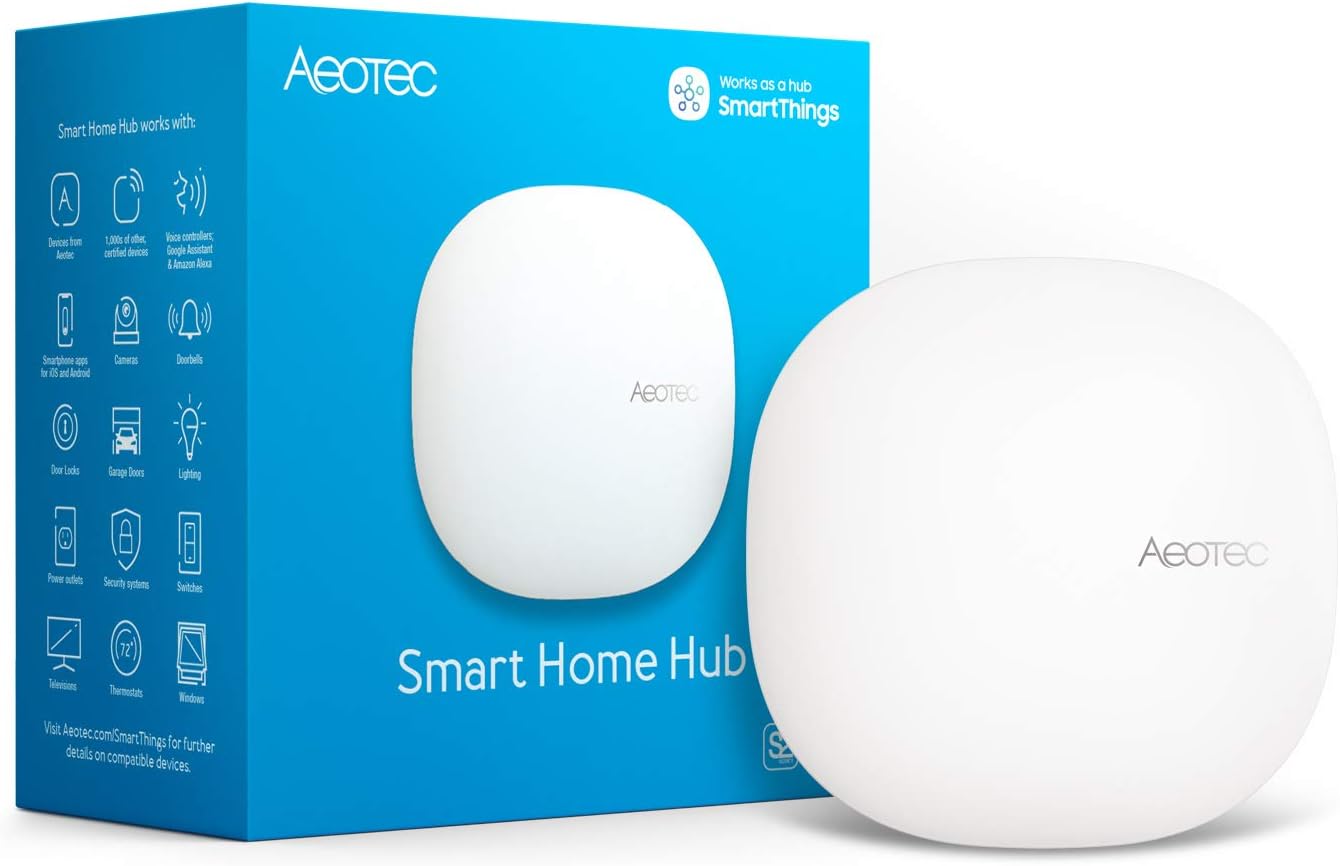
Aeotec Smart Home Hub V3
| Connectivity Technology | Ethernet, Wi-Fi, Z-Wave, ZigBee, Matter |
|---|---|
| Control Method | App, Voice |
| Compatible Devices | SmartThings devices, Z-Wave Plus devices, Zigbee devices, Wi-Fi devices, Matter devices |
| Frequency | 908.42 MHz |
The Aeotec Smart Home Hub V3 acts as a central gateway for a wide range of smart devices, letting you connect Matter, Z-Wave Plus, Zigbee, Wi‑Fi and SmartThings-compatible products and control them from the SmartThings app or with Alexa and Google Assistant. Typical use is pairing lights, sensors, switches and comfort devices to build automations and routines that run locally for faster response. The hub supports both Ethernet and Wi‑Fi setup, includes an adapter and Ethernet cable, and is designed for North American frequencies. Its practical benefits are broad device compatibility and the ability to consolidate different ecosystems into a single app, plus local automation for improved speed and reliability. Limitations to note are that advanced users may need to familiarize themselves with SmartThings conventions and device handlers for nonstandard gear, and the hub does not replace cloud features from specific manufacturers. For buyers seeking a reliable, multi-protocol central controller that plays well with popular voice assistants, this hub is a flexible choice.
Best for: Buyers who want a single, versatile hub to unify multiple smart home protocols and build dependable automations without juggling separate apps or bridges.
Less Ideal for: Users who need a plug-and-play single-brand cloud experience with vendor-specific features or those who want an extremely simple setup with no platform learning curve.
- Supports Matter, Z‑Wave Plus, Zigbee, Wi‑Fi and SmartThings for wide device compatibility
- Local automations via SmartThings improve speed and reliability
- Works with voice assistants including Alexa and Google Assistant
- Flexible connectivity with both Ethernet and Wi‑Fi setup and included adapter and cable
- May require learning SmartThings app and workflows for advanced customizations
- Does not replace manufacturer cloud features for some devices
Verdict: Pick this hub if you need a single, flexible controller that reliably ties Matter, Z‑Wave, Zigbee and Wi‑Fi devices together for practical, faster local automations.
Home Assistant Green

| Operating System | Home Assistant OS |
|---|---|
| RAM Memory Installed | 4 GB |
| Memory Storage Capacity | 32 GB |
| Connectivity Technology | Ethernet, USB |
| Wireless Compability | Bluetooth |
The Home Assistant Green is an official, ready-to-run hub that ships with Home Assistant OS preinstalled so you can plug in power and Ethernet and start building automations immediately. Its quad-core processor, 4 GB of LPDDR4X RAM and 32 GB eMMC storage let it run the main system plus multiple add-ons for integrations, logging and automations without relying on the cloud. The fanless, low-power design makes it silent and energy efficient while wired gigabit Ethernet and two USB ports give stable connectivity and options for adding Zigbee, Z-Wave or Thread adapters. Practical benefits include local data ownership, extensive community blueprints and a small footprint that fits on a shelf. Limitations are that it lacks built-in Wi‑Fi (so you need Ethernet) and remote access requires either the Home Assistant Cloud subscription or another secure remote connection solution.
Best for: Buyers who prioritize a high-performance, local-first smart home platform and want a compact, low-power hub they can expand with USB radios and add-ons.
Less Ideal for: Users who need a plug-and-play Wi‑Fi hub with built-in wireless radios and those who prefer a cloud-only, maintenance-free controller.
- Home Assistant OS preinstalled for fast setup
- 4 GB RAM and quad-core CPU handle multiple add-ons and automations
- 32 GB onboard storage for local logs and automations
- Fanless, low-power design for silent, energy-efficient operation
- Gigabit Ethernet and two USB ports allow stable networking and USB expandability
- No built-in Wi-Fi so a wired connection is required for primary network access
- Remote secure access requires a paid cloud subscription or separate remote solution
Verdict: A compact, high-performance local-first hub for power users who want a silent, expandable platform to run advanced Home Assistant automations.
Philips Hue Bridge

| Included components | Bridge, power adapter, LAN cable |
|---|---|
| Certification | Zigbee |
| Wattage | 3 watts |
| Usage | Indoor |
The Philips Hue Bridge is the central hub that unlocks the full Hue ecosystem, letting you control lights from the Philips Hue app, set automations, and connect accessories and third‑party smart platforms. Set up is straightforward: plug the bridge into power and your router, then follow the app to discover and update devices. It uses Zigbee mesh networking so lights remain responsive even if your Wi‑Fi is down, and the bridge stores your scenes and schedules so settings persist through power interruptions. The hub supports out‑of‑home control, voice assistants, Matter integration, and advanced features like ambient syncing with movies, music, or games when paired with the HDMI Sync Box. Practical benefits include reliable, low-latency control for multiple rooms, support for up to 50 lights and accessories, and automatic firmware updates to keep the system current. Limitations are that it only enables the full Hue feature set for Philips Hue devices and requires a wired connection to your router during setup and operation for remote access.
Best for: Buyers who want a reliable, low‑latency central hub to manage a growing Philips Hue lighting system and prioritize consistent automations and remote control.
Less Ideal for: Users who plan to use primarily non‑Hue smart bulbs or want a hubless, Wi‑Fi‑only solution may prefer platform‑agnostic hubs or bulbs with built‑in connectivity.
- Enables full Philips Hue feature set including scenes, automations, and remote control
- Uses Zigbee mesh for a reliable connection that does not rely solely on Wi‑Fi
- Supports up to 50 lights and accessories for whole‑home setups
- Stores settings and schedules so configurations persist through power outages
- Automatic firmware updates and Matter compatibility for broader smart home integration
- Only unlocks advanced features for Philips Hue lights and accessories
- Requires a wired connection to the router for setup and remote control
Verdict: If you want dependable whole‑home Hue lighting with robust automations and reliable local control, the Philips Hue Bridge is the essential hub to buy.
Tapo H110 Smart IR & IoT Hub

| Power Source | Corded Electric |
|---|---|
| Control Method | App, Remote, Voice |
| Maximum Range | 130 meters |
| Audible Noise | 93 db |
| Compatible Devices | TVs, Air Conditioners, Fans, Media Players, Set-Top Boxes, Projectors, Soundbars, Heaters, Tapo Sensors, Smart Buttons, Doorbells, Bulbs, Plugs, Cameras |
The Tapo H110 acts as a central hub for both modern smart devices and older infrared appliances by combining a Matter-certified controller with an integrated IR blaster and audible chime. You set it up in the Tapo app, connect it to 2.4 GHz Wi‑Fi and a Matter controller, then pair TVs, ACs, fans and other IR equipment using its database or IR learn function. Once onboarded you can use voice assistants, the app, geolocation triggers, schedules, and sensor-driven automations to power devices on or off and receive loud 93 dB alerts when motion or door sensors activate. Local processing keeps core automations running without internet, and Matter support helps it bridge Apple, Google, and Amazon ecosystems. Practical limits are a required Matter controller for setup and the need to supply a 5V 2A USB adapter, plus IR range and line-of-sight still apply to older appliances. For buyers wanting a compact, inexpensive way to smart‑enable many legacy devices, the H110 covers a lot of ground for the cost.
Best for: Buyers who want an affordable hub that brings legacy infrared appliances into a modern Matter-enabled smart home and prioritizes easy automations and voice control.
Less Ideal for: Users who need a fully standalone smart controller without any additional Matter hardware or those who require long-range RF control beyond line-of-sight IR.
- Matter-certified bridge for Apple, Google and Amazon ecosystems
- Integrated IR universal remote supporting 18 device types and 8,000+ brands with IR learning
- Built-in 93 dB chime for audible alerts without extra speakers
- Supports schedules, geofencing, voice control and local processing for offline automations
- Requires a separate Matter controller for initial setup
- USB power adapter (5V⎓2A) is not included
Verdict: If you want an inexpensive, Matter-certified hub that smart‑enables a wide range of IR devices and ties them into voice and app automations, the Tapo H110 is a strong budget choice.
Lutron Caseta Smart Hub L-BDG2-WH

| Operating Voltage | 120 volts |
|---|---|
| Controller Type | Amazon Alexa |
| Control Type | remote, voice |
| Compatible Devices | Amazon Alexa, Apple HomeKit, Google Assistant, Ring, Serena shades, Sonos |
| Included Components | (1) Caseta Wireless smart bridge |
The Lutron Caséta Smart Hub is a compact bridge that connects Caséta dimmers, switches, Serena shades, and Pico remotes to voice assistants and popular smart-home platforms. It plugs into a wall outlet and links to your router so you can set schedules, create multi-device scenes, and use geofencing from the Lutron app or through Alexa, Google Assistant, or HomeKit. The hub uses Lutron's Clear Connect wireless protocol so it does not rely on Wi-Fi for device communication, which reduces interference and improves responsiveness for lighting control. Installation is straightforward—plug it in, pair devices, and authorize integrations in the app—and the system supports up to 75 Caséta devices for slow, steady expansion. Limitations are that it is a vendor-specific bridge: it only manages Lutron Caséta devices directly, and advanced integrations with some third-party systems may require additional configuration. The hub is best when you want a stable, predictable lighting backbone rather than a catch-all smart-home controller.
Best for: Buyers who prioritize a dependable, low-interference lighting control system and want to build a gradual, home-wide Caséta installation with reliable voice and app control.
Less Ideal for: Users seeking a single hub to manage a wide mix of non-Lutron smart devices or those who want a fully open platform with broad native device support.
- Uses Clear Connect protocol to avoid Wi‑Fi interference for reliable device communication
- Supports integration with Alexa, Google Assistant, and Apple HomeKit for voice control
- Simple plug‑in setup and an intuitive companion app for scheduling and scenes
- Supports up to 75 Caséta devices so you can expand lighting control across a whole home
- Only controls Lutron Caséta devices natively, so it is not a universal smart hub
- Requires router connection for remote access and some integrations
Verdict: Choose the Caséta Smart Hub when you want a rock-solid, low-interference lighting control hub that reliably links Lutron devices to voice assistants and common smart-home platforms.
Amazon Echo Dot Max

| Price | 99.99 USD |
|---|---|
| Voice assistant | Alexa |
| Smart home hub | Built-in |
| Wi‑Fi feature | eero Built-in |
The Echo Dot Max is a mid-size Alexa speaker that focuses on stronger, fuller sound and simplified smart home control. It automatically adapts playback to the room and offers noticeably more bass than the smaller Echo Dot, making music and podcasts sound richer in living rooms and medium spaces. The device includes a built-in smart home hub so you can pair and control compatible lights, locks, and other devices without adding a separate bridge, and Omnisense technology can trigger routines based on temperature or presence. It also doubles as an eero wifi extender to add coverage to an existing eero network. Setup and daily use follow familiar Alexa workflows for voice commands, routines, and multiroom playback, and privacy controls include a physical microphone off button. Limitations to consider are that some advanced smart-home devices may still need their vendor bridges and the eero extension only works with an existing eero system rather than as a standalone router.
Best for: Buyers who prioritize easy, reliable smart-home control and better room-filling audio in living areas and want a familiar, low-friction Alexa experience with built-in privacy controls.
Less Ideal for: Users who need a primary wifi router replacement or those who require advanced enterprise-grade network features should look elsewhere.
- Much stronger, fuller sound and nearly three times the bass of the smaller Echo Dot
- Built-in smart home hub simplifies pairing and direct control of many compatible devices
- Omnisense lets the speaker trigger routines using temperature or presence detection
- Functions as an eero wifi extender to boost coverage for an existing eero network
- Physical microphone mute button and multiple privacy controls
- Eero mesh extension requires an existing eero network and does not replace a primary router
- Some smart devices from other brands may still require their own bridges or hubs
Verdict: Choose the Echo Dot Max if you want stronger, room-filling Alexa audio plus a built-in smart-home hub and eero-based wifi extension in one simple package.
Choosing the Right Smart Hub: Key Factors to Consider
Device Compatibility And Protocol Support
A Smart Hub's usefulness depends on which devices and protocols it supports. Look for hubs that handle the radio standards and cloud ecosystems your existing devices use. This includes support for local protocols like Zigbee and Z-Wave as well as Wi-Fi, Thread, or Bluetooth when those matter for sensors and accessories.
Broad protocol support reduces the need for multiple bridges and makes automations simpler to build. If a hub lacks support for a common protocol you rely on, you may need extra adapters or lose features such as battery reporting or scene triggers.
Ease Of Setup And Ongoing Management
How easy a hub is to install and manage will determine how quickly you see value and how much fuss you face when adding devices. Consider whether pairing is handled through a single mobile app, whether the hub supports guided device discovery, and how it surfaces troubleshooting information.
Ongoing management includes firmware updates, device renaming, room organization, and log access. A system with clear administration tools and responsive mobile apps reduces friction when you expand your smart home or hand control to other household members.
Automation Power And Flexibility
Smart Hubs vary widely in the complexity of automations they support. Basic hubs offer simple schedules and on/off rules, while advanced hubs allow nested conditions, multiple triggers, and scripts. Consider whether you need time-based routines, geofencing, sensor-based conditional logic, or the ability to chain actions across device types.
Also check whether the hub supports user-created scripts or third-party automation engines. Greater automation flexibility lets you replace point-to-point rules with more resilient, centralized behaviors that handle edge cases like power outages and device failures.
Local Processing And Reliability
Local processing determines whether core automations run independently of cloud services. Hubs that execute routines locally provide faster response times and continue to operate during internet outages, which is important for security devices and lighting scenes you rely on daily.
Evaluate how much functionality is truly local versus cloud-dependent. Some hubs offload most logic to remote servers, which can introduce latency and service dependency. If reliability is a priority, prefer hubs that document which functions run locally.
Connectivity Range And Network Integration
A hub's placement and radio capabilities affect whole-home coverage. Consider built-in mesh support, antenna configuration, and whether the hub can act as a network router or needs to sit behind your existing router. Signal range and interference handling matter for battery sensors and devices in basements or outbuildings.
Also assess how well the hub integrates with your home network, including static IP support, guest network limitations, and VPN considerations. A hub that struggles with your home topology will create blind spots and unreliable automations.
Planning Your Smart Hub Layout
Placement affects coverage, latency, and reliability. Place the hub centrally relative to the devices you intend to connect, avoid dense metal enclosures, and keep a clear line of sight where possible for radio signals. If you have multiple floors or detached structures, plan for range extenders or additional compatible repeaters to avoid dead zones.
- Center the hub in the home when possible
- Avoid placing hubs inside cabinets or behind large appliances
- Check whether the hub supports external antennas or mesh repeaters
Integrating Voice Assistants And Mobile Control
Most Smart Hubs offer some level of mobile app and voice integration. Decide up front whether you prioritize quick app-driven control, hands-free voice actions, or both. Integration quality varies, so test basic commands and any advanced routines you rely on to ensure voice assistants trigger the intended scenes reliably.
- Confirm the hub exposes all desired device functions to voice services
- Test delayed or compound commands during setup
- Ensure family access and guest controls are simple to configure
Security And Privacy Considerations
Smart Hubs handle sensitive information and command many devices that affect safety. Look for hubs with regular firmware updates, clear encryption standards, and the ability to change default credentials. Review how the hub communicates with cloud services and whether telemetry can be minimized or disabled. If privacy is a priority, favor hubs that allow local-only operation or robust controls over what data is shared with third parties. Also plan for account recovery and multi-user access with varied permission levels.
- Use strong unique credentials and enable two-factor authentication when available
- Disable unnecessary cloud features to reduce data exposure
- Keep firmware up to date to patch vulnerabilities
Extending Coverage With Mesh And Bridges
If your home has outbuildings, a large footprint, or thick walls, plan a strategy for extending radio coverage. Some hubs support mesh networks that allow additional compatible devices to act as repeaters. Others rely on dedicated extenders or separate protocol bridges to reach distant devices. Consider whether adding repeaters will complicate maintenance or whether a single, more powerful hub would reduce points of failure. Map device locations during planning to determine where signal boosters are required.
- Identify weak-signal areas before buying
- Prefer devices that double as repeaters for easy extension
- Document network topology to simplify troubleshooting
Maintenance And Firmware Update Strategy
Ongoing maintenance includes applying firmware updates, auditing connected devices, and checking automation logs periodically. Establish a cadence for reviewing updates and backups of hub configurations where supported. Some hubs allow scheduled updates, which reduces unexpected reboots during peak use times. Also maintain a simple inventory of connected devices and their battery health so you can proactively replace accessories before they disrupt automations.
- Schedule regular checks for firmware and app updates
- Keep a device inventory and note important automations
- Back up hub configurations if export is supported
How We Chose the Best Smart Hub
We selected Smart Hubs by focusing on the real-world features that determine how well a hub performs in an active home. First, compatibility with common device protocols and major platform integrations was a primary filter because a hub that cannot speak to the devices you already own defeats its purpose. Second, we emphasized setup and user experience, including how straightforward initial pairing, ongoing management, and mobile app configuration are for typical homeowners. Third, automation capability and local processing were evaluated to assess whether complex scenes and routines run reliably and whether critical automations work during network outages. Fourth, connectivity and range were considered, including support for mesh networking or external antennas where that affects whole-home coverage. Fifth, security and update cadence were assessed to ensure long-term reliability and patched vulnerabilities. We excluded hubs that require proprietary ecosystems that lock out standard device types or that lack essential protocol support. We also removed options with consistently poor software updates or unreliable connectivity reports. The remaining hubs were judged on compatibility, ease of setup, automation capability, connectivity range, and software maintenance.
Our full evaluation process is outlined in our review methodology.
FAQ
Can a Smart Hub control all types of smart devices?
It depends. Most hubs support common standards like Wi-Fi, Zigbee, and Z-Wave, but not every hub supports every device type. Check protocol support and connector availability to ensure compatibility with your existing devices.
Do automations still run if my internet goes out?
Some automations run locally and will continue during an outage, while others rely on cloud services and will not. Look for hubs that document which functions operate locally if offline reliability is important.
How many devices can a typical Smart Hub handle?
Capacity varies by hub. Many consumer hubs handle dozens of devices comfortably, but large deployments with many sensors, bulbs, and locks may approach limits. Check the manufacturer's stated device limits and plan for future growth.
Is it hard to migrate automations from one hub to another?
Migration difficulty ranges from easy to complex and depends on how automations are stored and whether both hubs support common standards. Some systems provide export tools, but manual recreation of complex routines is often required.
What security features should I prioritize in a hub?
Prioritize hubs with regular firmware updates, encrypted communications, strong credential policies, and the ability to minimize cloud telemetry. Also enable multi-user controls and two-factor authentication when available.
Final Verdict
When choosing a Smart Hub, prioritize compatibility with the devices and protocols you already use, then weigh ease of setup and automation flexibility. If uninterrupted operation and quick response are important, favor hubs with substantial local processing. For larger homes consider connectivity range and mesh options to avoid blind spots. Balance long-term maintenance and security when making your decision. A well-chosen hub simplifies control, reduces friction when expanding your smart home, and keeps critical automations working reliably.