
Note: This article contains affiliate links. If you click on these links and make a purchase, we may earn a small commission at no extra cost to you. This helps support our research and content. Read our full affiliate disclosure here.
Selecting the right Z-Wave smart hub determines how smoothly your home automation runs, from motion-triggered lights to secure door locks. A good hub handles device compatibility, reliable local processing, and sensible automation rules so you spend less time troubleshooting and more time enjoying automated routines. This guide shortlists the top Z-Wave smart hubs available now and explains the practical criteria used to evaluate them, including compatibility, network size, and security. Read on to see which hubs match different home setups and automation goals.
Top Picks at a Glance
| Best Overall The best all-around choice for most situations | Home Assistant Green |  |
| Best Quality Built to a higher standard if you want something more solid | Hubitat Elevation C-8 Pro |  |
| Best Value The sweet spot between price and what you get | Aqara Smart Hub M3 |  |
| Best Budget The cheapest option that still gets the job done reliably | Homey Bridge Smart Home Hub |  |
| Top Rated A top-rated pick with lots of positive feedback | Home Assistant Connect ZWA-2 |  |
| Most Popular A crowd favorite that many people choose with confidence | SmartThings Hub 3rd Gen |  |
| Best Seller A high-volume bestseller chosen again and again | Aeotec Smart Home Hub V3 |  |
Home Assistant Green

| Operating System | Home Assistant OS |
|---|---|
| RAM | 4 GB |
| Memory Storage Capacity | 32 GB |
| Connectivity Technology | Ethernet, USB |
| Wireless Compability | Bluetooth |
Home Assistant Green is an official, plug-and-play hub built to run Home Assistant OS for local control and automation. It is fanless and low-power, so it sits quietly on a shelf while hosting the Home Assistant interface, storing years of data on its 32 GB eMMC, and running multiple add-ons on 4 GB of RAM. Wired gigabit Ethernet provides a stable network backbone and two USB ports let you add radio sticks for protocols like Z-Wave, Zigbee, or Thread when you need them. The device is aimed at users who want full control of their smart home and prefer local processing and data ownership rather than cloud-only solutions. The main limitations are its lack of built-in Wi-Fi and that remote secure access requires a Home Assistant Cloud subscription or another remote access method; expect to add USB dongles for wireless radio support rather than relying on on-device radios. Documentation and a strong community make setup and advanced automations approachable, but this hub assumes some willingness to tinker with Home Assistant add-ons and integrations.
Best for: Buyers who want a dependable, local-first smart home hub that prioritizes data ownership and expandable radio support via USB dongles and who are comfortable configuring Home Assistant add-ons.
Less Ideal for: Users who need a simple out-of-the-box hub with built-in Wi-Fi and integrated wireless radios or who want a strictly plug-and-play, zero-configuration experience.
- Official Home Assistant hardware with Home Assistant OS preinstalled for straightforward setup
- Low-power, fanless design that runs quietly and uses only a few watts
- 32 GB onboard storage for local data retention and 4 GB RAM to run multiple add-ons
- Gigabit Ethernet and two USB ports for reliable wired network and radio dongle expansion
- Strong documentation and community support for automations and troubleshooting
- No built-in Wi-Fi or native Z-Wave/Zigbee radios, requiring USB dongles for those protocols
- Remote secure access requires an extra Home Assistant Cloud subscription or third-party solution
Verdict: Choose Home Assistant Green if you want an official, low-power Home Assistant hub you can expand with USB Z-Wave or Zigbee radios for a flexible, local-first smart home.
Hubitat Elevation C-8 Pro

| Protocols | Z-Wave 800 LR, Zigbee 3.0, Matter 1.5, Bluetooth |
|---|---|
| CPU | ARM Cortex-A55 2.016 GHz |
| RAM | 2 GB |
| Ethernet | Yes |
| Power | USB-C |
The Hubitat Elevation C-8 Pro is a performance-focused smart home hub that runs automations locally so routines keep working during internet outages and execute with low latency. It pairs with Z-Wave 800 Long Range, Zigbee 3.0, Matter 1.5, Bluetooth, and has Ethernet/Wi‑Fi connectivity, so it can act as a single control point for mixed-protocol devices. Text-to-automation speeds setup by suggesting routines from connected devices, while the Rule Machine lets advanced users build complex, conditional automations that run entirely on the hub. The C-8 Pro uses a faster ARM Cortex-A55 CPU and 2 GB of RAM compared with earlier models, which improves responsiveness when many devices and rules are active. Hubitat provides free, ongoing software updates and does not require subscriptions, preserving capabilities over time without extra cost. The trade-offs are that the advanced customization has a learning curve for newcomers and there is no cloud-first convenience for those who prefer heavily cloud-integrated voice workflows managed off-site.
Best for: Buyers who prioritize reliable, low-latency automations and want a high-performance, local-control hub that scales to many Z-Wave and Zigbee devices.
Less Ideal for: Users who prefer simple, cloud-first, plug-and-play ecosystems with heavy remote voice integration or who want minimal setup and troubleshooting.
- Local automation processing keeps routines running during internet outages and reduces latency.
- Supports Z-Wave 800 LR, Zigbee 3.0, Matter 1.5 and Bluetooth for broad device compatibility.
- Faster CPU and 2 GB RAM improve performance with many devices and complex rules.
- Text-to-automation and Rule Machine offer both quick setup and deep customization.
- Continuous free software updates with no subscription required.
- Advanced customization and Rule Machine have a learning curve for non-technical users.
- No cloud-centric service for users who prefer remote, cloud-managed automations.
Verdict: Choose the C-8 Pro if you need a fast, local-control Z-Wave hub that handles large, complex smart-home setups without subscription fees.
Aqara Smart Hub M3

| Supported Zigbee devices | Up to 127 Aqara Zigbee devices |
|---|---|
| Supported Thread devices | Up to 127 Thread devices |
| Local storage | 8 GB eMMC, encrypted |
| Network connections | 2.4/5 GHz Wi‑Fi, Ethernet RJ45 with PoE, USB-C power |
| IR control | 360° IR blaster with learning and feedback |
The Aqara Smart Hub M3 functions as a centralized edge hub for an Aqara-centric smart home, consolidating Zigbee and Thread devices while adding Matter bridging and a 360° IR controller. It is typically used as the primary coordinator in an Aqara ecosystem: it can assume leadership of existing Aqara hubs, migrate device connections, and run local automations so routines keep working if the internet goes down. Notable features include dual-band Wi‑Fi with WPA3, Power over Ethernet support plus USB-C for UPS-style backup, 8 GB encrypted local storage, a 95 dB speaker for alerts, and an IR blaster with learning and status feedback. Those capabilities translate into reliable, low-latency automations, stable wired deployment options for wired networks, and on-device privacy-focused data retention. Limitations to consider are vendor lock-in for Zigbee devices since it only supports Aqara-brand Zigbee endpoints and some Matter exposures (for example AC devices) are limited to a single device or depend on the integration app. Overall this is a capable, privacy-minded hub for buyers committed to the Aqara ecosystem who want resilient local automation and flexible network options.
Best for: Buyers who prioritize reliable local automations, privacy, and a single hub that consolidates Aqara devices and IR control for a more stable, optimized smart home setup.
Less Ideal for: Users who plan to mix many third-party Zigbee devices or need broad third-party Zigbee compatibility should consider a different hub that supports open Zigbee ecosystems.
- Edge hub design enables local automations that keep running without internet
- Supports Zigbee, Thread, Matter bridge, and IR control in one device
- Wired PoE plus dual-band Wi‑Fi and USB-C allow flexible, stable power and network deployment
- 8 GB encrypted local storage and no microphone/camera for improved privacy
- Built-in speaker and IR learning give audible alerts and reliable IR device status feedback
- Only compatible with Aqara-brand Zigbee devices and not third-party Zigbee endpoints
- Some Matter exposures are limited (for example only one AC device can be exposed to Matter)
Verdict: Choose the M3 if you want a privacy-focused, edge-capable Aqara hub that centralizes Zigbee/Thread devices, Matter bridging, and IR control for dependable local automations.
Homey Bridge Smart Home Hub

| Protocols | Z-Wave Plus, Zigbee, Wi‑Fi, BLE, Infrared |
|---|---|
| Includes | 3 months Homey Premium |
| Manufacturer | Athom B.V. |
The Homey Bridge is a small, multiprotocol smart hub meant to bring different device ecosystems together in one app. It acts as a local gateway for Z-Wave Plus and Zigbee devices while also supporting Wi‑Fi, Bluetooth LE and infrared controls, and it integrates with voice assistants for hands‑free commands. You set up automations (Flows) in the Homey app to trigger routines such as playing music when you arrive home or coordinating lights and locks. The hub emphasizes privacy and includes three months of Homey Premium to test expanded device limits and insights. Practical benefits include broad brand compatibility and a straightforward way to manage mixed-device homes without buying multiple bridges. Limitations are that advanced features and connecting more than five devices require the paid subscription, and some device compatibility still needs verification on the Homey App Store before purchase.
Best for: Buyers who want an affordable, single hub to unify mixed-brand smart devices and prefer managing automations from one app while keeping data private.
Less Ideal for: People who need a fully free solution for many devices out of the box or who require guaranteed compatibility without checking the app store first.
- Supports Z-Wave Plus and Zigbee alongside Wi‑Fi, BLE and infrared for broad device coverage
- Compact plug-and-play form factor that is easy to install and manage from the Homey app
- Privacy-first design with local control focus and no profiling of user data
- Includes three months of Homey Premium to evaluate advanced features and device limits
- Connecting more than five devices and using Homey Insights requires a paid subscription
- Compatibility varies by device and must be checked in the Homey App Store before buying
Verdict: Choose the Homey Bridge when you want a budget-friendly hub that connects Z-Wave Plus and Zigbee gear alongside Wi‑Fi and infrared under one privacy-focused platform.
Home Assistant Connect ZWA-2

| Hardware Interface | Radio Frequency |
|---|---|
| Compatible Devices | Z-Wave device |
| Data Link Protocol | Z-Wave |
| Built-In Media | 4.9ft USB cable, Quickstart guide, Z-wave adapter |
The Home Assistant Connect ZWA-2 is a purpose-built Z-Wave adapter that plugs into a Home Assistant system to add reliable Z-Wave device support. It uses the latest 800-series Z-Wave chipset and a precisely tuned antenna and base to maximize range and reduce interference through walls, which makes it useful for devices placed far from your controller. Setup is aimed at simplicity with a quickstart wizard, one-click firmware updates, and guided migration tools for moving from other adapters. Z-Wave Long Range compatibility extends reach and can improve battery life for battery-powered sensors where supported. The device is focused solely on Z-Wave radio connectivity, so it does not act as a general smart hub for non-Z-Wave protocols and requires a running Home Assistant instance to function. For users prioritizing a stable, high-performance Z-Wave link inside Home Assistant, the ZWA-2 delivers a straightforward, reliable solution, but those seeking an all-in-one multi-protocol hub will need additional hardware or integrations.
Best for: Buyers who need a dependable, high-performance Z-Wave connection inside Home Assistant and value straightforward setup and long-range reliability.
Less Ideal for: Users looking for an all-in-one hub that directly manages Zigbee, Wi‑Fi, or Bluetooth devices without Home Assistant should consider a different device.
- Uses latest 800-series Z-Wave chipset for broad device support and modern features
- Antenna and base tuned to Z-Wave wavelength for improved range and wall penetration
- Plug-and-play setup with guided migration and one-click firmware updates
- Supports Z-Wave Long Range for extended reach and better battery life where available
- Requires a Home Assistant system to operate and is not a standalone multi-protocol hub
- Z-Wave Long Range has limited regional/device availability at present
Verdict: Choose the ZWA-2 when you want the most reliable, Home Assistant–focused Z-Wave radio with excellent range and easy setup.
SmartThings Hub 3rd Gen

| Power Source | Battery Powered |
|---|---|
| Wattage | 3 watts |
| Included Components | Hub, Power Adapter, QSG, HSG, LAN cable |
| Special Features | Motion Sensor |
The SmartThings Hub 3rd Generation acts as a central controller for a mixed smart home, bridging Zigbee, Z-Wave, and cloud-to-cloud services so devices from different ecosystems can work together. You set it up on your home network with the included power adapter and LAN cable, then use the SmartThings app to add devices, build automations, and monitor activity remotely. Notable features include multi-protocol radio support, motion sensor capability, and compatibility with voice assistants for basic control. In practice it simplifies automations like turning lights on when motion is detected or arming routines when you leave home, and it can centralize devices that otherwise require multiple hubs. Limitations to expect are dependence on the SmartThings cloud for many automations and occasional firmware or integration updates that can change device behavior, plus a modest learning curve for users who want advanced conditional rules. For buyers who prioritize broad device compatibility and a single control point, this hub delivers practical utility; power users who need local-only control or enterprise-grade reliability may want to evaluate alternatives.
Best for: Buyers who want a single, well-supported hub to link Z-Wave and Zigbee devices and prefer proven integrations backed by a major brand.
Less Ideal for: Users who need strictly local automation, professional installers seeking enterprise features, or anyone who must avoid cloud dependencies.
- Supports Zigbee and Z-Wave plus cloud integrations for broad device compatibility
- Includes power adapter and LAN cable for straightforward wired setup
- Works with popular voice assistants for basic voice control
- Motion sensor support enables simple presence-based automations
- Relies heavily on the SmartThings cloud for many automations
- Not optimized for local-only or advanced offline control scenarios
Verdict: Choose this hub if you want a single, brand-backed controller that joins Z-Wave and Zigbee devices into cohesive, easy-to-manage automations.
Aeotec Smart Home Hub V3
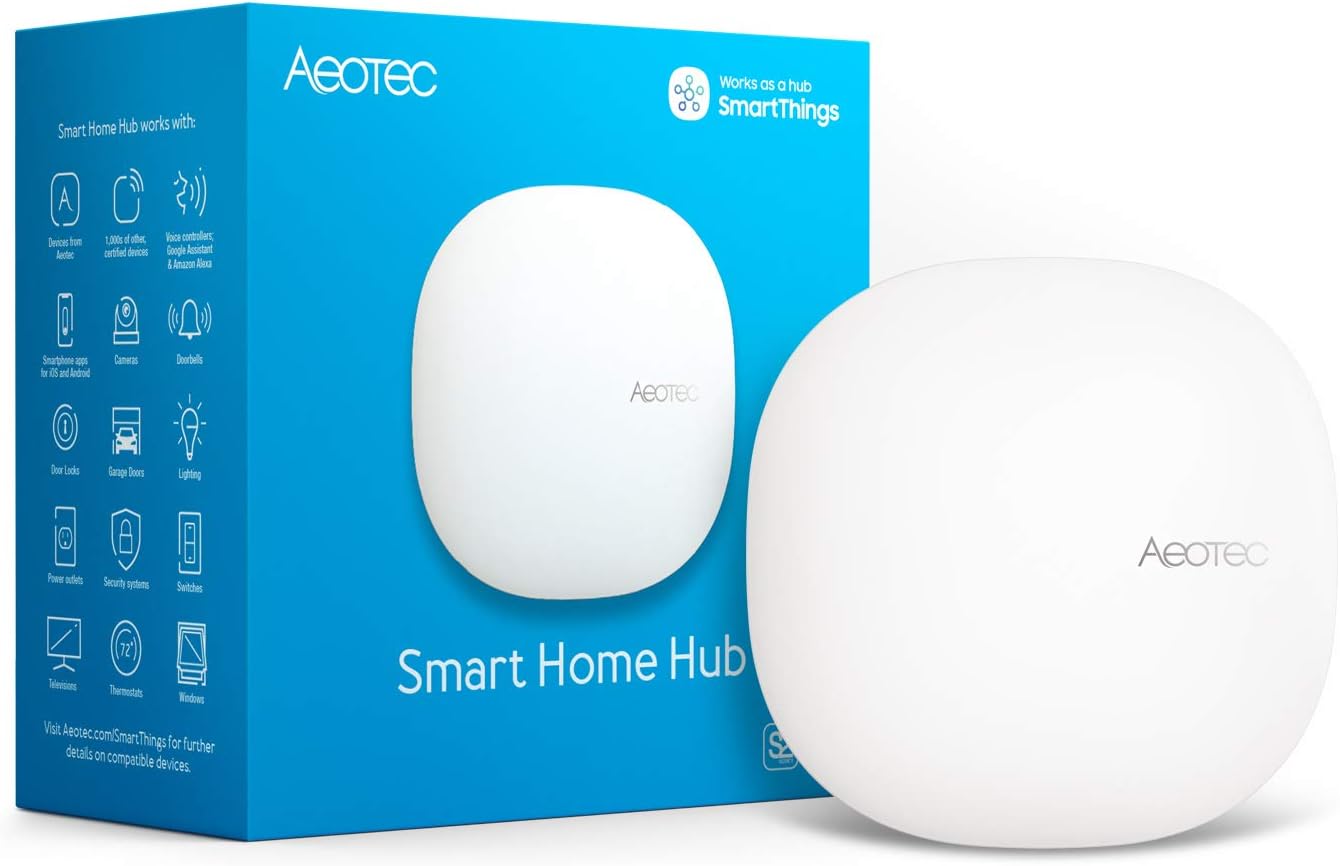
| Connectivity Technology | Ethernet, Wi-Fi, Z-Wave, ZigBee, Matter |
|---|---|
| Control Method | App, Voice |
| Compatible Devices | SmartThings, Z-Wave Plus, Zigbee, Matter devices, Google Home, Alexa |
| Frequency | 908.42 MHz |
The Aeotec Smart Home Hub V3 is a dedicated gateway for connecting Z‑Wave Plus, Zigbee, Matter, and Wi‑Fi devices and managing them from the SmartThings app or voice assistants. It is typically used as the central controller in a home automation setup to link sensors, lights, switches, and comfort devices and to run automations and routines. Setup is straightforward with either Ethernet or Wi‑Fi and the bundled power adapter and cable, and many automations can run locally for faster, more reliable responses. The hub's broad protocol support and compatibility with Alexa and Google Home make it useful for integrating existing Z‑Wave and Zigbee gear alongside newer Matter devices. Limitations include its North America design and radio frequency, so it is intended for use within that region, and advanced users may find the SmartThings ecosystem more opinionated than some open platforms. For mainstream buyers who want a stable, certified hub that supports a wide range of device types, this simplifies building a mixed-protocol smart home.
Best for: Buyers who want a straightforward, reliable hub to consolidate Z‑Wave, Zigbee, and Matter devices into a single SmartThings-managed system without needing deep technical tinkering.
Less Ideal for: Power users seeking an open, highly customizable hub platform or anyone who needs a hub certified for regions outside North America should consider other options.
- Multi-protocol support: Z‑Wave Plus, Zigbee, Matter, and Wi‑Fi for broad device compatibility
- Local automations available for faster, more reliable execution
- Works with SmartThings app and voice assistants including Alexa and Google Assistant
- Easy setup with either Ethernet or Wi‑Fi and included adapter/cable
- Designed for North America radio frequency and may not work in other regions
Verdict: Choose the Aeotec V3 hub if you want a reliable, SmartThings-centered controller that brings Z‑Wave, Zigbee, and Matter devices together with easy setup and local automation support.
Choosing the Right Z-Wave Smart Hub: Key Factors to Consider
Z-Wave Device Compatibility
Not all hubs support every Z-Wave device or feature. Compatibility affects whether your existing sensors, locks, switches, and dimmers will join the network and expose the capabilities you need, such as multichannel endpoints, secure inclusion for door locks, or specific command classes.
Checking compatibility matters because a hub that omits support for a device's advanced features can leave you without battery reporting, scene control, or reliable state feedback. For future-proofing, prefer hubs that list supported command classes and document secure inclusion processes.
Local Automation Capability
Local automation determines how your system behaves when the internet or cloud services are unavailable. Hubs that can run rules, scenes, and scripts locally reduce latency and keep critical automations like door locks and safety sensors functioning during outages.
Assess the hub's local logic options, whether through a built-in rule engine, scene editor, or support for established local automation platforms. The easier it is to author and debug local rules, the less time you will spend troubleshooting.
Network Capacity and Mesh Reliability
Z-Wave operates as a mesh network where devices forward traffic. The number of supported nodes and how the hub handles routing and healing directly affects system reliability in larger homes.
Consider the maximum node count and whether the hub provides network diagnostics, healing tools, and signal strength indicators. Good mesh management shortens device setup time and reduces intermittent dropouts as you add more devices.
Security and Firmware Updates
Security matters because many Z-Wave devices control entry, surveillance, and other sensitive systems. Look for hubs that implement encrypted inclusion for supported devices and that receive regular firmware updates addressing vulnerabilities and interoperability bugs.
A transparent update process, the ability to back up configurations, and clear notes about security practices reduce long-term maintenance risks and help protect your home network.
Integration and Ecosystem Support
How a hub integrates with other systems affects its flexibility. Native integrations, local APIs, or support for third-party automation platforms can expand functionality without adding cloud dependency.
Evaluate whether the hub supports exports, remote access options, voice assistants, or industry-standard protocols when needed. A hub that plays well with ecosystem tools makes it easier to scale features over time.
User Interface and Ongoing Management
A clear, maintainable user interface makes setup and ongoing management less frustrating. This includes a well-designed mobile app, a web interface for advanced tasks, and logging or diagnostics to troubleshoot issues.
Consider how the platform organizes devices, automations, and scenes, and whether it offers features like bulk device editing, scheduled backups, or notification options for device failures. Good management features reduce time spent on routine upkeep.
Planning Your Z-Wave Network Layout
Map the physical layout of your home before buying. Place the hub centrally to maximize direct communication with devices that cannot act as repeaters, such as battery-powered sensors. For larger homes, plan for strategic mains-powered repeaters like smart plugs or switches to strengthen the mesh and extend range.
- Place hub near the center of the device cluster for best coverage
- Keep the hub away from large metal obstacles and other radio equipment
- Use mains-powered devices as repeaters to fill gaps in the mesh
Secure Inclusion and Device Enrollment Tips
Follow secure inclusion procedures for locks and security sensors to ensure encrypted communication. Many hubs offer a dedicated secure inclusion mode or require a PIN during enrollment. Always verify a newly added device shows the correct secure flag or security class in the hub's device details page.
- Enable secure inclusion for door locks and cameras when available
- Document device serials and locations during enrollment
- Test lock/unlock and alarm sensor reporting immediately after adding
Managing Firmware and Backups
Keep hub firmware current to maintain interoperability and security. Schedule regular backups of your hub configuration where supported so you can restore automations and device associations if the hub needs replacement or reset. Some platforms allow automatic or local backups; prefer local copies where possible for privacy and reliability.
- Check firmware release notes before updating to understand behavioral changes
- Export configuration backups regularly if the hub supports it
- Maintain a log of recent changes to automations to simplify troubleshooting
Scaling From a Starter Setup to a Whole-Home System
Start with critical rooms and devices, then expand in phases to validate mesh behavior and rule logic. Phase-based expansion helps isolate configuration issues and keeps automations comprehensible. When you add many devices, revisit scene and rule organization to avoid conflicts and unintended triggers.
- Add devices in batches and test automations after each batch
- Revisit automation triggers and conditions as the system grows
- Use grouping and naming conventions to keep large setups manageable
How We Chose the Best Z-Wave Smart Hub
We focused on practical, measurable criteria that matter for everyday Z-Wave home automation. First, compatibility with a broad set of Z-Wave devices and clear inclusion of the relevant Z-Wave frequency bands was required. We prioritized hubs that support common automation workflows and rule building, whether through an app, web UI, or local automation engine. Reliability was assessed by looking at features that reduce dropped devices and latency, including local processing options, robust mesh management, and clear diagnostics. Security and update practices were considered to ensure hubs receive firmware updates and support encrypted Z-Wave communication. Scalability and device capacity were also evaluated so the hub can grow with a typical smart home without becoming a bottleneck. We excluded hubs that lack Z-Wave radio hardware or that rely exclusively on cloud-only automation for core device control. Devices with unclear support for local backups or poor documentation were not included. The result is a selection of hubs that best balance compatibility, reliability, security, and real-world usability.
Our full evaluation process is outlined in our review methodology.
FAQ
How many Z-Wave devices can a typical hub support?
Node limits vary by hub, but many modern hubs support at least dozens of nodes. The practical limit also depends on mesh quality; a healthy mix of mains-powered repeaters and careful layout often matters more than the theoretical maximum.
Will my battery sensors act as repeaters in a Z-Wave network?
No. Battery-powered Z-Wave sensors usually do not forward traffic to conserve power. Rely on mains-powered devices like smart plugs or in-wall modules to form the mesh and extend range.
Do I need local automation capability?
Local automation is important if you want critical functions to work without internet access and to reduce latency. If you rely on cloud-only rule processing, expect potential outages or delays when the internet or cloud service is unavailable.
How can I tell if a device was included securely?
Most hubs indicate secure inclusion in the device information or show a security flag. After pairing, check the device details for encryption status, supported command classes, or a secure inclusion indicator in the app or web UI.
Is it safe to update hub firmware right away?
Updates often patch security and compatibility issues, but read release notes first. If the hub manages a critical system, consider testing the update process and keeping a recent backup to restore if a change affects automations.
Final Verdict
Choose a Z-Wave smart hub that balances compatibility, local automation, and robust mesh management for the size of your home. Prioritize hubs that support secure inclusion and offer clear firmware and backup options to protect your automation investment. Focus on practical tradeoffs: local processing and good mesh diagnostics reduce downtime, while broad device compatibility and a usable interface lower ongoing maintenance effort. With those priorities in mind, you can pick a hub that scales with your home and keeps essential automations running reliably.