
Note: This article contains affiliate links. If you click on these links and make a purchase, we may earn a small commission at no extra cost to you. This helps support our research and content. Read our full affiliate disclosure here.
You want simple, reliable ways to control lights and small appliances from anywhere, and the right Smart Plug makes that possible. These devices can add remote control, scheduling, and energy tracking to ordinary outlets without rewiring or complex installs. Choosing the correct model affects daily convenience, automation reliability, and household safety. This guide shortlists the top Smart Plugs for typical home use and evaluates them on connectivity, safety, and usability. Read on to see the key tradeoffs and which features deserve the most attention when making a pick.
Top Picks at a Glance
| Best Overall The best all-around choice for most situations | TP-Link Tapo Smart Plug P125M |  |
| Best Quality Built to a higher standard if you want something more solid | Philips Hue Smart Plug |  |
| Best Value The sweet spot between price and what you get | Amazon Basics Smart Plug 4-Pack |  |
| Best Budget The cheapest option that still gets the job done reliably | GHome Smart Plug WP3 |  |
| Top Rated A top-rated pick with lots of positive feedback | Kasa Smart Plug HS103 (2-Pack) |  |
| Most Popular A crowd favorite that many people choose with confidence | Amazon Smart Plug |  |
| Best Seller A high-volume bestseller chosen again and again | Kasa Smart Plug Mini EP10 | 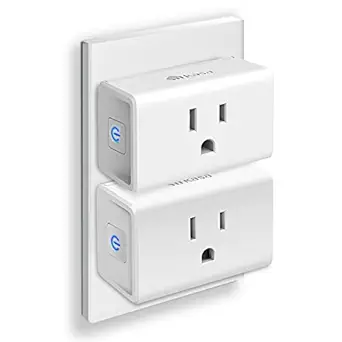 |
TP-Link Tapo Smart Plug P125M

| Current Rating | 15 A |
|---|---|
| Operating Voltage | 120 volts AC |
| Wattage | 1800 watts |
| Connectivity Protocol | Bluetooth, Matter, Wi‑Fi |
| Compatible Devices | Apple Home, Amazon Alexa, Google Home, Samsung SmartThings |
The Tapo P125M is a compact Matter‑compatible smart plug designed to let you control lamps, fans, holiday lights and other small appliances from the Tapo app or by voice. It supports Matter plus Wi‑Fi and Bluetooth onboarding so once paired to a Matter controller you can control devices locally over the LAN even if the internet is down, and it also works with Apple Home, Alexa, Google Home and SmartThings. The plug is small enough not to block the second outlet, is UL certified and rated for up to 15A/1800W so it will handle most household loads within that limit. Scheduling, timers, away mode and remote on/off let you automate routines and simulate presence. You will need a Matter controller (hub) for Matter setup and the plug does not add outdoor/weatherproofing, so use it indoors only. For buyers who want a compact, platform‑agnostic smart plug that emphasizes local control and easy scheduling, this is a practical choice.
Best for: Buyers who want a small, reliable smart plug that works across major smart home platforms and prioritizes local LAN control and simple automation.
Less Ideal for: People needing outdoor‑rated or high‑power outlet solutions, or those who prefer plug‑and‑play devices that do not require any hub or Matter controller.
- Matter certification for cross‑platform interoperability and improved local LAN control
- Compact design that leaves the adjacent outlet usable
- 15A / 1800W rating suitable for most household appliances
- App, voice control and scheduling features for remote control and automation
- UL certified with flame‑retardant materials and 2‑year manufacturer warranty
- Requires a Matter controller for Matter pairing and some features depend on the controller
- Not rated for outdoor or wet locations
Verdict: Choose the Tapo P125M if you want a compact, Matter‑certified smart plug that delivers reliable local control and broad platform compatibility.
Philips Hue Smart Plug

| Voltage | 120 volts |
|---|---|
| Plug Type | Type B |
| Connector Type | Blade |
| Specification Met | Ip20, Homekit Compatible |
The Philips Hue Smart Plug converts a standard lamp or appliance into a controllable Hue device using Bluetooth for quick setup or a Hue Bridge for full smart-home features. In everyday use you plug a lamp into the unit and control it from the Hue app or with voice assistants such as Alexa and Google Assistant, and when paired with a Bridge you gain automations, out-of-home control, and Matter compatibility. Its compact white housing is designed to avoid blocking adjacent sockets and the plug supports reliable, low-overhead integration with Hue scenes and schedules. For buyers focused on performance, the major benefit is the Bridge-enabled responsiveness and stable connection that keeps automations reliable without burdening your Wi-Fi. The downside is that some advanced features require buying a Bridge if you want multi-room control, remote access, and the full suite of Hue integrations rather than using Bluetooth alone.
Best for: Buyers who prioritize a responsive, stable smart-plug experience and want devices that integrate tightly with the Hue ecosystem for reliable automations and voice control.
Less Ideal for: Users seeking a feature-complete smart plug without investing in a separate hub or those who need advanced capabilities exclusively over direct Wi-Fi without a Bridge.
- Works with Hue Bridge to enable reliable automations, remote control, and Matter compatibility
- Quick Bluetooth setup for instant local control without additional hardware
- Compact design that is unlikely to block adjacent outlet positions
- Voice control support for Alexa and Google Assistant
- Full feature set requires a Hue Bridge rather than Bluetooth alone
Verdict: Choose this smart plug if you want a compact, performance-focused way to add reliable, Bridge-enabled smart control to lamps and appliances within the Philips Hue system.
Amazon Basics Smart Plug 4-Pack

| Connector Type | 2 Pin |
|---|---|
| Plug Type | Type B |
| Amperage | 15 A |
| Specification Met | UL |
These Amazon Basics smart plugs are simple indoor Wi‑Fi outlets designed to work directly with Alexa without a separate hub. They install quickly via the Alexa app and let you turn lamps, fans, holiday lights, and small appliances on and off remotely, schedule routines, or trigger actions at sunrise and sunset. The compact body occupies a single outlet so you do not block the second socket, and UL listing and 15 A rating make them suitable for typical household devices. Because they rely on 2.4 GHz Wi‑Fi and Alexa account link, setup and control are tightly integrated with Amazon's ecosystem and do not require any third-party apps. The limitations are that they are Alexa-first — users who want Google Home or HomeKit integration will need different hardware — and they are indoor-only plugs intended for low- to mid-power appliances rather than heavy-duty or outdoor use. For straightforward Alexa-based automation they deliver reliable, no-frills performance.
Best for: Buyers who want a low-friction way to add Alexa-controlled outlets across a home and prefer straightforward setup and scheduling without extra hubs.
Less Ideal for: Users seeking multi-platform compatibility (Google Home or HomeKit), professional outdoor outlets, or high-current industrial appliances should look elsewhere.
- Direct Alexa integration with no hub or third-party app required
- Compact design fits in one outlet and leaves the other socket usable
- Supports scheduling, remote control, and routines through the Alexa app
- UL listed and rated for 15 A for everyday household appliances
- Designed to work primarily with Alexa so other smart home platforms are not supported
- Indoor use only and not intended for heavy-duty or outdoor applications
Verdict: A budget-friendly, Alexa-first smart plug pack that makes fast, reliable voice and scheduled control easy for everyday indoor devices.
GHome Smart Plug WP3

| Current Rating | 10 A |
|---|---|
| Wattage | 1200 watts |
| Operating Voltage | 120 volts |
| Connectivity Protocol | Bluetooth, Wi-Fi |
| Controller Type | Amazon Alexa, Google Assistant, SmartThings |
The GHome Smart Plug WP3 is a small plug-in outlet that lets you control lamps, fans, holiday lights and other low-to-moderate-power devices via the GHome/Smart Life/Tuya apps or with Alexa and Google Assistant voice commands. It connects on 2.4 GHz Wi‑Fi (Bluetooth also supported) and supports scheduling, countdown and cycle timers, group control and remote on/off from the app so you can automate routines or simulate occupancy. The unit is ETL and FCC listed and rated for 10 A / 1200 W, so it is suited to lighting and small appliances rather than heavy-duty loads. Setup is typical for Tuya-based plugs: add the device in the app, join your 2.4 GHz network and assign to a room or group; the product notes stress keeping a stable 2.4 GHz connection. Practical benefits include simple voice control, extensive timer options and the ability to share access with family members. Limitations are the 10 A / 1200 W cap and 2.4 GHz-only Wi‑Fi requirement, which restrict use with higher-draw devices and some modern routers that favor 5 GHz bands.
Best for: Buyers looking for an inexpensive, no-frills smart plug to automate lights and small appliances and who prioritize easy app and voice control on a budget.
Less Ideal for: Users who need to power high-draw devices or who require native 5 GHz Wi‑Fi support or advanced energy monitoring features.
- Works with Alexa and Google Assistant for hands-free control
- App remote control and multiple timer modes including countdown and cycle timers
- Group control and device sharing make multi-outlet setups easy
- ETL and FCC listings indicate basic safety compliance
- Rated 10 A / 1200 W, so not suitable for high-power appliances
- Requires a 2.4 GHz Wi‑Fi network which may need router adjustment
Verdict: A budget-friendly smart plug that delivers reliable app and voice control for lighting and small appliances when your home uses 2.4 GHz Wi‑Fi.
Kasa Smart Plug HS103 (2-Pack)

| Connectivity | 2.4GHz Wi-Fi |
|---|---|
| Amperage | 15 A |
| Number of Items | 2 |
The Kasa HS103 2-pack turns ordinary outlets into controllable smart plugs using your 2.4 GHz Wi‑Fi network and the Kasa app. Each pocket‑sized plug provides on/off control, scheduling, countdown timers and an Away mode so lamps, fans and other appliances can be automated or controlled from anywhere and via Alexa or Google Assistant. Setup is straightforward: plug in, follow the app prompts and the side button provides a local on/off toggle. Practical benefits include grouping plugs with other Kasa devices for combined actions and basic run‑time/usage reporting to help monitor energy use. The HS103 is UL certified and rated for residential use up to 15 A, so it handles common household loads reliably. Limitations are its reliance on 2.4 GHz Wi‑Fi only and the lack of per‑outlet energy metering in this model, so it is not ideal for advanced power monitoring tasks or networks restricted to 5 GHz only.
Best for: Buyers who prioritize a dependable, no‑frills smart plug to add voice control and simple automation to lamps and everyday appliances with minimal setup and a focus on safety.
Less Ideal for: Users who need built‑in energy metering, 5 GHz Wi‑Fi compatibility, or enterprise‑grade network features should look at other options.
- Compact plug design preserves adjacent outlet space
- Works with Alexa and Google Assistant for voice control
- App scheduling, countdown timers, grouping and Away mode for useful automation
- UL certified and rated for common residential loads up to 15 A
- Only supports 2.4 GHz Wi‑Fi and will not connect to 5 GHz networks
- No built‑in energy monitoring for per‑device consumption tracking
Verdict: A reliable, compact 2‑pack that adds easy voice control and basic scheduling to household outlets for buyers who want dependable everyday automation.
Amazon Smart Plug

| ASIN | B089DR29T6 |
|---|---|
| Brand | Amazon |
| Requires hub | No |
| Compatible with | Alexa |
The Amazon Smart Plug turns any regular outlet into a voice- and app-controlled socket using the Alexa app, with a straightforward plug-and-play setup that does not require a smart home hub. It is typically used to automate lamps, fans, coffee makers, and other devices with a physical on/off switch by creating schedules, timers, and Alexa routines. The plug is compact so it leaves the second outlet accessible, and it automatically reconnects to Alexa after brief power or Wi-Fi interruptions for dependable operation. Setup and daily use are simple for nontechnical users, and integration into existing Alexa routines makes it easy to coordinate multiple devices. The main limitations are that it only works inside the Alexa ecosystem and requires a stable 2.4 GHz Wi-Fi connection, so users who prefer platform-agnostic devices or direct local control may want a different model.
Best for: Buyers who prioritize simple, reliable smart-home automation tied to Alexa and want a no-hub, low-friction way to make lamps and small appliances voice‑controllable.
Less Ideal for: Users who need platform-agnostic devices, local-only control, or compatibility with non-Alexa smart home systems.
- Easy setup via the Alexa app with no hub required
- Compact form leaves the adjacent outlet usable
- Supports schedules, timers, and Alexa routines for automation
- Automatically reconnects after power or Wi-Fi interruptions
- Works only within the Alexa ecosystem and requires an Alexa account
- Depends on a stable 2.4 GHz Wi‑Fi network for reliable control
Verdict: Choose this smart plug if you want a simple, hub-free way to add dependable Alexa voice control and scheduling to standard outlets.
Kasa Smart Plug Mini EP10

| Current Rating | 15 A |
|---|---|
| Operating Voltage | 120 volts AC |
| Connectivity Protocol | Wi-Fi (2.4 GHz) |
| Wattage | 1800 watts |
| Certification | UL |
The Kasa Smart Plug Mini EP10 (2-pack) plugs into a standard outlet to make lamps, fans, humidifiers, and other small appliances smart with on/off control, schedules, timers, and an Away Mode. Setup is straightforward: plug in, connect to a 2.4 GHz Wi‑Fi network, and use the Kasa app to assign schedules or link to Alexa or Google Assistant for voice control. Its ultra-compact housing is designed to leave the second outlet free and supports up to a 15 A/1800 W load, so it handles most household devices. Safety is emphasized with UL certification and flame-retardant materials. The app features and scheduling let you automate routines and control devices remotely, which can save energy and give the impression someone is home. Limitations include reliance on 2.4 GHz Wi‑Fi only and no built-in energy monitoring, so you cannot track power use from the plug itself. For buyers who want simple, reliable smart outlet control and proven safety credentials, the EP10 is a sensible choice.
Best for: Buyers who prioritize an easy, low-risk entry into smart home control and want a compact, safety-certified plug to automate lamps and small appliances without needing a hub.
Less Ideal for: People who need energy usage reporting from their smart plugs or who require 5 GHz Wi‑Fi compatibility should consider alternatives with those features.
- Ultra-compact design preserves use of the second outlet
- Works with Alexa and Google Assistant for hands-free voice control
- Supports scheduling, timers, and Away Mode for automation and security
- UL certified with flame-retardant materials and nickel-plated pins for safety
- Only connects to 2.4 GHz Wi‑Fi, not 5 GHz networks
- No built-in energy monitoring to measure power usage
Verdict: A compact, safety-focused smart plug that gives reliable remote and voice control for everyday devices with minimal setup.
Choosing the Right Smart Plug: Key Factors to Consider
Connectivity and Network Compatibility
How a Smart Plug connects matters for responsiveness and long-term reliability. Wi-Fi only models are simple to set up but depend entirely on your router and network congestion. Plugs that work with a local hub or support low-power mesh protocols can reduce latency and improve range in larger homes.
Check whether the plug uses 2.4 GHz Wi-Fi, dual-band, or a hub protocol. Also consider whether it requires a cloud service for basic on/off control or supports local control through your home network. Network choice affects automation speed, remote access reliability, and privacy considerations.
Electrical Capacity and Safety Features
Smart Plugs must be matched to the electrical load they will control. Look for the maximum current and wattage rating to ensure the plug can handle lamps, fans, or small appliances without overheating. Overloading a plug can cause failures or fire risk.
Safety features like thermal cutoff, internal fusing, and listed certifications (electrical safety marks) matter. Some plugs also include basic surge protection or ground-fault design elements. Prioritize models with explicit ratings and clear safety documentation for any continuous-load uses.
App Experience and Automation Support
The mobile app is where you set schedules, timers, and automation rules, so a clear, reliable app saves time and reduces frustration. Evaluate whether the app exposes meaningful scheduling options, scene creation, and grouping of multiple plugs. Also check supported integrations such as voice assistants or home automation platforms if you plan to tie plugs into broader routines.
Consider account and cloud requirements, firmware update delivery, and whether the app allows local network control. Good apps balance power and simplicity while keeping setup and ongoing management straightforward for everyday users.
Energy Monitoring and Reporting
Energy monitoring turns a Smart Plug into a tool for understanding appliance consumption. Plugs with real-time power and historical usage reporting help identify energy hogs and track savings from behavioral changes. Look for plugs that report instantaneous watts as well as daily or monthly kWh totals.
Accuracy varies between designs, so expect approximate readings rather than laboratory precision. Still, consistent relative data is useful for spotting trends. If reducing standby power or tracking a particular device matters to you, favor plugs with built-in metering and exportable history.
Physical Size and Outlet Fit
The plug's physical shape affects how it fits in stacked outlets and on power strips. Bulky plugs can block adjacent sockets or prevent tight spacing. Low-profile or slim designs are better for keeping both outlets usable, especially where multiple devices share a wall receptacle.
Also consider corded vs. direct-plug designs and whether a plug has pass-through outlets. Mounting orientation and heat dispersion matter for continuous-running loads, so choose a size that fits your installation while leaving ventilation space.
Reliability and Firmware Support
Long-term reliability depends on firmware updates, responsive vendor support, and a track record of maintaining cloud services if the device depends on them. Devices with accessible firmware update mechanisms and transparent security practices reduce the risk of connectivity or control failures down the line.
Look for plugs that document update procedures and commit to patches. Consider community feedback on longevity and whether the vendor provides clear guidance for restoring connectivity after router changes or power outages.
Best Uses for Smart Plugs Around the Home
Smart Plugs are ideal for lights, fans, and small plug-in appliances that benefit from schedules and remote on/off control. Use them to automate lighting for safety, run fans on a timer, or switch holiday decorations without climbing ladders.
Avoid using typical Smart Plugs for high-draw appliances unless the plug has a matching electrical rating. For devices with motors or heating elements, prioritize plugs with higher current ratings and thermal protection.
- Lighting and decorative fixtures
- Smart scheduling for fans and ventilation
- Low-wattage entertainment peripherals
- Energy tracking for standby power
Installation Tips and Best Practices
Place Smart Plugs where the signal from your router or hub is strong. If you see frequent dropouts during setup, try a temporary closer placement to complete pairing, then move it to the final location.
When adding many plugs, name and group them logically in the app to simplify automation. Create schedules for recurring behaviors rather than relying solely on manual control to reduce daily friction.
- Test load capacity before long-term use
- Keep vents clear for continuous loads
- Document default settings before major firmware updates
Security and Privacy Considerations
Smart Plugs may collect usage data and rely on cloud services for remote access. Use strong, unique passwords for associated accounts and enable two-factor authentication when available. Keep firmware current to benefit from security patches.
If local control is important, prioritize plugs that offer LAN-based commands or integrate with local automation hubs. Reducing unnecessary cloud dependencies can improve privacy and reduce latency for routine commands.
- Use unique passwords and enable two-factor authentication
- Limit third-party integrations to trusted services
- Place critical devices on a separate IoT network or VLAN
Using Smart Plugs With Voice Assistants and Routines
Many Smart Plugs support voice assistants and can be grouped into routines for multi-device scenes. Verify what voice commands are available and whether the plug exposes power state and energy readings to the assistant.
When building routines, test them under normal conditions to ensure timing and state changes behave as expected. Routines that rely on cloud services may be slower than local automations, so keep that in mind for time-sensitive tasks.
- Confirm which voice features are exposed
- Use local automations for faster response when possible
- Test scene behavior after adding new plugs
When Not to Use a Smart Plug
Do not use typical Smart Plugs for high-current heating elements, space heaters, or large kitchen appliances unless the plug explicitly supports those loads. These applications demand dedicated circuits and professionally rated controllers.
Also avoid using indoor-only plugs outdoors or in damp locations unless the product is rated for those conditions. Misusing a plug outside its intended environment risks damage and safety hazards.
- Avoid heaters, ovens, and major kitchen appliances
- Do not use non-rated plugs in outdoor or wet areas
- Seek professional solutions for permanently hardwired loads
How We Chose the Best Smart Plug
We evaluated Smart Plugs using criteria that reflect real-world home use and long-term reliability. Connectivity reliability was central, covering stable Wi-Fi or compatible hub operation and responsiveness under typical home network conditions. Safety and electrical protection were weighted heavily, including maximum current rating, surge protection where applicable, thermal safeguards, and build quality for continuous load use. Usability and setup included mobile app clarity, pairing success rate, and support for common automation platforms. Energy reporting and monitoring measured whether the plug provides accurate, ongoing consumption data and useful historical readouts. Finally, size and outlet fit were assessed for duplex outlets and crowded power strips to ensure practical placement. We excluded devices not intended for indoor residential use or those lacking clear electrical ratings. We also filtered out units without documented firmware update paths or basic security considerations. The final list favors devices that balance dependable connectivity, clear safety specs, meaningful energy data, and straightforward daily operation.
Our full evaluation process is outlined in our review methodology.
FAQ
Can a Smart Plug handle a space heater?
Usually not. Most consumer Smart Plugs are not rated for the continuous high current a space heater draws. Use a controller or outlet specifically rated for high-power heating devices and confirm thermal protection before connecting such loads.
Do Smart Plugs work if my internet goes out?
It depends. Some plugs retain local network control and will still respond to commands from a local hub or on-home network, while cloud-dependent models may lose remote access until internet is restored. Basic on/off scheduled functions can continue on devices that support local scheduling.
How accurate is the energy monitoring on a Smart Plug?
Energy monitoring provides useful relative data and general consumption trends but is not as precise as laboratory-grade meters. Expect reasonable estimates for tracking usage patterns and identifying large consumers rather than billing-grade accuracy.
Will a Smart Plug block my other outlet?
Some Smart Plugs are bulky and can block adjacent outlets. If you need to preserve both receptacles, choose a low-profile design or a plug with a pass-through outlet. Check the plug's dimensions before buying to ensure it fits your outlet layout.
Are Smart Plugs secure from hacking?
Security varies by model. Good devices offer firmware updates, secure account sign-in, and minimal exposure of local network services. Mitigate risk by using strong passwords, enabling two-factor authentication, and placing IoT devices on a separate network when possible.
Final Verdict
When choosing a Smart Plug, prioritize connectivity reliability and safety ratings first, then app usability and energy reporting based on how you plan to use the device. Balance form factor and fit against the electrical capacity required for the load you intend to control. Focus on models that clearly document electrical specs and provide ongoing firmware support. That approach helps ensure dependable daily use, safer operation, and meaningful energy insights for informed home automation decisions.